
Microsoft’s June 9, 2026 Patch Tuesday updates finally close a Windows Update Standalone Installer bug that caused Windows 11 24H2, Windows 11 25H2, and Windows Server 2025 systems to fail when installing
The failure mode was deceptively mundane. Administrators could place multiple Microsoft Standalone Update packages in a shared folder, run WUSA against one of them, and watch the installation fail with
That is exactly the kind of bug that wastes the most time in an IT department. It looks like a bad UNC path, a permissions problem, a malformed filename, a share configuration issue, or a scripting mistake. In reality, the path may be fine; the installer was the unreliable part.
For home users, this was mostly invisible. Windows Update, Microsoft Store delivery, and consumer-facing update UX are not built around manually launching WUSA from a file share. But for sysadmins, managed service providers, lab operators, and anyone maintaining disconnected or semi-controlled environments, the standalone installer remains part of the patching toolbox.
That difference explains why the bug could sit in plain sight while remaining a niche pain point. It was not a Start menu crash, a gaming performance regression, or a blue screen splashed across Reddit within hours. It was a failure in the maintenance layer, and maintenance-layer failures are often underreported until enough administrators compare notes.
That era never fully ended. Even in 2026, with Windows Update for Business, Intune, Autopatch, Configuration Manager, WSUS, and cloud-managed rings all occupying the spotlight, plenty of organizations still need offline packages and repeatable command-line installs. Air-gapped networks, recovery workflows, gold-image maintenance, labs, regulated environments, and emergency rollback plans all keep WUSA relevant.
The most damaging thing about the bug was not that Microsoft’s preferred consumer update path broke. It did not. The damage was that a fallback path broke — the kind of path administrators reach for when the glossy management layer is unavailable, unsuitable, or not trusted.
That distinction matters. Enterprises build resilience through redundancy. If Windows Update fails, an admin may turn to the Update Catalog. If policy-based rollout gets stuck, they may test the package manually. If a device cannot reach Microsoft’s service, they may pull from an internal share. When WUSA fails in that scenario, the backup plan itself becomes suspect.
That is a narrow trigger, but not an absurd one. Shared folders containing multiple update packages are normal in many maintenance setups. Administrators often collect a servicing stack component, a cumulative update, a .NET update, a dynamic update, language-related packages, or architecture-specific packages in one place.
The problem’s narrowness likely made it harder to recognize. A technician testing a single package from a clean share might not reproduce it. A script that copied the file locally before install might avoid it entirely. Another admin running the same
This is where enterprise bugs become maddening. They do not always map cleanly to “the update is broken” or “the machine is broken.” They depend on topology, file placement, deployment conventions, and the order in which administrators happen to test their assumptions.
That is useful, and in many cases it is exactly what users need. But KIR also highlights the difference between mitigation and repair. A rollback can restore behavior for a population of devices, but it does not always answer the deeper operational question: which machines have the mitigation, which do not, and which deployment workflows remain exposed?
In smaller environments, “restart and wait” may be enough. In larger estates, that answer is rarely satisfying. Administrators want deterministic state, not vibes. They need to know whether a server in a maintenance window will install the package, whether a script can be trusted, and whether compliance reports are lagging reality.
The WUSA issue also carried an awkward delay symptom: affected environments could see installation status lag after restarts, with correct state taking time to appear. That turns a simple patch action into a monitoring problem. The update may be installed, not installed, pending, failed, or merely slow to report — and automation has to decide what to do next.
At small scale, that is an annoyance. At enterprise scale, it is operational drag. Copying packages consumes time, storage, bandwidth, and scripting complexity. It creates cleanup chores. It changes logging assumptions. It can break otherwise simple runbooks that were built around a central source of truth.
Worse, local-copy workarounds have a way of lingering. Once a team modifies its deployment scripts to avoid a Windows bug, the workaround becomes part of institutional memory. Months later, nobody wants to remove it because nobody wants to rediscover the old failure during a production patch window.
That is why “there was a workaround” is not the same as “the issue was minor.” Enterprise IT is a world of multiplied friction. A five-minute manual step, repeated across hundreds or thousands of systems and audited after the fact, becomes a real cost.
There is a bit of chronology worth untangling. Some earlier Microsoft release-health material and preview-update coverage pointed to fixes arriving in 2026 preview channels for Windows 11. But the broader enterprise-significant closure, including Windows Server 2025 and the Patch Tuesday security baseline, lands with the June 9, 2026 updates.
That distinction matters because many organizations do not treat optional previews as production fixes. They may test them, but they typically wait for Patch Tuesday cumulative updates before deploying broadly. For those shops, the bug was not truly over until the security update train carried the fix.
In other words, June 2026 is the point at which administrators can reasonably make WUSA-from-share behavior part of standard practice again — after testing, of course. Windows servicing has taught every careful admin to trust, but verify with logs.
That is the sort of mismatch that inflames troubleshooting. Administrators naturally begin with the path. They test access. They check credentials. They inspect quoting in scripts. They compare mapped drives and UNC paths. They look for spaces, localization issues, long paths, and permissions.
Only after those suspects are eliminated does the pattern emerge: the share works, the file works, the account works, but the combination of WUSA plus a multi-file network folder does not. By then, a maintenance window may already be gone.
Good error reporting is not cosmetic. It is a force multiplier. A precise message can save hours across thousands of customers. A misleading one can turn one bug into a thousand private investigations.
But simplification at one layer often moves complexity elsewhere. Administrators now deal with enablement packages, dynamic updates, checkpoint cumulative updates, Safe OS phases, WinRE servicing, driver blocks, safeguard holds, WSUS metadata quirks, Intune reporting delays, and edition-specific lifecycle cutoffs. The interface may look cleaner, but the machine underneath is still intricate.
WUSA sits at the boundary between old and new Windows servicing. It is a familiar tool interacting with an update model that has become more layered. A bug in that boundary is not surprising, but it is revealing.
The lesson is not that Microsoft should freeze Windows servicing in 2012. It is that compatibility contracts for administrative workflows need the same respect as consumer UX. If a documented tool supports installing
Servers also live in environments where direct internet access may be restricted. Offline packages and internal shares are not quaint legacy habits there. They are part of segmentation, change control, and security posture.
The affected Server 2025 population would have included some of Microsoft’s newest server deployments. That is awkward. Organizations adopting a new server release expect driver issues, application compatibility testing, and policy tuning. They do not expect a built-in standalone update installer to choke on a common share layout.
For admins evaluating whether to move faster on Server 2025, these servicing bugs matter. New platform features sell upgrades, but reliable maintenance sustains them. A server OS is only as enterprise-ready as its patch path.
Windows has two audiences. One is the individual user who wants the machine to update overnight and stay out of the way. The other is the administrator who needs to keep fleets secure without creating outages. Bugs that hit the second audience can be less visible and more consequential.
A consumer-visible bug generates screenshots. An enterprise servicing bug generates tickets, internal chat threads, delayed rollouts, and cautious rollback meetings. The public signal is quieter, but the operational weight can be heavier.
That is why WindowsForum readers should care even if they never run WUSA manually. The same servicing ecosystem that supports enterprise deployment also underpins the reliability of Windows as a platform. When obscure paths break, confidence in the whole patching story erodes.
But KIR is also an implicit admission that regressions are now an expected part of the servicing system. That is not scandalous; software at Windows scale will always have defects. The question is how quickly Microsoft detects them, how clearly it communicates them, and how completely it closes them.
The WUSA case is uncomfortable because the timeline stretches across many months. The issue reportedly began with May 2025-era updates, was acknowledged later in 2025, mitigated for some populations, and fully fixed for the mainstream security baseline in June 2026. That is a long time for a servicing defect in supported Windows releases.
A mitigation can keep the fire from spreading, but it does not rebuild trust on its own. Trust comes when administrators see the issue documented clearly, the workaround bounded, the fix shipped, and the behavior verified in ordinary deployment channels.
That bundling is part of the challenge. Administrators cannot usually take “just the WUSA fix” and ignore the rest. They take the cumulative update, test the cumulative update, and absorb the cumulative update’s side effects.
This is the tradeoff Microsoft chose with cumulative servicing. It reduces fragmentation and ensures security fixes ride together. It also means a fix for one enterprise annoyance may arrive inside a package that changes other assumptions.
The proper response is not nostalgia for manually selecting dozens of patches. That older model had its own disasters. The response is disciplined test-ring design, better release notes, and a realistic understanding that every cumulative update is both a repair vehicle and a change vehicle.
The first step is to test the exact old failure mode. Put multiple
The second step is to check whether documentation and runbooks still describe the workaround as mandatory. A stale workaround can become tomorrow’s confusion. Six months from now, a new admin should not have to wonder why every update package is copied locally before install.
The third step is to update monitoring assumptions. If scripts were extended with waits, retries, or manual verification steps because status reporting lagged, those should be reviewed. Not every defensive delay is still needed, though some may remain prudent.
That predictability is especially important when Windows Update itself is not the preferred path. Some organizations avoid direct cloud updating for policy reasons. Others use standalone packages during incident response, recovery, lab validation, or staged deployments. In those scenarios, fewer moving parts are better.
The WUSA bug added a bizarre moving part: the number of other
Microsoft’s fix removes that particular trap, but the broader principle remains. The closer a workflow is to disaster recovery, security remediation, or fleet baseline control, the less tolerant it is of surprising behavior.
That skepticism is healthy. It is not anti-Microsoft; it is the professional posture of people responsible for uptime and security. Windows is too central to enterprise infrastructure for administrators to consume release notes passively.
The frustrating part is that Microsoft has improved its transparency over the years. The Windows release health dashboard is far better than the old days of hunting forum posts and KB footnotes. But transparency raises expectations. If an issue is documented, customers expect timely closure.
A bug can be survivable. A vague timeline is harder. Enterprises can plan around almost anything except uncertainty.
.msu packages from multi-file network shares. The fix matters because the broken path was not exotic in enterprise IT; it was one of those quiet servicing workflows administrators rely on precisely because it is simple, scriptable, and boring. For more than a year, Windows made that boring path unreliable. The real story is not just that WUSA is fixed, but that Microsoft’s modern Windows servicing model still has weak spots where old administrative habits, new cumulative-update plumbing, and enterprise scale collide.
 A Small Installer Bug Became a Big Trust Problem
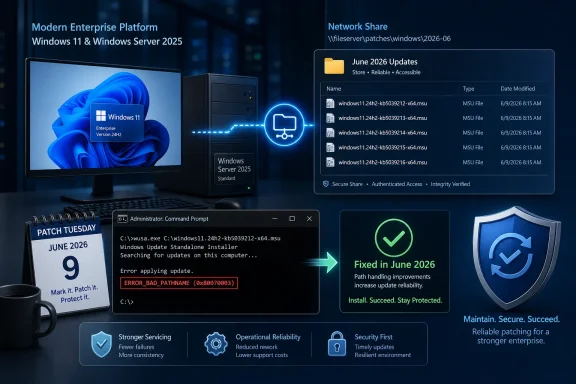
The failure mode was deceptively mundane. Administrators could place multiple Microsoft Standalone Update packages in a shared folder, run WUSA against one of them, and watch the installation fail with ERROR_BAD_PATHNAME. The same package could often install successfully if copied locally, and the problem did not appear when only one .msu file sat in the share.That is exactly the kind of bug that wastes the most time in an IT department. It looks like a bad UNC path, a permissions problem, a malformed filename, a share configuration issue, or a scripting mistake. In reality, the path may be fine; the installer was the unreliable part.
For home users, this was mostly invisible. Windows Update, Microsoft Store delivery, and consumer-facing update UX are not built around manually launching WUSA from a file share. But for sysadmins, managed service providers, lab operators, and anyone maintaining disconnected or semi-controlled environments, the standalone installer remains part of the patching toolbox.
That difference explains why the bug could sit in plain sight while remaining a niche pain point. It was not a Start menu crash, a gaming performance regression, or a blue screen splashed across Reddit within hours. It was a failure in the maintenance layer, and maintenance-layer failures are often underreported until enough administrators compare notes.
WUSA Is Old Plumbing, but Old Plumbing Still Carries Water
WUSA is not glamorous Windows technology. It is a built-in command-line utility that installs and uninstalls standalone Windows update packages, usually.msu files, through Windows servicing components. It belongs to the era when administrators expected to download a package, stage it, test it, and deploy it with their own tooling.That era never fully ended. Even in 2026, with Windows Update for Business, Intune, Autopatch, Configuration Manager, WSUS, and cloud-managed rings all occupying the spotlight, plenty of organizations still need offline packages and repeatable command-line installs. Air-gapped networks, recovery workflows, gold-image maintenance, labs, regulated environments, and emergency rollback plans all keep WUSA relevant.
The most damaging thing about the bug was not that Microsoft’s preferred consumer update path broke. It did not. The damage was that a fallback path broke — the kind of path administrators reach for when the glossy management layer is unavailable, unsuitable, or not trusted.
That distinction matters. Enterprises build resilience through redundancy. If Windows Update fails, an admin may turn to the Update Catalog. If policy-based rollout gets stuck, they may test the package manually. If a device cannot reach Microsoft’s service, they may pull from an internal share. When WUSA fails in that scenario, the backup plan itself becomes suspect.
The Trigger Was Narrow Enough to Evade Casual Testing
The bug reportedly dates to updates released in late May 2025 and later. Microsoft later described the affected scenario as updates installed using WUSA, or by double-clicking an.msu file, from a network share containing multiple .msu files. The affected platforms were Windows 11 24H2, Windows 11 25H2, and Windows Server 2025.That is a narrow trigger, but not an absurd one. Shared folders containing multiple update packages are normal in many maintenance setups. Administrators often collect a servicing stack component, a cumulative update, a .NET update, a dynamic update, language-related packages, or architecture-specific packages in one place.
The problem’s narrowness likely made it harder to recognize. A technician testing a single package from a clean share might not reproduce it. A script that copied the file locally before install might avoid it entirely. Another admin running the same
.msu from a crowded share might fail instantly.This is where enterprise bugs become maddening. They do not always map cleanly to “the update is broken” or “the machine is broken.” They depend on topology, file placement, deployment conventions, and the order in which administrators happen to test their assumptions.
Microsoft’s Temporary Fix Was a Clue, Not a Cure
By September 2025, Microsoft had pushed mitigation through Known Issue Rollback for many consumer and unmanaged business devices, with managed environments needing policy-based handling. KIR is one of Microsoft’s more pragmatic servicing inventions: when a non-security regression ships, the company can often disable the problematic change without requiring a full new update.That is useful, and in many cases it is exactly what users need. But KIR also highlights the difference between mitigation and repair. A rollback can restore behavior for a population of devices, but it does not always answer the deeper operational question: which machines have the mitigation, which do not, and which deployment workflows remain exposed?
In smaller environments, “restart and wait” may be enough. In larger estates, that answer is rarely satisfying. Administrators want deterministic state, not vibes. They need to know whether a server in a maintenance window will install the package, whether a script can be trusted, and whether compliance reports are lagging reality.
The WUSA issue also carried an awkward delay symptom: affected environments could see installation status lag after restarts, with correct state taking time to appear. That turns a simple patch action into a monitoring problem. The update may be installed, not installed, pending, failed, or merely slow to report — and automation has to decide what to do next.
Copying Files Locally Was the Workaround Nobody Wanted
The practical workaround was obvious: copy the.msu file to the target machine and run it locally. That avoided the network-share trigger and allowed administrators to keep moving. It also defeated much of the elegance of using a central share in the first place.At small scale, that is an annoyance. At enterprise scale, it is operational drag. Copying packages consumes time, storage, bandwidth, and scripting complexity. It creates cleanup chores. It changes logging assumptions. It can break otherwise simple runbooks that were built around a central source of truth.
Worse, local-copy workarounds have a way of lingering. Once a team modifies its deployment scripts to avoid a Windows bug, the workaround becomes part of institutional memory. Months later, nobody wants to remove it because nobody wants to rediscover the old failure during a production patch window.
That is why “there was a workaround” is not the same as “the issue was minor.” Enterprise IT is a world of multiplied friction. A five-minute manual step, repeated across hundreds or thousands of systems and audited after the fact, becomes a real cost.
June 2026 Turns the Workaround Back Into a Choice
The permanent fix arrives in the June 2026 cumulative updates: KB5094126 for Windows 11 24H2 and 25H2, and KB5094125 for Windows Server 2025. Microsoft’s support notes now identify the WUSA network-share failure as fixed in those updates.There is a bit of chronology worth untangling. Some earlier Microsoft release-health material and preview-update coverage pointed to fixes arriving in 2026 preview channels for Windows 11. But the broader enterprise-significant closure, including Windows Server 2025 and the Patch Tuesday security baseline, lands with the June 9, 2026 updates.
That distinction matters because many organizations do not treat optional previews as production fixes. They may test them, but they typically wait for Patch Tuesday cumulative updates before deploying broadly. For those shops, the bug was not truly over until the security update train carried the fix.
In other words, June 2026 is the point at which administrators can reasonably make WUSA-from-share behavior part of standard practice again — after testing, of course. Windows servicing has taught every careful admin to trust, but verify with logs.
The Error Code Was Technically Honest and Operationally Misleading
ERROR_BAD_PATHNAME is one of those Windows errors that sounds helpful until it is not. It points the operator toward a bad path. In this case, the path could be perfectly valid, and the error could still appear because of the installer’s handling of a network share containing multiple packages.That is the sort of mismatch that inflames troubleshooting. Administrators naturally begin with the path. They test access. They check credentials. They inspect quoting in scripts. They compare mapped drives and UNC paths. They look for spaces, localization issues, long paths, and permissions.
Only after those suspects are eliminated does the pattern emerge: the share works, the file works, the account works, but the combination of WUSA plus a multi-file network folder does not. By then, a maintenance window may already be gone.
Good error reporting is not cosmetic. It is a force multiplier. A precise message can save hours across thousands of customers. A misleading one can turn one bug into a thousand private investigations.
Windows Servicing Keeps Asking Admins to Absorb Complexity
Microsoft has spent years trying to simplify Windows updates from the user’s point of view. Cumulative updates reduced the pick-and-choose chaos of the old patch era. Unified Update Platform delivery aimed to shrink downloads and streamline feature updates. Cloud policy and deployment rings gave enterprises more central control.But simplification at one layer often moves complexity elsewhere. Administrators now deal with enablement packages, dynamic updates, checkpoint cumulative updates, Safe OS phases, WinRE servicing, driver blocks, safeguard holds, WSUS metadata quirks, Intune reporting delays, and edition-specific lifecycle cutoffs. The interface may look cleaner, but the machine underneath is still intricate.
WUSA sits at the boundary between old and new Windows servicing. It is a familiar tool interacting with an update model that has become more layered. A bug in that boundary is not surprising, but it is revealing.
The lesson is not that Microsoft should freeze Windows servicing in 2012. It is that compatibility contracts for administrative workflows need the same respect as consumer UX. If a documented tool supports installing
.msu files from a share, that path cannot be treated as a fringe convenience.Server 2025 Raised the Stakes
Windows Server 2025 being in scope makes the bug more serious than a workstation nuisance. Servers are often patched in carefully defined windows, with rollback plans, maintenance approvals, application-owner signoff, and compliance deadlines. A failed patch is not merely an irritation; it can become a risk exception.Servers also live in environments where direct internet access may be restricted. Offline packages and internal shares are not quaint legacy habits there. They are part of segmentation, change control, and security posture.
The affected Server 2025 population would have included some of Microsoft’s newest server deployments. That is awkward. Organizations adopting a new server release expect driver issues, application compatibility testing, and policy tuning. They do not expect a built-in standalone update installer to choke on a common share layout.
For admins evaluating whether to move faster on Server 2025, these servicing bugs matter. New platform features sell upgrades, but reliable maintenance sustains them. A server OS is only as enterprise-ready as its patch path.
The Bug Also Shows Why “Home Users Are Unaffected” Can Be a Red Herring
Microsoft and third-party reports correctly framed this as mostly enterprise-facing. WUSA is not a daily tool for typical Windows Home users. But “not common for home users” should not be confused with “low impact.”Windows has two audiences. One is the individual user who wants the machine to update overnight and stay out of the way. The other is the administrator who needs to keep fleets secure without creating outages. Bugs that hit the second audience can be less visible and more consequential.
A consumer-visible bug generates screenshots. An enterprise servicing bug generates tickets, internal chat threads, delayed rollouts, and cautious rollback meetings. The public signal is quieter, but the operational weight can be heavier.
That is why WindowsForum readers should care even if they never run WUSA manually. The same servicing ecosystem that supports enterprise deployment also underpins the reliability of Windows as a platform. When obscure paths break, confidence in the whole patching story erodes.
Known Issue Rollback Is Powerful, but It Is Not a Substitute for Root-Cause Discipline
KIR deserves credit. Microsoft needed a way to unwind regressions without forcing every affected user through another full update. In the Windows-as-a-service era, that capability is essential.But KIR is also an implicit admission that regressions are now an expected part of the servicing system. That is not scandalous; software at Windows scale will always have defects. The question is how quickly Microsoft detects them, how clearly it communicates them, and how completely it closes them.
The WUSA case is uncomfortable because the timeline stretches across many months. The issue reportedly began with May 2025-era updates, was acknowledged later in 2025, mitigated for some populations, and fully fixed for the mainstream security baseline in June 2026. That is a long time for a servicing defect in supported Windows releases.
A mitigation can keep the fire from spreading, but it does not rebuild trust on its own. Trust comes when administrators see the issue documented clearly, the workaround bounded, the fix shipped, and the behavior verified in ordinary deployment channels.
The June Patch Train Carried More Than One Message
Patch Tuesday is always a bundle of security fixes, quality improvements, and behavioral changes. June 2026 is no different. The WUSA fix arrived alongside other Windows changes, including security hardening that affected some shell customization behavior in network contexts.That bundling is part of the challenge. Administrators cannot usually take “just the WUSA fix” and ignore the rest. They take the cumulative update, test the cumulative update, and absorb the cumulative update’s side effects.
This is the tradeoff Microsoft chose with cumulative servicing. It reduces fragmentation and ensures security fixes ride together. It also means a fix for one enterprise annoyance may arrive inside a package that changes other assumptions.
The proper response is not nostalgia for manually selecting dozens of patches. That older model had its own disasters. The response is disciplined test-ring design, better release notes, and a realistic understanding that every cumulative update is both a repair vehicle and a change vehicle.
Administrators Should Treat the Fix as a Reset Point
Now that the fix is available through June 2026 cumulative updates, IT teams should revisit any workaround they created. If scripts copy.msu files locally only because of this bug, that logic may now be optional rather than required. But removing it should be a controlled change, not an act of relief.The first step is to test the exact old failure mode. Put multiple
.msu files in the same network share, run WUSA or double-click the target package from a patched Windows 11 24H2, Windows 11 25H2, or Server 2025 system, and validate that the installation proceeds. Confirm logs, return codes, and reporting behavior after restart.The second step is to check whether documentation and runbooks still describe the workaround as mandatory. A stale workaround can become tomorrow’s confusion. Six months from now, a new admin should not have to wonder why every update package is copied locally before install.
The third step is to update monitoring assumptions. If scripts were extended with waits, retries, or manual verification steps because status reporting lagged, those should be reviewed. Not every defensive delay is still needed, though some may remain prudent.
This Is Also a Reminder to Keep Offline Servicing Boring
Offline and semi-offline patching should be boring by design. The more exotic the process becomes, the more fragile it gets. WUSA’s value has always been that it gives administrators a predictable way to apply a known package to a known machine.That predictability is especially important when Windows Update itself is not the preferred path. Some organizations avoid direct cloud updating for policy reasons. Others use standalone packages during incident response, recovery, lab validation, or staged deployments. In those scenarios, fewer moving parts are better.
The WUSA bug added a bizarre moving part: the number of other
.msu files present in the same share. That is not an intuitive variable. It is not something an administrator should have to model.Microsoft’s fix removes that particular trap, but the broader principle remains. The closer a workflow is to disaster recovery, security remediation, or fleet baseline control, the less tolerant it is of surprising behavior.
The Year-Long Delay Will Shape How Admins Read the Next Release Note
The next time Microsoft documents a known issue in Windows Update, administrators will read it through the lens of cases like this. Is the issue cosmetic or operational? Is the mitigation automatic or policy-dependent? Does it affect only consumers, only managed devices, or both? Is the fix in preview, security release, or still pending?That skepticism is healthy. It is not anti-Microsoft; it is the professional posture of people responsible for uptime and security. Windows is too central to enterprise infrastructure for administrators to consume release notes passively.
The frustrating part is that Microsoft has improved its transparency over the years. The Windows release health dashboard is far better than the old days of hunting forum posts and KB footnotes. But transparency raises expectations. If an issue is documented, customers expect timely closure.
A bug can be survivable. A vague timeline is harder. Enterprises can plan around almost anything except uncertainty.
The Fix Is Here, but the Operational Lesson Stays
The concrete lesson from this episode is simple: if your environment stopped using WUSA directly from network shares because ofERROR_BAD_PATHNAME, June 2026 is the moment to retest that workflow. The broader lesson is more uncomfortable: even mature Windows deployment paths can break in narrow ways that only administrators at scale will feel.- Windows 11 24H2, Windows 11 25H2, and Windows Server 2025 were the key affected platforms for the WUSA network-share failure.
- The bug appeared when installing an
.msupackage from a network share that contained multiple.msufiles, whether launched through WUSA or by double-clicking the package. - The error code
ERROR_BAD_PATHNAMEcould mislead administrators into troubleshooting shares, permissions, filenames, or scripts even when the underlying issue was Windows servicing behavior. - Microsoft mitigated the issue for some systems through Known Issue Rollback before delivering the broader fix in the June 2026 cumulative updates.
- KB5094126 for Windows 11 and KB5094125 for Windows Server 2025 are the practical baseline updates administrators should test against before retiring local-copy workarounds.
- Organizations should update scripts, runbooks, and monitoring rules only after validating the old failure mode in their own deployment topology.
References
- Primary source: Research Snipers
Published: 2026-06-19T08:14:10.009940
WUSA bug in Windows 11: Microsoft delivers an update after a year – Research Snipers
A bug in Windows 11 and Windows Server 2025 caused frustration among administrators for over...researchsnipers.com - Related coverage: notebookcheck.net
Windows 11 KB5079391 fixes year-long WUSA network installation bug - Notebookcheck News
Microsoft says Windows 11 KB5079391 resolves the WUSA shared-folder install bug that could trigger ERROR_BAD_PATHNAME on enterprise-managed systems. www.notebookcheck.net
- Related coverage: techzine.eu
Microsoft fixes WUSA bug during Patch Tuesday - Techzine Global
With Patch Tuesday in June 2026, Microsoft resolves the WUSA ERROR_BAD_PATHNAME error in Windows 11 and Windows Server 2025 (KB5079391, KB5094125). www.techzine.eu
- Related coverage: bleepingcomputer.com
Microsoft fixes Windows update failures linked to WUSA installer
Microsoft has fixed a known issue that caused Windows updates released since May 2025 to fail when installed via the Windows Update Standalone Installer (WUSA) from a network share.www.bleepingcomputer.com - Related coverage: windowsforum.com
June 2026 Patch Tuesday Fixes WUSA ERROR_BAD_PATHNAME on Windows Server 2025 | Windows Forum
Microsoft’s June 2026 Patch Tuesday permanently fixes a Windows Update Standalone Installer failure on Windows Server 2025 through KB5094125, while the...windowsforum.com - Related coverage: techtimes.com
Windows 11 June 2026 Update Kills Folder Icons: 23-Year-Old Shell Bug Finally Closed
Windows 11 desktop.ini update June 2026 breaks custom folder icons on network drives — but it is intentional. KB5094126 closes an unchecked-buffer code execution risk in Windows Shell folder parsingwww.techtimes.com
- Related coverage: techzine.be
Microsoft lost WUSA-fout op tijdens Patch Tuesday - Techzine.be
Microsoft lost met Patch Tuesday juni 2026 de WUSA ERROR_BAD_PATHNAME-fout op in Windows 11 en Windows Server 2025 (KB5079391, KB5094125). www.techzine.be
- Official source: learn.microsoft.com
Windows Server 2025 problemas conocidos y notificaciones | Microsoft Learn
Visualización de anuncios y revisión de problemas conocidos y correcciones para Windows Server 2025learn.microsoft.com - Official source: support.microsoft.com
June 9, 2026—KB5094125 (OS Build 26100.32995) - Microsoft Support
 support.microsoft.com
- Related coverage: windowslatest.com
Windows 11 KB5094126 out with CPU boost for performance, direct download links for offline installer (.msu)
Windows 11 KB5094126 is now rolling out with Low Latency Profile, Shared audio, Secure Boot certificate update, and more. www.windowslatest.com
- Related coverage: windows-faq.de
Windows 11 KB5094126 Update für 24H2 und 25H2 für Secure Boot & Sicherheit - Windows FAQ
Windows 11 KB5094126 bringt Sicherheitsfixes, Secure Boot Änderungen und Fehlerbehebungen für 24H2 und 25H2.www.windows-faq.de - Related coverage: computerworld.com
Windows 11: A guide to the updates – Computerworld
Here’s what you need to know about the latest updates to Windows 11 as they’re released from Microsoft. Now updated for KB5094126 (Windows 11 24H2 and 25H2) and KB5095051 (Windows 11 26H1), both released on June 9, 2026. www.computerworld.com
- Related coverage: windowscentral.com
Microsoft confirms Windows 11’s May 2026 update is failing to install with error 0x800f0922 and outlines a mitigation for affected PCs | Windows Central
Windows 11 May 2026 update fails on some PCs, but Microsoft has already shipped a workaround, and it's working on a permanent fix.www.windowscentral.com