

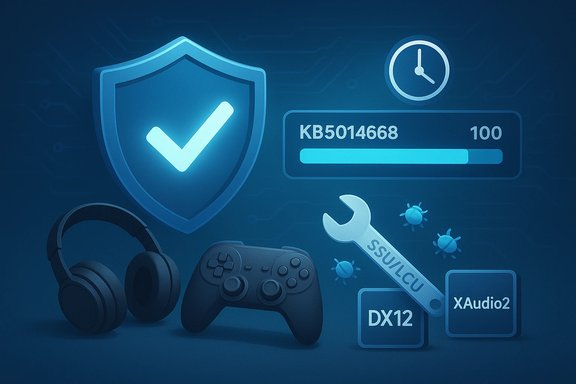
Microsoft has issued a preview (non‑security “C” release) cumulative update — KB5014668 — for Windows 11 (original release), a targeted package that patches a range of reliability and compatibility problems including a race condition that could block upgrades and a pair of game‑affecting bugs tied to audio and DirectX playback.
The release demonstrates two broader truths about modern Windows servicing:
Source: BetaNews Microsoft releases KB5014668 update to fix game crashes and failed Windows 11 upgrades
 Background
What is a "C" preview update and why it matters
Preview or “C” updates are optional, non‑security quality releases Microsoft issues in the third or fourth week of each month to surface fixes ahead of the next Patch Tuesday. They are intended for testing and phased rollouts; they are not installed automatically on stable consumer systems unless explicitly requested. This makes them useful for enthusiasts, IT pilots, and shops that need early access to targeted fixes — but also means administrators should treat them as test materials, not broad production deployments.The KB5014668 packaging and availability
KB5014668 was published as a combined Servicing Stack Update (SSU) and Latest Cumulative Update (LCU) bundle for Windows 11 (OS Build 22000.778). Microsoft lists the package as available through the Windows Update “Optional updates available” link and via the Microsoft Update Catalog for manual install. Because the update includes a servicing stack component, uninstalling the combined package is non‑trivial and requires DISM with the package name — running wusa.exe /uninstall will not remove the SSU portion.What KB5014668 fixes — the highlights
1) Upgrade race condition: failed Windows 11 upgrades
One of the headline fixes in KB5014668 addresses a timing‑related race condition that could cause an upgrade to Windows 11 (original release) to fail. Microsoft clarifies this is not a device eligibility check — rather, the problem stems from the ordering and timing of internal OS operations during servicing or upgrade workflows. For environments that experienced failed in‑place upgrades or stuck upgrade runs, this patch aims to close that gap.2) Game crashes tied to audio APIs (XAudio/XAudio2)
The update explicitly resolves variants of crashes in games that use certain audio technologies — notably the XAudio/XAudio2 family that many DirectX titles rely on for low‑latency sound effects. Microsoft’s notes say the update “addresses an issue that causes certain games to stop working if they use certain audio technology to play sound effects,” which has been reported in community threads as causing crashes and hard exits in a variety of titles. Installing KB5014668 should mitigate those audio‑related CTDs for affected titles.3) DirectX 12 playback of consecutive video clips in games
Another gaming‑related fix targets a problem where consecutive video clips played within DirectX 12 games could fail to play or could break playback sequencing. This symptom affected games that embed cinematic clips or transition reels and relied on the DX12 playback pipeline; the update addresses those playback failures.4) Bluetooth reconnections and hotspot reliability
KB5014668 also includes fixes for Bluetooth audio reconnection issues (Bluetooth devices failing to reconnect after a device restart) and a known hotspot problem where the host could lose internet connectivity after a client connected. These are clear quality improvements for everyday mobile and laptop scenarios.5) Enterprise and security‑adjacent enhancements
The cumulative adds IP address auditing for incoming Windows Remote Management (WinRM) connections to improve forensic logging (security event 4262 and WinRM event 91), adds SMB redirector FSCTL_LMR_QUERY_INFO, and makes SMB cipher suite order configurable via PowerShell. It also brings TLS 1.3 support to LDAP client/server implementations. These items matter for enterprise operators and security teams who rely on precise telemetry and cryptographic configuration.Verification and independent reporting
Microsoft’s official KB entry documents the package contents, build number, and the exact list of fixes and known issues for KB5014668. The update was covered by independent outlets and tech sites which echoed the gaming fixes and upgrade race condition described in the KB, noting the package’s preview status and recommending staged testing for production deployments. Collectively, the Microsoft KB and independent reporting confirm the primary claims about game crashes and failed upgrades addressed by KB5014668.Community impact and reported problems (what users saw)
Although KB5014668 contains important fixes, community feedback at the time showed mixed outcomes on diverse hardware. Several users reported:- Installation failures and error codes during the optional install of KB5014668 (examples include 0x80073701 and 0x8000FFFF). These failed installs sometimes required multiple attempts or offline catalog installation.
- A smaller subset of systems experienced post‑install shell problems — e.g., Explorer, Start menu or taskbar becoming unresponsive — which led some users to manually remove the KB to restore normal UI behavior. Microsoft later documented known issues and rollback mitigations for similar preview‑driven UI regressions.
- Positive reports from gamers who had experienced CTDs tied to audio playback or DX12 clip sequencing, noting that the preview reduced or eliminated specific reproducible crashes in affected titles. These success stories were configuration‑dependent, however, and not universally experienced across all hardware/driver combinations.
Technical analysis — why these fixes matter to gamers and admins
Timing, audio stacks, and DirectX interaction
Modern games depend on precise interactions between the game engine, audio subsystems (XAudio/XAudio2), DirectX runtimes, and the kernel/driver layer. A subtle timing or state‑management bug inside a system audio API can cause a game’s audio callback to misbehave, leading to memory corruption, unhandled exceptions, or a renderer deadlock that results in a crash. Fixing such low‑level audio interactions at the OS level is therefore an effective — and sometimes necessary — remediation. KB5014668 contains OS‑level corrections to those internal flows.Consecutive DX12 video clip playback
When games play a sequence of embedded videos, the DX12 pipeline must transition cleanly between the clip decoding, resource states, and present paths. Race conditions or state leaks at those handoffs can make the second clip fail to play or corrupt the display pipeline; a patch that resolves state cleanup or timing ordering reduces those failures. The KB lists a fix specifically for consecutive video clip playback in DX12 games, which is directly relevant to developers and players who use in‑game cinematics.Enterprise telemetry and SMB/TLS changes
The SMB and WinRM logging enhancements improve incident response and auditing. Adding TLS 1.3 support to LDAP increases cryptographic robustness for directory operations. Making SMB cipher suite order configurable through PowerShell provides admins more control over negotiated cipher suites for client/server SMB connections — a practical improvement for compliance and hardened deployments.Risk assessment and caveats
- Preview updates are inherently riskier than Patch Tuesday rollups. They are designed for early testing and are not intended for broad production deployment without validation. Install them in a pilot ring first.
- Because the package includes a Servicing Stack Update, rollback requires DISM/Remove‑Package and is more complex than removing a standalone LCU. Maintain backups or system images before applying the package.
- Some reported regressions after preview installs (Explorer/Start menu responsiveness, .NET 3.5 app issues) required Known Issue Rollbacks or subsequent updates to address. Watch Microsoft’s Release Health and known‑issue guidance before broad deployment.
- Results for gaming fixes may be hardware and driver specific. If a problem persists after installing KB5014668, ensure GPU drivers are up to date and consider driver clean‑install tools (vendor guidance varies). Community reports indicate the OS fix helps some configurations but not all; vendor driver fixes may still be required.
Recommended testing and rollout strategy
- Create a verified backup or system image before installing any preview or servicing stack update.
- Install KB5014668 in a controlled test ring that mirrors the diversity of the production fleet: different GPU vendors, anti‑cheat/overlay stacks, Bluetooth/wireless devices, and imaging/provisioning flows.
- Reproduce the symptoms that prompted the update (upgrade attempt, game CTDs, DX12 clip playback) and record pre/post metrics — crash dumps, Event Viewer logs, and dxdiag output.
- For gamers: update GPU drivers (NVIDIA/AMD/Intel) to the latest WHQL/hotfix versions recommended by the vendor and retest.
- If a regression appears (e.g., Explorer/Start menu problems), capture logs and consider uninstalling the LCU via DISM as a rollback step; do not attempt to remove the SSU. If the problem matches a documented known issue, apply Microsoft’s KIR or wait for the Patch Tuesday rollup.
Practical troubleshooting for users who hit install failures
For users encountering install errors with KB5014668, community guidance and Microsoft support threads highlight these practical steps:- First, run the Windows Update Troubleshooter and then retry the optional update. In many cases the troubleshooter will repair common update service issues.
- Try the manual MSU from the Microsoft Update Catalog if Windows Update stalls or fails to complete. Manual catalog packages sometimes bypass Windows Update client quirks.
- If install stops with a servicing or integrity error, run DISM /Online /Cleanup‑Image /RestoreHealth and then sfc /scannow to repair component store corruption, then retry. Some community reports show this sequence resolves failures; others show it does not, in which case an in‑place repair or image restore may be required.
- When UI shell problems occur post‑install, the documented short‑term remediations may include Known Issue Rollbacks or manual re‑registration steps for Appx/XAML packages in enterprise imaging scenarios; these are advanced steps and should be performed with care in enterprise environments.
What this means going forward — editorial analysis
KB5014668 is a focused preview LCU intended to address two practical pain points — upgrade reliability and game crashes tied to audio/DirectX playback — while also delivering several enterprise and security‑oriented improvements. Publishing those fixes in a preview lets Microsoft collect telemetry and user feedback before folding them into the next month’s cumulative rollout.The release demonstrates two broader truths about modern Windows servicing:
- Fixing complex behaviors frequently requires OS‑level corrections as well as vendor driver updates. When timing or state management in the OS triggers crashes, vendor drivers alone cannot always remediate the issue.
- Preview updates are a pragmatic short‑term tool for targeted remediation, but they require disciplined testing and rollback planning. Cross‑stack interactions (drivers, anti‑cheat, overlays, provisioning flows) make universal guarantees impossible until fixes are validated across representative hardware.
Bottom line
KB5014668 addresses real, user‑visible failures — notably a Windows 11 upgrade race condition and game crashes from XAudio/DX12 playback — and it brings enterprise‑facing telemetry and cryptography improvements. However, because it’s a preview that contains an SSU, it should be treated as a targeted test release rather than a drop‑in production rollup. Backup, pilot, verify with vendor drivers, and stage broadly only after validation. Microsoft’s KB and independent coverage corroborate the fixes, while community reports underline the need for cautious deployment and readiness to rollback if unexpected regressions appear.Source: BetaNews Microsoft releases KB5014668 update to fix game crashes and failed Windows 11 upgrades
