

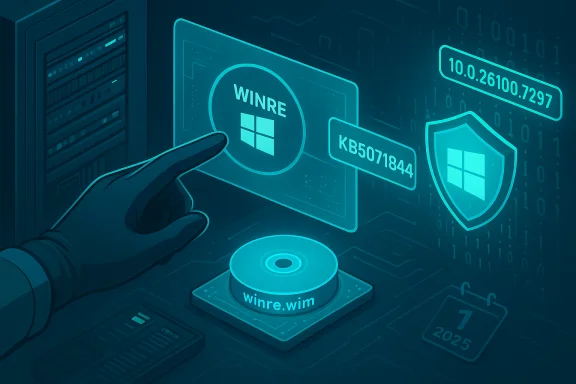
Microsoft released KB5071844, a targeted Safe OS (WinRE) Dynamic Update for Windows 11 (versions 24H2 and 25H2) and Windows Server 2025 on December 1, 2025, that refreshes the Windows Recovery Environment (WinRE) used by Reset, Automatic Repair and cloud-reinstall flows; the update installs automatically via Windows Update, is available as a standalone package in the Microsoft Update Catalog, cannot be removed once applied to an image, and sets the on-device WinRE image version to 10.0.26100.7297.
Dynamic updates for Windows Setup and the Windows Recovery Environment (commonly called Safe OS or WinRE) are surgical, small-footprint packages Microsoft uses to refresh the pre-boot runtime and setup binaries without forcing teams to rebuild full installation media. These updates are crucial for image hygiene: they let a long-captured install.wim or winre.wim benefit from driver and pre-boot component fixes that shipped months later, lowering the chance of upgrade failures and broken recovery experiences.
Unlike full cumulative updates that change the running OS, Safe OS Dynamic Updates alter the small set of binaries and drivers WinRE uses at boot-time (storage and USB controllers, minimal kernel helpers, TPM/BitLocker handlers and small orchestration libraries). That limited surface area makes the packages compact but also means the update can directly affect recoverability — which is why these updates are treated as operationally important.
Key real-world consequences that make KB5071844 relevant:
Administrators who tracked those incidents found two practical truths:
KB5071844 is available now via Windows Update and the Microsoft Update Catalog; the authoritative post-install WinRE target is 10.0.26100.7297, and administrators should verify updates in lab before mass injection given the permanence of the change and the broader Secure Boot certificate considerations called out by Microsoft.
Source: Microsoft Support https://support.microsoft.com/en-us...r-1-2025-281bf3ec-bec2-45a0-9f4d-ac0776a09ba4
 Background / Overview
Dynamic updates for Windows Setup and the Windows Recovery Environment (commonly called Safe OS or WinRE) are surgical, small-footprint packages Microsoft uses to refresh the pre-boot runtime and setup binaries without forcing teams to rebuild full installation media. These updates are crucial for image hygiene: they let a long-captured install.wim or winre.wim benefit from driver and pre-boot component fixes that shipped months later, lowering the chance of upgrade failures and broken recovery experiences.Unlike full cumulative updates that change the running OS, Safe OS Dynamic Updates alter the small set of binaries and drivers WinRE uses at boot-time (storage and USB controllers, minimal kernel helpers, TPM/BitLocker handlers and small orchestration libraries). That limited surface area makes the packages compact but also means the update can directly affect recoverability — which is why these updates are treated as operationally important.
What KB5071844 actually does (the essentials)
- Applies to: Windows 11, version 24H2 (all editions), Windows 11, version 25H2 (all editions), and Windows Server 2025.
- Summary: “This update makes improvements to the Windows recovery environment (WinRE).”
- Delivery channels: Windows Update (automatic), Microsoft Update Catalog (standalone CAB/MSU), and synchronizable via WSUS. Administrators can also inject the package manually into winre.wim.
- Post-install WinRE version: The KB instructs that the WinRE image version should report 10.0.26100.7297 after successful servicing. Verification methods include the provided PowerShell script GetWinReVersion.ps1, WinREAgent Event Log entries, or DISM.
- Replacement: KB5071844 replaces the previously published Safe OS package KB5067040 for the same servicing branches.
- Reversibility: The update cannot be removed from a Windows image once applied; reverting an injected winre.wim requires restoring a prior golden image or backup.
Why this matters: recoverability, not feature flags
WinRE is the platform’s last line of defense; if the recovery environment can’t access storage, present UI, or accept input, routine recovery actions (Reset this PC, Automatic Repair, offline troubleshooting, cloud reinstall) can fail or require manual intervention. The 2025 servicing cycle repeatedly demonstrated how a mismatch between running-OS components (LCUs) and a stale WinRE driver set can produce high-impact symptoms — notably, USB input loss inside WinRE following an October cumulative update — which in one case required an out‑of‑band cumulative fix plus a Safe OS dynamic update to restore functionality. The operational lesson: keeping the WinRE payload aligned with running OS updates is essential to avoid recovery regressions.Key real-world consequences that make KB5071844 relevant:
- Avoiding recovery dead-ends: Systems with only USB-C input or modern USB host controllers are vulnerable if WinRE lacks the correct HID/host-controller drivers. A non-functional WinRE can convert a manageable repair into a service call or off-site repair.
- BitLocker/TPM interplay: Driver or pre-boot binary mismatches can trigger BitLocker recovery prompts during Reset or cloud reinstall flows, creating user friction and help-desk load.
- Golden image hygiene: For imaging teams, injecting the Safe OS update into a winre.wim hardens frozen media and reduces the need for full-image recaptures — but because the change is often permanent, testing is mandatory.
Deployment and verification: step-by-step guidance
KB5071844 is delivered through the same channels admins already use, but the operational approach for Safe OS updates requires deliberate steps.Quick checklist (overview)
- Ensure you can obtain the standalone package from the Microsoft Update Catalog for offline injection.
- Back up your existing winre.wim and any golden images (immutable backups recommended).
- Pilot the update on a representative set of hardware (OEM models, NVMe vs SATA, BitLocker enabled/disabled, USB‑C-only laptops).
- Verify WinRE version after injection using GetWinReVersion.ps1, reagentc /info, and DISM inspection.
Manual image injection (common, proven approach)
- Download the KB5071844 package from the Microsoft Update Catalog and verify SHA‑256 / manifest values.
- Mount a copy of your winre.wim (always operate on a copy):
- dism /Mount-Image /ImageFile:"C:\path\to\winre.wim" /Index:1 /MountDir:"C:\mount"
- Add the package:
- dism /Image:"C:\mount" /Add-Package /PackagePath:"C:\path\to\kb5071844.cab"
- Commit and unmount:
- dism /Unmount-Image /MountDir:"C:\mount" /Commit
- Re-enable WinRE if needed and verify: reagentc /info and run the GetWinReVersion.ps1 script.
Verification options
- Run the Microsoft-supplied GetWinReVersion.ps1 (admin PowerShell) to confirm the WinRE version equals 10.0.26100.7297.
- Inspect the System event log for WinREAgent servicing events (Event ID 4501) to confirm “Servicing succeeded” and the new WinRE version.
- Mount winre.wim with DISM and inspect file versions directly if deeper validation is required.
Recommended testing checklist (detailed)
Before rolling KB5071844 into production images, validate the following scenarios on representative hardware and firmware levels:- Confirm WinRE boots and the WinRE UI accepts input across common input methods:
- Built-in keyboard and trackpad (laptops).
- USB keyboards and mice via USB-A and USB-C hubs/dongles.
- Bluetooth or wireless dongles where applicable (expect limited support inside trimmed WinRE).
- Validate BitLocker behavior:
- Test Reset and Automatic Repair flows with BitLocker enabled; confirm the recovery key is not unexpectedly requested or that recovery flows complete when keys are available in AD/Azure AD/MBAM/Intune.
- Execute cloud reinstall and Reset this PC (Cloud Download) where supported; confirm the flow completes and language packs and FoD components persist if expected.
- Confirm OEM and firmware interactions:
- Validate Secure Boot / UEFI behavior after update, especially when coordinating new Secure Boot certificates or vendor-provided firmware updates. KB5071844 explicitly warns about Secure Boot certificate expirations that start in June 2026; coordinate OEM updates as needed.
- Verify WSUS / catalog sync behavior:
- Confirm the update is available to your WSUS servers and test the synchronization workflow for offline deployment. Some organizations encounter catalog delays and will need manual import.
Known operational risks and caveats
No update is risk-free; Safe OS packages have unique trade-offs that imaging and deployment teams need to plan for.- Non-removability on images: Once KB5071844 is injected into a winre.wim, the change is effectively permanent for that image. Rollback requires restoring a backup image. This makes pilot testing mandatory.
- Terseness of KB text: Microsoft’s public KB entries for dynamic updates intentionally omit granular root-cause details; they provide file manifests and verification steps but not always a detailed postmortem. If you need file-level attribution for a particular driver replacement, rely on the Update Catalog manifest and lab verification. Treat speculative root-cause explanations as provisional unless Microsoft publishes a detailed engineering statement.
- Manual MSU pitfalls: Manual installation of MSU packages against running systems or images that include Features on Demand and language packs has historically produced errors; Microsoft recommends DISM for image servicing scenarios to avoid those clashes. For feature updates and servicing, follow the Microsoft guidance rather than attempting ad-hoc MSU installations.
- WSUS/catalog timing: Some admins will find dynamic updates appear later in WSUS than in Windows Update or the Update Catalog, potentially delaying mass-rollout plans. Plan for manual catalog downloads if timing is critical.
- Firmware & Secure Boot interactions: KB5071844’s KB page includes an explicit warning about Secure Boot certificate expiration beginning in June 2026; this expands the risk surface beyond WinRE and requires OEM coordination to avoid boot disruptions. Administrators should plan firmware and certificate updates in parallel with Safe OS injection work.
How KB5071844 fits into the recent servicing timeline (context)
The October–November 2025 servicing cycle showed concrete reasons to prioritize Safe OS updates. Following the October monthly cumulative, some devices experienced WinRE USB input loss; Microsoft issued an out‑of‑band cumulative (and accompanying Safe OS dynamic updates) to repair the issue. The sequence illustrated a common pattern: an LCU can change runtime behavior, and a refreshed WinRE image (via a Safe OS DU) is sometimes required to reconcile pre‑boot drivers and avoid recoverability regressions. KB5071844 is the latest iteration of that pattern for the 24H2/25H2 servicing families.Administrators who tracked those incidents found two practical truths:
- Updating the running OS without refreshing on-device WinRE can leave winre.wim unchanged, so recovery remains at risk.
- Microsoft used multiple remediation channels (Known Issue Rollback for server-side mitigations where possible, OOB cumulative for client fixes, and Safe OS DU for winre.wim refresh) depending on the root cause and the parts of the stack affected.
Recommended rollout strategy (practical plan for imaging teams)
- Inventory and prioritize: Identify mission-critical systems, devices with USB‑C-only input, and configurations with BitLocker and OEM-specific recovery tooling.
- Preserve golden images: Create immutable backups of every install.wim and winre.wim you currently use. Label and store them off-line for rapid rollback.
- Lab pilot: Inject KB5071844 into copies of representative winre.wim images and validate the full set of recovery flows for each hardware class for 48–72 hours.
- Staged deployment: Roll the update to pilot rings (10–25%), monitor WinREAgent events, help-desk tickets, and telemetry. If no regressions are observed, broaden rollout in waves.
- Maintain a rollback plan: If a regression appears, restore the prior winre.wim from your golden image archive; note this is an image-level rollback and not an uninstall of the KB from the updated image itself.
Final analysis — strengths, weaknesses, and operational verdict
KB5071844 is a classic example of Microsoft’s pragmatic approach to pre‑boot reliability: small packages with an outsized operational return when validated and applied correctly. The strengths are clear:- Targeted recovery hardening: Refreshes the WinRE payload without forcing full-image rebuilds.
- Multiple delivery options: Available via Windows Update, Update Catalog and WSUS so both consumer and managed environments have paths to deploy.
- Clear verification guidance: Microsoft provides a PowerShell helper and event-log checks to confirm the WinRE version.
- Non-removability on images makes pre-deployment testing mandatory and increases the cost of a rollback.
- Sparse public KB detail forces administrators to rely on file manifests and lab testing to understand what changed.
- Potential dependencies on firmware and certificate updates mean recovery reliability cannot be guaranteed by WinRE refresh alone; firmware and Secure Boot certificate posture must be considered.
KB5071844 is available now via Windows Update and the Microsoft Update Catalog; the authoritative post-install WinRE target is 10.0.26100.7297, and administrators should verify updates in lab before mass injection given the permanence of the change and the broader Secure Boot certificate considerations called out by Microsoft.
Source: Microsoft Support https://support.microsoft.com/en-us...r-1-2025-281bf3ec-bec2-45a0-9f4d-ac0776a09ba4
