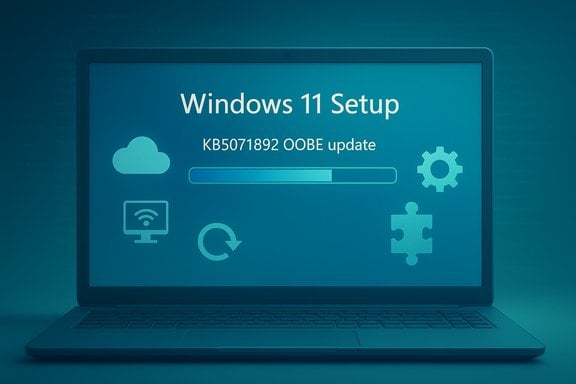
Microsoft released a targeted Out‑of‑Box Experience (OOBE) update identified as KB5071892 for Windows 11 versions 22H2 and 23H2 on November 20, 2025, and the package is explicitly scoped to the installer‑time setup flow rather than the running OS. The bulletin summary provided with the package states the update “improves the Windows 11, version 22H2 and Windows 11, version 23H2 out‑of‑box experience (OOBE),” is applied only during OOBE when an internet connection is available, has no prerequisites, requires a restart as part of setup, and does not replace any previously released update. This release is another example of Microsoft’s recent pattern of delivering narrow, installer‑time patches that refresh OOBE assets and CloudExperienceHost components so newly provisioned devices reach first‑sign‑in in a more consistent, secure state.
Microsoft has used installer‑time and OOBE‑scoped updates for several years to refresh localized strings, UX assets, enrollment plumbing, and setup binaries that only matter during first run or during Autopilot flows. The new KB follows that established pattern: it targets only the OOBE process and installs only when OOBE updates are enabled and connectivity is present. Similar OOBE KB entries and Microsoft guidance show the same delivery model — installer‑time packages are queried and applied during setup instead of via the standard post‑setup Windows Update channel. That delivery model has evolved through mid‑2025, when Microsoft also introduced management controls that let organizations decide whether quality updates should be installed during OOBE (via Autopilot / Intune policies). Those changes mean OOBE is not only a user experience surface but a legitimate enterprise control point for bringing fresh devices into compliance before the first user signs in.
Caution: At the time this analysis was prepared, some KB pages for recent OOBE updates may not be fully indexed in public search results; rely on the official Microsoft support article for the authoritative file lists and installation notes when performing image certification or compliance checks. If a specific KB page cannot be found via public search, use the Microsoft Update Catalog or the Windows release health pages to verify file manifest details.
Key recommended next steps:
KB5071892 is an incremental, targeted OOBE improvement — small in scope but high in operational impact — and should be treated as part of every image validation and Autopilot enrollment test plan for Windows 11 22H2 and 23H2 deployments.
Source: Microsoft Support KB5071892: Out of Box Experience update for Windows 11, version 22H2 and 23H2: November 20, 2025 - Microsoft Support
 Background / Overview
Microsoft has used installer‑time and OOBE‑scoped updates for several years to refresh localized strings, UX assets, enrollment plumbing, and setup binaries that only matter during first run or during Autopilot flows. The new KB follows that established pattern: it targets only the OOBE process and installs only when OOBE updates are enabled and connectivity is present. Similar OOBE KB entries and Microsoft guidance show the same delivery model — installer‑time packages are queried and applied during setup instead of via the standard post‑setup Windows Update channel. That delivery model has evolved through mid‑2025, when Microsoft also introduced management controls that let organizations decide whether quality updates should be installed during OOBE (via Autopilot / Intune policies). Those changes mean OOBE is not only a user experience surface but a legitimate enterprise control point for bringing fresh devices into compliance before the first user signs in. What KB5071892 actually does (summary of the bulletin)
- Applies to: Windows 11 SE, Home, Pro, Enterprise, Education, Enterprise Multi‑Session, and IoT SKUs running 22H2 and 23H2 editions.
- Scope: OOBE only — the update modifies the Out‑of‑Box Experience resources and related setup orchestration; it does not patch the running desktop after first sign‑in.
- Delivery: Installed automatically during the Windows OOBE process if an internet connection is available and OOBE updates are enabled.
- Prereqs: None.
- Restart: Device requires a restart as part of the OOBE flow after applying the package.
- Replacement: This update does not replace any previously released update.
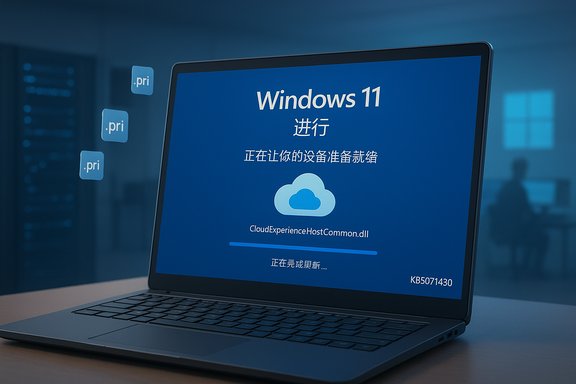
- Updating CloudExperienceHost binaries and localized resource (.pri) files.
- Fixing enrollment and enrollment‑time plumbing (Autopilot, MDM handshake, MSA/Azure AD prompts).
- Polishing wording on recommendation/personalization pages and UX flows visible during setup.
- Ensuring dynamic update/zero‑day packages apply correctly during installer‑time.
Why Microsoft ships OOBE updates like KB5071892
- Day‑one security and reliability: Applying critical fixes at setup time reduces the vulnerability window for brand‑new devices that would otherwise boot to an unpatched desktop.
- Enrollment resilience: OOBE patches often address edge cases in MDM enrollment, Autopilot handoffs, and device registration that cause first‑run failures for managed devices.
- Consistent first impressions: OOBE defines the first interaction with Windows; localized strings, offers/recommendations UI, and first‑boot behaviors shape user perception and must be kept current across OEM images and build dates.
How the OOBE update flow works — technical breakdown
1. When the updater runs
During Windows Setup, once the device reaches the network‑connected OOBE stage, the OOBE updater reaches out to Windows Update (or the configured update service) to check for installer‑time packages and zero‑day updates. If eligible OOBE packages are found, they are downloaded and applied within the setup environment (before completing the first user session). This can include updated CloudExperienceHost resources, SafeOS/Setup dynamic updates, and zero‑day patches.2. What gets patched
OOBE updates commonly replace or refresh:- OOBE UI assets (strings, templates, images)
- CloudExperienceHost and related binaries used only by the setup process
- Enrollment and device provisioning helpers
- Small servicing stack or SafeOS pieces necessary for successful installer‑time operations.
3. Restart behavior
Applying these installer‑time updates typically requires one or more automated restarts in the setup path; the device will then resume OOBE and present the final sign‑in experience with the updated assets in place. Microsoft’s KB entries consistently state a restart is required for OOBE packages.4. Visibility and removal
Because OOBE packages are applied in the setup context, they do not usually appear as ordinary system updates in Settings → Windows Update after first sign‑in. They are not designed for reapplication or removal from the running system; their purpose is to leave the device with corrected OOBE artifacts and a smoother enrollment flow.Cross‑referencing and verification of key claims
The KB5071892 bulletin text (the publisher’s short summary) states the package is OOBE‑only and installs during setup with an internet connection. This is consistent with earlier Microsoft OOBE KBs (for example KB5065813 and KB5048779) that explicitly declare the same delivery model and requirements. Independent Microsoft blogs and IT Pro posts published in 2024–2025 also describe the rollout of OOBE quality‑update controls for Autopilot/Intune management, corroborating the systemic change in how Microsoft handles installer‑time quality updates. If any specific binary names, file versions, or timestamps are required for compliance or cataloging, administrators should check the official KB page (the Microsoft support article for KB5071892) or inspect the files on a device during OOBE validation. Community repositories and forum threads that analyze recent OOBE KBs further confirm the pattern and risk profile for installer‑time updates.Caution: At the time this analysis was prepared, some KB pages for recent OOBE updates may not be fully indexed in public search results; rely on the official Microsoft support article for the authoritative file lists and installation notes when performing image certification or compliance checks. If a specific KB page cannot be found via public search, use the Microsoft Update Catalog or the Windows release health pages to verify file manifest details.
Strengths — why this update matters positively
- Reduced post‑deployment toil: By updating OOBE assets at setup time, admins and OEMs avoid the familiar “first‑boot immediate patching” cycle that previously required a second round of servicing after sign‑in. This reduces helpdesk churn and shortens device‑provisioning windows.
- Stronger first‑sign‑in security posture: Installer‑time patches close the window between image creation and first usage, ensuring devices start with up‑to‑date enrollment code and critical servicing bits.
- Improved enrollment reliability: Autopilot and MDM flows are fragile at setup; OOBE packages often correct the small timing and orchestration issues that previously led to failed enrollments or stalled setup.
- Granular enterprise control: Microsoft’s 2025 policy additions let Intune/Autopilot admins choose whether quality updates are installed during OOBE — a practical compromise balancing security and provisioning predictability.
Risks and caveats — what administrators and users should watch for
- Network dependency during setup: OOBE updates require a working internet connection. In environments with restricted or metered networks, setup time can balloon or the updates may fail, leading to partially applied changes or prolonged provisioning. Organizations that image offline or stage devices in network‑restricted facilities must plan accordingly.
- Longer OOBE time: Installing quality updates during OOBE may add minutes to the setup flow (Microsoft and reporting outlets have referenced typical installer‑time delays measured in tens of minutes in some cases). For high‑volume provisioning lines (OEM imaging farms / corporate staging), that additional time compounds and affects throughput.
- Indexing and discoverability of KB entries: Some OOBE KB pages have delayed discoverability or limited file manifest detail in search caches; admins should not rely solely on web search to validate file versions — use the Microsoft Update Catalog or direct KB pages.
- Support lifecycle complexities: With Windows 11 23H2 consumer servicing ending in November 2025 (consumer Home/Pro), devices still imaged to older builds may be forced into upgrade paths or face unexpected behavior during OOBE when the update logic checks support windows or recommends newer feature updates. This can create confusion on the setup screens if release‑health messaging is not synchronized.
- OOBE‑only scope means no running‑system fix: Because the package is applied only during setup, it will not remediate the same issue on machines already past first sign‑in; separate servicing channels are required for already‑deployed devices.
Practical guidance — what to do now
For consumer users
- Allow the device to connect to the internet during setup if possible — OOBE updates improve first‑run reliability and may include critical enrollment or driver fixes.
- Expect a restart(s) before you reach the desktop; plan for a longer first‑boot window if you care about time.
- If you’re on Windows 11 23H2 Home/Pro, note that consumer servicing for 23H2 ends on November 11, 2025 — upgrade to a supported feature release (24H2 / 25H2) soon to continue receiving monthly security updates.
For IT administrators and imaging teams
- Validate your image: Rebuild and test images with the June 2025 non‑security update (or later) or ensure devices have the required August 2025 ZDP elements if you want predictable OOBE update behavior; Microsoft documentation and IT Pro guidance list these preconditions for the new OOBE quality‑update setting.
- Control OOBE updates via Intune/Autopilot: If you manage Autopilot devices, use the new policy controls in Intune to enable or disable quality updates during OOBE depending on your network and staging capacity. Sync your deferral/pause policies to ensure the device only pulls the approved update level.
- Prestage or slipstream required packages into your offline image if you cannot afford installer‑time downloads. For fully offline environments, use DISM to service images with latest SafeOS/Setup dynamic updates and the required OOBE asset refreshes.
- Pilot at scale: Test KB5071892 (and other OOBE packages) through a staged pilot that includes representative OEM drivers, Autopilot, Azure AD registration, and the slowest network segments you operate. Measure OOBE duration and enrollment success rates before broad deployment.
For OEMs and resellers
- Coordinate with distribution and setup guides: If OEM images include older OOBE assets, communicate expected OOBE durations to retail partners and preconfigure fast‑path network options to minimize setup friction.
- Refresh golden images: Integrate the latest SafeOS/Setup dynamic updates and test KB5071892 application during factory OOBE validation so that out‑of‑box retail devices present the intended first‑sign‑in experience.
Troubleshooting: common symptoms and quick checks
- Symptom: OOBE stalls waiting for updates.
Check: Confirm network access and proxy/firewall rules that permit Windows Update/Windows Update for Business endpoints. If your provisioning network blocks Microsoft Update, the OOBE updater cannot fetch KB packages. - Symptom: Setup fails to enroll into MDM during OOBE.
Check: Validate that the Autopilot profile, Intune assignments, and enrollment policies are present and that the device clock and network time are accurate; some enrollment handshakes are time sensitive. Run an Autopilot test on a pilot device to capture enrollment logs. - Symptom: KB shows as not replacing previous update or not visible post‑setup.
Check: Remember OOBE packages are installer‑time and may not appear in Settings → Windows Update; inspect the setup logs during OOBE or review the device’s setup event trace to confirm application. - Symptom: Confusing “outdated” or support‑end messaging in Windows Update during or after setup.
Check: Confirm the build and SKU. Consumer and Enterprise servicing windows are different; automatic upgrade behavior for consumer 23H2 devices started in November 2025 and can produce aggressive upgrade prompts if the device is on an expired consumer servicing schedule.
Recommended validation checklist for administrators (step‑by‑step)
- Confirm current golden image baseline and build number.
- Integrate the June 2025 non‑security update (or later) or ensure the August 2025 ZDP is present if following Microsoft’s guidance for OOBE quality updates.
- Lab test: Boot a representative device to OOBE with network off (control case) and network on (test case) and record duration, driver installs, enrollments, and reboots.
- Pilot: Deploy KB5071892 (or allow it to apply) on 10–50 devices that reflect the slowest network and heaviest driver sets in your environment. Track completion and enrollment success.
- Scale: If pilot metrics are acceptable, enable the OOBE quality update setting via Autopilot/Intune for production rollouts. Monitor Windows Update telemetry and enrollment logs for the first two waves.
Broader context: lifecycle timing and why OOBE updates matter now
The November 2025 servicing calendar added urgency for some customers: Windows 11 version 23H2 consumer SKUs reached support cutoff in early November 2025, prompting Microsoft to shepherd consumer devices to more current feature builds to preserve security servicing. Installer‑time updates that fix enrollment or recommend upgrades therefore intersect with lifecycle policy: a device imaged to 23H2 but OOBE‑patched on a day when the OS is nearing consumer end‑of‑support can see stronger upgrade nudges or policy checks in setup. Administrators must be aware of lifecycle timelines when validating provisioning flows. Independent coverage and community analysis of various OOBE KBs in 2024–2025 repeatedly conclude that installer‑time updates reduce “day‑one” friction but increase the complexity of image‑validation and require updated staging practices for mass deployment lines. These conclusions align with Microsoft’s own Windows IT Pro guidance about enabling or disabling quality updates during OOBE for managed fleets.Final verdict — professional assessment and next steps
KB5071892 is a prudent, scoped update in the style Microsoft has adopted for OOBE improvements: focused, installer‑time, and intended to leave freshly provisioned devices in a better state at first sign‑in. The pattern is well‑established and delivers meaningful benefits in enrollment reliability and first‑use security posture. However, it requires that administrators adapt their imaging and provisioning pipelines: testing, pre‑staging dynamic updates where offline networks are used, and using Intune/Autopilot controls to balance update timing against provisioning throughput.Key recommended next steps:
- Validate golden images against Microsoft’s June/August 2025 guidance and plan for KB5071892 in your pilot tests.
- Use Intune/Autopilot controls to manage whether quality updates run during OOBE for managed devices.
- Account for network and time impacts in high‑volume provisioning environments. Measure OOBE durations and adjust throughput expectations accordingly.
KB5071892 is an incremental, targeted OOBE improvement — small in scope but high in operational impact — and should be treated as part of every image validation and Autopilot enrollment test plan for Windows 11 22H2 and 23H2 deployments.
Source: Microsoft Support KB5071892: Out of Box Experience update for Windows 11, version 22H2 and 23H2: November 20, 2025 - Microsoft Support