

A quiet line in Microsoft’s December cumulative—KB5072033—has become a loud headache for some Windows 11 users: the AppX Deployment Service (AppXSVC), previously a trigger-start component that only ran when needed, was flipped to an Automatic startup type, and that change is linked to noticeable slowdowns, longer boot times, and increased background resource use on a subset of machines. The change is documented by Microsoft in the KB notes, and within days community and enterprise forums lit up with reports and practical mitigation steps from power users and IT admins.
Microsoft released the cumulative package KB5072033 (OS builds 26200.7462 and 26100.7462) in December 2025 as part of the regular servicing cadence. The package bundles security hardenings and a variety of quality fixes across UI, input, and other subsystems. Tucked inside the System Components notes is this operational change: “The AppX Deployment Service (Appxsvc) has moved to Automatic startup type to improve reliability in some isolated scenarios.” That single sentence explains the observed behavior: AppXSVC now starts at boot and may remain resident, or be observed as repeatedly starting/stopping under some conditions. This article explains what AppXSVC does, why moving it from trigger-start to automatic can affect performance, who is most likely to notice the change, what Microsoft’s and the community’s response has been, and safe mitigation strategies for both home users and administrators.
Important preface: Always create a System Restore point or an image backup for critical devices before changing service configuration on production systems.
The incident is a reminder that small, well-intentioned servicing changes — especially those that alter process lifecycles — can have outsized operational impact across a diverse PC ecosystem. Pragmatic pilots, reversible mitigations, and clear telemetry will be the fastest route to a balanced fix that preserves both early-session reliability and the lightweight behavior many users expect.
Source: Technetbook Windows 11 Slow After Update KB5072033 AppXSVC Service Causes Performance Issues on Computers
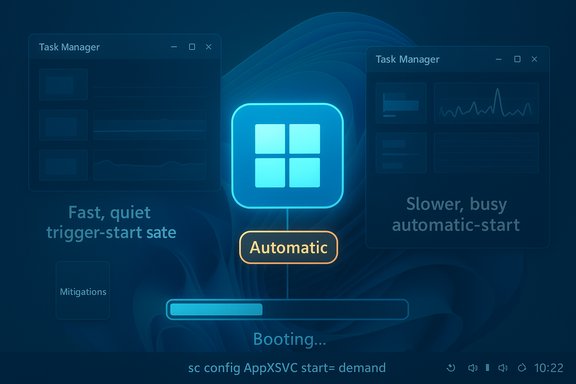 Background / Overview
Microsoft released the cumulative package KB5072033 (OS builds 26200.7462 and 26100.7462) in December 2025 as part of the regular servicing cadence. The package bundles security hardenings and a variety of quality fixes across UI, input, and other subsystems. Tucked inside the System Components notes is this operational change: “The AppX Deployment Service (Appxsvc) has moved to Automatic startup type to improve reliability in some isolated scenarios.” That single sentence explains the observed behavior: AppXSVC now starts at boot and may remain resident, or be observed as repeatedly starting/stopping under some conditions. This article explains what AppXSVC does, why moving it from trigger-start to automatic can affect performance, who is most likely to notice the change, what Microsoft’s and the community’s response has been, and safe mitigation strategies for both home users and administrators.What is AppXSVC (AppX Deployment Service)?
- Role: AppXSVC (service name AppXSVC) is the Windows service responsible for installing, registering, updating and removing Microsoft Store packages (AppX/MSIX/UWP). It unpacks packages, registers app containers, checks licensing and coordinates background provisioning tasks.
- Typical behavior (pre-KB5072033): Historically this service used trigger-start semantics: it remained dormant (not running) until the Store, a package installer, or a scheduled background task invoked it. That design minimized its impact on steady-state RAM, CPU, and disk I/O.
- Why startup type matters: A trigger-start service wakes when there’s work and then exits. An automatic-start service is launched during boot and remains resident (or at least present in the process lifecycle), which introduces persistent resource overhead, timers and background checks that run during boot and early session activity — precisely the time users are most sensitive to responsiveness.
What changed in KB5072033 — the official position
Microsoft’s published release notes for KB5072033 explicitly list the startup change for AppXSVC and frame it as a reliability improvement for “some isolated scenarios.” The KB entries for the December 9, 2025 rollup and its December 15 update both include the same line in the System Components section, confirming the change is intentional in the shipped package. That official note is the primary source for the change and the reason most administrators discovered the cause-and-effect relationship. Microsoft’s terse explanation — reliability for isolated scenarios — lacks public detail about which scenarios or device classes motivated the flip. That absence of expanded rationale has driven many administrators to pilot tests, file feedback, and gather telemetry to show whether the claimed reliability benefit outweighs the performance trade-offs in their environments.Symptoms being reported
Real-world reports from technicians, IT professionals and end users have converged on a clear pattern of symptoms after KB5072033 appears on affected devices:- Higher idle RAM shortly after boot with AppXSVC present in Task Manager or Process Explorer.
- Longer boot times and early-session sluggishness (disk/CPU activity) caused by background enumeration or package validation work.
- Elevated disk I/O during login as AppXSVC scans or validates Store-registered packages, worst on HDDs or congested NVMe drives.
- On some server images or VDI hosts, repeated service start/stop cycles (“flapping”) that trigger monitoring alerts and add noise for host monitoring systems.
- Reports of update installation failures or KB install instability are separate but contemporaneous in many forums (some devices experienced install errors), complicating troubleshooting.
Why the change can hurt performance (technical analysis)
Changing a system service from trigger-start to automatic is not just a configuration tweak; it alters how long-lived runtime resources are managed by the operating system. Several technical mechanisms explain why this is meaningful:- Resident processes consume working set memory, kernel and user-mode allocations, and thread pools. On machines with limited RAM (4–8 GB), tens of megabytes can shift the system into increased paging, which is perceptible as sluggishness.
- Automatic start increases the likelihood background tasks (manifest scans, package validation, licensing checks) run during the boot/login window instead of being postponed until invoked by a specific user action. Early-session I/O is much more disruptive than background I/O that runs while a device is idle.
- Some service binaries are written expecting trigger-start lifecycles (do work, exit). When forced to remain resident, caches or retained references that would normally be short-lived may persist longer, making latent memory growth more visible and, in some community traces, resembling a leak or runaway working set.
- In consolidated server or VDI hosts, monitoring systems often treat repeated service lifecycle changes as incidents. A service that “should” be dormant but is set to Automatic may repeatedly enter stopped/started states as internal triggers attempt to match old semantics — producing flapping alerts and density impact.
Who is most likely to be affected
- Low-spec consumer devices: Laptops and desktops with 4–8 GB RAM and older HDDs or constrained CPUs will see the largest perceptible difference because they have the least memory and I/O headroom.
- Virtual Desktop Infrastructure (VDI) and shared hosts: Density-sensitive environments can suffer when additional resident services reduce the number of sessions a host can support or create monitoring noise.
- Older server images or server SKUs unintentionally configured with client defaults: Some Server 2025 images historically had AppXSVC in a manual/trigger state. KB5072033’s change to Automatic on server SKUs caused surprise and operational issues in monitored environments.
- Devices with heavy background synchronization or many registered Store packages: Machines with a lot of modern-app registrations or third-party Store-distributed packages see more work when AppXSVC enumerates or registers packages.
Microsoft’s response and community escalation
- Official documentation: Microsoft’s KB articles list the AppXSVC startup change and note it was included as part of KB5072033. That official position establishes intent but does not provide an exhaustive rationale or device-class targeting.
- Microsoft Q&A threads: Enterprise admins and engineers have posted repros and asked whether the forced Automatic startup on Server 2025 is intentional. Those threads show Microsoft engineers and community responders actively diagnosing and advising mitigations (e.g., reverting startup type for server images and filing support cases).
- Community and tech press: Independent writeups and regional news outlets documented user reports and practical mitigations within days of the KB’s rollout, pushing the issue into broader awareness.
What NOT to do — why disabling AppXSVC is risky
- Do not permanently disable AppXSVC via services.msc or the registry unless you fully accept breakage. AppXSVC is required for Store app installations and for portions of the modern servicing stack; disabling it can break app installs, Settings app flows, and other OS features.
- Some online “fixes” are outdated or unsafe. Community videos and guides that previously advised hacking ACLs or registry keys to change behavior may be ineffective or temporarily successful on unpatched systems — but those techniques often conflict with new protections introduced in servicing and can cause OS integrity problems.
- TrustedInstaller and protected services: In some builds and server images, the service registration ACL or protections may be owned by TrustedInstaller or hardened in a way that prevents administrators — even with admin privileges — from making permanent changes through normal UI paths. Attempts to force changes can be blocked or reverted and may corrupt expected servicing behavior.
Safe, practical mitigations (home users and admins)
The preferred approach is to revert the startup type to Manual / TriggerStart — not Disabled — so AppXSVC runs on demand and preserves functionality while restoring the previous low-footprint behavior.Important preface: Always create a System Restore point or an image backup for critical devices before changing service configuration on production systems.
- Quick, reversible fix (single machine):
- Open an elevated Command Prompt (Run as Administrator).
- Execute: sc config AppXSVC start= demand
- Reboot and validate: sc qc AppXSVC or check Task Manager/Process Explorer to confirm the service only starts on demand.
- To stop the running service immediately (temporary): net stop AppXSVC (service will start again next boot unless changed).
- For domain-managed fleets (enterprise):
- Pilot the change in a small representative ring first (include low-spec devices and any VDI/session hosts).
- Use Group Policy, PowerShell provisioning, or your management tooling (SCCM/Intune) to set AppXSVC start type to Manual for the pilot group.
- Monitor the pilot (ETW traces, Process Explorer dumps, monitoring system alerts) and collect structured diagnostics before broader rollout.
- If rollback of the entire KB is the only tolerable option (last resort):
- Understand security trade-offs: uninstalling KB5072033 removes other security and quality fixes included in the package.
- Use Settings > Windows Update > Update history > Uninstall updates, or use enterprise deployment tooling to remove the package from a narrow set of devices temporarily, and plan to reapply a patched update once Microsoft provides a targeted fix.
- Diagnostics to collect when escalating to Microsoft:
- Process Explorer / RAMMap snapshots showing AppXSVC working set over time.
- ETW traces captured with Windows Performance Recorder and analysis with WPA to identify kernel/user allocations.
- WindowsUpdate, CBS logs and Event Viewer channels that correlate behavior to the KB install time.
- Repro steps and timelines that map the onset of symptoms to KB5072033 installation.
Guidance for admins: rollout, monitoring and policy options
- Treat KB5072033 as a standard Patch Tuesday cumulative — pilot first, then stage deployment.
- For server images and non-persistent session hosts, revert AppXSVC to Manual in the golden image if you observe monitoring noise or density regression after testing.
- Use Windows Update for Business, WSUS, or SCCM to stagger and control rollout; apply Known Issue Rollback (KIR) controls if Microsoft issues them for a targeted fix.
- Tune monitoring thresholds temporarily: if AppXSVC flapping generates an avalanche of alerts, raise sensitivity briefly while you pilot mitigations and gather diagnostics for Microsoft support.
Weighing the trade-offs: strengths, risks, and longer-term implications
- Strength (Microsoft’s intent): Making AppXSVC automatic can reduce race conditions where dependent components fail early in boot because the deployer service does not exist yet. For some modern app scenarios this increases reliability.
- Risk: The change transfers cost from rare, short-lived background invocations to a steady resident footprint — a tax that is proportionally higher on constrained devices and server images.
- Operational complexity: Broad cumulative updates that bundle many fixes can produce unintended interactions; small service-level changes can ripple out in a heterogeneous ecosystem of OEM drivers, virtualization hosts and monitoring systems. The prudent enterprise pattern is cautious piloting and quick feedback loops to Microsoft.
What to tell end users (concise, actionable)
- Confirm whether your PC installed KB5072033: Win + R → winver shows your build, or look in Settings → Windows Update → Update history.
- If your system slowed immediately after the update and you have low RAM or older storage, consider temporarily reverting AppXSVC to Manual using the elevated command: sc config AppXSVC start= demand. Create a restore point first.
- Do not permanently disable AppXSVC unless you understand the consequences: Store installs and some system features may break.
- If you’re in an enterprise, file a support ticket and collect the diagnostics listed above before uninstalling the KB. Administrators should pilot mitigations rather than pushing fleet-wide changes immediately.
Unverifiable claims and open questions (what still needs confirmation)
- Microsoft’s public note references “some isolated scenarios” but does not enumerate which exact scenarios required the startup change. This is an unverified detail in the public record and should be treated cautiously until Microsoft provides a deeper engineering advisory.
- Community traces suggest patterns consistent with memory growth in related services (Delivery Optimization/DoSvc in some threads), but an official root-cause analysis (memory leak vs. cache retention vs. interaction with other services/drivers) is not yet published. Administrators should flag this as “observed behavior” and escalate structured telemetry to Microsoft for an authoritative determination.
Bottom line and recommended next steps
- The change is real and documented by Microsoft: KB5072033 moves AppXSVC to Automatic. That change can increase background resource usage and is the most likely explanation for the recent slowdowns reported by many users and admins.
- For most modern, well-provisioned machines the impact will be negligible. For lower-spec devices, VDI hosts, and some server images the change can be material — revert to Manual (demand start) for those machines as an immediate, reversible mitigation while collecting diagnostics and filing feedback to Microsoft.
- Do not disable AppXSVC permanently. Do not rely on out-of-date “hacky” guides that change ACLs or registry keys without backups. Prefer reversible configuration changes and staged rollouts.
The incident is a reminder that small, well-intentioned servicing changes — especially those that alter process lifecycles — can have outsized operational impact across a diverse PC ecosystem. Pragmatic pilots, reversible mitigations, and clear telemetry will be the fastest route to a balanced fix that preserves both early-session reliability and the lightweight behavior many users expect.
Source: Technetbook Windows 11 Slow After Update KB5072033 AppXSVC Service Causes Performance Issues on Computers
