

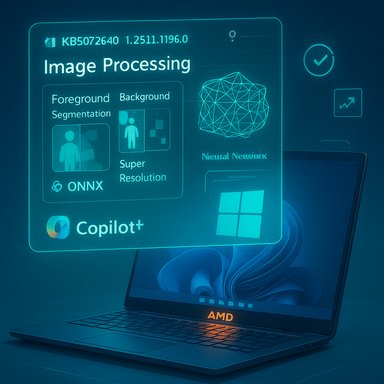
Microsoft has shipped a focused Image Processing AI component update for Copilot+ AMD systems — package version 1.2511.1196.0 delivered as KB5072640 — that Microsoft says “includes improvements” to image-scaling and foreground/background extraction models and will install automatically via Windows Update for Windows 11, versions 24H2 and 25H2 (prerequisite: the latest cumulative update).
The last 18 months have seen Microsoft break large, monolithic OS updates into small, vendor-specific AI component packages that ship independently of the LCU (latest cumulative update). These AI components — Image Processing, Phi Silica (on-device language model), and vendor Execution Providers (EPs) — let Microsoft and silicon vendors iterate models, runtimes, and optimizations more frequently than the traditional OS servicing cadence. That approach accelerates fixes and optimizations for on-device AI features like Photos’ Super Resolution, background segmentation in video, and other Studio Effects, but it also shifts testing responsibility to IT teams and developers because component updates can change numerical behavior, first-run compilation characteristics, or operator mapping in inference runtimes.
KB5072640 is part of that componentized program: a targeted Image Processing AI update specifically for AMD-powered Copilot+ PCs. Microsoft’s public KB is concise — it confirms the version (1.2511.1196.0), the supported OS builds, automatic delivery via Windows Update, and the installation prerequisite (you must have the current cumulative update for 24H2 or 25H2). It also states this package replaces an earlier update (KB5067463). The KB does not publish a line‑by‑line changelog, benchmark numbers, or a CVE/security mapping. Microsoft’s published release catalog for Windows AI components confirms this model of iterative component releases and shows the Image Processing and Execution Provider packages as discrete entries in the AI components release history. That release index provides a cross‑reference to component names and the general timeline in which vendor EPs and image models have been updated.
Source: Microsoft Support KB5072640: Image Processing AI component update (1.2511.1196.0) for AMD-powered systems - Microsoft Support
 Background / Overview
The last 18 months have seen Microsoft break large, monolithic OS updates into small, vendor-specific AI component packages that ship independently of the LCU (latest cumulative update). These AI components — Image Processing, Phi Silica (on-device language model), and vendor Execution Providers (EPs) — let Microsoft and silicon vendors iterate models, runtimes, and optimizations more frequently than the traditional OS servicing cadence. That approach accelerates fixes and optimizations for on-device AI features like Photos’ Super Resolution, background segmentation in video, and other Studio Effects, but it also shifts testing responsibility to IT teams and developers because component updates can change numerical behavior, first-run compilation characteristics, or operator mapping in inference runtimes.KB5072640 is part of that componentized program: a targeted Image Processing AI update specifically for AMD-powered Copilot+ PCs. Microsoft’s public KB is concise — it confirms the version (1.2511.1196.0), the supported OS builds, automatic delivery via Windows Update, and the installation prerequisite (you must have the current cumulative update for 24H2 or 25H2). It also states this package replaces an earlier update (KB5067463). The KB does not publish a line‑by‑line changelog, benchmark numbers, or a CVE/security mapping. Microsoft’s published release catalog for Windows AI components confirms this model of iterative component releases and shows the Image Processing and Execution Provider packages as discrete entries in the AI components release history. That release index provides a cross‑reference to component names and the general timeline in which vendor EPs and image models have been updated.
What KB5072640 actually contains (and what it doesn’t)
What Microsoft explicitly says
- The update is an Image Processing AI component release for AMD systems, version 1.2511.1196.0.
- It applies only to Copilot+ PCs running Windows 11, version 24H2 or 25H2, and requires the latest cumulative update for those branches.
- The package will be downloaded and installed automatically through Windows Update and, after installation, will appear in Update history.
What Microsoft does not provide in the public KB
- No engineering-level changelog (operator-level diffs, quantization changes, or model weight adjustments).
- No published performance numbers (latency, throughput, on‑device memory).
- No explicit security/CVE references.
Why this matters: practical effects and surfaces likely affected
The Image Processing AI component is used by several end‑user and system features:- Photos app: upscaling (Super Resolution), in-place enhancements, and artistic “restyle” features.
- Camera and conferencing stacks: foreground/background segmentation used by Windows Studio Effects and third‑party video apps (virtual backgrounds, background blur, portrait segmentation).
- Accessibility features: image descriptions and improved alt‑text generation that rely on image understanding.
- Any app using the OS-managed ONNX runtime with vendor Execution Providers that delegates image-related subgraphs to hardware-accelerated paths.
- The OS-level ONNX runtime and vendor Execution Providers compile and partition model graphs at first use; changes can alter which operators are offloaded to an NPU or GPU, affecting performance and even numerical output.
- Quantized model weight tweaks or operator fusion changes can produce subtle numeric deltas (mask binarization thresholds, edge artifacts in segmentation) that affect visual quality or automated acceptance tests.
Who is affected
- Primary: end users and enterprises that run Copilot+ AMD systems (Ryzen AI and AMD Adaptable SoC platforms) on Windows 11 24H2 or 25H2 and that have the latest LCU installed.
- Secondary: developers and ISVs who rely on ONNX models, vendor Execution Providers (e.g., AMD’s Vitis AI EP), or who ship apps performing image segmentation, super‑resolution, or real‑time camera effects. Changes to the Image Processing package can alter runtime behavior for these applications.
Installation, verification, and basic troubleshooting
How the update is delivered
- The KB confirms automatic download via Windows Update; manual offline acquisition from Microsoft Update Catalog is not specifically called out in the short KB but is commonly available for other component packages. Verify via Settings > Windows Update > Update history once the machine has applied updates.
Verify installation
- Settings → Windows Update → Update history — look for the entry: Image Processing version 1.2511.1196.0 for AMD-powered systems (KB5072640).
- Collect OS build (winver), the latest Cumulative Update (LCU) version, and the Image Processing component version from Update history for troubleshooting or vendor support requests.
Troubleshooting starter checklist
- Confirm the target device actually meets Copilot+ hardware rules and has the LCU prerequisite installed. If the LCU isn’t present the component won’t install.
- Align AMD chipset, GPU/Adrenalin, and any NPU or firmware updates to the OEM-recommended versions; driver/firmware mismatches are the most frequent source of regression after component updates.
- If visual regressions or crashes appear, gather Update history, Windows Event logs, WER dumps, and reproducible sample images/inputs — this accelerates vendor or Microsoft triage.
Recommended deployment strategy for IT administrators
Given the componentized delivery model and the lack of a public granular changelog, adopt a cautious, staged rollout model:- Pilot: Deploy to a small, diverse pilot ring (7–14 days) that covers the major OEM images, form factors (laptop/desktop), and use cases (photography workflows, conferencing). Collect performance and UX telemetry.
- Driver alignment: Before broad rollout, update AMD chipset, GPU drivers (Adrenalin), and camera ISP drivers to OEM-recommended builds to minimize driver-related regressions.
- Acceptance tests: Use a set of reproducible tests that mirror real usage:
- Photos: super‑resolution comparisons, erase/restore, restyle effects.
- Conferencing: background removal, studio effects, camera enrollment for Windows Hello where camera stacks are shared.
- Power/thermal: first‑run compilation stress to observe cache behavior and temp/perf throttling.
- Monitor: capture pre/post latency, CPU/NPU utilization, visual output samples, and crash telemetry. Maintain a CMDB flag for Copilot+ devices in your fleet.
- Rollback / recovery plan: Component updates delivered via Windows Update may be more complex to rollback than standalone installers. Prepare tested rollback images or recovery steps for managed fleets. Use staged expansion after 7–14 days of stable telemetry.
Developer guidance — validating models and apps
For developers whose applications use ONNX Runtime and vendor Execution Providers:- Re-run model validation suites on representative hardware with the vendor EP active to detect changes in:
- Graph partitioning (what runs on NPU vs CPU/GPU).
- First-run compilation time and caching behavior.
- Numeric thresholds for quantized models (small shifts can change segmentation masks or downstream processing).
- Use provider options to control caching and logging:
- Set a deterministic cache_dir and cache_key so compiled binaries are reused across runs.
- Enable verbose provider logs during pilot tests to capture registration and partitioning decisions.
- If behavior changes are observed:
- Capture exact model files, sample inputs, and pre/post outputs.
- Document the AMD runtime/GPU driver versions, OS build, and component Update history entry.
- Escalate to vendor channels (AMD/OEM) and Microsoft with collected artifacts.
Security and transparency concerns — what to watch for
- Microsoft’s short KB wording means public visibility into the exact modifications is limited. For organizations that require explicit security history or detailed fixes (for example, CVE mappings), request release notes or advisory text from Microsoft or AMD through official support channels. Do not assume that the phrase “includes improvements” equates to security fixes.
- Verify whether the update touches any privileged runtime components. If your environment enforces strict change control, treat component updates as potentially impactful and require testing before approval.
- Maintain data governance and privacy posture checks for any flows that may offload content to cloud services — some Copilot features are hybrid and can route data off-device depending on licensing and tenant configuration. Local image-processing improvements often reduce cloud dependency, but hybrid paths still exist for other Copilot features.
Known risks and likely regressions
- Driver/firmware mismatches: the single largest operational risk — mismatched GPU or ISP drivers can produce crashes or degraded output after a component update. Align drivers first.
- Subtle numeric deltas: quantization or operator fusion changes can alter segmentation masks or edges. Automated thresholds may need recalibration.
- Rollback difficulty: some component updates (or SSU + LCU combinations) complicate rollbacks. Plan for image-level revert if necessary.
- Opaque changelog: lack of granular public notes is a governance challenge for teams that need traceable change control. Request engineering notes where required.
Practical test checklist (copyable for pilots)
- Pre‑update collection:
- OS build (winver), LCU version, Update history.
- AMD chipset and Adrenalin driver versions.
- Baseline images/video samples and measured metrics (latency, CPU/NPU usage).
- Post‑update checks:
- Verify Update history shows Image Processing version 1.2511.1196.0 (KB5072640).
- Run the same image tests (Super Resolution, erase/restore, background segmentation) and compare outputs visually and quantitatively (PSNR/SSIM where applicable).
- Measure first-run compilation times and cache sizes — ensure the provider’s cache behavior is stable across reboots.
- If regression is reproducible:
- Capture a diagnostic package (Update history text, WER dumps, Event logs).
- Include exact driver and firmware versions and the sample inputs.
- File a support case with Microsoft and your OEM/AMD vendor including the Update history KB string.
Cross‑references and corroboration
- Microsoft’s KB entry for KB5072640 confirms the package, the version number (1.2511.1196.0) and delivery method via Windows Update, and the LCU prerequisite. Administrators should use Update history to verify presence on devices.
- Microsoft’s centralized AI components release information page explains the componentized release model and lists Execution Provider and Image Processing packages and timelines, which frames KB5072640 in the broader cadence of AI component updates. That release index is a useful tracking reference for admins.
- Prior AMD execution provider updates and image processing KBs (for example, earlier Vitis AI EP updates and Image Processing releases) demonstrate the pattern of vendor EP and model updates being shipped separately and regularly; those prior KBs are useful for understanding the likely operational behaviors to expect when a new image processing update ships.
- Community and operational guidance — deployment checklists, pilot recommendations, and developer validation steps — are consistent across experienced Windows deployment teams and were compiled from practical guidance found in community knowledge base materials and engineering advisories. These practical steps align with real-world troubleshooting and escalation processes used when AI components are updated.
Final assessment: strengths, trade-offs, and recommendation
KB5072640 is an incremental yet important update for AMD Copilot+ systems. Its strengths and likely benefits include:- Faster iteration cadence for image quality and model fixes via componentized updates, enabling Microsoft and AMD to improve on-device image features without waiting for a major OS feature update.
- Vendor‑specific tuning that can improve NPU utilization and throughput for AMD platforms when aligned with the correct driver/firmware stack.
- Local privacy and responsiveness gains when image transforms or segmentation run on-device rather than in cloud services.
- Opaque public details — Microsoft’s terse KB text leaves engineering-level changes unlisted; teams that require granular change logs will need to request release notes.
- Driver coupling and rollback complexity — mismatches and the difficulty of uninstalling certain servicing components create operational risk. Prepare rollback images and staged ring deployment.
- Treat KB5072640 as high-priority for testing on Copilot+ AMD devices that run image-intensive or camera-based workflows. Pilot thoroughly, align drivers and firmware beforehand, collect telemetry and sample inputs, and be prepared to escalate with detailed artifacts if regressions appear. Proceed to broad deployment only after the pilot ring reports 7–14 days of stable telemetry.
Conclusion
KB5072640 (Image Processing version 1.2511.1196.0 for AMD-powered Copilot+ PCs) is the latest example of Microsoft and silicon partners shipping targeted, on-device AI improvements through modular component updates. The package promises improved image-scaling and foreground/background extraction behavior on eligible systems and will install automatically if the device has the required cumulative update. Because component KBs are intentionally succinct, organizations should rely on disciplined pilot testing, driver alignment, and robust telemetry collection to ensure that visual quality, latency, and model behavior meet their requirements before mass deployment. For teams that require traceable, technical release notes, requesting supplemental information from Microsoft or AMD support is the prudent next step.Source: Microsoft Support KB5072640: Image Processing AI component update (1.2511.1196.0) for AMD-powered systems - Microsoft Support
