

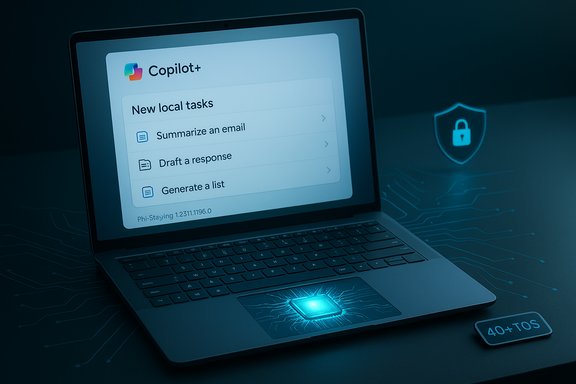
Microsoft has quietly shipped a targeted update to the Phi Silica on‑device language model — KB5072642, which installs Phi Silica version 1.2511.1196.0 on Intel‑powered Copilot+ systems running Windows 11 (24H2 and 25H2) — a small, incremental but important release in Microsoft's ongoing roll‑out of NPU‑optimized local AI across Windows.
Background / Overview
Phi Silica is Microsoft’s Transformer‑based local language model designed to run on modern Windows devices equipped with a Neural Processing Unit (NPU). Microsoft positions Phi Silica as an NPU‑tuned model intended to deliver many of the productivity and inference capabilities of large cloud LLMs while running locally on Copilot+ PCs to reduce latency, protect user data, and conserve power. The vendor explicitly notes Phi Silica is optimized for efficiency and performance on Windows Copilot+ machines. The Copilot+ hardware tier itself is defined around a specific NPU capability: Microsoft’s guidance and product pages require an NPU capable of 40+ TOPS (tera‑operations per second) for a PC to qualify as Copilot+. That hardware requirement is central to the Phi Silica strategy because many on‑device AI features are intended to run inside that NPU envelope. Phi Silica updates are delivered as component packages and Microsoft has been issuing frequent, incremental Phi Silica releases across 2025. KB5072642 is the latest Intel‑targeted component update in that cadence, and it follows a pattern where Microsoft rolls model/component updates separately from cumulative OS servicing — allowing model tuning and feature enablement without changing the OS build family.What KB5072642 actually does
- Applies to: Windows 11, version 24H2 and 25H2 on Copilot+ PCs (Intel‑powered systems only).
- Component version: Phi Silica version 1.2511.1196.0.
- Distribution: Delivered automatically via Windows Update once the device has the required cumulative update baseline. Microsoft states the update will be downloaded and installed automatically; administrators can also track it under Settings → Windows Update → Update history.
- Prerequisites: The device must already have the latest cumulative update for the applicable Windows 11 branch. The KB also notes that this update replaces a prior Phi Silica package (Microsoft indicates it supersedes KB5067466).
- Scope of changes: The public KB entry is intentionally concise and does not publish a line‑by‑line changelog or per‑token performance counters. Microsoft’s component KBs for models typically list the new package identity, the version number and the delivery method; detailed performance metrics and architectural notes are left to developer docs and research posts. This is consistent with previous Phi Silica component updates.
Why the KB is intentionally terse
Microsoft’s support KBs for on‑device model components prioritize delivery metadata — who it applies to, how it’s delivered, and the new package identity — and rarely include deep model internals or exhaustive release notes. For enterprises and developers that need deeper telemetry or performance data, Microsoft relies on separate developer documentation, NPU guidance and research publications. Community and vendor fora often fill the gaps with hands‑on testing and telemetry.Why this matters — user and IT impact
Phi Silica package updates like KB5072642 are small from a packaging standpoint but can materially affect user experience and enterprise deployment plans. The key benefits and impacts are:- Lower latency and improved responsiveness for Copilot interactions: On‑device inference reduces round trips to cloud services for short prompts and UI suggestions, which is the primary user benefit of Copilot+ hardware. Phi Silica updates can refine model behavior, improve tokenization, or reduce time‑to‑first‑token — all affecting perceived responsiveness.
- Stronger local privacy guarantees for supported features: Because Phi Silica runs locally, short suggestions and contextual UI prompts can be generated without sending selected content to the cloud — a win for privacy‑sensitive scenarios. That said, hybrid flows still exist and Microsoft documents that cloud fallback happens for heavier tasks or unsupported languages.
- Faster iteration cadence for on‑device models: Separately updating Phi Silica lets Microsoft push model improvements more frequently than OS servicing cadences would allow. For administrators this means more frequent component updates to track and validate.
- Hardware gating and regional staging: Many of the most visible Copilot and Click‑to‑Do enhancements are gated to Copilot+ hardware and are also rolled out server‑side by Microsoft. Installing the component does not guarantee immediate feature exposure — that’s controlled independently. As a result, identical machines sometimes show different behavior after the same updates.
Technical context: NPUs, Copilot+ requirements, and model tuning
NPUs and the 40+ TOPS baseline
Copilot+ PCs are defined in part by an NPU performance threshold. Microsoft guidance and product pages list 40+ TOPS as the practical NPU requirement for delivering the richer on‑device experiences that Phi Silica is intended to support. This is not an arbitrary number — it reflects a hardware capability band where on‑device models can run with acceptable latencies and throughput for UI‑centric features. Vendors and OEMs use that threshold when validating Copilot+ certification.Phi Silica’s place among Microsoft’s model family
Microsoft’s public research and documentation show a family of models (phi‑3, phi‑3‑mini and other Phi family models) intended for smaller devices and phones; Phi Silica is described as a Transformer‑based local language model tuned specifically for Windows NPUs and Copilot flows. While some community accounts and forum posts speculate on parameter counts and micro‑benchmarks, Microsoft’s component KBs do not publish parameter or token‑throughput claims for Phi Silica in the KB itself. Where precise parameter counts or TOPS‑to‑latency numbers are cited in public discussion, treat them as community measurements unless they come from a Microsoft research publication or official public documentation.What Microsoft does publish (and what it does not)
- Published: Phi Silica is Transformer‑based, NPU‑tuned, and intended for Copilot+ PCs. The KB confirms the model identity and the component version delivered to Intel hardware.
- Not published in the KB: per‑model training data, exact parameter counts, per‑NPU performance numbers or an itemized changelog for the component release. Those details are typically found in research reports, developer docs, or vendor press materials. Any such claims in community threads should be verified against primary Microsoft publications before being treated as definitive.
Deployment, verification and practical steps for admins and power users
For Windows users and administrators who need to track or validate KB5072642, the practical checklist below summarizes the recommended steps.- Ensure the device is on a supported OS branch:
- Confirm Windows 11 version is 24H2 or 25H2 (winver shows the build).
- Confirm cumulative servicing baseline:
- The KB requires the latest cumulative update for the chosen branch; apply monthly LCUs before expecting the Phi Silica component to appear.
- Install/testing ring guidance:
- Pilot the update on a small, representative set of Copilot+ devices (include Intel and AMD variants in different rings). Microsoft’s staged rollouts and server‑side gating mean testing is essential.
- Verify installation:
- After Windows Update runs, check Settings → Windows Update → Update history for the entry: 2025‑11 Phi Silica version 1.2511.1196.0 for Intel‑powered systems (KB5072642).
- For deeper package verification on managed fleets, run: dism /online /get-packages and match the package identity.
- Test feature behavior:
- Validate the specific Copilot interactions or Click‑to‑Do behaviours you expect (local suggestion generation, translation, fluid dictation) and confirm whether those features remain gated server‑side.
- Rollback / recovery:
- Component updates are generally smaller and easier to reimage than full LCUs, but offline MSU installers and bundled SSUs in other servicing waves can complicate rollbacks — have image‑level restore strategies ready for production devices.
Strengths: What Microsoft and users stand to gain
- Performance and responsiveness: On‑device inference reduces network dependency for many Copilot interactions, making the experience faster and more fluid.
- Privacy for short flows: Local model execution prevents many short prompts and UI suggestions from leaving the device, which improves privacy posture for sensitive content when configuration allows.
- Iterative improvements: Component updates let Microsoft tune models at a higher cadence than operating system servicing, enabling rapid bugfixes, minor behavior adjustments and performance tuning without a full OS update.
- Integration with system UX: Phi Silica is integrated into OS flows (Click‑to‑Do, Ask Copilot, taskbar composer, File Explorer insights) to create micro‑workflows that reduce context switching and increase productivity.
Risks, unknowns and operational caveats
- Server‑side gating and inconsistent exposure: Installing the component does not guarantee feature exposure; Microsoft often enables features gradually and by device entitlement. This leads to heterogeneity across identical machines and complicates helpdesk workflows.
- Incomplete public release notes: Microsoft’s component KBs do not publish exhaustive change logs. Operators who need deterministic behavior changes must rely on internal telemetry or community testing to detect behavior shifts.
- Telemetry and compliance questions: Local models reduce surface area for cloud telemetry, but hybrid flows still send data to cloud services under certain conditions (e.g., heavy reasoning tasks, language fallback). Enterprises must evaluate what is logged locally, what is sent to the cloud and how retention and access are governed.
- Model limitations and hallucination risk: On‑device SLMs are optimized for efficiency and specific UI tasks, but they are not equivalent to the largest cloud LLMs for complex, multi‑document reasoning. Treat local model outputs as assistance — validate critical outputs with independent checks.
- Hardware and driver fragility: Phi Silica relies on updated NPU drivers and OEM firmware. Incomplete driver chains can lead to degraded performance or missing features; IT teams should coordinate with OEMs for validated driver sets.
- Unverified community claims: Some forums and community posts assert parameters (e.g., exact parameter counts) and very specific latency metrics for Phi Silica. Where such claims are not supported by Microsoft research or official docs, flag them as unverified. Microsoft’s KB does not publish parameter counts for the Phi Silica component.
Community signals and independent observations
Forum archives, Windows enthusiast coverage and third‑party reporting have tracked Phi Silica’s rollout across several component KBs throughout 2025 (examples include May, July, August and November Phi Silica packages). Community testing has repeatedly shown:- Feature enablement is controlled by both package presence and server‑side flags; installing a Phi Silica package without the corresponding server flag may have no visible effect.
- Performance and behavior vary by NPU vendor and driver release; community threads encourage pilot testing across different Copilot+ OEM models.
- Some of the more dramatic claims about exact latency or parameter counts originate in research papers for related models (phi‑3 family) or in early experimental SDK notes — not in the KBs themselves — and therefore should not be conflated with the Phi Silica component KB entry. Treat research numbers and component packaging as complementary, not identical, artifacts.
Recommendations — practical rollout guidance
- For Home and consumer users: allow Windows Update to install KB5072642 automatically. Confirm the package appears in Update history if you’re curious. If you depend on an uninterrupted workflow, remember that feature enablement may be server‑side and gradual.
- For enthusiasts and testers: include both Intel and AMD Copilot+ hardware in your pilot ring and test realistic workflows (Click‑to‑Do, Ask Copilot, Fluid Dictation) to measure latency and behavior before mass deployment. Collect logs (winlog, CBS) when behavior differs.
- For enterprise IT and security teams:
- Create a pilot ring that mirrors production device diversity and includes driver/firmware variants.
- Validate privacy and telemetry settings against organizational policy and prepare tenant‑level opt‑outs if necessary.
- Coordinate with OEMs for NPU driver validation and ensure your image and update processes can roll back or reimage if needed.
Final assessment and what to watch next
KB5072642 is an incremental but meaningful release in Microsoft’s on‑device AI rollout. It continues a pattern of separate model/component updates that let Microsoft tune Copilot‑related models independently from OS servicing. For end users on Copilot+ hardware, these component updates are the mechanism by which Microsoft refines responsiveness, suggestion quality, and local capability. For administrators, they add a new class of component to inventory and validate alongside traditional security and reliability patches. Watch for the following signals over the coming months:- Microsoft developer notes or research posts that clarify Phi Silica’s architecture and performance on specific NPUs.
- OEM driver releases and firmware updates labeled Copilot+ or NPU optimized — these will materially affect real‑world performance.
- Server‑side feature gates expanding language and region coverage for local suggestions and Click‑to‑Do actions.
Microsoft’s incremental model updates are a practical expression of a new servicing reality: the OS and the AI models it runs can evolve on different cadences. KB5072642 is an example of that separation — minor on the surface, but an essential control point for anyone who manages or depends on Windows’ growing list of on‑device AI features.
Source: Microsoft Support KB5072642: Phi Silica AI component update (version 1.2511.1196.0) for Intel-powered systems - Microsoft Support
