

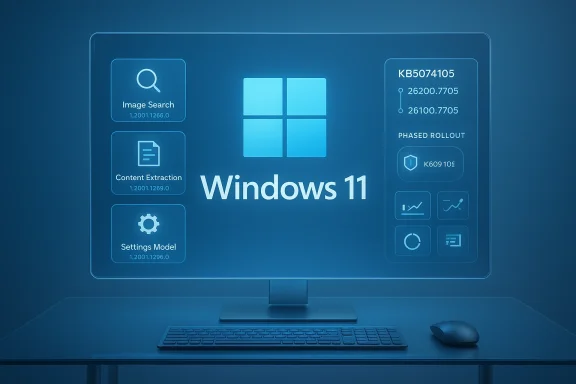
Microsoft has quietly shipped a substantial Windows 11 preview package — KB5074105 — that brings a mix of reliability fixes, AI component refreshes, and a servicing‑stack update (KB5074104) that together affect how enterprise and consumer devices will receive and protect system resources going forward. The update is available as a non‑security preview for Windows 11 versions 25H2 and 24H2 (OS Builds 26200.7705 and 26100.7705), and Microsoft has published a detailed changelog and rollout plan that administrators need to read before broad deployment. (support.microsoft.com)
Windows 11’s monthly non‑security preview updates are Microsoft’s established channel for delivering feature improvements and quality fixes ahead of the formal Patch Tuesday cycle. KB5074105 is such an optional update: it does not contain new security fixes but consolidates a long list of reliability, feature, and platform improvements which will in many cases become part of the next security cumulative update. Administrators should treat preview updates as testing grounds for changes that will land more widely on production devices. (support.microsoft.com)
Microsoft is using a two‑phase deployment model for this release — a gradual rollout followed by a normal rollout — so not every device will receive all new experiences at once. The update package is distributed via the usual enterprise channels (Windows Update, WSUS, Microsoft Update Catalog, and Windows Update for Business), and includes a combined servicing stack update (SSU) to ensure reliable installation. (support.microsoft.com)
Microsoft’s approach in this cycle focuses on incremental hardening, reliable servicing, and AI consistency — all sensible directions. But until Microsoft publishes targeted technical guidance describing a new protective enforcement for system files, you should treat headlines promising a single magic fix for privilege escalation with healthy skepticism and operational caution.
Source: Cyber Press https://cyberpress.org/windows-11-unauthorized-system-file-access/
 Background / Overview
Windows 11’s monthly non‑security preview updates are Microsoft’s established channel for delivering feature improvements and quality fixes ahead of the formal Patch Tuesday cycle. KB5074105 is such an optional update: it does not contain new security fixes but consolidates a long list of reliability, feature, and platform improvements which will in many cases become part of the next security cumulative update. Administrators should treat preview updates as testing grounds for changes that will land more widely on production devices. (support.microsoft.com)Microsoft is using a two‑phase deployment model for this release — a gradual rollout followed by a normal rollout — so not every device will receive all new experiences at once. The update package is distributed via the usual enterprise channels (Windows Update, WSUS, Microsoft Update Catalog, and Windows Update for Business), and includes a combined servicing stack update (SSU) to ensure reliable installation. (support.microsoft.com)
What’s in KB5074105 — the essentials
The official release notes enumerate dozens of fixes and functional enhancements. Key, high‑level items admins and security teams need to know:- It updates Windows 11 versions 25H2 and 24H2 to OS Builds 26200.7705 and 26100.7705, respectively. (support.microsoft.com)
- A servicing stack update (KB5074104) is included with the package; the SSU provides version 26100.7704 of the servicing stack. This is bundled to prevent servicing mismatches and improve future update reliability. (support.microsoft.com)
- Several Windows platform features and Copilot+ PC experiences receive quality improvements, including expanded Cross‑Device Resume, Windows Hello ESS changes, Smart App Control adjustments, and reliability fixes for File Explorer, Windows Sandbox, UAC elevation scenarios, and more. (support.microsoft.com)
- A set of on‑device AI components are updated to a single version (see the next section for details). (support.microsoft.com)
AI component refresh — what changed
KB5074105 explicitly updates a cluster of AI modules that power Windows 11 experiences. The package lists these component updates and the single version identifier applied across them:- Image Search — 1.2601.1268.0
- Content Extraction — 1.2601.1268.0
- Semantic Analysis — 1.2601.1268.0
- Settings Model — 1.2601.1268.0
Servicing stack (KB5074104) — why it matters
The combined package includes KB5074104, a servicing stack update (SSU) raising the servicing stack to 26100.7704. SSUs are small but critical: they update the component that actually applies Windows updates. In practice this means:- Improved reliability for update installation sequences (reducing failed installations). (support.microsoft.com)
- A reduced chance of partial installs or servicing corruption when LCU (latest cumulative update) and SSU versions mismatch. (support.microsoft.com)
- The combined SSU+LCU packaging makes the SSU non‑removable once applied; the LCU portion can sometimes be removed for troubleshooting, but not the SSU itself. Administrators should plan for this during rollback planning. (support.microsoft.com)
The “Enhanced System File Protection” claim — verification and analysis
Several press pieces and industry writeups have framed portions of KB507new* protections that prevent unauthorized processes from reading or tampering with sensitive system files. That claim deserves careful parsing.- Microsoft’s official KB changelog for KB5074105 lists many fixes and improvements, and it explicitly documents the AI component updates, SSU, and a range of platform fixes — but it does not use the specific phrase “Enhanced System File Protection” or publish a separate technical deep‑dive that describes a new system‑level file‑access enforcement subsystem in this preview. The public release notes do not include low‑level API or kernel architecture changes framed as a wholesale new protection layer. (support.microsoft.com)
- Coverage from mainstream outlets accurately summarized the KB’s feature and reliability items (Cross‑Device Resume, Windows Hello ESS peripheral fingerprint support, Smart App Control behavior changes, and a raft of fixes) but did not independently confirm an explicit new file‑system enforcement mechanism being shipped in this package. Where outlets mention security posture improvements, they generally refer to mitigations and quality improvements rather than a single new, named protection feature. (windowscentral.com)
- Separately, Microsoft has been working on least‑privilege and just‑in‑time admin protection concepts (sometimes called “Administrator Protection” or Admin Protection in preview channels) that shift how administrative tokens and user interactions behave — and those initiatives can have the practical effect of limiting which processes can obtain elevated rights to modify system files. Those programs and experimental features are described in preview communications and community threads, but they are distinct from the monthly KB preview semantics and often appear in Insider builds and targeted feature flags prior to broad release.
Why that verification matters for enterprise rollout
Mischaracterizing preview content can lead to rushed, incorrect deployment decisions. The practical implications for IT and security teams include:- A false assumption that a single update will block all file‑system tampering strategies could reduce other compensating controls (EDR rules, AppLocker/WDAC, privilege hygiene). Don’t remove existing mitigations.
- SSU behavior (non‑removable) requires administrators to prepare rollback and test‑out strategies before mass rollouts. (support.microsoft.com)
- The update is optional and non‑security — it’s meant for validation and staging. Treat it as a preproduction test bed. (support.microsoft.com)
Practical deployment guidance — step‑by‑step checklist
If you manage Windows 11 devices in business or heavily regulated environments, follow this recommended process before broad rollout:- Lab validation: Apply KB5074105 to an isolated test group that mirrors your production hardware and tenancy. Verify boot, BitLocker recovery behavior, sign‑in flows, domain join, and update client telemetry.
- Application compatibility: Validate business applications (line‑of‑business, security agents, backup agents, imaging tools). Watch for driver or kernel‑mode interactions.
- Endpoint protection verification: Ensure EDR/AV agents remain supported and documented with vendors after the SSU is applied. Many EDR vendors publish compatibility notes for SSUs and LCUs.
- Group Policy / MDM checks: For any policy that governs update behavior (automatic deferrals, KIRs, special Known Issue Rollback GP templates), validate that the new servicing stack does not alter expected behavior. (support.microsoft.com)
- Telemetry and monitoring: Instrument upd, Windows Update logs, and your SIEM to catch regressions quickly. Monitor the Microsoft Windows release health dashboard during the gradual rollout. (support.microsoft.com)
- Phased production rollout: Use rings (pilot, broad pilot, staged production) and allow Microsoft’s gradual rollout windows to complete before forcing across the entire fleet. Third‑party guidance also recommends holding if you have thin maintenance windows. (windowscentral.com)
Quick pre‑deployment commands and checks
- Check current build and readiness via: system settings > About, or run Build‑aware inventory queries in your management console.
- If you plan to remove the LCU portion for troubleshooting, remember that the bundled SSU cannot be uninstalled once applied — plan accordingly. (support.microsoft.com)
Security posture: what to keep and what to test
When an OS update claims to “harden file‑system access,” you should verify the following in your environment:- File ACLs: audit critical system paths for overly permissive ACLs and remediate before rolling changes.
- Service permissions: ensure service accounts don’t have unnecessary write access to system directories.
- Quarantine/restore workflows: confirm that endpoint tools cannot accidentally restore quarantined files into protected directories in a way that reintroduces risk. Historical CVEs and vendor bugs have leveraged such behaviors to escalate privileges.
- EDR/AV integration: validate that endpoint security tooling still reliably blocks process injection, DLL hijack attempts, and suspicious file writes post‑update.
Known risks and compatibility notes
- SSU is non‑removable: If troubleshooting requires rolling back an LCU, you can remove the LCU but the SSU stays. This complicates full rollback procedures. (support.microsoft.com)
- User reports and community chatter: early adopter comment threads occasionally report BitLocker recovery prompts or other boot‑time nuances after previews; monitor community feedback and Microsoft’s release health posts during rollout. BleepingComputer’s coverage captured community comments raising BitLocker recovery issues on specific Lenovo models after optional updates in the same timeframe. That kind of anecdotal reporting is a useful early warning signal. (bleepingcomputer.com)
- Third‑party drivers and kernel components: major kernel updates and driver interactions remain the usual culprits of instability; validate with hardware vendors if you manage device fleets with OEM‑specific features. (windowscentral.com)
Recommended security controls to keep in place (or add)
- Enforce least privilege: keep users running with standard tokens and use just‑in‑time elevation where possible. Microsoft’s broader “admin protection” concepts and preview toggles are complementary to this model, but your environment should already be practicing least‑privilege principles.
- Use application control: implement WDAC or AppLocker policies for high‑risk endpoints to block unsigned or unexpected binaries from writing to system paths.
- Harden update flows: keep WSUS/catalog deployments staged and use the Windows release health dashboard to watch for Microsoft’s KIR (Known Issue Rollback) advisories. (support.microsoft.com)
- Monitor file system activity: feed logs and EDR detections into SIEM rules that alert on unauthorized writes to protected system folders. Instrument forward‑looking detections: suspicious renames, new DLLs in system directories, or unexpected scheduled tasks.
- Maintain backups and offline recovery images: with SSU permanence and the non‑trivial chance of update‑time regressions, ensure you have tested system recovery procedures.
If you find problems: mitigation and rollback
- Use Known Issue Rollback (KIR) if Microsoft publishes a targeted fix — KIRs allow Microsoft to remotely disable specific problematic behavior without a full uninstall. The KB includes references to the KIR toolset approach for managing some issues. (support.microsoft.com)
- Remove only the LCU portion when troubleshooting — remember the SSU portion cannot be removed from the combined package. Plan remediation that assumes SSU permanence. (support.microsoft.com)
- Revert features using Group Policy or the special KIR Group Policy templates when Microsoft publishes them for specific known issues. (support.microsoft.com)
What we still don’t know — and should watch for
- Exact technical mechanism: Microsoft’s public notes currently do not provide a kernel‑level or API‑level description of any new file protection enforcement added in KB5074105. If Microsoft intends to ship a new enforcement layer, expect a subsequent deep‑dive in a security advisory or a follow‑up engineering blog that describes behavior, telemetry fields, and troubleshooting steps. Until that is published, assume the KB’s file‑protection interpretation is a conservative reading of multiple small hardening changes rather than a single new guardrail. (support.microsoft.com)
- Third‑party vendor compatibility: watch for EDR and low‑level file‑filter driver behavior changes after the SSU lands. Vendors commonly issue compatibility advisories when servicing stack changes roll out. (bleepingcomputer.com)
Final verdict for IT teams
KB5074105 is a routine but consequential non‑security preview that consolidates platform fixes, updates AI components used by Copilot experiences, and bundles an SSU (KB5074104) to harden update reliability. Microsoft’s official notes are clear about build numbers, deployment channels, and the AI versioning, but they stop short of naming a specific new “system file protection” subsystem in this package. That makes it essential for organizations to:- Treat KB5074105 as a test release — validate in representative labs. (support.microsoft.com)
- Respect the SSU’s permanence and plan rollback strategies accordingly. (support.microsoft.com)
- Keep existing endpoint controls (EDR, WDAC/AppLocker, principle of least privilege) in place and verify them post‑update. (bleepingcomputer.com)
Microsoft’s approach in this cycle focuses on incremental hardening, reliable servicing, and AI consistency — all sensible directions. But until Microsoft publishes targeted technical guidance describing a new protective enforcement for system files, you should treat headlines promising a single magic fix for privilege escalation with healthy skepticism and operational caution.
Source: Cyber Press https://cyberpress.org/windows-11-unauthorized-system-file-access/
