

Microsoft’s February cumulative update for Windows 11, KB5077181, which Microsoft published to address gaming eligibility and security issues, has begun to produce the opposite effect for a non‑trivial set of users — introducing rhythmic in‑game freezes, stutters, graphics regressions and, in some cases, install failures and network problems that only disappear after the patch is removed.
Microsoft released KB5077181 on February 10, 2026, for Windows 11 versions 24H2 and 25H2, shipping OS builds 26100.7840 and 26200.7840 respectively. The official release notes list several fixes and quality improvements, with the headline gaming item described as a correction to “device eligibility for the full‑screen gaming experience.”
Behind the short release blurb is a larger Patch Tuesday bundle: cumulative security updates that, according to industry trackers, address dozens of vulnerabilities across the platform. That security context is important — removing a monthly cumulative risks losing a patch for vulnerabilities that have just been closed. Industry summaries list this February release among the month’s broad security fixes.
What’s unusual here is the polarity between the stated intent and the community outcomes: an update that promised more stable full‑screen gaming now appears, on some systems, to cause new and reproducible gameplay freezes and other platform regressions. Early reports describe consistent and repeatable symptoms that have rapid operational impact for gamers and IT admins alike.
For IT organizations, the prudent approach is:
Hardware vendors and driver teams are monitoring. In similar past incidents, fixes have followed one of two paths:
If you’re affected, pragmatic recovery today is straightforward: attempt the documented temporary mitigations (disable Fullscreen Optimizations, test driver rollbacks), and if the issue persists, uninstall KB5077181 and pause updates while preserving a system image. For enterprises, weigh the security implications carefully and favor a measured pilot/test approach rather than an all‑endpoint rollback.
The most constructive next steps are simple: gather precise repro data, file detailed Feedback Hub reports and vendor tickets with attached logs and video, and monitor Microsoft’s KB and Release Health pages for an engineered rollback or corrected update. Until Microsoft or the graphics vendors publish a confirmed root cause and a tested remediation, the user community’s experience and the reproducible symptoms reported across independent threads are the best signal we have — and they strongly recommend caution for gamers and admins deploying KB5077181 at scale.
Source: Mezha Windows 11 update KB5077181 causes freezes in games, although it should fix them
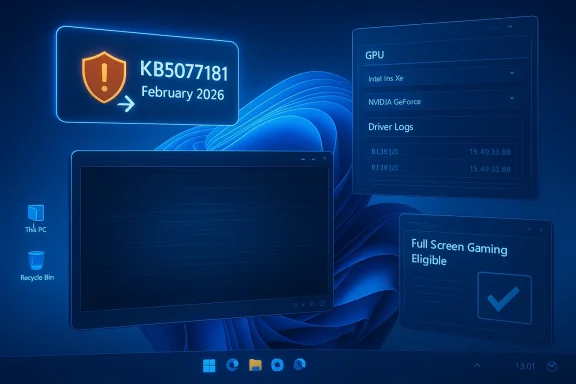 Background / Overview
Microsoft released KB5077181 on February 10, 2026, for Windows 11 versions 24H2 and 25H2, shipping OS builds 26100.7840 and 26200.7840 respectively. The official release notes list several fixes and quality improvements, with the headline gaming item described as a correction to “device eligibility for the full‑screen gaming experience.”Behind the short release blurb is a larger Patch Tuesday bundle: cumulative security updates that, according to industry trackers, address dozens of vulnerabilities across the platform. That security context is important — removing a monthly cumulative risks losing a patch for vulnerabilities that have just been closed. Industry summaries list this February release among the month’s broad security fixes.
What’s unusual here is the polarity between the stated intent and the community outcomes: an update that promised more stable full‑screen gaming now appears, on some systems, to cause new and reproducible gameplay freezes and other platform regressions. Early reports describe consistent and repeatable symptoms that have rapid operational impact for gamers and IT admins alike.
What KB5077181 said it would fix (and why that matters)
Microsoft’s KB documentation highlights a small set of changes. Among the items specifically called out:- Gaming: “Fixed: This update addresses an issue that determines device eligibility for the full‑screen gaming experience.” This is the specific gaming‑related line that most outlets and users have pointed to when evaluating whether the update improved or worsened their play sessions.
- Networking: Fixes for WPA3‑Personal connectivity regressions introduced by an earlier update.
- Secure Boot / Servicing: Rollups that tweak how quality updates carry targeting data for Secure Boot certificates, plus the usual security hardening.
What users are reporting: symptoms, patterns, and scale
Community threads, hardware sites and regional news outlets began collecting reports immediately after the roll‑out. Several consistent symptom classes have emerged:- Rhythmic in‑game stutter and freezing — users describe a periodic micro‑freeze or freeze‑unfreeze rhythm while games continue to show normal FPS counters; audio may pop in time with the stutters. Disabling Fullscreen Optimizations for the affected title is commonly reported as a temporary mitigation.
- Graphics and external display regressions — HDMI output loss, black screens, or broken rendering under GPU load, particulaiscrete NVIDIA GPUs or when external displays are attached. Some affected systems regained normal behavior only after uninstalling the update.
- Audio glitches and system hangs — audio “pops” at a ~1‑second cadence reported on gami instances these recollections escalated to full sign‑in freezes or systems that required a repair reinstall to recover.
- Install failures and update error codes — some users encountered Windows Update installation errors (0x800F0991, 0x800F0983, 0x800F0922, 0x80073712, 0x80096004). When install completes, some reported networking failures (DHCP showing “connected” but no internet) and other post‑install regressions.
- Boot loops and SENS sign‑in errors — while less widespread than the gare field reports describing boot/restart loops and System Event Notification Service (SENS) login blockers that required uninstalling the update to restore normal boot behavior.
Early hypotheses: where the regression could be coming from
Experienced community diagnosticians and several hardware outlets are converging on a common framing: KB5077181 touches the platform pieces that affect full‑screen behavior and game eligibility, and those same pieces interact closely with GPU drivers, the Windows compositor, power management and fullscreen optimizations. A few plausible technical causes have emerged:- Interaction with Fullscreen Optimizations (FSO): Changes intended to affect how Windows assesses eligibility for a full‑screen gaming state might unintentionally alter how FSO is applied or how the compositor responds. That could create periodic scheduling artifacts visible as rhythmic stutter. Many affected users reported temporary relief by disabling FSO for the offending title.
- Driver handshake regressions: If the update nudges an API contract or expected behavior in the graphics stack, older or even newly released GPU drivers (especially for NVIDIA) could respond in ways that reintroduce artifacts or trigger hangs under certain loads. Some coverage points out that driver updates released around the attribution; improved game behavior after a driver update could be coincidence, a true fix, or a masking effect. Independent verification is needed.
- Sleep/resume and display reinitialization: Reports of problems after sleep or on resume (black screens, HDMI signal loss) indicate the update may affect display reinitialization sequences. Those sequences are infamously fragile across combinations of system firmware, GPU driver and external display hardware. ([windowscentral.com](Users report install errors and system bugs after Windows 11’s Feb update to stress that these are hypotheses grounded in observed interactions and community reverse‑engineering; they are not confirmed root causes from Microsoft. Where public engineering statements are absent, attribution remains speculative and should be treated cautiously.
How the g — what works and what doesn’t
Community threads and support outlets have converged on a few repeatable mitigation steps for impacted users. The guidance below synthesizes those field‑tested workarounds and the recovery procedures reported by multiple independent sources.- Immediate, temporary mitigations reported to reduce or eliminate stutter/freezes:
- Disable Fullscreen Optimizations for the affected game executable (right‑click the EXE -> Properties -> Compatibility -> Disable fullscreen optimizations). This has helped many users reduce rhythmic micro‑stutter.
- Roll back to a prior GPU driver version if a recent driver was installed in the same timeframe as KB5077181. Some users reported improved stability after driver rollback; others saw no change.
- Peet on laptops (shut down, unplug/hold power button for 30 seconds, reboot) to resolve certain audio or Wi‑Fi anomalies tied to power state transitions.
- When the system becomes unstable or networking is unusable:
- Uninstall KB5077181 via Settings > Windows Update > Update history > Uninstall updates; reboot to verify recovery. Several support teams and vendors recommend this when the update evidently breaks critical operations.
- If the desktop is inaccessible due to boot loops, use Windows Recovery Environment (WinRE) to uninstall the recent update or use a system restore from a pre‑update point. For severe boot issues after January’s roll‑outs, the community and troubleshooting guides have documented WinRE uninstall flows; the same technique applies if KB5077181 blocks normal boot.
- Good hygiene for troubleshooting and reporting:
- Create a disk image or system backup before uninstalling cumulative updates on production machines.
- Collect system details: DxDiag, GPU driver version, Windows build, game title/version, attached displays and peripherals, and reproduce steps with and without FSO enabled.
- Submit a Feedback Hub report with diagnostics attached and include timestamps for reproductions; if possible, upload DxDiag and a short video demonstrating the stutter to make triage easier for Microsoft and driver vendors. Community threads emphasize actionable logs speed resolution.
The security trade‑off: uninstalling a cumulative update is not neutral
Monthly cumulatives such as KB5077181 typically include fixes for several dozen vulnerabilities and other quality improvements. Industry reporting on the February patch cycle highlights that this month’s packages address a large set of security flaws; removing the cumulative restores exposure to those patched vulnerabilities until they are reintroduced. That makes the decision to uninstall a balance between availability (system muntiality/integrity* (patched vulnerabilities).For IT organizations, the prudent approach is:
- If a machine is mission‑critical and the regression is limited to optional workloads (e.g., a single game), consider isolating gaming to test systems and leave production endpoints patched.
- If the regression breaks core functionality (boot, network, or audio that impacts business processes), use the documented uninstall path on affected endpoints and apply compensating measures (network segmentation, increased monitoring) until a stable patch is available.
- Track Microsoft’s Release Health Dashboard and the KB article for updates and known‑issues statements. Microsoft often applies Known Issue Rollback (KIR) or issues an expedited patch when a regression is confirmed at scale.
How to test and report reliably (for gamers, IT admins and hardware reviewers)
Accurate reporting accelerates diagnosis. The following checklist is short, reproducible and designed to vendors with the minimum viable data to triage:- Reproduce the issue on a clean configuration: boot to a clean user session, close third‑party overlays (Discord, Steam overlay, Xbox Game Bar), and run the game alone to confirm the basic symptom.
- Note Windows build and patch: run WinVer and include the exact OS build string (e.g., 26100.7840). Also record the GPU driver vendor and version.
- Collect logs:
- DxDiag (Save All Information).
- Reliability Monitor snapshot around the time of the freeze.
- GPU vendor logs if available (NVIDIA’s logs or driver installer logs).
- Short video capture showing the rhythmic freeze with system overlay that shows timestamps.
- Try a binary isolation test: toggle Fullscreen Optimizations, and retest; toggle G‑Sync/VRR and retest; test with the integrated GPU if available (to see if the discrete GPU is implicated).
- File Feedback Hub tickets and, if relevant, open vendor support tickets with NVIDIA/AMD/Intel; include collected artifacts and reproduction steps. Community threads show that tickets with attached logs and video attrahan a text‑only report.
The vendor response landscape so far
As of the earliest wave of reporting, Microsoft’s official KB5077181 article and release health pages did not list platform‑wide known issues for KB5077181; the public engineering statement is limited to the release notes describing the changes. That gap — a clean KB article but widespread user reports — has been the familiar pattern in several recent months where community reporting outruns coordinated vendor acknowledgements. Community aggregations and hardware sites have filled the gap with empirical reproductions and mitigation guidance.Hardware vendors and driver teams are monitoring. In similar past incidents, fixes have followed one of two paths:
- A targeted hotfix or a Known Issue Rollback (KIR) applied via Microsoft’s servicing pipeline; or
- A coordinated vendor driver update that restores compatibility without removing the security fix statement arrives that confirms root cause or a fix timeline, the field advice remains the same: uninstall on impacted systems and pause updates until a tested combination is available, or apply the temporary mitigations described earlier. Several community threads document that uninstall + pause is a reliable short‑term recovery for systems that become unstable.
Critical analysis — strengths, weaknesses and risks
Strengths of Microsoft’s change
- The intent behind the gaming fix is valid. Windows’ full‑screen gaming eligibility logic matters for overlays, latency reduction paths, and power/performance tuning; a fix that correctly classifies eligible devices can reduce artifacts and ensure the OS and games cooperate for best performance. Shipping this as part of the monthly cumulative is consistent with how quality improvements are normally distributed.
- Bundling security and quality updates into monthly cumulatives keeps the overall patch surface manageable for enterprise IT and ensures important CVE mitigations are distributed broadly. The security content this month was substantive and non‑trivial.
Weaknesses and operational risks
- Insufficient preflight for complex permutations: When fixes touch graphics/compositor pathways, the hardware/driver permutations are vast. The community‑reported regressions suggest insufficient preflight coverage for combinations of discrete drivers, external displays, hybrid sleep states and certain OEM firmware. The result is an update that behaves benignly on most systems but cripples a meaningful minority.
- Communication lag: Official KB entries initially did not list any related known issues, while independent reproducible regressions proliferated. That lag between field reports and vendor acknowledgement risks user trust and increases the administrative burden for IT teams who must triage and rollback under pressure.
- Security vs Availability trade‑off: Uninstalling a security cumulative to recover stability is a blunt instrument. While it restores availability, it also reopens exposure to the set of vulnerabilities the cumulative fixed. Organizations must make a conscious, informed decision and deploy compensating safeguards when they choose that route.
Practical recommendations (clear, actionable)
- For single‑user gamers
- If you see rhythmic freezes or stutter: first try disabling Fullscreen Optimizations for the affected game and test.
- If that fails, uninstall KB5077181 and pause updates while you wait for a fix; keep a trusted backup and reinstall the update only after vendors confirm a resolution.
- For IT administrators and PC fleets
- Prioritize: do not au the cumulative on all endpoints. Triage by impact. If endpoints are mission critical, test in a representative pilot ring first.
- Deploy mitigations to pilot/test groups: disable FSO where applicable, test driver rollbacks, and collect telemetry.
- If uninstalling is necessary, apply compensating controls — network segmentation, IDS/IPS rules, or restricted internet exposure until the security fixes can be safely reapplied.
- Keep thorough change logs and trigger a re‑test plan for when Microsoft or vendors release a corrected cumulative or driver.
- For hardware vendors and developers
- Reproduce against the specific Windows builds (26100.7840 / 26200.7840), and prioritize reproductions that combine discrete GPUs, external displays, and modern power‑state transitions. Joint driver + OS regressions are most quickly resolved with coordinated vendor/MS engineering responses.
What to watch for next
- Official KB updates and the Windows Release Health dashboard for any Known Issue Rollback or amended KB5077181 documentation from Microsoft. Engineers typically opt for KIR or a follow‑up cumulative when there is clear, reproducible field impact on stability.
- GPU vendor driver notes: NVIDIA, AMD and Intel release driver changelogs that sometimes include compatibility language tied to recent Windows cumulatives. Watch those logs for explicit references to the February builds.
- Consolidated reproducibility reports from community aggregators and hardware review outlets, which often publish step‑by‑step reproduction and test harnesses that can accelerate a fix. Community threads are already hosting multiple independent reproductions; those posts contain valuable telemetry and will likely be the source Microsoft and vendors consult.
Conclusion
KB5077181 illustrates a recurring tension in modern platform servicing: the need to deliver security fixes and small quality improvements on a monthly cadence, while simultaneously preserving the enormous permutation space of drivers, OEM firmware, and user workloads. The February 2026 cumulative sought to improve Windows’ full‑screen gaming eligibility — a sensible target — but in the field it has produced reproducible gameplay freezes, audio and graphics regressions and, in isolated cases, boot and networking failures.If you’re affected, pragmatic recovery today is straightforward: attempt the documented temporary mitigations (disable Fullscreen Optimizations, test driver rollbacks), and if the issue persists, uninstall KB5077181 and pause updates while preserving a system image. For enterprises, weigh the security implications carefully and favor a measured pilot/test approach rather than an all‑endpoint rollback.
The most constructive next steps are simple: gather precise repro data, file detailed Feedback Hub reports and vendor tickets with attached logs and video, and monitor Microsoft’s KB and Release Health pages for an engineered rollback or corrected update. Until Microsoft or the graphics vendors publish a confirmed root cause and a tested remediation, the user community’s experience and the reproducible symptoms reported across independent threads are the best signal we have — and they strongly recommend caution for gamers and admins deploying KB5077181 at scale.
Source: Mezha Windows 11 update KB5077181 causes freezes in games, although it should fix them
