

Microsoft shipped the February 10, 2026 cumulative for Windows 11 as KB5077181 with a plain‑spoken changelog and a single declarative line that matters to millions of users: this update does not include any known issues — but within days a growing thread of real‑world reports, including a detailed Notebookcheck account from a Lenovo LOQ owner, painted a different picture. ([support.microsoft.microsoft.com/en-au/topic/february-10-2026-kb5077181-os-builds-26200-7840-and-26100-7840-f0fa9e54-a22a-4a06-96b6-bf5b2aded506)
Microsoft released KB5077181 (OS Builds 26200.7840 for 25H2 and 26100.7840 for 24H2) on February 10, 2026 as the monthly cumulative update that bundles security fixes, servicing stack improvements, and several non‑security refinements. The official release notes list fixes ranging from gaming eligibility and WPA3 connectivity to servicing stack improvements and updates to AI components; Microsoft’s support page explicitly states it is not currently aware of any issues in this update.
Independent coverage of the roll‑out and early telemetry shows the update was widely distributed through Windows Update and offline installers; news sites documented the build numbers and feature notes while community and support forums began tracking post‑install anomalies within 48–72 hours of the Patch Tuesday push.
The practical consequences for users and administrators are twofold:
Key technical touchpoints to understand:
Immediate steps (order matters):
For individual users: if you’ve already installed KB5077181 and experience problems, the pragmatic path is to document fault symptoms, uninstall the LCU if necessary, pause updates, and pursue driver/firmware updates from your OEM. For IT administrators: delay broad rollouts until Microsoft and OEM vendors publish mitigation guidance or until evidence shows the issue is contained.
Finally, this episode is a reminder that the update ecosystem now depends on coordinated verification across Microsoft, hardware OEMs, and the user community. When a cumulative touches many subsystems, the testing matrix becomes enormous — and the cost of a regression is measured in disrupted productivity and frayed trust. The technical takeaway is straightforward: when an update changes servicing code, networking, power state behavior, and GPU pathways at once, watch closely and move cautiously.
Conclusion: Notebookcheck’s Lenovo LOQ may not be definitive proof that KB5077181 is universally problematic, but it is an aligned, well‑documented signal in a chorus of similar reports. Until Microsoft issues a targeted advisory or a remediation, the safest posture for cautious users and administrators is to validate, document, and — where necessary — roll back while vendors and Microsoft work toward a resolution.
Source: Notebookcheck Windows 11 KB5077181: Microsoft claims stability, my Lenovo LOQ proves otherwise
 Background / Overview
Microsoft released KB5077181 (OS Builds 26200.7840 for 25H2 and 26100.7840 for 24H2) on February 10, 2026 as the monthly cumulative update that bundles security fixes, servicing stack improvements, and several non‑security refinements. The official release notes list fixes ranging from gaming eligibility and WPA3 connectivity to servicing stack improvements and updates to AI components; Microsoft’s support page explicitly states it is not currently aware of any issues in this update.Independent coverage of the roll‑out and early telemetry shows the update was widely distributed through Windows Update and offline installers; news sites documented the build numbers and feature notes while community and support forums began tracking post‑install anomalies within 48–72 hours of the Patch Tuesday push.
What Notebookcheck (and one Lenovo LOQ) reported
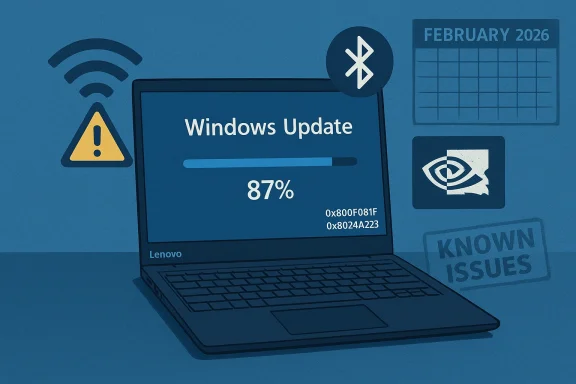
On a Lenovo LOQ laptop, Notebookcheck observed that Update History recorded KB5077181 as installed on February 11, 2026 and that the OS moved to Build 26200.7840. Shortly after installation the machine began showing a cluster of troubling symptoms:- Intermittent “connected but no internet” Wi‑Fi behavior: Windows reported Wi‑Fi connectivity while browsing and apps stalled.
- Bluetooth instability: wireless headsets and an Xbox Series controller began disconnecting intermittently.
- Shutdown/resume anomalies: after choosing Shut down (not Sleep or Hibernate), the chassis later felt warm in a backpack — suggesting the system did not fully power down or had resumed unexpectedly.
- Persistent stutter during gaming and video on an NVIDIA‑equipped system.
- Sluggish shto five minutes on a Core i7‑13620H with NVMe storage.
The broader field reports: a pattern, not (yet) proof
Within days of the February roll‑out, community forums, Microsoft Q&A threads, and social networks logged a mosaic of issues that overlap with the Notebookcheck LOQ observations:- Installation failures with error codes such as 0x800F0991, 0x800F0983, and 0x800F0922, sometimes accompanied by rollbacks and repeated “undoing changes” cycles.
- Networking regressions described as DHCP failures or “Wi‑Fi connected but no internet” behavior, along with WPA3 connectivity fixes noted in Microsoft’s changelog. The juxtaposition of a reported fix for WPA3 and community reports of networking breakage is notable.
- Bluetooth and audio device dropouts reported by multiple users, sometimes resolved only after driver reinstalls or full power cycles.
- Gaming and display regressions — stuttering, framerate drops, and black screens — reported mainly on systems with discrete GPUs (notably NVIDIA), even as the February update included fixes for some GPU crash scenarios.
- A smaller set of users reporting secure‑boot or firmware‑related boot problems after fiddling with Secure Boot keys during troubleshooting. Community threads warn that BIOS/secure‑boot changes can complicate recovery.
Microsoft’s official stance — and why it matters
Microsoft’s KB entry for KB5077181 lists the release date and the change log, and closes with Known issues: Microsoft is not currently aware of any issues with this update. That statement is factual as of the KB posting, but it is not synonymous with the absence of problems — it reflects the company’s position at the time of publishing and their process for triage and advisory updates.The practical consequences for users and administrators are twofold:
- Official KB pages are authoritative for confirmed and tracked regressions; they are not exhaustive logs of every field complaint. Microsoft typically updates the known‑issues section only after sufficient corroboration or internal replication.
- For IT teams, the absence of an entry in “Known issues” should not be taken as a guarantee of safety; rapid, real‑world telemetries and community reports often surface problems before a formal Microsoft advisory appears. In this release cycle, that gap is precisely what has produced friction between Microsoft’s messaging and the user experience.
Technical analysis: why might KB5077181 trigger these symptoms?
KB5077181 is a cumulative LCU that carries security fixes, non‑security improvements, an updated servicing stack (SSU), and updates to AI components. That combination matters because cumulative updates interact with multiple kernel components, drivers, and subsystems. A small change in a shared kernel API or in how the OS enumerates or initializes device drivers can cause a cascade of device‑specific failures.Key technical touchpoints to understand:
- Servicing stack update (SSU): SSUs modify the update/install framework. Corruption or incompatibility in the SSU path can cause install failures (0x800F0xxx family) or incomplete package application. When SSUs change how packages are staged, older or vendor‑modified components might not match what the LCU expects, producing failed installs or silent inconsistencies.
- Networking stacks & WPA3 changes: KB5077181 explicitly lists a fix for certain WPA3‑Personal network connection problems. Networking changes frequently touch drivers (Intel/Qualcomm/Wi‑Fi stacks), the OS DHCP client, and security negotiation layers. A change intended to fix WPA3 could — on hardware with vendor drivers that deviate from Microsoft’s assumptions — yield an interoperability regression that looks like “connected but no internet.”
- Graphics and kernel graphics drivers: GPU subsystems are notoriously sensitive to micro‑changes. The LCU carries a fix for a kernel crash tied to GPU drivers (dxgmms2.sys), but that same change can alter timing or resource handling in ways that expose latent bugs in third‑party drivers — particularly proprietary GPU drivers that implement vendor‑specific optimizations. Reported stutter on NVIDIA systems is consistent with this class of regression.
- Power state and shutdown/resume flow: If the update touches ACPI handling, power plan defaults, or device wake behavior (including Bluetooth/wireless device resume), shutdown inconsistencies or unexpected resume behaviors can follow. A laptop that appears to shut down but later feels warm could be failing to fully transition hardware components to S5 state, or a device could be waking the platform. These are complex interactions between firmware, drivers, and OS power policy. The Notebookcheck LOQ report specifically highlights this pattern.
Evidence assessment: how strong is the connection between KB5077181 and the problems?
- Temporal correlation — strong: many users report issues that began immediately or within days after installing KB5077181. That temporal cluster is a classic red flag for a patch‑related regression.
- Symptom overlap — moderate: reported symptoms across different machines (networking, Bluetooth, GPU, shutdown) are similar to what the Notebookcheck LOQ owner experienced. The overlap strengthens the hypothesis that the update is a common trigger.
- Replicability — weak/variable: as of the present reporting, many problems are anecdotal and appear on subsets of hardware; Microsoft had not initially acknowledged specific systemic issues in the KB’s “Known issues” block. Reproducible failures that Microsoft can trigger internally are the usual precondition for a formal advisory or rollback. That level of replication had not been publicly posted at the time of writing.
- Severity distribution — mixed: a portion of machines saw mild symptoms (dropouts, slow shutdown), others experienced install failures or boot loops requiring rollback. The existence of both mild and severe outcomes suggests multiple independent fault lines rather than one universal blocker.
Practical guidance for affected users and IT admins
If you installed KB5077181 and see new or unexplained symptoms, follow a cautious, layered triage approach.Immediate steps (order matters):
- Verify the build. Press Win + R, run winver, and confirm whether your OS Build matches 26200.7840 (25H2) or 26100.7840 (24H2). That confirms whether the LCU actually applied.
- Check Windows Update history for rollbacks, error codes, or repeat attempts. Note any error code displayed during failed installs (0x800F0991 family numbers are already reported).
- If you have clear regressions that began after the update, consider uninstalling the LCU and pausing updates for 7 days while you investigate. On many systems a rollback to the pre‑update state has restored functionality. Microsoft documents how to remove LCUs with DISM; community threads frequently recommend uninstall + pause as a pragmatic temporary mitigation.
- Update vendor drivers: get the latest OEM/Intel/NVIDIA/Wi‑Fi driver packages from the vendor (device manager + OEM support) and test. Many Bluetooth/network/graphics regressions resolve after matching the most recent vendor drivers.
- Power/fabric reset: for Bluetooth issues, perform a full power cycle and remove paired devices, then re‑pair; Bluetooth radios can be finicky after system updates.
- Isolate hardware: test on ethernet versus Wi‑Fi; test with onboard GPU only (if available) to see whether discrete GPU drivers are implicated. This helps narrow whether the problem is driver, hardwindowscentral.com]
- Use in‑place repair if install failures persist: when servicing corruption is suspected, a repair install with same‑version media often restores update functionality without wiping user data. Community posts document success with same‑branch repair installs.
- Delay wide deployment: if you manage fleets, pause the KB rollout in your ring policy until Microsoft confirms the regression status or a hotfix arrives. Community feedback suggests some shops that delayed widespread deployment avoided mass incidents.
- Monitor Microsoft release health and update channels: Microsoft updates the KB and release‑health dashboard when it has confirmed issues or released mitigations. Subscribe to official channels and track vendor driver advisories.
Strengths and shortcomings of Microsoft’s update process exposed by this release
What KB5077181 shows — in both its content and community response — is a broader tension in modern Windows servicing:- Strength: Microsoft is continuing to push security patches, servicing stack improvements, and cross‑component fixes as part of a regular cadence that keeps systems protected. The cumulative model reduces the number of separate installers and, in many cases, reduces fragmentation. KB5077181 included fixes for known problems (for example, certain WPA3 connectivity issues) that demonstrably benefit some users.
- Shortcoming: the breadth of cumulative updates increases the risk surface for hardware and driver permutations. When servicing includes SSUs, AI components, networking, and graphics tweaks in one package, the testing matrix required to avoid regressions explodes. The result is that a seemingly routine monthly update can trigger a patchwork of device‑specific failures in the field. Community reports around KB5077181 reflect that reality.
- Communication gap: Microsoft’s KB initially reported no known issues. Given how quickly community reports surfaced, that messaging gap created frustration. The KB model is not wrong — Microsoft updates known issues only after verification — but the perception for many end users is “you released a broken patch” when the KB page still states nothing is wrong. The company’s challenge is reconciling rapid field telemetry with the deliberate verification process that underpins formal advisories.
Why Notebookcheck’s LOQ observation matters
Single‑system case studies are not proof of causation, but they are valuable sentinel events. The Lenovo LOQ report matters for three reasons:- Symptom plurality: it simultaneously reports networking, Bluetooth, shutdown, and GPU stutter — a combination that touches multiple OS layers and raises the likelihood of an update interaction rather than an isolated driver fluke.
- Reproducibility vector: other community reports document one or more of the same symptoms, meaning the LOQ case is not a singular oddity but sits within a pattern that merits root‑cause analysis.
- Practical impact: the LOQ owner observed persistent stutter and slow shutdowns on a relatively powerful system (Core i7‑13620H + NVMe) — an outcome that should not be dismissed as expected degradation on lower‑end hardware. When high‑performance laptops show regression, the visibility and urgency increase.
What to watch next
- Microsoft advisories: monitor the KB entry and the Windows release health dashboard for updates to the “Known issues” section and for any hotfix roll‑out. Microsoft typically publishes mitigations or patches once internal replication and a test fix exist.
- OEM driver updates: watch for Intel, NVIDIA, Qualcomm, and OEM laptop manufacturers to publish updated drivers or firmware advisories that explicitly reference KB5077181 or February 2026 updates. Vendor driver updates are often the fastest way to resolve device‑specific regressions.
- Community triage threads: forums and Microsoft Q&A threads will continue to accumulate diagnostic data, error codes, and reproducible steps — valuable for both users and Microsoft engineers trying to isolate triggers. If you’re experiencing problems, post crisp diagnostic logs and winver/build information to help the collective triage.
Final verdict and practical takeaway
KB5077181 is a routine monthly cumulative in form and scope, but the February 2026 rollout illustrates that routine updates can still produce non‑trivial regressions in the wild. The evidence — Microsoft’s official KB metadata, independent reporting, and a rapid accumulation of community incidents including the Notebookcheck Lenovo LOQ observation — points to a real, if not yet fully diagnosed, field reliability problem for a subset of configurations.For individual users: if you’ve already installed KB5077181 and experience problems, the pragmatic path is to document fault symptoms, uninstall the LCU if necessary, pause updates, and pursue driver/firmware updates from your OEM. For IT administrators: delay broad rollouts until Microsoft and OEM vendors publish mitigation guidance or until evidence shows the issue is contained.
Finally, this episode is a reminder that the update ecosystem now depends on coordinated verification across Microsoft, hardware OEMs, and the user community. When a cumulative touches many subsystems, the testing matrix becomes enormous — and the cost of a regression is measured in disrupted productivity and frayed trust. The technical takeaway is straightforward: when an update changes servicing code, networking, power state behavior, and GPU pathways at once, watch closely and move cautiously.
Conclusion: Notebookcheck’s Lenovo LOQ may not be definitive proof that KB5077181 is universally problematic, but it is an aligned, well‑documented signal in a chorus of similar reports. Until Microsoft issues a targeted advisory or a remediation, the safest posture for cautious users and administrators is to validate, document, and — where necessary — roll back while vendors and Microsoft work toward a resolution.
Source: Notebookcheck Windows 11 KB5077181: Microsoft claims stability, my Lenovo LOQ proves otherwise
