

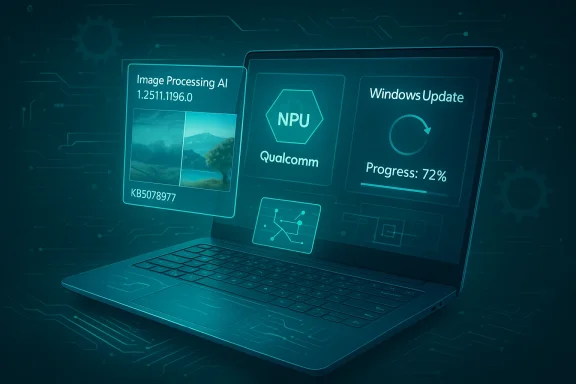
Microsoft has quietly shipped a targeted Image Processing AI component update — KB5078977 — that delivers component version 1.2511.1196.0 to Qualcomm‑powered Copilot+ PCs running Windows 11, and Microsoft describes the package only as “includes improvements” to image scaling and foreground/background extraction. This small, vendor‑specific component is installed automatically through Windows Update but requires the device to have the latest cumulative update for Windows 11, version 26H1 before it will apply.
The update is part of Microsoft’s ongoing shift away from infrequent, monolithic OS feature updates toward modular, componentized AI packages that can be iterated quickly and delivered to qualifying hardware through Windows Update. These component updates — Image Processing among them — are usually vendor‑split (Intel, AMD, Qualcomm) so each package can be tuned to the target SoC and its neural processing unit (NPU). That distribution model reduces time‑to‑fix for on‑device AI features but also puts more operational responsibility on device owners and IT administrators.
What Microsoft’s short KB text does and does not do is typical for these releases: it confirms the target hardware (Copilot+ Qualcomm systems), the component version (1.2511.1196.0), the Windows servicing prerequisite (latest cumulative update for Windows 11, version 26H1), and the delivery method (automatic via Windows Update). It does not publish an operator‑level changelog, performance microbenchmarks, or a CVE/security mapping — details that enterprises often need for deterministic validation and compliance. Treat the KB’s single‑line “includes improvements” statement as high‑level guidance rather than an engineering changelog.
Practical recommended actions:
KB5078977 illustrates the trade‑offs of componentized AI delivery: faster, hardware‑tuned improvements for users who benefit from on‑device image AI, but also a new operational surface that requires disciplined testing, driver alignment, and telemetry capture to avoid surprises in production environments. With an appropriate pilot and validation discipline, the update should provide incremental quality improvements while keeping your fleet stable and predictable.
Source: Microsoft Support KB5078977: Image Processing AI component update (1.2511.1196.0) for Qualcomm-powered systems - Microsoft Support
 Background / Overview
The update is part of Microsoft’s ongoing shift away from infrequent, monolithic OS feature updates toward modular, componentized AI packages that can be iterated quickly and delivered to qualifying hardware through Windows Update. These component updates — Image Processing among them — are usually vendor‑split (Intel, AMD, Qualcomm) so each package can be tuned to the target SoC and its neural processing unit (NPU). That distribution model reduces time‑to‑fix for on‑device AI features but also puts more operational responsibility on device owners and IT administrators.What Microsoft’s short KB text does and does not do is typical for these releases: it confirms the target hardware (Copilot+ Qualcomm systems), the component version (1.2511.1196.0), the Windows servicing prerequisite (latest cumulative update for Windows 11, version 26H1), and the delivery method (automatic via Windows Update). It does not publish an operator‑level changelog, performance microbenchmarks, or a CVE/security mapping — details that enterprises often need for deterministic validation and compliance. Treat the KB’s single‑line “includes improvements” statement as high‑level guidance rather than an engineering changelog.
Why this package matters: the technical surface
On‑device AI, runtimes, and Execution Providers
Modern on‑device image features in Windows rely on a layered runtime stack (commonly ONNX Runtime or equivalent) that dispatches model subgraphs to vendor Execution Providers (EPs). Those EPs compile accelerator‑specific artifacts for the NPU or GPU and cache those compiled binaries on first use. As a result, a component update that changes model weights, layer ordering, or runtime kernels can:- change which operators are executed on the NPU versus CPU/GPU;
- alter first‑run compilation time and cache behavior; and
- produce small numeric differences in quantized models that downstream logic may notice.
User‑facing surfaces likely to see change
The Image Processing AI component is the shared pipeline behind several Windows image and camera experiences. Practical, user‑visible surfaces that can subtly change when a component is updated include:- Photos app tools (Super Resolution / upscaling, Erase/Restore or generative fill, and restyle filters).
- File Explorer AI actions (right‑click Remove background, Erase objects, and quick inline image transforms).
- Camera and conferencing stacks (foreground/background segmentation used by Windows Studio Effects and third‑party apps for virtual backgrounds and background blur).
What KB5078977 says — and what it leaves out
The Microsoft support text for KB5078977 is intentionally concise:- Target: Copilot+ Qualcomm systems running Windows 11, version 26H1.
- Component: Image Processing AI, version 1.2511.1196.0.
- Prerequisite: latest cumulative update (LCU) for Windows 11, version 26H1.
- Delivery: automatic via Windows Update — will appear in Settings > Windows Update > Update history after installation.
- no operator‑level diff or model weight changelog;
- no quantitative latency or power figures specific to Qualcomm NPUs;
- no explicit security/CVE references or binary checksums; and
- no guaranteed behavior parity across different OEM driver/firmware stacks.
Strengths and likely benefits
This component model and the KB’s update provide several real benefits when deployed carefully:- Faster iteration and fixes. Componentized packages allow Microsoft and silicon partners to ship model and runtime improvements without waiting for monthly or semi‑annual cumulative updates. That reduces time‑to‑fix for image quality issues.
- Hardware‑tuned optimizations. Qualcomm‑targeted builds can better exploit Hexagon NPU features, improving latency and power-efficiency for image transforms on qualifying devices.
- Improved privacy and responsiveness. When processing runs on the device, pixel data need not be uploaded to the cloud for many edits, improving privacy posture and lowering perceived latency for interactive edits.
- Centralized delivery via Windows Update. Automatic distribution means most consumers and managed devices will receive the update without manual intervention.
Risks, trade‑offs and what to watch for
Component updates are powerful but carry operational risk. Key concerns include:- Opaque change details. Microsoft’s public KBs for AI components intentionally omit engineering diffs; when visual regressions or performance anomalies occur, root‑cause analysis becomes harder without vendor‑provided release notes or telemetry. Flag any unexplained regressions as requiring deeper vendor support.
- Driver / firmware mismatches. Component packages assume compatible OEM drivers and NPU firmware. Installing the Image Processing component while running older or unsupported drivers can produce degraded performance, operator fallbacks, or even crashes. Align drivers and firmware before broad rollouts.
- Numeric and determinism differences. Small model or execution provider changes (quantization thresholds, operator fusion) can produce numeric deltas. If your pipelines require bit‑stable outputs, expect to revalidate or adjust tolerances.
- Staged visibility / gating. Microsoft may gate features server‑side or regionally; different devices may see different behaviors even after the same component installs. Don’t assume identical exposure across a fleet.
Practical rollout checklist (for IT admins and power users)
- Confirm device eligibility: verify each machine is a Copilot+ PC and Qualcomm‑powered. Consult OEM documentation and your device inventory.
- Install the prerequisite cumulative update (LCU) for Windows 11, version 26H1. The component will not apply otherwise.
- Align drivers and firmware: update Qualcomm chipset, GPU and NPU drivers and OEM firmware to the vendor‑recommended versions before broad deployment.
- Create a pilot ring: stage KB5078977 on a small, representative set of devices (7–14 devices) covering diverse OEM images, camera variants, and form factors.
- Acceptance testing: run both subjective visual checks and objective metrics (latency, NPU utilization, segmentation IoU where possible). Reproduce common user workflows: erase/restore, background removal, super‑resolution and live webcam segmentation.
- Capture logs for triage: Event Viewer logs, Windows Error Reporting dumps, and ONNX/Execution Provider profiling outputs are essential if you need to escalate. Collect device model, OS build and LCU KB number, driver versions, and the Image Processing component version as shown in Update history.
- Rollout and monitoring: expand deployment progressively only after pilot success, monitoring telemetry for error rates or performance regressions. Maintain rollback plans — system restore points or clean images — if a component causes unacceptable regressions.
How to verify KB5078977 installed
After Windows Update deploys the component, confirm presence by going to Settings → Windows Update → Update history, where the Image Processing component entry and its version (1.2511.1196.0) should be listed alongside the KB identifier (KB5078977). On managed environments using WSUS or ConfigMgr, query update reports by KB number and collect device‑level metadata for verification. If the entry does not appear, confirm that the device has the required LCU installed and that Windows Update is allowed to download component updates.Developer and ISV guidance: validate like a runtime bump
Component updates should be treated like runtime or library upgrades. Recommended developer validation steps:- Reproduce inference workloads and capture baseline metrics: cold/hot start times, per‑inference latency, CPU/NPU utilization and memory usage.
- Compare operator placement logs pre‑ and post‑update to ensure critical subgraphs still run on intended Execution Providers. Provider changes can cause operators to fall back to CPU, increasing latency unexpectedly.
- Enable EP profiling outputs (ONNX runtime verbose logs) to detect compilation or caching regressions. Investigate first‑run compilation time and cache sizes.
- Rebuild and retest any pipelines assuming deterministic quantized outputs; document expected numeric tolerances and update unit tests accordingly.
Troubleshooting checklist (if you see regressions)
- Confirm driver/firmware alignment: mismatched NPU drivers are the most common cause of post‑update regressions.
- Reproduce problem with a minimal test case and capture the original input images — reproducible samples speed vendor triage.
- Capture logs: Event Viewer, WER dumps, ONNX runtime verbose logs and any EP profiling outputs. Include device model, OS build, LCU KB and component version.
- Test rollback options: if necessary, restore the device to a pre‑update image or use system restore points while coordinating escalation.
- Escalate with evidence: include image samples, step‑by‑step reproduction, and captured logs when opening cases with Microsoft or the OEM; the KB’s terse scope means good repro material is essential.
Security posture and compliance notes
KB5078977’s public KB text does not reference CVEs or security remediations; Microsoft generally issues separate security advisories when an update contains a security fix. Treat KB5078977 as a functional/model/runtime quality update unless an explicit CVE mapping is published elsewhere. If your compliance or security policy requires CVE attribution for all updates, escalate to Microsoft support for confirmation before declaring the component part of your security baseline.Realistic expectations for end users
For typical consumers on qualifying Copilot+ Qualcomm hardware the update will be uneventful: Windows Update will download and install the component and users will see the entry in Update history. Visual improvements, when they appear, are most often incremental — crisper masks, reduced haloing, or slightly better texture synthesis in fill operations — not sweeping new features. If you use Photos, File Explorer image actions, or Studio Effects frequently, try a small set of before/after edits to confirm whether the update materially changes your preferred workflows.Final assessment and recommendations
KB5078977 (Image Processing AI component version 1.2511.1196.0 for Qualcomm‑powered Copilot+ PCs) is a routine but meaningful incremental update in Microsoft’s on‑device AI servicing model. The benefits — faster iteration, hardware‑tuned improvements, on‑device privacy and responsiveness — are real and align with Microsoft’s stated intentions for Copilot+ features. At the same time, the KB’s terse wording and the vendor‑specific nature of the package mean organizations and developers must treat this as a runtime change that warrants validation.Practical recommended actions:
- For individual users: ensure Windows is fully updated (LCU installed), let Windows Update install the component, and run a few representative photo edits to confirm expected behavior.
- For IT administrators: pilot KB5078977 on a representative set of devices, align drivers and firmware first, capture logs and telemetry during pilot, and stage rollout progressively.
- For developers and ISVs: validate operator placement and numerical tolerances, re‑run inference workloads and CI tests, and enable EP profiling to detect any unexpected fallbacks or compilation regressions.
KB5078977 illustrates the trade‑offs of componentized AI delivery: faster, hardware‑tuned improvements for users who benefit from on‑device image AI, but also a new operational surface that requires disciplined testing, driver alignment, and telemetry capture to avoid surprises in production environments. With an appropriate pilot and validation discipline, the update should provide incremental quality improvements while keeping your fleet stable and predictable.
Source: Microsoft Support KB5078977: Image Processing AI component update (1.2511.1196.0) for Qualcomm-powered systems - Microsoft Support
