 Background
Windows updates have increasingly become more than a simple security-and-stability ritual. In the Windows 11 era, the monthly cumulative update often touches core plumbing that sits beneath everything from account authentication to cloud-backed file access, and that means a single regression can spread across a surprising number of user-facing apps. KB5079473 fits that pattern: it is a routine security update on paper, but its known issue list now includes a broken Microsoft account sign-in path that affects a broad slice of Microsoft’s consumer productivity stack. (support.microsoft.com)
That breadth matters because Microsoft has spent years collapsing the boundaries between Windows, Edge, Office, OneDrive, Teams, and Copilot. A user who signs into one Microsoft product often expects the same identity to flow seamlessly into the others. When that chain fails, the failure is not limited to a single app; it can look like the entire Microsoft personal ecosystem has gone dark. The new issue documented by Microsoft is therefore more than a nuisance. It is a direct strike at the convenience layer that keeps the company’s consumer software story coherent. (support.microsoft.com)
The timing is also awkward. Microsoft has already been dealing with a difficult stretch that included a Microsoft 365 services outage and other hotpatch-related fixes earlier in the week, including Bluetooth-related remediation work. In that context, a second, separate problem affecting sign-in and cloud services creates the impression of a platform under stress, even if the root causes are unrelated. The cumulative effect is reputational: users do not perceive isolated bugs, they perceive a brittle experience.
Just as important, this issue lands in an environment where Microsoft is pushing more consumer functionality into authenticated cloud services. Teams Free, OneDrive, Microsoft 365 Copilot, and the account-linked features of Word, Excel, and Edge all depend on a healthy sign-in path. That means the update does not merely interrupt optional extras; it can block the basic act of logging in to software that users reasonably expect to work after Patch Tuesday. (support.microsoft.com)
Why this bug feels bigger than a normal sign-in glitch
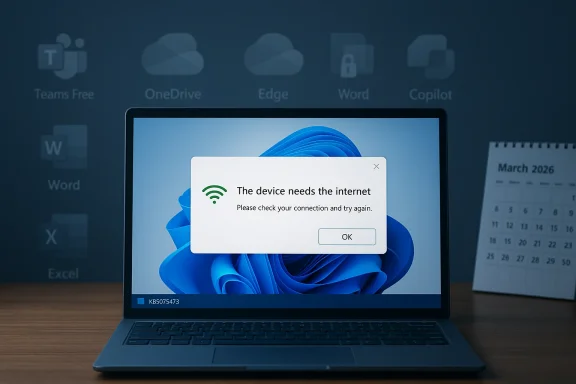
The exact wording of the error is what makes the bug so alarming. Users are told they “need the Internet” even when they are demonstrably connected, which turns a software defect into a false diagnostic. That kind of mismatch is damaging because it sends users and IT admins troubleshooting the wrong layer first, wasting time on routers, DNS, and VPNs before the real problem is even suspected. (support.microsoft.com)
What Microsoft Has Confirmed
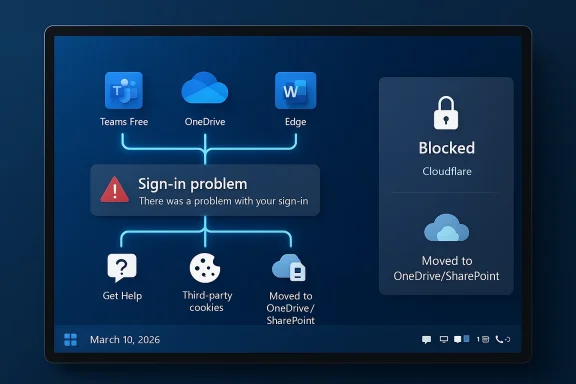
Microsoft’s release-health page now explicitly lists the issue under Known issues in this update. The company says that after installing KB5079473, signing into apps with a Microsoft account may fail even when internet connectivity is present. It names Microsoft Teams Free and OneDrive as examples, and then broadens the scope to Microsoft Edge, Excel, Word, and Microsoft 365 Copilot whenever those apps require Microsoft account sign-in. (support.microsoft.com)
The wording is carefully limited. Microsoft says the issue affects Microsoft accounts, not all sign-ins. That distinction is important because Entra ID authentication is not affected. In practical terms, businesses that use Microsoft’s enterprise identity platform should be insulated from this particular defect, while home users and consumer-facing Microsoft services bear the brunt. (support.microsoft.com)
Microsoft also says the issue may resolve on its own, which suggests the bug is tied to a transient state machine rather than a permanent configuration break. In other words, the device can apparently enter a problematic network connectivity state and then be repaired by a reboot under the right conditions. That is both reassuring and unnerving: reassuring because it points to a recoverable state, unnerving because the state can return. (support.microsoft.com)
The official workaround
The company’s workaround is straightforward but not exactly elegant. If the issue appears, users should restart the device while keeping it connected to the internet. Microsoft says this should repair the connectivity state and prevent recurrence, although restarting offline may let the problem come back. That means the workaround depends on timing, environment, and user behavior, which is rarely ideal for a bug that blocks sign-in. (support.microsoft.com)
What Microsoft says will happen next
Microsoft says it is working to release a resolution in the next few days. That is the key line for anyone deciding whether to deploy the March update immediately or to pause rollout where feasible. The known issue was added on March 19, 2026, which means the problem surfaced after the original March 10 release and was then formally documented later. (support.microsoft.com)
- The issue is tied to KB5079473 on Windows 11 25H2 and 24H2.
- The error can appear even when the device is connected to the internet.
- Teams Free, OneDrive, Edge, Word, Excel, and Copilot may be affected.
- Entra ID sign-ins are not affected.
- Microsoft recommends an online restart as the immediate workaround. (support.microsoft.com)
Why This Matters for Consumers
For home users, this is the sort of problem that creates instant confusion because the failure appears to contradict reality. A person opens OneDrive to sync files, launches Teams Free for a call, or tries to access Copilot in a Microsoft 365 app, only to be told the device is offline. If the browser still loads websites and other services still work, the user naturally assumes the problem must be random or localized. (support.microsoft.com)
The consumer impact is amplified by the way Microsoft bundles everyday tasks into authenticated services. Edge is not just a browser; it is the company’s account-aware gateway to sync, shopping, personalization, and Copilot. Word and Excel are not just offline editors anymore; they increasingly expect cloud identity for templates, collaboration, licensing, and AI features. So a sign-in issue can become a feature outage, not merely a login inconvenience. (support.microsoft.com)
The fact that this bug affects consumer services more than enterprise ones underscores how much Microsoft’s home-user story depends on the Microsoft account as a universal key. That key is convenient when it works, but a regression like this exposes a structural weakness: the same identity that simplifies the experience also concentrates risk. One broken state can make many apps look broken at once. (support.microsoft.com)
The hidden cost of “free” Microsoft apps
Free services often carry an implicit bargain. Users may not pay cash, but they do pay with tolerance for account integration, telemetry, and cloud dependency. When something goes wrong in that stack, the user has fewer fallback options than they would with a fully local application. In this case, even “free” apps are not free from operational fragility. (support.microsoft.com)
- It disrupts workflows that begin with a Microsoft account rather than a local profile.
- It can block access to cloud-backed files and collaboration tools.
- It creates confusion because the device may still have working internet access.
- It affects multiple apps at once, making the failure feel systemic.
- It undermines trust in Patch Tuesday when users expect basic functionality to remain intact.
Enterprise Users Are Largely Protected
The silver lining is that this particular bug does not appear to threaten organizations in the same way it threatens consumers. Microsoft says Microsoft Entra ID sign-ins are unaffected, which means managed enterprise environments using Microsoft’s work identity stack should not see the same consumer login failure. That is an important line in the sand because it limits the blast radius. (support.microsoft.com)
That said, “protected” does not mean “unbothered.” Enterprises still inherit the support burden indirectly when employees use personal Microsoft accounts on managed devices or when mixed identity scenarios exist. A user who encounters the error in Edge or Word may not understand whether the profile is personal, work-linked, or synced through some combination of both. In mixed environments, IT teams can still spend time triaging an issue that is technically consumer-only. (support.microsoft.com)
The distinction also highlights a broader strategic divide at Microsoft. The company’s business identity platform is built for reliability, policy enforcement, and centralized administration. Consumer identity, by contrast, is optimized for convenience and self-service. When a bug appears in the latter but not the former, it reinforces the idea that Microsoft treats enterprise authentication as a sturdier product class. That may be sensible engineering, but it is still a bad look when the same company sells both experiences as part of one ecosystem. (support.microsoft.com)
Mixed-device environments need extra caution
A growing number of organizations allow personal app use on company laptops, especially for chat, storage, and collaboration. That means a Windows 11 machine can be perfectly healthy from a corporate perspective while still failing for consumer Microsoft accounts. The result is a support grey zone where the employee believes “Windows is broken,” but the admin sees no enterprise-side incident. That ambiguity is exactly where avoidable downtime grows. (support.microsoft.com)
- Enterprise Entra ID sign-in remains available.
- Personal Microsoft account flows may still fail on the same hardware.
- Help desks may need to ask which identity path the user is actually using.
- IT teams should separate consumer-app symptoms from corporate authentication incidents.
- Managed devices can still be confused by consumer-side regressions.
The Patch Tuesday Pattern
This update lands in a familiar but uncomfortable pattern: the monthly cumulative update is doing more than patching vulnerabilities, and the side effects are becoming increasingly visible. Microsoft’s own release-health pages have become a running log of these disturbances, with the company frequently adding known issues after the fact rather than before. That is not unique to Microsoft, but the scale of Windows makes every regression more visible. (support.microsoft.com)
The March 2026 cycle is especially notable because Microsoft already had to manage a stack of overlapping concerns, from earlier hotpatch work to other servicing issues. When multiple support threads accumulate in the same window, even unrelated bugs become part of a single narrative: users begin to wonder whether waiting is safer than installing. That hesitancy is rational, but it also undermines the very security posture Patch Tuesday is meant to reinforce.
There is also a deeper structural issue here. Windows has matured into a hybrid platform where servicing touches kernel-level components, cloud sign-in flows, UI layers, and app-specific account integrations. The more Microsoft centralizes identity and content services, the more a single update can ripple across the stack. The platform gains convenience, but it also gains coupling. (support.microsoft.com)
Why cumulative updates are so hard to quarantine
Modern Windows updates are not cleanly segmented into one layer or one app. A cumulative update can affect servicing stack behavior, account state, network detection, and app integration logic in ways that are hard to isolate in lab conditions. That makes regressions like this one especially frustrating because the failure may only appear after a particular device enters a specific state. (support.microsoft.com)
- The update touches multiple subsystems at once.
- The bug appears to depend on a particular network connectivity state.
- Symptoms may not appear in every test environment.
- The same update may behave differently across consumer and enterprise identities.
- The visible error can be misleading, which slows diagnosis.
Teams, OneDrive, Edge, Office, and Copilot: A Shared Identity Layer
The list of affected apps is a clue to the architecture underneath. Teams Free, OneDrive, Edge, Word, Excel, and Microsoft 365 Copilot are very different products on the surface, but they all lean on the same Microsoft identity and cloud session infrastructure. If one layer in that shared path fails, it can manifest across every application that depends on it. (support.microsoft.com)
That shared dependency is one reason Microsoft’s ecosystem is both powerful and brittle. It offers seamless cross-product continuity when everything works correctly, but it creates a single point of behavioral failure when account state gets corrupted or misdetected. Users may perceive the problem as “Teams is down” or “Copilot is broken,” when the actual culprit is deeper and more general. (support.microsoft.com)
For Edge, the issue is especially awkward because browser sign-in is now tightly tied to sync and profile behavior. For OneDrive, the entire purpose of the product depends on authenticated access to cloud storage. And for Copilot, authentication is not an add-on; it is the gatekeeper for license validation and feature access. That makes the issue feel more severe than a mere UI bug. (support.microsoft.com)
What happens when identity becomes the bottleneck
This is the downside of deeply integrated platform design: account state is no longer just account state. It becomes the license checker, sync key, personalization token, and collaboration credential all at once. When the chain breaks, the software stack can appear to vanish behind the same unhelpful “you need internet” message. (support.microsoft.com)
- Edge profile sync can be disrupted.
- OneDrive access can fail before file operations even begin.
- Word and Excel can lose cloud-connected features.
- Copilot can become inaccessible when it cannot confirm the account.
- Teams Free can fail before the user reaches the chat or call screen.
Microsoft’s Workaround Is Practical, But Fragile
Microsoft’s advice to restart while connected to the internet is useful because it gives users and admins a deterministic first step. It also hints that the defect is not a dead-end corruption issue, but a state problem that can be cleared under the right conditions. That matters because it means many affected devices may recover without waiting for a new build. (support.microsoft.com)
Still, the workaround is fragile because it depends on the exact conditions during reboot. If the user restarts while offline, Microsoft says the device can re-enter the problematic state. That makes the fix hard to operationalize at scale, especially for laptops on the move or remote workers with intermittent connectivity. A workaround that can be undone by a single offline reboot is not a true resolution. (support.microsoft.com)
This is why support teams should treat the guidance as a stabilization measure rather than a cure. The practical response is to preserve a connected state until Microsoft ships a proper fix, and to avoid unnecessary restarts on affected devices if possible. That advice is especially relevant for mobile users, who may think they are “just rebooting” but are actually reintroducing the defect. (support.microsoft.com)
Best immediate response for affected users
- Confirm the device is actually online through another app or website.
- Restart the PC while it remains connected to the internet.
- Retry the Microsoft account sign-in in the affected app.
- Avoid offline restarts until Microsoft issues a permanent fix.
- If possible, delay further reboot cycles on affected systems.
The Broader Competitive Picture
Every Microsoft ecosystem failure has a competitive shadow. When Windows sign-in bugs interfere with the consumer Microsoft stack, users inevitably compare the experience with alternatives such as Google Workspace, Apple’s ecosystem, or third-party collaboration tools that do not rely on the same account plumbing. The more Microsoft combines identity and productivity, the more failures in that layer become an argument for diversification. (support.microsoft.com)
That does not mean rivals suddenly become more feature-rich overnight, but reliability is itself a competitive feature. A user who cannot trust their login to work in OneDrive or Teams may hesitate the next time they choose where to store files, where to run meetings, or which browser to use for work. Trust compounds, and so does frustration. (support.microsoft.com)
For Microsoft, the challenge is reputational as much as technical. The company has positioned Copilot and the integrated Microsoft 365 experience as the future of its productivity story. Bugs that break account sign-in in exactly those apps undermine the promise that the cloud-powered stack is smarter and more fluid than the old standalone desktop model. The irony is hard to miss. (support.microsoft.com)
Why reliability now matters as much as features
Feature velocity used to be enough to keep customers engaged. In the current market, however, user patience is thinner, and the bar for dependable cross-device sign-in is much higher. If Microsoft wants its ecosystem to remain sticky, it has to make identity behave like infrastructure, not like a recurring support ticket. (support.microsoft.com)
- Competitors benefit whenever Microsoft’s stack feels fragile.
- Reliability influences product choice more than many vendors admit.
- AI features like Copilot amplify the impact of sign-in defects.
- Consumer users may adopt fallback tools faster than enterprise customers.
- Ecosystem lock-in only works when the ecosystem is trusted.
Strengths and Opportunities
Despite the annoyance, Microsoft deserves credit for documenting the issue relatively quickly and for clearly separating consumer Microsoft account failures from enterprise Entra ID behavior. That clarity helps admins, support teams, and everyday users triage the problem more efficiently. It also demonstrates why public release-health pages remain valuable even when the news is bad. (support.microsoft.com)
The company also appears to have a plausible mitigation path, which is better than a vague “we’re investigating” response with no user guidance. Because the issue can apparently clear itself in some cases and can be reduced by an online restart, many users may be able to recover without waiting for a replacement patch. That gives Microsoft room to fix the underlying state logic while minimizing downtime. (support.microsoft.com)
- Microsoft has acknowledged the issue publicly.
- The affected scope is clearly described.
- Enterprise identities are spared from the problem.
- The workaround is simple enough for nontechnical users.
- The bug appears state-based, which suggests a fix may be targeted.
Strategic upside if Microsoft fixes it cleanly
If Microsoft resolves the defect quickly and quietly, it can turn a bad week into a demonstration of responsiveness. Fast remediation would help reassure users that Patch Tuesday remains safe enough for routine deployment, and it would reduce the risk of an extended confidence crisis around Windows 11 servicing. In the best case, this becomes a short-lived embarrassment rather than a lasting story. (support.microsoft.com)
Risks and Concerns
The obvious risk is user churn in trust, not just user frustration. A login bug that affects multiple flagship apps makes the whole Microsoft 365 consumer experience look less reliable, and people remember that kind of failure longer than they remember a single security fix. The optics are especially poor because the error suggests a dead internet connection when the opposite is true. (support.microsoft.com)
There is also a support risk. Help desks may be flooded with reports that sound like network, DNS, proxy, VPN, or account-credential issues even when the underlying defect is caused by the update. That makes diagnosis slower and inflates the apparent severity of the outage. For organizations with lots of hybrid users, the confusion may be particularly costly. (support.microsoft.com)
A third concern is recurrence. Microsoft says the condition can return if the device is restarted without internet, which means users could accidentally reactivate the issue weeks later. That creates a lingering operational hazard even after the immediate wave of complaints has passed. A bug that can be re-triggered is never fully gone from the user’s mind. (support.microsoft.com)
The risk list in plain terms
- The bug undermines confidence in Windows Update.
- It can generate misleading troubleshooting steps.
- It may recur after offline restarts.
- Consumer users are more exposed than enterprise users.
- Microsoft’s AI and cloud features are hit hardest because they rely on sign-in.
- The issue could slow broader adoption of cloud-dependent workflows.
Looking Ahead
The next few days will tell the real story. If Microsoft ships a fix quickly, the episode will likely settle into the category of an annoying but containable Patch Tuesday defect. If the workaround remains the only option for too long, however, the story will widen into another example of why Windows users now approach monthly updates with caution. (support.microsoft.com)
The other thing to watch is whether the fix is delivered through a standard cumulative update, a hotfix, or a more surgical remediation path. Microsoft has become more willing to use out-of-band and targeted updates when needed, and that may be the right approach here if the company wants to avoid turning a sign-in regression into a larger servicing gamble. The speed and method of the fix will matter nearly as much as the fix itself. (support.microsoft.com)
- Watch for a new Windows release-health entry confirming resolution.
- Monitor whether Microsoft ships an out-of-band fix.
- Check whether the workaround remains necessary after the next cumulative update.
- Pay attention to whether other identity-related bugs surface in the same servicing window.
- Observe whether Microsoft updates guidance for consumer and hybrid-device users.
The deeper lesson is that the modern Windows ecosystem is now so intertwined with identity and cloud services that a single state bug can knock over multiple apparently unrelated apps. Microsoft can still recover quickly from this one, but every incident like it makes the company’s reliability story harder to sell. If Windows is going to remain the center of the Microsoft universe, then sign-in has to be invisible when it works and unquestionably trustworthy when it fails.