Microsoft’s March 2026 Windows 11 cumulative update, KB5079473, is one of those Patch Tuesday releases that looks routine until you start counting the moving parts. It brings visible quality-of-life upgrades such as Emoji 16, a taskbar internet speed test, and Sysmon as an optional in-box tool, while also delivering the usual round of security fixes and servicing changes. But the patch has also become a reminder that modern Windows updates are no longer simple maintenance events; they can reshape identity flows, network state detection, and enterprise troubleshooting in ways that are felt long after install day. WindowsForum’s coverage shows why this release matters far beyond the changelog, especially after reports of sign-in failures and misleading “no internet” prompts began surfacing shortly after rollout.
KB5079473 was published on March 10, 2026 for Windows 11 24H2 and 25H2, advancing systems to OS builds 26100.8037 and 26200.8037 respectively. Microsoft describes it as a cumulative update that combines the latest security fixes with non-security improvements inherited from the previous preview cycle, which is now the standard shape of Windows servicing: one package, many jobs. That bundling is efficient for Microsoft, but it also means a single monthly update can touch everything from security posture to UI polish to account authentication behavior.
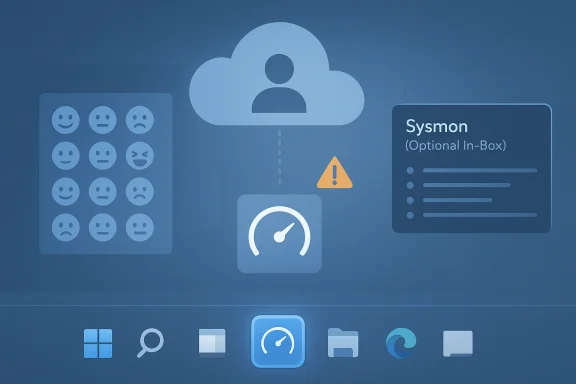
For consumers, the headline additions are easy to spot. The update adds Emoji 16.0 glyphs, introduces a built-in speed test from the taskbar, and includes other small refinements that are meant to make Windows feel more modern and less fragmented. For administrators, the more consequential shift is the arrival of Sysmon as an optional in-box feature, a move that lowers the barrier to deploying one of the most widely used Windows telemetry and detection tools. Those features are not equally important in every environment, but they point in the same direction: Microsoft is continuing to blend convenience, observability, and platform hardening into the same cumulative release.
The complication is that KB5079473 has also been associated with problems that are much more disruptive than a missing emoji. WindowsForum reporting and user feedback indicate that some machines began showing Microsoft account sign-in failures, offline-style prompts, and instability in apps tied to Microsoft identity, including Teams Free, OneDrive, Edge, Word, Excel, and Microsoft 365 Copilot. Microsoft has already acknowledged a known issue affecting some sign-in scenarios. That makes the update a useful case study in the modern Windows paradox: the same cumulative release that adds convenience can also expose how tightly cloud identity, app licensing, and network state are now interwoven.
That matters because Windows 11 has become more connected to Microsoft’s cloud services than earlier versions ever were. Sign-in state now affects more than email and OneDrive. It can influence browser sync, document licensing, Copilot access, Teams behavior, and the trust signals that determine whether an app thinks it is online, authenticated, or blocked. A bug in that layer can feel like a network outage even when the connection itself is fine, which is why KB5079473 has generated confusion and wasted troubleshooting time for affected users.
Microsoft’s own positioning around Windows 11 has also shifted. The company wants Windows to be more secure, more expressive, and more intelligent, which means more features ship through servicing rather than waiting for major version changes. That approach helps Microsoft move quickly, but it also enlarges the blast radius of each release. A patch that touches connectivity detection, account sign-in, or certificate and trust logic can ripple into product behavior that users would never associate with a Windows Update package. In other words, the patch process itself has become part of the product experience.
Historically, this is also why Microsoft keeps trying to smooth the line between “optional preview” and “mandatory cumulative” updates. The company wants preview releases to soak up most of the rough edges, then roll the polished bits into Patch Tuesday. But the KB5079473 episode shows the limits of that model. If the change surface is broad enough, a preview that seemed safe in testing can still expose edge cases once it meets the diversity of real-world hardware, identity setups, VPNs, browser profiles, and enterprise policy stacks. That is the price of consolidation.
The taskbar speed test is more interesting than it first appears because it hints at a design philosophy. Microsoft is trying to keep users inside the Windows shell for common checks instead of making them leave the platform to diagnose a network question. In practical terms, that means Windows is taking a more active role in interpreting connectivity and performance, which is convenient until it becomes part of the problem. When the OS itself starts surfacing state, the OS also becomes responsible when that state is wrong.
That matters because defenders increasingly want more context, faster. Sysmon is valued precisely because it can capture process creation, network connections, image loads, and other signals that help analysts reconstruct malicious activity. If Microsoft can make that capability more accessible by default, it increases the odds that smaller organizations will actually use it instead of treating it as an aspirational tool they never had time to deploy.
The catch is that an in-box security tool also raises expectations. If Microsoft is going to make Sysmon easier to enable, then administrators will expect the rest of the platform to remain stable enough to support it. A logging tool is only useful when the underlying operating system is dependable enough that logs can be trusted. Visibility without reliability is just noise.
One of the more interesting security threads around this cycle is the inclusion of preparations related to Secure Boot and other trust-related platform components. Even where Microsoft is not spotlighting a specific headline vulnerability, it is clearly continuing to harden the boot and execution chain. That is part of a much bigger Windows strategy: make the endpoint more difficult to subvert, but also make it more dependent on correctly functioning update and identity infrastructure.
This is the kind of bug that magnifies itself. If OneDrive fails to sign in, users suspect the service. If Edge starts misbehaving, they suspect the browser. If Word or Excel demands fresh authentication, they suspect account corruption. But if the underlying issue is a broken connectivity or state-detection path in Windows itself, all those symptoms are really one problem wearing different hats. That is why identity bugs feel so much more serious than ordinary UI glitches.
The practical consumer question is simple: does the update make the PC feel better or more fragile? For users who only notice Emoji 16 and a faster way to check bandwidth, KB5079473 may seem like a solid monthly tune-up. For those who hit the sign-in bug, it feels like the opposite: a patch that created fresh friction in apps they use every day. That contrast is exactly why Patch Tuesday releases are judged so harshly.
The enterprise story is therefore less about the feature set and more about control. When a cumulative update touches identity and connectivity state, admins want clear detection, quick workarounds, and prompt remediation guidance from Microsoft. They also want confidence that the patch won’t break the very authentication pathways their workforce relies on to do routine work. That is a high bar, but it is exactly what modern Windows management now demands.
The company likely prefers this model because it speeds adoption. New capabilities like Emoji 16 and Sysmon can reach the mainstream without asking users to hunt for optional downloads or complicated add-ons. But this convenience comes with a cost: the larger the bundle, the harder it is to predict exactly which part of the package will trigger a regression on a given machine.
What should users and administrators watch now? First, whether Microsoft publishes additional mitigation guidance for the sign-in bug. Second, whether telemetry or release health notes show the issue narrowing or expanding. Third, whether enterprises see related failures in Office, Teams, or Edge sign-in behavior, which would indicate the bug is deeper than a simple app quirk.
Source: fathomjournal.org Fathom - For a deeper understanding of Israel, the region, and global antisemitism
 Overview
KB5079473 was published on March 10, 2026 for Windows 11 24H2 and 25H2, advancing systems to OS builds 26100.8037 and 26200.8037 respectively. Microsoft describes it as a cumulative update that combines the latest security fixes with non-security improvements inherited from the previous preview cycle, which is now the standard shape of Windows servicing: one package, many jobs. That bundling is efficient for Microsoft, but it also means a single monthly update can touch everything from security posture to UI polish to account authentication behavior.For consumers, the headline additions are easy to spot. The update adds Emoji 16.0 glyphs, introduces a built-in speed test from the taskbar, and includes other small refinements that are meant to make Windows feel more modern and less fragmented. For administrators, the more consequential shift is the arrival of Sysmon as an optional in-box feature, a move that lowers the barrier to deploying one of the most widely used Windows telemetry and detection tools. Those features are not equally important in every environment, but they point in the same direction: Microsoft is continuing to blend convenience, observability, and platform hardening into the same cumulative release.
The complication is that KB5079473 has also been associated with problems that are much more disruptive than a missing emoji. WindowsForum reporting and user feedback indicate that some machines began showing Microsoft account sign-in failures, offline-style prompts, and instability in apps tied to Microsoft identity, including Teams Free, OneDrive, Edge, Word, Excel, and Microsoft 365 Copilot. Microsoft has already acknowledged a known issue affecting some sign-in scenarios. That makes the update a useful case study in the modern Windows paradox: the same cumulative release that adds convenience can also expose how tightly cloud identity, app licensing, and network state are now interwoven.
Background
Windows Patch Tuesday has evolved from a predictable security cadence into a broad platform delivery mechanism. What used to be a monthly collection of vulnerability fixes is now also a vehicle for UI features, AI-related changes, servicing stack adjustments, and platform plumbing that reaches deep into the OS. KB5079473 fits that model exactly, because it is not just “security updates for March”; it is a cumulative platform refresh that carries user-facing features forward from the preview channel and pushes them into the mainstream release stream.That matters because Windows 11 has become more connected to Microsoft’s cloud services than earlier versions ever were. Sign-in state now affects more than email and OneDrive. It can influence browser sync, document licensing, Copilot access, Teams behavior, and the trust signals that determine whether an app thinks it is online, authenticated, or blocked. A bug in that layer can feel like a network outage even when the connection itself is fine, which is why KB5079473 has generated confusion and wasted troubleshooting time for affected users.
Microsoft’s own positioning around Windows 11 has also shifted. The company wants Windows to be more secure, more expressive, and more intelligent, which means more features ship through servicing rather than waiting for major version changes. That approach helps Microsoft move quickly, but it also enlarges the blast radius of each release. A patch that touches connectivity detection, account sign-in, or certificate and trust logic can ripple into product behavior that users would never associate with a Windows Update package. In other words, the patch process itself has become part of the product experience.
Historically, this is also why Microsoft keeps trying to smooth the line between “optional preview” and “mandatory cumulative” updates. The company wants preview releases to soak up most of the rough edges, then roll the polished bits into Patch Tuesday. But the KB5079473 episode shows the limits of that model. If the change surface is broad enough, a preview that seemed safe in testing can still expose edge cases once it meets the diversity of real-world hardware, identity setups, VPNs, browser profiles, and enterprise policy stacks. That is the price of consolidation.
Why this update feels bigger than a normal monthly rollup
The public reaction to KB5079473 is not just about one bug or one new emoji set. It is about the growing sense that Windows updates are now touching everything at once: security, cloud services, consumer UX, and enterprise diagnostics. That is a powerful model when it works, but it makes failures look broader and more mysterious when something goes wrong.- The update mixes security fixes with feature enablement.
- It changes what users can see in everyday UI surfaces.
- It introduces enterprise tooling without a separate installer.
- It can alter sign-in and network state interpretation.
- It increases the chance that a small regression becomes a visible outage.
Why Patch Tuesday is still a high-stakes event
Patch Tuesday remains one of the most important dates on the Windows calendar because it balances urgency against risk. Users and IT teams want fixes fast, but monthly rollups can also carry enough plumbing changes to break workflows that seemed stable the week before. KB5079473 is a textbook example of that tradeoff.The New Features That Stand Out
The most obvious consumer-facing additions in KB5079473 are deliberately small. Emoji 16 is the sort of update that Microsoft can point to as proof that Windows keeps pace with modern communication habits, even if only a subset of users will ever care. The same is true of the taskbar speed test, which gives Windows a convenience feature that many users previously reached for a browser tab to access. These are not blockbuster changes, but they are the kind of incremental features that make the desktop feel less static.The taskbar speed test is more interesting than it first appears because it hints at a design philosophy. Microsoft is trying to keep users inside the Windows shell for common checks instead of making them leave the platform to diagnose a network question. In practical terms, that means Windows is taking a more active role in interpreting connectivity and performance, which is convenient until it becomes part of the problem. When the OS itself starts surfacing state, the OS also becomes responsible when that state is wrong.
Emoji 16 and the softer side of Windows
Emoji support is rarely a headline feature for enterprise IT, but it matters in consumer perception. Windows 11 has spent years trying to look more modern and socially current, and new emoji glyphs are part of that branding. They do not improve productivity in a measurable way, but they do signal that Microsoft is still tending to the small details of everyday interaction.The taskbar speed test as a UX signal
The built-in network speed test is more than a shortcut. It reflects Microsoft’s desire to make the taskbar a launch point for practical diagnostics rather than a static app bar. That is smart design, but it also means Windows is now more deeply involved in presenting the health of the network stack to users. If the OS misreads that state, the user sees a confidence-eroding contradiction: the machine is online, but Windows says otherwise.WebP wallpapers and visual polish
Some reports on KB5079473 also point to WebP wallpaper support as one of the quality-of-life refinements. That kind of change is easy to dismiss, yet it shows how Microsoft is broadening the types of media Windows can treat natively. The practical gain is modest, but it reinforces the idea that Windows 11 is still being tuned as a living consumer platform, not just an enterprise shell.- Emoji 16 improves conversational expression.
- The taskbar speed test shortens a common troubleshooting path.
- WebP wallpaper support expands media compatibility.
- The polish features help Windows feel current.
- The changes are small individually, but cumulative in perception.
Sysmon Comes In-Box
The most consequential new capability in KB5079473 is arguably Sysmon as an optional in-box feature. Sysmon has long been a staple in many security operations environments, but until now it required separate deployment and maintenance. Bundling it into Windows 11 reduces friction for defenders who want richer telemetry without stitching together another package or managing a bespoke rollout.That matters because defenders increasingly want more context, faster. Sysmon is valued precisely because it can capture process creation, network connections, image loads, and other signals that help analysts reconstruct malicious activity. If Microsoft can make that capability more accessible by default, it increases the odds that smaller organizations will actually use it instead of treating it as an aspirational tool they never had time to deploy.
Why in-box matters for administrators
For enterprise teams, the value is not just convenience. It is consistency. Once a capability ships in-box, it becomes easier to standardize baselines, document configuration, and align detection engineering across fleets. That does not eliminate tuning work, but it removes one more obstacle from the path to better visibility.The catch is that an in-box security tool also raises expectations. If Microsoft is going to make Sysmon easier to enable, then administrators will expect the rest of the platform to remain stable enough to support it. A logging tool is only useful when the underlying operating system is dependable enough that logs can be trusted. Visibility without reliability is just noise.
Broader security signaling
Microsoft’s decision to integrate Sysmon also tells us something about its current security strategy. The company is increasingly willing to move advanced defensive capabilities closer to the operating system itself. That reduces deployment friction, but it also deepens the impression that Windows 11 is now designed around continuous monitoring as much as around user experience. For security-conscious organizations, that is a feature. For privacy-sensitive users, it may feel like another step toward a more instrumented desktop.- Sysmon becomes easier to adopt at scale.
- Deployment overhead is lower for smaller teams.
- Defender visibility can improve without third-party packaging.
- Administrators gain more standardization options.
- The OS becomes more security-instrumented by default.
The Security Story Behind the Rollup
Like every Patch Tuesday release, KB5079473 includes security fixes that matter even if they do not make the front page. Microsoft frames the package as a cumulative rollup that incorporates the latest fixes and quality improvements, and that framing is important because it reinforces the core logic of monthly patching: you do not get to separate convenience from defense anymore. The same release that adds consumer features also closes vulnerabilities and prepares the platform for ongoing trust changes.One of the more interesting security threads around this cycle is the inclusion of preparations related to Secure Boot and other trust-related platform components. Even where Microsoft is not spotlighting a specific headline vulnerability, it is clearly continuing to harden the boot and execution chain. That is part of a much bigger Windows strategy: make the endpoint more difficult to subvert, but also make it more dependent on correctly functioning update and identity infrastructure.
Security fixes are easy to underappreciate
Most users will never know which CVEs were closed by a given cumulative update. That does not make those fixes less important. It simply means the benefits are invisible unless something bad is prevented. In practical terms, users should assume that the security portion of KB5079473 is the most critical part of the package, even if the user-facing features get more attention in headlines and social posts.The hidden cost of broadening the patch surface
The more Microsoft adds to a cumulative update, the harder it becomes to isolate regressions. Security fixes, shell changes, identity updates, and system services all share the same delivery channel. That is efficient, but it also means bug triage is more complicated because the failure may not come from the thing users think changed. In this release, the visible consumer goodies can distract from the real operational story: the trust chain is still the heart of the patch experience.- Security fixes are still the update’s core purpose.
- Secure Boot hardening signals ongoing platform trust work.
- Cumulative packaging increases regression complexity.
- Identity and security changes can interact unexpectedly.
- IT teams must treat feature drops and security fixes as one risk surface.
The Sign-In Bug Changes the Narrative
The biggest problem with KB5079473 is not that it exists, but that it has become linked to Microsoft account sign-in failures across a range of apps. Reports indicate that some users encounter messages suggesting the PC is offline even when the internet connection is healthy. That makes the issue especially frustrating because the symptom points in the wrong direction, sending users on a troubleshooting goose chase instead of revealing the real fault line.This is the kind of bug that magnifies itself. If OneDrive fails to sign in, users suspect the service. If Edge starts misbehaving, they suspect the browser. If Word or Excel demands fresh authentication, they suspect account corruption. But if the underlying issue is a broken connectivity or state-detection path in Windows itself, all those symptoms are really one problem wearing different hats. That is why identity bugs feel so much more serious than ordinary UI glitches.
Why the error message matters
A misleading “no internet” message is worse than a generic crash because it sends the user in the wrong diagnostic direction. People reboot routers, check firewalls, and swap networks when the true problem may be in the OS’s account or state handling layer. That wastes time at home and can waste serious money in business environments where help desks and incident responders get pulled into the wrong investigation.Consumer pain versus enterprise pain
For consumers, the most immediate cost is annoyance. For enterprises, the cost is operational. If Microsoft account or token-based sign-in behavior fails across productivity apps, support teams may see a spike in tickets that look like service outages, identity drift, or device misconfiguration. In those environments, a patch bug is not just a bug; it is a workflow interruption.Identity as the new fault line
Windows 11 increasingly depends on cloud identity to make everyday tasks seamless. That means account state, device trust, and service connectivity all have to agree before the user experiences the system as “working.” KB5079473 is a vivid reminder that when that chain fails, the result is not one broken feature but a cascade of broken assumptions. Modern Windows is only as stable as its identity plumbing.- A wrong error message amplifies confusion.
- Identity bugs cross app boundaries fast.
- Consumer frustration becomes enterprise ticket volume.
- Troubleshooting time increases sharply.
- The patch exposes how dependent Windows is on cloud state.
Consumer Impact
On the consumer side, KB5079473 is a mixed bag. It adds a handful of nice-to-have features that make Windows 11 feel more polished, but it also brings the kind of reliability concerns that ordinary users remember long after the novelty fades. Most people will care less about Sysmon or Secure Boot changes and more about whether their accounts, Office apps, and cloud services continue to work after install.The practical consumer question is simple: does the update make the PC feel better or more fragile? For users who only notice Emoji 16 and a faster way to check bandwidth, KB5079473 may seem like a solid monthly tune-up. For those who hit the sign-in bug, it feels like the opposite: a patch that created fresh friction in apps they use every day. That contrast is exactly why Patch Tuesday releases are judged so harshly.
Everyday usability versus invisible risk
Consumer updates are often sold on visible improvements because they are easy to appreciate. But the invisible part of the release — security hardening, state management, servicing changes — is where the real value lies. When something goes wrong there, users lose confidence in the whole update model, even if the problems affect only a subset of devices. Trust is cumulative too.What users will actually notice
The features most users will notice are the ones that appear in daily habits. Emoji support affects messaging and social posts. The taskbar speed test affects quick checks and support calls. The sign-in issue affects everyone who uses Microsoft’s cloud ecosystem, which is why it has dominated the discussion much more than the feature list.- Emoji 16 is a cosmetic win.
- The taskbar speed test is a convenience win.
- WebP wallpaper support is a small compatibility win.
- Sign-in failures are a confidence loss.
- Consumer goodwill can evaporate quickly after one bad patch.
Enterprise Impact
For enterprise IT, KB5079473 has a more layered meaning. Sysmon in-box is a welcome addition because it lowers deployment friction for a proven security tool, and the security fixes themselves are non-negotiable. But the sign-in issue creates exactly the kind of unpredictable support burden administrators dislike, especially in environments where Microsoft 365, OneDrive, Teams, and browser-based SSO all intersect.The enterprise story is therefore less about the feature set and more about control. When a cumulative update touches identity and connectivity state, admins want clear detection, quick workarounds, and prompt remediation guidance from Microsoft. They also want confidence that the patch won’t break the very authentication pathways their workforce relies on to do routine work. That is a high bar, but it is exactly what modern Windows management now demands.
Security teams get value, but only if deployment is stable
Sysmon is valuable only if organizations can deploy it confidently. In-box availability makes that easier, but it doesn’t erase the need for testing, policy design, and event pipeline tuning. The security team that loves the new tool may still have to explain to the help desk why Office sign-ins suddenly need attention after the same monthly patch.Help desks become the front line
When Microsoft account sign-in fails in apps like OneDrive, Word, or Excel, first-line support gets hit first. The problem may be an OS-layer bug, but the user experience looks like a broken app, a bad network, or expired credentials. That misdirection turns a patch-quality issue into a service-management problem, and it does so at scale.Enterprise rollout discipline still matters
This is the kind of month when phased rollout and validation pay off. Rings, pilot groups, and known-issue monitoring are not bureaucratic overhead; they are the only reason a patch like KB5079473 does not become a fleet-wide incident. Windows update strategy is now inseparable from identity risk management.- Sysmon helps security teams improve visibility.
- Identity bugs create help-desk spikes.
- One patch can affect many business-critical apps.
- Pilot rings reduce exposure to regressions.
- Admins need faster confirmation from Microsoft when issues appear.
Why Microsoft Chose This Packaging Model
Microsoft’s cumulative update model is designed to simplify servicing, but it also concentrates responsibility. Instead of separate packages for security, features, and platform tuning, Windows 11 gets a single monthly rollup that tries to do everything at once. That model is efficient for distribution and easier to explain at a high level, yet it also makes troubleshooting harder because the line between “feature update” and “bug fix” gets blurry.The company likely prefers this model because it speeds adoption. New capabilities like Emoji 16 and Sysmon can reach the mainstream without asking users to hunt for optional downloads or complicated add-ons. But this convenience comes with a cost: the larger the bundle, the harder it is to predict exactly which part of the package will trigger a regression on a given machine.
Benefits of the all-in-one approach
The upside of cumulative packaging is obvious. Microsoft ships fewer disconnected pieces, users receive security fixes faster, and enterprise administrators have a single release to plan around each month. That is a cleaner operational model than the patch chaos of older Windows eras.The downside for reliability engineering
The downside is also obvious once something breaks. A sign-in failure after a cumulative update can be caused by network state detection, token refresh logic, account integration, or an interaction with another service. That complexity makes root cause analysis harder and shortens the distance between a small code change and a large support burden.The broader platform strategy
Microsoft wants Windows 11 to feel like an evolving platform, not a frozen OS. That means features arrive continuously, security gets tighter continuously, and the desktop becomes more tightly coupled to cloud services continuously. KB5079473 is simply the latest reminder that this strategy is working exactly as intended — and that it also creates new classes of failure the old Windows servicing model never had to absorb.- Fewer packages simplify distribution.
- Larger bundles make regression analysis harder.
- Features and fixes now ship together by design.
- Cloud coupling increases the cost of errors.
- Windows is now a continuously evolving service platform.
Strengths and Opportunities
KB5079473 is still a meaningful update because it combines real security value with visible platform improvements and a stronger defensive baseline. If Microsoft can resolve the sign-in issue quickly and keep the feature rollout stable, this patch will be remembered as one of those “good on paper, messy in practice” releases that nonetheless moved Windows 11 in a useful direction. The opportunity now is to treat the release as a lesson in packaging and quality, not just in feature delivery.- Sysmon in-box lowers friction for security teams.
- Emoji 16 and other polish changes modernize the user experience.
- The taskbar speed test can simplify quick diagnostics.
- Cumulative security fixes improve baseline protection.
- Microsoft can use the episode to refine its servicing and telemetry.
- Enterprise admins gain a stronger case for pilot-ring testing.
- Better built-in tooling may reduce reliance on third-party add-ons.
Risks and Concerns
The risks are just as clear. Any update that affects identity flows and produces misleading offline prompts can erode trust quickly, especially when it touches Microsoft 365, Teams, OneDrive, and browser sign-in behavior all at once. If the issue lingers or recurs in later servicing cycles, Microsoft risks reinforcing the perception that Windows 11 is becoming more feature-rich but less predictable.- Misleading no internet prompts waste troubleshooting time.
- App sign-in failures hit both consumers and businesses.
- A cumulative model spreads regressions across more components.
- Users may postpone critical updates if confidence drops.
- Enterprise support costs rise when identity bugs spread.
- Cloud dependence increases the blast radius of small defects.
- Security wins can be overshadowed by reliability complaints.
Looking Ahead
The next few weeks will tell us whether KB5079473 becomes a minor blemish or a cautionary tale. If Microsoft ships a clean fix for the sign-in problem and the broader rollout remains stable, the update will probably settle into the background as just another ambitious monthly release. If not, it will stand as a reminder that the most modern Windows features are often the ones most vulnerable to unexpected coupling between identity, connectivity, and cloud services.What should users and administrators watch now? First, whether Microsoft publishes additional mitigation guidance for the sign-in bug. Second, whether telemetry or release health notes show the issue narrowing or expanding. Third, whether enterprises see related failures in Office, Teams, or Edge sign-in behavior, which would indicate the bug is deeper than a simple app quirk.
- Watch for new Microsoft guidance on the sign-in issue.
- Monitor release health for scope changes.
- Test Office, Teams, OneDrive, Edge, and Copilot after rollout.
- Validate Sysmon deployment before broadening use.
- Track whether the taskbar speed test and other features remain stable across devices.
Source: fathomjournal.org Fathom - For a deeper understanding of Israel, the region, and global antisemitism