When Windows 11 misfires, Azure does not necessarily lose revenue the same day, but the damage can still travel far beyond the desktop. That is the uncomfortable strategic point behind Microsoft’s latest Windows 11 troubles: a client OS bug can shake confidence in the broader Microsoft stack, especially when the failure touches identity, cloud-connected apps, and the trust enterprises place in Microsoft as a single platform. Microsoft has already acknowledged a March 10, 2026 Windows 11 cumulative update, KB5079473, for Windows 11 version 24H2 and 25H2, and its own support materials frame the release as part of the normal servicing cadence rather than an exceptional patch event.
The reason this matters is not that every irritated Windows 11 user will abruptly abandon Azure. They will not. The more important question is whether repeated Windows friction weakens Microsoft’s wider default effect—the assumption that Windows, Microsoft 365, Entra, and Azure are all part of one coherent operating environment. Microsoft’s own financial reporting shows how central cloud has become to the company, with Azure and other cloud services still driving the Intelligent Cloud segment, and Microsoft Cloud revenue spanning Azure, Microsoft 365 commercial cloud, LinkedIn, and Dynamics 365.
That connective tissue is why a Windows 11 update bug can matter strategically even when the immediate fault is “only” a sign-in problem. Microsoft has long tied Windows more tightly to cloud identity, and its documentation for Windows release health exists precisely because modern servicing problems ripple across endpoints, admin portals, and app ecosystems rather than staying isolated in one binary or one device class. In other words, the trust relationship is now systemic, not cosmetic.
The current Windows 11 complaints tports around KB5079473 describe app sign-in failures, misleading connectivity warnings, and even broader post-update instability on some machines, while Microsoft Q&A threads show users reporting crashes, activation issues, and other side effects after the same March 2026 update. That does not prove the platform is collapsing. It does suggest that Windows 11’s quality-control reputation is now tied to a much larger cloud story than it was a decade ago.
That means a Windows issue can become a cloud-trust issue in subtle ways. If a patch breaks sign-in, sync, browser profiles, or licensing, users may not blame “Windows” alone. They blame Microsoft, full stop. That broader attribution is the real business risk.
Windows 11 complicated the relationship further by making stricter security and hardware assumptions part of the upgrade story. Users have lived with TPM 2.0, Secure Boot, and newer CPU eligibility rules for years now, but those requirements created a lasting sense that Microsoft was asking customers to buy into a more opinionated platform whether they wanted to or not. The result was not merely an upgrade path. It was a recalibration of what “good enough” hardware meant.
That shift has consequences for perception. When users feel pushed into replacement cycles, they start to separate “Microsoft’s security narrative” from “their actual IT budget.” That tension matters because Azure adoption depends heavily on enterprise confidence in Microsoft’s broader architecture. If the company seems heavy-handed on the endpoint, some buyers begin to wonder whether the same instinct shows up in cloud roadmaps.
The servicing side of Windows 11 has also become more visible and more fragile. Microsoft’s release-health infrastructure exists because monthly updates are now as much about operational choreography as about patching vulnerabilities. If a cumulative update breaks sign-in or makes a device look offline when it is not, the support burden gets pushed to users, help desks, and admins who are already stretched thin.
That matters because the desktop is no longer self-contained. A local regression can now look like a platform-wide outage.
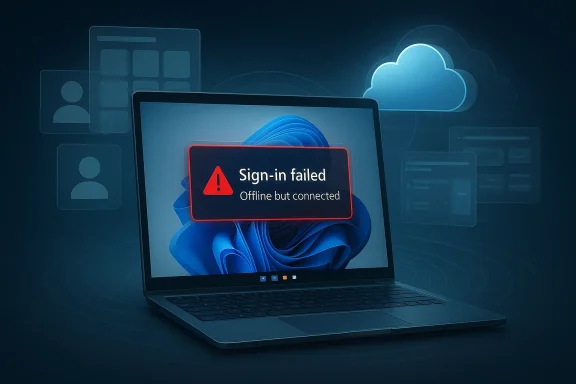
The most striking complaints involve Microsoft account sign-ins failing inside apps such as OneDrive, Edge, Teams Free, Microsoft 365 Copilot, Word, and Excel. In the file material provided, the problem is framed as a connectivity-state bug that can leave the device looking online while the account path behaves as though it is offline . That is a nasty failure mode because the user’s instinctive troubleshooting path is wrong from the start.
Microsoft’s own wording, as reflected in support material and related public discussions, points to a specific network-state issue rather than a full internet outage. That distinction matters because the most expensive bug is often the one that lies to the user. If Windows tells people “you’ll need the internet for this” while the PC is already connected, the OS is not merely broken—it is misdiagnosing itself.
This is where modern Microsoft ecosystem design cuts both ways. The company has made identity the glue that binds sync, licensing, browser profiles, and productivity. That glue is efficient when it works and expensive when it does not.
Microsoft’s earnings disclosures show just how much the company leans on the cloud narrative now. Azure and other cloud services remain a primary growth engine, and the broader Microsoft Cloud umbrella includes Microsoft 365 commercial cloud and other services that reinforce the same enterprise narrative. So while a Windows issue may not directly depress Azure consumption, it can weaken the halo effect that makes Microsoft the safer default.
That halo effect is especially important in enterprise procurement. Many organizations do not buy Azure because Windows is perfect. They buy because Microsoft feels integrated, familiar, and operationally manageable. If Windows becomes associated with regressions, the company’s “one throat to choke” advantage starts to look like “one vendor to blame.”
That is why reputation travels across product boundaries. A flawed Windows update can make IT teams more cautious about anything from Copilot rollouts to cloud authentication changes.
Enterprise impact is subtler but potentially more expensive. Corporate environments often have stronger identity controls and more structured update rings, but they also have more to lose when an identity-related bug creates noise across support desks, help channels, and user productivity. Microsoft’s own release-health tooling exists precisely because admins need a fast way to separate a platform issue from a network issue.
There is also an asymmetry in recovery. Enterprise IT can sometimes push workarounds, defer updates, or isolate affected groups. Consumers usually cannot. That makes consumer-facing regressions look worse socially, even when the enterprise blast radius may be more financially significant.
The result is a classic servicing trap: the more Microsoft tries to centralize the experience, the more every fault becomes visible.
The business logic was not irrational. Microsoft wanted a more secure and more predictable base, especially as cloud identity and modern management became central to the platform. But security policy is still policy, and policy has a cost. Many customers heard the message as: buy new hardware or get left behind.
That memory matters now because it colors how people read later Windows mistakes. A company that already looked like it was pushing customers into expensive upgrades does not get the benefit of the doubt as easily when a patch breaks sign-in or destabilizes the machine.
That is where “good security” can still become “bad product management.”
The file materials also hint at the growing frequency of urgent follow-up work, including references to temporary fixes, state-dependent recovery, and the possibility of out-of-band remediation . That pattern matters because it changes how IT departments plan. Instead of trusting the monthly cadence, they begin assuming they will need a second patch, a workaround, or a validation run.
In practical terms, that is costly. It increases testing overhead, complicates deployment scheduling, and encourages a culture of caution around updates that are supposed to be routine. And when routine updates stop feeling routine, Microsoft loses one of the quiet advantages that helped Windows dominate enterprise environments for decades.
The more Microsoft has to use emergency patches, the more it reminds customers that modern Windows is fragile in the very places it asks for trust.
Apple benefits when Windows looks messy on the desktop. Google benefits when cloud and identity get reframed as independent layers rather than one Microsoft-controlled chain. Even AWS benefits indirectly if buyers become more cautious about choosing a single vendor for endpoint, identity, and cloud all at once.
Azure itself is not the immediate casualty here. But Microsoft’s integrated pitch is one of its strongest differentiators. If Windows credibility weakens, the integrated pitch becomes easier for competitors to challenge.
That messaging lands more easily when Microsoft is dealing with another update regression.
The upside is that Microsoft has the telemetry, the support channels, and the customer base to turn painful incidents into product learning. The company already publishes release health notes and uses those pages to guide admins and end users. Better yet, it can use the incident to improve how Windows explains connectivity, identity, and update status to ordinary users.
There is also a support-cost multiplier here. A misleading offline message does not just cause inconvenience; it generates wasted labor, bad troubleshooting, and frustration that spreads through forums, help desks, and executive teams. Microsoft’s broader cloud story depends on confidence, and confidence is easier to lose than to rebuild.
The deeper question is whether Microsoft learns to treat consumer identity bugs with the same seriousness it already gives enterprise release health. The company’s own documentation and support ecosystem can already expose issues with unusual precision, but precision is not the same as reassurance. Users need clearer symptom mapping, stronger workaround guidance, and more honest explanations of what went wrong.
Source: InfoWorld When Windows 11 sneezes, Azure catches cold
 Overview
The reason this matters is not that every irritated Windows 11 user will abruptly abandon Azure. They will not. The more important question is whether repeated Windows friction weakens Microsoft’s wider default effect—the assumption that Windows, Microsoft 365, Entra, and Azure are all part of one coherent operating environment. Microsoft’s own financial reporting shows how central cloud has become to the company, with Azure and other cloud services still driving the Intelligent Cloud segment, and Microsoft Cloud revenue spanning Azure, Microsoft 365 commercial cloud, LinkedIn, and Dynamics 365.That connective tissue is why a Windows 11 update bug can matter strategically even when the immediate fault is “only” a sign-in problem. Microsoft has long tied Windows more tightly to cloud identity, and its documentation for Windows release health exists precisely because modern servicing problems ripple across endpoints, admin portals, and app ecosystems rather than staying isolated in one binary or one device class. In other words, the trust relationship is now systemic, not cosmetic.
The current Windows 11 complaints tports around KB5079473 describe app sign-in failures, misleading connectivity warnings, and even broader post-update instability on some machines, while Microsoft Q&A threads show users reporting crashes, activation issues, and other side effects after the same March 2026 update. That does not prove the platform is collapsing. It does suggest that Windows 11’s quality-control reputation is now tied to a much larger cloud story than it was a decade ago.
Why the Windows-to-Azure connection is real
At a technical level, Microsoft is no longer selling Windows and Azure as separate universes. Windows is the endpoint layer, Microsoft accounts and Entra identity are the authorization layer, Microsoft 365 is the productivity layer, and Azure is the infrastructure layer. The customer experiences are intertwined whether the user notices it or not.That means a Windows issue can become a cloud-trust issue in subtle ways. If a patch breaks sign-in, sync, browser profiles, or licensing, users may not blame “Windows” alone. They blame Microsoft, full stop. That broader attribution is the real business risk.
- Windows 11 is now an identity-heavy client platform.
- Azure benefits from Microsoft’s broader trust umbrella.
- Microsoft 365 amplifies the visibility of endpoint failures.
- Entra and Microsoft accounts turn local bugs into access problems.
- Perception often matters as much as direct technical scope.
Background
Windows has always been a strategic anchor for Microsoft, but the modern version of that strategy is more interconnected than the old PC era. Microsoft’s 2024 annual report and FY25 earnings materials show that the company’s commercial cloud footprint now spans far more than a single product line, with Microsoft Cloud revenue and Azure growth remaining central to the overall financial story. That makes endpoint trust an upstream issue, not just a support metric.Windows 11 complicated the relationship further by making stricter security and hardware assumptions part of the upgrade story. Users have lived with TPM 2.0, Secure Boot, and newer CPU eligibility rules for years now, but those requirements created a lasting sense that Microsoft was asking customers to buy into a more opinionated platform whether they wanted to or not. The result was not merely an upgrade path. It was a recalibration of what “good enough” hardware meant.
That shift has consequences for perception. When users feel pushed into replacement cycles, they start to separate “Microsoft’s security narrative” from “their actual IT budget.” That tension matters because Azure adoption depends heavily on enterprise confidence in Microsoft’s broader architecture. If the company seems heavy-handed on the endpoint, some buyers begin to wonder whether the same instinct shows up in cloud roadmaps.
The servicing side of Windows 11 has also become more visible and more fragile. Microsoft’s release-health infrastructure exists because monthly updates are now as much about operational choreography as about patching vulnerabilities. If a cumulative update breaks sign-in or makes a device look offline when it is not, the support burden gets pushed to users, help desks, and admins who are already stretched thin.
What changed from the old Windows era
The old Windows trust model was mostly local. A patch could break a printer driver or a Start menu layout, but the failure often remained inside the machine. Today, a Windows bug can affect identity, cloud storage, productivity apps, and browser state in one sweep.That matters because the desktop is no longer self-contained. A local regression can now look like a platform-wide outage.
- Local bugs now touch cloud services more often.
- Identity is a core dependency, not an edge case.
- Monthly servicing is a trust exercise as much as a maintenance event.
- Misleading errors increase the support cost of every defect.
- Cloud dependence multiplies the blast radius of each update.
The KB5079473 Problem
KB5079473 is the latest example of how a routine Windows update can turn into a trust problem. Microsoft’s March 10, 2026 cumulative update applies to Windody describes it as a normal monthly release with security fixes and improvements. But user reports quickly went beyond ordinary patch chatter.The most striking complaints involve Microsoft account sign-ins failing inside apps such as OneDrive, Edge, Teams Free, Microsoft 365 Copilot, Word, and Excel. In the file material provided, the problem is framed as a connectivity-state bug that can leave the device looking online while the account path behaves as though it is offline . That is a nasty failure mode because the user’s instinctive troubleshooting path is wrong from the start.
Microsoft’s own wording, as reflected in support material and related public discussions, points to a specific network-state issue rather than a full internet outage. That distinction matters because the most expensive bug is often the one that lies to the user. If Windows tells people “you’ll need the internet for this” while the PC is already connected, the OS is not merely broken—it is misdiagnosing itself.
Why identity bugs are worse than app crashes
An app crash is visible. A bad sign-in path is deceptive. If OneDrive, Edge, or Office refuses to authenticate, users waste time on routers, VPNs, DNS, and firewall settings before they ever suspect Windows itself.This is where modern Microsoft ecosystem design cuts both ways. The company has made identity the glue that binds sync, licensing, browser profiles, and productivity. That glue is efficient when it works and expensive when it does not.
- OneDrive failures can interrupt document continuity.
- Edge failures can break profile recovery and browser state.
- Office sign-in issues block cloud-backed workflows.
- Teams Free problems hit consumer and small-business users immediately.
- Misleading offline messages create diagnostic dead ends.
Why Azure Catches the Cold
The direct line from a Windows 11 patch bug to Azure revenue is not literal. But the strategic line is easy to see. Microsoft sells a platform story, not a pile of independent products, and that story depends on a belief that Microsoft can manage the full stack coherently. If the endpoint layer looks shaky, the cloud layer inherits some of that doubt.Microsoft’s earnings disclosures show just how much the company leans on the cloud narrative now. Azure and other cloud services remain a primary growth engine, and the broader Microsoft Cloud umbrella includes Microsoft 365 commercial cloud and other services that reinforce the same enterprise narrative. So while a Windows issue may not directly depress Azure consumption, it can weaken the halo effect that makes Microsoft the safer default.
That halo effect is especially important in enterprise procurement. Many organizations do not buy Azure because Windows is perfect. They buy because Microsoft feels integrated, familiar, and operationally manageable. If Windows becomes associated with regressions, the company’s “one throat to choke” advantage starts to look like “one vendor to blame.”
The trust stack matters more than the product stack
Enterprises do not evaluate Microsoft only on the basis of VM pricing or AI tooling. They also evaluate whether Microsoft can keep desktops, sign-in systems, cloud governance, and collaboration tools stable enough for daily work.That is why reputation travels across product boundaries. A flawed Windows update can make IT teams more cautious about anything from Copilot rollouts to cloud authentication changes.
- Trust is shared across Microsoft’s ecosystem.
- Identity is the bridge between Windows and Azure.
- Operational reliability affects vendor preference.
- Support complexity raises adoption friction.
- Perceived instability can slow refresh and migration decisions.
Enterprise vs. Consumer Impact
The immediate consumer impact of KB5079473 is obvious. Home users and small offices see sign-in failures in the apps they use most, and the error message leads them down the wrong troubleshooting path. That is annoying, time-consuming, and in some cases workflow-breaking.Enterprise impact is subtler but potentially more expensive. Corporate environments often have stronger identity controls and more structured update rings, but they also have more to lose when an identity-related bug creates noise across support desks, help channels, and user productivity. Microsoft’s own release-health tooling exists precisely because admins need a fast way to separate a platform issue from a network issue.
There is also an asymmetry in recovery. Enterprise IT can sometimes push workarounds, defer updates, or isolate affected groups. Consumers usually cannot. That makes consumer-facing regressions look worse socially, even when the enterprise blast radius may be more financially significant.
Different risk profiles, same root problem
For consumers, the risk is interruption. For enterprises, the risk is mistrust at scale. If users start to believe monthly Windows updates are unpredictable, they delay patching, and delayed patching is its own security liability.The result is a classic servicing trap: the more Microsoft tries to centralize the experience, the more every fault becomes visible.
- Consumers experience immediate workflow breakage.
- IT admins absorb the support burden.
- Help desks chase the wrong root causes.
- Security posture can suffer if users delay updates.
- Workarounds often carry hidden side effects.
The Hardware Policy Backstory
Windows 11’s controversial hardware requirements still hover over the broader story. Microsoft’s move to tighten eligibility around newer processors, TPM 2.0, and Secure Boot forced many users to see the upgrade not as a natural evolution but as a machine replacement decision. That remains one of the most important perception shifts in the Windows 11 era.The business logic was not irrational. Microsoft wanted a more secure and more predictable base, especially as cloud identity and modern management became central to the platform. But security policy is still policy, and policy has a cost. Many customers heard the message as: buy new hardware or get left behind.
That memory matters now because it colors how people read later Windows mistakes. A company that already looked like it was pushing customers into expensive upgrades does not get the benefit of the doubt as easily when a patch breaks sign-in or destabilizes the machine.
Security uplift versus customer irritation
The tradeoff here is not fake. Microsoft genuinely wants a more secure boot chain and a better protected endpoint ecosystem. But if the company communicates those benefits poorly—or if its updates keep generating visible regressions—users remember the pain more than the architecture.That is where “good security” can still become “bad product management.”
- TPM 2.0 and Secure Boot improved the security baseline.
- Hardware eligibility made many upgrades feh of the Windows 11 argument.
- User resentment became a lasting branding problem.
- Security wins need better customer framing to be persuasive.
Patch Tuesday and the Servicing Problem
Windows servicing has always balanced speed and caution, but the balance has become harder to maintain as the platform has absorbed more cloud-linked behavior. The March 2026 KB5079473 episode is only the latest reminder that cumulative updates now reach deep into identity and app plumbing. That means every release is a possibility space for cross-product regressions.The file materials also hint at the growing frequency of urgent follow-up work, including references to temporary fixes, state-dependent recovery, and the possibility of out-of-band remediation . That pattern matters because it changes how IT departments plan. Instead of trusting the monthly cadence, they begin assuming they will need a second patch, a workaround, or a validation run.
In practical terms, that is costly. It increases testing overhead, complicates deployment scheduling, and encourages a culture of caution around updates that are supposed to be routine. And when routine updates stop feeling routine, Microsoft loses one of the quiet advantages that helped Windows dominate enterprise environments for decades.
Why out-of-band fixes keep showing up
An out-of-band update is a sign that the normal servicing window was too slow for the blast radius. That is sometimes the right answer, but it is also a symptom of a system under stress.The more Microsoft has to use emergency patches, the more it reminds customers that modern Windows is fragile in the very places it asks for trust.
- OOB fixes are necessary when user impact is severe.
- Version fragmentation becomes harder to manage.
- Testing pressure increases with every hotfix.
- Admin fatigue rises when updates feel unstable.
- Normal cadence loses authority when exceptions become common.
Competitive Implications
Microsoft’s rivals do not need Windows to collapse in order to benefit. They only need enterprise buyers to start believing that the Microsoft stack is more complicated and less predictable than it looks. That opens room for alternative endpoints, alternative identity models, and alternative cloud strategies.Apple benefits when Windows looks messy on the desktop. Google benefits when cloud and identity get reframed as independent layers rather than one Microsoft-controlled chain. Even AWS benefits indirectly if buyers become more cautious about choosing a single vendor for endpoint, identity, and cloud all at once.
Azure itself is not the immediate casualty here. But Microsoft’s integrated pitch is one of its strongest differentiators. If Windows credibility weakens, the integrated pitch becomes easier for competitors to challenge.
What rivals will emphasize
Competitors will not say “Windows is broken.” They will say they offer simpler management, clearer boundaries, or less entanglement between the local device and the cloud.That messaging lands more easily when Microsoft is dealing with another update regression.
- Google can stress cloud-native independence.
- Apple can stress endpoint consistency.
- AWS can stress heterogeneity and vendor neutrality.
- PC OEMs can stress hardware lifecycle control.
- Rival narratives get easier when Microsoft creates friction.
Strengths and Opportunities
Microsoft still has a lot going for it, and that is why the company can survive even embarrassing patch cycles without strategic collapse. The same integration that creates fragility also creates opportunity, because Microsoft can often fix problems faster than a fragmented ecosystem can. If the company uses KB5079473 as a forcing function to improve diagnostics, communication, and recovery behavior, it can actually strengthen its platform story over time.The upside is that Microsoft has the telemetry, the support channels, and the customer base to turn painful incidents into product learning. The company already publishes release health notes and uses those pages to guide admins and end users. Better yet, it can use the incident to improve how Windows explains connectivity, identity, and update status to ordinary users.
- Fast remediation can limit lasting damage.
- Release health transparency helps admins decide quickly.
- Stronger diagnostics would reduce misdirected troubleshooting.
- Better state handling could prevent misleading offline errors.
- Identity resilience would strengthen the Microsoft stack.
- Platform integration still offers real customer value.
- Telemetry-driven improvements can convert pain into product fixes.
Risks and Concerns
The biggest risk is not one broken update. It is the accumulation of many small reminders that Windows servicing is unpredictable. Once users and admins start assuming that cumulative updates might break sign-in, crash a machine, or confuse identity state, they become slower to trust the next patch. That is a dangerous place for a security-first ecosystem to be.There is also a support-cost multiplier here. A misleading offline message does not just cause inconvenience; it generates wasted labor, bad troubleshooting, and frustration that spreads through forums, help desks, and executive teams. Microsoft’s broader cloud story depends on confidence, and confidence is easier to lose than to rebuild.
- Delayed patching can worsen security exposure.
- Support noise increases when errors mislead users.
- Workarounds can create secondary problems.
- Brand trust erodes when bugs recur across releases.
- Enterprise caution can slow broader Microsoft adoption.
- Consumer frustration can spread quickly through communities.
- Repeated regressions are more damaging than one-off bugs.
Looking Ahead
The key near-term question is how quickly Microsoft closes the KB5079473 issue and whether it does so with clarity. A clean, well-explained fix would likely keep the episode in the “annoying but contained” category. A messy or delayed response would reinforce the idea that Windows 11’s monthly servicing model is too fragile for a cloud-dependent era.The deeper question is whether Microsoft learns to treat consumer identity bugs with the same seriousness it already gives enterprise release health. The company’s own documentation and support ecosystem can already expose issues with unusual precision, but precision is not the same as reassurance. Users need clearer symptom mapping, stronger workaround guidance, and more honest explanations of what went wrong.
What to watch next
- Whether Microsoft ships a targeted remediation or waits for the next servicing window.
- Whether the company explains the connectivity-state trigger in plain language.
- Whether similar failures appear in other Microsoft 365 apps.
- Whether the workaround remains reliable after reboots and offline cycles.
- Whether enterprises see spillover into activation, licensing, or broader identity flows.
Source: InfoWorld When Windows 11 sneezes, Azure catches cold
Last edited: