KB5081151 Safe OS Update: Windows 11 Secure Boot Cert Expiration Before June 2026

  • Thread Author
Microsoft’s March 26, 2026 Safe OS Dynamic Update for Windows 11 version 26H1, tracked as KB5081151, lands at a moment when a much bigger platform transition is coming into view: the June 2026 Secure Boot certificate expiration. In practical terms, this is not just another maintenance package. It is part of Microsoft’s broader effort to keep the pre-boot trust chain alive across consumer PCs, commercial fleets, virtualized environments, and managed devices before old 2011-era certificates age out. Microsoft’s support guidance makes clear that devices lacking the newer 2023 certificates will keep booting and continue receiving normal Windows updates, but they will gradually lose access to new early-boot protections and boot-level security updates. (support.microsoft.com)

A digital visualization related to the article topic.Background​

The significance of KB5081151 is easier to understand once you look at the architecture beneath it. Secure Boot is not a Windows feature in the narrow sense; it is a UEFI trust mechanism that validates boot components before the operating system takes control. Microsoft notes that Secure Boot first arrived with Windows 8 to counter pre-boot malware, including bootkits, by verifying firmware modules, boot loaders, and applications during startup. That original design is now entering its next major lifecycle event, because the Microsoft-issued certificates that support that trust chain are approaching expiration. (support.microsoft.com)
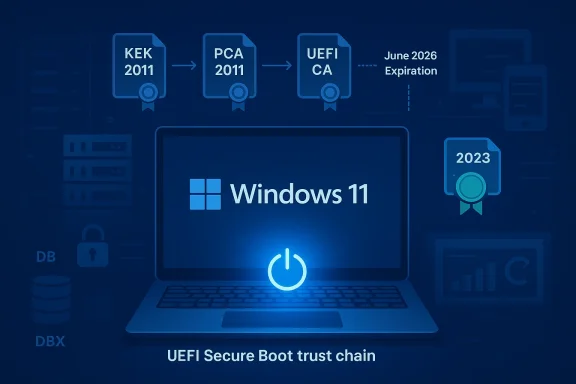
The certificates in question are the same broad family that shipped across the Windows and OEM ecosystem for more than a decade. Microsoft says the current KEK, PCA, and UEFI CA certificates were issued in 2011, and those certificates begin expiring in June 2026, with the last of them expiring by October 2026. Microsoft’s guidance is blunt: all Windows devices need to move to the newer 2023 certificates before the older ones lapse if they are to preserve the full Secure Boot update path. That is the core reason Microsoft has been seeding warnings into monthly cumulative updates and out-of-band servicing releases across Windows client and server. (support.microsoft.com)
The public messaging has also become more explicit. Microsoft’s support pages now spell out that devices without the updated certificates will continue to start normally and still install ordinary Windows updates. The catch is security depth: those machines will no longer receive future updates to the Windows Boot Manager, Secure Boot databases, revocation lists, or other mitigations for boot-level vulnerabilities. In other words, the device may remain operational while becoming progressively less resilient. That distinction matters for both home users and enterprise administrators, because the threat model is not immediate failure but reduced long-term trust. (support.microsoft.com)
Microsoft has been preparing the ecosystem for months. The same Secure Boot warning now appears in several cumulative updates across Windows Server and Windows 10/11 servicing lines, and the March 2026 Server 2022 update explicitly says quality updates now include additional “high confidence device targeting data” to increase coverage of devices eligible to automatically receive new Secure Boot certificates. That is the telltale sign of a phased rollout strategy rather than a one-shot migration. It suggests Microsoft wants the certificate transition handled like a broad security campaign, not a manual edge-case remediation. (support.microsoft.com)

What KB5081151 Represents​

KB5081151 is listed as a Safe OS Dynamic Update for Windows 11 version 26H1, dated March 26, 2026, and the title itself signals where Microsoft intends it to operate: in the recovery and setup layers rather than the everyday desktop runtime. Safe OS updates are the sort of packages that matter when Windows is being installed, repaired, reset, or serviced in a lower-level environment. That makes them especially relevant in a year when the boot trust chain itself is the story. Even without public page details beyond the title provided by Microsoft Support, the context strongly suggests this update is part of the platform preparation work surrounding the Secure Boot certificate transition. That is an inference, but it is a well-supported one given the timing and Microsoft’s repeated warnings on nearby support pages. (support.microsoft.com)
The label 26H1 is also notable. Microsoft’s Windows release rhythm has become increasingly fluid, with servicing, enablement, and feature-delivery channels overlapping more than they did in the old major-version era. In that environment, a Safe OS dynamic update can do more than polish setup code; it can ensure that future installation and recovery paths understand the evolving certificate and boot trust state. If Microsoft’s goal is to keep devices recoverable and securable through the Secure Boot transition, then the pre-install and recovery environment is exactly where you would expect the company to harden behavior first. (support.microsoft.com)

Why the timing matters​

The timing is not accidental. Microsoft has been stating for months that the June 2026 window is the point at which the oldest Secure Boot certificates begin expiring, and that systems need to be migrated to the 2023 certificate set in advance. A March 26 dynamic update gives Microsoft room to prepare the servicing stack, recovery media logic, and low-level deployment behavior before the expiration clock gets uncomfortably close. In a security transition like this, lead time is the product. (support.microsoft.com)
  • It arrives before the June 2026 expiration threshold.
  • It fits the pattern of Microsoft seeding Secure Boot warnings into routine updates.
  • It likely supports setup, recovery, or installation workflows that need to cope with newer trust material.
  • It helps reduce the risk of a last-minute scramble across managed fleets.

How Secure Boot Certificate Expiration Changes the Game​

The easiest mistake to make is to assume this is a binary “works/doesn’t work” issue. Microsoft’s own language makes clear that it is subtler than that. Systems that miss the 2023 certificate update can continue booting and can still receive standard Windows updates. What they lose is the ability to receive new security protections for the early boot process, which is where attackers have historically tried to hide because it sits below much of the normal OS defense stack. That means the device’s security posture erodes over time rather than collapsing overnight. (support.microsoft.com)
This is a particularly important distinction for enterprises. Compliance teams often think in terms of uptime, patching, and endpoint protection status, but Secure Boot lives in a deeper layer: firmware trust, revocation control, and the ability to sign and distribute protections for the boot sequence itself. Once those certificates age out, an organization may still have a healthy-looking inventory that is nonetheless strategically stale. The machine is alive, but the chain of trust is no longer receiving the newest links. (support.microsoft.com)

What expires, exactly​

Microsoft’s guidance breaks the transition into familiar certificate roles. The KEK certificate signs updates to the DB and DBX, the PCA certificate signs the Windows boot loader, and the UEFI CA certificate signs third-party boot loaders and EFI applications. Microsoft also notes that, in some cases, the renewal splits option-ROM signing from boot-loader signing into separate 2023 certificates for finer trust control. That design choice matters: it gives administrators more granular authority over what they trust in firmware, which is especially relevant for heterogeneous fleets. (support.microsoft.com)
  • Microsoft Corporation KEK CA 2011 expires in June 2026.
  • Microsoft Windows Production PCA 2011 expires in October 2026.
  • Microsoft Corporation UEFI CA 2011 expires in June 2026.
  • The replacement certificates are the 2023 versions now being rolled out.

Enterprise Impact​

For IT departments, the Secure Boot transition is as much a fleet-management problem as it is a cryptography problem. Microsoft’s guidance is explicitly written for organizations that manage their own device updates, and it emphasizes preparation, monitoring, deployment, and remediation. That means the operational work spans far beyond Windows Update. Admins need to understand firmware states, deployment channels, and whether particular endpoints even expose the old certificates in firmware. (support.microsoft.com)
The fleet challenge is especially tricky because Microsoft says most devices manufactured since 2012 support Secure Boot, but not all devices include the same exact certificate mix in firmware. Microsoft also states that not all devices include the Microsoft Corporation UEFI CA 2011, and on those systems, only the relevant new 2023 certificates need to be applied. That kind of nuance is exactly why blanket assumptions are dangerous. A transition of this scale demands inventory precision, not just policy declarations. (support.microsoft.com)

Deployment is not one-size-fits-all​

Microsoft’s enterprise guidance outlines a deployment playbook that includes verifying Secure Boot status across the fleet, determining how updates are deployed, monitoring event logs, and using automated deployment assists where possible. The vendor is also adding new PowerShell scripts to help with verification and preparation. That suggests Microsoft expects the task to be operationalized, not treated as a one-time patch. In practice, this is the sort of update effort that benefits from ring-based rollout, canary devices, and careful rollback planning. (support.microsoft.com)
  • Verify whether Secure Boot is enabled and what certificate state the device actually has.
  • Segment deployment by hardware model and firmware family.
  • Monitor early failures through event logs and remediation tooling.
  • Use automation wherever possible, but validate firmware behavior first.
  • Treat virtualization, VDI, and cloud-managed devices as separate workstreams.

Consumer and Small-Business Impact​

For home users, the story is less about certificate inventory and more about whether the machine quietly gets the new trust material through normal servicing. Microsoft says most Windows devices will receive the updated certificates automatically, and many OEMs will provide firmware updates when needed. That is reassuring, but it is not a reason to be passive. Systems that fall behind may not show obvious symptoms until a later stage, which is exactly how silent platform debt becomes visible at the worst possible time. (support.microsoft.com)
The consumer case is also shaped by repair and recovery behavior. Safe OS dynamic updates can influence how Windows behaves during resets, reinstalls, and setup flows. If the recovery environment is not aligned with the newer certificate requirements, users could encounter confusion when trying to rebuild a machine after a hardware failure or major issue. That makes KB5081151 potentially more important to ordinary users than the “dynamic update” label suggests. Recovery-time reliability is often where platform transitions become personal. (support.microsoft.com)

What ordinary users should understand​

The most important practical point is that this is not a panic item. Microsoft says affected systems will continue to boot and keep getting standard updates even if they miss the certificate transition window, but they will lose future boot-level security protections. That means the right instinct is preparation, not alarm. Users should expect these changes to arrive through Windows Update and OEM firmware channels rather than through any dramatic one-time event. (support.microsoft.com)

Why Microsoft Is Doing This Now​

The obvious answer is expiration, but the deeper answer is strategic continuity. Microsoft is trying to avoid a repeat of the security fragility that can appear when embedded trust roots age out without replacement. By refreshing Secure Boot certificates before the old set expires, Microsoft preserves the chain needed to sign future boot protections and revocations. That lets Windows continue evolving its early-boot defenses without leaving older machines behind all at once. (support.microsoft.com)
There is also a hardware-ecosystem angle. Secure Boot is jointly shaped by Microsoft, OEM firmware, and third-party bootloader ecosystems. If Microsoft can manage the rollover with minimal disruption, it reinforces the idea that Windows can sustain long-lived hardware platforms without sacrificing trust agility. If the rollout goes poorly, by contrast, it risks turning a technical maintenance cycle into an OEM support headache. That is why the company is leaning so hard on guidance, automation, and staged deployment. (support.microsoft.com)

The trust-chain lesson​

Secure Boot has always been about protecting the earliest moment of execution. That also means it is unforgiving when the infrastructure behind it ages out. The 2026 expiration is a reminder that security systems are not static artifacts; they are living supply chains of trust. If one generation of certificates is left to expire without migration, the entire update path becomes constrained. (support.microsoft.com)
  • Certificates are not just administrative paperwork; they are the basis of future security updates.
  • Boot-time trust is harder to retrofit than OS-level protection.
  • A phased migration reduces fleet-wide shock.
  • Missing the window does not break Windows immediately, but it weakens future defenses.

The Role of Dynamic Updates and Safe OS Servicing​

Dynamic updates are one of those Microsoft mechanisms that many users never notice, yet they are critical when the company needs to improve installation, setup, or recovery logic without waiting for a full release cycle. In the Secure Boot transition context, that makes them ideal for getting the “safe” environment ready before certificate changes become more consequential. If Windows has to repair itself, reinstall, or provision a new image, the servicing layer needs to understand the new trust assumptions. (support.microsoft.com)
Microsoft’s March 2026 server cumulative update also shows that Secure Boot certificate coverage is being increased by “high confidence device targeting data,” implying that Microsoft is using update telemetry to decide which devices are likely suitable for automatic certificate rollouts. That kind of targeting is a pragmatic response to a messy reality: not every endpoint is equally easy to update, and not every fleet has the same firmware posture. Dynamic updates help smooth those edges by improving the surrounding infrastructure first. (support.microsoft.com)

Why this matters for imaging and recovery​

The biggest understated risk in certificate transitions is not the everyday desktop but the re-image path. Organizations frequently discover platform problems only when a machine is wiped, repaired, or restored. A Safe OS dynamic update can reduce that risk by ensuring newer setup logic and recovery components are in place before the transition becomes unavoidable. In other words, it is a preventative move aimed at the moments when Windows is most vulnerable to inconsistency. (support.microsoft.com)

Competitive and Ecosystem Implications​

The Secure Boot rollover is not just a Microsoft story; it is an ecosystem story. Windows competes partly on its ability to support diverse OEM hardware, manage security at scale, and keep enterprise deployments stable over long device lifecycles. If Microsoft handles the 2026 certificate migration smoothly, it strengthens the argument that Windows remains the most operationally mature platform for mixed hardware fleets. If it stumbles, rivals will point to the complexity as evidence that the Windows ecosystem still carries too much legacy burden. (support.microsoft.com)
There is also a subtle competitive angle around firmware trust and platform continuity. The better Microsoft handles certificate rollover, the easier it becomes for OEMs and enterprises to trust future transitions, whether those involve boot policy, device attestation, or next-generation security baselines. That confidence matters because platform security is cumulative. The more the ecosystem trusts Microsoft to manage the boring, low-level stuff well, the easier it is for the company to ask customers to adopt new layers of security later. That compounding trust is strategic capital. (support.microsoft.com)

Effects on third-party boot ecosystems​

Third-party bootloaders and EFI applications are particularly sensitive to Secure Boot database changes. Microsoft’s updated certificate structure intentionally separates some trust roles so administrators can make narrower choices about what to trust, especially around option ROMs versus boot loaders. That may seem like an obscure detail, but it can matter greatly for specialty hardware, enterprise security tools, and alternative OS configurations. The certificate renewal is therefore not only about preservation; it is also about governance. (support.microsoft.com)
  • More granular trust control could reduce unnecessary exposure.
  • Third-party boot ecosystem vendors will need to validate compatibility.
  • OEM firmware update quality becomes more important, not less.
  • Enterprise mixed-OS environments may need closer testing.

Strengths and Opportunities​

The strongest part of Microsoft’s approach is that it is happening early enough to be manageable, and the company is framing the issue in operational rather than alarmist terms. It is also pushing updates across multiple servicing channels, which increases the odds that ordinary devices and managed fleets both get the message in time. Just as important, the new certificate structure offers more granular trust control, which is a rare example of a security migration that can actually improve governance while preserving continuity. That is a meaningful upside for long-term platform stability. (support.microsoft.com)
  • Early warning gives enterprises planning time.
  • Automatic rollout reduces the burden on average users.
  • Separation of boot-loader and option-ROM trust can improve precision.
  • Broad support coverage increases the chance of ecosystem-wide consistency.
  • Dynamic updates can harden recovery and setup paths.
  • Microsoft’s guidance is detailed enough to support real fleet operations.
  • The migration can strengthen confidence in Windows firmware security over time.

Risks and Concerns​

The biggest risk is uneven rollout. Microsoft itself acknowledges that some devices may not receive updates automatically, that certain firmware configurations vary, and that organizations managing their own endpoints need to test and verify carefully. The second risk is complacency: because affected devices will keep booting and keep receiving standard Windows updates, many users may underestimate the security debt they are accumulating. That is the sort of problem that usually surfaces after the deadline, not before it. (support.microsoft.com)
  • Some devices may fall through the automatic-update cracks.
  • OEM firmware quality will shape real-world success.
  • Enterprises may not have accurate Secure Boot inventory data.
  • Users may confuse “still works” with “fully protected.”
  • Recovery and re-image scenarios can expose hidden compatibility issues.
  • Third-party boot software could encounter trust mismatches.
  • Late remediation may be more expensive than early planning.

Looking Ahead​

What happens next depends on whether Microsoft can keep the certificate migration quiet. If the company’s staged rollout continues to spread the 2023 certificates across the installed base, then June 2026 becomes a managed milestone rather than a disruption point. If not, the industry may face a wave of support issues, especially from organizations that assumed Secure Boot was one of those invisible features that would take care of itself indefinitely. The evidence so far suggests Microsoft is trying very hard to avoid that outcome. (support.microsoft.com)
The most sensible expectation is that Microsoft will keep embedding Secure Boot notices into routine updates while extending the tooling and deployment guidance for IT administrators. That means the next several months are likely to look uneventful on the surface and increasingly important underneath. In Windows platform security, the most consequential changes are often the ones that happen before anyone notices them. That is especially true here. (support.microsoft.com)

Watch these items closely​

  • Whether KB5081151 is followed by more setup and recovery-oriented servicing changes.
  • How Microsoft expands automated Secure Boot certificate targeting.
  • Whether OEM firmware updates arrive consistently across major device lines.
  • How enterprises report success or friction in certificate deployment.
  • Whether Microsoft adds further warnings to upcoming cumulative updates.
The bottom line is that KB5081151 belongs to a much larger, more serious story than a single update title suggests. Microsoft is reworking the trust foundation of Windows boot security ahead of a fixed 2026 deadline, and the stakes are highest for organizations that rely on long device lifecycles, mixed hardware, or tightly controlled recovery processes. If Microsoft gets the transition right, Windows will emerge with a cleaner, more durable boot trust chain. If it gets it wrong, the industry will be reminded that the earliest layers of security are also the hardest to fix once time runs out.

Source: Microsoft Support KB5081151: Safe OS Dynamic Update for Windows 11, version 26H1: March 26, 2026 - Microsoft Support
 

Microsoft’s KB5083482 is more than another routine Safe OS Dynamic Update for Windows 11 versions 24H2 and 25H2. It lands at a moment when Microsoft is also warning that the long-standing Secure Boot certificates used by most Windows devices begin expiring in June 2026, creating a rare situation where a servicing update and a platform-trust transition are happening on the same clock. For IT teams, that makes this release feel less like housekeeping and more like the opening move in a broader readiness campaign.
The practical message is simple: don’t treat the Secure Boot warning as background noise. Microsoft says the current 2011-era certificates underpinning Secure Boot on Windows devices are set to begin expiring in June 2026 and will expire by October 2026, and that devices must move to the newer 2023 certificates before that happens. If organizations wait until the last minute, the risk is not just failed updates but potential boot-security and compliance problems across fleets that have been quietly relying on those old trust anchors for years. (support.microsoft.com)

Digital cybersecurity update graphic showing Windows KB5083482 with secure boot and June 2026 timeline.Background​

Safe OS Dynamic Updates are the often-overlooked pieces of Microsoft’s update machinery that prepare the Windows setup and recovery environment rather than the everyday desktop shell. They matter because the operating system’s safest recovery and upgrade paths depend on the integrity of this layer, especially when devices are undergoing feature upgrades, repair operations, or other transitions that can expose broken boot or installation workflows. KB5083482 fits into that category, and its timing suggests Microsoft is keeping the underlying OS servicing stack aligned with the next wave of platform changes.
What makes this release notable is not only the update itself but the broader certificate lifecycle problem Microsoft has now put front and center. The company explains that the Secure Boot certificate configuration used since Windows 8 and Windows Server 2012 has remained stable for over a decade, which helped the ecosystem settle into a predictable trust model. That stability is now ending, and Microsoft is introducing new certificates to preserve continuity before the old ones age out of the firmware trust chain. (support.microsoft.com)
The June 2026 deadline also matters because firmware trust is one of those system components people only notice when it fails. Secure Boot certificates live in the device firmware’s DB and KEK variables, and Microsoft says the 2011 certificates support both Windows boot components and, in some cases, third-party operating systems and option ROMs. That means the issue reaches beyond a single Windows release cycle; it touches the compatibility assumptions built into a large share of enterprise hardware from the last decade. (support.microsoft.com)
Microsoft’s guidance further shows that this is not a one-click consumer issue alone. The company has dedicated documentation for IT professionals and organizations, including deployment playbooks, monitoring methods, remediation steps, Intune guidance, and even deployment assists for managed fleets. That framing tells you where Microsoft expects the operational pain to be: in environments where thousands of devices must be verified, staged, monitored, and, if necessary, remediated before the certificate transition becomes mandatory. (support.microsoft.com)

Why the timing matters​

The timing of KB5083482 is important because it arrives while Microsoft is already embedding the Secure Boot expiration warning into multiple Windows release notes. That repetition is deliberate. By placing the same alert in seemingly ordinary monthly update pages, Microsoft is creating a durable reminder system for administrators who may otherwise focus only on the build number and ignore the firmware trust transition underneath.

What changed from the old model​

The old model used a common set of Microsoft certificates across the OEM ecosystem. The new model splits some roles more finely, including separate certificates for boot loader signing and option ROM signing. That sounds technical, but it is a meaningful design improvement because it gives Microsoft and device makers more precise control over what is trusted and where that trust applies. (support.microsoft.com)

Why readers should care​

For home users, the issue may eventually look like a forced maintenance event. For enterprises, it is more serious: a certificate miss can turn into a device estate problem, a compliance issue, or even a recovery nightmare if remediation is delayed until after expiration. The best-case scenario is a quiet transition; the worst case is discovering too late that a subset of devices cannot be updated cleanly.

What KB5083482 Signals​

KB5083482 signals that Microsoft is continuing to refine the Windows 11 servicing path while preparing the platform for a trust-anchor change that spans multiple generations of hardware. The update itself is in the Safe OS Dynamic Update category, which usually means Microsoft is patching the environment that supports installations and recovery rather than adding flashy user-facing features. That kind of update is easy to miss, but it often carries outsized importance for reliability.
It also signals that Microsoft’s support strategy for Windows 11 is increasingly about prevention, not reaction. Instead of waiting for the June 2026 deadline to become a crisis, Microsoft is threading Secure Boot messaging through release notes months in advance. That is a sensible posture, because certificate expirations are notorious for creating avoidable outages when organizations underestimate how many layers of the stack depend on them.
The appearance of the warning across multiple update pages suggests Microsoft wants this to be part of the regular patching conversation, not an isolated security bulletin. That matters because organizations tend to respond better to recurring operational reminders than to one-off technical advisories. A message repeated in patch notes becomes a governance task; a message buried in a separate guidance page becomes optional reading.

The operational subtext​

Behind the KB number is a broader shift in how Microsoft is asking administrators to think about device readiness. The company is nudging teams to verify Secure Boot status, monitor certificate deployment, and prepare devices for the new trust chain ahead of time. That is a different mindset from the classic “install the update and reboot” routine. (support.microsoft.com)

Why Safe OS matters here​

Safe OS updates are especially relevant when platform trust is changing because setup and recovery paths are the moments when devices are most exposed to boot and integrity issues. If the recovery environment, boot loader chain, or installation support code is out of step with firmware trust, even well-maintained devices can run into trouble during upgrade or repair scenarios. In that sense, KB5083482 looks like Microsoft keeping the floor under the house in good condition before moving furniture upstairs.
  • Reinforces the Windows 11 upgrade and recovery pathway
  • Reduces risk around boot-time or setup-time failures
  • Supports the broader Secure Boot transition
  • Helps keep installation media and recovery components aligned

Secure Boot’s Expiration Problem​

Microsoft’s Secure Boot guidance lays out the problem plainly: the certificates currently used by most Windows devices begin expiring in June 2026 and will expire by October 2026. That range matters because certificate expiration is not a theoretical event; it is a hard deadline after which trust chains that once worked may no longer be valid. In boot security, that can translate into an inability to apply security updates for boot components and a possible loss of compliance. (support.microsoft.com)
This is a particularly sensitive issue because Secure Boot is foundational. It is one of the primary defenses against boot-level tampering, ensuring the system only starts with trusted code. If the underlying certificate set ages out without replacement, the result is not merely a warning banner; it is a structural trust problem that can affect device security posture at the most basic level. (support.microsoft.com)
Microsoft also notes that devices manufactured since 2012 may have expiring certificate versions that need updating. That detail is easy to gloss over, but it expands the scope dramatically. We are not talking about a small set of legacy machines; we are talking about a huge chunk of the installed base that spans multiple hardware refresh cycles, multiple OEMs, and multiple deployment models. (support.microsoft.com)

What expires, exactly​

The old Microsoft certificates include Microsoft Corporation KEK CA 2011, Microsoft Windows Production PCA 2011, and Microsoft Corporation UEFI CA 2011. Microsoft says the newer replacements are the 2023 certificates, including Microsoft Corporation KEK 2K CA 2023, Windows UEFI CA 2023, Microsoft UEFI CA 2023, and Microsoft Option ROM UEFI CA 2023. The split is important because it allows narrower trust decisions for boot loaders and option ROMs. (support.microsoft.com)

Why expiration creates risk​

When a certificate expires, the issue is not always immediate failure on day one. The danger is more subtle: devices may continue operating until a boot, update, or recovery event depends on the old trust chain. Then the problem becomes visible at the worst possible time, often during maintenance windows, incident response, or feature updates. That is why Microsoft is pushing administrators to act before the deadline rather than treating expiration as a date on the calendar.

Enterprise exposure​

Enterprises face a larger blast radius because they often have mixed hardware generations, custom firmware settings, and layered management tools. They also have more third-party boot interactions, virtualization hosts, and compliance requirements. In other words, the more managed the environment, the more places this can quietly go wrong if nobody inventories it properly.
  • Older firmware may need validation and remediation
  • Some devices may require multiple certificate updates
  • Recovery and setup flows need compatibility testing
  • Compliance teams may need evidence of rollout progress

How Microsoft Is Framing the Transition​

Microsoft’s guidance page for IT professionals is telling in its structure as much as in its content. It divides the work into overview, deployment playbook, troubleshooting, deployment methods, and additional resources, which is a clear sign that Microsoft sees this as a managed migration rather than a passive background change. That is not how companies usually write about a minor patch. It is how they write about a platform transition. (support.microsoft.com)
The documentation also emphasizes that the work belongs to IT teams that actively manage update fleets. Microsoft specifically discusses testing firmware, monitoring device updates, initiating deployment, and diagnosing issues as the core activities. This is a strong hint that the company expects uneven behavior across hardware, which is exactly what one would expect from a firmware trust transition spanning nearly a decade and a half of devices. (support.microsoft.com)
Another notable piece is the availability of deployment assists and a Controlled Feature Rollout approach for certificate deployment. That implies Microsoft is trying to reduce risk by letting organizations stage the change instead of forcing an abrupt all-at-once switch. Staged deployment is not just convenient; it is often the only practical way to handle a change that reaches into firmware and boot logic.

The IT admin playbook​

The guidance recommends first checking whether Secure Boot is enabled, then identifying how to target devices, and then allowing a scheduled task to apply the relevant certificates. Microsoft even provides ways to validate Secure Boot status both through the Windows UI and through the Confirm-SecureBootUEFI PowerShell command. That dual approach is helpful because it supports both ad hoc troubleshooting and fleet automation. (support.microsoft.com)

Why staged deployment matters​

A staged deployment lowers the risk of discovering an incompatible firmware edge case after the rollout is already complete. It also lets organizations correlate changes in event logs and compliance reports with specific device models or business units. In practical terms, that means a bad rollout can be contained before it becomes a company-wide incident.

Consumer users are not off the hook​

Home users may never see the administrative machinery behind all this, but they still depend on it. A smooth transition requires OEM firmware support, Windows update coordination, and proper certificate delivery behind the scenes. If any of those steps stall, the user experience can become unexpectedly messy even though the problem originated in firmware policy, not in an app or desktop setting.

Enterprise Implications​

For enterprises, the Secure Boot certificate change is not just another item in the patch calendar. It is a fleet management event with firmware, compliance, and support implications. The size of the operational challenge will vary by estate, but the same basic question applies everywhere: are your devices ready to trust the new certificates before the old ones age out? (support.microsoft.com)
The most obvious impact is on device inventory and assurance. Organizations will need to know which devices have Secure Boot enabled, which certificates are present, which OEM models need special handling, and which systems are outside the standard management path. That means endpoint management teams, security teams, and infrastructure teams will need to coordinate in a way they often do not for normal monthly patches.
A second impact is on change control. Firmware-adjacent transitions are more sensitive than software-only updates because they are harder to roll back and easier to misclassify. If the organization treats this as a normal cumulative update, it may miss the need for lab validation, pilot rings, and vendor-specific guidance.

What admins should be checking​

Microsoft’s own guidance implies a checklist mentality, and that is the right one. Administrators should verify Secure Boot state, validate firmware compatibility, confirm deployment targeting, and watch event logs and remediation outcomes. They should also be prepared for machines that need more than one certificate update path, especially where the Microsoft Corporation UEFI CA 2011 is present in firmware. (support.microsoft.com)

Why compliance teams should care​

This issue is also about auditability. If old certificates remain in use after their expiration window, affected devices could become out of security compliance, which is often as consequential as a technical failure. Many organizations will need proof that the transition plan was executed in time, not just assurances that it was “on the roadmap.”

Enterprise priorities​

  • Build a device inventory with Secure Boot status
  • Map device models to firmware and certificate requirements
  • Pilot the new certificates in a controlled ring
  • Monitor event logs for deployment success or failure
  • Coordinate with OEMs and support partners where needed

Consumer and Small Business Impact​

For consumers, the Secure Boot certificate transition is mostly invisible until it is not. A well-managed device should simply receive the necessary updates in the background and continue booting normally. But the reason Microsoft is being so explicit is that “normally” depends on the device actually being updated before the trust anchors expire.
Small businesses sit in the awkward middle. They often lack the deep endpoint management sophistication of large enterprises, but they have more devices and more operational dependency than a home user. That makes them vulnerable to a classic trap: assuming this is an enterprise-only problem until a critical machine lands in a failure state.
The most important practical distinction is that small businesses may rely heavily on a few key devices such as the office laptop, point-of-sale machine, or local file server. If one of those machines has an outdated firmware trust chain, the business pain can be disproportionate. In those environments, a single boot issue can become a service disruption, a lost workday, or a support bill.

What users will likely see​

Most users will not see dramatic warnings today. Instead, they may notice a normal update cadence, occasional reboots, and perhaps vendor-specific firmware updates that arrive as part of the transition. The key is to avoid the common “if it isn’t broken, ignore it” instinct, because certificate expiration is one of those problems that often appears only after the easy window to fix it has passed.

Small-business checklist​

  • Keep Windows Update and firmware updates current
  • Verify Secure Boot is enabled on critical devices
  • Watch vendor support pages for model-specific guidance
  • Back up important data before major firmware or recovery changes
  • Avoid delaying updates until after June 2026

Why Microsoft Is Doing This Now​

Microsoft’s timing suggests it wants to front-load the work before the deadline becomes urgent. That is a smart move because certificate transitions are notoriously easier when the ecosystem still has time to absorb edge cases, update firmware, and refresh management tooling. Waiting until devices are already hitting expiration would make every support call harder and every remediation slower.
There is also a strategic reason to begin now: the Windows ecosystem is broad enough that Microsoft cannot assume every OEM, reseller, and administrator will act quickly. By embedding the warning into ongoing update pages and publishing detailed organizational guidance, Microsoft is effectively turning a future deadline into a present operational project.
The company’s repeated messaging also helps normalize the update. Once administrators see the same warning across multiple KB pages, they are more likely to treat certificate readiness as a standard part of patch hygiene. That is useful because platform trust work rarely gets the attention it deserves when it appears as a one-off advisory.

Historical context​

This is not the first time Microsoft has had to manage a trust transition, but the scale of this one is especially significant because the current certificates date back to the Windows 8 era. Systems built after 2012 are still implicated, which shows just how long platform trust decisions can remain in circulation. In enterprise IT, old does not always mean obsolete; sometimes it means foundational.

The policy angle​

The policy angle is just as important as the technical one. By encouraging preparation well ahead of expiration, Microsoft is protecting the broader Windows brand from the reputational damage of a preventable boot-security crisis. A quiet transition is good engineering; a noisy one becomes a support story.

Strengths and Opportunities​

This transition has real strengths, and Microsoft is clearly trying to turn a potentially disruptive deadline into a manageable migration. The good news is that the company is giving administrators detailed guidance, staged deployment options, and early warning through ordinary update channels. That combination gives both enterprise and consumer ecosystems a path to move forward without waiting for failure.
  • Clear advance notice before the June 2026 expiration window
  • Detailed IT guidance for fleet deployment and monitoring
  • Staged rollout options that reduce change-management risk
  • Improved trust control through separate 2023 certificate roles
  • Better alignment between firmware trust and Windows servicing
  • Opportunity to modernize legacy device-management practices
  • Potential to reduce future boot-security friction if adoption is broad

Strategic upside for Microsoft​

If this transition goes well, Microsoft strengthens confidence in Secure Boot as a living security model rather than a static relic. That matters because security mechanisms age best when the vendor can rotate trust without disrupting the installed base. The smoother this goes, the easier it is for Microsoft to argue that Windows can adapt to long-term cryptographic lifecycle changes at scale.

Risks and Concerns​

The biggest risk is simple: organizations may underestimate how much work it takes to update firmware trust across real-world fleets. Certificate expirations can look distant right up until they become urgent, and that timing often collides with planned maintenance freezes, budget cycles, or staffing constraints. Once the deadline is close, the remediation burden can spike quickly.
Another risk is fragmentation. Devices manufactured across many years and vendors may not behave identically, and Microsoft’s own documentation implies there will be device-specific considerations. If administrators assume one certificate path fits all, they may create a messy support backlog that is expensive to unwind.
  • Delayed action leading to post-expiration boot-security issues
  • Mixed hardware estates complicating rollout and validation
  • Firmware incompatibilities on older or specialized devices
  • Compliance exposure if certificates are not updated in time
  • Operational blind spots in unmanaged or lightly managed endpoints
  • Recovery surprises if setup or boot paths are not tested
  • User disruption if critical machines are left too late

The hidden failure mode​

The hidden failure mode is not immediate catastrophe; it is deferred pain. Devices can appear healthy until the next boot, repair, or update scenario exposes the expiration problem. That makes discovery late and recovery urgent, which is exactly how avoidable IT problems become expensive ones.

Looking Ahead​

The next few months will likely show whether Microsoft’s early-warning strategy works. The company has placed the Secure Boot message directly into update notes, published a detailed organizational playbook, and made clear that the 2011 certificates are on a hard retirement path. If administrators respond early, the transition should be almost boring; if they do not, the support burden could rise sharply in the run-up to June 2026. (support.microsoft.com)
The other thing to watch is whether Microsoft expands or refines its deployment guidance as more fleets start testing. When a change touches firmware and security policy, the real-world edge cases often emerge only after broader pilots begin. In that sense, KB5083482 may be remembered less for its direct contents than for the fact that it marks the beginning of a much larger operational migration.

What to watch next​

  • Additional Microsoft advisories tied to Secure Boot readiness
  • OEM firmware updates that support the 2023 certificates
  • Expanded deployment tooling or remediation scripts
  • Reports of device-model-specific exceptions or quirks
  • New guidance for organizations that rely on specialized boot configurations
The most likely outcome is that the Windows ecosystem will absorb this transition successfully, but only because administrators treat it as a real project rather than a background reminder. That is the key lesson of KB5083482: in modern Windows management, the most important updates are sometimes the ones that prepare the system to survive the updates that come later.

Source: Microsoft Support KB5083482: Safe OS Dynamic Update for Windows 11, versions 24H2 and 25H2: March 26, 2026 - Microsoft Support
 

Microsoft’s latest setup dynamic update for Windows 11, KB5081494, arrives as another small but strategically important piece of the company’s ongoing servicing machinery for Windows 11, version 24H2 and 25H2. In practical terms, these updates do not add flashy end-user features; they refine the files and binaries that Windows Setup relies on during feature updates, helping installations and upgrades run more smoothly. Yet this particular release lands against a much larger backdrop: Microsoft is also warning that Secure Boot certificates issued in 2011 begin expiring in June 2026, a deadline that raises the stakes for both consumer PCs and managed fleets.
That combination matters because the quiet plumbing of Windows Setup and the future of boot-chain trust are starting to converge. Microsoft has already been seeding certificate-related protections through monthly updates, while separate support guidance says most devices will receive the new 2023 certificates automatically, but organizations with more complex environments may need to act deliberately. The result is a March 2026 update story that is less about a single package and more about the broader health of the Windows 11 servicing ecosystem.

Blue digital security graphic showing “UEFI/BOOT” shield protecting a Windows key and timeline 2011–2023–2026.Overview​

The Windows servicing model has become increasingly modular over the last several years, and Dynamic Update is one of the clearest examples of that trend. Rather than waiting for a full feature update image to be rebuilt, Microsoft can push updated setup components, appraiser files, Safe OS content, and other pieces into the installation flow itself. That reduces the odds of upgrade failures and allows Windows to adapt more quickly to compatibility and reliability issues discovered after a release is already in the field.
For Windows 11, this is especially relevant because 24H2 and 25H2 share a close servicing relationship. Microsoft’s own update notes repeatedly bundle the two versions together in setup and servicing updates, and Microsoft has described 25H2 as an enablement-package-based release for devices already on 24H2. That shared servicing path means setup quality is no longer a niche concern; it directly affects how smoothly Microsoft can move devices from one Windows generation to the next.
Secure Boot adds the second layer of importance. Microsoft says the original 2011 certificates begin expiring in June 2026, and the company is updating Windows devices to a newer certificate set in advance. Microsoft also notes that devices without the newer certificates will continue to boot and receive normal Windows updates, but they will lose the ability to receive future security protections for the early boot process. That distinction is critical: the machine may still run, but its boot trust chain becomes progressively less protected. (support.microsoft.com)
The support documentation makes clear this is not a hypothetical edge case. Microsoft has already broadened the guidance across consumer, IT-managed, and server scenarios, and it has been using monthly cumulative updates to increase coverage of devices eligible to receive the new certificates. In other words, the company is trying to turn a looming expiry event into a managed migration, not a crisis. That is the right strategy, but it also means the work of planning, monitoring, and exception handling falls more heavily on IT admins than in a conventional Patch Tuesday cycle. (support.microsoft.com)

What KB5081494 Is Designed To Do​

KB5081494 belongs to a long-running series of Setup Dynamic Update releases for Windows 11 24H2 and 25H2. Microsoft’s pattern here is consistent: each package improves the setup binaries or related files that Windows Setup uses for feature updates. The practical effect is to keep installation logic current between major releases, which is especially useful when Microsoft is trying to preserve upgrade reliability across a fast-moving release line.
The interesting part is that these packages are not flashy by design. They are maintenance-layer releases, and that is precisely why they matter. They help reduce the chance that a setup process is derailed by outdated compatibility data, outdated boot files, or installer logic that has not kept pace with the platform. The better these dynamic updates work, the less likely enterprises are to face avoidable upgrade friction during mass deployments.

Why setup plumbing matters more than it looks​

Windows upgrades are not just about copying files. They involve compatibility checks, recovery environment handling, boot manager interactions, and a long tail of edge cases involving third-party hardware, drivers, and security tooling. A setup dynamic update can quietly reduce failures in any of those stages, which makes it one of the most leveraged parts of the Windows servicing stack.
That is also why Microsoft keeps shipping these updates repeatedly rather than waiting for a single large fix. Each new setup package can absorb lessons from previous rollouts, which is exactly what one would expect from a platform that now has to serve both consumer devices and complex enterprise imaging workflows. The pattern suggests Microsoft sees setup reliability as an ongoing engineering discipline, not a one-time correction.
  • It improves feature update setup files rather than day-to-day app behavior.
  • It helps Microsoft keep installation logic current between major releases.
  • It is aimed at reducing upgrade failures and setup regressions.
  • It supports both Windows 11 24H2 and 25H2 in the same servicing lane.
  • It fits Microsoft’s broader move toward continuous servicing instead of static release media.

The release pattern is deliberate​

Microsoft has issued similar setup packages at least since early 2025, with releases in February, March, July, October, and January leading into this March update cycle. That cadence shows a sustained effort to harden installation paths over time, not merely to patch isolated bugs after they become public. It is quietly one of the best indicators of where Microsoft thinks risk still lives in Windows.
For IT teams, the message is straightforward: if feature upgrades remain part of your deployment strategy, the setup layer deserves the same attention as the cumulative update layer. Dynamic Update packages are not optional trivia; they are part of the path that determines whether an upgrade succeeds gracefully or becomes a troubleshooting project.

The Secure Boot Deadline Changes the Stakes​

The largest strategic issue around KB5081494 is not the setup fix itself; it is the Secure Boot certificate expiration window that Microsoft keeps surfacing across nearly every update page. Microsoft says the original 2011 certificates begin expiring in June 2026, and it has already published dedicated guidance explaining that affected devices without the new 2023 certificates will not lose basic boot functionality, but will lose access to future boot-chain security protections. That is a subtle but serious distinction. (support.microsoft.com)
Microsoft’s guidance also clarifies that the newer certificate set is not a single monolithic replacement. The company has split trust responsibilities more granularly, including separate handling for boot loader signing and option ROM trust in the 2023 model. That architecture gives administrators finer control, but it also means the update process is more nuanced than simply pushing a new certificate blob and moving on. (support.microsoft.com)

Why the boot chain matters to enterprise security​

Boot trust is foundational because it governs what can execute before the operating system takes over. If that chain weakens, the device may still operate, but it becomes less resilient against early-boot threats and less capable of receiving future revocation or mitigation updates tied to Secure Boot. Microsoft specifically warns that this can affect BitLocker hardening scenarios and third-party boot loaders. (support.microsoft.com)
That matters for enterprises because boot integrity is one of the few security layers that can defend below the OS. Once that layer drifts out of current trust state, organizations can find themselves preserving operational continuity while quietly losing security headroom. That is the sort of drift that is easy to ignore until a later incident forces a much more expensive response. That is the trap Microsoft wants admins to avoid. (support.microsoft.com)
  • Devices may still start and run normally after certificate expiry.
  • They may stop receiving new boot-level protections.
  • BitLocker-related hardening scenarios may be affected.
  • Third-party boot loaders and EFI applications can become a concern.
  • Managed environments may need targeted remediation rather than broad-brush deployment. (support.microsoft.com)

Microsoft is trying to get ahead of the clock​

The company’s update pages now repeatedly include a Secure Boot warning, and Microsoft has said it is rolling out new certificates “well ahead” of June 2026. The point is not merely notification; it is conditioning administrators to treat the upcoming date as an operational milestone. When a vendor inserts the same caution into patch notes for multiple products and versions, that usually means the issue is broad, predictable, and hard to remediate retroactively. (support.microsoft.com)
Microsoft has also said most devices will receive the new certificates automatically, but not all environments are equal. OEM firmware variations, managed deployment rules, and legacy hardware can all complicate rollout. The practical takeaway is not that most devices are doomed; it is that the distribution mechanism is only as reliable as the device management stack behind it. (support.microsoft.com)

Consumer Impact: Mostly Invisible, But Not Irrelevant​

For home users, the story is thankfully boring in the best possible way. Microsoft’s guidance says that on supported Windows 10 and Windows 11 Home, Pro, or Education devices that receive updates automatically, the new certificates should arrive through regular Windows Update channels. In many cases, no user action is needed beyond keeping updates turned on and avoiding long pauses in patching. (support.microsoft.com)
That said, “no action needed” does not mean “no consequences if neglected.” Microsoft’s own consumer guidance warns that if Secure Boot certificates expire, devices may no longer receive future security fixes related to Windows Boot Manager or Secure Boot. In consumer terms, that means a machine can continue to function while gradually drifting into a less protected state, which is exactly the kind of invisible risk that average users rarely notice until something breaks. (support.microsoft.com)

What ordinary users should pay attention to​

The consumer side of this story is less about manual certificate work and more about basic hygiene. Microsoft advises users to keep Windows updated, make sure updates are not paused, and verify that Secure Boot is enabled. That is a pretty sensible checklist, and it maps well to the fact that most users do not want to think about UEFI, KEK, DB, or DBX unless there is a problem. (support.microsoft.com)
There is also an important support nuance: Windows 10 support ended on October 14, 2025, so devices staying on Windows 10 need either an ESU path or a migration plan if they are to keep receiving security coverage. That point intersects with Secure Boot because the certificate rollout story depends on ongoing update eligibility. In other words, support lifecycle decisions now directly affect boot-security continuity. (support.microsoft.com)
  • Keep Windows Update enabled.
  • Do not leave updates paused for long periods.
  • Confirm Secure Boot State is On in System Information.
  • Plan migration if still on Windows 10 outside ESU coverage.
  • Treat device firmware updates as part of normal maintenance, not an afterthought. (support.microsoft.com)

The consumer risk is mainly complacency​

For most people, the danger is not a sudden brick. It is a long delay in receiving a security update that only becomes relevant when something boot-related needs protection. That makes the issue easy to dismiss, but dismissing it would be a mistake because the whole point of Secure Boot is to ensure the device continues trusting the right boot components over time. (support.microsoft.com)
This is why Microsoft’s language consistently emphasizes continuity rather than emergency remediation. It wants consumers to understand that the transition should be automatic if the device is healthy and supported. The moment a device falls out of that healthy path, however, the support burden shifts quickly from “silent update” to “manual problem.” (support.microsoft.com)

Enterprise Impact: A Firmware and Compliance Project, Not Just a Patch​

In managed environments, the story is more complex. Microsoft explicitly separates guidance for consumer devices from guidance for IT professionals, and the support pages for Secure Boot now include resources for Intune remediations, model-based targeting, OEM guidance, and Azure/Windows 365 scenarios. That tells you Microsoft views the June 2026 expiration as a fleet-management challenge as much as a security issue. (support.microsoft.com)
The enterprise reality is that administrators may need to deal with mixed hardware generations, custom firmware settings, deferred update rings, and nonstandard boot configurations. Some of those devices may receive certificate updates through normal Windows servicing; others may depend on firmware cooperation or additional targeting logic. That creates a familiar but unwelcome pattern: the organizations with the most to lose are also the ones with the most heterogeneous estates. (support.microsoft.com)

Why mixed fleets are harder​

A corporate environment can contain standard notebooks, rugged devices, virtual desktops, specialty peripherals, and lab systems that all behave differently under Secure Boot policy. Microsoft’s own documentation acknowledges that many devices will receive the new certificates automatically, while organizations that manage their own devices are expected to use more detailed guidance. That means the rollout strategy is not one-size-fits-all; it is a policy and inventory exercise. (support.microsoft.com)
Microsoft has also been adding “high confidence device targeting” data into quality updates to improve automatic delivery of new Secure Boot certificates. That is a subtle but important clue: the company is using telemetry-driven confidence signals to decide which devices should get the update, rather than pushing blindly. For enterprises, that reduces risk, but it also means the fleet has to look healthy enough to qualify.
  • Validate firmware readiness across device families.
  • Check whether Secure Boot is consistently enabled.
  • Review update rings and deferred servicing policies.
  • Use Intune or equivalent tools to monitor remediation status.
  • Identify devices that may need OEM-specific firmware assistance. (support.microsoft.com)

Compliance teams should care too​

This is not just an endpoint engineering problem. It has compliance implications because boot-chain protection is part of the broader control environment around device integrity, BitLocker, and trusted startup. If an organization can show that it knew about the June 2026 expiry but did not act, the issue could become relevant in audits or post-incident reviews. That is especially true where regulated data or privileged access is involved. (support.microsoft.com)
One practical lesson here is that firmware work should be scheduled like any other lifecycle maintenance. It should not be treated as an occasional break-fix event. Microsoft’s certificate migration timeline makes clear that waiting until summer 2026 will likely turn a manageable change into a more disruptive project. (support.microsoft.com)

Why Microsoft Keeps Pairing Setup Updates and Security Warnings​

The recurring pairing of setup updates with Secure Boot messaging is not accidental. Microsoft is signaling that installation reliability, boot trust, and servicing continuity are becoming increasingly intertwined. That is a logical response to a Windows ecosystem in which feature upgrades, cumulative fixes, hotpatches, and firmware-state dependencies all intersect.
If you look at recent release notes, the pattern is hard to miss. Microsoft has repeatedly shipped setup dynamic updates, out-of-box experience updates, safe OS updates, and cumulative builds that now include extra targeting data for Secure Boot certificate rollout. That is not a coincidence; it is an infrastructure strategy.

The hidden benefit: better orchestration​

The real value of these coordinated updates is orchestration. By tuning setup binaries and broadening certificate delivery criteria at the same time, Microsoft can reduce the odds that a device upgrades successfully but misses essential boot-trust preparation. That helps avoid a split-brain outcome where the operating system is current but the underlying trust chain is aging out.
This also reflects a more mature servicing philosophy. Microsoft is no longer shipping Windows as if it were a fixed release with a few patch Tuesdays. It is treating Windows as a continuously evolving platform that must remain installable, recoverable, and secure across firmware changes, hardware diversity, and long-lived deployment windows. That is both more sophisticated and more demanding.
  • Setup and security are now co-dependent.
  • Boot-chain trust is being managed as a lifecycle, not a one-off patch.
  • Telemetry-based targeting reduces blunt rollout risk.
  • Firmware readiness is becoming part of Windows compliance.
  • Microsoft’s servicing cadence is increasingly platform-oriented.

This also changes how upgrades should be tested​

For IT teams, test plans need to reflect the reality that feature updates now touch both installer behavior and security posture. A device that succeeds in a lab upgrade may still behave differently when boot trust, recovery partition handling, or OEM firmware comes into play. That is why Microsoft keeps emphasizing gradual rollout and high-confidence targeting rather than universal overnight deployment.
The lesson is simple but easy to ignore: do not validate Windows 11 upgrades as if they were just application rollouts. They are infrastructure transitions, and the cost of treating them casually rises every time Microsoft adds another security layer below the OS. (support.microsoft.com)

Competitive Implications for the Windows Ecosystem​

This update cycle also has broader market implications. Microsoft is trying to demonstrate that Windows can remain both secure and manageable at enterprise scale while continuing to evolve the platform underneath users. That matters because platform competitors increasingly pitch simplicity, while Microsoft must prove it can preserve compatibility without freezing innovation.
In that context, the Secure Boot migration is a test of Microsoft’s credibility with IT departments. If the company can roll out new certificates without major disruption, it reinforces confidence in Windows as a long-term enterprise platform. If it stumbles, rivals will use that as evidence that Windows complexity remains a tax on manageability. (support.microsoft.com)

The enterprise stickiness question​

Windows has always benefited from inertia, but inertia alone does not keep admins loyal. What keeps them loyal is the belief that Microsoft can absorb platform changes without undermining operational continuity. A clean Secure Boot transition would support that belief; a messy one would reinforce the old narrative that Windows security is perpetually deferred to the next patch cycle. (support.microsoft.com)
There is also a procurement angle. Enterprises contemplating refresh cycles will look at whether older devices can be confidently maintained through 2026 and beyond. If they can’t, that pushes more organizations toward modernization sooner, which benefits Microsoft’s newer Windows 11 hardware baseline and, indirectly, its broader device ecosystem. That is not a small commercial incentive. (support.microsoft.com)
  • Strong servicing improves platform trust.
  • Better boot-security transitions support enterprise retention.
  • Firmware complexity can accelerate hardware refreshes.
  • Failure would strengthen competitor narratives about operational simplicity.
  • Success helps Microsoft position Windows 11 as a durable long-term platform. (support.microsoft.com)

The broader message to hardware partners​

OEMs matter here as much as Microsoft does. The support pages explicitly note that many OEMs provide firmware updates when needed, and the company’s newer certificate architecture includes more granular trust splits, which places additional weight on firmware vendors. In practical terms, Microsoft is asking the hardware ecosystem to help carry the security transition, not merely to stay out of the way. (support.microsoft.com)
That should be a wake-up call for device makers that prefer to treat firmware as a post-sale concern. In the Secure Boot era, firmware has become part of the security promise, and not supporting that promise cleanly in 2026 will be seen as a product weakness, not a niche compatibility wrinkle. (support.microsoft.com)

Strengths and Opportunities​

Microsoft’s current approach has several real advantages. It combines advance warning, staged rollout, and automated delivery for most supported devices. That gives the company a chance to move the ecosystem forward without forcing a dramatic user-facing intervention, which is exactly what you want when the change is buried in firmware trust rather than the desktop UI. (support.microsoft.com)
It also creates an opportunity for organizations to clean up device inventories, update firmware baselines, and tighten recovery planning before the June 2026 deadline. The more aggressively admins use this window, the less likely they are to face emergency remediation later. And because Microsoft is already bundling the warning into routine update notes, teams can justify the work as part of normal patch governance rather than as a special project. (support.microsoft.com)
  • Automatic delivery will help many users and some managed devices.
  • Staged rollout lowers the risk of mass disruption.
  • Clear documentation gives admins a concrete preparation path.
  • OEM cooperation can smooth difficult hardware cases.
  • Dynamic Update should improve upgrade reliability over time.
  • Security continuity is preserved for devices that stay current.
  • The messaging creates a useful trigger for fleet hygiene and compliance reviews. (support.microsoft.com)

Risks and Concerns​

The biggest concern is not that June 2026 will cause a wave of instant failures. Microsoft says devices will still boot normally even if the certificates expire. The real risk is quieter: organizations may delay action because the immediate symptoms are limited, only to discover later that they have lost the ability to receive new boot-level protections. That kind of delayed security debt is easy to underestimate and expensive to unwind. (support.microsoft.com)
Another risk is uneven rollout across mixed hardware estates. Devices with odd firmware behavior, paused updates, or custom security settings may not receive the new certificates on the same timeline as ordinary consumer machines. If administrators assume “automatic” means “universal,” they may miss the outliers that later become the support tickets everyone wishes had been handled earlier. (support.microsoft.com)
  • Some devices may miss updates because of paused servicing.
  • Older or niche hardware may need manual intervention.
  • Devices can appear healthy while losing future boot protections.
  • BitLocker-related scenarios may become harder to troubleshoot.
  • Organizations risk treating firmware work as optional instead of essential.
  • OEM-specific remediation may create deployment complexity.
  • Support guidance is good, but execution still depends on local policy discipline. (support.microsoft.com)

Looking Ahead​

The next phase to watch is whether Microsoft continues improving the telemetry and targeting that determine who gets the new certificates automatically. The company already says it is expanding high-confidence targeting data in quality updates, which suggests the rollout logic is still evolving. If that works well, more devices should transition invisibly; if it doesn’t, admins will need to lean more heavily on manual validation and firmware coordination.
The second thing to watch is the behavior of enterprise-managed fleets after the spring 2026 update cycle. By then, the question will no longer be whether Microsoft has warned people enough. It will be whether enough organizations have actually checked Secure Boot status, verified certificate coverage, and confirmed that older devices are still receiving the necessary chain-of-trust updates. (support.microsoft.com)

What to monitor next​

  • Whether future Windows 11 updates continue to expand Secure Boot targeting data.
  • How quickly managed fleets report certificate coverage in Intune and similar tools.
  • Whether OEM firmware updates become the main bottleneck for certain devices.
  • Whether Microsoft adds more explicit guidance for Server and Azure scenarios.
  • Whether any edge-case upgrade issues surface in 24H2 and 25H2 setup flows. (support.microsoft.com)
Microsoft’s March 26, 2026 servicing push is, on the surface, a routine Setup Dynamic Update for Windows 11 24H2 and 25H2. In reality, it is part of a much larger transition in which Windows is being kept installable, recoverable, and trustworthy all the way down to the firmware layer. If Microsoft and its hardware partners execute well, most users will barely notice. If they do not, the June 2026 Secure Boot deadline could become one of those rare infrastructure moments that remind everyone how much modern operating systems depend on the invisible machinery beneath them.

Source: Microsoft Support KB5081494: Setup Dynamic Update for Windows 11, version 24H2 and 25H2: March 26, 2026 - Microsoft Support
 

Microsoft has released KB5083990, a Setup Dynamic Update for Windows 11, version 26H1, and the timing matters as much as the update itself. Arriving on March 26, 2026, it lands just as Microsoft is widening its messaging around the June 2026 Secure Boot certificate expiration that could affect large numbers of Windows devices if organizations and consumers do not get updated in time. The practical story here is not just about setup reliability; it is about Microsoft tightening the handoff between installation, firmware trust, and the next generation of Windows hardware.

A digital visualization related to the article topic.Overview​

Windows 11, version 26H1 is not a broad upgrade for existing PCs. Microsoft’s own update history says it is intended for select new devices shipping with new silicon in early 2026, and that earlier Windows 11 versions will not be offered 26H1 through Windows Update or as an in-place upgrade. That matters because setup and dynamic update packages are most useful at the moment a machine is being imaged, provisioned, or refreshed, not after it is already a mature endpoint in the field.
Dynamic Update packages exist to patch the installation and upgrade pipeline before the operating system is even fully installed. In practice, they can refresh setup components, compatibility data, drivers, and recovery assets so that deployment runs more smoothly and with fewer surprises. For a release like 26H1, which is tied to fresh hardware and new silicon support, that kind of pre-install servicing is especially important because the device driver stack and boot chain are often changing at the same time.
The bigger backdrop is Microsoft’s Secure Boot certificate transition. Microsoft says the original 2011 Secure Boot certificates begin expiring in June 2026, with the old set fully expiring by October 2026. Devices that never receive the newer 2023 certificates should continue to boot and run Windows, but they will lose the ability to receive new early-boot protections, including updates to the Windows Boot Manager, Secure Boot databases, revocation lists, and mitigations for newly discovered boot-level vulnerabilities. (support.microsoft.com)
That creates a subtle but important deployment challenge. It is no longer enough for Microsoft to deliver a feature update or cumulative update; the company also has to shepherd devices through a trust-anchor migration in firmware. The result is a far more layered servicing model where setup, cumulative updates, firmware trust, and fleet compliance are all connected. (support.microsoft.com)

What KB5083990 Represents​

KB5083990 is best understood as a setup-time safeguard rather than a headline consumer feature. Setup Dynamic Updates are generally deployed to improve install reliability and reduce failure points during Windows setup, and that makes them critical for OEMs and IT departments preparing devices on a fixed rollout schedule. In other words, this is the kind of update you barely notice when it works, which is exactly the point.
The significance of KB5083990 increases because it arrives in a period when Microsoft is already using quality updates to improve device targeting data for Secure Boot certificate rollout. In the March 2026 cumulative update for 26H1, Microsoft says Windows quality updates include additional high-confidence targeting data to broaden coverage of devices eligible to automatically receive new Secure Boot certificates, while still maintaining a controlled phased rollout. That tells us Microsoft is using the servicing channel itself as part of the certificate migration strategy.

Why setup updates matter more than they sound​

A setup update can feel routine, but routine is precisely what enterprise deployment needs. If the installer has stale boot components, compatibility logic, or recovery files, the whole provisioning chain can fail or become harder to troubleshoot at scale. That is especially painful on new hardware where the operating system, firmware, and driver set are all evolving together.
For consumers, the benefit is mostly invisible: fewer installation hiccups and a better chance that a new PC boots cleanly on first use. For IT, the benefit is much more concrete: fewer wiped-and-reimaged machines, fewer support calls, and fewer “why did this device miss enrollment?” headaches. That difference between invisible convenience and measurable fleet efficiency is where dynamic updates earn their keep.
  • Better setup reliability on new devices
  • Fewer installation-time compatibility failures
  • Reduced need for manual remediation
  • Cleaner handoff into first boot and provisioning
  • Improved consistency across OEM hardware

The 26H1 Hardware Story​

Windows 11, version 26H1 is not being positioned as a universal upgrade. Microsoft says it is available only on new devices with select new silicon coming to market in early 2026, and that is an unusual distribution model for a Windows feature version. It suggests 26H1 is as much about platform enablement as it is about the OS itself.
That model is consistent with the hardware industry’s current direction. New silicon often brings changes in power management, security hardware, AI acceleration, and driver interfaces, and these changes are easiest to coordinate at factory image time rather than through later feature upgrades. Dynamic Update therefore becomes part of the original equipment process, not an afterthought.

Why Microsoft is limiting 26H1 to new devices​

Restricting 26H1 to new devices reduces fragmentation and support risk. If Microsoft allowed broad in-place upgrades, it would have to support a much wider matrix of older firmware, older storage controllers, older security baselines, and older OEM implementations. By keeping 26H1 tied to new hardware, Microsoft can align the release more tightly with the devices it expects to ship in 2026.
The downside is obvious: owners of older systems will hear “new Windows release” and then discover it is not for them. That can create confusion, but it also makes the servicing story more honest. This is not a mass-market upgrade cycle; it is a hardware-platform cycle.
  • New silicon first, old hardware later never
  • Cleaner validation matrix for Microsoft and OEMs
  • Better alignment with factory imaging
  • Lower risk of firmware/driver mismatch
  • More predictable support boundaries

Secure Boot’s 2011-to-2023 Transition​

The central security issue in this story is the expiration of Microsoft’s long-standing Secure Boot certificates. Microsoft explains that the original certificates in the KEK and DB have been in place since Windows 8 and Windows Server 2012, and that the three Microsoft-provided certificates from 2011 begin expiring in June 2026. New 2023 certificates are being rolled out to preserve trust continuity. (support.microsoft.com)
This is not a hypothetical cleanup. Microsoft warns that once the 2011 certificates expire, security updates for boot components will no longer be possible on affected devices, which would compromise boot security and potentially push devices out of compliance. The immediate result is not that machines stop booting, but that they stop receiving the next layer of protection for the boot chain. (support.microsoft.com)

What changes in practice​

Devices that miss the new certificates do not suddenly become unusable. Microsoft says they will continue to start and operate normally, and standard Windows updates will continue to install. The problem is more gradual and more dangerous: the device will be increasingly stuck on an aging trust state while attackers and defenders move on. (support.microsoft.com)
That distinction matters because security failures often arrive as degradation, not drama. In enterprise environments, a system that still boots but no longer receives updated boot protections is a governance and risk problem long before it becomes a user-visible outage.
  • Systems continue to boot
  • Standard Windows updates still install
  • Boot-chain protections stop advancing
  • Revocation lists become stale
  • Compliance risk increases over time

Microsoft’s Phased Deployment Strategy​

Microsoft is treating Secure Boot certificate migration as a managed rollout rather than a one-time patch. The guidance says Microsoft will handle the update process for a significant portion of Windows devices, while also providing detailed instructions for organizations that manage their own endpoints. That split is sensible because it acknowledges the difference between consumer simplicity and enterprise control. (support.microsoft.com)
The technical mechanism is also revealing. Microsoft says Windows maintains a scheduled task that runs every 12 hours and checks registry bits in the AvailableUpdates key to determine whether certificate deployment should proceed. The task applies the Windows UEFI CA 2023, the Microsoft Option ROM UEFI CA 2023, the Microsoft UEFI CA 2023, and ultimately the Microsoft Corporation KEK 2K CA 2023 in a controlled sequence. (support.microsoft.com)

Why controlled rollout is the right choice​

This is one of those cases where restraint is a feature, not a flaw. Certificate changes alter what firmware and boot components a machine will trust, and those changes can affect third-party bootloaders, option ROMs, BitLocker-related scenarios, and other boot-time dependencies. A phased model lets Microsoft watch for anomalies before they affect the whole ecosystem. (support.microsoft.com)
It also gives OEMs and enterprise admins a chance to validate their own environment. That is especially important in mixed fleets where some systems depend on niche storage controllers, custom boot paths, or specialized recovery tooling.

Deployment signals and sequencing​

  • Target the device for certificate updates.
  • Let the scheduled task detect the new state.
  • Apply the Windows UEFI CA 2023 to DB.
  • Add the Microsoft Option ROM UEFI CA 2023 and Microsoft UEFI CA 2023 when applicable.
  • Add the Microsoft Corporation KEK 2K CA 2023.
  • Update the boot manager where required.
This sequencing shows Microsoft is trying to preserve trust while changing the trust chain itself. That is a hard balance to strike, and it explains why the company is being so deliberate.

OEMs, Firmware, and New Device Readiness​

For OEMs, the Secure Boot certificate transition is not just a Microsoft problem; it is part of the shipping checklist for 2026 hardware. Microsoft notes that the updated certificates are stored in firmware variables such as the DB and KEK, and that OEMs play a role in delivering the right firmware configuration and ensuring that device trust anchors are set up correctly. (support.microsoft.com)
That means the business conversation shifts from OS version branding to factory image readiness. If an OEM ships a new 26H1 device without the proper certificate path or with firmware that resists the update process, it risks creating support churn immediately after purchase. For a system sold on the promise of being “future ready,” that is exactly the kind of failure that hurts brand trust.

The role of firmware in the transition​

Firmware is where software policy becomes hardware trust. Microsoft’s documentation makes clear that the certificates are stored in the Secure Boot DB and KEK, and that some devices may have different certificate combinations depending on how the OEM originally configured the machine. That variability is why Microsoft distinguishes between devices that do and do not include the Microsoft Corporation UEFI CA 2011. (support.microsoft.com)
The practical implication is that some systems will need both the Microsoft UEFI CA 2023 and the Microsoft Option ROM UEFI CA 2023, while others will not. That kind of nuance is easy to miss in consumer marketing, but it is exactly the sort of detail that decides whether a fleet stays compliant.
  • Firmware state is not uniform across all PCs
  • OEM implementation affects certificate applicability
  • Option ROM trust may need separate handling
  • Bootloader signing and option ROM signing are now split
  • Shipping validation matters before the device reaches customers

Enterprise Operations and Compliance​

Enterprises will feel this more acutely than consumers because compliance is about proving that protections exist, not just hoping they do. Microsoft says that devices missing the updated 2023 certificates will no longer be able to receive new boot-level security protections, which can create audit and policy issues long before a user notices anything wrong. (support.microsoft.com)
This is especially important for organizations that rely on Secure Boot as part of a broader hardening strategy. Microsoft specifically notes possible effects on scenarios such as BitLocker hardening and third-party bootloaders, which suggests that certificate expiration could have knock-on effects in enterprise recovery workflows and specialty deployment environments. (support.microsoft.com)

Why administrators should treat this as a fleet project​

A fleet-wide certificate migration is not the same as applying a monthly patch. It requires visibility into Secure Boot state, knowledge of whether devices trust the Microsoft Corporation UEFI CA 2011, and confidence that firmware updates are being applied consistently. Microsoft even provides guidance for verifying Secure Boot status with PowerShell and mentions custom compliance approaches for managed devices. (support.microsoft.com)
That is a clue that Microsoft expects organizations to operationalize this change, not merely react to it. Administrators who wait until summer 2026 may find themselves dealing with a backlog of devices that need manual remediation.
  • Verify Secure Boot status first
  • Inventory which devices trust 2011 certificates
  • Validate OEM firmware update paths
  • Confirm compliance tooling can detect the new state
  • Test recovery and BitLocker workflows
  • Roll out in phases, not all at once

Consumer Impact and What Most Users Will Notice​

For most consumers, the impact of KB5083990 will be almost entirely invisible. A setup update typically manifests only as smoother installation or fewer first-boot issues, and the Secure Boot certificate change will likely be automated on well-maintained devices. Microsoft says most Windows devices will receive the updated certificates automatically, and many OEMs will deliver firmware updates where needed. (support.microsoft.com)
Still, consumers should not assume “automatic” means “no action ever.” If a PC is old, neglected, or running a vendor toolchain that has not been updated in years, it may not transition cleanly. That is especially true for systems with unusual boot configurations, aftermarket storage controllers, or niche dual-boot setups. (support.microsoft.com)

What users should realistically expect​

Most people will just see Windows continue to work, maybe with a firmware or Windows Update prompt at some point. The real value of this change is that Microsoft is trying to prevent the sort of invisible rot that can leave a device secure in appearance but weak at the boot layer. Consumers usually only notice security plumbing when it breaks.
  • Normal use should continue
  • Standard updates should still install
  • OEM firmware updates may appear
  • Some recovery or boot tools could be affected
  • Older or unusual systems deserve extra attention

Security Architecture and Trust Chain Implications​

Secure Boot is about trust at the earliest stage of system startup, and certificate expiration directly affects that trust chain. Microsoft’s documentation explains that the DB and KEK govern what code can run in the UEFI environment before the OS starts, and that updates to those structures are how Windows continues to trust current boot components and revoke outdated ones. (support.microsoft.com)
Once those older certificates expire, the device may still start, but it cannot evolve its boot trust posture. That matters because the boot stage is attractive to attackers precisely because it sits below much of the OS-level defense stack. If a machine cannot accept fresh Secure Boot protections, it becomes progressively less resilient against new boot-chain threats. (support.microsoft.com)

Why the 2023 certificates are more than a renewal​

The 2023 certificate set is not just a reissue with a newer date. Microsoft says the renewal separates boot loader signing from option ROM signing, which allows finer control over what the platform trusts. That is a meaningful architectural improvement because it reduces the need to accept broader trust just to maintain one part of the boot chain. (support.microsoft.com)
For security teams, this is a reminder that trust-anchor management is becoming more granular, not less. As the ecosystem matures, the trade-off is less simplicity and more control, and the benefit is better isolation between different classes of boot-time code.
  • Boot trust is a living policy, not a static setting
  • Certificate renewal improves resilience
  • Separate signing paths allow finer control
  • Revocation capacity depends on current trust anchors
  • Delayed updates raise long-term exposure

How Microsoft Is Positioning 26H1 in 2026​

Microsoft’s own framing of 26H1 emphasizes “device innovations expected in 2026” and the “latest silicon advances” aimed at performance and battery life. That language suggests the release is strategically aligned with the hardware roadmap rather than a consumer marketing push around feature novelty. In other words, 26H1 exists to meet the device ecosystem where it is going.
That also explains why dynamic updates are front and center. When a release is closely coupled to new hardware, the installer has to be exceptionally reliable or the whole promise of the platform weakens. If setup breaks, the benefits of new silicon become a support burden instead of a selling point.

Competitive context​

For Microsoft, this is part of a broader effort to keep Windows central in the PC refresh cycle. The company is trying to make the platform look both secure and hardware-aware at a time when AI PCs, battery improvements, and chipset-specific features are increasingly part of the buying decision. A smooth provisioning story matters because it helps OEMs sell those devices with confidence.
The competitive implication is that Windows needs to feel like an enabler of hardware innovation rather than a constraint. The more Microsoft can make firmware trust updates and setup updates disappear into the background, the more it can support the next wave of premium devices without drawing attention to complexity.
  • New silicon needs seamless provisioning
  • Security policy and hardware roadmap are converging
  • OEMs benefit from a predictable setup path
  • Buyers see fewer first-day issues
  • Windows remains the control plane for device trust

Strengths and Opportunities​

The combination of KB5083990, the 26H1 release model, and the Secure Boot transition gives Microsoft a chance to improve reliability and security at the same time. The opportunity is not flashy, but it is meaningful: if the rollout is smooth, Windows devices can move into the second half of 2026 with stronger boot-chain continuity and fewer deployment surprises. That is the kind of invisible success enterprise IT values most.
  • Better setup stability on new 26H1 hardware
  • Stronger preparation for June 2026 certificate expiration
  • Reduced risk of boot-chain security gaps
  • More controlled rollout across managed fleets
  • Cleaner OEM shipping process for 2026 devices
  • Improved compliance posture for enterprises
  • Fewer first-run support issues for consumers

Risks and Concerns​

The biggest risk is timing. If organizations treat Secure Boot certificate migration as a future problem instead of a current project, they may discover too late that some devices are no longer receiving the protections they assumed were in place. Microsoft’s phased approach lowers danger, but it does not eliminate the need for active inventory and testing.
  • Some devices may miss the new certificates
  • Legacy firmware may complicate rollout
  • Third-party bootloaders could be affected
  • BitLocker-related workflows may need validation
  • IT teams may underestimate the June 2026 deadline
  • OEM variability can create uneven behavior
  • Consumer devices that are poorly maintained may lag behind

Looking Ahead​

The next few months will reveal how aggressively Microsoft and its partners push the certificate transition ahead of the June 2026 deadline. The key question is not whether Microsoft has a plan; it clearly does. The real question is whether that plan can be executed quietly enough that most users never notice, while still being visible enough that administrators take action. (support.microsoft.com)
In parallel, the 26H1 release will show whether Microsoft can make a new Windows version feel genuinely aligned with next-generation devices instead of merely renamed packaging. If setup updates like KB5083990 reduce friction and the Secure Boot migration stays orderly, Microsoft will have turned a potentially messy transition into a model of gradual platform renewal. That would be a rare win: security plumbing doing exactly what it is supposed to do.
  • Watch for broader Secure Boot rollout advisories
  • Monitor OEM firmware update behavior on new devices
  • Track enterprise guidance for managed endpoints
  • Look for any setup or provisioning issues tied to 26H1
  • Pay attention to BitLocker and bootloader compatibility notes
If Microsoft gets this right, the change will be remembered as one of those behind-the-scenes platform transitions that quietly preserved trust across an entire PC ecosystem. If it goes poorly, the story will be different: not a single failure, but a thousand small ones spread across fleets, OEM images, and consumer devices that should have been ready but were not.

Source: Microsoft Support KB5083990: Setup Dynamic Update for Windows 11, version 26H1: March 26, 2026 - Microsoft Support
 

Back
Top