

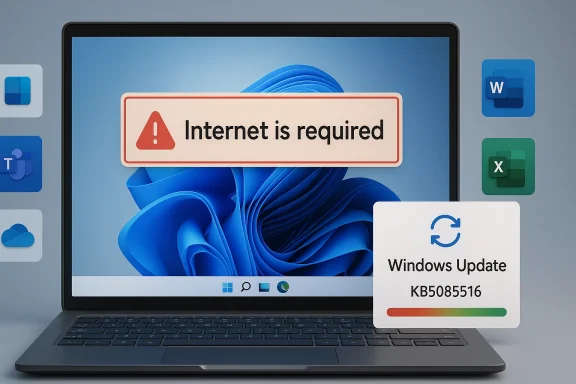
Microsoft’s latest Windows 11 patch cycle is a useful reminder that even routine monthly servicing can still turn into a user-facing mess when authentication, cloud identity, and network detection collide. A recent Windows 11 cumulative update, KB5079473, has been associated with a sign-in bug that can make the PC think it is offline even when connectivity is fine, triggering the frustrating message that the Internet is required. Microsoft has now pushed an out-of-band emergency fix, KB5085516, to restore normal account sign-in across a wide range of Microsoft services and apps. For Windows users, especially those who rely on Microsoft 365, Teams, OneDrive, Edge, Word, Excel, or Copilot, this is one of those patches that is less about new features and more about getting everyday computing back to normal.
The timing matters because Windows 11 is now the company’s primary consumer platform, and Microsoft has been trying to move users away from Windows 10 since support ended on October 14, 2025. Microsoft’s own support pages say Windows 10 no longer receives feature updates, security updates, or technical assistance after that date, and it recommends upgrading to Windows 11 or replacing unsupported hardware. That backdrop makes every Windows 11 reliability issue feel more consequential, because users who have already moved or are being pushed to move need the newer platform to be stable.
This latest bug sits at the intersection of three things Microsoft depends on heavily: cloud sign-in, local Windows networking state, and the company’s own app ecosystem. When the machine incorrectly reports that it lacks an Internet connection, the issue does not just affect a single app; it can cascade across authentication flows for multiple services. That is why a small sounding connectivity glitch can become a broad productivity outage, especially in homes and businesses where Microsoft accounts are the default identity layer.
Microsoft’s practice in these cases is familiar: ship the regular cumulative update, then issue a smaller emergency correction when a high-impact regression slips through. The company has done the same with other out-of-band fixes before, and the pattern shows how modern Windows servicing works in practice. The monthly update is meant to close security holes and add improvements; the emergency patch is the damage-control layer when something critical breaks after deployment.
There is also a second story here beyond the bug itself. The episode lands in a year when users are still sorting out Windows 10 retirement, Windows 11 hardware requirements, and the ongoing push toward cloud-first productivity. That combination makes reliability more than a convenience issue. It becomes a trust issue, especially for users deciding whether the upgrade path has finally become mature enough for daily work.
That kind of bug is particularly annoying because it undermines the basic assumption that the user can troubleshoot the issue from the outside. If the device says it is offline, people often start checking routers, rebooting modems, or switching networks, when the real problem sits in the Windows connection status or sign-in stack. It is a classic example of a defect that is small in code impact but large in real-world disruption.
The practical consequence is that users are locked out of both work and personal workflows. If OneDrive will not sync and Office apps will not authenticate, then even local productivity can stall. In enterprise environments, that can translate into wasted helpdesk time and avoidable downtime.
The company also appears to be relying on a temporary workaround for users who do not yet see the patch. Restarting the computer while it is connected to the Internet can reset the bad connectivity state and bring sign-in back. That is helpful, but it is not the same thing as a true fix, and it will not inspire much confidence if the issue returns after an offline restart.
This is also a good example of how patch distribution can lag across devices. Even when Microsoft has published a fix, not everyone gets it at the same time. That delay is why support guidance often includes both the official update path and a fallback workaround, because the rollout mechanism itself can be part of the user experience.
There is a tradeoff, of course. Emergency patches are usually smaller and more focused, but they also show that the original update process failed to catch a serious flaw. That does not make Windows unstable by definition, but it does reinforce how much complexity sits inside the servicing stack.
For consumer users, the main pain point is account access and cloud sync. For business users, the pain point is operational. If Teams cannot authenticate, meetings are harder to join. If OneDrive cannot validate a session, files stop syncing. If Office apps fail to sign in, licensing and cloud-backed features can fail in a way that looks like a service outage.
That distinction matters because it changes the response. A consumer may simply restart and wait for Windows Update to pull the fix. A business may need to coordinate patch deployment, verify sign-in behavior, and check whether other systems were affected by the same update. In other words, the blast radius is wider than the visible error message suggests.
Microsoft’s monthly update model also adds pressure. Security flaws need rapid closure, but rapid closure means a patch is not always exposed to the full diversity of real-world configurations before release. Optional preview builds and staged rollouts help, but they cannot eliminate every edge case. That is why out-of-band fixes remain a necessary safety valve.
That complexity is also why support pages often emphasize cumulative release notes, known issues, and release health dashboards. Microsoft is trying to make the update ecosystem more transparent, but transparency does not prevent a bug from landing in production. It only shortens the path to diagnosis.
For many users, the message is simple: if you want current fixes, you need to be on the supported OS. Microsoft also says eligible Windows 10 PCs can upgrade to Windows 11 free of charge if they meet the minimum system requirements. In practical terms, the company is trying to convert an old install base into a newer platform that can receive the same weekly and monthly servicing attention.
The problem, of course, is that support policy does not erase user friction. Many Windows 10 users are only now facing compatibility checks, hardware limitations, and change fatigue. When those users hear about a Windows 11 bug that breaks sign-in, it can reinforce hesitation rather than confidence.
Still, the upside is clear. Supported systems get fixes; unsupported systems do not. From a security and reliability perspective, staying on an actively serviced platform is the only rational long-term strategy. But support boundaries alone do not guarantee a smooth user experience, and this bug illustrates why.
If the patch has not yet arrived, the temporary workaround is to restart the computer while it remains online. That should clear the false offline condition in many cases. But users should treat this as a stopgap, not a permanent solution, because the problem can return after a restart without an active network connection.
Microsoft 365 users are more sensitive to sign-in glitches than traditional desktop software users because access is tied to accounts, tokens, and online verification. A local app issue can often be ignored until later. An identity failure cannot. It can stop work in the moment, which is why these bugs attract so much attention.
That is why Microsoft’s response had to be broad. Fixing the OS-level connectivity state is more important than patching individual apps because the problem is upstream. Once the operating system correctly recognizes that the Internet is available, the rest of the Microsoft stack can usually resume normal behavior.
At the same time, the alternative is not appealing. Delaying security updates creates its own risks, especially in a world of rapidly weaponized vulnerabilities. Microsoft’s support documentation for Windows 10 makes the security tradeoff explicit, warning that unsupported devices no longer receive fixes and are therefore exposed to greater risk. The lesson is that both overpatching and underpatching carry costs.
For users, the implication is practical rather than philosophical. Patch quickly, but patch carefully. Make sure restore points, backups, and verified network connectivity are in place before large changes. In managed environments, test updates on a subset of machines before broad rollout whenever possible.
There is also an opportunity here for Microsoft to reinforce its release-health messaging. Better communication around known issues, rollouts, and workarounds can reduce support burden and build confidence. The more users understand what broke and how to recover, the less damaging a regression becomes.
There is also a real risk that complex update chains will continue to produce these sorts of regressions. Windows is more connected, more cloud-dependent, and more stateful than ever, which increases the likelihood that a small defect can spread across multiple services. Each incident adds another argument for cautious deployment in enterprise environments.
The medium-term question is more interesting. Windows 11 is now the main support focus, Windows 10 is officially out of support, and Microsoft is asking users to accept a more cloud-integrated desktop future. That future only works if the platform remains dependable in the mundane moments that matter most: logging in, syncing files, opening documents, and joining meetings without drama.
Source: GB News Microsoft rushes out update for Windows 11 to fix frustrating glitch — install NOW
 Overview
The timing matters because Windows 11 is now the company’s primary consumer platform, and Microsoft has been trying to move users away from Windows 10 since support ended on October 14, 2025. Microsoft’s own support pages say Windows 10 no longer receives feature updates, security updates, or technical assistance after that date, and it recommends upgrading to Windows 11 or replacing unsupported hardware. That backdrop makes every Windows 11 reliability issue feel more consequential, because users who have already moved or are being pushed to move need the newer platform to be stable.This latest bug sits at the intersection of three things Microsoft depends on heavily: cloud sign-in, local Windows networking state, and the company’s own app ecosystem. When the machine incorrectly reports that it lacks an Internet connection, the issue does not just affect a single app; it can cascade across authentication flows for multiple services. That is why a small sounding connectivity glitch can become a broad productivity outage, especially in homes and businesses where Microsoft accounts are the default identity layer.
Microsoft’s practice in these cases is familiar: ship the regular cumulative update, then issue a smaller emergency correction when a high-impact regression slips through. The company has done the same with other out-of-band fixes before, and the pattern shows how modern Windows servicing works in practice. The monthly update is meant to close security holes and add improvements; the emergency patch is the damage-control layer when something critical breaks after deployment.
There is also a second story here beyond the bug itself. The episode lands in a year when users are still sorting out Windows 10 retirement, Windows 11 hardware requirements, and the ongoing push toward cloud-first productivity. That combination makes reliability more than a convenience issue. It becomes a trust issue, especially for users deciding whether the upgrade path has finally become mature enough for daily work.
What the Bug Actually Does
At the center of the problem is a false offline state. The affected system believes the PC has no Internet access even when Wi-Fi or Ethernet is active, so sign-in prompts and Microsoft service authentication can fail. The result is a misleading error message that tells users they need the Internet, even though the network connection is present.That kind of bug is particularly annoying because it undermines the basic assumption that the user can troubleshoot the issue from the outside. If the device says it is offline, people often start checking routers, rebooting modems, or switching networks, when the real problem sits in the Windows connection status or sign-in stack. It is a classic example of a defect that is small in code impact but large in real-world disruption.
Why identity errors feel worse than app crashes
A crash can usually be isolated to one program. An authentication failure, by contrast, blocks access to multiple services at once and creates the impression that the whole device is broken. That is why the error has been so disruptive across Teams, OneDrive, Edge, Excel, Word, and Copilot.The practical consequence is that users are locked out of both work and personal workflows. If OneDrive will not sync and Office apps will not authenticate, then even local productivity can stall. In enterprise environments, that can translate into wasted helpdesk time and avoidable downtime.
- It affects the sign-in layer, not just one application.
- It creates a false offline status.
- It can interrupt cloud-backed work immediately.
- It sends users on the wrong troubleshooting path.
- It is easy to misdiagnose as a router or ISP problem.
Microsoft’s Emergency Response
Microsoft’s answer was the out-of-band fix KB5085516, which the company says should restore proper sign-in behavior. The recommended action is straightforward: open Settings, go to Windows Update, click Check for updates, install the emergency patch, and restart the PC. In most cases, that should clear the broken state and allow Microsoft account sign-ins to work normally again.The company also appears to be relying on a temporary workaround for users who do not yet see the patch. Restarting the computer while it is connected to the Internet can reset the bad connectivity state and bring sign-in back. That is helpful, but it is not the same thing as a true fix, and it will not inspire much confidence if the issue returns after an offline restart.
This is also a good example of how patch distribution can lag across devices. Even when Microsoft has published a fix, not everyone gets it at the same time. That delay is why support guidance often includes both the official update path and a fallback workaround, because the rollout mechanism itself can be part of the user experience.
Why out-of-band patches matter
An out-of-band update is important because it tells you Microsoft considers the regression high-impact enough to interrupt the normal cadence. In ordinary circumstances, users can wait for the next scheduled update cycle. In a case like this, waiting is costly because authentication failures block work immediately.There is a tradeoff, of course. Emergency patches are usually smaller and more focused, but they also show that the original update process failed to catch a serious flaw. That does not make Windows unstable by definition, but it does reinforce how much complexity sits inside the servicing stack.
- The fix is intended as a rapid correction.
- Restarting online can temporarily clear the false offline state.
- Rollout timing may vary by device.
- The bug can disappear only after the emergency patch is applied.
- Users should not assume every problem is solved by network troubleshooting alone.
The Apps Affected
What makes this bug notable is the breadth of Microsoft software affected. The issue has been reported across services and apps that are deeply embedded in everyday Windows usage, including Teams, OneDrive, Edge, Excel, Word, and Microsoft 365 Copilot. That range matters because it shows the defect is not isolated to a single business tool.For consumer users, the main pain point is account access and cloud sync. For business users, the pain point is operational. If Teams cannot authenticate, meetings are harder to join. If OneDrive cannot validate a session, files stop syncing. If Office apps fail to sign in, licensing and cloud-backed features can fail in a way that looks like a service outage.
Consumer versus enterprise impact
Consumers are likely to notice the issue as an annoying sign-in loop or a warning that blocks access to personal Microsoft services. Enterprise users may see it as an IT support incident involving multiple endpoints. The same defect can therefore produce very different pain depending on whether the device is a home PC or a managed workstation.That distinction matters because it changes the response. A consumer may simply restart and wait for Windows Update to pull the fix. A business may need to coordinate patch deployment, verify sign-in behavior, and check whether other systems were affected by the same update. In other words, the blast radius is wider than the visible error message suggests.
- Teams sign-in can stall collaboration.
- OneDrive sync can be interrupted.
- Edge may fail to authenticate certain Microsoft sessions.
- Word and Excel can lose cloud-connected functionality.
- Copilot access can be blocked by the false offline state.
Why This Type of Bug Slips Through
Windows is one of the most heavily tested consumer software platforms on Earth, yet bugs still leak into the stable channel because of the sheer variety of devices, drivers, network configurations, account states, and enterprise policies involved. A connectivity detection issue may not appear in the lab the same way it appears on a laptop with a particular adapter, cached credential, and network transition sequence.Microsoft’s monthly update model also adds pressure. Security flaws need rapid closure, but rapid closure means a patch is not always exposed to the full diversity of real-world configurations before release. Optional preview builds and staged rollouts help, but they cannot eliminate every edge case. That is why out-of-band fixes remain a necessary safety valve.
Servicing is still a moving target
The modern Windows update stack is not just about copying files into place. It involves servicing stack updates, cumulative packages, component stores, identity services, and cloud-backed features that all have to cooperate. When one layer misreads the network state, the symptom can surface far away from the root cause.That complexity is also why support pages often emphasize cumulative release notes, known issues, and release health dashboards. Microsoft is trying to make the update ecosystem more transparent, but transparency does not prevent a bug from landing in production. It only shortens the path to diagnosis.
- More moving parts mean more regression risk.
- Identity and networking are deeply coupled.
- Lab testing cannot mimic every home or office environment.
- Staged rollouts reduce, but do not eliminate, exposure.
- Emergency patches are a sign of response, not perfection.
Windows 10’s End of Support Raises the Stakes
Microsoft’s current support position makes problems like this more visible because users are being nudged hard toward Windows 11. Microsoft states that Windows 10 reached end of support on October 14, 2025, meaning no more free security updates, feature updates, or technical assistance for the operating system itself. That means the company’s patch focus has shifted squarely to Windows 11 and newer servicing paths.For many users, the message is simple: if you want current fixes, you need to be on the supported OS. Microsoft also says eligible Windows 10 PCs can upgrade to Windows 11 free of charge if they meet the minimum system requirements. In practical terms, the company is trying to convert an old install base into a newer platform that can receive the same weekly and monthly servicing attention.
The problem, of course, is that support policy does not erase user friction. Many Windows 10 users are only now facing compatibility checks, hardware limitations, and change fatigue. When those users hear about a Windows 11 bug that breaks sign-in, it can reinforce hesitation rather than confidence.
Upgrade pressure and user trust
That trust issue is not trivial. If Microsoft wants people to adopt Windows 11 broadly, the platform has to feel both modern and dependable. A login regression in a core update is exactly the kind of thing that can fuel skepticism among cautious users.Still, the upside is clear. Supported systems get fixes; unsupported systems do not. From a security and reliability perspective, staying on an actively serviced platform is the only rational long-term strategy. But support boundaries alone do not guarantee a smooth user experience, and this bug illustrates why.
- Windows 10 is past end of support.
- Windows 11 is the platform receiving current fixes.
- Eligible devices can still upgrade free of charge.
- Hardware compatibility remains a real barrier for some users.
- Reliability issues can slow adoption even when support policy is clear.
How Users Should Approach the Fix
The most sensible response is not panic; it is orderly patching. If KB5085516 is available through Windows Update, installing it should be the first move. After the update, a restart is important because authentication and connectivity state often do not fully reset until the system boots cleanly.If the patch has not yet arrived, the temporary workaround is to restart the computer while it remains online. That should clear the false offline condition in many cases. But users should treat this as a stopgap, not a permanent solution, because the problem can return after a restart without an active network connection.
A simple sequence for affected users
The process is straightforward, but it helps to do it in the right order. A rushed or partial fix can leave the machine in the same state, which may lead people to think the emergency patch did not work. A clean reboot after installation is the key step.- Open Settings.
- Select Windows Update.
- Click Check for updates.
- Install KB5085516 if it appears.
- Restart the PC while connected to the Internet.
- Test sign-in for Microsoft apps and services.
- If the issue returns, repeat the online restart and verify the patch state.
- Install the fix as soon as it is available.
- Restart after patching.
- Keep the device online during recovery.
- Check multiple apps, not just one login screen.
- Do not rely on a single workaround if the issue recurs.
The Bigger Picture for Microsoft 365
The fact that this bug touched Microsoft 365 tools is especially important. Microsoft has spent years turning Office into a cloud-connected subscription ecosystem, and the company increasingly expects identity, storage, and app functionality to work together seamlessly. When a Windows update disrupts that chain, the pain extends beyond the operating system.Microsoft 365 users are more sensitive to sign-in glitches than traditional desktop software users because access is tied to accounts, tokens, and online verification. A local app issue can often be ignored until later. An identity failure cannot. It can stop work in the moment, which is why these bugs attract so much attention.
Productivity stacks are only as strong as their login layer
This is the hidden dependency many users do not think about. Word may look like a standalone application, but modern Word often behaves like a cloud service at the edge of the desktop. It wants identity validation, licensing verification, document sync, and account context. Break one piece, and the whole experience degrades.That is why Microsoft’s response had to be broad. Fixing the OS-level connectivity state is more important than patching individual apps because the problem is upstream. Once the operating system correctly recognizes that the Internet is available, the rest of the Microsoft stack can usually resume normal behavior.
- Productivity apps now depend on cloud identity.
- Sign-in failures propagate across the suite.
- OS-level fixes are more effective than app-by-app workarounds.
- Licensing and sync are part of the same user journey.
- Reliability at the platform level matters more than feature count.
Security, Stability, and the Cost of Patch Tuesday
One reason this story resonates is that users have become accustomed to Patch Tuesday as a routine ritual. Microsoft’s monthly cadence is supposed to provide predictability: security fixes arrive, systems update, and life goes on. When a patch introduces a broad sign-in bug, it undermines the perception of stability around that rhythm.At the same time, the alternative is not appealing. Delaying security updates creates its own risks, especially in a world of rapidly weaponized vulnerabilities. Microsoft’s support documentation for Windows 10 makes the security tradeoff explicit, warning that unsupported devices no longer receive fixes and are therefore exposed to greater risk. The lesson is that both overpatching and underpatching carry costs.
Why Windows servicing is a constant compromise
Microsoft has to decide how fast to ship fixes and how much testing is enough. If the company waits too long, security risk grows. If it ships too quickly, regression risk grows. That is the core tension behind every monthly update and every emergency correction.For users, the implication is practical rather than philosophical. Patch quickly, but patch carefully. Make sure restore points, backups, and verified network connectivity are in place before large changes. In managed environments, test updates on a subset of machines before broad rollout whenever possible.
- Security demands speed.
- Stability demands caution.
- Monthly patching cannot eliminate every regression.
- Emergency fixes are part of the modern Windows model.
- Backup discipline remains essential.
Strengths and Opportunities
The good news is that Microsoft appears to have moved quickly once the issue became clear, and that speed matters. The emergency patch, the documented workaround, and the centralized Windows Update mechanism all show that the company still has a viable response model for high-impact regressions. For a platform of this size, quick correction is often the difference between a nuisance and a prolonged outage.There is also an opportunity here for Microsoft to reinforce its release-health messaging. Better communication around known issues, rollouts, and workarounds can reduce support burden and build confidence. The more users understand what broke and how to recover, the less damaging a regression becomes.
- Fast emergency response can limit damage.
- Centralized update delivery makes remediation easier.
- Clear workaround guidance helps users recover sooner.
- Release health dashboards can improve transparency.
- The incident can strengthen Microsoft’s case for better update tooling.
- Windows 11 remains the supported path forward for current fixes.
- The ecosystem can learn from the regression and tighten QA around sign-in flows.
Risks and Concerns
The concern, however, is that authentication and connectivity bugs strike at the heart of trust. If users cannot sign in, they do not think about servicing architecture or cumulative updates; they just see a broken machine. That emotional impact is hard to reverse, especially for users already wary of Windows 11 transitions.There is also a real risk that complex update chains will continue to produce these sorts of regressions. Windows is more connected, more cloud-dependent, and more stateful than ever, which increases the likelihood that a small defect can spread across multiple services. Each incident adds another argument for cautious deployment in enterprise environments.
- Authentication failures feel like platform failures.
- Cloud dependence increases blast radius.
- Users may lose confidence in monthly updates.
- Enterprises may slow rollout of future patches.
- Windows 10 retirement pressure can amplify dissatisfaction.
- Temporary workarounds can confuse less technical users.
- Repeated regressions could fuel upgrade hesitation.
Looking Ahead
The immediate question is whether KB5085516 fully resolves the offline-state regression across the full range of affected Windows 11 systems. If it does, attention will quickly shift to whether Microsoft adjusts its internal validation process to catch similar sign-in and network-state errors earlier. If it does not, the company may need to issue additional guidance or a follow-up fix.The medium-term question is more interesting. Windows 11 is now the main support focus, Windows 10 is officially out of support, and Microsoft is asking users to accept a more cloud-integrated desktop future. That future only works if the platform remains dependable in the mundane moments that matter most: logging in, syncing files, opening documents, and joining meetings without drama.
- Watch for broader confirmation that KB5085516 resolves the issue.
- Monitor whether additional edge cases appear after deployment.
- Track Microsoft’s release health notes for follow-up guidance.
- See whether enterprise admins delay future cumulative updates.
- Observe whether Windows 10 holdouts accelerate their upgrade plans.
- Pay attention to whether the sign-in stack gets further hardening in later builds.
Source: GB News Microsoft rushes out update for Windows 11 to fix frustrating glitch — install NOW
