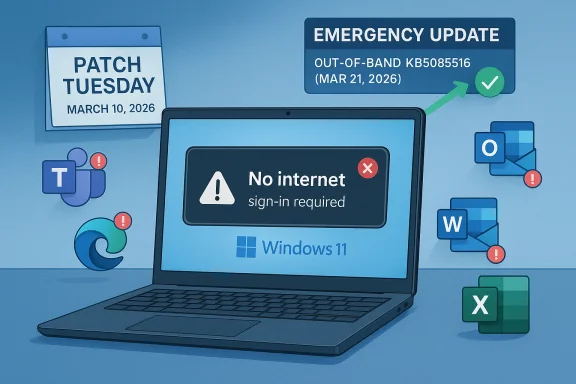
Microsoft’s emergency KB5085516 update is the latest reminder that a Patch Tuesday fix can quickly become a business-critical incident when it breaks authentication. According to reporting on the issue, the March Windows 11 update introduced sign-in failures that affected Microsoft accounts and displayed a misleading “no Internet connection” message even on connected PCs. The result was disruption across Teams, OneDrive, Copilot, Excel, Word, and Edge, with Microsoft Entra ID users reportedly spared because the bug was tied to consumer Microsoft Account authentication.
Windows quality updates have always had a delicate balance to strike: they must harden the platform, but they also have to preserve the countless login, sync, and cloud-access paths that modern Windows depends on. That tension is especially visible in Windows 11, where the operating system is no longer just a local shell but a tightly integrated client for Microsoft 365, OneDrive, Copilot, and browser-based identity flows. When a cumulative update destabilizes authentication, the problem is no longer limited to an operating system nuisance; it becomes a productivity outage.
The modern Windows servicing model makes this more complicated, not less. Microsoft ships monthly security updates, optional previews, and occasional out-of-band releases when a defect is severe enough to justify bypassing the normal cadence. Microsoft’s own release-health pages show that out-of-band updates are an established tool for addressing urgent regressions, including prior sign-in and connectivity issues affecting Windows 11. That pattern matters because it confirms the company has a standing playbook for fast correction when the default monthly update path causes damage.
This week’s story fits that playbook. Windows Report says the March Patch Tuesday update triggered a sign-in defect that blocked access to Microsoft services and that Microsoft answered with KB5085516 as an emergency fix. The available Windows build numbers mentioned in the report, 26200.8039 for Windows 11 25H2 and 26100.8039 for Windows 11 24H2, suggest that the release is targeted and cumulative rather than a standalone patch. Because Microsoft’s public support pages for the specific KB were not easily surfaced in search, the safest reading is that the issue was addressed through the usual Windows Update channel and likely paired with a known-issues workflow rather than a platform-wide reset.
The incident also lands in a period where Windows update confidence is under pressure for reasons that go beyond one failed login path. Microsoft has been shipping numerous corrective releases across Windows 11 and Windows 10 in 2025 and 2026, including other out-of-band patches for sign-in, hibernation, and remote desktop problems. That history does not mean Windows servicing is broken, but it does mean users and administrators are becoming more sensitive to the difference between a security fix and an availability regression. The trust cost of one defective update can linger longer than the bug itself.
The misleading “no Internet connection” error is particularly damaging because it sends troubleshooting in the wrong direction. Users are likely to restart routers, flush DNS, or contact their ISP before realizing the real issue is identity-related. That adds confusion, wasted time, and support volume.
The reported scope also reveals a lot about where Windows 11 is now as a product. Microsoft services are deeply intertwined with the OS, and the login journey is shared by many apps rather than isolated to a single program. When authentication breaks at the system layer, the failure ripples outward into productivity software, browser-based experiences, and cloud storage. In that sense, the update bug exposed an architectural truth that users often only notice when something goes wrong: Windows is now a service gateway as much as an operating system.
At the same time, the distinction between Microsoft Account and Microsoft Entra ID is crucial. Consumer Windows users, especially those tied to personal Microsoft services, were apparently the ones hit by the bug, while business-managed environments using Entra ID were not affected. That creates a split narrative: for home users and small-office users, the defect felt like a platform failure; for enterprise IT, it looked more like a contained consumer-side regression that Microsoft managed to avoid spreading into managed identity stacks.
The update also appears to arrive alongside broader installation issues tied to March’s servicing cycle. Windows Report notes failures involving KB5079473, including crashes and installation errors. Even if those problems were separate from the sign-in bug, the combination matters because it changes the perception of the entire update wave. Users rarely judge patches individually; they judge the reliability of the update channel as a whole.
Microsoft’s release-health documentation over the past year shows repeated use of this mechanism for Windows 11 regressions, including sign-in and remote connection issues. That context suggests KB5085516 is not an anomaly but part of a recurring operational pattern.
What makes this particular bug notable is the reported mismatch between the actual condition and the displayed error. Users saw a network connectivity warning, but the device was online. That kind of misdirection is especially expensive in support environments because it causes layered troubleshooting: network checks, account resets, device restarts, and only then, maybe, a search for a known issue. In a small business, those minutes turn into hours fast.
The fact that Entra ID accounts were not affected suggests the regression lived in the consumer authentication stack or in services that consumer sign-in depends on. That distinction matters because it shows the failure was not universal across the Windows identity layer. It also suggests Microsoft may have been able to limit blast radius by updating or separating components associated with consumer Microsoft account flows.
Enterprise users, by contrast, usually authenticate through Microsoft Entra ID under policy-managed conditions. That means the bug likely skipped the federated and managed paths that corporations rely on. In practice, that separation protected IT departments from a larger incident, even if individual consumer endpoints remained in trouble.
This is also why incident response must include not just code changes but diagnostic clarity. A good fix restores behavior; a better fix also restores user confidence. That is especially important when the bug affects login, because login is the user’s first and most frequent proof that the machine is healthy.
The builds cited by the report, 26200.8039 and 26100.8039, matter because they imply a relatively small leap over the existing release train rather than a wholesale rebase. That is what you want for a surgical fix. The ideal out-of-band update solves one high-priority issue while minimizing the risk of collateral damage, though that outcome can never be guaranteed.
What the public reporting does not give us is a root-cause explanation. Microsoft has not, at least in the material surfaced here, explained whether the fault lived in token handling, a UI dependency, a service endpoint, or a recent identity component change. That absence does not prevent analysis, but it does constrain certainty. In a mature servicing ecosystem, the speed of the fix often matters more than early disclosure of internal mechanics.
For IT staff, optional delivery is both helpful and inconvenient. It makes targeted deployment easier, but it also means administrators must deliberately choose to accelerate a patch outside the usual schedule. In other words, the patch is urgent enough to install, but not necessarily silent enough to force on everyone without review.
That matters because Windows servicing relies on a social contract. Microsoft expects users and administrators to install updates promptly for security reasons, while users expect those updates not to break their day. When a Patch Tuesday release creates both deployment friction and service disruption, the contract weakens. The larger risk is not just one bad patch, but a gradual reluctance to trust updates on first release.
The good news is that Microsoft’s response was quick in the sign-in case. The less good news is that speed alone does not restore confidence if update quality remains uneven. Enterprises can sometimes afford to wait for validation rings and pilot groups. Consumers generally cannot, which is why they feel these failures most intensely.
This does not excuse regressions, but it explains why Microsoft often leans on staged rollout, known-issue rollback, and out-of-band correction. The system is designed to absorb mistakes, but it cannot prevent every one of them. That distinction matters because it shifts the conversation from “why do updates ever fail?” to “how quickly can failures be contained?”
The inclusion of Copilot in the affected app list is particularly relevant. Copilot is marketed as a productivity layer, but it inherits the same identity dependency as the rest of Microsoft’s cloud stack. That means any account failure affects not just traditional productivity tools but also the newer AI-assisted workflows Microsoft is trying to accelerate. In a sense, the incident showed that AI features are only as stable as the login services beneath them.
There is also a reputational angle. Microsoft has spent years positioning Windows 11 as the operating system for a connected, cloud-enhanced workflow. When login breaks, the problem is no longer a minor backend issue. It becomes a direct challenge to the promise that the platform is dependable enough for modern work.
This is the hidden fragility of “one account for everything.” It is convenient when it works and deeply disruptive when it doesn’t. The more Microsoft consolidates services around identity, the more severe an identity outage becomes.
It also shows why Windows Update has become both more powerful and more fragile. A single patch can fix a wide array of issues across millions of devices, but it can also introduce a uniform failure mode at scale. That is the inherent risk of a centralized servicing model: the blast radius of success is huge, and so is the blast radius of mistakes.
The optional update path for KB5085516 is sensible in that context. It lets affected users and support organizations move immediately without forcing every machine onto the same remediation path at once. That is a pragmatic compromise between urgency and control. In theory, it gives Microsoft room to observe deployment behavior while repairing the worst damage.
The broader story is bigger than one KB number. Windows 11 is increasingly an identity platform as much as an operating system, which means authentication regressions are now core platform events, not side stories. If Microsoft wants users and enterprises to keep trusting the monthly servicing cadence, it has to prove that it can fix the breakage quickly, explain it clearly, and prevent the same class of defect from returning.
Source: Windows Report https://windowsreport.com/windows-1...pdate-fixes-microsoft-account-login-failures/
 Background
Windows quality updates have always had a delicate balance to strike: they must harden the platform, but they also have to preserve the countless login, sync, and cloud-access paths that modern Windows depends on. That tension is especially visible in Windows 11, where the operating system is no longer just a local shell but a tightly integrated client for Microsoft 365, OneDrive, Copilot, and browser-based identity flows. When a cumulative update destabilizes authentication, the problem is no longer limited to an operating system nuisance; it becomes a productivity outage.The modern Windows servicing model makes this more complicated, not less. Microsoft ships monthly security updates, optional previews, and occasional out-of-band releases when a defect is severe enough to justify bypassing the normal cadence. Microsoft’s own release-health pages show that out-of-band updates are an established tool for addressing urgent regressions, including prior sign-in and connectivity issues affecting Windows 11. That pattern matters because it confirms the company has a standing playbook for fast correction when the default monthly update path causes damage.
This week’s story fits that playbook. Windows Report says the March Patch Tuesday update triggered a sign-in defect that blocked access to Microsoft services and that Microsoft answered with KB5085516 as an emergency fix. The available Windows build numbers mentioned in the report, 26200.8039 for Windows 11 25H2 and 26100.8039 for Windows 11 24H2, suggest that the release is targeted and cumulative rather than a standalone patch. Because Microsoft’s public support pages for the specific KB were not easily surfaced in search, the safest reading is that the issue was addressed through the usual Windows Update channel and likely paired with a known-issues workflow rather than a platform-wide reset.
The incident also lands in a period where Windows update confidence is under pressure for reasons that go beyond one failed login path. Microsoft has been shipping numerous corrective releases across Windows 11 and Windows 10 in 2025 and 2026, including other out-of-band patches for sign-in, hibernation, and remote desktop problems. That history does not mean Windows servicing is broken, but it does mean users and administrators are becoming more sensitive to the difference between a security fix and an availability regression. The trust cost of one defective update can linger longer than the bug itself.
Why this bug matters more than it sounds
A login bug is not just a login bug when Windows is the front door to everything else. If a user cannot authenticate, they may also lose access to cloud-synced documents, copilots, browser profiles, and enterprise collaboration workflows. In practical terms, that means the defect can look like a network problem, an app failure, or a password issue depending on where the user encounters it.The misleading “no Internet connection” error is particularly damaging because it sends troubleshooting in the wrong direction. Users are likely to restart routers, flush DNS, or contact their ISP before realizing the real issue is identity-related. That adds confusion, wasted time, and support volume.
- The failure path was broad enough to affect multiple Microsoft apps.
- The error message reportedly obscured the actual cause.
- Consumer accounts appear to have been the main casualty.
- Enterprise identity via Entra ID was reportedly unaffected.
- The workaround depended on installing the fix rather than a local toggle.
Overview
The most important thing to understand about KB5085516 is that it is not an ordinary feature update. It is an out-of-band emergency release, which means Microsoft judged the impact of the problem severe enough to interrupt the normal monthly rhythm. That alone is a signal that the affected issue crossed a threshold: it was not merely cosmetic, not merely theoretical, and not something Microsoft wanted to leave until the next Patch Tuesday.The reported scope also reveals a lot about where Windows 11 is now as a product. Microsoft services are deeply intertwined with the OS, and the login journey is shared by many apps rather than isolated to a single program. When authentication breaks at the system layer, the failure ripples outward into productivity software, browser-based experiences, and cloud storage. In that sense, the update bug exposed an architectural truth that users often only notice when something goes wrong: Windows is now a service gateway as much as an operating system.
At the same time, the distinction between Microsoft Account and Microsoft Entra ID is crucial. Consumer Windows users, especially those tied to personal Microsoft services, were apparently the ones hit by the bug, while business-managed environments using Entra ID were not affected. That creates a split narrative: for home users and small-office users, the defect felt like a platform failure; for enterprise IT, it looked more like a contained consumer-side regression that Microsoft managed to avoid spreading into managed identity stacks.
The update also appears to arrive alongside broader installation issues tied to March’s servicing cycle. Windows Report notes failures involving KB5079473, including crashes and installation errors. Even if those problems were separate from the sign-in bug, the combination matters because it changes the perception of the entire update wave. Users rarely judge patches individually; they judge the reliability of the update channel as a whole.
The role of out-of-band servicing
Out-of-band updates are Microsoft’s pressure valve for situations where waiting would be worse than changing course. They are generally a sign that the company is prioritizing restoration over schedule purity. That makes them useful, but it also highlights how quickly a defect can escalate from a background annoyance to a support priority.Microsoft’s release-health documentation over the past year shows repeated use of this mechanism for Windows 11 regressions, including sign-in and remote connection issues. That context suggests KB5085516 is not an anomaly but part of a recurring operational pattern.
What users actually experienced
The reporting describes a frustrating but recognizable failure mode: the device appears healthy, yet cloud-authenticated Microsoft services refuse to open. That’s the kind of bug that can produce contradictory symptoms because the local OS, internet connection, and app front ends all look fine until sign-in is attempted.- Microsoft services were the visible casualty.
- The symptom was a false connectivity warning.
- The bug affected both apps and browser-linked flows.
- Users likely saw repeated prompts with no successful sign-in.
- The fix had to be installed to restore normal identity behavior.
The Authentication Failure
Authentication bugs are among the most serious defects a desktop operating system can ship because they undermine user trust immediately. A bad visual update is annoying; a broken login pathway is existential for productivity. Once the identity layer is compromised, the user is effectively locked out of the cloud-first workflow that Windows 11 is designed to support.What makes this particular bug notable is the reported mismatch between the actual condition and the displayed error. Users saw a network connectivity warning, but the device was online. That kind of misdirection is especially expensive in support environments because it causes layered troubleshooting: network checks, account resets, device restarts, and only then, maybe, a search for a known issue. In a small business, those minutes turn into hours fast.
The fact that Entra ID accounts were not affected suggests the regression lived in the consumer authentication stack or in services that consumer sign-in depends on. That distinction matters because it shows the failure was not universal across the Windows identity layer. It also suggests Microsoft may have been able to limit blast radius by updating or separating components associated with consumer Microsoft account flows.
Consumer versus enterprise identity
The consumer impact was likely much more visible because home users often depend on Microsoft accounts for the entire Windows experience. They use those accounts for browser sync, OneDrive, Microsoft Store, Copilot, and Office sign-in. If that account stops working, the device itself still boots, but the ecosystem stops behaving like a connected Windows machine.Enterprise users, by contrast, usually authenticate through Microsoft Entra ID under policy-managed conditions. That means the bug likely skipped the federated and managed paths that corporations rely on. In practice, that separation protected IT departments from a larger incident, even if individual consumer endpoints remained in trouble.
- Consumer accounts are more tightly coupled to everyday Windows services.
- Enterprise identity stacks are usually more segmented and policy-driven.
- A consumer-side outage can still create enormous public frustration.
- The same defect in a work profile would have had a larger business blast radius.
- Identity regressions often travel quietly until they hit the sign-in screen.
Why misleading errors are worse than no error
A wrong error message can make a technical issue feel like a betrayal. Users accept that things break, but they want the message to point in the right direction. A network prompt during an authentication failure sends the user into the weeds and makes the platform look unreliable even if the root cause is narrow.This is also why incident response must include not just code changes but diagnostic clarity. A good fix restores behavior; a better fix also restores user confidence. That is especially important when the bug affects login, because login is the user’s first and most frequent proof that the machine is healthy.
KB5085516 and the Emergency Response
Microsoft’s response, according to the report, was to release KB5085516 as an out-of-band patch for Windows 11 24H2 and 25H2. That timing is important because it implies Microsoft did not want to wait for the usual cumulative update cycle. The company reportedly moved quickly once the scope of the issue became clear, which is consistent with its prior handling of urgent Windows 11 regressions.The builds cited by the report, 26200.8039 and 26100.8039, matter because they imply a relatively small leap over the existing release train rather than a wholesale rebase. That is what you want for a surgical fix. The ideal out-of-band update solves one high-priority issue while minimizing the risk of collateral damage, though that outcome can never be guaranteed.
What the public reporting does not give us is a root-cause explanation. Microsoft has not, at least in the material surfaced here, explained whether the fault lived in token handling, a UI dependency, a service endpoint, or a recent identity component change. That absence does not prevent analysis, but it does constrain certainty. In a mature servicing ecosystem, the speed of the fix often matters more than early disclosure of internal mechanics.
How users are supposed to get it
The report says the update is available through the Optional updates section in Windows Update. That is a very Windows-specific kind of emergency distribution: the fix can be manually pulled by users who are actively affected, while broader delivery can remain controlled. For home users, that means the remediation is available without requiring a complex sideloading process.For IT staff, optional delivery is both helpful and inconvenient. It makes targeted deployment easier, but it also means administrators must deliberately choose to accelerate a patch outside the usual schedule. In other words, the patch is urgent enough to install, but not necessarily silent enough to force on everyone without review.
Why Microsoft uses this model
The out-of-band channel lets Microsoft separate severity from normal release cadence. That protects users from waiting too long for a fix when a bug is materially disruptive. It also lets the company maintain a distinction between planned updates and exceptional interventions.- The problem was serious enough to bypass the normal cycle.
- The update was distributed through Windows Update’s optional path.
- The build numbers suggest a narrow servicing increment.
- The release likely aimed to fix one high-impact defect.
- The absence of a public root cause leaves some uncertainty.
The Wider Patch Tuesday Problem
This incident would be easier to dismiss if it were isolated. Instead, it arrived alongside reports of update installation failures involving KB5079473, with crashes and errors preventing completion for some users. Even if the installation issue and the sign-in bug are technically separate, their coexistence on the same servicing wave gives the whole update cycle a rough reputation. Users do not differentiate much when the result is disruption.That matters because Windows servicing relies on a social contract. Microsoft expects users and administrators to install updates promptly for security reasons, while users expect those updates not to break their day. When a Patch Tuesday release creates both deployment friction and service disruption, the contract weakens. The larger risk is not just one bad patch, but a gradual reluctance to trust updates on first release.
The good news is that Microsoft’s response was quick in the sign-in case. The less good news is that speed alone does not restore confidence if update quality remains uneven. Enterprises can sometimes afford to wait for validation rings and pilot groups. Consumers generally cannot, which is why they feel these failures most intensely.
Quality control versus urgency
There is an inherent tension between shipping security fixes fast and preserving stability across a huge hardware ecosystem. Windows has to run on laptops, desktops, all-in-ones, gaming rigs, and business fleets from many OEMs. Every added layer of compatibility makes release management harder.This does not excuse regressions, but it explains why Microsoft often leans on staged rollout, known-issue rollback, and out-of-band correction. The system is designed to absorb mistakes, but it cannot prevent every one of them. That distinction matters because it shifts the conversation from “why do updates ever fail?” to “how quickly can failures be contained?”
What recurring update issues do to user behavior
Each visible failure nudges users toward caution. Some will delay updates. Others will search for fixes before patching. Enterprises may extend pilot testing windows. Over time, that can slow security adoption even when the updates are beneficial.- Patch confidence is a real part of Windows management.
- Repeated regressions can increase update deferral.
- User frustration often outlasts the original bug.
- Support teams carry the reputational cost.
- Microsoft’s rapid remediation helps, but only partly.
Impact on Microsoft 365 Workflows
The most immediate impact of the bug was not philosophical; it was practical. If users cannot access Teams, OneDrive, or Office apps, their workday stalls. Even if local documents remain available, cloud-linked workflows are increasingly the default, so authentication interruptions quickly translate into delayed meetings, missed file access, and broken collaboration.The inclusion of Copilot in the affected app list is particularly relevant. Copilot is marketed as a productivity layer, but it inherits the same identity dependency as the rest of Microsoft’s cloud stack. That means any account failure affects not just traditional productivity tools but also the newer AI-assisted workflows Microsoft is trying to accelerate. In a sense, the incident showed that AI features are only as stable as the login services beneath them.
There is also a reputational angle. Microsoft has spent years positioning Windows 11 as the operating system for a connected, cloud-enhanced workflow. When login breaks, the problem is no longer a minor backend issue. It becomes a direct challenge to the promise that the platform is dependable enough for modern work.
Consumer productivity versus enterprise productivity
For consumers, the damage is likely a mix of inconvenience and confusion. For small businesses, the same failure can interrupt actual operations: sales decks, shared files, scheduled meetings, and time-sensitive collaboration. In enterprise environments, the effect would have been larger if Entra ID were involved, but even a consumer-side bug can spill into work-from-home setups where personal and professional accounts overlap.This is the hidden fragility of “one account for everything.” It is convenient when it works and deeply disruptive when it doesn’t. The more Microsoft consolidates services around identity, the more severe an identity outage becomes.
Why Edge mattered too
Including Edge in the affected list is significant because the browser is often the fallback route to recovery. If sign-in fails in the browser as well as in native apps, the user has fewer paths to diagnose or work around the issue. That makes the outage feel more systemic.- Teams and OneDrive are mission-critical for many users.
- Office sign-in failures can interrupt editing and syncing.
- Copilot amplifies the visibility of identity problems.
- Edge becoming unusable removes a common recovery channel.
- Cloud-first productivity raises the stakes of every auth bug.
Installation and Servicing Lessons
From a servicing perspective, this episode reinforces a few hard truths. First, regression testing has to treat identity flows as first-class infrastructure, not just app logic. Second, error messaging matters almost as much as the fault itself. Third, Microsoft needs the ability to ship corrective updates quickly enough that users do not stay locked out for long.It also shows why Windows Update has become both more powerful and more fragile. A single patch can fix a wide array of issues across millions of devices, but it can also introduce a uniform failure mode at scale. That is the inherent risk of a centralized servicing model: the blast radius of success is huge, and so is the blast radius of mistakes.
The optional update path for KB5085516 is sensible in that context. It lets affected users and support organizations move immediately without forcing every machine onto the same remediation path at once. That is a pragmatic compromise between urgency and control. In theory, it gives Microsoft room to observe deployment behavior while repairing the worst damage.
Sequential response model
A sensible response to a bug like this usually follows a recognizable pattern:- Detect the regression through user reports and telemetry.
- Confirm that the defect is limited to a specific identity path.
- Decide whether the issue is severe enough to justify OOB servicing.
- Release a targeted fix with minimal collateral changes.
- Update support guidance and monitor adoption.
Why administrators care even when the bug is consumer-only
IT teams often watch consumer incidents because they reveal failure patterns that can spread. A defect that appears limited today can become enterprise-relevant tomorrow if a related component is reused or a similar authentication path is introduced elsewhere. Administrators therefore care about the health of the servicing pipeline, not just the current symptom.- Fast remediation reduces help desk volume.
- Clear release notes reduce guesswork.
- Targeted rollout reduces risk.
- Better telemetry can narrow root cause faster.
- Identity issues deserve the highest validation priority.
Strengths and Opportunities
Microsoft’s fast response is the headline strength here. The company appears to have treated a real user-facing disruption as an emergency, and that is exactly what users expect when authentication breaks. There are also broader opportunities for Microsoft to turn the incident into a reliability win if it improves diagnostics, clarifies issue communication, and strengthens the validation of identity-adjacent patches.- Rapid out-of-band remediation can limit the duration of user disruption.
- Targeted build delivery reduces the odds of unnecessary system-wide churn.
- Separation of consumer and enterprise identity paths appears to have contained the damage.
- Optional update distribution gives affected users faster relief.
- Known-issue communication can reduce support burden if it is detailed enough.
- Telemetry-driven rollback and fix cycles can improve future patch quality.
- Cross-service impact awareness can help Microsoft prioritize the most critical regressions first.
Risks and Concerns
The biggest concern is confidence erosion. If users conclude that every major update might break sign-in or installation, they may delay patching, and that creates security exposure. There is also the risk that Microsoft’s error handling obscures root causes too long, leaving users and administrators to debug the wrong layer of the stack.- Patch fatigue can make users more reluctant to install updates promptly.
- Misleading error messages can waste support time and frustrate end users.
- Repeated servicing regressions damage trust in Windows Update.
- Identity bugs have outsized impact because they block everything downstream.
- Incomplete public root-cause detail slows community understanding.
- Separate but concurrent update issues can make the entire release cycle look unstable.
- Cloud-first dependency means one defect can disrupt many apps at once.
Looking Ahead
The next thing to watch is whether KB5085516 restores confidence quickly or whether new edge cases emerge after wider deployment. Out-of-band fixes are meant to be surgical, but even surgical releases can have side effects once they hit a wider mix of devices, accounts, and network environments. Microsoft will also need to show that the March update cycle’s installation problems are being tracked separately and not left to linger in the background.The broader story is bigger than one KB number. Windows 11 is increasingly an identity platform as much as an operating system, which means authentication regressions are now core platform events, not side stories. If Microsoft wants users and enterprises to keep trusting the monthly servicing cadence, it has to prove that it can fix the breakage quickly, explain it clearly, and prevent the same class of defect from returning.
- Watch for broader deployment notes on KB5085516.
- Watch for any revised explanation from Microsoft on the root cause.
- Watch for additional installation-related fixes around the March update cycle.
- Watch whether similar authentication issues appear in other Windows 11 builds.
- Watch support channels for evidence that the misleading network error has been corrected.
- Watch for guidance on whether manual installation is still preferred for affected users.
Source: Windows Report https://windowsreport.com/windows-1...pdate-fixes-microsoft-account-login-failures/