

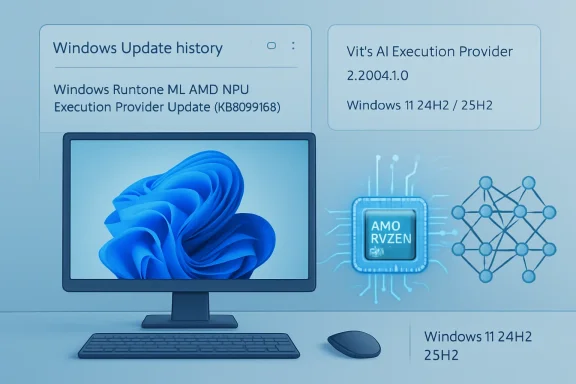
 KB5089169 Brings AMD Vitis AI Execution Provider Update 2.2604.1.0 to Windows 11 24H2 and 25H2
Microsoft has published KB5089169, an update for the AMD Vitis AI Execution Provider component on supported Windows 11 systems. The update is listed as AMD Vitis AI Execution Provider update version 2.2604.1.0 and applies to Windows 11, version 24H2 and Windows 11, version 25H2, across all editions. Microsoft identifies the installed entry in Windows Update history as Windows Runtime ML AMD NPU Execution Provider Update (KB5089169). citeturn3view0At first glance, this may look like a niche driver-style update, but it is part of a much larger shift in Windows. Microsoft is increasingly treating local AI capability as a platform feature rather than something every application has to bundle, install, and maintain on its own. KB5089169 updates one of the hardware-specific components that helps Windows and ONNX Runtime route compatible AI workloads to AMD acceleration hardware, especially AMD Ryzen AI systems with NPUs. citeturn1view4turn1view1
What KB5089169 Updates
KB5089169 updates the AMD Vitis AI Execution Provider, an execution provider used with ONNX Runtime and Windows machine-learning scenarios to enable hardware-accelerated AI inference on AMD platforms. Microsoft describes Vitis AI as AMD’s development stack for hardware-accelerated AI inference, targeting AMD platforms such as Ryzen AI, AMD Adaptable SoCs, and Alveo Data Center Acceleration Cards. citeturn3view0turn1view4The update includes improvements to the AMD Vitis AI Execution Provider AI component for Windows 11 version 24H2 and Windows 11 version 25H2. Microsoft’s support page does not list a long public changelog of individual fixes, performance adjustments, or model compatibility changes. Instead, it frames KB5089169 as a component update that refreshes the AMD Vitis AI Execution Provider package used by Windows Runtime ML and ONNX Runtime-based workflows. citeturn3view0
The update also replaces KB5079258, which was a previous AMD Vitis AI Execution Provider update. That replacement detail is useful for administrators and technically inclined users because it clarifies that KB5089169 is not an unrelated optional add-on; it supersedes an earlier component update in the same servicing lane. citeturn3view0
Installation and Requirements
Microsoft says KB5089169 is downloaded and installed automatically through Windows Update. Users do not need to manually download the update from the Microsoft Update Catalog, and Microsoft does not present it as a user-installed driver package. The main prerequisite is that the device must already have the latest cumulative update installed for Windows 11 version 24H2 or Windows 11 version 25H2. citeturn3view0To check whether the update is installed, users can go to:
Settings > Windows Update > Update history
After installation, the update should appear as:
Windows Runtime ML AMD NPU Execution Provider Update (KB5089169)
That naming is important because the visible entry in Windows Update history may not exactly match the full title of the Microsoft Support article. Users looking for “AMD Vitis AI Execution Provider” may instead see the Windows Runtime ML AMD NPU label. citeturn3view0
Why Execution Providers Matter
An execution provider, often shortened to EP, is a bridge between a machine-learning runtime and a specific hardware or software acceleration backend. ONNX Runtime uses execution providers to decide how a model’s operations should run on the available hardware. Instead of every application needing custom code for every CPU, GPU, or NPU, ONNX Runtime can use execution providers to route compatible operations to optimized backends.ONNX Runtime describes execution providers as a mechanism that lets the runtime work with different hardware acceleration libraries and execute ONNX models efficiently on the target platform. The CPU provider can act as a general fallback, while hardware-specific providers can accelerate compatible portions of a model on GPUs, NPUs, or other accelerators. citeturn0search3turn1view1
The AMD Vitis AI Execution Provider is one such provider. On AMD Ryzen AI platforms, it enables ONNX Runtime and Windows machine-learning workloads to make use of AMD’s NPU path where supported. For users, this can mean more efficient local AI inference. For developers, it means they can target ONNX Runtime and Windows ML without having to ship every hardware vendor’s acceleration stack directly inside their application. citeturn1view1turn1view3
How This Fits Into Windows ML
KB5089169 is part of Microsoft’s broader Windows ML direction. Microsoft describes Windows ML as a unified local AI inferencing framework for Windows, powered by ONNX Runtime. It is designed to run AI models locally and accelerate inference across NPUs, GPUs, and CPUs through execution providers that Windows can manage and keep up to date. citeturn1view3turn1view4This is an important architectural change for the Windows AI ecosystem. Historically, application developers often bundled machine-learning runtimes and vendor-specific acceleration libraries themselves. That approach can work, but it creates duplicate copies, larger app packages, fragmented servicing, and inconsistent hardware enablement. Windows ML offers a system-managed path where applications can use a supported runtime and acquire compatible execution providers dynamically.
Microsoft’s documentation says Windows ML can allow apps to dynamically acquire the latest execution providers without carrying those EPs directly in the app package. It also emphasizes that some execution providers are dynamically downloaded, installed, shared system-wide, and automatically updated. KB5089169 is an example of this servicing model in action for the AMD Vitis AI Execution Provider. citeturn1view3
What AMD Vitis AI Does
AMD Vitis AI is AMD’s stack for accelerated AI inference. In the ONNX Runtime context, the Vitis AI Execution Provider supports AMD targets including Ryzen AI processors with NPUs on Windows, as well as certain AMD adaptive and embedded platforms on Linux. For Windows users, the most relevant target is the AMD64 Ryzen AI family, specifically AMD Ryzen processors that include NPUs. citeturn1view1In practical terms, Vitis AI helps compile and execute supported neural-network workloads on AMD acceleration hardware. AMD’s Ryzen AI documentation explains that Ryzen AI Software supports models saved in ONNX format and uses ONNX Runtime as the main mechanism to load, compile, and run models. Models can be loaded through an ONNX Runtime
InferenceSession using VitisAIExecutionProvider. citeturn1view2AMD’s documentation also explains that when a model is first loaded into an ONNX Runtime inference session, it may be compiled into a format required by the NPU. If a compiled version is already available in cache or through an EP context file, the model can avoid recompilation, reducing session creation time. citeturn1view2
Why This Matters for Ryzen AI PCs
The most obvious audience for KB5089169 is users and developers working with AMD Ryzen AI PCs. These systems include NPUs intended for efficient local AI processing. NPUs are designed for sustained inference workloads that can be more power-efficient than running everything on the CPU or GPU.That does not mean every AI workload will automatically become faster after installing KB5089169. Model format, operators, quantization, runtime configuration, application support, driver state, and hardware capability all matter. But execution provider updates are part of the software chain that allows compatible workloads to make better use of the available NPU hardware.
For ordinary users, this update is likely to be invisible unless an application depends on Windows ML, ONNX Runtime, or AI workloads that use the AMD NPU path. For developers and IT teams, however, the update is more significant because it changes the shared component version available on supported systems.
Local AI and the Move Away From Cloud-Only Inference
The rise of execution provider updates like KB5089169 reflects a larger trend: more AI workloads are moving onto the local device. Microsoft’s Windows ML documentation highlights benefits such as local execution, hardware acceleration, shared system components, and support for models from common ecosystems such as PyTorch, TensorFlow, scikit-learn, and others after conversion to ONNX. citeturn1view3Local inference can provide several benefits. It can reduce cloud dependency, improve responsiveness for certain tasks, support offline scenarios, and keep sensitive input data on the device. It can also reduce recurring inference costs for developers who would otherwise need to send every request to a remote service.
However, local AI depends on a reliable stack: models, runtime, execution providers, drivers, and silicon. KB5089169 updates one piece of that stack for AMD-supported acceleration scenarios.
What Users Should Expect
Most users should not expect a new app, new settings page, or new visible feature after KB5089169 installs. This is a background platform component update. Its purpose is to improve the AMD Vitis AI Execution Provider component used by Windows machine-learning workflows.If a user has a supported Windows 11 24H2 or 25H2 device and Windows Update is functioning normally, the update should arrive automatically. If it does not appear, the most likely explanations are that the system is not eligible, does not have the required cumulative update, has not been offered the component yet, or does not have the relevant AMD AI hardware/software path detected by Windows.
The update should not require manual action for most consumers. The most useful check is simply confirming that Windows Update history lists the KB entry after installation.
What Developers Should Know
Developers building ONNX Runtime or Windows ML applications should pay closer attention to KB5089169. If an app targets AMD Ryzen AI hardware through Windows-managed execution providers, the installed EP version can affect compatibility, initialization behavior, performance, diagnostics, caching, and model execution.Microsoft’s Windows ML execution provider APIs allow apps to find available providers, determine whether they are present or ready, download compatible providers if needed, and register them with ONNX Runtime. The documentation includes provider names such as
VitisAIExecutionProvider, OpenVINOExecutionProvider, QNNExecutionProvider, and NvTensorRtRtxExecutionProvider in production-style examples. citeturn1view3For AMD-specific workloads, AMD’s documentation shows the Vitis AI provider being used in an ONNX Runtime inference session. The basic Python pattern creates session options, defines Vitis AI provider options, and loads the ONNX model with
providers = ['VitisAIExecutionProvider']. citeturn1view2Developers should also remember that supported operators and model formats matter. AMD’s Ryzen AI documentation recommends ONNX opset 17 for models and notes that the Vitis AI EP can automatically partition an ONNX graph, sending supported subgraphs to the NPU and running remaining subgraphs on the CPU. This means partial acceleration is possible, but it also means performance depends on how much of the model maps well to the NPU. citeturn1view2
Model Compilation, Caching, and First-Run Behavior
One reason execution provider updates can matter is that NPU-backed inference often involves compilation. AMD’s documentation explains that when an ONNX model is first loaded into an ONNX Runtime inference session, it is compiled into the format required by the NPU. That compiled output can be stored in a cache directory or saved as an EP context file. citeturn1view2This means first-run behavior may be different from subsequent runs. The first initialization of a model can take longer because compilation has to occur. Later runs may be faster if the compiled result is reused. If the execution provider version changes, developers should be careful with assumptions around cache reuse. AMD’s documentation warns that Vitis AI EP cache directories should not be reused across different versions of the Vitis AI EP or across different NPU driver versions. citeturn1view2
That point is especially relevant after an update such as KB5089169. If an application manages its own cache directories, it should consider the EP and driver version as part of its cache invalidation strategy. Reusing stale compiled artifacts across EP updates can produce confusing behavior or reduce reliability.
INT8, BF16, and Hardware-Specific Optimization
AI acceleration is not only about choosing the right execution provider. Model precision and quantization also matter. The ONNX Runtime Vitis AI documentation notes support for input models quantized to INT8 or BF16 format, and AMD’s Ryzen AI documentation provides separate guidance for BF16 and INT8 models. citeturn1view1turn1view2For developers, this matters because the best-performing model on a Ryzen AI NPU may not be the same model originally trained in a desktop or cloud environment. Converting, quantizing, validating, and profiling models is often necessary. AMD’s documentation references options such as cache directories, target settings, compiler optimization levels, and provider-specific configuration.
KB5089169 does not replace that developer work. Instead, it updates the underlying AMD Vitis AI Execution Provider component that those workflows depend on when using the Windows-managed path.
Implications for IT Administrators
For IT administrators, KB5089169 is another example of Windows AI components becoming part of routine endpoint servicing. Organizations managing Windows 11 24H2 or 25H2 devices should treat these updates as platform component updates rather than traditional user-facing feature updates.The key administrative questions are:
- Which devices are eligible?
- Are the latest cumulative updates installed?
- Does update history show the expected KB entry?
- Are applications that depend on Windows ML or ONNX Runtime behaving as expected after the update?
- Are any developer-managed caches invalidated when the EP version changes?
- Are Windows Update policies delaying or blocking the component?
How to Verify Installation
The simplest verification method is through Settings:- Open Settings.
- Go to Windows Update.
- Select Update history.
- Look for Windows Runtime ML AMD NPU Execution Provider Update (KB5089169).
A common point of confusion is that Windows Update history may not display the full “AMD Vitis AI Execution Provider update version 2.2604.1.0” article title. Instead, Microsoft says the installed entry should use the Windows Runtime ML AMD NPU Execution Provider naming. citeturn3view0
Troubleshooting: Update Does Not Appear
If KB5089169 does not appear on a system, start with the basics. Confirm that the device is running Windows 11 version 24H2 or Windows 11 version 25H2. Then confirm that the latest cumulative update for that version is installed. Microsoft lists that cumulative update requirement explicitly. citeturn3view0Next, consider hardware eligibility. The AMD Vitis AI Execution Provider is relevant to AMD AI acceleration scenarios, especially Ryzen AI systems with NPUs. A device without the relevant AMD hardware path may not receive the same component update.
If the system is managed by an organization, update policies may also affect timing. Windows Update for Business, deferral policies, metered connections, device targeting, and enterprise update controls can all influence when a component appears. Microsoft’s KB page does not provide a standalone manual installer workflow, so administrators should investigate Windows Update servicing health first.
Troubleshooting: AI App Still Uses CPU
Installing KB5089169 does not guarantee that every AI app will use the AMD NPU. An application must be built to use ONNX Runtime or Windows ML in a way that registers and selects the appropriate execution provider. The model must also contain operators and data formats that can be accelerated by the provider.AMD’s documentation explains that the Vitis AI EP can partition an ONNX graph, running NPU-supported subgraphs on the NPU and remaining subgraphs on the CPU. That means CPU usage is not necessarily a sign of failure. It may simply mean parts of the model are unsupported by the NPU path. citeturn1view2
Developers should check provider registration, model compatibility, supported operators, logs, and any generated operator-assignment reports. Users should check whether the application actually advertises support for Ryzen AI or Windows ML acceleration.
Why the Replacement of KB5079258 Matters
The replacement detail is easy to overlook, but it matters for update tracking. KB5089169 replaces KB5079258, meaning it is the newer update in that AMD Vitis AI Execution Provider servicing path. citeturn3view0For administrators, that means compliance reports should focus on the newer KB where applicable rather than expecting both entries to remain relevant. For users, it means that installing KB5089169 should bring the system to the newer component level even if a previous Vitis AI EP update was already present.
For developers, the replacement may also signal a need to retest workloads that depend on EP behavior. Even when an update is described broadly as “improvements,” runtime component updates can affect initialization timing, model compilation, provider options, logging behavior, and compatibility edges.
The Bigger Picture: Windows as an AI Runtime Platform
KB5089169 is not just about AMD. It sits within a broader Windows AI component model that includes multiple hardware vendors and multiple execution providers. Microsoft’s Windows Execution Provider components page lists AMD MIGraphX, NVIDIA TensorRT-RTX, Intel OpenVINO, Qualcomm QNN, and AMD Vitis AI among the execution provider components used for ONNX Runtime and Windows machine-learning acceleration scenarios. citeturn1view4This multi-provider strategy is important because the Windows PC ecosystem is diverse. A single application might run on AMD, Intel, Qualcomm, or NVIDIA hardware. Rather than building a separate inference stack for every hardware combination, developers can target Windows ML and ONNX Runtime while using execution providers to reach hardware-specific acceleration paths.
That does not eliminate all complexity. Developers still need to test across hardware, validate models, and handle fallback paths. But it reduces the need to bundle every vendor SDK directly into every application.
Security, Stability, and Maintenance Considerations
AI execution providers are part of the local code path that loads, compiles, and runs machine-learning models. Keeping them updated matters for performance, reliability, compatibility, and platform maintenance. Even when an update is not described as a security update, it can still be important for system stability and application behavior.Because KB5089169 is delivered through Windows Update, Microsoft can service the component in a way that is consistent with the rest of Windows. This is preferable to a fragmented model where each app ships an outdated provider and users have multiple inconsistent copies of similar acceleration libraries on the same machine.
For enterprise environments, this also means AI component versions may become part of compatibility baselines. As more applications depend on local inference, administrators may need to track not only OS builds and GPU drivers, but also Windows ML runtime and execution provider versions.
Who Should Care Most About KB5089169?
For everyday users, KB5089169 is mostly a background improvement. If Windows Update installs it successfully and AI-enabled apps continue working, there is probably nothing else to do.For developers, KB5089169 is more important. Anyone building or testing ONNX Runtime, Windows ML, or Ryzen AI applications should note the updated AMD Vitis AI Execution Provider version and retest representative models. Pay special attention to first-run compilation, cache behavior, provider registration, and whether workloads fall back to CPU.
For IT administrators, the update is relevant to Windows 11 24H2 and 25H2 device servicing, especially in organizations deploying AI-capable AMD hardware. Administrators should verify that cumulative updates are current, update history reflects the expected KB, and business-critical AI workloads remain stable after deployment.
For hardware enthusiasts, KB5089169 is another sign that NPU support on Windows is becoming more mature and more integrated into the operating system’s update model.
Practical Checklist
For users:- Install the latest cumulative update for Windows 11 24H2 or 25H2.
- Let Windows Update install KB5089169 automatically.
- Check Update history for Windows Runtime ML AMD NPU Execution Provider Update (KB5089169).
- Do not expect a new app or visible feature after installation.
- Confirm that
VitisAIExecutionProvideris discovered and registered correctly. - Validate models after the EP update.
- Check whether cached compiled artifacts should be invalidated.
- Test CPU fallback behavior.
- Review model quantization and supported operator coverage.
- Avoid assuming that all ONNX workloads automatically run fully on the NPU.
- Track KB5089169 on eligible Windows 11 24H2 and 25H2 devices.
- Ensure cumulative updates are current.
- Monitor Windows Update policy effects.
- Retest applications that depend on local AI acceleration.
- Document the EP version as part of AI workstation baselines.
Bottom Line
KB5089169 updates the AMD Vitis AI Execution Provider to version 2.2604.1.0 for supported Windows 11 24H2 and 25H2 systems. It is delivered automatically through Windows Update, requires the latest cumulative update for the installed Windows version, and replaces KB5079258. The update should appear in Windows Update history as Windows Runtime ML AMD NPU Execution Provider Update (KB5089169). citeturn3view0While the update may be invisible to most users, it is an important component-level refresh for AMD AI acceleration on Windows. It supports Microsoft’s broader strategy of making Windows a managed local AI runtime platform, where ONNX Runtime and Windows ML can use system-maintained execution providers to accelerate models on CPUs, GPUs, and NPUs. For AMD Ryzen AI systems, KB5089169 helps keep the Vitis AI acceleration path current and ready for applications that depend on local AI inference.
Source: Microsoft Support KB5089169: AMD Vitis AI Execution Provider update (version 2.2604.1.0) - Microsoft Support
