

A critical remote-code and information‑exposure risk has been disclosed in the software keyboard (“keypad”) function used by ICONICS GENESIS64, ICONICS Suite, MobileHMI and Mitsubishi Electric’s MC Works64 — a flaw that can allow an attacker to force execution of arbitrary EXE files when a legitimate user interacts with the keypad UI. The vulnerability, documented across CISA and vendor advisories, can lead to denial‑of‑service, information disclosure, or information tampering on Windows hosts running affected HMI/SCADA and engineering tools, and demands immediate attention from system owners, Windows administrators, and OT/IT security teams.
ICONICS GENESIS64 and related products provide Windows‑based Human‑Machine Interface (HMI) and SCADA visualization for industrial environments, and are commonly deployed on engineering workstations and operator consoles. Mitsubishi Electric distributes MC Works64 and has incorporated ICONICS tooling into parts of its product line; that product relationship has resulted in overlapping advisories and shared vulnerability impacts. The advisory cluster includes uncontrolled search path elements, incorrect default permissions, DLL hijacking vectors, and a more specific keypad function issue that enables execution of arbitrary EXEs by tampering with keypad configuration files. Two independent government and vendor sources list the problem set and remediation guidance: the Cybersecurity and Infrastructure Security Agency (CISA) published consolidated ICS advisories naming ICONICS and Mitsubishi Electric products, and Mitsubishi Electric’s own PSIRT and vulnerability pages describe affected versions, the nature of the flaw, and the vendor’s recommended actions. These public advisories establish the core facts used in the analysis below.
Remediation pathways exist and are straightforward for organizations running supported ICONICS builds: apply the GENESIS64 v10.97.3 rollup or move to GENESIS v11 and follow the vendor’s security whitepaper. For MC Works64 users the reality is harsher: vendor guidance points to migration rather than patching, meaning organizations must invest in migration or implement robust compensating controls quickly. Priorities for Windows administrators should be clear:
Source: CISA Mitsubishi Electric Iconics Digital Solutions and Mitsubishi Electrics Products | CISA
 Background
ICONICS GENESIS64 and related products provide Windows‑based Human‑Machine Interface (HMI) and SCADA visualization for industrial environments, and are commonly deployed on engineering workstations and operator consoles. Mitsubishi Electric distributes MC Works64 and has incorporated ICONICS tooling into parts of its product line; that product relationship has resulted in overlapping advisories and shared vulnerability impacts. The advisory cluster includes uncontrolled search path elements, incorrect default permissions, DLL hijacking vectors, and a more specific keypad function issue that enables execution of arbitrary EXEs by tampering with keypad configuration files. Two independent government and vendor sources list the problem set and remediation guidance: the Cybersecurity and Infrastructure Security Agency (CISA) published consolidated ICS advisories naming ICONICS and Mitsubishi Electric products, and Mitsubishi Electric’s own PSIRT and vulnerability pages describe affected versions, the nature of the flaw, and the vendor’s recommended actions. These public advisories establish the core facts used in the analysis below. What the vulnerability actually is
The keypad function abuse: how arbitrary EXE execution becomes possible
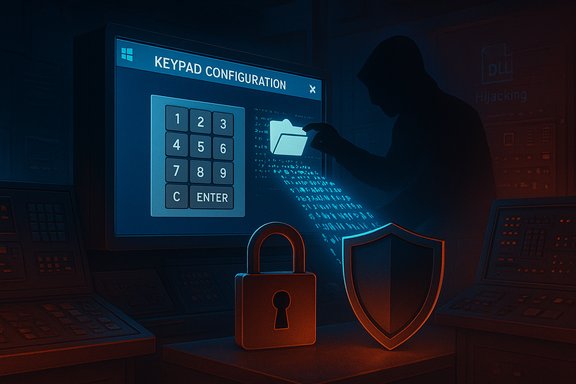
- The vulnerable component is a software keyboard (keypad) function used within HMI screens. That function reads configuration files for keypad behavior and, due to insecure handling of those configuration files and path elements, an attacker who can modify or replace the configuration file can cause the HMI to launch arbitrary executable files (EXE) on the Windows host when a legitimate user triggers the keypad. This sequence converts a seemingly low‑privilege file tampering into full code execution on the host.
- Practically, an attacker does not necessarily need network‑level remote code execution privileges to exploit this weakness: the attack path frequently involves either weak file permissions (allowing local tampering) or tricking a legitimate user into interacting with a manipulated keypad UI. Where network shares, remote file systems, or insufficiently restricted ProgramData folders are present, remote or lateral attackers can reach configuration files without privileged credentials. Mitsubishi Electric’s advisory explicitly flags incorrect default permissions and file‑permission misconfigurations as a root cause in related findings.
Consequences and failure modes
- Arbitrary code execution: a malicious EXE launched in the context of the HMI process can run with the privileges of the logged‑on user or service account, enabling file tampering, data exfiltration, or lateral movement.
- Information disclosure: project files, HMI logs, historians, and configuration data stored on Windows hosts may be readable or transferable by the attacker.
- Data tampering: an attacker who obtains file‑system access can alter graphics, control sequences, alarm logic, or application settings with safety and operational impact.
- Denial of Service: execution of payloads that crash HMI processes, delete critical files, or otherwise interrupt operations can produce DoS conditions for operator consoles. These outcomes are consistent with advisory risk assessments.
Affected products and versions (practical inventory)
Confirmed affected families
- ICONICS Suite products including GENESIS64, Hyper Historian, AnalytiX, and MobileHMI in multiple version ranges; specific vulnerabilities and CVE identifiers cover distinct components (search path issues, DLL hijacking, incorrect permissions). Advisories repeatedly call out GENESIS64 versions up to 10.97.3 as affected in the earlier advisories.
- Mitsubishi Electric MC Works64: multiple advisories list MC Works64 as affected across all or most versions; crucially, the vendor states there are no plans to release a fixed MC Works64 build and instead recommends migration to GENESIS64 where fixes are available. This has immediate operational implications for organizations still using MC Works64.
Patch and version guidance from vendors
- ICONICS and Mitsubishi Electric recommend upgrading to GENESIS64 v10.97.3 (Critical Fixes Rollup) or later — or moving to GENESIS v11 — to obtain fixes accounting for the keypad and related issues. The vendor has published a “10973 critical fixes rollup” for 10.97.3 that contains these mitigations. Where applicable the vendors provide specific rollup identifiers and installation guidance on customer portals; note that some update pages require authenticated vendor community access.
- For MC Works64 users, the vendor message is blunt: there will be no fixed version of MC Works64 for this problem; affected users are urged to migrate to the fixed GENESIS64 releases instead. This means a patching strategy for MC Works64 users will frequently involve migration planning rather than in‑place patch rollouts.
Vendor response and official remediation steps
What the vendors say
- ICONICS’ public guidance and the patch rollups address the root causes for the keypad and path‑hijacking vectors; the 10.97.3 series contains updates intended to close uncontrolled search path and configuration‑file handling problems. The vendor released the 10.97.3 critical fixes rollup and documented mitigation steps in its whitepaper on security vulnerabilities.
- Mitsubishi Electric’s FA (Factory Automation) security pages mirror CISA’s advisory detail, list affected software strings, confirm CVE assignments, and provide corrective recommendations including upgrading to the fixed ICONICS builds. Their vulnerability page and PSIRT postings explicitly note changes to recommended countermeasures and the lack of a fix for MC Works64.
Availability and distribution
- Fixed installers and cumulative patches for GENESIS64 are distributed through ICONICS’ customer portal; some organizations will require vendor credentials to download rollups (this is standard for industrial vendors with licensed software). The vendor also provides an updated GenBroker32 as a separate download to avoid installing older, vulnerable broker components included in legacy installers.
Why this matters for Windows admins and OT/IT teams
Engineering hosts are high‑value targets
Engineering and HMI workstations are often Windows machines holding project files, credentials, and network access to PLCs and OT devices. Compromise of a single HMI can enable:- credential theft,
- manipulation of PLC configurations,
- injection of malicious control sequences,
- and pivoting into corporate networks.
The attack surface: common misconfigurations
- Incorrect default permissions on ProgramData or application folders (e.g., c:\ProgramData\ICONICS set to include Everyone) are repeatedly cited as enabling conditions in vendor advisories. Removing permissive ACL entries and locking down those directories is a fast, high‑impact mitigation while patches are staged.
- Network exposure: many organizations expose engineering hosts or HMI front‑ends via VPNs, remote desktop, or poorly segmented networks. Where remote logins or shared storage permit file writes, the keypad config tampering vector becomes practical even without direct local access. CISA and vendors both urge network isolation and firewalling as compensating controls.
Practical mitigation checklist — immediate and medium-term steps
Apply the following prioritized actions now to reduce exposure on Windows hosts and ICS networks.- Patch and upgrade (where possible)
- Upgrade GENESIS64 to v10.97.3 or later — apply the vendor “10973 Critical Fixes Rollup” for 10.97.3 or move to GENESIS v11 when feasible. These builds include fixes for keypad and related DLL/path issues.
- For MC Works64 users
- Plan migration: because no fixed MC Works64 version will be released for this issue, develop an immediate migration/upgrade plan to GENESIS64 (or other supported products) and prioritize systems with external exposure. Confirm the migration path in parallel with vendor support.
- Harden file permissions
- Verify and remove overly permissive ACL entries (e.g., “Everyone”) from c:\ProgramData\ICONICS and similar install/config directories. Ensure only required service accounts and administrators have modify/execute rights.
- Network isolation and access control
- Operate affected PCs within an isolated LAN, block remote desktop and RDP access from untrusted networks, restrict VPN connections to strongly authenticated, audited users, and apply host‑based firewalls to limit access to required hosts only. CISA and the vendor advise network segmentation as a primary mitigation.
- Restrict physical access and removable media
- Prevent unauthorized local access to engineering workstations; scan and control USB and removable media. Physical access enables simple file tampering that can be converted into code execution when combined with the keypad vulnerability.
- Increase monitoring and endpoint protections
- Deploy and update anti‑malware on Windows hosts; enable application control (AppLocker/WDAC) where feasible to prevent unexpected EXEs from running even if launched. Configure EDR to alert on unusual process execution from HMI processes and on modifications to HMI project/configuration files.
- User awareness and operational procedures
- Train operators not to open untrusted attachments or follow odd links, and apply the principle of least privilege to user accounts used for engineering and HMI operations. Social engineering remains a viable escalation vector for this class of exploit.
- If immediate patching is not possible — temporary compensations
- Remove or replace the vulnerable keypad component from screens if operationally feasible.
- Enforce stricter network ACLs and deny writes to configuration directories via Group Policy or host firewall rules.
- Use application whitelisting to prevent execution of unapproved EXEs.
Detection, incident response and forensic considerations
- Look for indicators of compromise such as unexpected EXE launches initiated from HMI processes, creation or modification of keypad configuration files, or unusual user‑account activity on engineering stations.
- Preserve disk images and logs if compromise is suspected. Collect EDR alerts, Windows Event logs, application logs, and copies of keypad configuration files for analysis.
- If an HMI has been compromised, assume the attacker may have accessed PLC credentials and project files; follow containment → eradication → recovery with OT‑aware incident response steps including PLC validation and safety checks before putting devices back into production.
- Report suspected incidents to national ICS/OT reporting bodies and coordinate with vendor support for remediation and forensic assistance. CISA encourages reporting to their incident handling resources for ICS-related compromises.
Why some operators face a hard choice: MC Works64 end‑of‑fix posture
Mitsubishi Electric’s public advisories state there will be no plan to provide a fixed version of MC Works64 for these vulnerabilities, and instead recommend migration to GENESIS64 versions that are maintained and patched. For organizations that still run MC Works64, the options are:- implement strict compensating controls (network isolation, lock down permissions, remove network shares),
- accelerate migration projects — which can be time‑consuming and operationally costly,
- or accept residual risk where neither control nor migration is feasible in the short term. This vendor posture changes the calculus for long‑term maintenance and risk management of HMI/engineering environments.
Independent verification and cross‑checks
Key claims in vendor advisories and CISA pages have been cross‑checked against independent vulnerability databases and third‑party analysis:- The CISA advisory listing ICONICS and Mitsubishi Electric products, and the overall risk classification, aligns with the vendor PSIRT content and patch guidance.
- National vulnerability records (NVD/CVE entries) and security community summaries identify the same classes of weaknesses (DLL/uncontrolled search path, incorrect permissions, LNK/shortcut following and keypad configuration abuse) and assign CVEs consistent with the public advisories. Where NVD entries exist for specific CVEs linked to GENESIS64 and MC Works64, the technical descriptions corroborate vendor statements about attack vectors and potential impacts.
Strengths in the vendor response — and where risk remains
Notable strengths
- Prompt public disclosure and coordination: CISA, ICONICS and Mitsubishi Electric published advisories, CVE assignments, and patch guidance. That coordinated disclosure helps defenders identify and prioritize remediation.
- Patches and rollups for GENESIS64: ICONICS provided cumulative fixes (10.97.3 and rollups) designed to address the primary technical issues across multiple components, and published mitigation guidance in an updated whitepaper.
Remaining risks and friction points
- MC Works64 non‑fix posture: the lack of a fixed MC Works64 release places a heavy burden on users who must either migrate or rely on compensating controls — both costly and operationally disruptive.
- Patch distribution access: some updates require vendor portal access or are licensed downloads; organizations without active vendor support agreements may face delays acquiring and validating patches. This creates a practical window of exposure.
- Human factors and legacy deployments: engineering workstations frequently run legacy software and require compatibility with production‑line dependencies; full upgrades can be nontrivial and force operators into temporary risk exposures while migration plans execute. Community posts and ICS forums show operators grappling with these tradeoffs.
Actionable timeline for Windows administrators (recommended sequence)
- Immediately verify whether the environment runs any of the affected product versions. Capture exact build strings from installed applications and file timestamps.
- If GENESIS64 v10.97.3 or earlier is present, schedule installation of the 10.97.3 CFR rollup or upgrade to GENESIS v11 after testing in a lab environment.
- For MC Works64 systems, accelerate migration planning and apply strict compensating controls in the interim.
- Implement the permission hardening and network segmentation measures described above.
- Deploy or verify EDR and application‑control policies on engineering hosts to detect and block unauthorized EXE runs.
- Document changes, notify operational stakeholders, and run acceptance tests ensuring HMI functionality remains intact after changes.
- Reassess and update disaster‑recovery and incident response plans to account for HMI compromise scenarios.
Closing analysis and final recommendations
The keypad/configuration file weakness in ICONICS GENESIS64 and Mitsubishi Electric MC Works64 represents a serious, actionable risk for Windows‑based HMI and engineering hosts. The vulnerability is notable because it transforms modest file‑system or configuration tampering into the execution of arbitrary EXE code — a powerful escalation vector in OT environments where operator consoles and engineering workstations are trusted and privileged nodes.Remediation pathways exist and are straightforward for organizations running supported ICONICS builds: apply the GENESIS64 v10.97.3 rollup or move to GENESIS v11 and follow the vendor’s security whitepaper. For MC Works64 users the reality is harsher: vendor guidance points to migration rather than patching, meaning organizations must invest in migration or implement robust compensating controls quickly. Priorities for Windows administrators should be clear:
- Inventory and patch where possible,
- Lock down file permissions (especially c:\ProgramData\ICONICS),
- Isolate HMI and engineering hosts from untrusted networks,
- Deploy endpoint controls to block unauthorized EXEs.
Source: CISA Mitsubishi Electric Iconics Digital Solutions and Mitsubishi Electrics Products | CISA
