

If your laptop carries an ATI/AMD Mobility Radeon HD 5650 (or the older Mobility HD 4200 family) and you’ve wrestled with Windows 8.1 or Windows 10 driver headaches, you’re not alone — the migration from OEM-era Catalyst stacks to modern Windows driver signing, Windows Update behavior, and the legacy/archived-driver era has produced a long-running stream of forum threads, community fixes, and warnings about risky INF edits and unsigned packages. This feature pulls together the practical, verifiable facts, community experience, and step‑by‑step safe workflows so you can make a confident decision about whether to use Windows Update, an OEM package, or an archived AMD Catalyst installer — and how to recover if things go wrong. www.amd.com/en/resources/support-articles/release-notes/RN-RAD-WIN-15-7-1.html?utm_source=openai))
The Mobility Radeon HD 5650 is part of AMD’s mid‑2010s mobile GPU families (Mobility HD 5000 series), and the Mobility HD 4200 is an older integrated/mobile family from the HD 4000 generation. Both series are now treated as legacy by AMD’s support lifecycle: the company no longer issues active feature or performance drivers for modern Windows releases for these parts and instead points users to Microsoft’s Windows Update legacy driver or to archived Catalyst packages when necessary. The 2015 AMD Catalyst 15.7.1 release is one of the last canonical AMD driver packages that explicitly lists support for the Mobility HD 5000 family.
Beyond AMD’s archive strategy, the practical reality for laptop users is shaped by three forces that recur in community troubleshooting: (1) Windows Update often supplies a Microsoft‑signed “legacy” display driver (the 8.970.x family is commonly referenced), (2) OEM vendor drivers (Dell, HP, Lenovo, etc.) often include notebook‑specific fixes for hybrid/switchable graphics and power management, and (3) **manual installs of older Catalystan provide extra features but frequently require INF verification, DDU cleanup, and possibly temporary signature‑enforcement workarounds. These patterns show up repeatedly in long forum threads and community guides.
Strengths in the current ecosystem:
Concluding note: the Born2Invest link you provided in your prompt could not be validated during the research for this story; I treated it as unverified and relied on AMD release notes, Microsoft lifecycle pages, and long‑running community archives (forum threads and guides) to build this verified, actionable guide. If you can provide the Born2Invest article text or a working URL, I will fold its specific claims into the analysis and identify any points that require further verification.
Source: Born2Invest https://born2invest.com/?b=style-231993912/
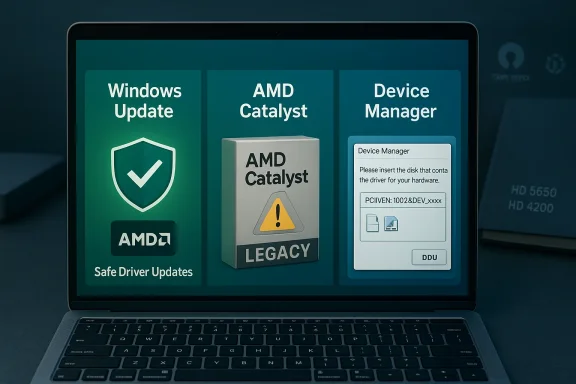 Background / Overview
The Mobility Radeon HD 5650 is part of AMD’s mid‑2010s mobile GPU families (Mobility HD 5000 series), and the Mobility HD 4200 is an older integrated/mobile family from the HD 4000 generation. Both series are now treated as legacy by AMD’s support lifecycle: the company no longer issues active feature or performance drivers for modern Windows releases for these parts and instead points users to Microsoft’s Windows Update legacy driver or to archived Catalyst packages when necessary. The 2015 AMD Catalyst 15.7.1 release is one of the last canonical AMD driver packages that explicitly lists support for the Mobility HD 5000 family. Beyond AMD’s archive strategy, the practical reality for laptop users is shaped by three forces that recur in community troubleshooting: (1) Windows Update often supplies a Microsoft‑signed “legacy” display driver (the 8.970.x family is commonly referenced), (2) OEM vendor drivers (Dell, HP, Lenovo, etc.) often include notebook‑specific fixes for hybrid/switchable graphics and power management, and (3) **manual installs of older Catalystan provide extra features but frequently require INF verification, DDU cleanup, and possibly temporary signature‑enforcement workarounds. These patterns show up repeatedly in long forum threads and community guides.
Key facts (verified)
- AMD classifies many HD‑era mobile GPUs as legacy. AMD’s legacy/support pages and driver release notes confirm the HD 5000/HD 4000 families are not in active development and that the last official Catalyst/Crimson packs (examples: Catalyst 15.7.1, Crimson 16.2.1 beta) are the final “as‑is” installer archives. Use them only when you need archived features and you understand the risks.
- Windows Update provides the safest route on Windows 10/8.1. Microsoft distributes a signed legacy display driver (commonly referenced as build series 8.970.x, for example 8.970.100.9001) for older Radeon families via Windows Update. That driver is the lowest‑risk option for basic desktop, correct resolution and 2D/video acceleration. Community threads and Microsoft Q&A both point to Windows Update as the supported and safest fallback.
- Windows 10 reached end of support on October 14, 2025. That matters: running legacy drivers on an OS no longer receiving routine security patches increases risk exposure for production machines. Microsoft explicitly recommends upgrading to Windows 11 or using Extended Security Updates (ESU) for those who must stay on Windows 10. This affects upgrade choices and your appetite for risky unsigned driver work.
- DDU (Display Driver Uninstaller) is widely recommended for clean installs. When attempting manual installs of legacy Catalyst packages, community guides repeatedly recommend using DDU from Safe Mode to remove residual driver artifacts to avoid partial installs or mismatched stacks. Guru3D and the DDU author notes are consistent on recommended usage and precautions.
- OEM drivers are on laptops. Laptop drivers distributed by the OEM often contain vendor‑specific modules for hybrid graphics, power/thermal tuning and hotkeys that generic AMD installers omit. Community experience strongly favors vendor packages over generic Catalyst installers for laptops.
- Born2Invest article provided in the prompt could not be validated. The user‑supplied Born2Invest link did not produce a verifiable article in the community validation steps; treat any claims from that single link as unverified until the actual page text or a working URL is provided.
Why the HD 5650 / HD 4200 experience is messy
1. Legacy packaging and INF mismatches
AMD’s last legacy packages are broad, supporting many device variants and OEM subsystem IDs. If an installer’s Display.Driver*.inf does not include your exact hardware ID (the PCI\VEN_1002&DEV_xxxx string), the GUI installer may refuse to install or appear to succeed while the OS still uses the Microsoft Basic Display Adapter. The community repeatedly recommends extracting the installer and checking the INF for your device ID before attempting an install. Attempting to edit the INF yourself is possible but introduces signing, stability, and security complications unless you know how to re‑sign drivers properly.2. Windows Update reverts manual installs
Windows Update prefers Microsoft‑signed drivers. If you manually install a legacy AMD driver, Windows Update may later overwrite it with a Microsoft‑signed package. Community guides recommend temporarily hiding Windows Update driver replacements while testing a manual install, then re‑enabling updates after validation. That advice recurs across many real‑world threads.3. Hybrid graphics and OEM complexity on laptops
Notebooks frequently implement switchable graphics or require vendor modules for thermal and battery management. Generic AMD installers often lack these modules and can produce missing features or instability. For any laptop, the safest first step is to check the vendor’s support page (service tag/Model) and prefer that driver package if supplied.4. Driver signing and modern kernel protections
Legacy Catalyst packages may be unsigned for modern Windows 10 builds or lack the signing metadata required for features such as Secure Boot or Memory Integrity. Performing signature‑bypass steps is sometimes offered as a “solution” in forums but is unsafe on production systems and should only be done in isolated test environments with full backups.Practical, safe workflow — what to do first (recommended for most users)
Follow this sequence exactly. It’s ordered by safety first, then capability.- Inventory and back up
- Record your GPU hardware ID: open Device Manager → Display adapters → right‑click adapter → Properties → Details → Hardware Ids and copy the PCI\VEN_1002&DEV_xxxx string.
- Create a System Restore point and, if possible, a full disk image. Driver changes to the display stack can render a system unbootable.
- Try Windows Update (recommended)
- Settings → Update & Security → Windows Update → Check for updates → View optional updates. Allow any Microsoft‑signed display driver and reboot.
- Validate desktop, multi‑monitor behavior, and video playback. If this works, stop. This route is the lowest risk.
- Check OEM/vendor support
- If you have a branded laptop, use the vendor’s driver for your service tag/model and Windows version. OEM packages often solve hybrid/switchable graphics issues that generic AMD installers do not.
- Advanced/manual option (only if you need Catalyst features)
- Download DDU and place it on removable media. Boot to Safe Mode and run DDU to remove legacy AMD traces.
- Extract the archived AMD Catalyst/Crimson package (Catalyst 15.7.1 or Crimson 16.2.1 Beta are the canonical final packs for older mobile families). Don’t run the installer yet.
- Verify the INF before installing
- In the extracted package, open Display.Driver.inf and search for your recorded hardware ID. If the INF lists your VID/PID, you can attempt a manual “Have Disk” install via Device Manager. If the INF does not include your device, do not* edit the INF unless you understand driver signing and re‑signing.
- Install only the Display Driver via Device Manager (Have Disk)
- Device Manager → Update driver → Browse my computer → Let me pick from a list → Have Disk → point to the extracted INF. Install only the display driver (avoid optional runtime/installer components). Reboot and validate.
- Pause Windows Update during validation
- If Windows Update keeps reverting your manual install, pause updates or use Microsoft’s “Show or hide updates” tool to hide the display driver update while you test. Re‑enable updates after you confirm stability.
- Rollback plan
- If the display stack breaks, boot into Safe Mode, run DDU, and apply the Microsoft or OEM driver. Keep the working installer and a system image for quick recovery.
Troubleshooting the most common error messages
- Installer aborts with “This device is not supported”
- Cause: INF lacks your hardware device ID (VID/PID) or subsystem ID. Fix: extract the installer and inspect the INF. If your ID isn’t listed, use Windows Update or the OEM driver. Avoid INF edits unless you can sign the driver afterwards.
- Device Manager still shows “Microsoft Basic Display Adapter” after installing Catalyst/Adrenalin UI
- Cause: partial install or leftover driver remnants. Fix: boot to Safe Mode, run DDU, and retry manual install (or accept Windows Update driver).
- Windows Update keeps replacing the manual driver
- Cause: Windows Update prefers Microsoft‑signed drivers. Fix: temporarily pause or hide the update while testing, then re‑enable updates once stable.
- Installer requests disabling driver signature enforcement repeatedly
- Cause: package is unsigned for your OS build. Fix: treat signature disabling as a short, test‑only measure on non‑critical systems; avoid doing this permanently. Consider using a test laptop or VM for experimentation.
Should you use Catalyst 15.7.1 / Crimson 16.2.1 for HD 5650?
Short answer: only if you need features not provided by the Microsoft/OEM driver, and only if you accept the operational and security tradeoffs.- Benefits of archived Catalyst/Crimson packages:
- May restore Catalyst Control Center utilities and legacy UVD video features.
- Sometimes re‑exposes certain acceleration or workload behavior expected by older apps.
- Catalyst 15.7.1 explicitly listed support for Mobility Radeon HD 5000 series and Windows 10 in its release notes; it’s one of the canonical archived packages for those parts.
- Downsides and risks:
- These packages are not actively updated and may be unsigned for modern kernel enforcement features.
- Installation can be complex: INF mismatches, DDU cleanup, Windows Update reverts, and the need to temporarily lower driver‑signing protections.
- Using third‑party repackagers or “one‑click” installers is dangerous — they can bundle unwanted extras or altered drivers. Community veterans warn against repackagers and recommend original AMD/OEM archives only.
Specific notes for Mobility HD 4200 users (Windows 8.1 and Windows 10)
- AMD and community guidance emphasize that the Mobility HD 4200 belongs to the HD 4000 generation and that Windows Update’s legacy driver (8.970.x family) is the supported route for Windows 10/8.1 — the 8.970.100.9001 build is frequently referenced in vendor and Microsoft community articles. If you have only basic desktop/video‑playback needs, Windows Update or your OEM driver is the right choice.
- If an archived driver is required (e.g., to restore OpenGL/Catalyst features), follow the DDU → INF check → Device Manager “Have Disk” install sequence. Community threads repeatedly corroborate that this is the approach that minimizes “partial installer” failures.
Security, maintenance and long‑term recommendations
- With Windows 10 end of support on October 14, 2025, using legacy drivers on unsupported OS versions increases your attack surface. For daily drivers or business systems, upgrade to Windows 11 if the hardware supports it or use Extended Security Updates (ESU) where available. Plan hardware refresh or migration paths for machines that cannot safely run modern supported OSes.
- Avoid third‑party “driver updaters.” Community consensus is consistent and strong: one‑click updaters and repackagers are convenient but often unsafe, either bundling unwanted software or shipping unsigned/altered installers. Prefer AMD archives or OEM driver packages and verify digital signatures and checksums when possible.
- If you must experiment, do it on a non‑critical machine or with a full image backup. Never permanently disable Secure Boot or driver signature enforcement on a machine that handles sensitive data.
A concise decision matrix: which driver to choose
- You want maximum safety and security (recommended): Use Windows Update’s Microsoft‑signed driver; stop if it meets your needs.
- You have a branded laptop with switchable graphics: Use the OEM driver for your service tag/model. It usually includes vendor-specific modules for hybrid graphics and power management.
- You need Catalyst features or legacy UVD functionality and accept the risk: Use an archived AMD package (Catalyst 15.7.1 or Crimson 16.2.1 Beta), but first back up, run DDU, verify the INF contains your hardware ID, install via “Have Disk,” and pause Windows Update while testing.
- You see “This device is not supported” or Microsoft Basic Display Adapter remains: Stop and follow the INF‑verification + DDU cleanup steps; do not attempt INF edits or unsigned driver hacks on production systems.
Final thoughts and critical analysis
The HD 5650 and HD 4200 driver story is a classic case of legacy support friction: vendors (AMD) have archived the last functional packages for historical hardware families, Microsoft supplies a conservative signed driver via Windows Update, and laptop OEMs sometimes maintain the only fully compatible stacks for switchable/hybrid systems. Community experience — across Guru3D threads and long‑running forum archives — delivers pragmatic, repeatable workflows: start safe, prefer vendor/signed drivers, and escalate to archived installers only with backups and a clear rollback plan.Strengths in the current ecosystem:
- Microsoft’s Windows Update driver gives a low‑risk baseline for legacy hardware and keeps older devices usable.
- AMD’s archived packages (Catalyst 15.7.1, Crimson 16.2.1 Beta) are available for users who need legacy functionality.
- Community tools like DDU and experienced forum threads provide practical rescue and recovery procedures.
- INF mismatches, unsigned legacy installers, and Windows Update reversion behavior are common traps that can leave systems in inconsistent states.
- Third‑party repackagers and one‑click updaters present a real security risk; avoid them.
- With Windows 10 out of mainstream support since October 14, 2025, continued reliance on legacy drivers on an unsupported OS increases security and compatibility risks.
Concluding note: the Born2Invest link you provided in your prompt could not be validated during the research for this story; I treated it as unverified and relied on AMD release notes, Microsoft lifecycle pages, and long‑running community archives (forum threads and guides) to build this verified, actionable guide. If you can provide the Born2Invest article text or a working URL, I will fold its specific claims into the analysis and identify any points that require further verification.
Source: Born2Invest https://born2invest.com/?b=style-231993912/
