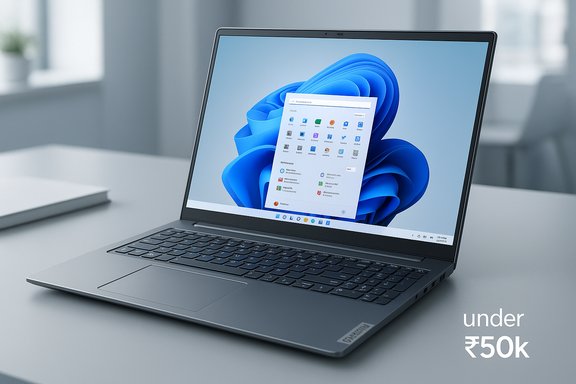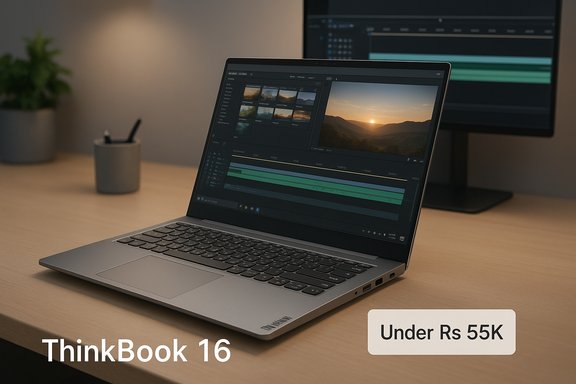
The Lenovo ThinkBook 16 that shows up in budget roundups — listed at roughly Rs. 47,900 in a recent Techlusive gallery of “8 Laptops Under Rs 55,000 That Can Handle Gaming, Editing & Work Like a Beast” — is a surprisingly capable 16‑inch, thin‑and‑light machine built around AMD’s Ryzen 5 7535HS and formatted as a value‑centric productivity laptop.
Background / Overview
Lenovo’s ThinkBook line sits between the consumer IdeaPad family and the classic ThinkPad business machines, trading some of the latter’s premium materials and keyboard legacy for a sleeker, price‑aware design aimed at professionals, students, and creators who want more screen and more cores without a corporate price tag.The ThinkBook 16 SKU circulating at this price point bundles a 16‑inch WUXGA (1920×1200) IPS panel rated at 300 nits, AMD Ryzen 5 7535HS, 16 GB RAM (or 8 GB SKUs in some listings), 512 GB NVMe SSD, and Windows 11 Home with Office 2024 preinstalled on many retail bundles. It also includes modern comforts — a backlit keyboard, a fingerprint sensor, and a thin aluminum top cover — while tipping the scales at about 1.7 kg, making it a large but still portable chassis. These attributes are reflected in retail and aggregator listings as well as the original Techlusive gallery.
What Lenovo ships in this price bucket: core specs and what they mean
Processor: AMD Ryzen 5 7535HS — balanced performance
- The Ryzen 5 7535HS is a 6‑core / 12‑thread mobile APU built on Zen 3+ (“Rembrandt‑R”) silicon, with a base frequency around 3.3 GHz and boosts up to ~4.55 GHz depending on thermal headroom. It targets a configurable TDP in the 35–54 W range, making it a stronger performer than low‑power U‑class chips while remaining more efficient than heavier H‑class silicon in thicker gaming rigs.
- In practical terms this means responsive multi‑threaded performance for editing projects, fast compiling and rendering for moderate workloads, and acceptable integrated‑GPU gaming at lowered settings for many eSports and older 3D titles. For mixed work — browser tabs, Office suites, video editing apps like DaVinci Resolve or Premiere for light timelines — the 7535HS is a sensible choice in the mid‑range segment.
Memory and storage
- Many retail SKUs show 16 GB DDR5 (some earlier or discounted SKUs list 8 GB) and a 512 GB NVMe SSD. The Amazon listing for the popular SKU explicitly shows 16 GB DDR5 and notes upgradeability up to 64 GB on compatible boards, a valuable capability for futureproofing.
- For most users, 16 GB + NVMe is the sweet spot here: fast OS responsiveness, efficient multitasking, and comfortable workspace for browser tabs, virtual meetings, and light content creation. If you’re a regular multi‑layer video editor or run virtual machines, plan a purchase that either has 16 GB soldered + SO‑DIMM slot or a 16 GB dual‑channel configuration you can expand later.
Display: 16" WUXGA IPS, 300 nits
- The 16‑inch WUXGA (1920×1200) panel gives a taller 16:10 feel that’s more productive than a 16:9 screen at the same diagonal. The listed 300 nits brightness is adequate for indoor work and most office lighting but is not a standout for bright outdoor use or color‑critical work — a higher nit rating or an OLED option would be preferable for photographers and serious color editors. Retail pages and the Amazon listing confirm the WUXGA/300‑nit spec.
Software and extras
- Many listings advertise Windows 11 Home preinstalled and Office 2024 bundled, which raises the immediate out‑of‑box productivity value for students and small businesses. The machine also includes a backlit keyboard and fingerprint reader, sensible inclusions for privacy, security, and usability in dim conditions.
Design, build and real‑world ergonomics
Lenovo positions the ThinkBook 16 as a premium‑feel value machine: aluminium top cover, MIL‑STD‑style durability claims in some listings, a comfortable full‑size keyboard and a numeric pad enabled by the 16‑inch footprint. The trade‑off is the larger chassis — while still relatively light at ~1.7 kg, it’s not the thinnest or lightest 16‑inch machine you can buy.- Keyboard & trackpad: Backlit keys and a wide trackpad support long typing sessions; the layout includes a dedicated numeric keypad which is useful for spreadsheets and accounting workflows.
- Ports & connectivity: Modern Wi‑Fi 6 (802.11ax) is listed, and most SKUs include a reasonable I/O mix: USB‑C (often with DisplayPort/charging support), multiple USB‑A ports, HDMI, and an Ethernet option on some variants. Confirm the exact I/O on the seller page before purchase because regional SKUs can vary.
- Weight & mobility: At ~1.7 kg and a thin profile, it’s a practical daily carry if your bag is sized for 16‑inch laptops; however, ultralight 14‑ to 15‑inch models are still better if commute‑weight is a top priority.
Performance in gaming, editing, and everyday work
Gaming
- The ThinkBook 16 relies on integrated Radeon graphics (Radeon 660M) built into the Ryzen APU. This isn’t a discrete gaming GPU; rather it’s a capable integrated solution that will run older or less demanding games at playable frame rates at 1080p with reduced detail.
- For mainstream esports titles (League of Legends, Dota 2, CS:GO, Valorant), expect comfortable 60+ fps on medium settings in many cases; AAA titles will require lowered settings and will not hit the high‑frame, high‑settings experience that discrete‑GPU gaming laptops deliver.
Editing & content creation
- The 6C/12T Ryzen 5 makes the ThinkBook 16 competitive for light to moderate video editing, photo work, and audio production. Export and render times will be respectable for short‑form projects; full professional workloads with long 4K timelines, denser effects stacks, or heavy color grading will benefit from a discrete GPU and more RAM.
- Practical advantage: the 16:10 WUXGA display and larger canvas make timeline editing and multitasking more comfortable compared with 14‑ or 15‑inch screens.
Office & mixed productivity
- This is the ThinkBook 16’s sweet spot: fast NVMe boot, immediate Office/Teams/Zoom responsiveness, and enough headroom for multiple browser tabs, productivity tools, and lightweight local virtualization or coding sessions.
Upgradability and long‑term value
- Retail details indicate RAM upgradability to 64 GB on compatible SKUs and the presence of at least one M.2 slot — important for buyers who want a longer usable lifespan. Confirm the specific model number before buying because Lenovo often ships multiple SKUs under similar model names and some configurations (e.g., lower‑cost SKUs) may use soldered RAM or fewer M.2 slots. The Amazon product detail lists max memory and a DDR5 configuration in the 16 GB SKU.
- Warranty and service: typical Lenovo India retail SKUs come with a 1‑year warranty at this price; options exist to extend or purchase on‑site support for business users.
Thermals, battery life and real‑world caveats
- Thermals: The 7535HS is a mid‑power APU. Lenovo’s thin chassis keeps surface temps reasonable for everyday tasks but sustained heavy CPU loads (e.g., large render jobs) will cause the system to throttle to maintain thermals. Expect fan noise under load — anecdotal user reviews on Amazon mention mixed experiences with battery life and cooling behavior.
- Battery: Advertised battery capacities vary in listings; real‑world battery life will depend heavily on display brightness, CPU profile, and workloads. With a 300‑nit panel and a 35–54 W TDP chip, realistic mixed‑use runtimes are likely a full workday only if you limit brightness, background tasks, and avoid sustained heavy loads. Several user reports note mixed battery endurance, so plan on carrying a charger if you’re often mobile.
- Display limitations: The 300‑nit rating is serviceable for indoor and normal office conditions but less ideal outdoors in direct sunlight and below par for color‑critical work when compared with OLED or 400‑nit+ professional panels.
Price, availability and what the numbers really mean
- Price pages and retail snapshots show promotional price swings for the ThinkBook 16 SKU between approximately Rs. 43,000 and Rs. 49,000 in India depending on bank offers and seasonal discounts; aggregators report average prices in the high‑₹40k range. The Techlusive gallery cited Rs. 47,900 for a listed SKU — that sits comfortably within current retail variability. Buyers should expect the price to move daily and to watch for bank couponing or festival sale discounts.
- Important purchasing note: SKU fragmentation is a common issue in the Indian market. The same “ThinkBook 16” model name often maps to different RAM sizes, OS bundles (DOS vs Windows 11), or regional configurations. Always confirm the exact model number (for example, 21MWA0BSIN / 21MWA0BRIN shown in listings) rather than trusting the headline name.
Strengths — why this ThinkBook 16 earns a spot on “best under ₹55K” lists
- Balanced CPU performance: Ryzen 5 7535HS provides significantly better multi‑threaded capacity than entry U‑series chips, making it capable for editing and heavier productivity than many strictly budget alternatives.
- 16‑inch 16:10 display: More vertical space for editing and productivity; a welcome improvement over cramped 14‑inch panels.
- Upgradable and practical: NVMe storage, potential RAM expansion to 64 GB, and an aluminium top give it an unexpectedly quality feel for the price.
- Modern conveniences: Backlit keyboard, fingerprint sensor, Windows 11 + Office bundle in retail SKUs adds immediate value for students and small businesses.
Risks and trade‑offs buyers need to weigh
- No discrete GPU: If your priority is high‑FPS gaming or GPU‑accelerated rendering at scale, a laptop with a dedicated NVIDIA/AMD GPU will be necessary. The integrated Radeon 660M is useful but not a substitute for a discrete GPU.
- Display brightness and color limits: 300 nits and typical IPS gamut coverage mean creative professionals seeking accurate color reproduction should consider higher‑end panels or external calibrated monitors.
- Thermal headroom: Thin designs are attractive but can limit sustained performance under heavy loads; for long render queues consider a thicker chassis with a discrete GPU or a desktop workstation.
- SKU confusion: Numerous regional variants and promotional bundles (8 GB vs 16 GB, Windows vs DOS) increase the risk of buying the wrong configuration — always check the model number and the RAM/storage listed on the vendor product page.
Practical buying checklist (step‑by‑step)
- Confirm the exact SKU/model number on the vendor page (not just the headline name).
- Verify RAM: ensure it’s 16 GB if that’s your minimum requirement, and check whether RAM is soldered or upgradeable.
- Check the OS: some retail bargains ship with DOS or Windows 11 Home; confirm Office 2024 is included if that’s a deciding factor.
- Inspect the port list: confirm USB‑C charging/DisplayPort, HDMI version, ethernet, and microSD/SD reader if needed.
- Read recent user reviews (last 30–60 days) for battery and thermal behavior on that precise SKU.
How it stacks up against alternatives under Rs. 55,000
- Against similarly priced 14–15‑inch laptops with 13th‑gen Intel U/H chips, the ThinkBook 16’s Ryzen 5 HS silicon often wins in raw multi‑core throughput and multitasking, and the larger 16:10 screen gives a productivity edge.
- Compared with entry gaming laptops in the same price band that include lower‑end discrete GPUs, the ThinkBook 16 will be quieter and thinner but will lose out on GPU performance. Buyers should choose based on whether CPU multitasking or GPU power is the primary need.
- For students and hybrid workers who need a comfortable typing experience, a large display and sensible performance without premium cost, the ThinkBook 16 is a compelling all‑rounder.
Final verdict — who should buy this ThinkBook 16?
The Lenovo ThinkBook 16 in the Rs. 43k–49k promotional range is one of the most pragmatic purchases you can make when you want a large display, solid CPU performance, and upgradability without spending premium money for a discrete GPU or OLED panel. It’s an excellent choice for:- Students who value screen real estate for note‑taking and media;
- Small business users and freelancers who need Office and a capable CPU for multitasking and occasional editing;
- Creators doing light to moderate photo/video editing who can accept a 300‑nit panel and don’t require an RTX‑class discrete GPU.
Closing — one purchase caveat and a recommended next step
Retail snapshots and deal pages show the ThinkBook 16 available at varying prices and with several configuration permutations; the Techlusive list correctly highlights this SKU as a standout value in that price band, but the true bargain depends on catching the right SKU and timing a sale. Always verify the model number and RAM/storage before paying, and if battery life and color accuracy matter, budget for a higher‑brightness or higher‑gamut alternative or an external monitor. Conclusion: for buyers prioritizing a roomy 16‑inch canvas, balanced multi‑core CPU performance, and upgradeability without breaking the bank, the Lenovo ThinkBook 16 is a strong mid‑range candidate — provided you confirm the exact configuration you’re ordering and accept the known display and thermal trade‑offs.Source: Techlusive 8 Laptops Under Rs 55,000 That Can Handle Gaming, Editing & Work Like a Beast