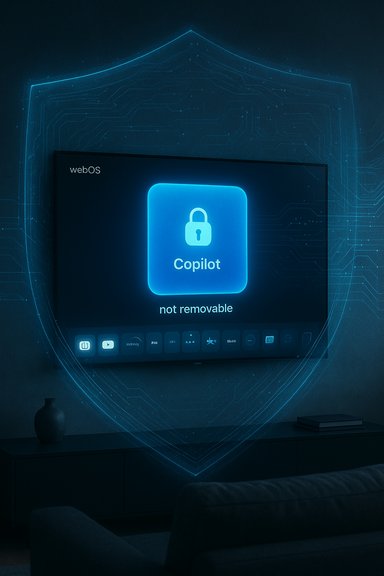
LG pushed Microsoft’s Copilot into a wide swath of webOS smart TVs via an over‑the‑air update that placed a Copilot tile on home screens — and after a firestorm of complaints about the icon being seemingly “undeletable,” LG says it will add an option to let users remove the shortcut while also insisting the feature is only a web‑based shortcut that opens in the TV browser and activates microphone input only with explicit consent.
The Copilot rollout to living‑room screens is part of a broader push by Microsoft and TV OEMs to make large displays conversational endpoints for discovery, summaries, and contextual help. Samsung publicly announced and staged a Copilot integration for its 2025 TVs and smart monitors; Microsoft documented the experience and Samsung published guidance for users signing in and using Copilot on Tizen. LG’s approach was expected to appear as part of its webOS AI roadmap, but in mid‑December many owners reported a less graceful arrival: a Copilot tile that appeared after a routine webOS update and — in many documented cases — could not be removed through the TV’s standard app management UI. That behavior is what sparked the online backlash and prompted LG to issue a clarifying statement to the press.
Source: The Verge LG forced a Copilot web app onto its TVs but will let you delete it
 Background / Overview
The Copilot rollout to living‑room screens is part of a broader push by Microsoft and TV OEMs to make large displays conversational endpoints for discovery, summaries, and contextual help. Samsung publicly announced and staged a Copilot integration for its 2025 TVs and smart monitors; Microsoft documented the experience and Samsung published guidance for users signing in and using Copilot on Tizen. LG’s approach was expected to appear as part of its webOS AI roadmap, but in mid‑December many owners reported a less graceful arrival: a Copilot tile that appeared after a routine webOS update and — in many documented cases — could not be removed through the TV’s standard app management UI. That behavior is what sparked the online backlash and prompted LG to issue a clarifying statement to the press. What actually happened: the rollout and the reaction
The user experience — how Copilot appeared on TVs
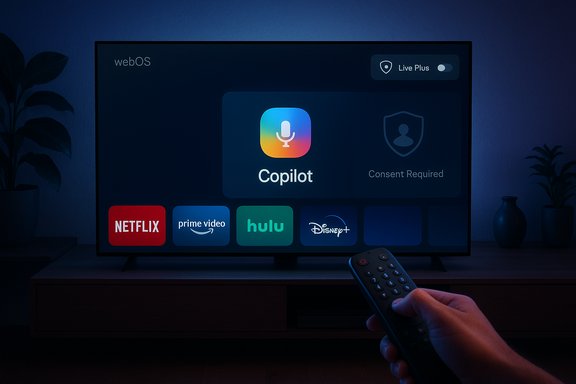
Multiple owners reported that after a recent webOS firmware‑over‑the‑air (FOTA) update a Copilot icon or tile appeared in their home screen ribbon alongside apps like Netflix and YouTube. Launching the tile typically opened a Copilot web page inside the TV’s browser shell; voice input via the remote’s mic button was available but required explicit activation. Community testing and screenshots circulated widely across Reddit and enthusiast forums, quickly amplifying the story.The “undeletable” problem
The core complaint was straightforward: when owners navigated webOS’s Edit/App Manager flows they often found no trash‑can or uninstall affordance for Copilot. The available options were typically hide or disable, and in several reported cases a full factory reset reintroduced the tile — a classic sign that the component was either delivered as a privileged system package or baked into the firmware image. Those repeatable community observations are the basis for calling the tile effectively non‑removable.Media and community amplification
A single Reddit post showing the Copilot tile on an LG home screen drew tens of thousands of upvotes and thousands of comments; mainstream outlets then reported the same pattern, elevating the story from niche tech complaints to a broader consumer privacy and control debate. Coverage varied in tone, but the technical facts reported — surprise OTA install, persistent tile, web‑based launch — were consistent across independent outlets.Technical anatomy: why the tile can feel “undeletable”
Understanding why the Copilot tile behaved like a system component requires a quick dive into two standard packaging patterns device makers use:- Privileged system package: OEMs can install components outside the normal user app sandbox and mark them as system apps. The user interface typically offers only hide or disable for such packages because uninstalling system components can break platform dependencies.
- Firmware‑baked component: A component included in the firmware image applied during a FOTA update will be restored by a factory reset, because the reset re‑applies the firmware image rather than reverting to a previous user state.
Why this matters: privacy, consent, and the erosion of ownership
Smart TVs are different from phones and laptops in one key way for many households: they sit in shared private spaces and increasingly include microphones, cameras (on some models), and persistent network connections. That makes surprises around installed software uniquely sensitive.The privacy surface: Live Plus and ACR
LG’s webOS includes an Automatic Content Recognition (ACR) feature often marketed as Live Plus. Live Plus can identify what’s playing on the screen and feed viewing signals into personalization and advertising systems. Users reported that the same recent updates that added Copilot also surfaced Live Plus toggles in settings, and in some cases those personalization features appeared to be enabled by default. Because conversational assistants gain utility from contextual signals (what you’re watching, timestamps, etc., combining Copilot and ACR raises real concerns about expanded telemetry and targeting unless strict defaults and clear opt‑outs are enforced.Microphone access — what LG said
LG’s public clarification to the press emphasizes that the Copilot icon is a shortcut to a web‑based experience and not a native, embedded service — and that microphone input is activated only with the customer’s explicit consent. That distinction matters legally and practically, but it does not fully allay the worry that adding a system‑level assistant and default‑on ACR widens the set of signals that vendors and their partners could meaningfully use. LG also said it would allow users to delete the shortcut in a future update, but provided no firm timeline.Unverified vs verifiable claims
- Verifiable: Copilot was added to LG TVs after a webOS update for multiple users; the tile often lacks an uninstall option; multiple reputable outlets and community threads documented the pattern.
- Unverified and requiring caution: Claims that the Copilot installation introduced new always‑on audio capture, cross‑device profiling beyond existing webOS telemetry, or undisclosed exfiltration flows. Those require independent forensic telemetry analysis or vendor disclosure to confirm. Flag those statements as plausible concerns that are not yet proven.
What LG and Microsoft said — and what they didn’t
LG’s spokesperson framed Copilot as a browser‑launched shortcut and promised to add a deletion option in response to user feedback, describing microphone activation as consent‑based. That public clarification reduces the most alarming technical claim — that Copilot is secretly embedded and always listening — but leaves key questions unanswered: when will the deletion option arrive, which models/regions are affected, and what telemetry flows (if any) are unique to Copilot? Until LG or Microsoft provides a technical breakdown of telemetry, storage, retention, and data sharing, legitimate privacy questions will remain. Microsoft and Samsung’s public rollout materials for Samsung’s Copilot implementation show a different path: Samsung’s 2025 Copilot integration was staged, documented, and presented as tightly integrated with Tizen experiences and optional sign‑in for personalization. That contrast highlights how execution and communication make a big difference in consumer reaction.Practical steps for affected users (short, actionable)
If a Copilot tile appeared on your LG TV and you want to reduce visibility or telemetry quickly, try these ranked options:- Hide the tile from the home ribbon via Edit/App Manager if the option is available. This removes daily visual clutter without deep interventions.
- Disable Live Plus / ACR: Settings → All Settings → General → Additional Settings → Live Plus (paths and wording vary by model). Turning this off reduces contextual content‑recognition signals that feed personalization.
- Avoid signing into Copilot or a Microsoft account on the TV; anonymous web use limits account‑backed personalization.
- Put the TV on an isolated guest VLAN or block known telemetry domains at the router (Pi‑hole or firewall rules). This reduces outbound connections but can break legitimate services.
- Use an external streaming dongle (Apple TV, Roku, Fire TV, Shield) to treat the LG panel as a dumb display for daily streaming.
- As a last resort, disconnect the TV from the network to prevent cloud calls and future surprise pushes — note this disables smart features and automatic updates.
Business logic: why vendors push services post‑sale
From an OEM perspective, adding partner services to installed hardware serves several commercial goals:- Create new engagement surfaces and increase time‑on‑platform.
- Open advertising and personalization revenue streams via ACR and partner services.
- Differentiate otherwise commoditized hardware through software features.
- Lock users into a vendor ecosystem (account sign‑ins, personalized experiences).
Legal and regulatory risks
Regulators and consumer advocates have been scrutinizing smart‑TV data practices for years. Recent enforcement actions and lawsuits in U.S. states over device data collection and default settings suggest that default‑on profiling features and difficulty removing preinstalled software can attract regulatory attention. One consequence: manufacturers that push system‑level partner services without durable opt‑outs may face consumer protection claims or privacy enforcement — particularly where default consent is required by law. While no regulatory action was announced specifically tied to this Copilot push at the time of reporting, the episode increases the probability of scrutiny. Treat this as a near‑term regulatory risk rather than proven legal exposure.What LG and Microsoft should do next (recommendations)
- Publish a clear technical bulletin that identifies which firmware builds and models were affected, whether Copilot was included as a privileged package or web shortcut, and how a user can permanently remove or disable it. Transparency will calm much of the backlash.
- Ship a prompt update that adds a durable remove option accessible from Settings and ensure the removal survives factory resets and future updates when feasible.
- Publish a telemetry disclosure for Copilot on webOS: what signals are collected, what is shared with Microsoft, retention periods, and how to opt out. Explain whether Live Plus interactions are combined with Copilot usage.
- Improve update transparency: deliver human‑readable patch notes and explicit consent flows for optional features added by firmware updates.
- Provide user tools and support documentation that walk owners through privacy settings (Live Plus, ad personalization, voice recognition) and explain tradeoffs for network‑level mitigations.
Wider context: “AI everywhere” fatigue and platform design lessons
This episode is not just about one tile on one platform. It sits at the intersection of three trends:- The race to put LLM‑powered assistants on every screen and device.
- The longstanding industry habit of preinstalling partner apps and monetizing attention on home‑screen real estate.
- Growing consumer sensitivity to default privacy settings and post‑sale software changes on devices purchased outright.
Final analysis — tradeoffs, strengths, and risks
- Strengths: Copilot on TVs can be genuinely useful: quick show recaps, contextual lookups, and a unified conversational interface for discovery could reduce friction and enhance accessibility. When implemented as an opt‑in native feature and tightly integrated with local UX, Copilot has clear consumer value and monetization potential.
- Risks: The push on LG highlighted several execution risks:
- Eroding consumer trust by installing persistent partner services without a durable opt‑out.
- Increasing the telemetry surface area when combined with ACR/Live Plus, especially if defaults favor personalization and advertising.
- Opening regulatory and reputational exposure if consumers feel ownership and privacy expectations are violated.
- Neutral, but important: LG’s clarification that Copilot is a web shortcut and that microphone activation requires consent is meaningful. It reduces the immediate technical alarm that Copilot had been secretly embedded as an always‑listening agent. However, the clarification does not resolve the user‑control problem nor satisfy the need for transparent telemetry disclosures and a concrete deletion timeline. Until LG ships an explicit removal mechanism and publishes a telemetry FAQ, trust will remain frayed.
Conclusion
The Copilot-on-LG episode is a cautionary case for vendors racing to layer AI onto consumer hardware: technical capability and commercial incentive are no substitute for clear consent models, robust opt‑outs, and transparent communications. LG’s promise to allow deletion of the Copilot shortcut is a step in the right direction, but meaningful remediation requires concrete timelines, durable removal mechanisms, and disclosures about telemetry and how Copilot interacts with existing features like Live Plus. For owners, practical mitigation steps exist — hide the tile, disable Live Plus, avoid sign‑in, and use an external streamer — but the underlying trust calculus will only be repaired when vendors commit to respecting device ownership and privacy by design.Source: The Verge LG forced a Copilot web app onto its TVs but will let you delete it