

LG’s quick clarification — that the Microsoft Copilot tile appearing on many webOS TVs is a browser shortcut and not a native, always‑running app, and that the company will add a delete option after user backlash — calmed some immediate fears but opened a wider debate about firmware updates, user control, and privacy on modern smart TVs.
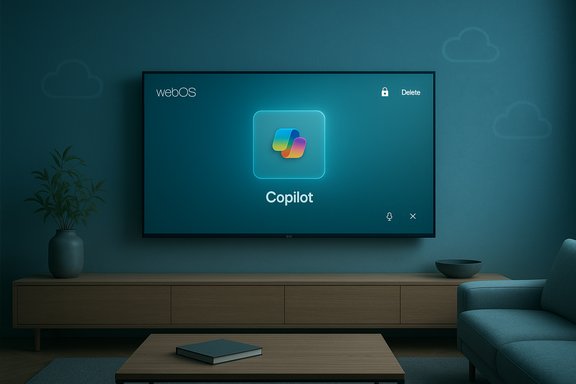
In mid‑December users began noticing a new Microsoft Copilot tile pinned to the home screen of a number of LG smart TVs after a routine webOS over‑the‑air (FOTA) update. The tile resembled any other launcher icon but — according to multiple user reports — initially lacked the standard uninstall or delete affordance that owners expect for non‑system apps. The result: a viral Reddit thread and broad press coverage that pressed LG to explain what had happened.
LG’s official clarification, delivered through spokesperson Chris De Maria, framed the deployment as a convenience shortcut: tapping the tile opens Microsoft’s Copilot web interface inside the TV’s built‑in browser, rather than launching a native webOS application embedded in the system. LG also emphasized that microphone input and other sensitive features are not active by default and require explicit, per‑session consent. The company added it “respects consumer choice” and will provide a way to delete the shortcut in a future webOS update.
When OEMs treat home devices as vehicles for partner distribution without clear user consent or easy opt‑out, they risk regulatory scrutiny, reputational harm, and consumer pushback. The right balance is to make post‑sale feature delivery transparent, reversible, and privacy‑preserving by default. The Copilot tile controversy is an instructive, on‑the‑nose lesson in why that balance matters.
For owners, short‑term mitigations exist. For vendors, the lesson is clear — treat post‑sale software changes as a change to the device’s relationship with its owner, not merely an opportunity to increase partner exposure. The eventual webOS update that lets users delete Copilot will be the necessary next step, but the industry should take this moment to bake in stronger, privacy‑first release practices for “AI TV” features going forward.
Source: Tom's Hardware LG responds swiftly to user backlash, will allow users to remove Microsoft Copilot link from TVs — clarifies service is not an app, future update will include tile removal option from WebOS
 Background / Overview
In mid‑December users began noticing a new Microsoft Copilot tile pinned to the home screen of a number of LG smart TVs after a routine webOS over‑the‑air (FOTA) update. The tile resembled any other launcher icon but — according to multiple user reports — initially lacked the standard uninstall or delete affordance that owners expect for non‑system apps. The result: a viral Reddit thread and broad press coverage that pressed LG to explain what had happened.LG’s official clarification, delivered through spokesperson Chris De Maria, framed the deployment as a convenience shortcut: tapping the tile opens Microsoft’s Copilot web interface inside the TV’s built‑in browser, rather than launching a native webOS application embedded in the system. LG also emphasized that microphone input and other sensitive features are not active by default and require explicit, per‑session consent. The company added it “respects consumer choice” and will provide a way to delete the shortcut in a future webOS update.
Why this matters now
Smart TVs have evolved from simple display devices to connected platforms that receive frequent firmware updates and act as endpoints for cloud services. When an OEM pushes a visible new feature to devices people already own — especially one tied to a major cloud provider’s AI assistant — it raises questions that go beyond UI aesthetics: who controls the device’s software, what telemetry is collected, and how easily can owners opt out? The Copilot tile incident forced those questions into the open.Technical anatomy: web shortcut vs native integration
The two packaging models
There are three common ways software can surface on an embedded platform like webOS:- As a user‑installed app from an app/content store — removable by the owner through normal app management.
- As a system or privileged package installed outside the user sandbox — typically hideable or disableable, but not always uninstallable by the owner.
- Baked into the firmware image delivered by FOTA — restored by factory reset and effectively persistent until the vendor changes the default image.
What LG says — and the practical difference it makes
LG’s statement explains that the Copilot entry is a browser shortcut: selecting the tile opens Microsoft’s Copilot web UI inside the TV browser rather than running a Copilot binary inside webOS. Technically, that means:- Model inference and heavy processing occur in Microsoft’s cloud, not on the TV hardware.
- The TV acts as a thin client, passing user input and (with permission) audio to remote servers.
- An always‑listening local Copilot process on the TV is unlikely if the experience is purely a web session.
Timeline and consumer reaction
- A webOS FOTA update rolled out to selected LG TV models and rebooted affected sets.
- Users discovered a Microsoft Copilot tile pinned to their home screens and app ribbons.
- Attempts to remove the tile through Edit / App Manager flows often yielded only “hide” or “disable,” not “delete.”
- Community testing showed the tile sometimes reappeared after a factory reset, implying provisioning at the firmware or system level.
- A viral Reddit thread and widespread media coverage followed, prompting LG to promise a fix that will enable deletion of the shortcut.
Privacy, permissions, and telemetry — separating fact from plausible concern
Verifiable facts
- The tile appeared after a webOS FOTA update on many LG models.
- LG says the tile is a browser shortcut that opens Microsoft’s Copilot web UI.
- LG has stated that microphone access is only activated after explicit user consent through the browser interface.
Plausible but unverified concerns
- Whether the update changed default settings for ACR/Live Plus or other telemetry pipelines at the same time is not fully documented in public reporting; this remains an area requiring concrete vendor disclosure or forensic verification. Independent packet traces, firmware inspection, and published telemetry policies would be necessary to verify such claims. Caution is warranted before assuming expanded background data collection.
- Community reports that a factory reset restores the tile are strong indicators of privileged packaging or firmware baking, but they don’t establish precisely how the tile was provisioned on every regional build or model. That level of engineering detail remains vendor‑level information unless LG publishes a firmware manifest or researchers conduct an inspection.
Product management misstep or reasonable rollout?
The commercial logic
From an OEM perspective, pinning a partner service to the home launcher is a pragmatic play:- It guarantees visibility and improves adoption metrics for the partner.
- It reduces friction compared with optional store installs.
- It creates a marketing talking point for “AI TV” and differentiates models across lineups.
The trust cost
When those commercial priorities override the expectation that owners can remove or fully control their own device’s software, the result is predictable: eroded trust, amplified consumer backlash, and eventual retreat or feature rollback. The Copilot tile episode is a classic example where the vendor’s convenience tradeoff misread the user’s tolerance for persistent, defaulted third‑party features. LG’s promise to add a delete option is a necessary corrective, but the patch will only fully restore trust if it’s accompanied by transparent communication, timelines, and telemetry disclosures.What LG told reporters — the company line
Chris De Maria, Director of Public Relations for LG Electronics North America, summarized LG’s position: the Copilot presence is implemented as a shortcut icon that opens Microsoft’s Copilot website through the TV’s browser, not as a native, embedded webOS app; microphone features are activated only after the user explicitly grants permission; and LG “respects consumer choice” and will take steps to allow users to delete the shortcut icon if they wish. That statement is the central vendor claim that reframed the conversation from “undeletable built‑in app” to “browser shortcut with a forthcoming delete option.”Short‑term user mitigations
Until LG ships an update that exposes a delete affordance, owners who are concerned can take several practical steps:- Hide the Copilot tile in the launcher (where available) to remove it from immediate view.
- Review and disable voice‑related permissions inside the browser or avoid signing into Copilot to minimize linked personalization.
- Disable or opt out of ACR/Live Plus or similar telemetry/personalization features in the TV settings if present.
- Use an external streaming device (TV stick, console) as the primary UI if persistent vendor tiles are a dealbreaker.
- Place the TV on a segmented or guest network to reduce telemetry exposure from other home devices.
- Monitor LG’s support channels or patch notes for the promised webOS update enabling deletion.
Recommendations for LG, Microsoft, and OEMs rolling out cloud assistants
- Prioritize transparent opt‑out: Any post‑sale addition of third‑party services should include a clear, persistent uninstall or delete path that is easy to find from day one.
- Publish telemetry and consent details before or alongside staged rollouts, not after a backlash forces explanations.
- Avoid firmware‑baked defaults for partners when a removable store install or opt‑in flow is acceptable technically.
- Provide changelogs and user notices when FOTA updates alter UI assets, so owners aren’t surprised by new tiles or services.
- Audit default permission states to ensure features requiring sensitive sensors (microphone, camera, ACR) are opt‑in with clear UI consent flows.
Broader implications: device ownership in the age of always‑connected appliances
This episode highlights a larger tension in modern consumer electronics: devices shipped once now receive periodic updates that can materially change user experience, data collection surfaces, and the set of available services. That model is powerful — enabling security patches, new features, and platform improvements — but it also means the post‑purchase software contract can be rewritten without direct consent.When OEMs treat home devices as vehicles for partner distribution without clear user consent or easy opt‑out, they risk regulatory scrutiny, reputational harm, and consumer pushback. The right balance is to make post‑sale feature delivery transparent, reversible, and privacy‑preserving by default. The Copilot tile controversy is an instructive, on‑the‑nose lesson in why that balance matters.
Strengths and weaknesses of LG’s response
Strengths
- Speed and clarity: LG responded publicly and made a concrete, consumer‑facing commitment to add a deletion option rather than defending the status quo. That willingness to reverse course is an important signal to customers.
- Technical clarification: By explaining the tile is a browser shortcut and not a native Copilot app, LG reduced the technical plausibility of the worst‑case always‑listening scenario. That matters for the core privacy risk model.
Weaknesses and remaining risks
- No timeline: LG did not publish a specific timetable for the deletion update, leaving owners uncertain when they’ll regain control.
- Telemetry opacity: Public reporting does not yet show a detailed telemetry/consent FAQ from LG explaining what data is collected when a user opens Copilot, how it’s tied to accounts, and whether ACR/Live Plus settings were affected by the update. That lack of transparency keeps privacy concerns alive.
- Perception of overreach: Even if the tile is technically only a browser shortcut, the perceived imposition of a persistent third‑party tile without explicit opt‑in breaks expectations around device ownership — and perception matters in consumer trust.
How this story should change industry practice
The minimal acceptable practice for vendors pushing AI services to installed devices should include:- Pre‑release communication to affected users, describing exactly what will change and how to reverse it.
- Default settings that favor privacy and minimize telemetry until users explicitly opt in.
- An audit trail and changelog that makes firmware changes transparent and traceable to specific update versions.
- Simple, durable deletion or uninstall mechanisms for non‑core, partner features.
Conclusion
LG’s clarification that the Copilot tile is a browser shortcut and the company’s pledge to allow deletion are both important steps toward repairing a mismanaged rollout. Those steps address the immediate technical fears, but they do not automatically restore the broader trust that was strained when a third‑party feature showed up on owners’ home screens without an obvious, durable opt‑out. The incident is a valuable case study in modern device governance: rapid, cloud‑centric feature delivery must be matched by transparent consent models, easy reversibility, and clear telemetry disclosures.For owners, short‑term mitigations exist. For vendors, the lesson is clear — treat post‑sale software changes as a change to the device’s relationship with its owner, not merely an opportunity to increase partner exposure. The eventual webOS update that lets users delete Copilot will be the necessary next step, but the industry should take this moment to bake in stronger, privacy‑first release practices for “AI TV” features going forward.
Source: Tom's Hardware LG responds swiftly to user backlash, will allow users to remove Microsoft Copilot link from TVs — clarifies service is not an app, future update will include tile removal option from WebOS
Last edited:
