

Browser-first workflows have flattened the visible differences between Windows, macOS, and Linux for many knowledge workers — but the emerging enterprise conversation shows the OS under the hood is very much still consequential, and in 2026 that reality is nudging some IT teams to seriously consider Linux as an escape hatch from a Windows refresh cycle they would rather not buy into.
For years the argument in large organizations was straightforward: choose the broadest supported client platform, optimize tooling around it, and minimize exceptions. That calculus favored Windows for most enterprises; app availability, imaging pipelines, management tooling, and procurement practices all reinforced it. As browsers and SaaS apps matured, however, day-to-day productivity flattened — email, collaboration, document editing, and many line-of-business dashboards are now browser-hosted and behave nearly identically across platforms. That steady drift made the underlying desktop OS feel less strategic for everyday workers.
The context changed when Microsoft announced the end of support for Windows 10 and pushed Windows 11 with tighter hardware gating and a faster cadence for feature changes. The retirement of Windows 10 on October 14, 2025, crystallized a practical decision point for fleets: replace hardware on someone else’s timetable or find ways to extend device lifespans and preserve administrative control.
At the same time, community tooling and enterprise debate around “deslop” utilities, provisioning automation, and flexible setup flows have made it clearer that organizations have technical options — but also that some options carry durable risk to servicing and support models. Projects that bypass OOBE checks, remove provisioned components, or edit the servicing inventory offer short-term relief for certain policies, but they also change update dynamics in ways that can create hidden costs and support fragility.
These converging pressures — SaaS-first apps, Windows 10 end-of-life, Windows 11 hardware constraints, and a lively community ecosystem that exposes both quick wins and long-term dangers — form the practical backdrop for renewed interest in Linux on the desktop.
This browser-first reality lowers the cost and friction of running alternative OSes: modern browsers and web runtimes (Chromium-based engines, up-to-date WebView equivalents) are available on Linux, and enterprise SaaS vendors have converged on web standards. For many office roles — knowledge workers, support staff, and field teams whose primary tasks are email, conferencing, CRM entry, and document review — the Linux desktop can deliver an indistinguishable experience.
Procurement should also consider support subscriptions for enterprise Linux or managed desktop vendors that offer Linux options; those contracts can fill gaps in vendor support and offer predictable SLAs.
The upside is real: lower immediate capital outlay, more transparent platforms, and the ability to support browser-first workflows without major user disruption. The downside is operational complexity — driver management, support training, compliance checks, and potential vendor warranty ambiguity. The lessons from the Windows community are instructive: short-term hacks that edit servicing inventories or rely on unsupported upgrade paths create long-term pain. Plan pilots carefully, measure outcomes in support cost, security posture, and user productivity, and prefer reversible, auditable transitions over brittle hacks.
If your organization is facing a forced Windows refresh window and a significant portion of work is already SaaS/browser‑based, a tightly scoped Linux pilot — with clear success metrics and a hybrid fallback plan — is a defensible, cost-conscious, and sustainability-friendly experiment. Do it the enterprise way: inventory, pilot, measure, and scale only once the support model, identity gating, and compliance needs are demonstrably satisfied.
Source: TechTarget When SaaS softens the OS -- but doesn't erase it | TechTarget
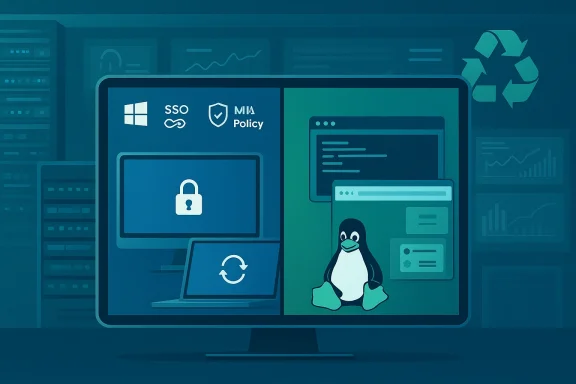 Background
For years the argument in large organizations was straightforward: choose the broadest supported client platform, optimize tooling around it, and minimize exceptions. That calculus favored Windows for most enterprises; app availability, imaging pipelines, management tooling, and procurement practices all reinforced it. As browsers and SaaS apps matured, however, day-to-day productivity flattened — email, collaboration, document editing, and many line-of-business dashboards are now browser-hosted and behave nearly identically across platforms. That steady drift made the underlying desktop OS feel less strategic for everyday workers.The context changed when Microsoft announced the end of support for Windows 10 and pushed Windows 11 with tighter hardware gating and a faster cadence for feature changes. The retirement of Windows 10 on October 14, 2025, crystallized a practical decision point for fleets: replace hardware on someone else’s timetable or find ways to extend device lifespans and preserve administrative control.
At the same time, community tooling and enterprise debate around “deslop” utilities, provisioning automation, and flexible setup flows have made it clearer that organizations have technical options — but also that some options carry durable risk to servicing and support models. Projects that bypass OOBE checks, remove provisioned components, or edit the servicing inventory offer short-term relief for certain policies, but they also change update dynamics in ways that can create hidden costs and support fragility.
These converging pressures — SaaS-first apps, Windows 10 end-of-life, Windows 11 hardware constraints, and a lively community ecosystem that exposes both quick wins and long-term dangers — form the practical backdrop for renewed interest in Linux on the desktop.
Where SaaS flattens the OS — and where it doesn't
SaaS as the leveler
The crucial shift is simple: when the primary tools workers use are browser-based, much of the value proposition of a desktop OS (app compatibility, distribution mechanics, certain admin tasks) shifts away from the client. That lets organizations think in terms of identity, browser policy, and endpoint hygiene rather than OS feature parity for the majority of daily workflows. Security, single sign-on, MFA, and device posture become the gating factors instead of which native client suite is installed.This browser-first reality lowers the cost and friction of running alternative OSes: modern browsers and web runtimes (Chromium-based engines, up-to-date WebView equivalents) are available on Linux, and enterprise SaaS vendors have converged on web standards. For many office roles — knowledge workers, support staff, and field teams whose primary tasks are email, conferencing, CRM entry, and document review — the Linux desktop can deliver an indistinguishable experience.
Where the flattening stops
The flattening is powerful but incomplete. Three categories make the OS still matter:- Legacy and line-of-business applications that require Windows native APIs, COM, or Active Directory–tied agents (e.g., certain ERP clients or engineering tools).
- Deep OS integrations such as device attestation, hardware-backed encryption, firmware management, and vendor-supplied telemetry hooks that feed enterprise management systems.
- Support and procurement models that depend on predictable vendor imaging, OEM utilities, and a known servicing inventory.
Why Linux is credible again — incentives and mechanics
Device-lifecycle control
One of the clearest incentives for Linux adoption is control over refresh timing. Windows 11’s hardware requirements and more aggressive feature rollout make some organizations reluctant to replace fully functional devices simply to remain within Microsoft’s supported path. Linux can be a practical way to extend device lifecycles — delaying hardware replacement while maintaining a secure, supported user environment under IT terms. That regained discretion is often the primary ROI calculation firms make when evaluating Linux pilots.Transparency and telemetry
For privacy- and compliance-conscious teams, Linux offers a more inspectable stack. Administrators can more easily audit what the OS is doing, disable telemetry at kernel and userland levels, and control update channels without negotiating vendor gates. That visibility appeals to security teams that view opaque platform behaviors as an operational risk — especially when an organization’s policy requires deterministic behavior for regulated workloads. Community and enterprise tooling make those controls accessible without exotic effort, but they do require building a different operational playbook.Lowered hardware gating
Linux’s hardware requirements are typically less prescriptive than Windows 11’s TPM and secure-boot-oriented model. That means older but still serviceable devices can remain productive for longer under Linux, which translates directly into cost savings and reduced e-waste pressure for sustainability programs. That said, some Windows-only hardware protections (such as certain virtualization-based security features) are not trivially fungible — and replacing them with Linux-oriented controls requires careful engineering and policy adjustments.Practical enterprise scenarios where Linux fits
- Desktop escape hatch: Use Linux to preserve device lifecycles for roles with browser-first work. This is the classic “escape hatch” model — not a wholesale migration, but a deliberate policy to avoid a forced refresh.
- Kiosk and frontline devices: Thin-client Linux distributions or lightweight desktops can serve kiosks, call-center terminals, and frontline roles with strict app lists and centralized management.
- Remote and contractor fleets: Where identity and browser posture are the only real constraints, Linux can reduce per-seat licensing overhead and simplify provisioning.
- Security-focused enclaves: For teams that require high auditability and minimal platform telemetry, Linux-based desktops can be locked down to strict baselines with open-source tooling for validation.
Strengths: what Linux brings that matters today
- Cost predictability and procurement leverage. Linux removes one axis of license negotiation and enables organizations to re-evaluate device economics through a lifecycle lens rather than forced refresh timelines.
- Device longevity and sustainability. Extending device life by two to three years reduces capital outlay and e-waste, aligning with many ESG goals when paired with responsible refurbishment programs.
- Observability and control. Open-source stacks make auditing, instrumentation, and policy enforcement more transparent for security teams.
- Flexible tooling. Modern package managers, container runtimes, and configuration management (Ansible, Salt, etc.) allow scalable automation for imaging and fleet changes.
- Browser and SaaS parity. Browser-based workflows are functionally equivalent in most SaaS products, narrowing the service-delivery delta across OSes.
Risks and trade‑offs enterprises must accept
Support, drivers, and OEM tooling
Device-specific features (battery management, firmware update channels, vendor drivers, and custom input stacks) often rely on OEM utilities that are Windows- or vendor-centric. Removing those utilities or running a non-supported OS can impair functionality or complicate vendor troubleshooting. If your fleet depends heavily on an OEM’s management suite for firmware deliveries, moving away from that path is a strategic decision, not a tactical one.Application compatibility
Even with browser parity, some workflows still use Windows-native tooling (thick clients, virtualized management agents, hardware dongles), and these require either maintaining a Windows subset, offering virtualized Windows desktops, or accepting application migration costs. Proper scoping and an app-compat matrix are mandatory before any pilot.Servicing and update fragility (the Windows lesson)
Community tooling that surgically removes inbox components, edits provisioning manifests, or installs servicing “blockers” can produce durable outcomes — but at a price. Editing Windows’ servicing inventory is the primary cause of future upgrade failures and support fragility. That lesson should temper any desire to “stretch” a Windows device indefinitely in-situ; in many cases, a clean OS transition—whether to Linux or reimaged Windows—produces a more predictable long-term state.Support skills and help-desk impacts
Linux endpoints require different troubleshooting skills, imaging tools, and runbooks. Help desks must be trained on different incident flows, and escalation paths to third-party ISVs may be less established. If your internal support model is lean and heavily Window-centric, factor training and documentation into your TCO model.Compliance and certification gaps
Some regulated environments depend on vendor-specified OS attestations or certifications that are Windows-only. Verify whether your compliance program permits Linux endpoints for controlled data access, and where necessary, design compensation controls (e.g., hardened VPN + conditional access policies) to meet audit requirements.Practical migration playbook — how to pilot without blowing up support
- Identify low-risk cohorts: Knowledge workers with browser-first workflows, kiosks, or contractors with clearly bounded responsibilities.
- Build an app-compat matrix: Inventory SaaS and native apps, identify Windows-only dependencies, and list alternatives or virtualization paths.
- Create a small pilot image: Use a well-supported desktop distribution (Ubuntu LTS, Fedora LTS variants, or enterprise distros depending on support SLA) and a hardened baseline.
- Harden browser and identity: Configure enterprise SSO, SAML/OIDC, device posture checks, browser hardening (extensions policy), and an EDR solution that supports Linux endpoints.
- Train first‑line support: Produce runbooks for common incidents (profile recovery, browser issues, printing, VPN), and run simulated escalations.
- Test firmware/driver updates and recovery flows: Verify how firmware updates are applied and how quickly devices can be recovered to a known state after a failure.
- Measure UX and performance: Collect objective metrics (boot time, app response, battery life) and subjective sentiment from pilot users.
- Iterate: Tighten provisioning, add missing tooling, and expand to additional cohorts only after success criteria are met.
Management, security, and patching realities
Enterprise-grade Linux desktop management is now mature enough for many deployments, but choices matter:- Image and provisioning: Use PXE, cloud images, or MDM-compatible agents to ensure reproducible devices. Automated configuration using Ansible or similar tooling yields predictable states.
- Patching cadence: Align Linux distro patch windows with your change management process. Choose LTS kernels and vendor-supported distros where predictable updates matter.
- Endpoint protection: Modern EDR vendors offer Linux agents; select providers that support your chosen kernel and distribution variants.
- Identity and conditional access: Use SAML/OIDC + device posture checks to gate access. Where necessary, adopt virtual desktop options for access to Windows-only apps rather than attempting unreliable compatibility shims.
- Telemetry and auditing: Implement centralized logging with retention policies and SIEM integration to meet compliance and incident response needs.
Governance, procurement, and vendor relationships
Shifting a portion of the fleet to Linux is not just a systems decision; it changes procurement and warranty expectations. Clarify OEM warranties for devices running non-supported OSes, and document vendor support boundaries. Some refurbishers and small IT teams already rely on community tooling to bypass setup gates or to create neutral images, but that practice should be formalized or avoided in enterprise fleets unless support and risk are clearly understood.Procurement should also consider support subscriptions for enterprise Linux or managed desktop vendors that offer Linux options; those contracts can fill gaps in vendor support and offer predictable SLAs.
The middle way: hybrid, not binary
Most realistic roadmaps are hybrid. Organizations can:- Keep a Windows core for privileged, legacy, or hardware-intensive roles.
- Move browser-first users to Linux.
- Use VDI/DaaS for occasional Windows-only workloads.
- Standardize identity, monitoring, and browser policies across both sets.
Final assessment: pragmatic, not ideological
The renewed interest in Linux desktops is pragmatic and narrowly motivated: it’s a tool for regaining lifecycle control, reducing forced hardware churn, and aligning with sustainability and governance goals. It is not a one-size-fits-all replacement for Windows in enterprise environments.The upside is real: lower immediate capital outlay, more transparent platforms, and the ability to support browser-first workflows without major user disruption. The downside is operational complexity — driver management, support training, compliance checks, and potential vendor warranty ambiguity. The lessons from the Windows community are instructive: short-term hacks that edit servicing inventories or rely on unsupported upgrade paths create long-term pain. Plan pilots carefully, measure outcomes in support cost, security posture, and user productivity, and prefer reversible, auditable transitions over brittle hacks.
If your organization is facing a forced Windows refresh window and a significant portion of work is already SaaS/browser‑based, a tightly scoped Linux pilot — with clear success metrics and a hybrid fallback plan — is a defensible, cost-conscious, and sustainability-friendly experiment. Do it the enterprise way: inventory, pilot, measure, and scale only once the support model, identity gating, and compliance needs are demonstrably satisfied.
Source: TechTarget When SaaS softens the OS -- but doesn't erase it | TechTarget
