

A quiet but consequential migration is unfolding across the professional computing landscape: an increasing number of developers, sysadmins, creators, and budget‑conscious IT teams are moving at least part of their workflows off Windows 11 and onto Linux distributions. The reasons are pragmatic rather than ideological — measurable performance gains in CPU‑ and I/O‑bound workloads, clearer privacy controls, lower total cost of ownership on aging hardware, and a maturing compatibility layer for games and consumer apps. This feature examines the evidence behind the trend, verifies the central technical claims, weighs the trade‑offs for individuals and organizations, and offers a practical migration playbook for professionals who are seriously considering the switch.
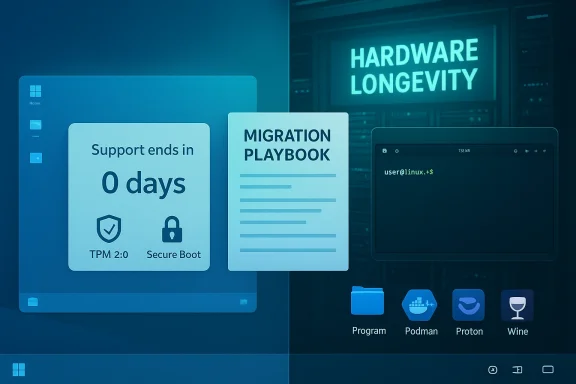
The shift accelerated in late 2025 and into 2026 after two converging events changed the calculus for many users. First, Microsoft formally ended mainstream support for Windows 10 on October 14, 2025, removing a free security‑update path for a large installed base and prompting owners of ineligible devices to either pay for Extended Security Updates, replace hardware, or choose an alternative OS. Microsoft’s lifecycle pages confirm the October 14, 2025 end‑of‑support milestone and the company’s guidance to upgrade to Windows 11 or enroll in ESU. Second, Windows 11’s minimum platform rules — notably the requirement for TPM 2.0, Secure Boot (UEFI), and a roster of “supported” CPU generations — left a meaningful slice of older but otherwise serviceable hardware unable to take a vendor‑supported upgrade. Microsoft’s Windows 11 requirements explicitly list TPM 2.0, Secure Boot and newer CPU families as gating items, and independent coverage explained how those rules translate into a practical barrier for many devices. Those two facts created a practical moment of choice for users managing fleets, labs, or households: pay to stay on a dying OS, buy new Windows‑11 certified machines, or evaluate mature alternatives. Linux distributions positioned with migration tooling and Windows‑familiar interfaces — Zorin, Linux Mint, Ubuntu, Pop!_OS and others — suddenly became pragmatic options instead of purely academic experiments. Community telemetry, distro download spikes, and independent benchmarks traced the preliminary shape of that migration.
Benchmarks reinforce those observations in certain workload classes. Cross‑platform tests on high‑core‑count AMD systems showed Linux (Ubuntu builds used in the tests) outperforming Windows 11 by roughly 15–20% in CPU‑heavy rendering and multi‑threaded workloads — gains that matter for developers compiling large codebases, data analysts running batch tasks, and creators rendering frames. Those results are workload dependent; they are not a universal guarantee, but they are repeatable in multiple published test suites.
On the flip side, security for Linux requires disciplined patching and experienced administration. When properly maintained, Linux systems can be highly secure; when left unmanaged or installed without operational controls, they are no safer than any other neglected platform. The migration calculus therefore hinges on whether an organization can operationalize updates and incident response for a new desktop fleet.
Customization matters too. For developers and infra teams, container tooling (Docker, Podman), Git integration, native toolchains, and first‑class terminal experience on Linux are not just convenience — they are productivity multipliers. Several community and industry writeups argue that dev environments feel more “native” on Linux, with fewer workarounds than on Windows; these advantages compound across teams and over time.
Important nuance: migration is not free. Training, helpdesk load spikes, per‑device testing for proprietary peripherals, and vendor‑certified app porting can erode near‑term cost savings. Any organization considering Linux at scale should model total cost of ownership (TCO) over multiple years, including staff retraining and potential virtualization to host legacy Windows applications.
Microsoft is unlikely to be unresponsive. History and product strategy suggest the company will balance innovation with incentives — clearer opt‑out controls for data‑collecting features, improved interoperability, or special programs for education and refurbishers — rather than abandon its Windows 11 roadmap. The strategic question for Microsoft is product discipline: tightening defaults, less intrusive telemetry defaults, and better communications could blunt the migration momentum.
Source: WebProNews 2026 Shift: Professionals Ditch Windows 11 for Linux’s Speed and Savings
 Background / Overview
The shift accelerated in late 2025 and into 2026 after two converging events changed the calculus for many users. First, Microsoft formally ended mainstream support for Windows 10 on October 14, 2025, removing a free security‑update path for a large installed base and prompting owners of ineligible devices to either pay for Extended Security Updates, replace hardware, or choose an alternative OS. Microsoft’s lifecycle pages confirm the October 14, 2025 end‑of‑support milestone and the company’s guidance to upgrade to Windows 11 or enroll in ESU. Second, Windows 11’s minimum platform rules — notably the requirement for TPM 2.0, Secure Boot (UEFI), and a roster of “supported” CPU generations — left a meaningful slice of older but otherwise serviceable hardware unable to take a vendor‑supported upgrade. Microsoft’s Windows 11 requirements explicitly list TPM 2.0, Secure Boot and newer CPU families as gating items, and independent coverage explained how those rules translate into a practical barrier for many devices. Those two facts created a practical moment of choice for users managing fleets, labs, or households: pay to stay on a dying OS, buy new Windows‑11 certified machines, or evaluate mature alternatives. Linux distributions positioned with migration tooling and Windows‑familiar interfaces — Zorin, Linux Mint, Ubuntu, Pop!_OS and others — suddenly became pragmatic options instead of purely academic experiments. Community telemetry, distro download spikes, and independent benchmarks traced the preliminary shape of that migration. Why professionals are looking at Linux now
Leaner baseline, faster real‑world responsiveness
Professionals who measure productivity in seconds and thermal budgets notice overhead. A fresh, minimal Linux desktop or tiling window manager typically boots with far fewer background services than a stock Windows image, which translates into lower idle RAM, fewer disk I/O spikes, and reduced CPU throttle under sustained loads. Community testing and hands‑on reports repeatedly show trimmed Linux systems delivering faster cold launches, steadier multi‑threaded throughput, and quieter hardware under light to moderate loads.Benchmarks reinforce those observations in certain workload classes. Cross‑platform tests on high‑core‑count AMD systems showed Linux (Ubuntu builds used in the tests) outperforming Windows 11 by roughly 15–20% in CPU‑heavy rendering and multi‑threaded workloads — gains that matter for developers compiling large codebases, data analysts running batch tasks, and creators rendering frames. Those results are workload dependent; they are not a universal guarantee, but they are repeatable in multiple published test suites.
Security posture and privacy control
Windows 11’s enforcement of TPM 2.0 and Secure Boot is explicitly intended to harden platform security, but that same direction has catalyzed privacy and telemetry concerns among some professionals. Linux’s open‑source model offers transparent code auditability, finer-grained control over processes and telemetry, and the ability to run systems without vendor account locks. For privacy‑sensitive engineers and operators — research teams, journalists, and security professionals — that auditability is a primary attractor. Community discussion and migration narratives repeatedly list transparency and control as non‑trivial drivers for adoption.On the flip side, security for Linux requires disciplined patching and experienced administration. When properly maintained, Linux systems can be highly secure; when left unmanaged or installed without operational controls, they are no safer than any other neglected platform. The migration calculus therefore hinges on whether an organization can operationalize updates and incident response for a new desktop fleet.
Cost, hardware longevity and environmental upside
Windows 11’s hardware baseline (4 GB RAM minimum, TPM 2.0, UEFI Secure Boot, approved CPU lists) effectively forces some users toward hardware refreshes. For budget‑sensitive shops, refurbishers, schools, and public institutions, that becomes a large capital question: replace or repurpose? Desktop Linux offers a path to extend the life of functional machines at minimal license cost, reducing procurement outlays and e‑waste. Distributions like Zorin explicitly marketed upgrades and migration messaging around Windows 10’s end of support and reported rapid uptake metrics that exposed a real demand signal.Performance: what the numbers actually say
Cross‑platform compute benchmarks
Multiple independent benchmark suites show Linux leading in CPU‑heavy and highly parallel tasks. Phoronix’s extensive cross‑platform testing — widely used by engineers for apples‑to‑apples comparisons — reported Linux distributions outpacing Windows 11 by substantial margins in selected multi‑threaded render and compute workloads. Tom’s Hardware and other outlets summarized those Phoronix results and reported geomean advantages in the mid‑teens to low‑twenties on compatible hardware. These numbers are real for the tested configurations, and they explain why professionals who run render farms, CI compile servers, or large dataset transforms increasingly test Linux as a primary desktop for compute‑heavy work. Caveat: the advantage is workload‑dependent. Single‑thread performance, latency‑sensitive UI interactions, and certain GPU‑accelerated pipelines can still favor Windows in specific scenarios, depending on driver maturity and proprietary acceleration libraries.Gaming and creative workloads: the compatibility gap is shrinking
Historically a refuge for gamers, Windows retained a performance and compatibility edge for many AAA titles and pro creative suites. That gap has narrowed considerably. Valve’s Proton, VKD3D‑Proton and auxiliary projects have made thousands of Windows titles playable on Linux; community tests and focused reviews found near parity for many modern games on all‑AMD test rigs, with occasional wins for Linux and occasional wins for Windows depending on title and driver. NotebookCheck’s recent side‑by‑side tests of Cyberpunk 2077 and Red Dead Redemption 2 at 4K showed parity for some games and Windows advantage for others — the takeaway being there is no universal winner today. Anti‑cheat systems remain a practical blocker for competitive multiplayer titles that rely on kernel‑level Windows components (for example, Riot Vanguard or some publisher‑specific systems). However, anti‑cheat vendors have moved: Easy Anti‑Cheat and BattlEye have released Linux support paths or user‑space options in recent years, and Proton updates are steadily improving compatibility. Those changes materially reduce the gaming friction for many users, but anti‑cheat remains a gating factor for specific competitive titles.Security, governance and the “trust” equation
Security advocates in professional settings weigh three things: platform attack surface, update velocity, and supply‑chain trust. Linux’s strengths are visible:- Transparent code and package management — centralized package managers (APT, DNF, Pacman) make audit trails and clean removals simpler than ad‑hoc installers on Windows.
- Granular update control — administrators can tune update windows and selectively deploy kernel or package updates without forcing intrusive UI reboots or feature rollouts.
- Smaller default footprint — fewer background services reduce the surface area for telemetry and incidental data movement.
Cost and customization: how far does the money go?
Linux eliminates the per‑seat OS license and reduces forced hardware refreshes when older machines meet the needs of users. Beyond purely licensing savings, the ability to tailor images and strip unneeded services can reduce endpoint maintenance costs (less time on cleanups, fewer forced reboots during productive windows).Customization matters too. For developers and infra teams, container tooling (Docker, Podman), Git integration, native toolchains, and first‑class terminal experience on Linux are not just convenience — they are productivity multipliers. Several community and industry writeups argue that dev environments feel more “native” on Linux, with fewer workarounds than on Windows; these advantages compound across teams and over time.
Important nuance: migration is not free. Training, helpdesk load spikes, per‑device testing for proprietary peripherals, and vendor‑certified app porting can erode near‑term cost savings. Any organization considering Linux at scale should model total cost of ownership (TCO) over multiple years, including staff retraining and potential virtualization to host legacy Windows applications.
Overcoming transition challenges
The practical friction points
- Driver and peripheral coverage: Some Wi‑Fi modules, fingerprint readers, printers and scanners still work better under vendor‑provided Windows drivers. Always validate critical peripherals on a live USB session first.
- Legacy and vertical apps: Many industry‑specific tools are Windows‑only. Virtualization, cloud‑hosted Windows instances, or retained Windows bastions are pragmatic fallbacks.
- Anti‑cheat and niche gaming APIs: Competitive multiplayer titles relying on kernel hooks remain unreliable on Linux in some cases; check each title’s anti‑cheat status before migrating a gamer’s primary workstation.
- Support model expectation: community forums and volunteer help are great for enthusiasts; enterprises should plan for commercial Linux support or managed service providers if they need vendor SLAs.
Practical migration steps (for professionals)
- Inventory critical dependencies: list apps, plugins, and peripherals.
- Test in place: use live USBs and VMs to validate hardware and core workflows.
- Pilot a small cohort: select low‑risk, high‑impact users (lab machines, devs) and instrument the pilot for support metrics.
- Use hybrid approaches: run Windows in a VM for legacy apps while moving primary workflows to Linux.
- Train and document: prepare support guides and short training sessions for common tasks (print setup, VPN, file sync).
- Measure and iterate: collect productivity and support metrics before expanding the rollout.
Enterprise adoption and longer‑term implications
Large enterprises are conservative for good reasons: app certification, vendor contracts, compliance and centralized device management are harder to replace than a handful of client machines. Yet the market signals are clear: cost pressure, sustainability goals, and the Windows 10 EOL created a practical opportunity for selective Linux adoption (lab PCs, kiosks, education, and certain developer fleets). Analysts and community reports anticipate a slow but steady increase in Linux endpoints where the operational benefit outweighs migration friction.Microsoft is unlikely to be unresponsive. History and product strategy suggest the company will balance innovation with incentives — clearer opt‑out controls for data‑collecting features, improved interoperability, or special programs for education and refurbishers — rather than abandon its Windows 11 roadmap. The strategic question for Microsoft is product discipline: tightening defaults, less intrusive telemetry defaults, and better communications could blunt the migration momentum.
Community momentum and ecosystem health
Linux’s strength has always been its ecosystem. Recent distro releases and migration‑focused tooling (migration assistants, live images, improved package stores) make switching less painful than it was a decade ago. The Zorin OS 18 release is a concrete, high‑visibility example: the Zorin team publicly acknowledged crossing one million downloads shortly after launch, and reported that a large portion of installers originated from Windows machines — a visible signal of interest, even if downloads do not equal permanent conversions. On the gaming front, Proton rollouts, VKD3D improvements and anti‑cheat vendors’ tentative Linux support have materially changed the experience for many players. While anti‑cheat remains a blocker for specific titles, the ecosystem improvements mean a far greater proportion of games are now feasible without a dual‑boot strategy.Risks and caveats — a balanced appraisal
- Downloads vs installs: Distro download spikes are leading indicators of interest, not definitive proof of permanent migration. Many users download ISOs to test in a VM or on a spare drive and never switch primary workflows. Treat download numbers as curiosity metrics, not conversion counts.
- Enterprise app lock‑in: vertical apps, medical devices, or vendor‑certified software can make mass desktop migration impractical without vendor cooperation.
- Support burden: community support is excellent for enthusiasts but does not replace a managed vendor SLA for critical enterprise endpoints.
- Security tradeoffs: Linux can be more secure when well‑managed, but operational mistakes (stale packages, misconfigured services) still produce vulnerabilities. Migration requires operational maturity.
- Performance variability: bench snapshots favor Linux in certain compute stacks and hardware combinations, but not universally. Validate against your actual workloads — for many creative and single‑threaded apps, Windows still competes strongly.
Practical checklist for professionals ready to test or migrate
- Back up everything: create a full disk image and an off‑device copy of essential data.
- Test critical apps on Linux: use ProtonDB, Wine, containerized Windows, or short‑term VMs to confirm compatibility.
- Validate peripherals: printers, scanners, hardware security keys, and Wi‑Fi adapters on a live USB test.
- Run a pilot: select 5–25 users to trial a managed Linux image and measure support tickets and productivity impact over 30–90 days.
- Consider hybrid strategies: retain Windows VMs for legacy apps, and adopt Linux for general‑purpose desktops to lower friction.
- Plan training: cluster short, role‑specific sessions and maintain an internal knowledge base for common tasks.
- Evaluate support options: community + internal helpdesk or commercial Linux partners for SLAs.
Conclusion
The 2025–2026 migration signal from Windows 11 to Linux is pragmatic: it’s driven by measurable performance gains in specific workloads, visible privacy and control preferences, and a compelling cost equation for older hardware. The trend is not a sudden market overthrow; Windows remains dominant in most enterprise contexts. But a meaningful cluster of professionals — developers, systems engineers, cost‑sensitive IT teams, and privacy‑driven users — are voting with their time and downloads. Evidence from independent benchmarks, distro telemetry, and gaming compatibility testing all support the narrative that Linux is now a credible, often superior alternative for many professional use cases. Anyone considering the switch should treat the move as a project: inventory dependencies, validate workloads, pilot carefully, and plan for support. With proper planning, the migration can yield faster workflows, lower recurring costs, and a less constrained relationship with the device you own — exactly the pragmatic gains professionals expect when they prioritize speed, security, and control.Source: WebProNews 2026 Shift: Professionals Ditch Windows 11 for Linux’s Speed and Savings
