

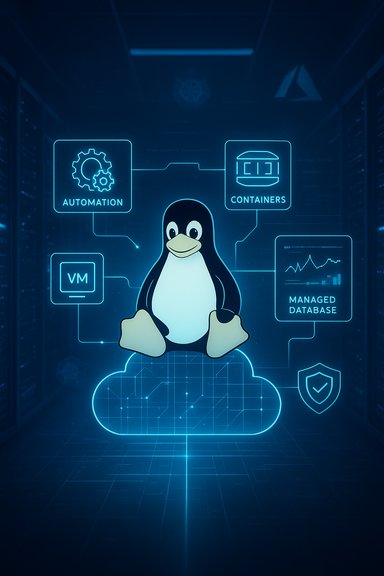
Linux on Microsoft Azure has matured into a first-class, production-ready platform that supports everything from small web front ends to large-scale, containerized, and data‑intensive workloads—provided deployments follow cloud-native principles, strong automation, and robust security controls. This feature outlines practical, battle-tested best practices for selecting Azure Marketplace images, designing cloud-first architectures, automating provisioning and maintenance, securing Linux instances, optimizing for performance and cost, and building resilient, observable environments ready for enterprise scale.
Linux now powers a significant portion of production cloud workloads across public clouds, and Azure’s investment in vendor images, drivers, tooling, and managed services has narrowed the gap between traditional on‑prem Linux operations and cloud-native practices. Selecting the proper base image, choosing the right VM families and storage options, and architecting for statelessness, automation, and resilience are the foundational decisions that determine long-term reliability and cost-efficiency.
This article assumes deployments will run on supported Azure infrastructure and that teams are prepared to adopt infrastructure-as-code, immutable images, and centralized observability. Where recommendations require vendor-specific verification or recent product changes, cautionary notes flag the need to confirm details against official documentation.
Long-term success depends on repeating the cycle: build images, test in staging, validate observability and recovery, and enforce governance through policy. With disciplined automation and observability, Linux workloads can achieve the reliability, performance, and security enterprises require while benefiting from Azure’s global infrastructure and managed services.
Source: nerdbot Deploying Linux on Azure: Best Practices for the Public Cloud
 Background
Linux now powers a significant portion of production cloud workloads across public clouds, and Azure’s investment in vendor images, drivers, tooling, and managed services has narrowed the gap between traditional on‑prem Linux operations and cloud-native practices. Selecting the proper base image, choosing the right VM families and storage options, and architecting for statelessness, automation, and resilience are the foundational decisions that determine long-term reliability and cost-efficiency.This article assumes deployments will run on supported Azure infrastructure and that teams are prepared to adopt infrastructure-as-code, immutable images, and centralized observability. Where recommendations require vendor-specific verification or recent product changes, cautionary notes flag the need to confirm details against official documentation.
Start with the right Azure Linux image
Choosing the initial image is more than a convenience—it's the compatibility baseline for kernels, cloud-init behavior, agents, and long-term patching.Marketplace images vs. custom images
- Use Azure Marketplace images from trusted distributors (Ubuntu LTS, Red Hat Enterprise Linux, AlmaLinux, Rocky Linux, Oracle Linux, Debian) for consistent, vendor-aligned patching and built-in Azure integrations.
- Create custom images using Azure Shared Image Gallery (SIG), Packer, or VM capture only after hardening and baseline validation. Custom images should be derived from a Marketplace image to preserve agent compatibility and supportability.
What to look for in an image
- Presence of cloud-init for consistent first-boot configuration.
- Installed and supported Azure agent (WALinuxAgent or the vendor-recommended replacement) for extension handling and provisioning hooks.
- An optimized kernel for virtualized environments when available.
- Vendor‑supported LTS versions for predictable lifecycles in production.
Adopt a cloud-first architecture
A cloud-first mindset reshapes applications for elasticity, resiliency, and operational simplicity. This is not merely about lifting-and-shifting VMs; it is about rethinking state, identity, and scaling.Key cloud-first principles
- Build stateless application tiers where possible — maintain session state in caches or managed stores rather than local disk.
- Use Azure-managed data services (Azure Database for PostgreSQL/MySQL, Cosmos DB, Blob Storage) for persistent data to offload backup, scaling, and HA responsibilities.
- Design for ephemeral compute: instances can and will be replaced; configuration must be automated and reproducible.
- Distribute workloads across Availability Zones for fault domain isolation and Zone-redundant storage for critical data.
Load balancing and traffic management
- Use Azure Load Balancer for L4 distribution and Application Gateway (or Front Door) for L7 routing, web application firewalling, and TLS offload.
- Architect health probes and graceful shutdown hooks into services so the load balancer only routes traffic to ready instances.
Automate everything: provisioning, configuration, and lifecycle
Automation removes human error, prevents configuration drift, and enables predictable scaling.Infrastructure as code and provisioning
- Adopt Bicep or ARM templates for native Azure IaC or Terraform for multi-cloud teams. Keep modules small, composable, and well-tested.
- Use cloud-init for early-instance bootstrapping and configuration. Combine cloud-init with a configuration management system for post-boot state enforcement when needed.
- Standardize image builds with Packer and store images in Azure Shared Image Gallery for versioned, regional replication.
Deployment pipelines
- Build the golden image (Packer → SIG).
- Publish IaC artifacts (Bicep/ARM/Terraform modules).
- Deploy to staging scale sets or AKS clusters.
- Run integration and smoke tests (automated).
- Promote to production with a controlled rollout (canary or blue/green).
Patch management and lifecycle
- Centralize patch control using Azure Update Manager or a configuration management system that integrates with Azure.
- For critical systems, use staged rollouts and maintain an immutable image pipeline so critical updates are baked into images instead of applied manually on running VMs.
- For bursty or non-critical compute, consider Spot VMs with workload checkpointing to lower costs—only when preemption is acceptable.
Implement strong security and access controls
Security is a continuous system property, not a checklist. Combine Linux best practices with Azure-native controls for a layered defense.Identity and access
- Require SSH key-based authentication and disable password logins on all production instances.
- Use Azure Active Directory and Azure AD-managed identities for service-to-service authentication when supported.
- Implement just-in-time (JIT) access policies for elevated access windows rather than open SSH ports.
Network controls and segmentation
- Apply Network Security Groups (NSGs) to restrict inbound traffic and use Azure Firewall or third‑party virtual appliances for centralized egress and filtering.
- Segment sensitive workloads into separate virtual networks or subnets with strict peering and traffic flow restrictions.
Data protection
- Enable Azure Disk Encryption using platform-managed keys (PMK) or customer-managed keys (CMK) in Key Vault for regulatory requirements.
- Use private endpoints for managed services (Blob, SQL) to avoid public egress and reduce exposure.
Host hardening and auditing
- Align OS configuration with CIS Benchmarks and implement automated remediation for drift.
- Centralize logs into Azure Monitor and Log Analytics, and enable Defender for Cloud for threat detection and recommendations.
- Use file integrity monitoring and auditd where required, and export audit logs centrally for retention and incident response.
Optimize for performance and cost
Azure offers many VM families and storage options; selecting the right combination impacts both performance and spend.Choosing VM families
- Use D-Series and E-Series VMs for general-purpose and memory-optimized workloads respectively.
- Use F-Series for compute-bound workloads where high CPU-to-memory ratio is needed.
- Use L-Series or storage-optimized SKU families for I/O-heavy workloads that need low-latency local caches or high disk throughput.
Storage and I/O tuning
- Prefer Managed Disks (Standard SSD, Premium SSD, Ultra Disk) instead of unmanaged storage for reliability and performance guarantees.
- Use striped disks (logical RAID via the OS) for workloads that need higher IOPS than a single disk can deliver, but document throughput and latency during load tests.
- For large-scale read-heavy workloads, leverage Azure Blob Storage with CDN fronting where appropriate.
Networking and latency
- Place compute resources in the same region and availability zone as the services they access to minimize latency.
- Use Accelerated Networking (SR-IOV) where supported to significantly reduce network latency and CPU overhead on the VM.
- When cross-region replication is required, design for eventual consistency and choose appropriate data replication tiers.
Cost governance
- Implement tagging for cost allocation, automation, and lifecycle management.
- Use Azure Cost Management to set budgets and alerts.
- Right-size instances periodically using telemetry from Azure Monitor to avoid over-provisioning.
Build resilient, scalable Linux environments
Resilience combines redundancy, automated recovery, and stateless design to keep services available during failures.High availability strategies
- Use Availability Zones to protect from datacenter-level failures and Availability Sets to protect from host-level faults where zones aren’t available.
- Deploy stateful services on managed database services that provide built-in failover and backups.
- For VMs, prefer Virtual Machine Scale Sets (VMSS) for automated scaling, rolling upgrades, and integration with Azure Load Balancer.
Containers and orchestration
- Containerize applications and use Azure Kubernetes Service (AKS) for microservices and CI/CD integration.
- Use managed node pools and spot node pools in AKS to balance cost and reliability.
- Implement liveness and readiness probes, and design for fast container startup to minimize disruption during scaling events.
Disaster recovery and backups
- Define RTO and RPO values per workload and implement Azure Backup, Site Recovery, or third-party DR orchestration to meet those objectives.
- Regularly test recovery procedures, including failover drills that validate networking, DNS, and secrets retrieval.
Observability, telemetry, and incident readiness
Operational maturity depends on clear, actionable telemetry and practiced incident response.Monitoring and logging
- Centralize metrics and logs using Azure Monitor, Log Analytics, and Application Insights for application performance.
- Instrument Linux hosts with the Azure Monitor agent or standardized exporters (e.g., Prometheus exporters) for kernel, disk, and network metrics.
- Create meaningful alerts with runbooks or automated remediation where possible to reduce alert fatigue.
Tracing and profiling
- Implement distributed tracing for microservices to quickly identify latency bottlenecks and service dependencies.
- Profile resource-hungry processes regularly and maintain a baseline of normal CPU, memory, and I/O patterns for comparison during incidents.
Incident playbooks and runbooks
- Define severity levels and on-call rotations.
- Create runbooks for common scenarios (disk-full, high CPU, process crashes, breach indicators).
- Automate playbook steps where safe (e.g., scaling triggers, automatic log collection).
Compliance, governance, and lifecycle policies
Enterprises must integrate cloud deployments with governance guardrails to maintain regulatory compliance.Policy and governance
- Use Azure Policy to enforce allowed images, SKUs, and regions; prevent unapproved public exposure of resources.
- Apply resource tagging conventions for environment, owner, and compliance classification.
- Maintain an approved image pipeline with vulnerability scanning and automated signature checks.
Secrets and key management
- Store secrets, keys, and certificates in Azure Key Vault with RBAC controls and logging enabled.
- Use Key Vault-backed disk encryption keys for customer-managed keys (CMK) scenarios.
Practical deployment checklist (summary)
- Select a trusted Marketplace image; validate cloud-init and Azure agent presence.
- Build golden images with Packer and publish via Shared Image Gallery.
- Automate provisioning with Bicep/ARM or Terraform and manage configuration with cloud-init plus a configuration manager if needed.
- Apply network segmentation, NSGs, and private endpoints for managed services.
- Enforce SSH key-only access and enable managed identities for service authentication.
- Choose VM families and disk tiers aligned with workload characteristics; enable accelerated networking where available.
- Centralize logs/metrics and create actionable alerts and runbooks.
- Implement backup, DR, and test recovery procedures regularly.
- Continuously scan and harden OS images against recognized benchmarks.
Notable strengths and potential risks
Strengths
- Seamless vendor support: Marketplace‑provided images simplify lifecycle management and vendor updates.
- Enterprise-grade tooling: Azure’s native services (VMSS, AKS, managed DBs, Monitor, Defender) reduce operational burden and speed up secure deployments.
- Global footprint and networking: Regional and zone choices allow architecting for low latency and high availability across geographies.
Risks and mitigations
- Image drift and patch inconsistencies: Mitigate by adopting an image-based pipeline and using SIG for versioned rollout.
- Improper identity management: Avoid static credentials by using managed identities and Key Vault for secrets.
- Cost leakage from over-provisioning: Reduce by implementing telemetry-driven right-sizing and governance policies.
- Vendor-specific assumptions: Test images and agent behavior in staging; verify that kernel options and drivers match required workloads.
Migration patterns and real-world tradeoffs
- Lift-and-shift is the fastest migration path but preserves legacy constraints; it should be a transitional phase toward a cloud‑native architecture.
- Replatforming to managed services reduces operational overhead but may require code changes and re-architecting for statelessness.
- Containerization and AKS deliver operational agility and improved density but introduce cluster management and orchestration complexity.
Final thoughts
Deploying Linux on Azure is not an exercise in copying on‑prem practices to the cloud; it is an opportunity to adopt immutable infrastructure, automated pipelines, and a layered security posture that scales with the organization. Starting with trusted Marketplace images, standardizing an image pipeline, automating provisioning and patching, and aligning workloads with appropriate VM families and managed services are the corrective actions that consistently reduce operational risk and cost.Long-term success depends on repeating the cycle: build images, test in staging, validate observability and recovery, and enforce governance through policy. With disciplined automation and observability, Linux workloads can achieve the reliability, performance, and security enterprises require while benefiting from Azure’s global infrastructure and managed services.
Source: nerdbot Deploying Linux on Azure: Best Practices for the Public Cloud
