

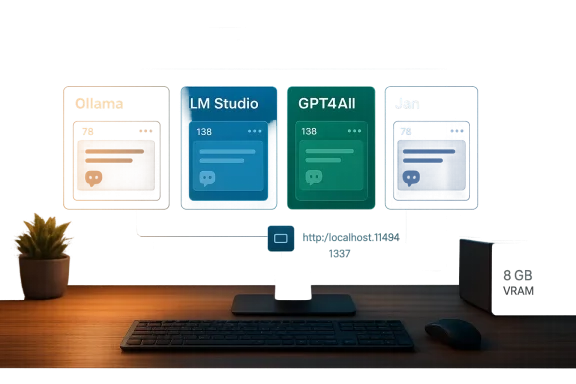
If you want powerful AI without paying recurring subscription fees, you no longer need to rely solely on cloud services — your existing PC can do a surprising amount of heavy lifting, and four free tools make that practical, fast, and privacy-friendly: Ollama, LM Studio, GPT4All, and Jan. These projects wrap modern, quantized language models in user-friendly runtimes that run locally, provide OpenAI-style APIs for compatibility with existing apps, and — in most cases — ship both GUI and server options to fit a range of workflows from single‑user experimentation to local developer deployments. In this feature I’ll summarize what each tool does, validate the technical claims you’ll see when trying them, explain the hardware and security tradeoffs, and offer practical guidance on choosing and configuring a local‑AI setup that won’t demand a monthly bill.
The last two years saw two changes that make local AI feasible for mainstream PCs. First, quantization matured — robust 4‑ and mixed‑bit quantization formats (GGUF, Q4 variants, AWQ, etc.) dramatically reduce model memory needs while preserving usable quality. Second, a wave of desktop/server runtimes and management UIs emerged, bringing polished tooling that downloads, manages, and serves quantized models with a few clicks or a single CLI command. That combination means a modern laptop with a modest GPU or a midrange desktop can run 7–13B models interactively; more powerful rigs or multi‑GPU servers can handle larger families.
Running models locally removes a subscription tax, increases privacy because data stays on your hardware, and lets developers redirect OpenAI‑style calls to local endpoints with minimal code changes. But it isn’t a zero‑cost solution: you still pay for hardware, storage, and the time it takes to learn the tooling and manage models. Below, I break down the four free tools that best represent the current landscape: a fast CLI/runtime (Ollama), a polished GUI with server features and benchmarking (LM Studio), an ultra‑simple entry point with built‑in RAG (GPT4All), and a ChatGPT‑style desktop assistant focused on privacy and integrations (Jan).
Source: MakeUseOf 4 free tools to run powerful AI on your PC without a subscription
 Background / Overview
The last two years saw two changes that make local AI feasible for mainstream PCs. First, quantization matured — robust 4‑ and mixed‑bit quantization formats (GGUF, Q4 variants, AWQ, etc.) dramatically reduce model memory needs while preserving usable quality. Second, a wave of desktop/server runtimes and management UIs emerged, bringing polished tooling that downloads, manages, and serves quantized models with a few clicks or a single CLI command. That combination means a modern laptop with a modest GPU or a midrange desktop can run 7–13B models interactively; more powerful rigs or multi‑GPU servers can handle larger families.Running models locally removes a subscription tax, increases privacy because data stays on your hardware, and lets developers redirect OpenAI‑style calls to local endpoints with minimal code changes. But it isn’t a zero‑cost solution: you still pay for hardware, storage, and the time it takes to learn the tooling and manage models. Below, I break down the four free tools that best represent the current landscape: a fast CLI/runtime (Ollama), a polished GUI with server features and benchmarking (LM Studio), an ultra‑simple entry point with built‑in RAG (GPT4All), and a ChatGPT‑style desktop assistant focused on privacy and integrations (Jan).
Ollama — fast CLI runtime and local OpenAI‑style API
What it is and how it works
Ollama is a lightweight local LLM runtime that targets developers and power users who prefer the terminal. Install once, pull models from the built‑in library or import GGUF models, and run them with a single command like:- ollama run llama3
Ollama runs the model process and exposes a local REST API so other apps can talk to the model in an OpenAI‑compatible way with minimal code changes. That design treats Ollama as an infrastructure component — not just a chat client — which is why it’s popular with developers building local automation or integrating models into existing applications.
Strengths
- Minimal setup: single command model pulls; easy CLI workflow for scripts and automation.
- OpenAI‑style API: you can point existing OpenAI clients at Ollama’s local endpoint and reuse code quickly.
- Model library: ships with many optimized models (Llama 3 variants, Mistral, Phi, and community packages), and supports importing GGUF/safetensors formats for custom models.
- Cross‑platform: works on Windows, macOS, and Linux, and has auxiliary libraries (Python, JS) for deeper integration.
Tradeoffs and notable caveats
- No built‑in GUI: Ollama is great for terminal users and scripts; non‑technical users may prefer a GUI front end.
- Model licensing and provenance: Ollama enables running many models locally, but bundles don’t absolve you from reading and complying with each model’s license terms; always check licensing for commercial or regulated uses.
- Hardware sensitivity: performance depends on model size, quantization, and your GPU/CPU — you may need to tune quantization flags for the best tradeoff between speed and fidelity.
LM Studio — GUI, daemon mode, and production‑oriented features
What it is and how it works
LM Studio’ is designed for users who want a desktop UX for browsing, comparing, and running local models. It provides a model discovery UI (search and filter models from Hugging Face), a model manager to download quantized GGUF artifacts, local benchmarking, and a built‑in daemon (headless server) so you can deploy the same runtime in GUI or server mode. LM Studio also exposes an OpenAI‑style API and supports parallel inference with continuous batching for higher throughput.Key features
- Graphical model discovery and downloads so you don’t have to hunt model files manually.
- A headless daemon (llmster / server mode) for running LM Studio on a server or as a background service.
- A stateful REST API and support for local Model Context Protocol (MCP) servers, enabling richer multi‑step conversations and tool integrations.
- Built‑in benchmarking to compare model latency and token throughput on your hardware.
- Support for both native GPU acceleration and Apple Silicon engines.
Strengths
- GUI-first experience makes experimentation approachable while still offering server‑grade features.
- Continuous batching and parallel inference improve throughput for multi‑user or multi‑agent scenarios.
- Exportable chats and developer mode help teams operationalize local models and integrate them into toolchains.
Tradeoffs
- Resource footprint: LM Studio’s desktop client is feature‑rich and uses additional RAM beyond the model’s inference memory (Electron‑style apps typically require more system memory).
- Complexity: the array of configuration options is powerful but can be intimidating for complete beginners.
- Licensing nuance: some advanced enterprise features or team management functions are gated behind proprietary or paid tiers in many projects; check the product’s license and roster of features for commercial plans.
GPT4All — the easiest entry to offline LLMs with LocalDocs RAG
What it is and how it works
GPT4All is a free, open‑source desktop app geared at first‑time local LLM users. Download the client, pick a model from the built‑in list, and chat immediately. The standout feature is LocalDocs, a built‑in Retrieval‑Augmented Generation (RAG) system: point GPT4All at a folder of PDFs, text files, or Markdown and the app builds embeddings and an index on your device. The model can then retrieve relevant passages from those documents during a conversation.Strengths
- Lowest friction: ideal for non‑developers who want offline chat and document search without CLI work.
- LocalDocs RAG: integrates your files securely and privately without cloud indexing.
- CPU friendliness: designed to run reasonably on CPU‑only systems, making it friendly to laptops and older machines.
Tradeoffs
- Less granular control: GPT4All’s simplicity comes at the cost of fine‑tuning quantization, context windows, or advanced prompt plumbing.
- Model choices: the built‑in model list favors easy usability over the very latest large‑scale models; you can sideload compatible GGUF models but the experience is less flexible than Ollama or LM Studio for power users.
- Enterprise readiness: better as a personal assistant or a developer prototyping tool than as an out‑of‑the‑box production server.
Jan — a ChatGPT‑style privacy‑focused desktop assistant
What it is and how it works
Jan aims to reproduce a ChatGPT‑like desktop experience while running models locally and preserving privacy. It provides a polished chat interface, model recommendations based on your hardware, Hugging Face integration for remote models when you want them, and an OpenAI‑compatible local API server (commonly bound to port 1337). Jan packages a privacy‑first UX and integrates with developer tools like VS Code through its local API.Strengths
- ChatGPT‑like experience with a familiar conversational UI, for users who want a near‑drop‑in desktop alternative.
- Local API port that mimics OpenAI endpoints and works with developer tools and automated workflows.
- Privacy first design — once a model is downloaded, the program functions offline and keeps data local.
Tradeoffs
- Model management ergonomics: Jan makes model selection easy, but heavy multi‑model experimentation benefits from CLI or server tooling.
- Feature overlap: Jan overlaps with LM Studio and Ollama in server capability but distinguishes itself on UI and privacy posture.
Hardware, quantization, and practical expectations
Minimal and recommended hardware
- Minimum: A modern CPU and 8 GB system RAM will let you run small (7B) quantized models with modest latency. CPU‑only operation is possible but slower.
- Recommended: 16 GB RAM, a consumer GPU with 8+ GB VRAM (for example, 3060/4060 class or better), and an NVMe SSD for model storage and fast load times.
- Optimal: 24–48 GB VRAM GPUs or multi‑GPU setups and 32+ GB system memory if you want to run 30B+ quantized models interactively.
Why quantization matters
Quantization compresses model weights into low‑precision representations, shrinking memory and storage footprints and enabling large models on smaller hardware. Common formats (GGUF, Q4 variants) are widely supported by local runtimes. The tradeoff: lower precision can subtly change output fidelity or increase hallucination likelihood on narrow tasks; test any quantized model thoroughly before relying on it for critical work.Security, privacy, and licensing considerations
Data privacy
Local inference keeps prompts, uploaded files, and model outputs on your machine — a major advantage for sensitive data. But privacy isn’t automatic:- Plugins and add‑ons: some GUI apps include optional cloud integrations; check settings and disable remote features if you want strict offline operation.
- Model telemetry: some desktop apps may include optional crash/telemetry reporting. Inspect the privacy settings and the installer prompts.
Model provenance and legal risk
Models have different licenses and training provenance. Running a model locally doesn’t eliminate legal obligations:- Check model licenses before using them in a commercial product.
- Be skeptical of unclear provenance for some community models; if training data provenance matters (e.g., medical, proprietary content), use vetted models or contract a provider.
Hallucinations, safety, and verification
Local LLMs will still hallucinate. When accuracy matters:- Use RAG (document retrieval) so the model cites local evidence.
- Verify model outputs programmatically when possible.
- Consider guardrails and post‑processing if models produce code, legal, or medical content.
Integration patterns and practical workflows
Use your local model as an OpenAI substitute
All four tools (Ollama, LM Studio, GPT4All, Jan) provide local servers or REST APIs that mimic or are compatible with the OpenAI API shape. That means:- Existing apps, scripts, chat clients, or IDE integrations that expect an OpenAI endpoint can be pointed to local endpoints with a base URL change.
- Example pattern: swap your API base from the cloud to http://localhost:11434 or http://localhost:1337 and use a dummy key in development.
RAG and workspace automation
- For knowledge‑centric tasks (documentation, codebases, research), use LocalDocs or equivalent RAG features that create embeddings and index local files. This approach tethered to a retrieval step dramatically reduces hallucinations for factual tasks.
- Automate indexing of folders (PDFs, markdown, code repositories) and schedule periodic reindexing if documents change.
Developer tooling
- Run a lightweight local model for coding assistance by pointing your IDE’s AI plugin to the local OpenAI‑compatible endpoint.
- For multi‑user setups or dev servers, run LM Studio’s daemon or Ollama’s serve mode on a private LAN box and control access with firewall rules or internal API keys.
Choosing the right tool: quick decision guide
- Choose Ollama if you’re a developer who wants a fast CLI runtime, minimal overhead, and easy OpenAI‑style API compatibility for scripts and integration.
- Choose LM Studio if you want a polished GUI, model discovery/browsing, built‑in benchmarking, and server/daemon capabilities for higher‑throughput or team experimentation.
- Choose GPT4All if you’re starting out, want a one‑click chat + document search setup, and need CPU‑friendly performance without a steep learning curve.
- Choose Jan if you prefer a ChatGPT‑style desktop assistant with a privacy posture and easy VS Code/IDE integrations via a local, OpenAI‑like API.
Practical setup checklist (get running in an evening)
- Pick a tool based on the decision guide above.
- Verify system resources: free SSD space for model files, at least 8–16 GB RAM recommended.
- Install the tool (GUI installer, package manager, or curl installer as applicable).
- Download a small quantized model first (7B family) and confirm the app can load it quickly.
- Test the local API with a simple chat invocation from the terminal or your app.
- If you’ll use documents, create a small LocalDocs or collection and ask retrieval queries to confirm citations.
- Harden the machine: disable remote features if you require strict offline operation, and review telemetry settings.
- Iterate: move to larger models once you’re comfortable with memory/latency and have performance benchmarks.
Risks, limits, and the area for careful testing
- Expect variance in quality between local quantized models and cloud‑hosted large models. For creative or casual prompts local outputs are often fine; for high‑stakes work (legal copy, medical advice, regulatory interpretation) prefer vetted cloud models or human review.
- Performance gaps: CPU‑only setups will be slower. For conversational latency similar to cloud chat, you’ll likely need a modern GPU.
- Supply chain and dependency management: local model artifacts and runtime code come from many sources; maintain an update policy and be mindful of supply‑chain risks (untrusted binaries).
- Licensing and commercial use: confirm model and runtime licenses before building a product that will be distributed or sold.
The practical future: what to expect next
Local LLM tooling is moving quickly. Expect:- Improved quantization techniques that preserve quality at lower bit widths.
- Tighter integrations with developer tools and IDEs for offline coding assistants.
- Better multi‑GPU offloading and kernel optimizations that make larger models practical on consumer hardware.
- More robust RAG pipelines and MCP‑style tool protocols allowing safer, evidence‑backed responses from local models.
Conclusion
Running powerful AI on your PC without a subscription is no longer a niche hobbyist pursuit — it’s a practical option for many users thanks to quantization and polished runtimes. Ollama gives developers a fast, scriptable runtime and OpenAI‑compatible API; LM Studio brings a polished GUI, server mode, and production features like continuous batching; GPT4All makes offline chat and RAG trivial for beginners; and Jan gives you a private, ChatGPT‑like desktop assistant with local API integrations. Each has strengths and tradeoffs, and your choice should reflect whether you value simplicity and CPU friendliness, developer automation and CLI control, rich GUI discovery and benchmarking, or a privacy‑first, ChatGPT‑style experience. With a sensible hardware baseline, careful model selection, and a few safety checks, you can run capable LLMs locally without any subscription bill — and keep control of both your data and your costs.Source: MakeUseOf 4 free tools to run powerful AI on your PC without a subscription
