

Artificial intelligence skills are now table stakes across IT roles, and a wave of free and low‑cost certificates from major vendors makes it possible for busy tech professionals to upskill without breaking the bank. The options range from one‑hour primers to multi‑course job‑ready certificate paths, and they each serve distinct career goals — from cloud‑aware practitioners to managers who need conceptual fluency, and developers aiming to ship generative AI applications. The following feature parses the five programs highlighted in recent industry roundups, verifies key claims, flags where details vary across providers, and gives a practical roadmap for picking and completing the credential that will most improve your hiring signal or on‑the‑job impact.
AI credentialing has shifted from long, expensive degree programs to nimble, vendor‑led learning paths that emphasize hands‑on labs, cloud sandboxes, and demonstrable artifacts. Employers increasingly value platform‑specific skills — Vertex AI, Azure AI Foundry, Amazon Bedrock — but they also prize reproducible projects that show end‑to‑end results (data → model → deployment → monitoring). Many platforms make learning content free to audit while charging for certificates, proctored exams, or premium sandboxes; price and availability are fluid and sometimes regional. This makes a verification step essential before enrolling.
Source: eWeek Best Free and Low-Cost AI Certifications for Tech Professionals
 Background
AI credentialing has shifted from long, expensive degree programs to nimble, vendor‑led learning paths that emphasize hands‑on labs, cloud sandboxes, and demonstrable artifacts. Employers increasingly value platform‑specific skills — Vertex AI, Azure AI Foundry, Amazon Bedrock — but they also prize reproducible projects that show end‑to‑end results (data → model → deployment → monitoring). Many platforms make learning content free to audit while charging for certificates, proctored exams, or premium sandboxes; price and availability are fluid and sometimes regional. This makes a verification step essential before enrolling.Overview of the five recommended low‑cost AI certifications
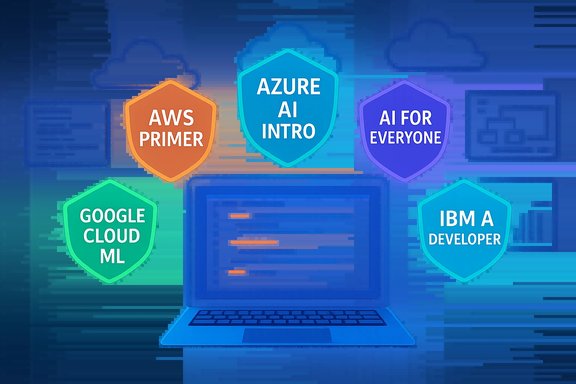
The eWeek roundup (and similar industry guides) calls out five accessible options for 2026: an AWS primer on Coursera, Google Cloud’s ML & AI learning path, Microsoft’s Introduction to AI in Azure, DeepLearning.AI’s AI for Everyone, and IBM’s AI Developer Professional Certificate. Each option targets a different audience and outcome — from non‑technical awareness to job‑ready development skills. Below is a verified, actionable breakdown of each program, plus the editorial assessment tech professionals need to choose wisely.AWS — Fundamentals of Machine Learning and Artificial Intelligence (best for non‑specialists using AWS)
What it is
- A short, one‑module Coursera course produced by Amazon Web Services, billed as a one‑hour, self‑paced primer that connects basic AI/ML concepts to AWS services. This course is useful for product owners, support engineers, and IT staff who need vocabulary and a quick mental model of AWS AI offerings.
Verified facts
- Course platform: Coursera.
- Length: ~1 hour to complete (self‑paced).
Strengths
- Extremely low friction: one‑hour commitment that yields a shareable certificate if you pay for the verified track.
- Vendor context: explains which AWS services (SageMaker, Bedrock, etc. map to common use cases, making it immediately relevant to AWS‑centric shops.
Limitations and cautions
- Not hands‑on for production ML or MLOps; it’s a conceptual primer, not an engineer’s bootcamp.
- Certificate value is modest on its own; couple the course with a small demonstrable artifact (a short README + architecture diagram) to increase hiring signal.
Google Cloud — Machine Learning and Artificial Intelligence learning path (best for hands‑on cloud AI)
What it is
- A structured collection of Google Cloud courses and labs on Google Cloud Skills Boost and Coursera that teach generative AI concepts, ML workflows, model deployment on Vertex AI, and production‑grade practices. The learning path is free to access, but the recognized Professional Machine Learning Engineer certification requires passing a paid exam.
Verified facts
- The Google Cloud Professional Machine Learning Engineer exam is a two‑hour, proctored test with a registration fee of $200 (plus local tax where applicable). The exam covers generative AI topics, Vertex AI, and production ML practices.
Strengths
- Strong employer recognition for roles that need cloud‑native ML skills.
- Extensive labs and credits via Google Cloud Skills Boost for running hands‑on exercises and small prototypes.
- Exam maps to production tasks (scaling, monitoring, MLOps), so preparation tends to produce demonstrable skills.
Limitations and cautions
- Cost: while learning content is free, the proctored exam costs $200 and some labs require paid cloud credits for scale. Budget for exam + a small cloud credit allowance.
- Time and depth: earning the certification typically requires several months of study and hands‑on practice; it’s designed for intermediate to advanced learners.
Microsoft — Introduction to AI in Azure (best for Azure‑native workflows and Azure AI Studio)
What it is
- A Microsoft Learn learning path that introduces AI concepts and how to implement them using Azure services and Azure AI Foundry. It’s a role‑based path suited to developers, AI engineers, and solution architects who work in Azure environments. The learning path emphasizes responsible AI and practical tool usage.
Verified facts and small corrections
- Microsoft Learn lists this path as containing 13 modules (not 14), covering foundational ML, generative AI, NLP, speech, computer vision, and Azure AI Foundry features. The provider lists the path as beginner level and oriented to users familiar with the Azure portal. Learner‑time estimates vary by module and hands‑on lab use.
Strengths
- Direct alignment with Azure MLOps and enterprise workflows.
- Emphasizes Microsoft’s responsible AI principles — useful for governance and compliance roles.
- Free and regularly updated on Microsoft Learn, with sandboxed labs in many modules.
Limitations and cautions
- Vendor lock‑in risk: strong Azure focus helps you get hired in Azure shops but reduces transferability if your target roles prefer AWS or GCP.
- Module count and hands‑on time change as Microsoft updates content; verify module counts and lab requirements on the Microsoft Learn page before planning study time.
DeepLearning.AI — AI for Everyone (best for non‑technical managers and cross‑functional fluency)
What it is
- A compact, non‑technical course by DeepLearning.AI and Andrew Ng that teaches core AI concepts, terminology, and pragmatic business applications rather than coding. It’s a top choice for product managers, executives, and cross‑functional partners who need to speak AI fluently and make adoption decisions.
Verified facts
- Duration: DeepLearning.AI lists the course at roughly 6 hours (varying entries show 6–7 hours). The DeepLearning.AI site and Coursera entries indicate the course is short and highly rated. Certificate pricing differs by platform: DeepLearning.AI states a certificate eligibility window and Coursera shows varying prices (providers sometimes list a flat payment, but platform fees and regional pricing apply). The DeepLearning.AI site indicates a $49 price for certificate eligibility on Coursera in some listings, while other curated roundups cite lower figures; pricing is time‑sensitive and region‑dependent. citeturn1search0turn1search1
Strengths
- Fast to complete and high impact for decision‑makers who need to evaluate use cases, risks, and ROI.
- Teaches why organizations use AI rather than how to build models, which is essential context for non‑engineers.
Limitations and cautions
- Not a coding course — hands‑on developers need additional technical credentials.
- Certificate pricing and eligibility windows vary; confirm current costs on the Coursera or DeepLearning.AI page before paying.
IBM — AI Developer Professional Certificate (best for job‑ready AI development skills)
What it is
- A 10‑course Professional Certificate offered via Coursera and IBM Skills Network that aims to produce job‑ready AI developers. The program covers Python, Flask web deployment, generative AI, chatbot building, and practical portfolio projects. IBM and Coursera list flexible pacing (commonly estimated at six months at ~4 hours/week).
Verified facts and pricing nuance
- Program length and scope (10 courses, job‑focused capstone) are confirmed on IBM and Coursera pages. Pricing typically follows Coursera’s subscription model (monthly), which has varied by region and promotions; public listings and multiple third‑party guides show typical monthly prices in the $39–$49 range. Limited‑time Coursera promotions have temporarily reduced effective monthly costs to the equivalent of ~$20/month for first‑year deals — but that is a promotional offer, not a permanently listed IBM program price. Treat any reported "$20/month" figure as possibly campaign‑driven and verify at enrolment.
Strengths
- Project‑centric: capstones and hands‑on labs that produce artifacts you can add to a GitHub portfolio.
- Good bridge for career changers and developers who want application‑level AI skills (web deployment, chatbots, integration).
Limitations and cautions
- The subscription model means total cost depends on how quickly you complete the series; faster completion reduces cost but demands focused time.
- Some enterprise hiring managers prefer cloud‑specific certifications (Azure/GCP/AWS) for production ML roles; use IBM to build a portfolio and pair it with a cloud provider practice path if targeting MLOps roles.
Cross‑checks and discrepancies (what we verified, and what to watch for)
- Course durations and module counts sometimes differ between vendor pages and curated roundups. For example, Microsoft Learn lists 13 modules for the "Introduction to AI in Azure" path, while some roundups mention 14. Always confirm the current module count and time estimate on Microsoft Learn before planning study time.
- Certificate pricing varies by platform, region, and promotional periods. DeepLearning.AI’s "AI for Everyone" shows course duration ~6 hours and vendor pages list certificate fee models (DeepLearning.AI and Coursera pages differ), while IBM’s Coursera program often surfaces a typical subscription cost of $39–$49/month but was listed in some roundups as available at $20/month — that lower number reflects limited promotional pricing (Coursera Plus deals) rather than standard pricing. Confirm price at checkout.
- Vendor exam fees are more stable for proctored, role‑based certifications. Google Cloud Professional Machine Learning Engineer exam cost is widely documented at $200 and exam length at two hours; this is a reliable estimate for budgeting.
Critical analysis — practical strengths and notable risks
Strengths across these options
- Accessibility: short modules and free audit options lower the barrier to entry. Many vendors now offer free learning content and gate only certificates or proctored exams behind fees.
- Employer signal + demonstrable work: vendor certificates paired with small projects (a demo bot, a reproducible notebook, or a short RAG prototype) combine tooling familiarity with outcome evidence — the combination that hiring managers value most.
- Role specificity: cloud provider paths map directly to enterprise stacks, which increases the credential’s hiring weight when the employer uses that cloud.
Risks and trade‑offs
- Vendor lock‑in: platform‑specific skills accelerate productivity on that stack but can make transitions harder. Mitigation: always pair vendor learning with platform‑neutral fundamentals like evaluation metrics, RAG patterns, and prompt‑engineering best practices.
- Hidden or recurring costs: proctored exams, cloud lab credits, and subscription pricing variability can raise the total cost. Build a modest budget for exam and cloud credits when planning to finish a paid path.
- Data privacy and sandboxing: never use proprietary or PHI data in public vendor sandboxes or shared demos. Use synthetic or scrubbed datasets for labs and portfolio projects.
Practical roadmap: How to choose and complete a low‑cost AI credential in 12 weeks
- Decide your primary goal:
- Awareness and governance: choose AI for Everyone.
- Cloud deployment and production ML: pick Google Cloud or Microsoft Learn path tied to the cloud you use.
- Practical development portfolio: enroll in IBM’s Professional Certificate.
- Quick contextual primer for AWS shops: take the AWS one‑hour course.
- Verify current pricing and exam availability on the official course/certification pages (always check vendor pages the week you plan to enroll). Promotional pricing may reduce short‑term cost but is temporary.
- Allocate your time:
- One‑hour primers: block a single uninterrupted hour and produce a one‑page summary or diagram.
- Short conceptual courses (AI for Everyone): 6–10 hours over a week; produce a 5‑slide briefing mapping 1 business use case to expected ROI.
- Multi‑course certificates (IBM/Google Cloud prep): plan 8–20 hours/week and schedule the proctored exam only when you can complete a small capstone.
- Deliverables to maximize hiring signal:
- One end‑to‑end artifact per credential: a GitHub repo with README, a short demo video (2–4 minutes), and a pricing/ops note about cloud credits used and monitoring approach.
- A one‑page case study describing the problem, dataset (synthetic if necessary), model, deployment pattern (serverless? container?, and monitoring plan.
- Budget checklist:
- Course certificate or subscription fee (confirm on platform).
- Proctored exam or certification fee (e.g., Google Cloud ML Engineer = $200).
- Small cloud credits for labs (estimate $10–$100 depending on experiments).
- Optional: paid practice tests or premium labs.
Quick comparisons and recommended pairings
- Best starter + low friction: AWS one‑hour primer (concept + AWS context). Follow with a mini‑project showing how an AWS service could solve a simple use case.
- Best for production ML engineers: Google Cloud learning path + Professional Machine Learning Engineer exam. Budget for the $200 exam and hands‑on Vertex AI labs.
- Best for Azure shops: Microsoft’s Introduction to AI in Azure (Microsoft Learn) — pair it with Azure MLOps hands‑on labs. Confirm the current module count and sandbox access before scheduling study time.
- Best non‑technical primer: AI for Everyone by DeepLearning.AI — short, high signal for managers. Confirm certificate pricing at enrolment.
- Best job‑ready development pathway: IBM AI Developer Professional Certificate — strong for building portfolio apps and chatbots; subscription models vary, so verify the monthly fee.
Final recommendations (what to do next)
- If you need rapid, low‑cost credibility: finish a one‑hour primer and produce a one‑page case study in the same week. Use the AWS primer or AI for Everyone depending on your stack and role.
- If you need production skills: choose the cloud provider your employer or target job uses and follow the provider’s learning path to a proctored exam; budget for the exam fee and a month of practice labs.
- If you’re changing careers into AI development: enroll in IBM’s 10‑course program, finish the capstone, and publish the project to GitHub with a concise video demo — that portfolio item will matter more than a single badge.
Closing assessment
The 2026 landscape makes it realistic for tech professionals to get credible AI training for free or at low cost — provided they verify up‑to‑date pricing and pair certificates with demonstrable artifacts. Vendor learning paths reduce friction and align with enterprise tooling (Vertex AI, Azure AI Foundry, AWS Bedrock), but they come with trade‑offs: potential vendor lock‑in, lab credit costs, and evolving module counts or certificate pricing. Build a short portfolio, confirm current exam and certificate fees before purchasing, and aim for at least one reproducible, deployable artifact per credential. That combination — platform familiarity plus demonstrable impact — is what actually moves hiring decisions in 2026.Source: eWeek Best Free and Low-Cost AI Certifications for Tech Professionals
