

Today’s paper from cryptographers at ETH Zurich and the Università della Svizzera italiana shatters a comforting shortcut many of us keep telling friends and colleagues: the marketing line that your cloud password manager has “zero knowledge” of your vault is not an absolute guarantee once you assume the provider’s servers are malicious. The researchers show a range of plausible, practical attacks that let someone who controls or tampers with a password‑manager backend read, modify, or fully exfiltrate vault contents in Bitwarden, LastPass and Dashlane — with varying severity depending on features you enable and how you access the service. Their work is published as “Zero Knowledge (About) Encryption” and presented with concrete proof‑of‑concepts and mitigations.
Cloud password managers consolidated your digital life because they made secure vaults synchronised across devices easy and accessible. Vendors reinforced adoption by promising “zero‑knowledge encryption” — the idea that only you hold the keys to decrypt your secrets. That assurance is true under a standard threat model where the server behaves honestly but might be read by an attacker. The ETH/USI team instead inspected a stronger, more adversarial model: what happens if the server itself is compromised or coerced into behaving maliciously during normal client‑server interactions? Under that model, the researchers found multiple avenues where the server can trick clients into revealing secrets or weakening cryptographic protections.
This is not a “password managers are useless” paper. The authors stress that all attacks assume a malicious server — a high bar — and that users should not abandon password managers. Still, password managers are now prime targets: they hold the keys (literally and functionally) to a user’s entire online identity, and this work shows that server‑side manipulation can negate some of the client guarantees teams and vendors relied on.
Why this approach is important: traditional security audits look for bugs in code paths assuming the server behaves correctly. But in cloud services, it’s realistic to model a compromised server — whether due to ransomware, insider action, supply‑chain tampering, or sophisticated nation‑state access — and then ask whether that server can actively undermine client guarantees. The researchers’ answer: yes, in multiple ways.
A practical example: when certain enterprise or team workflows instruct the client to re‑encrypt a user’s master key under administrator public keys, the server can inject attacker keys in place of legitimate admin keys. If the client accepts those keys without adequate authentication, the attacker will receive ciphertexts they can decrypt with their private key — effectively getting a wrapped copy of the user’s vault key. For LastPass, the exploit chain was shown to require the browser extension login path in order to be triggered.
If you value the ability to share specific items or to auto‑fetch metadata like site icons, these convenience features increase attack surface — because the client will decrypt and transmit individual fields under server direction.
Importantly, the researchers and commentators repeatedly note: there is currently no public evidence that these attack chains have been used in the wild. Vendors received coordinated disclosure and have begun or completed mitigations for many of the demonstrated issues. Still, the mere existence of practical attack techniques matters for threat‑modeling and compliance — especially in regulated environments with strict DLP and contractual obligations.
Do not interpret this as a reason to abandon password managers. They still mitigate reuse, phishing, and many forms of credential theft. Instead, take this as a call to (1) update your clients, (2) audit and harden your settings, (3) prefer stronger KDFs and second secrets where available, and (4) push vendors to adopt cryptographic integrity measures that resist malicious‑server manipulation.
The ETH/USI paper is essential reading for anyone who thought “zero‑knowledge” meant absolute — and an urgent reminder to practitioners that cryptography is only as strong as the assumptions and operational practices that surround it. The good news: the problem is fixable with careful cryptographic design, authentication of key material, and sane migration strategies. The inconvenient news: those fixes take time, coordination, and careful testing so users and organisations should treat this as an active, ongoing risk to be managed, not a disaster that retroactively invalidates every password manager decision made in the past.
Source: PC Perspective Bitwarden, Dashlane, and LastPass Totally Can't Read Your Passwords ... Wink - PC Perspective
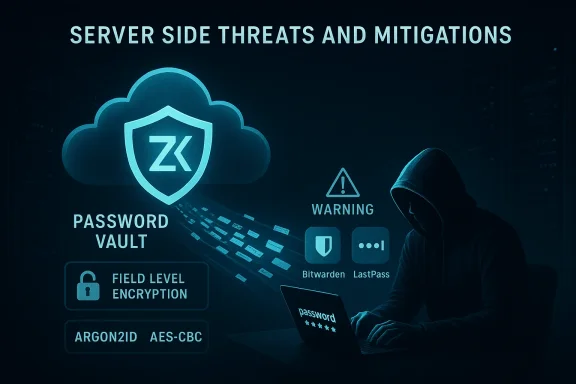 Background
Cloud password managers consolidated your digital life because they made secure vaults synchronised across devices easy and accessible. Vendors reinforced adoption by promising “zero‑knowledge encryption” — the idea that only you hold the keys to decrypt your secrets. That assurance is true under a standard threat model where the server behaves honestly but might be read by an attacker. The ETH/USI team instead inspected a stronger, more adversarial model: what happens if the server itself is compromised or coerced into behaving maliciously during normal client‑server interactions? Under that model, the researchers found multiple avenues where the server can trick clients into revealing secrets or weakening cryptographic protections.This is not a “password managers are useless” paper. The authors stress that all attacks assume a malicious server — a high bar — and that users should not abandon password managers. Still, password managers are now prime targets: they hold the keys (literally and functionally) to a user’s entire online identity, and this work shows that server‑side manipulation can negate some of the client guarantees teams and vendors relied on.
What the researchers did — and why it matters
The team (Matteo Scarlata, Giovanni Torrisi, Matilda Backendal and Kenneth G. Paterson) ran a systematic, comparative analysis of three mainstream, cloud‑based password managers — Bitwarden, LastPass, and Dashlane — and additionally reviewed 1Password. They implemented a “malicious server” testbed that emulated a provider backend which could deviate arbitrarily from expected responses, then exercised real client apps and browser extensions to see whether the server could make those clients disclose secrets or accept weakened cryptographic material. The project produced 25–27 concrete attacks across the vendors, many of which yield plaintext passwords or allow vault tampering.Why this approach is important: traditional security audits look for bugs in code paths assuming the server behaves correctly. But in cloud services, it’s realistic to model a compromised server — whether due to ransomware, insider action, supply‑chain tampering, or sophisticated nation‑state access — and then ask whether that server can actively undermine client guarantees. The researchers’ answer: yes, in multiple ways.
The technical findings — attack classes explained
The paper organizes the discovered weaknesses into several recurring themes. Each class of attack has different prerequisites and impact; the most critical ones have server‑control as a precondition.Key escrow and account recovery weaknesses
Many password managers provide account‑recovery or administrative recovery features (for families, teams, or enterprises). These require the server to store or orchestrate key material so a user can regain access without their original master password. The researchers show how those recovery flows can be used by a malicious server to obtain the user’s vault decryption keys or to substitute attacker‑controlled keys, enabling decryption of newly created or rotated vault keys. LastPass and Bitwarden were singled out for especially damaging recovery‑related attacks.A practical example: when certain enterprise or team workflows instruct the client to re‑encrypt a user’s master key under administrator public keys, the server can inject attacker keys in place of legitimate admin keys. If the client accepts those keys without adequate authentication, the attacker will receive ciphertexts they can decrypt with their private key — effectively getting a wrapped copy of the user’s vault key. For LastPass, the exploit chain was shown to require the browser extension login path in order to be triggered.
Item‑level encryption and vault malleability
Unlike a monolithic encrypted blob, some managers encrypt individual items — and sometimes individual fields within an item (e.g., URL, username, password) — with the same key. The server can swap fields between items or craft responses that cause the client to decrypt the wrong field and send it off to the server (for example, when the client requests a favicon by sending the item’s URL). This field swap or cut‑and‑paste style attack exposes selected passwords without needing to break the underlying encryption algorithm. The research team demonstrates this against Bitwarden and LastPass.If you value the ability to share specific items or to auto‑fetch metadata like site icons, these convenience features increase attack surface — because the client will decrypt and transmit individual fields under server direction.
Downgrade and padding‑oracle attacks (legacy cryptography)
To preserve compatibility, vendors sometimes keep old encryption modes or legacy key hierarchies available. The researchers describe how a malicious server can force a client into using weaker legacy modes (for example, AES‑CBC without authenticated encryption), then run a padding‑oracle style attack to recover plaintext over time. Dashlane in particular was shown to be susceptible to a long‑running padding‑oracle chain that could recover vault contents given many interactions, while Bitwarden had a legacy hierarchy that enabled a read attack in some scenarios. Where the server can induce a downgrade to unauthenticated modes, ciphertext malleability becomes the attacker’s friend.KDF/iteration weakening
Deriving the master key from a password is intentionally slow: KDF (key derivation function) iteration counts are set high to resist brute‑force. The paper shows that clients sometimes accept iteration counts provided by the server without enforcing a secure minimum. That lets a malicious server tell a client to use an extremely low iteration count (e.g., reducing defaults in practice by hundreds of thousands of iterations), making it far easier for an attacker who steals the stored hashes to crack master passwords. Bitwarden and LastPass were specifically highlighted for exposing this attack surface.Scope and impact — who’s affected?
Collectively, the vendors studied account for roughly 60 million users and approximately 23% of the password‑manager market in the authors’ sampling. The paper documents 27 distinct attacks across Bitwarden, LastPass, Dashlane and, to a lesser extent, 1Password (the latter’s architecture makes some vault‑wide attacks infeasible but not everything immune). The majority of the severe attacks require a malicious server and often rely on less commonly enabled features: account recovery, sharing, or legacy support. That reduces the immediate risk for the average user, but it leaves high‑value targets and organizations vulnerable should an adversary compromise provider infrastructure or manipulate server responses.Importantly, the researchers and commentators repeatedly note: there is currently no public evidence that these attack chains have been used in the wild. Vendors received coordinated disclosure and have begun or completed mitigations for many of the demonstrated issues. Still, the mere existence of practical attack techniques matters for threat‑modeling and compliance — especially in regulated environments with strict DLP and contractual obligations.
Vendor responses and patch status
All vendors covered by the disclosure engaged with the researchers under a coordinated embargo and have posted various remedial steps or advisories. Public reporting indicates:- Dashlane moved quickly to remove the downgrade pathway that enabled the padding‑oracle attack.
- Bitwarden acknowledged multiple issues and is actively patching; several attacks required specific client configurations or legacy flows and some fixes require client‑side updates or migration choices by users and admins.
- LastPass confirmed the findings relevant to its team/enterprise recovery flows and is working to harden integrity protections and key‑handling, while noting the threat model assumes a fully malicious server.
Practical, prioritized guidance for users (what to do now)
Panic is the enemy of good security. Password managers are still, in almost all realistic threat models, better than reusing passwords or storing them in plaintext. That said, the paper’s findings justify immediate, practical actions to reduce your risk.- Update your clients and browser extensions right away. Many fixes require client updates; vendors have already deployed patches for some of the most severe issues. Keeping the app and extension versions current is the first and easiest step.
- Prefer the standalone desktop or mobile app for critical account management tasks (like master‑password rotation), not the browser extension. Researchers found at least one exploit chain (notably against LastPass) that only triggers when the browser extension login path was used. Where possible, use the official desktop or mobile client for sensitive operations.
- Harden your account: enable strong two‑factor authentication (hardware‑backed OTP or WebAuthn where supported), use a long, unique master passphrase and ensure KDF parameters are set to recommended levels (Argon2id with high memory and iterations where available). Check your manager’s security settings to confirm you’re using the vendor‑recommended KDF and iteration count.
- Review and disable non‑essential recovery or sharing features if you don’t need them. Features that let you share items, add emergency contacts, or allow administrative reset are higher risk in the malicious‑server model because they create server‑orchestrated key‑wrapping interactions. If you’re a sensitive user or an administrator for a small team, consider disabling or restricting these flows.
- Audit legacy or migration settings. If your vault or client supports old encryption modes for backward compatibility, migrate to modern authenticated encryption (e.g., AEAD modes and HMAC protections) and remove support for unauthenticated CBC modes. If the provider offers a migration tool, follow their vetted guidance.
- Consider self‑hosting as a pragmatic option for highly sensitive environments — but don’t assume self‑hosting is automatically safer. Self‑hosting reduces the external attack surface but transfers responsibility for operational security, updates, backups and correct configuration to you. If you self‑host, enforce strict server hardening, monitored change control, and cryptographic auditability.
Enterprise implications — compliance, DLP, and procurement
For corporate security teams, these findings complicate procurement and compliance narratives.- If your security posture or customer contracts depend on the vendor’s “zero‑knowledge” claim as technical assurance against server compromise, you need to revisit those assumptions and document the residual risk. The “malicious server” model is a realistic part of threat modeling for high‑value targets.
- Data Loss Prevention (DLP) and contractual obligations must account for server‑side integrity attacks. A vendor’s statement that they cannot access vault contents does not preclude an attacker who controls their server from manipulating clients into exposing secrets. Contractual language should reflect this nuance and require vendors to demonstrate cryptographic integrity protections and authenticated key management.
- Enterprise administrators should disable automated key‑reset/recovery features for teams where possible, or limit those features to tightly audited, hardware‑protected workflows. Where team recovery is unavoidable, insist on proof that recovery public keys are authenticated and bound to verified identities.
- Security teams must also consider the insider threat or supply‑chain scenarios that could yield server control. Require vendor attestations around build and deployment integrity, and understand the mechanisms for detecting and recovering from server compromise.
What vendors and the industry must fix (a constructive road map)
The ETH/USI paper doesn’t stop at critique — it outlines concrete mitigations and design principles that vendors should adopt to make “zero‑knowledge” mean more in hostile scenarios:- Cryptographic integrity and authenticated ciphertexts across the vault: avoid field‑level malleability by default, or cryptographically bind fields and items so the server cannot reorder or swap ciphertexts without detection.
- Server‑authenticated key material: clients must authenticate public keys and security‑critical parameters (like KDF types and iteration counts) rather than blindly trusting values provided by the server. Signed, auditable keys and policy‑enforced minimum KDF parameters reduce downgrade risks.
- Phase out legacy, unauthenticated modes or require explicit, documented migrations. Backwards compatibility should not silently permit weakening of security guarantees. If migration is necessary, force a secure, authenticated upgrade flow.
- Design recovery and sharing features with cryptographic proofs and multiple independent keys or threshold mechanisms so the server cannot trivially rewrap keys to attacker material. Consider user‑held second secrets (as 1Password does with a Secret Key) or hardware‑backed recovery devices.
- Improve transparency: public design documents, formal proofs where possible, and targeted third‑party audits that test adversarial “malicious server” scenarios — not just honest‑but‑curious audits.
A balanced verdict
This research is a reminder that security is a layered, evolving discipline. The headline — that vendors “can read your passwords” — is technically overstated if taken out of context: the attacks require a malicious server and, often, certain features or client code paths. Yet the core finding is sobering and actionable: designs that rely on server honesty are brittle. For users and organizations with elevated risk profiles, that brittleness matters.Do not interpret this as a reason to abandon password managers. They still mitigate reuse, phishing, and many forms of credential theft. Instead, take this as a call to (1) update your clients, (2) audit and harden your settings, (3) prefer stronger KDFs and second secrets where available, and (4) push vendors to adopt cryptographic integrity measures that resist malicious‑server manipulation.
Final recommendations (straight to the point)
- Update all password manager clients and extensions immediately.
- Use the desktop/mobile app for master‑password changes and avoid browser extensions for key rotation operations when possible.
- Enable hardware‑backed 2FA / WebAuthn and check your KDF settings (Argon2id preferred).
- Disable sharing/recovery features unless explicitly needed; if needed, require strict admin controls and authenticated keys.
- For enterprises: review vendor attestations, encryption design docs, and demand fixes for authenticated ciphertexts and key‑binding.
The ETH/USI paper is essential reading for anyone who thought “zero‑knowledge” meant absolute — and an urgent reminder to practitioners that cryptography is only as strong as the assumptions and operational practices that surround it. The good news: the problem is fixable with careful cryptographic design, authentication of key material, and sane migration strategies. The inconvenient news: those fixes take time, coordination, and careful testing so users and organisations should treat this as an active, ongoing risk to be managed, not a disaster that retroactively invalidates every password manager decision made in the past.
Source: PC Perspective Bitwarden, Dashlane, and LastPass Totally Can't Read Your Passwords ... Wink - PC Perspective
