

Manjaro Linux 16.06 "Daniella" landed as a polished, user-friendly alternative to Windows 10 this week, while Microsoft continued widening the Windows 10 Technical Preview for phones to cover many more Lumia models — and BetaNews’ weekly roundup highlights fresh Windows 10 apps that make the Store worth a second look.
Manjaro’s 16.06 release, codenamed Daniella, is a milestone for the Arch‑based, rolling-release distribution: it bundles the Xfce 4.12 desktop as the flagship edition, offers a refreshed KDE Plasma flavor with Plasma 5.6 and KDE Applications 16.04, and defaults to a long‑term support Linux kernel (4.4 LTS) while giving users access to many other kernel series. Those changes aim to strike a balance between cutting‑edge hardware support and day‑to‑day stability for desktop users looking for a Windows 10 alternative. At the same time, Microsoft’s phone strategy in the Windows Insider program shows a pragmatic expansion: after an initially small set of Lumia phones supported the Technical Preview, Microsoft engineered a partition‑resizing method, “partition stitching,” to enable a substantially larger set of Lumias to receive the next preview build. That step broadened the preview list to dozens of Lumia devices, bringing early Windows 10 features to phones that previously lacked the spare system partition space to upgrade in place. Finally, BetaNews’ weekly apps column continues to curate noteworthy Windows Store releases; the series remains useful for Windows 10 users hunting for practical utilities and discounted apps each week. The column’s ongoing nature reflects the platform’s still‑active app ecosystem despite shifting attention toward mobile and web alternatives.
This moment’s headlines—Manjaro’s Daniella release, Microsoft’s widened phone preview, and weekly Windows Store app picks—paint a clear picture of a desktop ecosystem in motion: users who seek control and longevity on older hardware have credible choices, Microsoft is iterating on cross‑device Windows continuity, and curated app coverage still helps surface practical tools for everyday productivity.
Source: BetaNews https://betanews.com/article/downlo...m/series/best-windows-10-apps-this-week-142/]
 Background / Overview
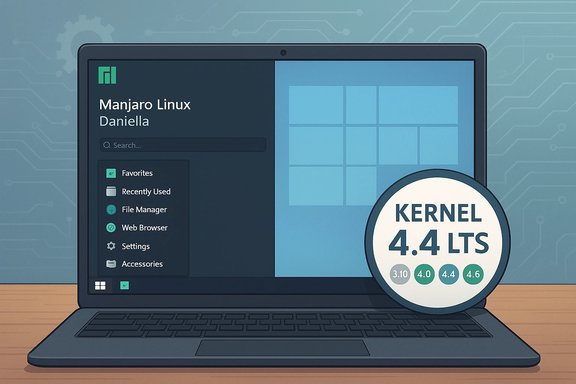
Manjaro’s 16.06 release, codenamed Daniella, is a milestone for the Arch‑based, rolling-release distribution: it bundles the Xfce 4.12 desktop as the flagship edition, offers a refreshed KDE Plasma flavor with Plasma 5.6 and KDE Applications 16.04, and defaults to a long‑term support Linux kernel (4.4 LTS) while giving users access to many other kernel series. Those changes aim to strike a balance between cutting‑edge hardware support and day‑to‑day stability for desktop users looking for a Windows 10 alternative. At the same time, Microsoft’s phone strategy in the Windows Insider program shows a pragmatic expansion: after an initially small set of Lumia phones supported the Technical Preview, Microsoft engineered a partition‑resizing method, “partition stitching,” to enable a substantially larger set of Lumias to receive the next preview build. That step broadened the preview list to dozens of Lumia devices, bringing early Windows 10 features to phones that previously lacked the spare system partition space to upgrade in place. Finally, BetaNews’ weekly apps column continues to curate noteworthy Windows Store releases; the series remains useful for Windows 10 users hunting for practical utilities and discounted apps each week. The column’s ongoing nature reflects the platform’s still‑active app ecosystem despite shifting attention toward mobile and web alternatives. What’s new in Manjaro 16.06 'Daniella'
Desktop editions and user experience
- Xfce remains the flagship edition and ships with Xfce 4.12, tuned for responsiveness and low resource use. The Manjaro team focused on desktop and window‑manager polish, making Xfce the logical choice for users migrating off older Windows 7/10 hardware.
- KDE fans receive Plasma 5.6 paired with KDE Apps 16.04; Manjaro integrates Plasma into the distro with its own visual theme (Vertex‑Maia) and system settings conveniences.
Kernel and driver strategy
- Default kernel: Linux 4.4 LTS is used as the release kernel, offering a strong balance of modern drivers and long‑term maintenance.
- Manjaro exposes an unusually wide selection of kernels directly in its repositories. At release time, eleven kernel series were available — from older 3.10 branches to the newer 4.6 — giving users choice when matching kernel behavior to older or newer hardware. That flexibility is a tactical advantage for users moving from Windows machines with varied component ages.
Packaging, tooling and usability
- Manjaro Settings Manager (MSM) received a GUI overhaul for kernel installation and removal; MSM’s integration into Plasma settings via a kcm module improves discoverability for users who don’t want to manage kernels by hand.
- Pamac — Manjaro’s graphical package manager — gained UI improvements (Pamac 4.x with client‑side decorations), which helps newcomers get comfortable with package management on Arch‑based systems.
Microsoft’s Lumia rollout for Windows 10 Technical Preview — the essentials
Why many phones were left out initially
The first Windows 10 Technical Preview for phones (released earlier in the Insider program) targeted a small set of Lumias because only a handful had sufficiently large system partitions to allow an in-place upgrade. To broaden compatibility without shipping carriers’ reworked firmware, the Windows team developed a partition resizing approach — partition stitching — that allowed the critical system partition to be grown dynamically during installation. Once validated, that technique permitted Microsoft to publish a much larger list of devices eligible to receive the next preview build.Which Lumias were added
Microsoft’s expanded compatibility list included dozens of models, spanning low‑end to high‑end Lumias — devices like the Lumia 520, 525, 630, 720, 730, 735, 820, 830, 920, 925, 1020, 1320, and 1520 were among the phones listed for the expanded preview wave. The company cautioned that the list was preliminary and subject to change as further issues were discovered and fixed.Practical cautions for testers
- Insiders were advised to install previews only on a secondary device, not on their daily driver, because preview builds are inherently unstable and may impair essential phone functions.
- Regional and carrier limitations meant not every listed device would necessarily get the preview immediately; device, region, and operator constraints could still block enrollment in some cases.
Best Windows 10 apps this week — why the weekly roundup still matters
BetaNews’ curated weekly picks continue to highlight useful utilities and discounts from the Windows Store. For Windows 10 users who prefer a curated signal in the noisy app marketplace, these weekly lists surface worthwhile picks such as password managers on sale or newly ported universal apps that make the Store more compelling. The series (authored by Martin Brinkmann) acts as a pragmatic companion to a Windows desktop user’s discovery workflow. Benefits of following weekly app roundups:- Rapid discovery of timely discounts and sales.
- Identification of well‑packaged Universal Windows Platform (UWP) apps that bridge desktop and tablet form factors.
- Practical suggestions for alternatives when legacy desktop software lacks a Store equivalent.
Analysis: Is Manjaro 16.06 a real Windows 10 alternative?
Strengths — where Manjaro shines
- Flexibility and hardware reach. The combination of a conservative default kernel (4.4 LTS) plus immediate access to a broad set of kernels and drivers gives Manjaro a practical edge for older machines and for those who want the latest hardware support. That breadth reduces the “does it work on my machine?” friction that often blocks migrations.
- Desktop polish without lock‑in. Xfce, Plasma, and GNOME (where available) are tuned by Manjaro for immediate usability, with graphical tools (MSM, Pamac) that mimic the convenience Windows users expect. The distro’s theming (Vertex‑Maia) and installer experience aim to reduce first‑day friction.
- Rolling release with curation. Unlike raw Arch, Manjaro curates updates and provides tested ISO snapshots — a model that delivers freshness without the constant breakage raw rolling distros can produce. For power users this is attractive: cutting‑edge software with guardrails.
Risks and trade‑offs
- Application compatibility. Windows‑only line‑of‑business apps (especially those that tie into proprietary DRM, Active Directory‑dependent suites, or vendor‑specific middleware) do not run natively on Linux. Common mitigations include Wine/Proton, virtualization, or keeping a Windows VM, but these add complexity and in some cases reduce functionality. Enterprises or heavy desktop‑app users must audit dependencies before switching.
- Driver lifecycle pain for some GPUs. Manjaro’s kernel and driver updates favor newer drivers; this can implicitly drop support for older NVIDIA GPUs if upstream proprietary drivers are no longer maintained. Users with older Pascal or Maxwell cards may need to pin older driver series or accept reduced functionality. That’s a genuine compatibility cliff that needs explicit testing.
- Rolling‑release maintenance mindset. Rolling distros provide constant updates, which is a benefit — and also an operational shift. Users must embrace snapshot/backup tools (Timeshift, for example), and be willing to test or roll back when a package update touches critical systems. A “set it and forget it” maintenance philosophy does not transfer cleanly from Windows to a rolling Linux model.
Migration checklist (practical, step‑by‑step)
- Back up everything: user files, browser profiles, email stores, activation keys, and any exported settings.
- Create recovery media for your current Windows install (system image or USB recovery) in case you need to roll back.
- Make a live USB of Manjaro 16.06 and test in “live” mode. Confirm Wi‑Fi, audio, GPU acceleration, and peripherals.
- If you have NVIDIA hardware, verify driver compatibility before committing; try nouveau first and then the proprietary driver recommended by Manjaro Hardware Detection.
- Choose dual‑boot or full replacement based on confidence and test results.
- After install: update system (sudo pacman -Syu), configure MSM and Pamac, and set up Flatpak/other app channels if desired.
- Recreate work environment: browser sync, email imports, and set up virtualization (VirtualBox or KVM/QEMU) if you need Windows‑only apps.
- Implement snapshot/rollback strategy (Timeshift or regular system images) before major updates.
How this release reads for Windows users: practical scenarios
Casual home user with older hardware
For users with multi‑year hardware who simply want a responsive, secure desktop without replacing their machine, Manjaro 16.06 is a credible path. Xfce’s lightweight profile and Manjaro’s kernel choices can revive older notebooks that struggle under Windows 10’s resource profile. However, expect a learning curve for managing drivers and some applications may require Linux alternatives.Power user and developer
Developers and tinkerers benefit from Manjaro’s rolling base, immediate access to compilers, container tooling, and current language stacks. MSM and Pamac reduce the friction of package management for users who are still comfortable at the command line when needed. For developers who rely on Windows‑only IDE plugins or enterprise tools, running a Windows VM alongside Manjaro is a practical compromise.Enterprise or corporate workstation
Enterprises should treat a migration as a project, not a laptop upgrade. Hardware compatibility, software licensing, LOB app compatibility, and support models must be assessed. Manjaro’s curated repositories make it easier to manage than raw Arch in a small business environment, but corporate clients should prefer LTS‑backed distros with official vendor support unless they are prepared to staff Linux desktop support.The phone preview story: strategic and historical perspective
Microsoft’s decision to use partition stitching to broaden the Lumia preview list reveals two things: first, that Windows 10 for phones required non‑trivial partitioning assumptions that handset makers didn’t always satisfy; and second, that Microsoft was committed to getting a wider swath of its installed Lumia base into the Insider program for testing. The move was practical engineering, not a product pivot — but it did help give developers and enthusiasts earlier access to features like Project Spartan (the early Edge), a refreshed app model, and the universal app story that Microsoft was pushing at the time. Caveat: this was a preview program with variable device coverage and the list was explicitly labeled “preliminary.” Users needed to check eligibility in the Windows Insider app and expect regional/carrier caveats.Strengths, weaknesses and final verdict
Notable strengths
- Manjaro 16.06 offers a polished, ready‑to‑use desktop that reduces the traditional Linux newcomer friction by bundling user‑friendly tools and a wide kernel portfolio.
- For users who hate forced updates and data‑collection concerns, the switch can be a privacy and control gain.
- The rolling + curated model gives access to up‑to‑date gaming/proton/wine stacks for hobbyist gamers and developers while offering GUI management tools for less technical users.
Potential risks
- Application and enterprise compatibility remain the single biggest migration blocker. Many Windows apps either never work perfectly under Wine/Proton or require complex virtualization.
- GPU driver lifecycles can disrupt graphical workflows — a serious consideration for multimedia or CAD users on older NVIDIA GPUs.
- The rolling release model requires a modest maintenance discipline that casual users must adopt to avoid surprises.
Final verdict
Manjaro 16.06 is a genuine, practical alternative to Windows 10 for a large subset of desktop users — particularly those with modern hardware, technical curiosity, or a willingness to accept occasional manual maintenance in exchange for control and freshness. It is not a “one‑button” replacement for every Windows user, especially in enterprise environments or where proprietary Windows apps are mission critical. For home users and enthusiasts, however, Daniella is a polished invitation to try Linux without the steep overhead historically associated with Arch‑based systems.Closing practical notes and verification flags
- Manjaro 16.06 “Daniella” was published in early June 2016 and ships Xfce 4.12, Plasma 5.6, and Linux kernel 4.4 LTS as documented in contemporaneous coverage and release notes. Users who need exact package versions and kernel manifests should consult the Manjaro release changelog or ISO checksums before installing.
- Microsoft’s expanded Lumia list for the Windows 10 Technical Preview was announced in April 2015 and relied on partition stitching to broaden compatibility; the list was explicitly preliminary and subject to change. Prospective testers should confirm device eligibility through official Insider channels before attempting an in‑place upgrade.
- Weekly app roundups on BetaNews are curated selections and reflect the author’s editorial choices; app availability, promotions, and versions change frequently, so follow the series for up‑to‑date recommendations.
This moment’s headlines—Manjaro’s Daniella release, Microsoft’s widened phone preview, and weekly Windows Store app picks—paint a clear picture of a desktop ecosystem in motion: users who seek control and longevity on older hardware have credible choices, Microsoft is iterating on cross‑device Windows continuity, and curated app coverage still helps surface practical tools for everyday productivity.
Source: BetaNews https://betanews.com/article/downlo...m/series/best-windows-10-apps-this-week-142/]
