

Bungie’s Marathon arrives tomorrow with a surprising footnote for PC performance: in a quick 8K stress test on the NVIDIA GeForce RTX 5090, the game runs far better than a casual glance at resolution alone might suggest—delivering playable native 8K framerates in a controlled scene but offering much more practical results when modern upscaling is engaged.
Bungie’s Marathon is a multiplayer extraction shooter built on the studio’s in-house engine and arrives as the company’s latest attempt to translate its Destiny-era know-how into a new IP. The launch date is March 5, 2026, and the game ships simultaneously on PC (Steam and storefronts), PlayStation 5, and Xbox Series X|S with cross-play and cross-save supported. Early preview events—Server Slam playtests—preceded release and have driven pre-launch interest.
Ahead of launch, DSOGaming published a short technical preview that focused on how Marathon behaves at extreme settings: native 8K, maximum in-game settings, and using an NVIDIA GeForce RTX 5090 as the GPU. The write-up reproduces a common pattern for pre-launch PC coverage: a high-resolution stress test inside a deterministic single-player or training area rather than multiplayer matches, and a pragmatic conclusion that the title is well-optimized but not a “graphical showstopper.”
Key excerpts from the test results:
From a technical standpoint, that is a pragmatic design choice. Many modern live-service multiplayer titles trade one-off eye-catching visuals for consistent performance and predictable load behavior across a huge player base. Marathon’s adoption of contemporary tools—DLSS, FSR support, adjustable fidelity sliders for textures, shadows, AO, and character LOD—indicates that Bungie expects to serve a wide spectrum of hardware and to lean on upscalers to broaden the game’s accessibility.
For most players, practical advice remains unchanged: prioritize stable framerate and low input latency over native 8K eye candy. Target 4K or 1440p with DLSS or FSR for the best competitive experience, keep drivers and game patches under careful review during the launch window, and treat early single-scene benchmarks as provisional data points rather than final answers. Bungie’s Marathon looks technically competent and well-prepared for a wide range of PCs, but its long-term success will depend on a broader set of design, community, and live-service decisions beyond raw frame numbers.
Source: DSOGaming Take a look at Marathon, running at Native 8K/Max Settings on an NVIDIA GeForce RTX 5090
 Background / Overview
Bungie’s Marathon is a multiplayer extraction shooter built on the studio’s in-house engine and arrives as the company’s latest attempt to translate its Destiny-era know-how into a new IP. The launch date is March 5, 2026, and the game ships simultaneously on PC (Steam and storefronts), PlayStation 5, and Xbox Series X|S with cross-play and cross-save supported. Early preview events—Server Slam playtests—preceded release and have driven pre-launch interest.Ahead of launch, DSOGaming published a short technical preview that focused on how Marathon behaves at extreme settings: native 8K, maximum in-game settings, and using an NVIDIA GeForce RTX 5090 as the GPU. The write-up reproduces a common pattern for pre-launch PC coverage: a high-resolution stress test inside a deterministic single-player or training area rather than multiplayer matches, and a pragmatic conclusion that the title is well-optimized but not a “graphical showstopper.”
The DSOGaming 8K test — what was measured
Test rig and methodology
DSOGaming’s short benchmark used the following configuration: an AMD Ryzen 9 7950X3D CPU, 32 GB DDR5 RAM at 6000 MHz, Windows 10 64-bit, and an NVIDIA RTX 5090 GPU with GeForce driver version 591.86. The reviewer measured performance inside the game’s training/tutorial map rather than in live matches, because the latter are chaotic and non-repeatable. That single-scene approach is common for early technical reports but carries important caveats for interpretation.Key excerpts from the test results:
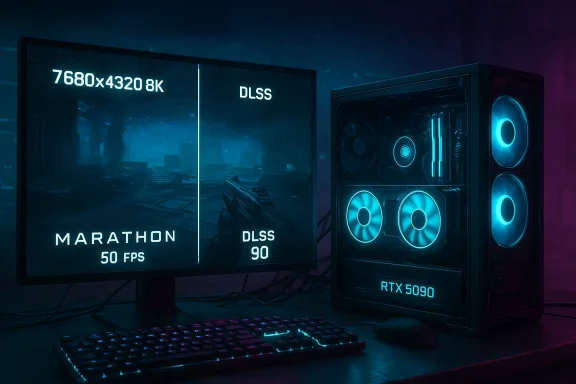
- Native 8K, Max Settings, DLAA (NVIDIA Deep Learning Anti-Aliasing): ~50 FPS.
- DLSS set to Quality mode: minimum 67 FPS, average ~73 FPS.
- DLSS Performance mode: pushing into the ~90 FPS range.
What the numbers say and what they don’t
On paper, 50 FPS at native 8K with DLAA is a headline-grabbing result: native 7680×4320 at maximum settings is an enormous pixel load and most games will collapse well below 30 FPS even with top-tier hardware. However, there are several important qualifiers:- The measurement was taken in a small, controlled training map. The complexity and density of assets in live PvP matches will vary and can push GPU load higher or lower depending on what’s happening on-screen. DSOGaming explicitly notes that they used the training area to avoid the unpredictable nature of online matches.
- DLAA is a quality-first anti-aliasing method that trades performance for image fidelity; it does not do upscaling. Put another way, DLAA runs the same internal resolution as the display, which is why the native 8K DLAA run is so heavy on the GPU. By contrast, DLSS upscales from a lower internal resolution and therefore yields much higher frame rates at a lower fidelity/performance trade-off.
- The frame-rate gains reported with DLSS (Quality and Performance presets) are consistent with the expected behavior of DLSS: substantial FPS improvement at the cost of some image processing via the neural upscaler. On an RTX 50-series-class card, this is particularly pronounced.
DLAA vs DLSS — a short technical primer
Understanding the difference between DLAA and DLSS is essential to interpreting the DSOGaming test.- DLAA (Deep Learning Anti-Aliasing) applies NVIDIA’s neural anti-aliasing pipeline at native resolution. It uses Tensor Cores and temporal frame data to reduce shimmering and aliasing artifacts with minimal softness, but it does not lower the pixel count. DLAA typically yields better image quality than TAA at a measurable performance cost.
- DLSS (Deep Learning Super Sampling) renders frames at a lower internal resolution and reconstructs an output at the target resolution using neural upscaling. The technique trades a small amount of raw image precision for substantial performance gains, especially at very high target resolutions such as 4K and 8K. DLSS has multiple presets (Quality, Balanced, Performance, Ultra Performance, etc.) that trade internal render resolution for framerate. DLSS 4’s multi-frame generation further escalates those gains on the latest hardware.
How trustworthy is this kind of pre-launch testing?
Strengths of the DSOGaming methodology
- The DSOGaming piece is transparent about the test environment: hardware, driver version, and the map used. Transparency is crucial for reproducibility and for contextualizing any single-frame or single-scene outcome.
- Using the built-in tutorial or training area removes multiplayer variance and gives a repeatable workload for early impressions.
Limitations and risks
- Single-scene bias: A tutorial area rarely contains the same asset density, particle complexity, and scene transitions as full multiplayer maps. Live matches—where dozens of players, dynamic events, and networked actors appear—can place different, often higher, sustained loads on GPU and CPU. DSOGaming acknowledges they used the training area for convenience, but readers should resist extrapolating single-run results to general multiplayer performance.
- Driver and game patch versions: Pre-launch drivers and early game builds can shift performance significantly. DSOGaming used GeForce driver 591.86; subsequent driver updates may change behaviors, add optimizations, or fix regressions. Recent history shows NVIDIA has pushed hotfixes and rollbacks when issues surfaced, which emphasizes the need to interpret early driver-linked results as provisional.
- Thermals, power and silicon variance: Flagship GPUs like the RTX 5090 may ship across various partner designs (air-cooled, liquid-cooled, factory-overclocked). Thermal headroom and power delivery modestly alter sustained clocks and thus frame times in long multiplayer sessions versus brief tutorial runs.
The practical takeaway for players and builders
- 8K is a novelty, not a practicality for competition. The DSOGaming author explicitly recommends that competitive players target 4K with DLSS toggled—prioritizing framerate and responsiveness over sheer pixel count. That’s sound advice: even on the most powerful modern GPUs, 8K at high refresh rates is out of reach for most games without aggressive upscaling or frame generation.
- If you care about visual fidelity for single-player capture or showboating, 8K native or DLAA will deliver a beautiful image—but only at the cost of framerate. For streamers and content creators who prioritize image quality in cinematic capture, native 8K (with DLAA) can make sense. For competitive players, the latency-framerate trade-off makes DLSS/Performance modes and 1440p/4K targets the smarter option.
- Driver hygiene matters. DSOGaming used driver 591.86; but community reports surrounding driver rollouts demonstrate that early drivers can sometimes introduce stability or fan-control regressions. Users should watch for Game Ready updates tied to Marathon and prefer the latest stable driver until the community validates a new release. NVIDIA’s official driver page lists 591.86 as a recent WHQL release, and independent outlets have reported subsequent rollbacks and fixes in the driver tree—common practice during major game launches.
Visuals, art direction, and optimization: where Marathon stands
DSOGaming’s blunt assessment is that Marathon “looks fine” but isn’t a graphical leap that will make players re-evaluate the state of real-time rendering; the impression is of a well-optimized modern shooter that prioritizes gameplay, network stability, and live-service features over bleeding-edge photorealism. That conclusion aligns with other previews and reporting: Marathon’s design centers on fast, tactical runs and extraction loops rather than on pushing ray-traced fidelity to the extreme.From a technical standpoint, that is a pragmatic design choice. Many modern live-service multiplayer titles trade one-off eye-catching visuals for consistent performance and predictable load behavior across a huge player base. Marathon’s adoption of contemporary tools—DLSS, FSR support, adjustable fidelity sliders for textures, shadows, AO, and character LOD—indicates that Bungie expects to serve a wide spectrum of hardware and to lean on upscalers to broaden the game’s accessibility.
Broader ecosystem signals — RTX 5090, drivers, and market context
- RTX 5090 as a testbed: DSOGaming’s use of an RTX 5090 highlights how the newest flagship silicon makes extreme-resolution testing possible in the first place. The RTX 50 series brings raw shader throughput and Tensor Core improvements, which are why DLSS and DLAA behave more impressively than on prior generations. However, flagship silicon is also expensive and not representative of most players; benchmarking at lower-tier hardware remains the most relevant user guidance.
- Driver cadence and caution: NVIDIA’s Game Ready drivers are regularly tied to major game launches. Driver 591.86 was the tested version; subsequent driver releases and emergency rollbacks have underscored the fragility of early post-launch driver cycles. Prior to or immediately following a launch, users should consult platform forums and reputable hardware outlets before blindly upgrading to the newest driver. If stability issues appear, community pushback often triggers expedited hotfixes.
- Early demand signals: Pre-launch playtests and Server Slam events have already produced strong early interest for Marathon, topping storefront charts and generating meaningful press traffic. That suggests a solid audience at launch, although long-term commercial success for live-service shooters depends on retention systems, content cadence, and monetization perception—areas not covered by a single technical preview.
Recommendations for readers and players
- If you own an RTX 5090 or similar flagship GPU and want to test Marathon at native 8K, expect playable framerates in controlled scenes but prepare to tune settings (or use DLSS) for live matches. DLAA will prioritize image quality while DLSS Quality/Performance will prioritize framerate.
- For competitive play, set an objective framerate target first (e.g., 144+ Hz on 1440p/4K) and then tune visuals—latency and frame-time consistency matter far more than raw native resolution.
- Keep drivers conservative around launch: install the latest stable Game Ready driver only after checking for community reports of regressions. If you’re an early adopter of new drivers, keep DDU (Display Driver Uninstaller) and a rollback plan ready in case of flicker, black screens, or fan-control bugs.
- Use in-game sliders strategically: reduce expensive settings (shadows, volumetrics, character density) before dropping resolution if you want a better overall trade-off between visual fidelity and responsiveness. Marathon’s options allow for those fine-grained choices.
Critical analysis — strengths, blind spots, and risks
Strengths
- Optimization-first approach: The combination of a capable engine, wide fidelity sliders, and support for both DLSS and AMD FSR gives Marathon the technical foundations to run on many hardware configurations. Early tests indicate Bungie prioritized frame-time stability and practical scalability.
- Modern upscaling integration: DLSS (and FSR) support is now a baseline expectation for PC releases. Marathon’s out-of-the-box support for upscalers is a significant positive for players wanting to balance fidelity and performance. The DSOGaming numbers demonstrate the practical benefit of those tools at 8K.
Blind spots
- Multiplayer variability: DSOGaming’s training-area test excludes many of the variables that will determine real-world player experience in live matches: network load, large-scale particle events, high player counts, and persistent session length. That makes the 8K headline useful but inherently partial.
- Driver and patch volatility: The immediate post-launch window often sees significant driver and patch churn. Early performance gains may be negated or improved through those updates; conversely, regressions can appear. Benchmarks performed on day-zero builds should be labeled provisional.
Risks
- Expectation mismatch: Marketing materials or single-run flagship tests can create public expectations that don’t match the median player experience. If community discourse fixates on 8K screenshots or flagship-GPU runs, average players on 4th- or 3rd-tier cards may feel underserved even if the live game is broadly optimized.
- Live-service sustainability: Marathon’s long-term quality and value will depend on Bungie’s content cadence, balancing decisions, and monetization design. Technical optimization gets you through launch day; retention requires sustained design and community trust.
Conclusion
DSOGaming’s short 8K stress test with the NVIDIA GeForce RTX 5090 is an instructive, if inherently narrow, window into Marathon’s technical posture on PC: Bungie’s engine can render enormous pixel counts with surprising grace in controlled scenes, and modern neural upscalers like DLSS make otherwise impractical resolutions considerably more playable. That said, this early snapshot should be read as a demonstration of how scalable rendering and AI-driven upscaling interact—not as a definitive verdict on multiplayer performance.For most players, practical advice remains unchanged: prioritize stable framerate and low input latency over native 8K eye candy. Target 4K or 1440p with DLSS or FSR for the best competitive experience, keep drivers and game patches under careful review during the launch window, and treat early single-scene benchmarks as provisional data points rather than final answers. Bungie’s Marathon looks technically competent and well-prepared for a wide range of PCs, but its long-term success will depend on a broader set of design, community, and live-service decisions beyond raw frame numbers.
Source: DSOGaming Take a look at Marathon, running at Native 8K/Max Settings on an NVIDIA GeForce RTX 5090
