

Microsoft’s March 2026 Copilot wave shows a clear shift in strategy: Microsoft 365 Copilot is no longer being marketed as a helpful sidekick for drafting and summarizing, but as an agentic work layer that can edit, recap, govern, and even assemble content across the Microsoft 365 stack. The strongest signal is that Microsoft is tying together app-native features in Word, Excel, PowerPoint, Teams, and SharePoint with new admin and security controls, suggesting the company wants Copilot to feel less like a chatbot and more like a managed enterprise platform. That also means the month’s updates matter differently for consumers, frontline workers, and IT teams. In other words, March was not just a feature dump; it was a directional statement.
Microsoft has spent the last two years turning Copilot into a recurring layer across productivity apps, but the March 2026 update cycle is the first time the pieces look tightly orchestrated around a single enterprise thesis: context + creation + governance. That thesis is visible in the official release notes, where Microsoft frames Copilot changes as a rolling set of app improvements and control-plane updates, including skill inferencing for E3/E5 users and other work-mode enhancements. The broader March messaging also emphasizes “frontier” workflows, multi-model support, and tighter grounding in work data, which fits Microsoft’s current push to make AI feel embedded rather than bolted on.
The practical shift is easy to miss if you only skim feature bullets. On the surface, Microsoft added things users can see immediately: narrated video recaps, improved audio recaps, smarter Excel editing, cleaner PowerPoint formatting, and more flexible Copilot Notebooks. Underneath, the company also strengthened the scaffolding that makes those experiences safe in enterprise environments, especially around Purview DLP, admin governance, and source control for web grounding. That pairing matters because Microsoft is clearly trying to avoid the “AI toy” trap that still dogs many workplace assistants.
There is also a second, more strategic layer here: Copilot is increasingly being positioned as a knowledge system, not just a generation engine. SharePoint’s Knowledge Agent, richer metadata, and natural-language site and list creation push Microsoft 365 toward a model where AI can help structure the content it later retrieves. That is important because the quality of Copilot answers depends heavily on the quality of the underlying tenant content, permissions, and metadata. Microsoft’s own support and documentation around Knowledge Agent make that dependency explicit.
For enterprises, this is good news and a challenge at the same time. The good news is that Copilot is becoming more useful for common tasks like meeting catch-up, document drafting, spreadsheet cleanup, and site creation. The challenge is that each new convenience also expands the surface area for governance, privacy, and correctness concerns. Microsoft appears to know this; hence the parallel expansion of DLP coverage, admin dashboards, and tuning templates for validation and document writing.
That’s a meaningful departure from the earliest Copilot pitch. In the first wave, Copilot was mostly a drafting assistant: summarize a meeting, draft an email, rewrite a paragraph, or analyze a spreadsheet. In the March 2026 wave, Microsoft is making a stronger claim: Copilot can be the middle layer between raw organizational data and final output. That means it can synthesize, generate, validate, and package work into different formats, rather than merely producing text in a chat pane.
At the same time, the shift raises expectations. Users will now compare Copilot not just against other chatbots, but against the quality of the underlying app itself. If Copilot can edit local workbooks on Windows and Mac, then spreadsheet reliability becomes part of the AI experience. If Copilot can add branded footers or standardize slide formatting, then design consistency becomes part of the assistant story. That is a much higher bar.
There is a market angle too. Competitors can match individual features, but it is harder to match the combined motion of product release, admin control, and document governance. That is why the March changes should be read as a platform move, not just a feature update. The company is making it easier for organizations to say yes to Copilot at scale, because the security and brand controls now feel like part of the same story.
The appeal is obvious. A long meeting produces a lot of friction, even when the summary is good. A short narrated recap can help a manager, executive, or absent teammate catch up without reading a transcript or scrubbing through a recording. Microsoft’s related Teams recap improvements and audio recap expansion show that the company is building a ladder of abstraction: transcript, summary, audio recap, and now video recap.
This also reveals Microsoft’s product logic. It is not merely translating content; it is attempting to normalize AI-generated “listening formats” as part of everyday collaboration. That could lower the friction of international work, but it also introduces a quality issue: the more languages and accents involved, the more important transcription fidelity becomes. If the source capture is weak, the recap becomes a polished approximation rather than a reliable record. That distinction matters.
The move to local workbook editing on Windows and Mac is just as consequential. For a long time, one of the practical complaints about AI in productivity apps was that the experience felt cloud-dependent or narrow in scope. If Copilot can now edit local files, that lowers friction for users who still work with files sitting on their desktops, network shares, or synced folders. It also makes Copilot feel more like a desktop-native assistant and less like a web-only service.
Consumer users benefit too, but in a different way. They are more likely to value speed and convenience than governance and multi-source reasoning. That means the Excel improvements may feel less dramatic to casual users, while power users and analysts see the clearest productivity gain. In that sense, the March Excel update is a classic Microsoft move: broad in theory, enterprise-first in practice.
This is where Microsoft’s branding and template story becomes more relevant than it first appears. If Copilot can help produce on-brand content more consistently, then the assistant is no longer merely generating text; it is helping enforce organizational identity. Microsoft’s official support for brand kits and branded templates in the Copilot app makes that position explicit.
PowerPoint gains are similarly practical. Standardized formatting across slides saves time, reduces visual inconsistency, and lowers the chance that a rushed deck looks amateurish. For organizations that rely on branded communication, these are not cosmetic perks; they are workflow controls. The more Copilot can enforce defaults, the less cleanup marketing, sales, and leadership teams have to do afterward.
That said, notebooks are also where the quality issue becomes obvious. If the user’s reference material is weak, stale, or poorly structured, the resulting output will inherit those flaws. Microsoft’s push toward better organization and metadata in SharePoint and knowledge surfaces is effectively an attempt to fix that upstream problem before it corrupts the downstream document.
This is strategically important because enterprise AI is only as good as the structure behind it. A well-organized SharePoint tenant makes grounding better, retrieval faster, and responses more trustworthy. Microsoft’s public preview positioning for Knowledge Agent shows that it is trying to turn content hygiene into a product feature rather than a separate admin chore.
This also creates a healthier feedback loop for Copilot itself. Better metadata improves grounding, which improves response quality, which encourages more usage, which in turn can expose more weak content that needs correction. In a mature deployment, that could be enormously valuable. In a messy deployment, it could simply amplify disorder faster. That’s the real governance test.
For customers, the takeaway is not that one model is better than another. The real message is that Microsoft wants Copilot to be defined by outcomes, not model purity. That could be a competitive advantage if the experience is seamless, but it also means customers will expect consistent quality even as the underlying model mix changes.
That matters because the moment Copilot starts using broader context, the risk profile changes. A smarter assistant can become a better leak vector if controls are weak. Microsoft’s DLP, sensitivity label, and data security posture messaging suggests the company is trying to close that loop before large-scale enterprise adoption accelerates further.
The same is true for branding and source governance. Branded footers and managed brand kits make the Copilot app feel more official, but they also create a trust signal that the output belongs to the organization. Likewise, authoritative source controls and domain exclusions for web grounding help reduce the risk of rogue or low-quality sources contaminating responses.
It also makes Microsoft’s moat larger. If Copilot becomes the default AI layer for work and the company owns the surrounding security and administration story, then switching costs rise quickly. Competitors can still win on consumer novelty or standalone model quality, but they will struggle to match the full-stack enterprise narrative.
Enterprise customers should watch three things closely: adoption, trust, and admin burden. Adoption tells you whether users find the features valuable enough to change habits. Trust tells you whether the output is accurate and explainable enough for daily use. Admin burden tells you whether the security and governance controls are practical at scale.
Source: Windows Report https://windowsreport.com/microsoft-365-copilot-received-these-new-features-in-march-2026/
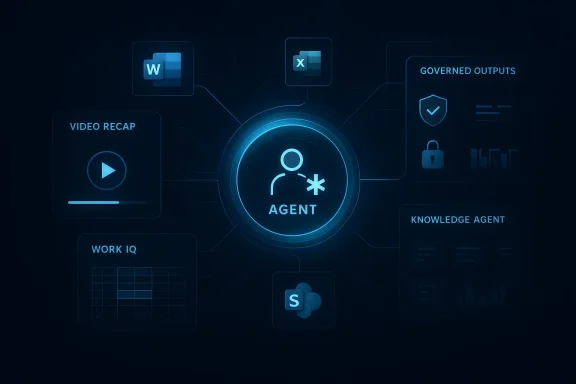 Overview
Microsoft has spent the last two years turning Copilot into a recurring layer across productivity apps, but the March 2026 update cycle is the first time the pieces look tightly orchestrated around a single enterprise thesis: context + creation + governance. That thesis is visible in the official release notes, where Microsoft frames Copilot changes as a rolling set of app improvements and control-plane updates, including skill inferencing for E3/E5 users and other work-mode enhancements. The broader March messaging also emphasizes “frontier” workflows, multi-model support, and tighter grounding in work data, which fits Microsoft’s current push to make AI feel embedded rather than bolted on.The practical shift is easy to miss if you only skim feature bullets. On the surface, Microsoft added things users can see immediately: narrated video recaps, improved audio recaps, smarter Excel editing, cleaner PowerPoint formatting, and more flexible Copilot Notebooks. Underneath, the company also strengthened the scaffolding that makes those experiences safe in enterprise environments, especially around Purview DLP, admin governance, and source control for web grounding. That pairing matters because Microsoft is clearly trying to avoid the “AI toy” trap that still dogs many workplace assistants.
There is also a second, more strategic layer here: Copilot is increasingly being positioned as a knowledge system, not just a generation engine. SharePoint’s Knowledge Agent, richer metadata, and natural-language site and list creation push Microsoft 365 toward a model where AI can help structure the content it later retrieves. That is important because the quality of Copilot answers depends heavily on the quality of the underlying tenant content, permissions, and metadata. Microsoft’s own support and documentation around Knowledge Agent make that dependency explicit.
For enterprises, this is good news and a challenge at the same time. The good news is that Copilot is becoming more useful for common tasks like meeting catch-up, document drafting, spreadsheet cleanup, and site creation. The challenge is that each new convenience also expands the surface area for governance, privacy, and correctness concerns. Microsoft appears to know this; hence the parallel expansion of DLP coverage, admin dashboards, and tuning templates for validation and document writing.
Why March 2026 Matters
March 2026 stands out because the updates do not feel isolated. They cluster around a broader company narrative that Microsoft has been building since late 2025: Copilot should understand the user’s work context, act across apps, and stay bounded by enterprise controls. Microsoft’s March 9 “frontier” framing pushed that narrative hard, describing app-native Copilot capabilities in Word, Excel, PowerPoint, Outlook, and Copilot Chat as part of a larger transition toward agentic workflows.That’s a meaningful departure from the earliest Copilot pitch. In the first wave, Copilot was mostly a drafting assistant: summarize a meeting, draft an email, rewrite a paragraph, or analyze a spreadsheet. In the March 2026 wave, Microsoft is making a stronger claim: Copilot can be the middle layer between raw organizational data and final output. That means it can synthesize, generate, validate, and package work into different formats, rather than merely producing text in a chat pane.
From Chat Helper to Workflow Layer
The biggest implication is architectural. Once Copilot is responsible for moving between meetings, chats, files, lists, and documents, it stops being a single feature and becomes a workflow substrate. That is why Work IQ and grounded context matter so much; without them, the assistant would merely be fluent, not useful.- Context becomes the raw material.
- Creation becomes the output.
- Governance becomes the condition for trust.
- Action becomes the reason users pay attention.
At the same time, the shift raises expectations. Users will now compare Copilot not just against other chatbots, but against the quality of the underlying app itself. If Copilot can edit local workbooks on Windows and Mac, then spreadsheet reliability becomes part of the AI experience. If Copilot can add branded footers or standardize slide formatting, then design consistency becomes part of the assistant story. That is a much higher bar.
Why the Timing Is Important
March also matters because it sits between planning cycles. Many organizations use the spring to evaluate productivity tooling, refresh licensing, and revisit governance policies before the second half of the year. That makes these Copilot additions especially well-timed for IT teams deciding whether to expand deployment or tighten controls. Microsoft’s own documentation on configuring secure and governed foundations for Copilot suggests that it expects admins to make those decisions continuously, not just once at rollout.There is a market angle too. Competitors can match individual features, but it is harder to match the combined motion of product release, admin control, and document governance. That is why the March changes should be read as a platform move, not just a feature update. The company is making it easier for organizations to say yes to Copilot at scale, because the security and brand controls now feel like part of the same story.
Meeting Recaps Get More Useful
One of the most visible March additions is the new video recap experience in Copilot Chat, which turns meeting summaries into narrated highlight reels with key takeaways and relevant clips. Microsoft’s release notes and support content around video creation indicate that this is part of a broader effort to make Copilot-generated content more consumable and more shareable. In practical terms, the feature is trying to solve the oldest workplace AI problem: people do not just want answers, they want answers in a format they can absorb quickly.The appeal is obvious. A long meeting produces a lot of friction, even when the summary is good. A short narrated recap can help a manager, executive, or absent teammate catch up without reading a transcript or scrubbing through a recording. Microsoft’s related Teams recap improvements and audio recap expansion show that the company is building a ladder of abstraction: transcript, summary, audio recap, and now video recap.
Why Video Recap Changes Consumption Habits
The deeper significance is behavioral. Once AI-generated recaps become visual and narrated, users are more likely to treat them as a first-class briefing medium rather than an optional add-on. That matters because attention is a scarce resource in knowledge work, and briefing media often shape what gets remembered, discussed, and acted upon.- Meeting summaries become easier to scan.
- Key decisions are easier to revisit.
- Action items are easier to distribute.
- Long recordings become less intimidating.
- Asynchronous catch-up becomes more realistic.
Teams and the Multilingual Push
Microsoft’s expansion of audio recap into seven additional languages — Chinese, French, German, Italian, Japanese, Portuguese, and Spanish — is equally important, even if it sounds incremental. Multilingual support is often the difference between an AI feature that is a demo and one that becomes a real productivity habit across global companies. Teams users who travel, commute, or work across regions now get a much more practical way to consume meeting output.This also reveals Microsoft’s product logic. It is not merely translating content; it is attempting to normalize AI-generated “listening formats” as part of everyday collaboration. That could lower the friction of international work, but it also introduces a quality issue: the more languages and accents involved, the more important transcription fidelity becomes. If the source capture is weak, the recap becomes a polished approximation rather than a reliable record. That distinction matters.
Excel Becomes More Context-Aware
Excel remains the canonical example of where Copilot can deliver immediate value, because spreadsheet work is both structured and repetitive. Microsoft’s March update pushes that further by adding Work IQ context for multi-step edits, meaning Copilot can draw from emails, meetings, chats, and files to understand what change you are actually trying to make. That is significant because many spreadsheet tasks are not about formulas alone; they are about business context that lives outside the workbook.The move to local workbook editing on Windows and Mac is just as consequential. For a long time, one of the practical complaints about AI in productivity apps was that the experience felt cloud-dependent or narrow in scope. If Copilot can now edit local files, that lowers friction for users who still work with files sitting on their desktops, network shares, or synced folders. It also makes Copilot feel more like a desktop-native assistant and less like a web-only service.
What Work IQ Means in Practice
Work IQ is important not because the branding is clever, but because it formalizes something Copilot has needed from the start: contextual relevance. An assistant that can see only a prompt is always behind. An assistant that can infer the project, the stakeholders, and the latest decisions is much closer to the way people actually work.- It reduces repetitive prompting.
- It improves edit accuracy.
- It narrows ambiguity in business tasks.
- It increases the chance of getting a usable first pass.
- It makes multi-step edits feel more natural.
Excel’s Enterprise Advantage
Enterprise users will probably benefit the most because their spreadsheets often depend on multiple upstream inputs. Finance, operations, and planning teams rarely work from a single file in isolation. They need data pulled from meetings, approvals, email threads, and archived documents, which is exactly the kind of connective tissue Work IQ is designed to exploit.Consumer users benefit too, but in a different way. They are more likely to value speed and convenience than governance and multi-source reasoning. That means the Excel improvements may feel less dramatic to casual users, while power users and analysts see the clearest productivity gain. In that sense, the March Excel update is a classic Microsoft move: broad in theory, enterprise-first in practice.
Word, PowerPoint, and the New Content Pipeline
Microsoft’s March update also pushes Copilot deeper into the document-creation chain in Word and PowerPoint. Automatic citation display, standardized slide formatting, and richer notebook-to-document workflows all point to the same goal: reduce the amount of manual polishing required after AI drafting. That is a subtle but important shift, because the real bottleneck in enterprise content creation is often not ideation, but cleanup.This is where Microsoft’s branding and template story becomes more relevant than it first appears. If Copilot can help produce on-brand content more consistently, then the assistant is no longer merely generating text; it is helping enforce organizational identity. Microsoft’s official support for brand kits and branded templates in the Copilot app makes that position explicit.
Why Citations and Formatting Matter
Automatic citations in Word may sound mundane, but they address a real enterprise pain point: AI-generated content often looks polished while hiding weak sourcing. Having citations surface by default is a small but meaningful step toward verifiability. It does not guarantee correctness, but it does make review easier and can improve trust in the output.PowerPoint gains are similarly practical. Standardized formatting across slides saves time, reduces visual inconsistency, and lowers the chance that a rushed deck looks amateurish. For organizations that rely on branded communication, these are not cosmetic perks; they are workflow controls. The more Copilot can enforce defaults, the less cleanup marketing, sales, and leadership teams have to do afterward.
- Citations improve auditability.
- Formatting reduces rework.
- Brand templates increase consistency.
- Notebook-to-doc flows shorten production cycles.
- Fewer manual edits mean faster approval loops.
Notebooks as a Launchpad
Copilot Notebooks also got a redesigned interface with side-by-side chats, references, and content in Copilot Pages, plus faster artifact creation and easier sharing. That matters because notebooks are becoming more than a scratchpad; they are an incubation space for finished work. The more tightly Microsoft links notebook content to documents, presentations, and reusable artifacts, the more it turns AI ideation into a repeatable production pipeline.That said, notebooks are also where the quality issue becomes obvious. If the user’s reference material is weak, stale, or poorly structured, the resulting output will inherit those flaws. Microsoft’s push toward better organization and metadata in SharePoint and knowledge surfaces is effectively an attempt to fix that upstream problem before it corrupts the downstream document.
SharePoint Becomes an AI Knowledge Layer
If Copilot is the assistant, SharePoint is becoming one of its most important memory systems. Microsoft’s Knowledge Agent work gives users and admins tools to create sites, lists, pages, and libraries through natural language, while also improving metadata extraction and content organization. That transforms SharePoint from a content repository into something closer to an AI-ready knowledge fabric.This is strategically important because enterprise AI is only as good as the structure behind it. A well-organized SharePoint tenant makes grounding better, retrieval faster, and responses more trustworthy. Microsoft’s public preview positioning for Knowledge Agent shows that it is trying to turn content hygiene into a product feature rather than a separate admin chore.
Knowledge Agent and Metadata Reasoning
The concept of metadata reasoning is a big deal, even if it sounds technical. When AI can infer structure from existing documents and sites, it can also reason more effectively about how content should be categorized, discovered, and reused. That means the assistant is not just reading the tenant; it is helping shape the tenant.This also creates a healthier feedback loop for Copilot itself. Better metadata improves grounding, which improves response quality, which encourages more usage, which in turn can expose more weak content that needs correction. In a mature deployment, that could be enormously valuable. In a messy deployment, it could simply amplify disorder faster. That’s the real governance test.
Claude, Public Preview, and Multi-Model Reality
Microsoft’s mention of Anthropic’s Claude in the SharePoint AI stack is noteworthy because it reflects the broader multi-model direction of the March announcements. Microsoft is clearly willing to use the best tool for the job, rather than forcing every experience through one model family. That is a pragmatic enterprise decision, and it aligns with the company’s broader push toward more flexible agentic systems.For customers, the takeaway is not that one model is better than another. The real message is that Microsoft wants Copilot to be defined by outcomes, not model purity. That could be a competitive advantage if the experience is seamless, but it also means customers will expect consistent quality even as the underlying model mix changes.
- SharePoint is becoming a content intelligence layer.
- Metadata quality now affects AI quality directly.
- Natural-language creation lowers the barrier to site management.
- Public preview makes experimentation easier.
- Governance remains essential as structure becomes more automated.
Admin Controls and Security Tighten the Story
The best sign that Microsoft understands Copilot’s enterprise risk is the parallel expansion of admin controls. Purview Data Loss Prevention now protects web searches and prompts containing sensitive information, giving organizations a way to stop accidental leaks before prompts leave the tenant context. Microsoft’s guidance is explicit that DLP can prevent Copilot and Copilot Chat from responding when prompts contain sensitive data and can block use of that data in external web searches.That matters because the moment Copilot starts using broader context, the risk profile changes. A smarter assistant can become a better leak vector if controls are weak. Microsoft’s DLP, sensitivity label, and data security posture messaging suggests the company is trying to close that loop before large-scale enterprise adoption accelerates further.
Why the Control Plane Matters
Admin visibility is now as important as user delight. Microsoft’s updates to the Copilot Dashboard and its broader analytics stack help IT teams understand satisfaction, intent, and usage trends across Microsoft 365 apps. That kind of reporting is critical if organizations want to move from experimentation to standard operating procedure.The same is true for branding and source governance. Branded footers and managed brand kits make the Copilot app feel more official, but they also create a trust signal that the output belongs to the organization. Likewise, authoritative source controls and domain exclusions for web grounding help reduce the risk of rogue or low-quality sources contaminating responses.
A Better Enterprise Story Than the First Copilot Wave
This is where Microsoft’s strategy has improved the most since the original Copilot launch. Earlier versions of the pitch often assumed that “better model, better output” would be enough. March 2026 shows Microsoft now knows that better governance, better metadata, and better controls are equally important. That is much more convincing to enterprise buyers.It also makes Microsoft’s moat larger. If Copilot becomes the default AI layer for work and the company owns the surrounding security and administration story, then switching costs rise quickly. Competitors can still win on consumer novelty or standalone model quality, but they will struggle to match the full-stack enterprise narrative.
Strengths and Opportunities
Microsoft’s March 2026 Copilot updates are strongest when viewed as a systems-level upgrade rather than a list of point features. The company is making AI more useful, more governed, and more closely tied to the actual structure of work. That opens real opportunities for productivity gains, better compliance, and more consistent content production.- Video recap makes meeting catch-up faster and more approachable.
- Audio recap in seven extra languages improves global usefulness.
- Work IQ should raise the quality of spreadsheet and document edits.
- Local workbook editing reduces cloud friction on Windows and Mac.
- Knowledge Agent can improve SharePoint content quality over time.
- Brand kits help enforce organizational consistency in output.
- Purview DLP reduces the risk of sensitive prompt leakage.
- Copilot Dashboard gives admins better visibility into adoption and satisfaction.
- Tuning templates make it easier to align AI with internal standards.
- Multi-format output turns notebooks into practical work products.
Risks and Concerns
The same features that make Copilot more useful also make it more consequential, and that creates real risk. The better the assistant becomes at synthesizing context, the more damage it can do if it misreads intent, surfaces stale information, or leaks sensitive data. That is why the enterprise controls matter so much.- Hallucinated or overconfident summaries could distort meeting records.
- Multilingual recaps may vary in quality across accents and terminology.
- Automatic citations do not guarantee source correctness.
- Context-aware edits could change the wrong workbook or document.
- Knowledge Agent may amplify poor metadata if the tenant is messy.
- Branding controls could create a false sense of content verification.
- DLP complexity may overwhelm smaller IT teams.
- Multi-model dependencies could introduce inconsistency in output quality.
Looking Ahead
The next few months will tell us whether Microsoft’s March update was a genuine turning point or just another dense release window. The key question is whether these features work together smoothly in real organizations, not just in demos. If Copilot can reliably move from meeting recap to notebook to document to governed sharing, Microsoft will have built something much more durable than a chat assistant.Enterprise customers should watch three things closely: adoption, trust, and admin burden. Adoption tells you whether users find the features valuable enough to change habits. Trust tells you whether the output is accurate and explainable enough for daily use. Admin burden tells you whether the security and governance controls are practical at scale.
- Whether video recap becomes a standard way to consume Teams meetings.
- Whether Work IQ meaningfully improves Excel editing accuracy.
- Whether Knowledge Agent measurably improves SharePoint content quality.
- Whether Purview DLP is easy enough for broad enterprise deployment.
- Whether Copilot Tuning proves useful for repeatable document workflows.
Source: Windows Report https://windowsreport.com/microsoft-365-copilot-received-these-new-features-in-march-2026/
