

Microsoft’s new Benchmarks panel inside the Copilot Dashboard gives leaders a way to stop guessing about AI adoption and start measuring it — who’s using Copilot, where they use it, how often they come back, and how your organisation stacks up against similar peers. m])
Microsoft has been steadily folding Copilot usage telemetry into Viva Insights so organisations can quantify the human side of their Copilot investment: adoption, intensity, retention and app-level use. The Copilot Dashboard — now including a Benchmarks feature — aggregates Copilot actions across Teams, Outlook, Word, Excel, PowerPoint, Copilot Chat and other Microsoft 365 touchpoints and surfaces both internal cohort comparisons and external peer benchmarks.
This is a pragmatic move for IT and learning leaders. Too many organisations buy licences, run pilots and discover months later that usage never moved beyond a handful of early adopters. Independent studies and industry surveys show a persistent “pilot-to-production” problem: large proportions of AI pilots never scale into sustained, measurable business impact. Benchmarks are designed to make that picture visible — and actionable.
Copilot Benchmarks is a useful evolution: it turns fuzzy managerial judgments about AI adoption into concrete signals you can act on. But it’s a tool, not a strategy. If you plan to use Benchmarks to steer your Copilot programme, pair the dashboard with clear governance, careful configuration, and the human-centred change work that actually makes pilots scale into lasting value.
Source: cambridgenetwork.co.uk Is your team using AI well? Copilot can tell you | Cambridge Network
 Background
Microsoft has been steadily folding Copilot usage telemetry into Viva Insights so organisations can quantify the human side of their Copilot investment: adoption, intensity, retention and app-level use. The Copilot Dashboard — now including a Benchmarks feature — aggregates Copilot actions across Teams, Outlook, Word, Excel, PowerPoint, Copilot Chat and other Microsoft 365 touchpoints and surfaces both internal cohort comparisons and external peer benchmarks. This is a pragmatic move for IT and learning leaders. Too many organisations buy licences, run pilots and discover months later that usage never moved beyond a handful of early adopters. Independent studies and industry surveys show a persistent “pilot-to-production” problem: large proportions of AI pilots never scale into sustained, measurable business impact. Benchmarks are designed to make that picture visible — and actionable.
What Benchmarks actually shows
Core metrics and definitions
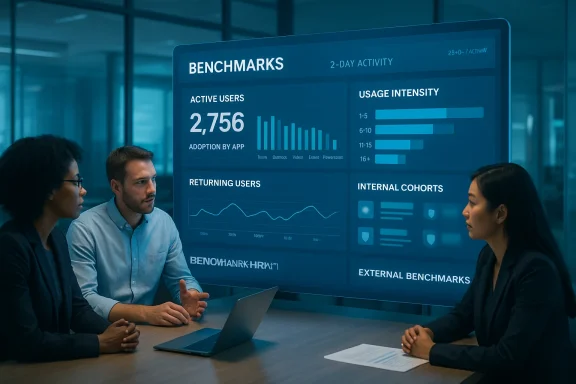
Microsoft’s documentation spells out the principal metrics Benchmarks exposes:- Active Copilot users — users who have invoked Copilot at least once in the measured period (Microsoft’s dashboard uses a 28-day activity window by default).
- Adoption by app — breakdown of which Microsoft 365 apps (Teams, Outlook, Word, Excel, PowerPoint, Copilot Chat, etc.) Copilot actions occurred in.
- Returning users — the percentage of users who used Copilot in consecutive measurement periods, a simple retention indicator.
- Usage intensity — how often active users invoke Copilot (grouped into buckets such as 1–5, 6–10, 11+ actions).
Internal vs external benchmarks
Benchmarks includes both:- Internal cohort comparisons — compare adoption across job roles, regions, manager types or other groups inside your tenant (subject to minimum group sizes to protect privacy).
- External peer benchmarks — anonymised, aggregated comparisons against “companies like yours,” including top-10% and top-25% cohorts. Microsoft says these external benchmarks are calculated with randomized models and include groups with at least 20 organisations.
Why this matters to staff, leaders and educators
Many organisations assume that provisioning Copilot licences equals adoption. Reality is messier: cultural friction, unclear use cases, poor training and concerns about data exposure keep many users at the “open-but-unused” stage. Benchmarks changes the equation by turning anecdote into data. With concrete numbers you can:- Target training and coaching to groups who aren’t using Copilot but should.
- Redeploy licences where they aren’t delivering value, minimising licence waste.
- Identify champions and replicable use cases where Copilot drives measurable improvements (e.g., summarising meetings, drafting emails, speeding report turnaround).
How Benchmarks handles privacy — and what to ask your vendor or admin
No technology rollout is risk-free. Benchmarks is explicitly designed with privacy controls and aggregation to prevent the identification of individuals, but there are important caveats and design choices leaders must understand:- Aggregation & minimum group sizes — internal cohort metrics are suppressed for groups below Microsoft's minimum group size to avoid singling out small teams.
- Randomized models for external benchmarks — Microsoft uses randomized mathematical models and requires a minimum number of companies in each external cohort (at least 20 organisations) so external benchmarks are not derived from any single tenant’s data.
- Optional vs required diagnostic data — some Copilot metrics (e.g., Copilot-assisted hours, emails sent using Copilot, meeting summary hours) require administrators to enable optional diagnostic data. If optional diagnostics are disabled, those metrics will be incomplete. That’s an important configuration decision which balances telemetry richness and privacy.
Known limitations and current reliability issues you should note
Microsoft is candid about limitations and a few known reporting issues. Two practical points every IT leader should log into their project risk register:- Estimated metrics are model-based, not literal time-sheets. Copilot-assisted hours are calculated using an assistance-factor model which multiplies counted Copilot actions by research-derived weights; they give directional insight, not precise timekeeping. Treat these as estimates.
- There have been reporting issues on specific metrics. Microsoft documentation notes an issue affecting the “Emails sent using Copilot” metric since August 1, 2025, and earlier underreporting in Copilot-assisted hours between September 6 and November 3, 2025. Admins should be aware of these caveats when interpreting historical trend lines.
Practical rollout checklist for IT, HR and school leaders
- Define measurable outcomes before you look at dashboards. Decide which workflows Copilot should improve (e.g., lesson planning, grading, meeting summaries, email triage) and set KPIs.
- Ensure tenant settings are configured: confirm whether optional diagnostic data is enabled (necessary for some impact metrics) and review who has access to the Copilot Dashboard.
- Communicate transparently: tell staff what is measured, why, and how data will be used. Offer opt-in surveys to complement telemetry.
- Pair Benchmarks with targeted training: use internal cohort comparisons to prioritise workshops and champions. (windowscentral.com)
- Validate with qualitative measures: follow up dashboard insights with user interviews, controlled A/B trials or small process experiments.
Governal risks — what to watch for
- Perception of monitoring. Even aggregated dashboards can feel like surveillance. Pre-empn access policy, limiting viewer roles, and using data mainly for enablement and training rather than punishment.
- *ts.** Public sector bodies, education providers and organisations operating across GDPR jurisdictions should map Benchmarks telemetry to their data protection obligations before wide release. Microsoft’s aggregation reduces identification risk, but it does not remove legal responsibilities.
- False confidence from top-line benchmarks. Being “above the peer median” doesn’t guarantee value; high usage is not the same as high impact. Couple Benchmarks with ROI measures and qualitative feedback.
Third-party tools and market alternatives
Benchmarks is not the only game in town. Independent analytics and governance vendors are shipping Copilot- and M365-focused benchmarking and adoption platforms that add features such as predictive analytics, activity scoring and governance workflows. These can augment or validate Microsoft’s telemetry — particularly for organisations that want a consolidated view across vendor tools. Examples of vendor capabilities emphasise activity scores, predictive “champion” identification and additional governance layers. Evaluate third-party tools carefully for data residency, privacy and integration risk before adoption.Early adopter signals and case patterns
Public and private sector pilots give a sense of what success looks like: rapid training, targeted champion networks, tight governance and role-specific use cases. Case narratives from local government and infrastructure rollouts show three consistent themes:- Start with persona-driven pilots (managers, knowledge workers, admin) rather than rolling out cluster-wide.
- Pair Copilot access with governance controls (DLP, Purview, tenant boundary settings) to keep sensitive data in-check.
- Use a Centre of Excellence, gamified learning and peer coaching to scale successful behaviours, not just licences.
How to interpret Benchmarks responsibly
- Focus on directionality, not absolutes. Use adoption trends and cohort differences to prioritise pilots and training rather than as a binary pass/fail score.
- Combine quantitative Benchmarks with qualitative surveys. Microsoft recommends a short set of user sentiment questions that can be uploaded to Adoption Score for comparison with Microsoft ded view reduces the risk of misinterpreting raw telemetry.
- Audit the telemetry configuration. If optional diagnostics are disabled, some impact metrics will be incomplete — don’t make licensing or budgeting decisions on partial data.
Final analysis — strengths, weaknesses and the pragmatic verdict
Microsoft’s Benchmarks is a valuable operational tool for leaders who need to move AI adoption out of anecdote and into evidence. Its strengths include:- Actionable visibility into active users, app-level adoption and retention trends.
- Peer context that can motivate investment or reveal complacency through anonymised external comparisons.
- Integration with Viva Insights and Adoption Score, which makes Benchmarks part of a larger adoption and wellbeing story rather than an isolated checkbox.
- Model-based metrics and known reporting issues — treat assisted-hours and some email metrics as provisional and validate with other measures.
- Potential employee pushback if the feature is presented as monitoring rather than enablement; governance and communication are essential.
- Over-reliance on adoption numbers without tying usage to business outcomes can give false assurance. Independent research shows many AI pilots never scale to sustained impact — measurement alone won’t fix cultural and operational barriers.
Practical next steps (short checklist)
- Confirm telemetry configuration and optional diagnostic settings in your tenant.
- Limit dashboard access and publish a clear usage policy.
- Run a 6–8 week “measure + train” cycle: baseline with Benchmarks, run targeted training for low-adoption cohorts, then reassess.
- Complement telemetry with a 3-question sentiment survey recommended by Microsoft and compare against the Benchmarks cohort results.
- Use Benchmarks as an experiment framework — iterate on use cases, not just licence counts.
Copilot Benchmarks is a useful evolution: it turns fuzzy managerial judgments about AI adoption into concrete signals you can act on. But it’s a tool, not a strategy. If you plan to use Benchmarks to steer your Copilot programme, pair the dashboard with clear governance, careful configuration, and the human-centred change work that actually makes pilots scale into lasting value.
Source: cambridgenetwork.co.uk Is your team using AI well? Copilot can tell you | Cambridge Network
