

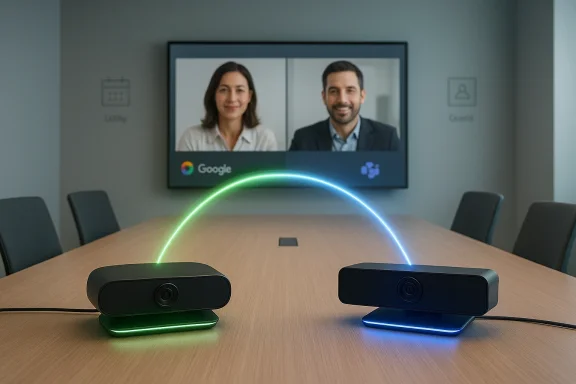
Google and Microsoft have quietly taken a pragmatic step toward easing one of the most persistent pain points of hybrid work: incompatible conferencing hardware. As of February 3, 2026, Google announced built‑in device interoperability between Google Meet hardware and Microsoft Teams Rooms, enabling Chrome OS–based Meet devices to join Teams meetings and Windows‑based Teams Rooms devices to join Meet meetings — with caveats around supported hardware, licensing, and admin controls.
Video conferencing fragmentation has been a persistent source of friction for organizations and IT teams. Enterprises commonly standardize on one conferencing platform for user accounts and administrative control, but real‑world collaboration inevitably crosses vendor boundaries — customers, partners, agencies, and event venues often use a different provider. That mismatch historically forced people to bring a laptop, use phone dial‑ins, or rely on third‑party bridges to get everyone into the same virtual room.
Third‑party interoperability is not new: Cloud Video Interop (CVI) and services from vendors such as Pexip have long provided a bridge between SIP/H.323 endpoints and modern cloud meeting services, allowing hardware rooms to participate in meetings hosted on platforms they don’t natively support. What has changed here is the scope and the pivot by both platform owners to make device‑level joining more direct and administratively manageable for customers.
That doesn’t mean platform wars are over. Each vendor continues to invest in unique features — AI meeting assistants, advanced security controls, and ecosystem‑specific integrations — that will keep lock‑in incentives alive. What it does mean is that vendors are increasingly pragmatic: they understand customers want choice without endless workarounds. The Pexip partnership is evidence that platform owners are willing to cooperate with ecosystem players rather than build isolated fortresses.
But it’s not a magic bullet. Expect limitations around feature parity, potential lobby friction, licensing requirements (notably in the Teams ecosystem), and cases where a full CVI vendor subscription still makes sense. Security and compliance teams will need to validate recording, retention, and data‑processing flows before declaring the setup production ready.
If your organization runs meeting rooms at scale, plan a phased approach: inventory devices, pilot carefully, validate compliance, and then expand. For smaller teams, Google’s built‑in path may immediately reduce daily friction. Either way, the direction is clear: meeting hardware is becoming less partisan, and that’s good news for meeting productivity — provided IT leaders treat the rollout as a deliberate, measurable project rather than a flip‑the‑switch migration.
Conclusion: interoperability between Meet hardware and Teams Rooms brings real, usable progress, but its success will be determined by careful admin configuration, realistic expectations about software parity, and a clear eye toward security and compliance.
Source: Windows Central Google Meet and Microsoft Teams cross the streams in the meeting room
 Background
Video conferencing fragmentation has been a persistent source of friction for organizations and IT teams. Enterprises commonly standardize on one conferencing platform for user accounts and administrative control, but real‑world collaboration inevitably crosses vendor boundaries — customers, partners, agencies, and event venues often use a different provider. That mismatch historically forced people to bring a laptop, use phone dial‑ins, or rely on third‑party bridges to get everyone into the same virtual room.Third‑party interoperability is not new: Cloud Video Interop (CVI) and services from vendors such as Pexip have long provided a bridge between SIP/H.323 endpoints and modern cloud meeting services, allowing hardware rooms to participate in meetings hosted on platforms they don’t natively support. What has changed here is the scope and the pivot by both platform owners to make device‑level joining more direct and administratively manageable for customers.
What Google announced — the essentials
- The feature is a built‑in interoperability capability that allows:
- Chrome OS–based Google Meet hardware to join Microsoft Teams meetings.
- Windows‑based Microsoft Teams Rooms devices to join Google Meet meetings.
- The rollout timeline published by Google places the admin control visibility at the start of the rollout on February 3, 2026, with end‑user device visibility rolling out gradually starting February 16, 2026. The admin toggle will be ON by default but can be disabled at the organizational‑unit (OU) level.
- Google explicitly notes that this built‑in option does not replace existing Pexip settings for OUs already configured to use Pexip Connect; organizations using Pexip will retain their configurations. In other words, Google’s offering is an additional, integrated path — not a forced migration away from established CVI partners.
Why this matters: practical benefits for IT and users
For IT teams and meeting‑room managers, the change reduces operational complexity in several ways:- Fewer ad‑hoc laptop joins. Rooms can act as first‑class participants in external meetings, reducing the frequency of cables, adapters, and one‑time account logins.
- Simpler scheduling. Calendar invites that contain Teams or Meet details can be used directly by room controllers where supported, improving one‑touch joining workflows for scheduled meetings.
- Centralized policy control. Because the feature is controllable at the Google Admin console OU level, admins can opt individual organizations or locations into interoperability without changing global tenant settings.
Hardware, licensing, and supported configurations
Supported device classes
- Chrome OS–based Google Meet hardware: Google’s announcement specifically calls out Chrome OS devices used for Google Meet Rooms as the class that can join Teams meetings. Many Meet hardware appliances from OEMs such as Logitech include Chrome OS variants.
- Windows‑based Microsoft Teams Rooms (MTR on Windows): Microsoft Teams Rooms that run on Windows are listed as able to join Google Meet meetings once configured. Note that Teams Rooms also exists on Android and other form factors; Google’s announcement limits built‑in support to Windows‑based MTR devices.
Licensing and feature gating
- In Microsoft’s ecosystem, some cross‑platform join capabilities historically required Teams Rooms Pro licensing or a Cloud Video Interop (CVI) plan with a qualified partner. Microsoft has expanded SIP join and CVI support for Teams Rooms, and some advanced experiences may still require pro licensing or a third‑party SIP plan. Organizations should not assume every Teams Room will have full parity with a native Meet or Teams client unless the right licenses and CVI subscriptions are in place.
- Pexip’s offerings for Google Meet hardware have been a paid service in the past; while Google’s built‑in interoperability reduces friction for many customers, Pexip remains a commercial option for enterprises that need additional capabilities (lobby bypass, dual‑screen content behavior, analytics, or SIP gateway features). Google’s communications explicitly note the coexistence with Pexip. Expect possible additional costs if you require Pexip’s managed features.
Software versions and update windows
- Google’s rollout is tied to device firmware and auto‑update eligibility: only Meet hardware that has not reached auto‑update expiration will receive the feature. Admins should confirm device firmware status and manufacturer support windows before relying on the new behavior in production.
- Microsoft Teams Rooms require compatible app versions and configuration for third‑party join behavior; consult the Teams Rooms release notes and management docs to confirm your devices are on supported builds. Some Teams Rooms functionality (like recording/transcription controls or SIP join enhancements) have been gated to specific app versions and license tiers.
How the interop actually works (technical overview)
The interoperability model is a mixture of built‑in platform support and CVI mediation, depending on the path:- For Google→Teams: Google Meet hardware calls into a Teams meeting using an interoperability backend. Google’s announcement and Pexip documentation indicate Pexip Connect will continue to play a central role for many customers; Google’s built‑in interop leverages a service integration that can route Meet hardware into Teams meetings in a way that mimics native joining behavior. The call is typically a SIP/H.323 or service‑mediated session presented into the Teams meeting.
- For Teams→Meet: Teams Rooms on Windows can join Meet meetings by acting as a third‑party SIP endpoint where Meet accepts such joins, or by using Microsoft’s third‑party device APIs and allowed device pairing flows. Microsoft’s documentation about connecting third‑party devices and CVI explains the patterns used when a Teams Room joins a non‑Teams meeting.
- Guest join and lobby behavior: Many interop joins are guest joins, meaning the room appears as an external participant and may need an organizer or an admitted user to allow the room in from the waiting lobby. Pexip’s documentation explicitly notes that joining Teams from Meet hardware is currently a guest‑join experience in many setups unless tenant policies permit bypass. Expect the occasional lobby wait.
- Feature parity is limited: Features tightly integrated to a native client — breakouts, advanced captions, some recording/transcription controls, live reactions, and in‑meeting moderation — may not be available or may be limited when joining cross‑platform through a CVI bridge or third‑party join path. Administrators should map expected meeting features against the interop path they plan to use.
Step‑by‑step: what admins need to know and do
Below is a practical, high‑level checklist to prepare rooms and policies for interoperability. These steps summarize guidance from Google’s admin notices, Pexip’s configuration articles, and Microsoft Teams admin controls.- Inventory your room hardware and firmware versions.
- Confirm which Meet hardware devices are Chrome OS vs Android and whether they are within their auto‑update window. Confirm Teams Rooms on Windows app versions and OS support.
- Decide whether to use the built‑in Google interoperability path or an existing CVI vendor (Pexip).
- If you already use Pexip, the admin‑level settings will continue to respect your Pexip configuration. If you prefer Google’s built‑in route, prepare to add or validate the built‑in interop settings.
- Configure Google Admin console settings.
- The new functionality is ON by default, but you should confirm OU‑level settings under Devices > Google Meet hardware > Settings > Device Settings > Built‑in interoperability and apply any Pexip customer ID if using Pexip.
- Confirm Teams tenant settings to allow third‑party/anonymous joins when required.
- Microsoft tenant settings can block anonymous or guest joins; if your organization expects Meet rooms to join Teams meetings as guests, confirm Meeting Settings and policies in the Teams Admin Center.
- Pilot in low‑risk rooms.
- Run pilots in a few conference rooms with varied hardware vendors and room sizes to validate camera, speaker, content sharing (HDMI/dual display) behavior, and lobby admission flows.
- Update helpdesk scripts and user‑facing guides.
- Create one‑page instructions for end users to add a Teams or Meet external meeting to room calendar entries and explain what to expect (possible lobby wait, limited feature set).
- Monitor logs, calls, and user feedback.
- Use your monitoring/analytics tools (and vendor dashboards such as Pexip Control Center if applicable) to track join success, call quality, and common failure modes.
Real‑world experience and limitations IT should anticipate
Common operational snags
- Duplicate calendar events and metadata: Events created outside Google Calendar may not populate room resources automatically. Admins should expect some manual calendar work or process changes when inviting Meet hardware to Teams meetings or vice versa. Google and Pexip documentation both mention cases where calendar metadata must be duplicated or copied into the room event description.
- Lobby/guest admission friction: Unless the hosting tenant actively allows anonymous or third‑party joins, rooms may sit in a lobby awaiting admission. This produces the familiar "someone please let the room in" workflow unless tenants adopt policies that permit the room to bypass the lobby.
- Feature differences and inconsistent UX: Screen layouts, participant controls, and in‑meeting features often behave differently across platforms. Expect a learning curve and document what behaviors are—and are not—supported for cross‑platform joins.
Audio/video and content sharing limits
- Dual‑screen and content behavior: Some vendors, including Pexip, advertise dual‑screen support and HDMI presentation bridging, but these features may require vendor updates or paid subscriptions. Until proven in your environment, treat multi‑display content sharing as a potential failure point for complex meetings.
- Media codec and resolution differences: End‑to‑end HD video and content resolution depend on the interop service and each platform’s media handling. Some CVI paths may downscale content or change layout behavior, which matters for whiteboard or detailed presentations.
Security, privacy, and compliance considerations
Cross‑platform joins increase the attack surface and complicate compliance controls. Here are the issues IT and security teams must consider:- Authentication and SSO mapping: Rooms typically join as devices rather than named users. Understand how your identity provider, SSO, and device‑pairing workflows interact with each platform’s session tokens. Confirm whether device tokens are logged and audited in your tenant.
- Data residency and recording policies: If a Teams Room joins a Meet meeting, which tenant’s recording, transcript, or retention policy applies? In many interop scenarios the host platform controls recording and associated storage; verify how recordings are stored, who owns the recording, and where it is retained for compliance audits. If you rely on vendor mediation, read their data handling and retention terms.
- Eavesdropping and lobby security: Guest join workflows and lobby bypass policies should be examined. Allowing rooms to bypass the lobby might be convenient, but it also increases the risk of unintended participants joining. Balance convenience with appropriate meeting admission controls.
- Vendor trust and contractual review: If you use managed CVI services (Pexip or others), review contracts and data processing agreements carefully. Interoperability providers may process signaling and media flows; ensure they meet your organization’s regulatory requirements.
Alternatives and when to prefer them
- Stay native where possible. If your organization regularly hosts many public meetings with external participants on a single platform, standardizing on that vendor for rooms reduces friction and complexity.
- Use CVI vendors for complex mixed estates. If you operate legacy SIP/H.323 devices or need advanced bridging features (lobby bypass, analytics, enterprise management), a CVI partner such as Pexip is still the pragmatic choice.
- Companion device model. Some organizations prefer the companion‑laptop model: join the meeting from a personal computer and use the room for audio/video only. This keeps the meeting account and content experience native while still leveraging room AV. It’s not as clean, but it’s the most reliable fallback for cross‑platform parity.
Recommendations for rolling this out in your enterprise
- Start small: pilot with a handful of rooms that reflect typical meeting types (huddle, boardroom, training).
- Communicate: update room booking policies and publish short helpdesk scripts that explain how to add Teams/Meet links to room calendar events.
- Measure: collect quality metrics and capture examples of mismatched features so you can build a decision matrix (e.g., when to use native vs interop).
- Audit: assess whether additional CVI features from partners are necessary for your security, compliance, or UX needs.
- Train: brief reception, helpdesk, and meeting hosts about lobby behavior and what to expect when rooms join third‑party meetings.
The strategic picture: what this signals from Google and Microsoft
At a strategic level, this development is a quiet but meaningful shift. Both Google and Microsoft appear to recognize that enterprises operate multi‑vendor estates and that friction is the enemy of adoption. By enabling device‑level cross‑join capabilities and making admin controls available, platform owners are reducing the operational cost of being “on the wrong platform” for any given meeting.That doesn’t mean platform wars are over. Each vendor continues to invest in unique features — AI meeting assistants, advanced security controls, and ecosystem‑specific integrations — that will keep lock‑in incentives alive. What it does mean is that vendors are increasingly pragmatic: they understand customers want choice without endless workarounds. The Pexip partnership is evidence that platform owners are willing to cooperate with ecosystem players rather than build isolated fortresses.
Final take: useful progress, with real world caveats
This built‑in interop between Google Meet hardware and Microsoft Teams Rooms is a practical, welcome improvement for conference room experiences — especially in mixed environments and guest‑heavy organizations. The benefits are concrete: fewer cables, easier joins, and central admin control.But it’s not a magic bullet. Expect limitations around feature parity, potential lobby friction, licensing requirements (notably in the Teams ecosystem), and cases where a full CVI vendor subscription still makes sense. Security and compliance teams will need to validate recording, retention, and data‑processing flows before declaring the setup production ready.
If your organization runs meeting rooms at scale, plan a phased approach: inventory devices, pilot carefully, validate compliance, and then expand. For smaller teams, Google’s built‑in path may immediately reduce daily friction. Either way, the direction is clear: meeting hardware is becoming less partisan, and that’s good news for meeting productivity — provided IT leaders treat the rollout as a deliberate, measurable project rather than a flip‑the‑switch migration.
Conclusion: interoperability between Meet hardware and Teams Rooms brings real, usable progress, but its success will be determined by careful admin configuration, realistic expectations about software parity, and a clear eye toward security and compliance.
Source: Windows Central Google Meet and Microsoft Teams cross the streams in the meeting room
