

Microsoft’s Copilot now has a face: a deliberately non‑human, animated avatar called Mico that Microsoft unveiled as part of its Copilot Fall updates, a package that pairs visual personality with long‑term memory, group collaboration, a new “Real Talk” conversational mode, and voice‑first tutoring — a strategic attempt to succeed where the infamous Office Assistant “Clippy” once failed.
Microsoft’s history with embodied assistants stretches from the early Office Assistant era (Clippit, aka Clippy) through Cortana and last decade’s sideline experiments. Those episodes left a clear lesson: personality without clear purpose becomes an annoyance. The new Copilot Fall release, showcased publicly during Microsoft’s Copilot Sessions event on October 22–23, 2025, reframes the design question: can a bounded, opt‑in persona improve voice and group interactions without repeating the missteps of the past? Microsoft situates Mico not as a standalone mascot but as a visual and behavioral layer on top of Copilot’s reasoning engine — a non‑photoreal animated orb that signals listening, thinking, and acknowledgment during voice interactions, and which is tied to functionality such as the new Learn Live tutoring flows, Copilot Groups, and Copilot memory. Several independent outlets and previews corroborated these feature linkages, underlining that Mico’s launch is inseparable from the broader Copilot feature set.
Key design points:
However, the commercial payoff depends on execution: transparent privacy practices, demonstrable safety metrics, and the company’s willingness to prioritize governance over short‑term engagement signals. If engagement metrics dominate, Mico risks becoming a charm that masks deeper systemic risks — the same arc that turned novelty into nuisance during the Office Assistant era.
Yet success will hinge on the less visible elements: defaults, data governance, auditability and a corporate discipline that prioritizes safety and user trust over engagement metrics. For users, educators and IT leaders the immediate advice is straightforward: pilot carefully, demand transparency, and treat Copilot — charming as Mico may be — as an assistive tool that requires governance and verification. If executed with rigor and humility, Mico could become a pragmatic template for humane AI interfaces. If not, the industry will have traded one set of mistakes for another — a friendlier face that still interrupts the user’s life rather than enhancing it.
Source: yoursun.com Microsoft hopes Mico succeeds where Clippy failed as tech companies warily imbue AI with personality
 Background
Microsoft’s history with embodied assistants stretches from the early Office Assistant era (Clippit, aka Clippy) through Cortana and last decade’s sideline experiments. Those episodes left a clear lesson: personality without clear purpose becomes an annoyance. The new Copilot Fall release, showcased publicly during Microsoft’s Copilot Sessions event on October 22–23, 2025, reframes the design question: can a bounded, opt‑in persona improve voice and group interactions without repeating the missteps of the past? Microsoft situates Mico not as a standalone mascot but as a visual and behavioral layer on top of Copilot’s reasoning engine — a non‑photoreal animated orb that signals listening, thinking, and acknowledgment during voice interactions, and which is tied to functionality such as the new Learn Live tutoring flows, Copilot Groups, and Copilot memory. Several independent outlets and previews corroborated these feature linkages, underlining that Mico’s launch is inseparable from the broader Copilot feature set. What Mico Is — design, role and visible behavior
A non‑human, expressive avatar with bounded intent
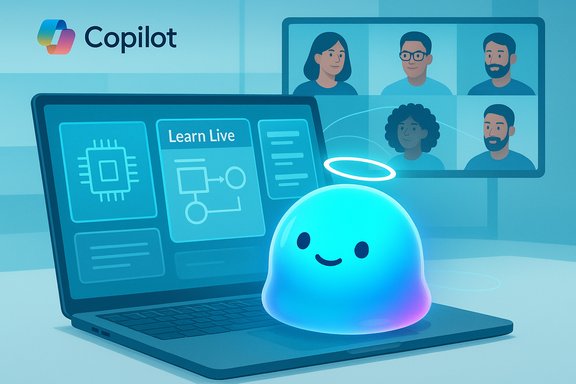
Mico is an animated, blob‑like avatar that changes color, shape and small expressions to give users nonverbal feedback in voice conversations. The visual language intentionally avoids photoreal humans — a deliberate move to reduce the uncanny valley and to discourage emotional over‑attachment. Microsoft describes Mico as a visual anchor for Copilot’s voice mode and Learn Live tutoring, not a separate intelligence.Key design points:
- Non‑human visual design — color and form shifts communicate state rather than simulating a face.
- Scoped activation — Mico surfaces primarily in voice mode, Learn Live, and Copilot Groups; it is not designed to pop up across arbitrary apps.
- User control — Microsoft exposes toggles to disable Mico and granular controls for Copilot’s memories and connectors.
A nod to Clippy, but optional and measured
Previewed interactions included a small Easter egg: rapidly tapping Mico briefly morphs it into a paperclip homage to Clippy — a deliberate, low‑stakes wink rather than a revival of the intrusive Office Assistant. That playful callback underscores the risk‑aware posture: Microsoft is courting nostalgia while insisting Mico will be opt‑in and context‑scoped. Reporters observed the easter egg in preview builds, but Microsoft has not presented it as a permanent core behavior, so treat that as provisional.The Fall Copilot feature map: why Mico matters
Mico sits at the visible tip of a much larger product push that changes Copilot from a reactive Q&A to a persistent, social, and — in parts — agentic assistant. The most consequential additions announced alongside Mico include:- Copilot Groups — shareable sessions where multiple people can interact with the same Copilot instance; reported preview caps are up to 32 participants. Copilot can summarize threads, tally votes, propose actions, and split tasks.
- Long‑term memory & connectors — opt‑in memory that can retain preferences, project context, and personal facts across sessions, plus permissioned connectors to services such as OneDrive, Outlook, Gmail and Google Drive to let Copilot act with user consent. Microsoft provides UI to view, edit and delete stored memories.
- Real Talk — an optional conversational style that matches user tone, adds its own perspective and can respectfully push back rather than reflexively agree — a design intended to mitigate sycophancy and to encourage critical thinking. Real Talk is non‑default and text‑only in early rollouts.
- Learn Live — a voice‑led, Socratic tutoring flow where Copilot (with Mico present in voice mode) guides learners through concepts using questions, visual cues and whiteboards rather than delivering one‑line answers — a deliberate move to scaffold learning rather than enable copying.
- Edge Agentic Actions & Journeys — the browser is being extended with agentic capabilities, enabling Copilot to reason about open tabs, perform multi‑step web tasks (bookings, form fills) after explicit confirmation, and organize research into resumable “Journeys.” This shifts Copilot from passive summarizer to an active assistant that can take permissioned actions on a user’s behalf.
Cross‑checking the claims: what’s verified and what remains provisional
Several load‑bearing claims have independent corroboration:- Mico and the Copilot Fall updates were publicly introduced during Microsoft’s Copilot Sessions event held on October 22–23, 2025.
- Mico appears primarily in Copilot voice mode and Learn Live and is designed as an opt‑in visual affordance.
- Copilot Groups and the feature of shared sessions were announced, with previews reporting support for up to 32 participants.
- Real Talk and long‑term memory with user controls are parts of the same product release.
- Edge is being enhanced with agentic Actions and Journeys allowing Copilot to act on the web after explicit confirmation.
- The Clippy morph easter egg was observed in preview builds; Microsoft has not formally documented it as a committed feature, so its permanence is uncertain.
- Exact memory retention windows, server locales for stored memories, and fine‑grained privacy guarantees were not fully disclosed at announcement time and remain to be verified by Microsoft’s published technical documentation. Treat those as pending verification.
Strengths: what Microsoft gets right with Mico and Copilot’s new stack
- Purpose‑first personality: Mico is scoped to voice‑first tutoring and group facilitation rather than being an always‑on companion. This addresses the primary UX failure that sank Clippy: intrusion without purpose.
- Opt‑in controls and memory transparency: Copilot exposes UIs to view and delete memories and to control connectors; those controls are essential guardrails for personalization and privacy. When well‑implemented, they turn memory from a privacy liability into a productivity asset.
- Non‑human visual language: Avoiding photoreal avatars reduces the risk of emotional over‑attachment and helps maintain the mental model that Copilot is a tool not a person. That design decision has clear safety and ethical advantages.
- Pedagogical intent in Learn Live: The Socratic, scaffolded tutoring design is an instructionally sound approach that can discourage misuse (e.g., homework copying) and promote comprehension. Pairing voice, visuals and guided questioning is a well‑supported pedagogical pattern.
- Enterprise and ecosystem integration: Tying Copilot into Windows, Microsoft 365, Edge and connectors lets the assistant add measurable productivity value instead of being a mere novelty. Enterprises familiar with Microsoft’s compliance and governance controls may find pilot programs easier to manage.
Risks and failure modes: what to watch for
- Defaults and engagement incentives: Even an opt‑in persona can become pervasive if enabled by default in prominent flows. Defaults matter immensely: a default‑on avatar in voice mode will reach users who haven’t actively consented to a personality layer. Guardrails must be strict and consent explicit.
- Emotional overreach and dependency: Non‑human avatars reduce but do not eliminate the risk that vulnerable users form attachments to AI personalities. The presence of long‑term memory deepens that risk because the assistant can become more “consistent” and familiar over time.
- Privacy and data governance gaps: Memory and connectors can significantly improve usefulness but also expand attack surfaces. Critical questions remain about retention limits, data residency, encryption in transit and at rest, and mechanisms for exporting and deleting memories. Those details were not fully disclosed at launch and should be required for enterprise deployments.
- Hallucinations in high‑stakes domains: Even constrained features like Copilot Health and Find Care need rigorous provenance and human escalation. While Microsoft said it would ground health responses in vetted sources, assistants still risk offering plausible‑sounding but incorrect recommendations; operators must build clear guardrails and fallback paths.
- Group dynamics and misuse: Copilot Groups could be powerful for brainstorming but also enable coordinated misuse (e.g., brainstorming ways to evade policy or commit fraud). Group sessions amplify the need for role‑based controls, auditing and moderation tools.
Practical guidance: what users, educators and IT leaders should do now
For everyday users
- Treat Copilot outputs as assistive starting points — verify important facts independently.
- Use the memory UI to review and purge stored content; disable Mico if the avatar is distracting.
- For health, legal, or financial advice, confirm recommendations with certified professionals.
For parents and educators
- Evaluate Learn Live before enabling it on school‑managed devices. Confirm age‑appropriate defaults and ensure curriculum alignment.
- Establish pilot programs with explicit escalation paths for harmful or misleading content.
- Prefer teacher‑moderated sessions and restrict connectors when accounts handle sensitive student data.
For IT, security and compliance teams
- Run a limited pilot to audit memory semantics, connectors and Edge Actions.
- Define governance policies: allowed connectors, who may invite Copilot to groups, and whether agentic Actions are permitted on managed devices.
- Demand audit logs, deletion guarantees, data residency options and the ability to roll back or revoke Copilot permissions centrally.
Business and strategic implications
Mico is a strategic instrument for Microsoft’s broader Copilot ambitions. Personality is the psychological lever that can lower the friction of voice and multimodal AI. If Mico increases user trust and retention while being paired to genuinely useful features (memory, agentic Actions, group facilitation), Copilot could become the habitual interface for search, scheduling, planning and research inside the Microsoft ecosystem. That outcome drives Microsoft’s platform value and subscription economics.However, the commercial payoff depends on execution: transparent privacy practices, demonstrable safety metrics, and the company’s willingness to prioritize governance over short‑term engagement signals. If engagement metrics dominate, Mico risks becoming a charm that masks deeper systemic risks — the same arc that turned novelty into nuisance during the Office Assistant era.
Verification summary and open questions
The public record — Microsoft’s Copilot messaging and independent reporting from multiple outlets — confirms the broad contours of the announcement: Mico as a voice‑mode avatar, the existence of Copilot Groups, Real Talk, Learn Live, memory & connectors, and Edge Actions. These claims were documented at Microsoft’s Copilot Sessions on October 22–23, 2025 and have been corroborated by major outlets. Outstanding technical and governance questions that require follow‑up from Microsoft’s documentation and security teams:- Exact memory retention policies and data residency guarantees for stored memories and connectors.
- Technical auditability: will admin consoles and enterprise logs record Copilot actions and group session histories?
- The final behavior of preview features (for example, the Clippy easter egg) and whether participant caps for Groups are hard limits or provisional.
- Detailed accessibility and content‑moderation frameworks for Learn Live and group sessions.
The human factor: design, default settings and ethics
Personality in AI is a design choice as much as a technical one. Small visual cues (a listening glow, a color shift) can make voice interactions feel more natural; however, personality also influences trust calibration. A friendly tone can inadvertently increase perceived reliability of outputs. That cognitive bias is particularly risky when dealing with health, legal or financial content. Real‑world success requires:- Default conservatism: privacy‑protective defaults and explicit consent flows.
- Provenance and transparency: visible citations and clear statements of uncertainty for Copilot answers.
- Measurable safety metrics: published rates of hallucination, remediation times and policy violation counts.
Conclusion
Mico is a carefully calibrated experiment: a warm, non‑human face for Copilot that bundles personality with stateful features like memory, group collaboration, tutoring and agentic browser actions. Microsoft’s choreography — non‑photoreal design, scoped activation, opt‑out controls and pedagogy‑oriented Learn Live — addresses many of the user experience errors that made Clippy a cautionary tale. The technical foundations for this attempt are stronger than in the 1990s: multimodal models, local speech processing and permissioned connectors can make assistants more context‑aware and less brittle.Yet success will hinge on the less visible elements: defaults, data governance, auditability and a corporate discipline that prioritizes safety and user trust over engagement metrics. For users, educators and IT leaders the immediate advice is straightforward: pilot carefully, demand transparency, and treat Copilot — charming as Mico may be — as an assistive tool that requires governance and verification. If executed with rigor and humility, Mico could become a pragmatic template for humane AI interfaces. If not, the industry will have traded one set of mistakes for another — a friendlier face that still interrupts the user’s life rather than enhancing it.
Source: yoursun.com Microsoft hopes Mico succeeds where Clippy failed as tech companies warily imbue AI with personality
