

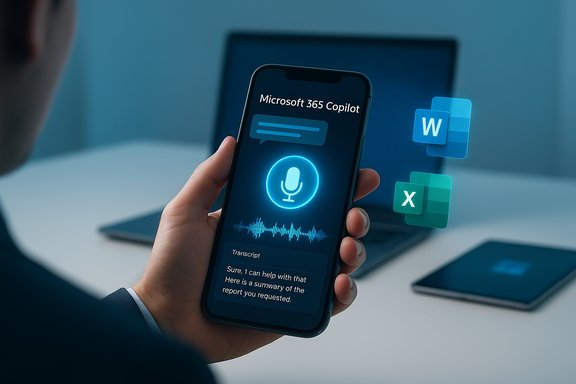
Microsoft has quietly but decisively given Copilot a voice: the Microsoft 365 Copilot mobile app now supports real‑time, conversational voice chat on iOS and Android, allowing users to speak naturally, interrupt the assistant mid‑reply, and receive spoken responses — with desktop voice expected to follow in a broader rollout. This change marks a meaningful shift from typed chat to a hands‑free interaction model designed for on‑the‑go productivity, accessibility, and richer multimodal workflows across Microsoft 365.
Microsoft 365 Copilot began life as an embedded chat assistant inside Office applications and the Windows Copilot pane, but it has been continuously reworked into a cross‑platform, multi‑endpoint productivity layer. Over the last year Microsoft expanded Copilot’s capabilities to include vision (screen and image awareness), agentic Actions that can perform multiphase tasks, and now voice interactions that turn Copilot into a conversational, speak‑and‑listen assistant rather than a keyboard‑bound chatbot. The mobile voice experience is rolling out first for Copilot‑licensed users, with broader availability and desktop voice integration promised in upcoming phases. This update is significant on three fronts: user experience (natural, interruptible speech); enterprise posture (privacy, retention, auditability of transcripts); and platform strategy (mobile first, with desktop and web to follow). While the feature is being introduced gradually — and some enterprise tenants and regions will see delays or gated access — the direction is unambiguous: Microsoft wants Copilot to be a voice‑first assistant wherever people work.
Organizations should pilot the capability, align retention and training opt‑outs with compliance obligations, and treat hardware choices as part of the privacy and performance equation. For individuals, the upgrade is a welcome productivity boost, but treat voice replies like any other saved collaboration: check transcripts, be mindful of what you say, and use built‑in controls to limit data exposure.
Source: Windows Report Microsoft 365 Copilot Gets Voice Support on Mobile; Coming for Desktop Soon
 Background / Overview
Microsoft 365 Copilot began life as an embedded chat assistant inside Office applications and the Windows Copilot pane, but it has been continuously reworked into a cross‑platform, multi‑endpoint productivity layer. Over the last year Microsoft expanded Copilot’s capabilities to include vision (screen and image awareness), agentic Actions that can perform multiphase tasks, and now voice interactions that turn Copilot into a conversational, speak‑and‑listen assistant rather than a keyboard‑bound chatbot. The mobile voice experience is rolling out first for Copilot‑licensed users, with broader availability and desktop voice integration promised in upcoming phases. This update is significant on three fronts: user experience (natural, interruptible speech); enterprise posture (privacy, retention, auditability of transcripts); and platform strategy (mobile first, with desktop and web to follow). While the feature is being introduced gradually — and some enterprise tenants and regions will see delays or gated access — the direction is unambiguous: Microsoft wants Copilot to be a voice‑first assistant wherever people work. How voice works in the Copilot mobile app
Starting a voice session
Users can initiate a voice chat directly from the text input area of the Copilot mobile app. Tapping the microphone icon launches an active voice session where Copilot listens, transcribes, and responds with spoken replies in real time. Sessions produce a text transcript that’s saved to the Conversations history so exchanges can be revisited or resumed later.Conversational controls and interaction model
The mobile voice mode supports conversational control patterns that go beyond simple dictation:- Interrupt and redirect: you can cut Copilot off mid‑sentence to change the prompt or refine a request.
- Tone and speed adjustments: users can ask Copilot to alter the playback speed or tone.
- Mute / end controls: a single tap to mute or terminate the voice session gives immediate control over audio.
Rollout and availability — mobile first, desktop next (but timelines vary)
Microsoft’s official messaging and product notes show the mobile voice experience being rolled out to iOS and Android first, delivered to accounts that carry a Copilot license or are otherwise eligible for Copilot features. Early public previews and Insider streams opened the door on iOS before Android and the web/desktop surfaces, reflecting staged platform parity that often accompanies large feature launches. Independent reporting confirms a U.S.‑first and staged international rollout pattern; desktop voice and wake‑word integration (for example, “Hey, Copilot” on Windows) are being expanded across Windows but are being released more cautiously, with hardware gating for the lowest‑latency on‑device scenarios. Enterprises should not expect global, simultaneous parity on all platforms the day of announcement. Caveat: some Microsoft 365 or work accounts historically lag behind personal account features for voice chat, and administrative or tenant settings can constrain availability. IT administrators should verify tenant configuration and Microsoft’s Message Center notices for precise timelines.Privacy, compliance, and data handling — what Microsoft says and what admins must verify
Microsoft’s stated model
Microsoft documents the Copilot voice experience in support and product pages that explain how voice data is used to deliver the service and how transcripts are handled as conversation history. Users are offered controls over whether conversations feed model training, and the transcript data follows Microsoft 365 retention and audit pathways when the account is managed by an organization. That means voice interactions are integrated into the existing governance model for Copilot chat history.The “no voice data stored” claim — read the nuance
Some third‑party coverage and early summaries have paraphrased Microsoft’s privacy posture as “no voice data is stored.” That framing is misleading without context. Microsoft’s support guidance clarifies that audio serves the live session and that users control re‑use for training, while textual transcripts are stored as conversation history subject to retention and audit policies. In short, voice processing can be transient or configurable, but transcripts are persisted in the conversation history and therefore must be treated like any other recorded collaboration artifact. Treat categorical claims that “no audio is ever stored” as cautionary unless confirmed against your tenant’s configuration and the specific Microsoft documentation for your region and product tier.Enterprise compliance and retention implications
For organizations, voice‑to‑text transcripts are functionally identical to typed chat for compliance: they can be subject to eDiscovery, retention labels, and audit logs. Administrators should:- Review Copilot conversation retention policies in the Microsoft 365 Compliance Center.
- Confirm whether voice sessions are configured to opt into model‑training telemetry.
- Update acceptability and data‑use policies so employees know whether voice chats are captured.
Technical architecture — local wake‑word, hybrid inference, and device differences
Microsoft’s approach to voice is hybrid: a small, on‑device wake‑word model (a “spotter”) listens for activation while most heavy speech‑to‑text and generative reasoning runs in the cloud — unless the device is a Copilot+ certified PC with an NPU capable of on‑device inference. The local keyword spotting uses a transient audio buffer that is overwritten unless a session begins; when a session starts the active audio is processed to produce a transcript and response. This hybrid design balances responsiveness with privacy and cost. Implications:- Devices with NPUs (Copilot+ PCs) may offload more processing locally, reducing latency and cloud calls.
- Lower‑end devices will rely on cloud processing, which can incur network latency and additional costs for large enterprises.
Strengths — why voice matters for productivity and accessibility
- Hands‑free workflows: voice allows multitasking (driving, cooking, in‑lab work) without typing interruptions. This is a practical productivity win for mobile workers.
- Faster capture of ideas: brainstorming and note capture via voice often beats slow typing during meetings or on transit.
- Improved accessibility: voice interaction lowers barriers for users with mobility or vision impairments.
- Richer multimodal context: when paired with Copilot Vision (camera/screenshot analysis), voice turns Copilot into a conversational co‑pilot for real‑world tasks like translating menus, summarizing documents, or troubleshooting UI flows.
Risks and trade‑offs — what will keep privacy and security teams awake
- Retention and compliance risk: transcripts are persisted and could contain PII or business secrets; retention policies must be applied deliberately.
- Model training and telemetry: unless disabled, voice interactions may be used to improve models. Enterprises must confirm opt‑out settings and contractual protections.
- False sense of local privacy: local wake‑word buffers are short and ephemeral, but once a session is triggered, audio and derived transcripts may flow to cloud services. Do not assume “no data leaves the device” unless the organization has confirmed on‑device processing for its hardware and tenant.
- Accuracy and hallucination: voice responses can be convincing but incorrect. Spoken hallucinations are often more persuasive than written ones and consequently risk being acted upon inadvertently. Design workflows that verify critical outputs.
- Operational attack surface: voice‑triggered agents and connectors that act across web forms or services increase the attack surface; security controls, allow‑lists, and credential vaulting are essential.
Practical guidance for users and IT administrators
For IT administrators
- Audit Copilot configuration in Microsoft 365 admin and Intune: confirm which tenants and groups have voice enabled.
- Test retention and eDiscovery scenarios using a pilot group so transcripts are handled as expected.
- Define default privacy posture: choose whether Copilot voice interactions are allowed to contribute to model training and inform user consent messaging.
- Implement role‑based enablement: restrict voice‑capable agents from performing high‑risk actions (payments, sensitive document sharing) unless specific approval and auditing are in place.
For end users
- Treat spoken Copilot replies like any other work communication; assume transcripts may be saved.
- Use the session controls (mute, End voice chat) to avoid accidental broadcasting.
- If concerned about model training, toggle the relevant privacy setting in Copilot profile or request tenant policy clarification from IT.
How this stacks up against other voice systems
Microsoft is not alone in pursuing voice for assistants: OpenAI, Google, and other vendors offer conversational voice models with different trade‑offs in cost, privacy, and platform reach. Microsoft’s advantage is integration into Microsoft 365 and Windows — the assistant can access context across Outlook, Word, Excel, Teams and the desktop (when allowed), turning voice inputs into cross‑app actions and document operations. That close ecosystem integration is the compelling differentiator for corporate users. However, third‑party voice providers sometimes offer stronger on‑device processing guarantees or different pricing models, so procurement teams should compare across suppliers for specific privacy and latency requirements.What we still do not know — and why to treat some claims cautiously
- Microsoft’s exact desktop rollout timetable for voice parity across all regions and account types is not universally published; evidence points to staged expansion and hardware gating, but precise dates vary by tenant and market. Treat “coming soon to desktop” as accurate directionally, but verify specific calendar windows in your tenant’s Message Center notices.
- The assertion that “no voice data is stored” is not an absolute; Microsoft’s documentation emphasizes configurable uses for voice data and retention of transcripts. Enterprises should verify their tenant’s telemetry and retention configuration before accepting such a claim.
- Third‑party reporting occasionally conflates preview behavior with general availability behavior. Expect some discrepancies between what early preview users see and what broader production tenants will receive.
The bottom line for WindowsForum readers
Microsoft’s addition of real‑time voice to the Microsoft 365 Copilot mobile app is a pivotal user‑experience upgrade: it makes Copilot genuinely conversational on phones and lays the groundwork for a voice‑first computing model across mobile and desktop. The feature delivers clear gains in accessibility and hands‑free productivity and dovetails with broader Copilot investments in vision and automation. However, the enterprise implications — retention, compliance, telemetry, and agentic risk — are material and require proactive governance.Organizations should pilot the capability, align retention and training opt‑outs with compliance obligations, and treat hardware choices as part of the privacy and performance equation. For individuals, the upgrade is a welcome productivity boost, but treat voice replies like any other saved collaboration: check transcripts, be mindful of what you say, and use built‑in controls to limit data exposure.
Conclusion
Voice in Microsoft 365 Copilot transforms an already powerful assistant into a more natural, conversational tool that fits how people actually work on mobile devices. The rollout strategy — mobile first, desktop and deeper platform parity to follow — balances user impact with the operational realities of enterprise governance and hardware capabilities. The promise is significant: faster workflows, better accessibility, and a friendlier Copilot that you can speak to. The responsibility is equally significant: careful policy design, explicit consent, and strict auditing will determine whether voice becomes a productivity multiplier or another source of compliance headaches. The prudent path is clear: experiment, govern, and verify before broad enabling; the future of voice‑driven productivity is arriving, but it’s arriving with strings that IT and privacy teams must plan for now.Source: Windows Report Microsoft 365 Copilot Gets Voice Support on Mobile; Coming for Desktop Soon
