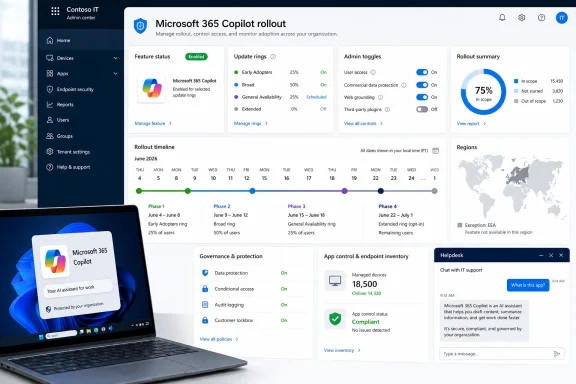
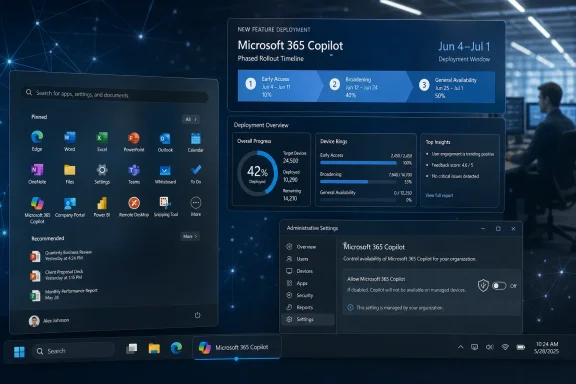
Microsoft has resumed the automatic installation of the Microsoft 365 Copilot app on eligible commercial Windows PCs in June 2026, targeting devices with Microsoft 365 desktop apps already installed while excluding tenants in the European Economic Area. The move revives a deployment plan Microsoft paused in March over a technical issue, and it lands exactly where enterprise admins are most sensitive: software appearing on managed endpoints without a conventional deployment decision. This is not just another Copilot story. It is a test of whether Microsoft’s AI strategy can coexist with the consent model that IT departments still expect from a business platform.
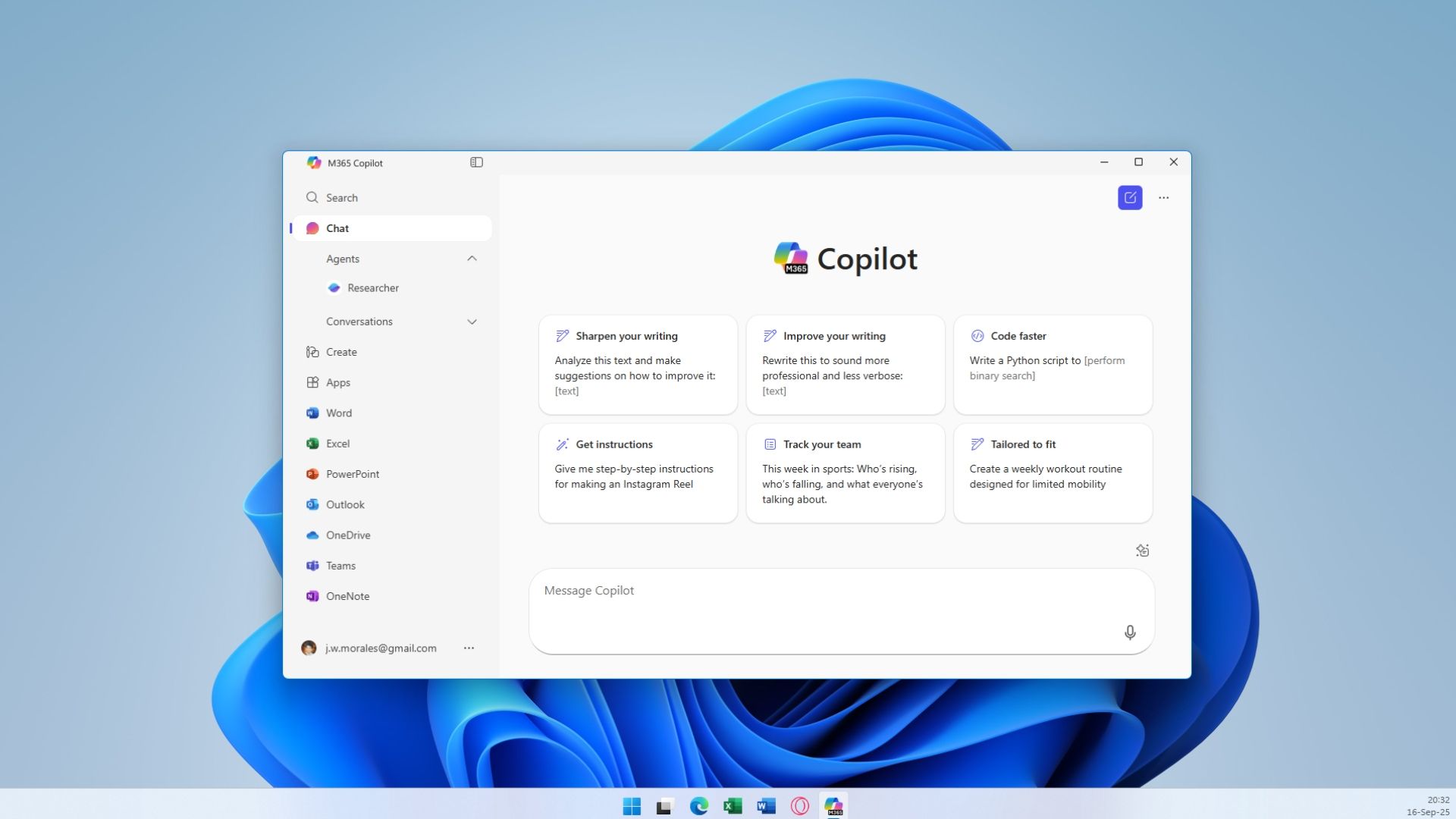
The basic mechanics are straightforward. If a commercial Windows device has the Microsoft 365 desktop apps installed, and if it is on an eligible update channel and version, Microsoft 365 Copilot can now arrive automatically as part of the broader Microsoft 365 Apps ecosystem. Users may simply notice a new entry in the Start menu or Installed Apps, not a traditional installation prompt.
That distinction matters because Microsoft is not merely shipping an optional app through the Store. It is using the reach of Microsoft 365 Apps to place an AI-branded entry point on machines that organizations already rely on for Word, Excel, PowerPoint, Outlook, and Teams-adjacent productivity workflows. In Microsoft’s framing, the Copilot app is a unified front door for Microsoft 365 AI experiences. In many admins’ framing, it is another example of Redmond deciding that “installed” is a product-management preference rather than an IT change-control event.
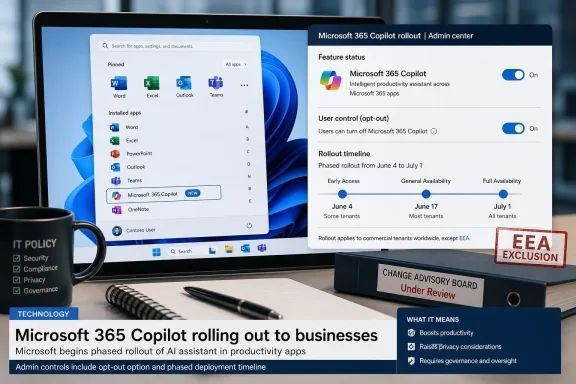
The rollout is phased. According to the reported Message Center update, Microsoft began enabling the first feature flag on June 4, with additional waves running through June and into July 1. That means many organizations will not see the app arrive everywhere at once. It also means the window for administrators to review the setting, decide whether to opt out, and communicate with users is not theoretical; it is already open.
Microsoft’s public deployment documentation has described the automatic installation path for months, including the minimum Microsoft 365 Apps Version 2511 requirement, the exclusion of Semi-Annual Enterprise Channel devices, and the fact that European Economic Area tenants are treated differently. The unresolved tension is not whether Microsoft documented the behavior. It is whether documentation and an opt-out switch are enough when the default action is to install a new AI application across business PCs.
But Microsoft’s own wording pointed elsewhere. The company said the automatic installation had been temporarily disabled because of a technical issue and that it would provide an update when the process was re-enabled. That is not the language of a strategy being abandoned. It is the language of a rollout being debugged.
The June resumption confirms the point. Microsoft did not decide that automatic deployment was the wrong lever. It decided that the lever should be pulled once the blocking issue was resolved and the admin-control story was sufficiently in place.
This is where the episode becomes more revealing than the app itself. Microsoft has repeatedly shown that it sees Copilot not as a discrete product that users discover, evaluate, and install, but as a layer that should be present wherever Microsoft 365 work happens. The company can make that argument credibly from a product standpoint. If Copilot is meant to summarize documents, query business data, draft content, and become a cross-app productivity assistant, then burying it behind a manual download is strategically incoherent.
The trouble is that enterprise Windows is not just a product surface. It is an estate. It has inventories, baselines, user training, help-desk scripts, compliance rules, software-approval boards, and security exceptions. An app that is “just a front door” to Microsoft 365 can still be a new executable, a new updater path, a new support artifact, and a new user expectation.
That does not make the deployment inconsequential. Enterprise users do not typically reason in terms of licensing matrices when a new app appears on their work PC. They see the Copilot name, assume something has changed, and ask IT why it is there. If the answer is “Microsoft installed it automatically unless we opted out,” the help desk inherits a trust problem that the product group created.
The precedent is more important than the payload. Microsoft is normalizing a model in which Microsoft 365 Apps can become a delivery vehicle for adjacent “modern apps” that Microsoft considers part of the suite experience. The company already has a defensible story here: users expect Microsoft 365 to evolve, and cloud-connected productivity software is not a static bundle of desktop binaries. But there is a difference between updating Word and installing a new branded app that changes the visible software inventory.
That difference is not nostalgia. It is governance. In managed environments, the presence of an application can trigger software asset reviews, privacy assessments, support documentation, and executive questions about AI enablement. Even if the technical footprint is benign, the organizational footprint is not.
Those are meaningful controls. They are also not the same as making the deployment opt-in.
Defaults are policy in enterprise software. When Microsoft makes Copilot installation the default for eligible commercial devices, it is saying that the expected state of the Microsoft 365 Apps estate includes this app unless an administrator intervenes. That may be reasonable for organizations already moving aggressively toward Copilot adoption. It is less reasonable for organizations still evaluating data governance, user readiness, licensing costs, and acceptable AI use.
The opt-out model also assumes that administrators saw the Message Center update, understood its operational impact, had the right permissions in the correct admin portal, and acted before the relevant deployment wave reached their tenant. In smaller organizations, that assumption may be optimistic. In large organizations, it may be bureaucratically unrealistic.
This is a recurring Microsoft problem. The company often provides the control eventually, but it places the burden of resisting product momentum on administrators. The practical message is: Microsoft will move the platform forward, and if you do not like the direction, you need to find and flip the right switch in time.
That is not a small footnote. It reflects the broader reality that European regulatory pressure has forced large platform companies to separate, disclose, unbundle, or restrain behaviors that might pass with less friction elsewhere. Windows and Microsoft 365 are no longer universally identical products. They are policy-sensitive platforms, and Europe often gets the version with more explicit restraint.
For US admins, that creates an uncomfortable comparison. If automatic deployment is too sensitive or constrained for one major regulatory region, why should it be the default elsewhere? Microsoft may have legal and operational reasons for the distinction, but users and administrators will read it more simply: some customers get protection from surprise installation by default, and others get an opt-out buried in an admin center.
The EEA carve-out also weakens any argument that automatic installation is technically essential. If Microsoft can run Microsoft 365 Apps without this automatic Copilot app path in Europe, then the rest of the world is dealing with a strategic choice, not a platform necessity.
That does not mean the app is malicious, unsafe, or useless. It means the deployment model is discretionary. And discretionary defaults deserve scrutiny.
That mismatch is why forced or semi-forced Copilot deployments generate disproportionate irritation. The app itself may not consume much disk space or run disruptive background workloads. But it carries the symbolic weight of Microsoft’s AI agenda, and that agenda has often moved faster than user comfort.
Windows users have been trained over decades to distrust surprise software. They remember browser toolbars, OEM bloatware, consumer app promotions, Store app stubs, Edge prompts, Teams auto-start behavior, and feature updates that changed workflows without warning. Microsoft 365 customers, especially commercial ones, have somewhat more tolerance for managed evolution because cloud software changes continuously. Still, there is a line between updating the service and planting a new visible application on the device.
Copilot sits directly on that line. Microsoft wants it to feel native and inevitable. Many users experience that inevitability as pressure.
For IT pros, the deeper issue is not whether Copilot is good. It is whether Microsoft is willing to let customers decide when Copilot becomes part of the endpoint experience. The June rollout suggests Microsoft’s answer is yes, but only if admins actively say no.
To Microsoft, these distinctions are product architecture. To normal users, they are a fog bank.
The Microsoft 365 Copilot app is intended as a work-oriented entry point, particularly for users authenticating with organizational accounts. It is not the same as the consumer Copilot app that has appeared in Windows contexts. It is also not a magical license upgrade that grants paid Copilot features to everyone. Yet the visible word “Copilot” does most of the emotional work.
That branding ambiguity increases the support burden. A user who sees Copilot installed may ask whether company data is now being used for AI training, whether their documents are being scanned, whether they have a new paid license, or whether they are expected to use AI in daily work. Some of those fears may be misplaced, but they are not irrational. Microsoft has made Copilot the umbrella term for too many related but distinct experiences.
The company’s recommendation that admins notify users before the app appears is therefore sensible. It is also an admission that the rollout creates a communication event. If a software change requires user messaging to prevent surprise, then it is not merely a background maintenance update.
That argument is real, and many CISOs will recognize it. Shadow AI is already a problem. If employees are going to use AI anyway, an officially managed entry point may be preferable to an uncontrolled sprawl of third-party tools.
But the security case is not a blank check for surprise installation. Security teams also care about software inventory discipline, attack surface, update mechanisms, user expectations, and change visibility. A new app deployed system-wide, even a Microsoft one, is still part of the endpoint estate. It needs to be understood, documented, and monitored.
The app’s installation context matters here. Microsoft’s documentation says automatic installation through Microsoft 365 Apps can happen in the SYSTEM context and provision the app system-wide. That may be administratively efficient, but it also underscores why this is not just a casual per-user convenience. It is a device-level change.
Enterprises can manage that change. What they resent is discovering that they must manage it because Microsoft decided the default state had changed.
There is logic there. If a company pays for Microsoft 365 and expects users to work across cloud files, shared documents, Teams meetings, Outlook messages, and enterprise search, a unified AI entry point is not absurd. The old mental model of Office as a few isolated Win32 apps is already out of date. The Microsoft 365 app itself, the web portal, Loop components, and cloud-backed file experiences have been pulling users into a more integrated environment for years.
But that argument works only if Microsoft is trusted to curate the environment in the customer’s interest. Trust is exactly what forced installation erodes. The more Microsoft insists that Copilot is simply part of the suite, the more admins will ask why it needs a separate visible app, why it appears by default, and why EEA customers are handled differently.
The company is trying to collapse the distinction between “Microsoft 365 has new capabilities” and “Microsoft installed a new app on your PC.” Customers are not obligated to accept that collapse.
The harder work is communication. If the app is allowed to arrive, users should know what it is, what it is not, and whether their access to Copilot features depends on licensing. They should also know whom to ask before using AI with sensitive company information. Silence leaves room for rumor, and Copilot rumors tend to spread faster than admin center updates.
Organizations that are not ready for Copilot should treat the automatic installation switch as part of a larger AI governance checklist, not as an isolated annoyance. If you are blocking the app because policies are not ready, that is a signal to finish the policies. If you are allowing it because Copilot adoption is underway, that is a signal to prepare training and support materials.
The worst posture is drift: letting the app arrive because nobody noticed the Message Center post, then treating the resulting questions as user confusion. In that scenario, Microsoft may have created the surprise, but IT owns the aftermath.
 Microsoft Turns the Installer Back On
The basic mechanics are straightforward. If a commercial Windows device has the Microsoft 365 desktop apps installed, and if it is on an eligible update channel and version, Microsoft 365 Copilot can now arrive automatically as part of the broader Microsoft 365 Apps ecosystem. Users may simply notice a new entry in the Start menu or Installed Apps, not a traditional installation prompt.That distinction matters because Microsoft is not merely shipping an optional app through the Store. It is using the reach of Microsoft 365 Apps to place an AI-branded entry point on machines that organizations already rely on for Word, Excel, PowerPoint, Outlook, and Teams-adjacent productivity workflows. In Microsoft’s framing, the Copilot app is a unified front door for Microsoft 365 AI experiences. In many admins’ framing, it is another example of Redmond deciding that “installed” is a product-management preference rather than an IT change-control event.
The rollout is phased. According to the reported Message Center update, Microsoft began enabling the first feature flag on June 4, with additional waves running through June and into July 1. That means many organizations will not see the app arrive everywhere at once. It also means the window for administrators to review the setting, decide whether to opt out, and communicate with users is not theoretical; it is already open.
Microsoft’s public deployment documentation has described the automatic installation path for months, including the minimum Microsoft 365 Apps Version 2511 requirement, the exclusion of Semi-Annual Enterprise Channel devices, and the fact that European Economic Area tenants are treated differently. The unresolved tension is not whether Microsoft documented the behavior. It is whether documentation and an opt-out switch are enough when the default action is to install a new AI application across business PCs.
The March Pause Was a Reprieve, Not a Retreat
When Microsoft paused the automatic Copilot installation in March 2026, it was tempting to read the move as a quiet concession to backlash. After all, the company had already spent years testing the patience of Windows users with AI surfacing in search, the taskbar, Settings experiments, Edge integrations, and the ever-present Copilot brand. A pause looked like the sort of tactical retreat companies make when telemetry meets annoyance.But Microsoft’s own wording pointed elsewhere. The company said the automatic installation had been temporarily disabled because of a technical issue and that it would provide an update when the process was re-enabled. That is not the language of a strategy being abandoned. It is the language of a rollout being debugged.
The June resumption confirms the point. Microsoft did not decide that automatic deployment was the wrong lever. It decided that the lever should be pulled once the blocking issue was resolved and the admin-control story was sufficiently in place.
This is where the episode becomes more revealing than the app itself. Microsoft has repeatedly shown that it sees Copilot not as a discrete product that users discover, evaluate, and install, but as a layer that should be present wherever Microsoft 365 work happens. The company can make that argument credibly from a product standpoint. If Copilot is meant to summarize documents, query business data, draft content, and become a cross-app productivity assistant, then burying it behind a manual download is strategically incoherent.
The trouble is that enterprise Windows is not just a product surface. It is an estate. It has inventories, baselines, user training, help-desk scripts, compliance rules, software-approval boards, and security exceptions. An app that is “just a front door” to Microsoft 365 can still be a new executable, a new updater path, a new support artifact, and a new user expectation.
The Copilot App Is Small, but the Precedent Is Large
The Microsoft 365 Copilot app is not the same thing as granting every employee a paid Microsoft 365 Copilot license. That distinction should be made clearly, because it is where some of the public anger can get technically sloppy. The app may appear even where advanced licensed Copilot capabilities are not available to a given user. It can function as an entry point for Microsoft 365 experiences, Copilot Chat, search, agents, and other Microsoft 365 surfaces depending on licensing and tenant configuration.That does not make the deployment inconsequential. Enterprise users do not typically reason in terms of licensing matrices when a new app appears on their work PC. They see the Copilot name, assume something has changed, and ask IT why it is there. If the answer is “Microsoft installed it automatically unless we opted out,” the help desk inherits a trust problem that the product group created.
The precedent is more important than the payload. Microsoft is normalizing a model in which Microsoft 365 Apps can become a delivery vehicle for adjacent “modern apps” that Microsoft considers part of the suite experience. The company already has a defensible story here: users expect Microsoft 365 to evolve, and cloud-connected productivity software is not a static bundle of desktop binaries. But there is a difference between updating Word and installing a new branded app that changes the visible software inventory.
That difference is not nostalgia. It is governance. In managed environments, the presence of an application can trigger software asset reviews, privacy assessments, support documentation, and executive questions about AI enablement. Even if the technical footprint is benign, the organizational footprint is not.
Admins Get a Switch, but Microsoft Keeps the Default
Microsoft deserves some credit for giving administrators a way to prevent the automatic installation. The setting lives in the Microsoft 365 Apps admin center, under device configuration and modern app settings, where admins can clear the option that enables automatic installation of the Microsoft 365 Copilot app. The company’s docs also say that if a user uninstalls the app after automatic installation, the one-time installation process does not simply reinstall it again through the same mechanism.Those are meaningful controls. They are also not the same as making the deployment opt-in.
Defaults are policy in enterprise software. When Microsoft makes Copilot installation the default for eligible commercial devices, it is saying that the expected state of the Microsoft 365 Apps estate includes this app unless an administrator intervenes. That may be reasonable for organizations already moving aggressively toward Copilot adoption. It is less reasonable for organizations still evaluating data governance, user readiness, licensing costs, and acceptable AI use.
The opt-out model also assumes that administrators saw the Message Center update, understood its operational impact, had the right permissions in the correct admin portal, and acted before the relevant deployment wave reached their tenant. In smaller organizations, that assumption may be optimistic. In large organizations, it may be bureaucratically unrealistic.
This is a recurring Microsoft problem. The company often provides the control eventually, but it places the burden of resisting product momentum on administrators. The practical message is: Microsoft will move the platform forward, and if you do not like the direction, you need to find and flip the right switch in time.
Europe Gets a Different Windows, Again
The European Economic Area exclusion is another reminder that Microsoft’s product behavior increasingly depends on geography. EEA tenants are reportedly unaffected by this automatic deployment, and Microsoft’s public documentation has said customers in the EEA cannot enable installation of the Microsoft 365 Copilot app to devices with Microsoft 365 Apps through this automatic path.That is not a small footnote. It reflects the broader reality that European regulatory pressure has forced large platform companies to separate, disclose, unbundle, or restrain behaviors that might pass with less friction elsewhere. Windows and Microsoft 365 are no longer universally identical products. They are policy-sensitive platforms, and Europe often gets the version with more explicit restraint.
For US admins, that creates an uncomfortable comparison. If automatic deployment is too sensitive or constrained for one major regulatory region, why should it be the default elsewhere? Microsoft may have legal and operational reasons for the distinction, but users and administrators will read it more simply: some customers get protection from surprise installation by default, and others get an opt-out buried in an admin center.
The EEA carve-out also weakens any argument that automatic installation is technically essential. If Microsoft can run Microsoft 365 Apps without this automatic Copilot app path in Europe, then the rest of the world is dealing with a strategic choice, not a platform necessity.
That does not mean the app is malicious, unsafe, or useless. It means the deployment model is discretionary. And discretionary defaults deserve scrutiny.
The AI Strategy Is Colliding With the Windows Trust Model
Microsoft’s Copilot push has always had two speeds. In marketing, Copilot is the future of work, the interface layer for productivity, and the connective tissue between documents, meetings, email, chat, and business data. On endpoints, it often feels like another icon arriving before the organization has decided what role AI should play.That mismatch is why forced or semi-forced Copilot deployments generate disproportionate irritation. The app itself may not consume much disk space or run disruptive background workloads. But it carries the symbolic weight of Microsoft’s AI agenda, and that agenda has often moved faster than user comfort.
Windows users have been trained over decades to distrust surprise software. They remember browser toolbars, OEM bloatware, consumer app promotions, Store app stubs, Edge prompts, Teams auto-start behavior, and feature updates that changed workflows without warning. Microsoft 365 customers, especially commercial ones, have somewhat more tolerance for managed evolution because cloud software changes continuously. Still, there is a line between updating the service and planting a new visible application on the device.
Copilot sits directly on that line. Microsoft wants it to feel native and inevitable. Many users experience that inevitability as pressure.
For IT pros, the deeper issue is not whether Copilot is good. It is whether Microsoft is willing to let customers decide when Copilot becomes part of the endpoint experience. The June rollout suggests Microsoft’s answer is yes, but only if admins actively say no.
The Naming Problem Makes the Rollout Feel Messier Than It Is
Part of the confusion comes from Microsoft’s Copilot branding sprawl. There is Microsoft Copilot, the consumer-facing assistant. There is Microsoft 365 Copilot, the work and school productivity layer tied to Microsoft 365 data and licensing. There is Copilot Chat, Copilot in Windows, Copilot+ PCs, GitHub Copilot, Security Copilot, and a growing set of agents and app-specific experiences.To Microsoft, these distinctions are product architecture. To normal users, they are a fog bank.
The Microsoft 365 Copilot app is intended as a work-oriented entry point, particularly for users authenticating with organizational accounts. It is not the same as the consumer Copilot app that has appeared in Windows contexts. It is also not a magical license upgrade that grants paid Copilot features to everyone. Yet the visible word “Copilot” does most of the emotional work.
That branding ambiguity increases the support burden. A user who sees Copilot installed may ask whether company data is now being used for AI training, whether their documents are being scanned, whether they have a new paid license, or whether they are expected to use AI in daily work. Some of those fears may be misplaced, but they are not irrational. Microsoft has made Copilot the umbrella term for too many related but distinct experiences.
The company’s recommendation that admins notify users before the app appears is therefore sensible. It is also an admission that the rollout creates a communication event. If a software change requires user messaging to prevent surprise, then it is not merely a background maintenance update.
The Security Argument Cuts Both Ways
There is a security case for Microsoft’s approach. Centralized deployment can reduce the chance that employees download unofficial AI tools, install random browser extensions, or paste company data into unsanctioned services. A managed Microsoft 365 Copilot entry point can be governed through tenant controls, identity, licensing, and enterprise data protection policies in ways that consumer AI tools cannot.That argument is real, and many CISOs will recognize it. Shadow AI is already a problem. If employees are going to use AI anyway, an officially managed entry point may be preferable to an uncontrolled sprawl of third-party tools.
But the security case is not a blank check for surprise installation. Security teams also care about software inventory discipline, attack surface, update mechanisms, user expectations, and change visibility. A new app deployed system-wide, even a Microsoft one, is still part of the endpoint estate. It needs to be understood, documented, and monitored.
The app’s installation context matters here. Microsoft’s documentation says automatic installation through Microsoft 365 Apps can happen in the SYSTEM context and provision the app system-wide. That may be administratively efficient, but it also underscores why this is not just a casual per-user convenience. It is a device-level change.
Enterprises can manage that change. What they resent is discovering that they must manage it because Microsoft decided the default state had changed.
Microsoft’s Best Argument Is Also Its Weakness
Microsoft’s strongest defense is that Microsoft 365 is no longer just a collection of desktop apps. It is a cloud productivity platform, and the Copilot app is part of the platform’s modern interface. From that perspective, automatic installation is not an invasion; it is suite coherence.There is logic there. If a company pays for Microsoft 365 and expects users to work across cloud files, shared documents, Teams meetings, Outlook messages, and enterprise search, a unified AI entry point is not absurd. The old mental model of Office as a few isolated Win32 apps is already out of date. The Microsoft 365 app itself, the web portal, Loop components, and cloud-backed file experiences have been pulling users into a more integrated environment for years.
But that argument works only if Microsoft is trusted to curate the environment in the customer’s interest. Trust is exactly what forced installation erodes. The more Microsoft insists that Copilot is simply part of the suite, the more admins will ask why it needs a separate visible app, why it appears by default, and why EEA customers are handled differently.
The company is trying to collapse the distinction between “Microsoft 365 has new capabilities” and “Microsoft installed a new app on your PC.” Customers are not obligated to accept that collapse.
The Practical Work Starts Before the Icon Appears
For administrators, the immediate response should be boring, which is another way of saying effective. Check whether your tenant is eligible, whether your devices are on Current Channel or Monthly Enterprise Channel, and whether Microsoft 365 Apps Version 2511 or later is broadly deployed. Review the Microsoft 365 Apps admin center setting for automatic Copilot app installation. Decide whether the app aligns with your organization’s AI rollout plan or whether you need to opt out for now.The harder work is communication. If the app is allowed to arrive, users should know what it is, what it is not, and whether their access to Copilot features depends on licensing. They should also know whom to ask before using AI with sensitive company information. Silence leaves room for rumor, and Copilot rumors tend to spread faster than admin center updates.
Organizations that are not ready for Copilot should treat the automatic installation switch as part of a larger AI governance checklist, not as an isolated annoyance. If you are blocking the app because policies are not ready, that is a signal to finish the policies. If you are allowing it because Copilot adoption is underway, that is a signal to prepare training and support materials.
The worst posture is drift: letting the app arrive because nobody noticed the Message Center post, then treating the resulting questions as user confusion. In that scenario, Microsoft may have created the surprise, but IT owns the aftermath.
Redmond’s June Copilot Push Leaves Admins With a Narrow Playbook
Microsoft’s resumed rollout is concrete enough that organizations should stop debating whether the automatic installation plan is hypothetical. The relevant question is whether their tenant should accept Microsoft’s default or override it before the deployment wave reaches enough machines to become a support issue.- Commercial Windows devices with Microsoft 365 desktop apps are the target, provided they meet Microsoft’s eligibility and update-channel requirements.
- The automatic installation path does not apply to tenants in the European Economic Area, and Semi-Annual Enterprise Channel devices are not targeted.
- Administrators can prevent the automatic installation through the Microsoft 365 Apps admin center by disabling the relevant modern app setting.
- The rollout is phased through June 2026, with reported feature-flag waves extending into July 1.
- The app’s arrival does not automatically mean every user has a paid Microsoft 365 Copilot license, but it does create a visible Copilot entry point that users will notice.
- Organizations that allow the app should communicate before deployment, because the absence of a prompt does not mean the absence of user concern.
References
- Primary source: Neowin
Published: Fri, 05 Jun 2026 14:54:00 GMT
Microsoft resumes forced Copilot app installation on some Windows PCs
Microsoft has resumed automatically installing the controversial Microsoft 365 Copilot app on eligible Windows PCs, with rollout already underway. www.neowin.net
- Related coverage: pcworld.com

Microsoft is halting forced installs of Microsoft 365 Copilot app
It comes at a time when Microsoft faces heavy backlash from users over its obsession with Copilot AI. www.pcworld.com
- Related coverage: windowslatest.com

Microsoft says it won't auto install Microsoft 365 Copilot app on Windows 11, likely due to outrage over 'Microslop'
Microsoft says it’s taking a step back and temporarily disabling the automatic installation of Microsoft 365 Copilot on Windows 11. In September 2025, Microsoft confirmed it was auto-installing Microsoft 365 Copilot (formerly called Microsoft 365 / Office Hub) on Windows, and that was in... www.windowslatest.com
- Official source: learn.microsoft.com

Frequently asked questions about deploying the Microsoft 365 Copilot app.
Frequently asked questions about deploying the Microsoft 365 Copilot app.learn.microsoft.com - Related coverage: techradar.com
- Related coverage: techcrunch.com

Microsoft rolls back some of its Copilot AI bloat on Windows | TechCrunch
The company is reducing Copilot entry points on Windows, starting with Photos, Widgets, Notepad, and other apps. techcrunch.com
- Related coverage: techspot.com
- Related coverage: techtimes.com

Microsoft Will Not Auto-Install M365 Copilot App on Windows 11 PCs
Microsoft is no longer automatically installing the Microsoft 365 Copilot app on Windows 11 PCs despite previous plans to make it default. www.techtimes.com
- Related coverage: gadgets360.com
- Related coverage: windowscentral.com
- Related coverage: windowsforum.com

Microsoft Backs Away From Forced Copilot App Installs on Windows 11
Microsoft has quietly backed away from one of its most irritating recent Windows 11 habits: the automatic installation of the Microsoft 365 Copilot app on devices that already have Microsoft 365 desktop apps. That change matters less because it removes a single app and more because it signals a... windowsforum.com
- Related coverage: tomshardware.com
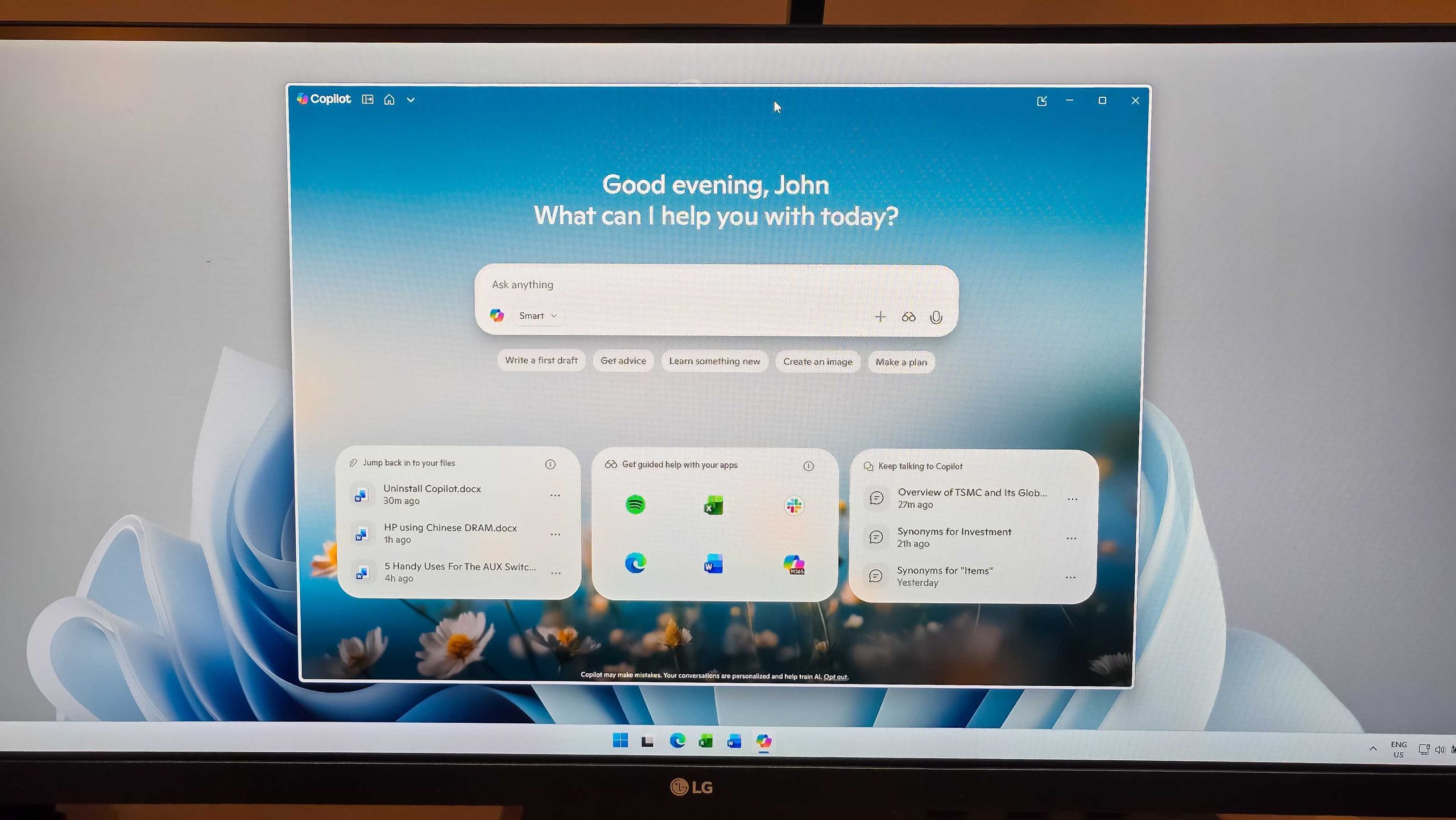
Admins finally get the power to uninstall Microsoft Copilot on Windows 11 Pro, Enterprise, and EDU versions — devices must meet specific conditions to allow the removal of the AI app
One less bloatware on Windows 11.www.tomshardware.com
- Official source: microsoft.com