

Microsoft’s move to bake agentic AI into both Office and Windows is more than a feature update — it’s an architectural shift that treats AI assistants as identity‑bound, auditable workers inside enterprise IT stacks. The company’s recent announcements stitch together in‑app automation (Agent Mode), a chat‑first Office Agent, a tenant control plane (Agent 365), identity plumbing for agents (Entra Agent ID), and OS‑level primitives (Ask Copilot on the taskbar, Agent Workspace and a Model Context Protocol) into a single narrative: agents will be discoverable, governable, and operable across Microsoft 365, Azure and Windows. What Microsoft showed is powerful and practical; the operational, security and governance implications are equally significant — and IT teams must prepare accordingly.
Microsoft’s product messaging reframes Copilot from a helper into a platform: instead of one‑off chat replies, the company now offers agents that can plan, act, validate and iterate. These agents live in two main patterns:
Microsoft frames the UX as “vibe working”: you give a concise brief, the agent breaks it into steps, asks clarifying questions when needed, performs actions while showing the plan and interim outputs, and hands the result back for human review. The experience is explicitly designed to favor transparency and human‑in‑the‑loop verification rather than opaque, one‑shot text generation.
A few other verifiable points worth noting:
The immediate action for enterprises is simple: pilot with containment and telemetry first, require Entra Agent IDs and least‑privilege connectors, set consumption and approval guardrails, and build an AgentOps capability that spans security, identity, finance and business owners. The technology is advancing rapidly and offers real productivity gains — but correctness, compliance and cost control must come first if agents are to deliver sustainable value rather than a new operational headache.
Source: Seeking Alpha Microsoft (MSFT) Brings Agents To Office And Windows
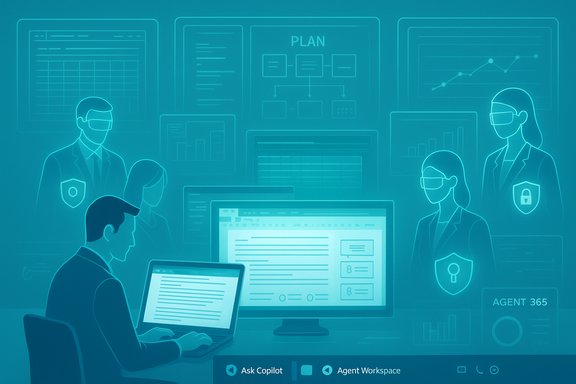 Background / Overview
Microsoft’s product messaging reframes Copilot from a helper into a platform: instead of one‑off chat replies, the company now offers agents that can plan, act, validate and iterate. These agents live in two main patterns:- Agent Mode — in‑canvas, multi‑step automation inside Office apps (Excel and Word first, PowerPoint coming soon). Agents decompose a high‑level brief into subtasks, perform edits directly in files, surface a visible plan and intermediate artifacts, and iterate until the result passes validation checks.
- Office Agent (Copilot Chat) — a chat‑first flow that can research, assemble and return near‑final Word documents, PowerPoint decks and (soon) Excel deliverables from conversations inside Copilot chat.
Microsoft frames the UX as “vibe working”: you give a concise brief, the agent breaks it into steps, asks clarifying questions when needed, performs actions while showing the plan and interim outputs, and hands the result back for human review. The experience is explicitly designed to favor transparency and human‑in‑the‑loop verification rather than opaque, one‑shot text generation.
What Microsoft Actually Announced
Agent Mode (Excel, Word, PowerPoint)
Agent Mode embeds reasoning‑capable agents directly into Office canvases:- In Excel, Agent Mode can select formulas, create sheets, build PivotTables and charts, validate results and iterate fixes. Microsoft describes the experience as “speak Excel” — it’s aimed at enabling non‑experts to produce complex, auditable spreadsheets.
- In Word, Agent Mode drafts, refactors and formats using native styles, grounding drafts in tenant context (emails, meetings, files) where permitted.
- PowerPoint support is coming soon, focused on on‑brand slide generation and layout fidelity.
Office Agent (Copilot Chat)
Office Agent lives in the Copilot chat surface and is optimized for brief→deliverable workflows:- From a chat you can instruct the agent to research, assemble and return a near‑final document or deck.
- The agent can call web grounding, tenant data and other connectors, then export deliverables into native Office formats for further editing.
Copilot Studio, Agent Store and Agent 365
These platform components provide the pipeline and operations model:- Copilot Studio — low‑code/no‑code authoring, tuning and publishing for agents.
- Agent Store — an in‑product marketplace/catalog for finding and deploying agents inside Microsoft 365.
- Agent 365 — a tenant‑level control plane and registry for inventory, lifecycle, access control, policy enforcement and telemetry of agents across a tenant.
Entra Agent ID and Governance Primitives
Agents are represented as directory objects with managed identities:- Entra Agent ID lets identity teams include agents in access reviews, conditional access policies and lifecycle processes.
- Short‑lived credentials, policy‑based isolation, telemetry ingestion into Purview and Sentinel, and admin kill‑switches are part of the governance story.
Windows Integration: Ask Copilot, Agent Workspace, MCP
Windows becomes an agent discovery and runtime surface:- Ask Copilot on the taskbar centralizes prompts (typed, voice, vision/capture) and lists available agents.
- Agent Workspace is a contained desktop session where agents execute UI automation and file operations in an isolated runtime under a separate, low‑privilege agent account. Agents can run in parallel to the user session and present status/progress via taskbar icons.
- Model Context Protocol (MCP) standardizes how agents discover and call tools (app capabilities and connectors) in a mediated, auditable way.
Multi‑Model and BYOM Choices
Microsoft emphasizes multi‑model routing, allowing workloads to be executed on different models (Microsoft’s latest reasoning models, Anthropic models in some Office Agent flows, and customer-specified choices in tenant settings). Admins can influence model routing and must opt‑in for third‑party models.Verifiable Technical Claims and Benchmarks
Microsoft published internal benchmark results showing Agent Mode in Excel scored 57.2% on SpreadsheetBench (a public benchmark for spreadsheet manipulation tasks), while a cited human baseline on the same benchmark is roughly 71.3%. Those figures were highlighted by Microsoft to illustrate progress while also admitting a performance gap versus expert humans. The benchmark result positions Agent Mode well ahead of some competing agents but clearly short of human parity — a useful signal about readiness for business‑critical workloads.A few other verifiable points worth noting:
- The rollout strategy is web‑first previews (Frontier / Insider programs) for many agent features, with desktop parity planned later.
- The Windows agentic features are currently opt‑in, visible in Insider builds with an experimental toggle and administrative controls that must be enabled.
- Agents operate in scoped sandboxes and require tenant/admin consent to access sensitive data; the Agent Workspace design limits initial access to known folders by default unless additional permissions are granted.
Why This Matters: Practical Impact for IT and Users
This is an architectural shift — not a simple UI refresh. The immediate practical consequences include:- Agents become new managed principals that require identity and lifecycle management just like service accounts, application principals, or SaaS integrations.
- Documents, workbooks and slides can be edited by agents in an auditable, change‑tracked manner. That affects change control, legal retention and compliance workflows.
- Windows is no longer just an app launcher: the OS becomes a discovery and runtime plane for agents, increasing the attack surface for endpoint security teams.
- Admins will need to control model routing, consumption and approvals; governance becomes pivotal to avoid runaway privileges or cost surprises.
Strengths: What’s Compelling About Microsoft’s Approach
- Integrated stack: Microsoft’s end‑to‑end integration (Copilot Studio → Agent Store → Agent 365 → Entra → Windows Agent Workspace) reduces integration friction compared to stitching multiple vendors together.
- Governance built in: Identity‑binding agents (Entra Agent ID), tenant registries, telemetry into Purview and Sentinel, and admin kill switches demonstrate a governance‑first mindset that many enterprises need.
- Practical UX design: The “vibe working” pattern (brief → plan → execute → validate) emphasizes auditable intermediate steps rather than opaque one‑shot outputs, which helps build human trust.
- Multi‑model flexibility: Rolling model choices and BYOM (bring your own model) support acknowledges reality: different models have different strengths and regulatory needs.
- OS‑level containment: Agent Workspace as an isolated runtime that uses low‑privilege agent accounts is a pragmatic middle ground between in‑session automation and full virtual machines.
Risks, Gaps and What IT Teams Must Watch
- Accuracy and correctness: The SpreadsheetBench 57.2% outcome is a clear reminder that agents still make errors and require human verification, particularly for high‑stakes financial or compliance work.
- Privilege creep and confused‑deputy risks: Agents that can access multiple data sources present real exfiltration risks if permissions and token scopes are not tightly controlled.
- Data leakage and compliance: Agents that access tenant data, email, OneDrive and SharePoint expand the surface for leakage; classification, labeling and enforcement must be applied to agent interactions.
- Operational scale and cost: Large fleets of agents — even if individually cheap — can create substantial compute and token costs. Without quota, chargeback and monitoring, costs will surprise.
- Management surface complexity: Agent registries, model routing, connectors, and on‑device runtime settings create many new knobs for admin teams to manage; centralized policy templates and automated guardrails are needed.
- Third‑party and marketplace risks: The Agent Store will bring partner agents into tenants; vetting and approval flows must account for third‑party risk and supply‑chain vulnerabilities.
- Endpoint privacy concerns: Desktop agent features that ask for folder access will concern privacy and compliance officers; default deny and per‑task consent are essential.
- Preview instability and feature drift: Many features are preview‑first; behavior, APIs and deployment models may shift before GA — pilots should treat previews as experiments.
Practical Playbook for IT and Security Teams
- Inventory
- Catalog candidate processes that could legitimately benefit from agents (meeting capture, routine report generation, inbox triage).
- Map sensitive data, connectors and systems agents would need.
- Pilot and Validate
- Start with a monitor‑only pilot of Agent 365 and Copilot Studio to evaluate telemetry without granting write or action permissions.
- Test Agent Mode outputs on representative datasets and compare to human‑created artifacts; include SpreadsheetBench‑like test suites if relevant.
- Identity and Access Controls
- Require Entra Agent ID for every agent and include them in access reviews.
- Enforce least privilege: agents get the minimum API and file access they need.
- Use conditional access and short‑lived credentials; require admin approval for high‑impact actions.
- Data Protection and Compliance
- Apply Purview classification and DLP policies to agent reads/writes.
- Gate document edits (especially financial workbooks) with required human approvals and immutable audit logs.
- Monitoring, Alerting and Incident Playbooks
- Ingest agent telemetry into SIEM (Sentinel) and build detection rules for anomalous agent behavior.
- Create an AgentOps runbook with escalation paths and a kill switch for misbehaving agents.
- Cost and Consumption Controls
- Implement consumption quotas, chargeback/chargeforward and model‑use alerts to prevent runaway costs.
- Use Pay‑As‑You‑Go gating and tenant billing controls to test consumption patterns.
- Marketplace and Supplier Management
- Build a procurement and security vetting pipeline for third‑party agents published to the Agent Store.
- Maintain an approved catalog and restrict installation to vetted agents.
- Endpoint Controls
- Keep agentic Windows features gated behind device management policies and require explicit opt‑in per device or OU.
- Limit agent folder scopes by default and track file access logs.
- Governance and Ownership
- Assign each agent an owner, cost center and SLO.
- Tie agent lifecycle to HR/Finance systems where appropriate (agents with mailboxes, org presence, or billing should be tracked).
- Train Users
- Teach end users the “vibe working” model and the requirement for human verification.
- Provide clear guidance on when to trust agent outputs and when to escalate to subject‑matter experts.
Ecosystem and Channel Implications
- Independent software vendors and system integrators will find new revenue and integration paths via the Agent Store and Copilot Studio.
- Partners that provide compliance wrappers, monitoring, or industry‑specific data connectors will be in demand.
- Channel teams should expect to sell not only licenses but also deployment and governance services (AgentOps) as enterprises will want managed services for production‑grade agent fleets.
Developer and DevOps Considerations
- Copilot Studio and Azure AI Foundry provide authoring and runtime choices — developers must consider model selection, cost, observability and tool integrations.
- Multi‑agent choreography (agents calling other agents via MCP) introduces complex orchestration scenarios that require robust tracing, idempotency and retry semantics.
- CI/CD for agents will need to include security scans, credential rotation, and clear rollback mechanics to remove or quarantine problematic agents.
What to Watch Next and What’s Still Unclear
- Exact licensing and pricing details for agent features and enterprise control planes are still rolling out; most advanced capabilities appear gated behind Copilot licensing or preview programs.
- The final shape of on‑device inference (what runs locally vs. in the cloud), and the hardware requirements for the Copilot+ PC class, will determine latency, privacy and cost trade‑offs.
- Benchmarks like SpreadsheetBench give helpful signals, but independent verification across broader enterprise scenarios is needed. Treat vendor‑published numbers as progress indicators, not final endorsements.
- Interop standards (MCP) will be critical; whether third‑party apps adopt MCP broadly will influence how useful agents are across diverse enterprise stacks.
Conclusion
Microsoft’s agent strategy stitches together UI, OS runtime, identity and governance into a coherent vision for agentic productivity. The move promises to reduce friction for complex tasks, make advanced automation accessible to more employees, and provide IT with the controls needed to scale safely — but only if organizations treat agents as they would any new class of service: instrumented, owned, audited and governed.The immediate action for enterprises is simple: pilot with containment and telemetry first, require Entra Agent IDs and least‑privilege connectors, set consumption and approval guardrails, and build an AgentOps capability that spans security, identity, finance and business owners. The technology is advancing rapidly and offers real productivity gains — but correctness, compliance and cost control must come first if agents are to deliver sustainable value rather than a new operational headache.
Source: Seeking Alpha Microsoft (MSFT) Brings Agents To Office And Windows
