

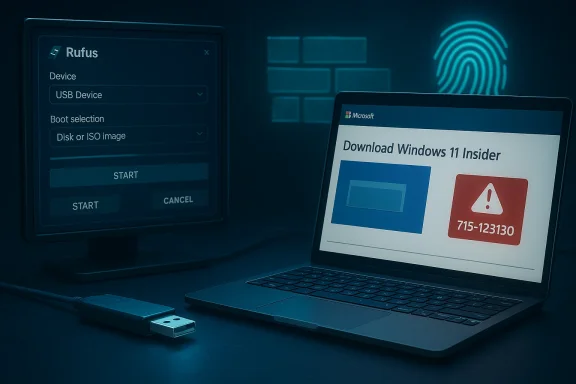
Microsoft’s download infrastructure is once again denying scripted access to Windows 11 Insider ISOs, leaving Rufus — the widely used open‑source USB creation utility — unable to fetch certain preview builds and forcing power users and IT pros to revert to manual downloads or Microsoft’s Media Creation Tool. ([windowscentral.comcentral.com/microsoft/windows-11/rufus-calls-out-microsoft-for-blocking-windows-11-iso-downloads)
For many years Microsoft’s public ISO distribution has relied on a tokenized, session‑bound model: the web UI (and the Media Creation Tool) orchestrate short‑lived links and contextual tokens that permit a browser‑driven download to proceed. Third‑party utilities including Rufus automated this flow via a small PowerShell helper — commonly called Fido — which programmatically reproduced the necessary API calls to return valid download links. That arr Microsoft began tightening the validation logic on its download endpoints.
This week’s disruption centers on Insider Preview artifacts — notably the Canary build
Rufus developer Pete Batard has publicly stated that the blocking appears intentional and detectable — possible because the Fido helper is open source and therefore straightforward to fingerprint — and that server‑side changes are required to disrupt the script. Microsoft has not issued a specific public confirmation that it is targeting third‑party downloaders; its public guidance instead emphasizes that anonymizing technologies and suspicious traffic patterns can trigger blocks.
Verified, cross‑checked points:
That history tells a predictable pattern: platform hardening -> third‑party breakage -> community adaptation -> partial restoration — and then repeat. Each iteration stores institutional knowledge on both sides, but it also exacts a cost: reliability of automation erodes over time as platform owners selectively tighten controls.
From a policy perspective, clarity and transparency matter. If Microsoft intends to block automated downloaders to reduce abuse or protect Insider artifacts, a clear public explanation and guidance for enterprise/technical users would reduce friction and help third‑party tools adapt gracefully. At present, the lack of an explicit, narrow statement leaves the community guessing about intent and timeline.
For now, the pragmatic path is straightforward: use the Media Creation Tool or interactive web downloads for affected builds, maintain internal ISO caches for predictable automation, and plan for brittle third‑party automation by building resilient, Microsoft‑independent deployment artifacts. The broader lesson for the Windows ecosystem is also clear: when platform owners can reshape distribution endpoints at will, reliance on undocumented or reverse‑engineered flows will always carry a continuity risk — and organizations that need stability must build their processes around supported, documented channels.
Source: WinBuzzer Microsoft Blocks Windows 11 ISO-Downloads in USB-Tool Rufus
 Background / Overview
For many years Microsoft’s public ISO distribution has relied on a tokenized, session‑bound model: the web UI (and the Media Creation Tool) orchestrate short‑lived links and contextual tokens that permit a browser‑driven download to proceed. Third‑party utilities including Rufus automated this flow via a small PowerShell helper — commonly called Fido — which programmatically reproduced the necessary API calls to return valid download links. That arr Microsoft began tightening the validation logic on its download endpoints.This week’s disruption centers on Insider Preview artifacts — notably the Canary build
28020.1611 and Server preview build 29531 — where attempts to fetch ISOs via Rufus’s downloader fail with Microsoft’s anti‑abuse block message and the internal code 715-123130. Community threadsts show consistent symptoms: interactive downloads via a browser or the Media Creation Tool succeed, while scripted requests are rejected.Rufus developer Pete Batard has publicly stated that the blocking appears intentional and detectable — possible because the Fido helper is open source and therefore straightforward to fingerprint — and that server‑side changes are required to disrupt the script. Microsoft has not issued a specific public confirmation that it is targeting third‑party downloaders; its public guidance instead emphasizes that anonymizing technologies and suspicious traffic patterns can trigger blocks.
The technical problem — how and why scripted downloads fail
Tokenized downloads and contextual expectations
Modern download endpoints commonly issue short‑lived, signed URLs or expect a specific request context: cookies, referrer headers, session tokens, and the right sequence of API calls. Microsoft’sGetProductDownloadLinksBySku style APIs — or their equivalent behind the web UI — return content only when the handshake appears to originate from the interactive flow hosted on Microsoft’s site. When those expectations aren’t met, the server returns a block page instead of a download. This is the same architectural pattern that made Fido brittle in prior incidents.Fingerprinting and anti‑automation measures
Servers can use multiple signals to distinguish a browser session from a script, including:- Presence and sequence of cookies and session tokens that an interactive browser would receive.
- Specific header fingerprints such as
User-Agent, but also subtler behavioral fingerprints (timing of requests, JavaScript‑driven tokens, or server‑issued nonces). - Referrer validation and origin checks that ensure requests come from the expected page.
- IP heuristics and bot‑detection telemetry, includinng services, suspicious ASN ranges, or repeated failed retrieval attempts.
715-123130. The effect: scripted helpers like Fido fail while interactive flows proceed.Why Insider ISOs are more likely to be gated
Insider artifacts are pre‑release and may be distributed under stricter access controls. Token lifetimes, referral requirements, and telemetry thresholds can be tighter for Insider builds, and Microsoft may intentionally impose stricter validation to protect pre‑release content. Community reporting suggests Insider downloads for28020.1611 and 29531 are more sensitive to context and gating than retail ISOs.What happened this week — the observable sequence
- Users attempting to download certain Insider ISOs via Rufus saw immediate failures; the client reported a Microsoft block page and the error code
715-123130. - Those same users could download the identical ISO via the official Microsoft web UI or by running the Media Creatiom.com]
- Rufus’s developer and community contributors reproduced the behavior and diagnosed that the scripted requests were being detected and rejected, while interactive flows continued to work. Pete Batard characterized the change as deliberate and requiring server‑side work to implement. ([wips://www.windowscentral.com/microsoft/windows-11/rufus-calls-out-microsoft-for-blocking-windows-11-iso-downloads)
- Cloud of uncertainty: Microsoft has not published a targeted policy announcement saying “we block third‑party downloaders of ISOs,” and official documentation focuses on anonymizing technologies triggering anti‑abuse systems; thus, the corporate posture remains ambiguous to outside observers.
Practical impact — who loses and how badly
The disruption matters far beyond hobbyist frustration. The practical consequences include:- IT administrators and automated CI/CD pipelines: Many organizations automate Insider deployment for validation across hardware fleets. Blocking scripted ISO retrieval forces manual steps into automated workflows, increasing labor, slowing cadence, and introducing human error.
- Repair technicians and field engineers: Rufus is a staple for repair shops and technicians who need to create bootable USB media on the fly. Losing an integrated download option adds minutes to each service call and complicates offline scenarios.
- Power users and testers: Enthusiasts who build VMs or testbs rely on quick scripted retrieval; the disruption raises friction for normal day‑to‑day tasks.
- Tooling ecosystem: The incident deepens the asymmetric control platform owners can exert: Microsoft controls the canonical chain for delivering ISOs, and server‑side hardening means third‑party developers are permanently playing catch‑up. That dynamic has consequences for innovation and choice.
What’s verifiable and what remains inference
It’s important to be precise about facts versus reasonable inferences.Verified, cross‑checked points:
- The block message with code
715-123130is real and repeatedly reported in Microsoft Q&A and community forums. - Rufus’s Fido helper historically relied on the same programmatic API flow and was disrupted by similar API hardening in 2022; the GitHub FAQ documents the relationship and the error code.
- Interactive downloads through Microsoft’s web UI and the Media Creation Tool continue to work in many reported cases where Fido fails.
- That Microsoft intentionally engineered the change specifically to break Fido/Rufus. Pete Batard and community investigators argue this is likely because the script is open source and detectable; however, Microsoft has not published a statement saying it deliberately targeted Fido or Rufus. This distinction matters for framing whether the action is policy or collateral side‑effect of general hardening.
Historical context — not the first time
This cycle mirrors earlier episodes. In August 2022 Microsoft hardened its download APIs and temporarily broke scripted downloaders; the Fido/Rufus community patched around the change and restored functionality. Similar incidents and targeted API changes have cropped up intermittently as Microsoft refines anti‑abuse measures, particularly when abused endpoints impose unwanted load or when pre‑release content requires tighter gating. Ghacks, Neowin, and other outlets logged those events as they unfolded three years ago, and Rufus’s GitHub repository documents the responses.That history tells a predictable pattern: platform hardening -> third‑party breakage -> community adaptation -> partial restoration — and then repeat. Each iteration stores institutional knowledge on both sides, but it also exacts a cost: reliability of automation erodes over time as platform owners selectively tighten controls.
Workarounds, mitigations, and practical advice
If you rely on Rufus or automated ISO retrieval in your workflows, here are realistic, verifiable options and steps to minimize disruption.- Manual ISO download via the web UI (validated).
- Use Microsoft’s “Download Windows 11 Disk Image (ISO)” page, select the build/language, generate the download link interactively, and save the ISO. This flow commonly bypasses
715-123130when done in an interactive browser. - Use the Media Creation Tool (validated).
- Microsoft’s MCT continues to work and is the officially supported mechanism for creating installation media; it is recommended when automated retrieval fails.
- Preserve the core value of Rufus offline.
- Rufus’s primary job — writing an ISO to a bootable USB — remains functional when you supply the ISO manually. Keep a local copy or a private repository of ISOs for automated offline deployments.
- Network‑level workarounds (temporary, variable success).
- Some users report that swiing a home/mobile hotspot, or selecting a different ISP temporarily bypasses blocks. Results vary and can trigger different anti‑abuse signals. These are ad hoc and not recommended for predictable automation.
- Use trusted mirrors or internal caching for enterprise deployments.
- For organizations, implement an internal artifact repository or file server that stores approved ISOs. This eliminates repeat external downloads and provides repeatable automation. Ensure licensing and distribution policies allow such caching.
- Monitor Rufus’ GitHub and
- Historically, community contributors and the Rufus project have produced fixes or workarounds after analysis; monitor the project’s issue tracker and release notes.
- Try the web UI on the affected machine or another desktop — if interactive download succeeds, save the ISO locally.
- If web UI fails, run MCT on a Windows machine and create installation media.
- If you require automation across many machines, fetch the ISO once and distribute it via your internal tooling.
Policy, control, and the asymmetry between platform owners and third parties
This incident underscores a broader structural point: platform owners control canonical distribution channels and therefore hold asymmetric power to shape third‑party tooling behavior. When a platform owner hardens an endpoint, it can limit or shape how external utilities operate — intentionally or as a side effect. That power matters for both competition and user freedom: blocking scripted helpers nudges users toward official tools, consolidates telemetry and user relationships, and reduces unofficial automation vectors.From a policy perspective, clarity and transparency matter. If Microsoft intends to block automated downloaders to reduce abuse or protect Insider artifacts, a clear public explanation and guidance for enterprise/technical users would reduce friction and help third‑party tools adapt gracefully. At present, the lack of an explicit, narrow statement leaves the community guessing about intent and timeline.
Risk assessment — what to watch for next
- Wider roll‑out to retail ISOs: So far community reporting shows stronger blocking on Insider artifacts. If Microsoft extends the same validation to retail flows, automation across many deployment scenarios could be affected. Monitor retail download behavior for signs of escalation.
- Increased friction for offline repairs: Repair shops and technicians who rely on rapid media creation could see operational slowdowns if the blocking remains. This is a service‑delivery risk.
- Legal and licensing questions: If the platform’s distribution control tightens further, organizations should re‑examine licensing and distribution policies for cached ISOs and mirrored artifacts. This is primarily an operational compliance issue rather than new law.
- Repeated cycles of adaptation: Expect community developers to attempt technical workarounds. Each workaround invites Microsoft to respond — historically generating a cyclical dance. This is a stability risk for any automated pipeline that cannot tolerate intermittent API changes.
What affected organizations should do now
- Prioritize resilience over convenience. Ensure you have an internal, documented process for obtaining ISOs that doesn’t rely on a single third‑party script.
- Implement internal artifact repositories and retention policies for ISOs you must test or deploy frequently.
- Communicate the change to helpdesk and field teams; provide step‑by‑step instructions for manual ISO retrieval and Rufus offline usage.
- If Insider builds are critical, stagger deployment windows and expect manual intervention for some builds until tooling stabilizes.
- Monitor official Microsoft channels and Rufus’ GitHub for patches or guidance; track Microsoft Q&A and community threads for emerging patterns.
Conclusion
The recent blocking episodes that prevent Rufus from programmatically downloading certain Windows 11 Insider ISOs are an operationally significant friction point for administrators, technicians, and testers. The evidence shows Microsoft’s download endpoints are enforcing stricter, context‑aware validation that distinguishes interactive browser flows from scripted requests — and that change has practical consequences for automation. Community reporting and developer analysis make a persuasive case that the Fido helper is detectable and that server‑side engineering effort is required to disrupt it. But Microsoft’s lack of a narrow, public confirmation leaves motive an inference rather than a demonstrated corporate policy.For now, the pragmatic path is straightforward: use the Media Creation Tool or interactive web downloads for affected builds, maintain internal ISO caches for predictable automation, and plan for brittle third‑party automation by building resilient, Microsoft‑independent deployment artifacts. The broader lesson for the Windows ecosystem is also clear: when platform owners can reshape distribution endpoints at will, reliance on undocumented or reverse‑engineered flows will always carry a continuity risk — and organizations that need stability must build their processes around supported, documented channels.
Source: WinBuzzer Microsoft Blocks Windows 11 ISO-Downloads in USB-Tool Rufus
