Microsoft Wants Build to Prove It Has Its Own AI Engine
For most of the generative AI boom, Microsoft has occupied a privileged but awkward position. It moved earlier than nearly every other incumbent, wrapped OpenAI’s models into Bing, Copilot, GitHub, Office, and Azure, and turned “AI PC” into a marketing category before the rest of the Windows ecosystem had fully agreed what that meant. But the company’s most visible intelligence layer was still widely understood as someone else’s frontier model technology with Microsoft distribution, Microsoft security promises, and Microsoft billing wrapped around it.
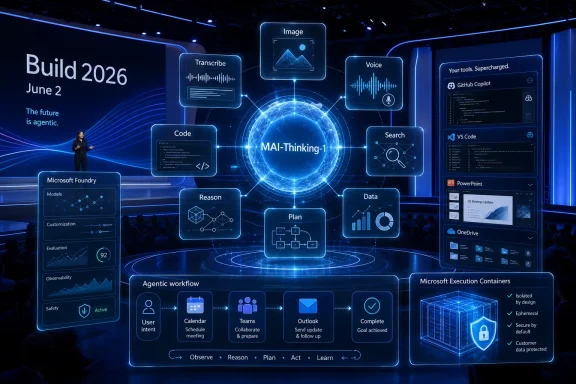
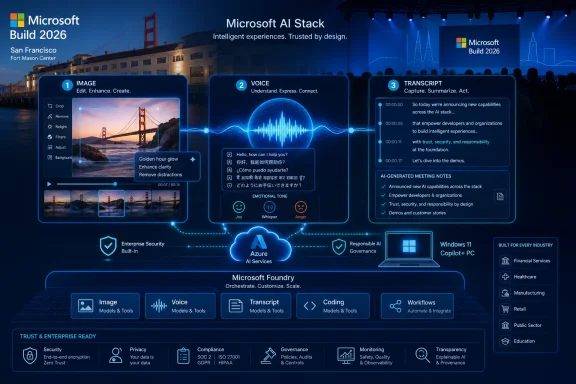
The MAI model line is Microsoft’s answer to that vulnerability. MAI-Image-2.5, MAI-Transcribe-1.5, and MAI-Voice-2 are not general-purpose replacements for every OpenAI workload, and Microsoft is not pretending that they are. They are narrower, more product-shaped systems: image generation and editing, speech transcription, and expressive text-to-speech. That makes them easier to benchmark, easier to price, easier to insert into existing products, and easier to defend as infrastructure rather than keynote theater.
That is why the timing matters. Build is where Microsoft talks to the people who make platform bets: developers, ISVs, cloud architects, enterprise buyers, and admins who must later explain why yet another AI endpoint has appeared in the tenant. Announcing or previewing new first-party models there sends a message that Microsoft’s AI roadmap is no longer just Copilot plus OpenAI plus Azure. It is trying to become a layered portfolio in which Microsoft can decide which workloads require frontier partners and which can be handled by its own tuned systems.
The result is a more complicated, but more strategically useful, Microsoft. It can still sell access to OpenAI models through Azure. It can still use OpenAI where the model is demonstrably better. But for high-volume media workloads, meetings, speech agents, image generation, and productivity features, it now has an incentive to use homegrown models that it can optimize for latency, cost, compliance, and product integration.
The Image Model Is the Public Proof Point
MAI-Image-2.5 is the easiest model in the group to understand because it has already been partially exposed to public comparison. Microsoft has said the model ranked third on Arena’s text-to-image leaderboard, behind OpenAI’s gpt-image-2 and Google’s Nano Banana 2, with a reported score of 1,254 and a notable jump over MAI-Image-2. Leaderboard positions are not product destiny, but they are a useful signal in a market where vendors routinely claim indistinguishable miracles.
The important detail is not merely that Microsoft placed high. It is that the top tier of image generation has been dominated by a small number of dedicated AI labs, and Microsoft AI is trying to place itself among them rather than underneath them. If MAI-Image-2.5 can consistently generate usable commercial imagery, render text more reliably, and obey layout instructions better than its predecessor, it becomes more than a Bing Image Creator upgrade. It becomes a model Microsoft can put in front of designers, marketers, PowerPoint users, enterprise creative teams, and developers building branded content workflows.
Microsoft’s own language around MAI-Image-2 already emphasized practical creative work: natural lighting, skin tones, texture, product shots, branded assets, and in-image text. That positioning continues with MAI-Image-2.5, which appears designed less for surreal demo prompts and more for the duller, richer world of production work. The difference matters because most enterprise image generation is not “make a dragon on Mars.” It is “make twelve product variants in a brand-safe style, with readable text, correct proportions, and output that will not embarrass legal.”
The reported split between a higher-quality MAI-Image-2.5 and a faster MAI-Image-2.5e also fits Microsoft’s enterprise instincts. One model is for the final frame; the other is for iteration, scale, and cost control. That split mirrors the broader cloud reality: customers do not want one perfect model for everything. They want a menu that lets them trade fidelity for speed, price, and predictability without rewriting their app.
Image Editing Is Where the Model Stops Being a Toy
The more consequential report is that MAI-Image-2.5 would accept image uploads, opening the door to editing rather than simple generation. That shifts the model from a prompt-to-picture novelty into a workflow component. Text-to-image is fun; image-in, image-out is where businesses begin to see repeatable value.
Editing support would put Microsoft closer to the current expectations set by OpenAI and Google, where users increasingly treat image models as visual collaborators rather than blank-canvas generators. For a Windows and Microsoft 365 audience, the implications are obvious. A user could upload a slide graphic and ask for style consistency. A marketer could revise product imagery without starting over. A Teams user could generate branded meeting assets. A developer could pipe uploaded images through a controlled transformation pipeline inside Foundry.
This is also where Microsoft’s distribution becomes dangerous for competitors. Adobe can own professional creative suites, Google can own consumer search and mobile surfaces, and OpenAI can own the cultural imagination around AI image generation. Microsoft owns the places where ordinary office workers already make mediocre visuals every day: PowerPoint, Designer, Clipchamp, Teams, SharePoint, Outlook, and Copilot. A merely good image editing model, embedded deeply enough, can be more disruptive than a spectacular model that users must remember to open separately.
The risk, as always, is governance. Image uploads bring data handling questions that pure generation does not. Enterprises will want to know where uploaded images are processed, whether they are retained, how model abuse is detected, whether sensitive visuals can be blocked from leaving a boundary, and how copyright or brand misuse is logged. Microsoft’s opportunity is not just to produce better images; it is to make image manipulation boring enough for corporate IT to permit.
MAI-Voice-2 Is the Model That Changes the Interface
If MAI-Image-2.5 is the public proof point, MAI-Voice-2 is the strategic swing. The reported language coverage is broad: German, Australian and U.S. English, Spanish, French, Hindi, Indonesian, Italian, Japanese, Korean, Dutch, Portuguese, Turkish, Vietnamese, Chinese, and more. The reported emotional range is broader too, with tones such as angry, confused, embarrassed, joyful, and even whispering.
That sounds like a demo until you place it inside Microsoft’s product map. Copilot wants to be conversational. Teams wants to summarize, translate, and mediate meetings. Azure Speech wants to serve call centers, accessibility tools, virtual agents, and application developers. Windows itself is being pushed toward more natural input, even if users remain skeptical of voice control on the desktop. A multilingual, expressive, first-party voice model gives Microsoft a common speech layer across all of those bets.
The phrase voice agent has been overused enough to become slippery, but the idea is not nonsense. A useful voice agent needs three pieces to work well: speech recognition, a reasoning or orchestration layer, and speech generation that feels responsive rather than uncanny. Microsoft already sells pieces of this stack through Azure and has a giant installed base of Teams calls, enterprise telephony integrations, support workflows, and productivity data. MAI-Voice-2 would strengthen the output side, especially if it can preserve identity, emotion, and timing across longer interactions.
The multilingual angle is especially important. English-first AI systems can dominate the U.S. demo circuit and still fall short in global enterprises. Microsoft sells to multinational companies, governments, schools, and frontline workforces where language support is not a luxury feature. A voice model that handles multiple languages and regional English variants from the start is not just a better consumer feature; it is a better enterprise procurement story.
Expressive Speech Is Also a Safety Problem
The same features that make MAI-Voice-2 interesting make it sensitive. Emotional range, whispering, and custom voices are not neutral capabilities. They can improve accessibility, localization, coaching, tutoring, narration, and customer support. They can also make scams, impersonation, harassment, and synthetic persuasion more convincing.
Microsoft knows this, and the company has spent years positioning itself as the responsible adult in enterprise AI. But voice is uniquely difficult because harm is not limited to the output text. The harm can sit in tone, timing, intimacy, and identity. A synthetic voice that sounds embarrassed, angry, or frightened can manipulate listeners in ways that plain text cannot.
For admins, the practical questions will be less philosophical. Can custom voice creation be disabled by policy? Are watermarks or disclosure mechanisms available? Can generated speech be logged without recording sensitive content? Are there tenant-level controls for which apps can call the model? Can developers use expressive styles in customer-facing software without creating compliance nightmares?
Those are the kinds of details Build audiences should press for. Microsoft can make an impressive voice demo in 90 seconds. It is much harder to make a voice platform that a bank, hospital, school district, or government agency can deploy without creating a synthetic identity mess. If MAI-Voice-2 is heading for Azure Speech and Teams, governance must arrive with it, not six months later.
Transcription Is the Quiet Workhorse
MAI-Transcribe-1.5 sounds less glamorous than a voice that can whisper or an image model that can paint a brand campaign. That is exactly why it may matter more in the everyday Microsoft stack. Transcription is the plumbing beneath meeting summaries, captions, call analytics, searchable audio archives, accessibility workflows, voice commands, and agent handoffs.
Microsoft’s earlier MAI-Transcribe-1 was positioned as a low-error, multilingual speech-to-text model across 25 languages, with claims of strong performance on real-world noisy audio. A 1.5 update suggests a refinement cycle rather than a reinvention. That is not a criticism. In transcription, marginal improvements can matter because a small reduction in word error rate can materially improve downstream summaries, action items, search, compliance review, and sentiment analysis.
The meeting room is where this becomes real for WindowsForum readers. Teams already generates transcripts and summaries, and many organizations are evaluating whether AI meeting notes are useful enough to justify licensing and retention concerns. Better transcription makes every later AI feature look smarter. Worse transcription poisons the entire chain, especially when accents, background noise, domain-specific vocabulary, or overlapping speakers are involved.
For developers, transcription quality is only one dimension. Real-time performance, diarization, context biasing, streaming APIs, pricing, and integration with Azure AI services matter just as much. If MAI-Transcribe-1.5 improves accuracy but remains limited in live or multi-speaker scenarios, it will be useful but not transformative. If it arrives with better hooks for real-time agents and enterprise vocabulary, it becomes a more serious building block.
Foundry Is the Real Distribution Channel
Consumer attention will drift toward Copilot, Bing, and whatever Microsoft shows on stage. Developers should watch Foundry. That is where Microsoft turns model announcements into platform gravity.
By putting MAI models into Microsoft Foundry, the company gives developers a way to build with Microsoft’s own media models using the same broader environment where they may already be selecting, testing, and deploying other AI systems. This matters because model choice is becoming an operational decision, not a brand preference. Teams want to compare latency, cost, quality, safety filters, regional availability, and integration friction. Foundry is Microsoft’s attempt to keep that comparison inside its own cloud.
This also gives Microsoft a path to avoid an all-or-nothing OpenAI debate. A developer might use an OpenAI model for reasoning, MAI-Transcribe for audio input, MAI-Voice for speech output, and MAI-Image for generated assets. From Microsoft’s perspective, that is still a win if the workflow runs through Azure, Foundry, Teams, GitHub, or Copilot extensibility. The company does not need to win every model category outright. It needs to make Azure the place where the categories are assembled.
That has consequences for admins and procurement teams. The AI bill of materials is getting more complex. A single Copilot-like experience may depend on several models from several providers, each with different data handling properties, costs, and safety behaviors. Microsoft’s challenge is to make that complexity governable. Its temptation will be to hide it under a reassuring Copilot label.
The OpenAI Relationship Is Becoming Less Romantic and More Industrial
Microsoft’s partnership with OpenAI remains one of the defining technology alliances of the decade, but it is no longer useful to describe it as simple dependency. Microsoft invested heavily, integrated aggressively, and benefited enormously. OpenAI received compute, distribution, and enterprise credibility. Both sides still have reasons to cooperate.
But the incentives have changed. OpenAI has its own consumer business, its own enterprise ambitions, its own infrastructure desires, and its own need to avoid being absorbed into Microsoft’s product strategy. Microsoft, meanwhile, cannot run the next decade of Windows, Office, Azure, GitHub, and Teams on the assumption that one partner will always supply the right model at the right price under the right terms.
That is why the MAI stack should be read as strategic insurance as much as product expansion. If Microsoft can build competitive models for speech, voice, image generation, and perhaps coding, it gains leverage. It can route workloads more intelligently. It can reduce costs in high-volume scenarios. It can differentiate Copilot experiences. It can negotiate from a stronger position.
This does not mean Microsoft is abandoning OpenAI. It means the relationship is becoming more like cloud-era supply chain management. Microsoft will source the best model where it needs the best model, build its own where integration and cost matter more, and wrap the whole thing in tools that make the distinction less visible to users. That is less romantic than the original Copilot story, but probably more durable.
GitHub Copilot Is the Other Build Flashpoint
Reports that Microsoft may show a homegrown coding model for GitHub Copilot at Build belong in the same story. Coding is the category where model quality is brutally visible to developers, and where Microsoft has one of the strongest distribution channels in the industry. If Microsoft can produce a competitive coding model of its own, even for some workloads, the implications are significant.
GitHub Copilot began as the clearest example of OpenAI’s models becoming Microsoft product magic. Developers did not need to know the full model supply chain; they felt the autocomplete, chat, and agent features inside the editor. But coding assistance is expensive, high-volume, and strategically central. It is also a category where latency, repository awareness, tool use, and workflow integration can matter as much as raw benchmark performance.
A Microsoft coding model does not need to beat every frontier model on every programming benchmark to be useful. It could be optimized for common enterprise languages, GitHub context, Visual Studio and VS Code workflows, Azure deployment paths, security scanning, or code modernization. It could also be used as a cheaper or faster option for routine tasks while more expensive models handle harder reasoning.
For Windows developers and sysadmins, the question is whether this leads to better tooling or more lock-in. A Copilot that understands Azure, PowerShell, Windows APIs, Intune, Entra, GitHub Actions, and enterprise codebases better than a generic model would be genuinely useful. A Copilot that quietly nudges every workflow toward Microsoft services would be unsurprising. Most likely, it will do both.
Copilot as a Super App Is the Logical, Uncomfortable Destination
The reported plan for a Copilot “super app” later in the summer fits the direction of travel. Microsoft does not want Copilot to be a button scattered across products. It wants Copilot to become the user-facing shell for chat, coding, agents, files, meetings, search, and automation. In that world, MAI models are not standalone attractions. They are sensory organs.
An image model gives the super app visual creation and editing. A transcription model gives it ears. A voice model gives it a mouth. A coding model gives it hands inside developer workflows. Agents give it the ability to act across services. The operating system, browser, Office apps, Teams, GitHub, and Azure become surfaces around a central assistant identity.
This is ambitious, and it is also where many Windows users start to recoil. Microsoft’s recent history with forced prompts, Edge nudges, account pressure, Start menu promotions, and uneven Copilot integration has not earned unlimited trust. A super app can become a useful command center, or it can become another layer of software trying to intermediate tasks users already know how to do.
The difference will come down to control. Can users choose the models and capabilities they want? Can enterprises disable pieces without breaking the suite? Can admins audit agent actions? Can developers extend Copilot without surrendering distribution to Microsoft? Can Windows users avoid having every local task reframed as an AI interaction? If Microsoft wants Copilot to be a hub, it must resist making it a tollbooth.
Windows Is Present Even When It Is Not Named
The MAI announcements are not Windows announcements in the old sense. They are not a new shell, a new kernel feature, or a new system requirement. But Windows is still in the background because Microsoft’s AI strategy increasingly depends on the PC becoming one endpoint in a broader model-driven environment.
Copilot+ PCs were the first phase of that repositioning. Microsoft and its silicon partners argued that neural processing units would make local AI practical, responsive, and private. The early feature set was uneven, and some marquee ideas became controversy magnets. But the direction is clear: Microsoft wants Windows devices to participate in AI workflows rather than merely open web apps that run elsewhere.
MAI models complicate that story in a useful way. Image generation and expressive voice are likely to remain cloud-heavy for many users, especially at high quality. Transcription and smaller speech tasks may increasingly be split between local and cloud processing depending on latency, privacy, and capability. Developers will need to think about hybrid AI architecture: what runs on the PC, what runs in Azure, what runs through Copilot, and what is exposed through app APIs.
For sysadmins, this is another management surface. AI features can appear through Windows updates, Microsoft 365 changes, Teams policies, Edge integrations, Store apps, and Azure services. The old boundary between “desktop feature” and “cloud feature” is less useful every year. MAI models will likely deepen that blur.
Benchmarks Are Useful, but Workflows Decide
Microsoft’s Arena result for MAI-Image-2.5 is meaningful, but nobody should confuse a leaderboard with deployment reality. Benchmarks compress a messy set of tradeoffs into a score. Enterprise workflows expand those tradeoffs back out again.
A model that wins on image preference may still fail a brand review. A voice model that sounds natural in a sample may stumble in a noisy call center. A transcription model with low average word error may still mishear medical terms, product names, or speakers with regional accents. A coding model that performs well on benchmark tasks may be dangerous inside a legacy enterprise repository with undocumented assumptions.
This is why Microsoft’s advantage is not simply model quality. It is the ability to place models in workflows where context, telemetry, policy, and user interface can compensate for model imperfections. Teams can know meeting participants. PowerPoint can know slide structure. GitHub can know repository context. Azure can know deployment targets. Windows can know device capabilities. The model is only one component of the system.
That also means customers should test these models in their own workflows rather than inherit Microsoft’s confidence. The right question is not “Is MAI-Image-2.5 better than Google or OpenAI?” It is “Is MAI-Image-2.5 good enough, governable enough, and cheap enough for the specific job we want it to do?” That is a more boring question, but it is the one that produces fewer regrets.
The Build Story Is Really About Control
The deeper theme going into Build 2026 is control. Microsoft wants more control over the models that power its products. Developers want more control over which models they use and how much they cost. Enterprises want more control over data, compliance, and feature rollout. Users want more control over whether AI improves their workflow or invades it.
The MAI stack gives Microsoft a better answer to some of those demands. First-party models can be tuned for Microsoft’s products, priced according to Microsoft’s cloud economics, and governed through Microsoft’s admin stack. They can also reduce the discomfort of relying too heavily on a single external AI partner. That is a real strategic improvement.
But control is not automatically shared. Microsoft may gain control while customers lose transparency. A Copilot experience powered by multiple models may be convenient but opaque. A Teams feature may improve transcription while creating new retention and discovery questions. A voice feature may delight a product team while terrifying a security team. Build’s developer optimism should not obscure the operational burden that follows.
This is the tension WindowsForum readers know well. Microsoft often builds the platform first and explains the knobs later. With AI, that order is risky. The models are too capable, the outputs too persuasive, and the enterprise consequences too large for governance to be treated as an afterthought.
The Concrete Signals to Watch from San Francisco
Microsoft’s model pipeline is no longer just a research subplot; it is becoming part of the product roadmap that Windows users, Microsoft 365 admins, Azure developers, and GitHub customers will have to live with. The Build keynote will supply the sizzle, but the durable news will be in availability, pricing, policy controls, and integration details.
- MAI-Image-2.5 is expected to move from leaderboard visibility toward MAI Playground and Microsoft Foundry access, with image editing support as the capability that would most change real workflows.
- MAI-Image-2.5e would make Microsoft’s familiar quality-versus-speed split more explicit, giving developers a cheaper and faster option for high-volume creative pipelines.
- MAI-Voice-2 appears positioned as a multilingual and more emotionally expressive successor to MAI-Voice-1, which could matter most in Copilot, Teams, Azure Speech, and voice-agent scenarios.
- MAI-Transcribe-1.5 is likely to be the least flashy update but could improve the accuracy foundation beneath meeting summaries, captions, call analytics, and speech-driven agents.
- A homegrown coding model for GitHub Copilot would show that Microsoft’s first-party AI ambitions are expanding from media models into one of its most strategically important developer products.
- The unanswered enterprise questions are policy control, logging, data handling, regional availability, abuse prevention, and whether customers can see which models are powering which Copilot features.
Microsoft is arriving at Build 2026 with more than a few model upgrades; it is arriving with the outline of a more independent AI platform, one that still benefits from OpenAI but is no longer content to be defined by it. If the company can pair MAI’s speech, image, and coding ambitions with clear controls for developers and administrators, Build may mark the moment Microsoft’s AI strategy became a real stack instead of a bundle of branded assistants. If it cannot, the new models will still be impressive—but they will also become one more reminder that in the Windows ecosystem, the future often arrives before the management templates do.
References
- Microsoft readies new MAI voice and image models for Build 2026 TestingCatalog AI News · 2026-05-30T22:50:10.007848
- news.microsoft.com news.microsoft.com
- microsoft.ai microsoft.ai