

Microsoft’s Copilot has taken a decisive step from a conversational assistant to a no-code builder: employees in eligible tenants can now ask Copilot to generate working applications, automated workflows, and lightweight AI agents using plain-English prompts — no coding required.
Microsoft this week announced that App Builder and Workflows — two new conversational agents inside Microsoft 365 Copilot — are being made available to customers enrolled in its Frontier preview program. These tools are surfaced inside the Copilot Agent Store and an embedded, lightweight Copilot Studio authoring surface that aims to let non-developers create practical business tools quickly and iteratively. This move sits atop a long-running Microsoft strategy to democratize software creation through the Power Platform and Copilot Studio. Microsoft reports 56 million monthly active Power Platform users, a metric the company cited during recent earnings and product messaging — a base the firm says it can accelerate by embedding generative, conversational building into everyday work surfaces. The timing is notable: Microsoft’s product announcement coincided with major industry headlines about OpenAI’s corporate restructuring and Microsoft's reinforced economic ties, underscoring that Copilot’s capabilities are part of a broader shift in the enterprise AI ecosystem. Reported details about OpenAI’s restructuring and Microsoft’s stake are covered widely in the press. These commercial and strategic relationships provide the cloud and model access that underpin Copilot’s expansion.
This is essentially a conversational authoring layer on top of the Power Platform automation engine (Power Automate / Agent Flows). The experience is optimized for common, internal tasks — meeting digests, reminders, notifications, approval reminders — and is explicitly scoped to in-tenant operations during the initial preview.
If Microsoft’s bet pays off, the workplace could see a structural shift: many ordinary knowledge workers will add “built a Copilot app” to their practical skills, and IT will evolve into a curator-and-governor role that elevates the best team-built assets into managed services. If it doesn’t, organizations risk short-term speed at the cost of long-term maintenance burdens. Either way, the responsibility falls to enterprise leaders to match Microsoft’s engineering with operational discipline: measure outcomes, enforce policies, and treat AI-generated apps and workflows as first-class, governed software artifacts.
Microsoft’s App Builder and Workflows are available today for Frontier preview participants inside the Microsoft 365 Copilot Agent Store; organizations that are not in the Frontier program should speak to their Microsoft account teams to learn about availability timelines, licensing implications, and the admin controls required to pilot safely.
Source: sportsdende.com.br Microsoft’s Copilot can now build apps and automate your job — here’s how it works - Sports Dendê - o esporte com tempero baiano
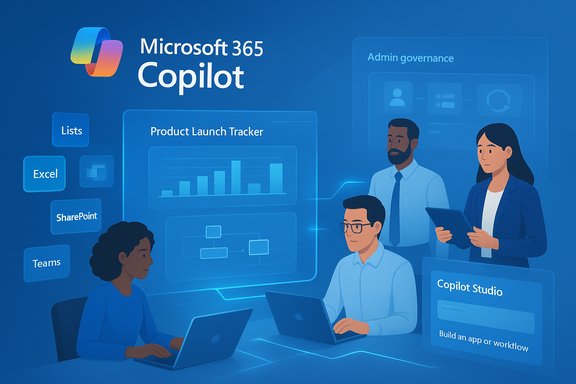 Background / Overview
Microsoft this week announced that App Builder and Workflows — two new conversational agents inside Microsoft 365 Copilot — are being made available to customers enrolled in its Frontier preview program. These tools are surfaced inside the Copilot Agent Store and an embedded, lightweight Copilot Studio authoring surface that aims to let non-developers create practical business tools quickly and iteratively. This move sits atop a long-running Microsoft strategy to democratize software creation through the Power Platform and Copilot Studio. Microsoft reports 56 million monthly active Power Platform users, a metric the company cited during recent earnings and product messaging — a base the firm says it can accelerate by embedding generative, conversational building into everyday work surfaces. The timing is notable: Microsoft’s product announcement coincided with major industry headlines about OpenAI’s corporate restructuring and Microsoft's reinforced economic ties, underscoring that Copilot’s capabilities are part of a broader shift in the enterprise AI ecosystem. Reported details about OpenAI’s restructuring and Microsoft’s stake are covered widely in the press. These commercial and strategic relationships provide the cloud and model access that underpin Copilot’s expansion. What App Builder and Workflows actually do
App Builder — build a working app from conversation
App Builder is a generative, multi-turn conversational experience that scaffolds a working application — UI, data model, and security — from natural language prompts. Typical outputs include:- Project and product trackers with milestone fields, owners, and status dashboards.
- Lists and interactive tables with filters and sort controls.
- Calculators and small tools (budget allocators, scorecards).
- Simple Q&A-style agents bound to team knowledge bases.
Workflows — automation described in plain English
Workflows converts natural-language process descriptions into multi-step automations that run across core Microsoft 365 services (Outlook, Teams, SharePoint, Planner, and Approvals). As the agent builds the flow it visualizes each step so the user can inspect triggers, conditions, and actions, and make inline adjustments without leaving the conversational context.This is essentially a conversational authoring layer on top of the Power Platform automation engine (Power Automate / Agent Flows). The experience is optimized for common, internal tasks — meeting digests, reminders, notifications, approval reminders — and is explicitly scoped to in-tenant operations during the initial preview.
Copilot Studio (lite) — the in-pane authoring surface
Microsoft also launched a simplified Copilot Studio experience embedded directly in Copilot. It is intended for quick, productivity-focused agent creation that reads from a user’s Microsoft 365 context (SharePoint, meeting transcripts, chats, emails) and produces structured agents. For enterprise-grade, multi-agent orchestration and advanced connectors, Microsoft points to the full Copilot Studio web portal.Why this matters: speed, context, and the low-code arc
Microsoft’s pitch is straightforward: if knowledge workers can build apps and flows conversationally, time-to-value shrinks dramatically. The generative-first route addresses three persistent frictions in citizen development:- Speed: A conversation plus a few edits turns into a usable app in minutes instead of days or weeks.
- Context: Copilot already indexes a user’s Microsoft 365 data, so generated tools can be grounded in the tenant’s real content and permissions.
- No infra: New data stores are handled by Microsoft Lists by default, removing the need to provision databases or cloud infrastructure for many scenarios.
Technical architecture and governance: the enterprise surface
Where data lives and how permissions are enforced
- Default backend for new app data: Microsoft Lists (a lightweight, tenant-bound storage surface).
- Optional bindings: Excel tables, SharePoint lists, or Dataverse when those sources are present.
- Identity and permissions: Apps and flows inherit Microsoft 365’s role-based access and tenant permission model, ensuring created artifacts stay within the organization’s security boundary by default.
Admin controls and lifecycle visibility
Microsoft built admin tooling into the Microsoft 365 admin center to provide tenant-wide visibility and control over user-generated apps, workflows, and agents. Admins can:- View an inventory of created artifacts.
- Reassign ownership or disable access at the group level.
- Promote high-value user-created apps to centrally governed, IT-managed solutions.
- Manage retention and orphaned assets (apps/workflows remain claimable for a period after an employee leaves).
Where pro developers still matter
Microsoft draws a clear line: internal team-level tools and routine automations are the intended domain for App Builder and Workflows, but systems that interact with external parties — customer-facing websites, external APIs exposing sensitive data, public portals — still need professional developer involvement. The rationale is risk-based: external systems involve compliance, scale, security and legal exposure that require engineering controls and code review. The built-in migration path (open in Power Apps → Dataverse → Azure) is Microsoft’s answer to where professional development practices re-enter the lifecycle.Benefits — practical gains for teams and IT
- Democratizes prototyping: Teams can convert spreadsheet-based processes into governed apps quickly.
- Reduces developer backlog: Common repetitive requests no longer require ticketing and handoffs.
- Faster process automation: Natural-language flows can automate routine notifications and approvals in minutes.
- Preserves governance: Built-in admin inventory and tenant controls aim to avoid unmanaged shadow IT proliferation.
- Migration path: “No cliffs” ensures prototypes can evolve into production-grade artifacts when needed.
Risks and unanswered questions
The promise is seductive, but the practical rollout carries material risks and uncertainties that organizations should weigh carefully.1) Proliferation of brittle automations and app sprawl
Ease of creation increases the odds that many disposable apps and flows will be spun up and left running. Even with admin visibility, the operational overhead to triage, monitor and maintain hundreds or thousands of small automations could become significant. Early adopters should plan lifecycle and retirement policies.2) Data leakage and connector scope limitations
Workflows currently operates inside Microsoft 365 connectors (Outlook, Teams, SharePoint, Planner, Approvals) during preview. The initial lack of non-Microsoft or custom connector support reduces immediate risk, but also limits utility for organizations that rely on third-party SaaS. When external connectors arrive, governance will become far more complex.3) Security and compliance nuance
Tenant-level permissions and Microsoft 365 DLP policies provide a baseline, but they are not a replacement for formal security design. Automated flows that move or transform data can create novel paths for sensitive information. Organizations in regulated industries will need to test flows against compliance requirements, eDiscovery, and audit needs.4) Model hallucination and business logic correctness
Generative systems can plausibly produce UI and code that looks correct but contains logic errors. For workflows that affect financial transactions, approvals, or customer data, manual review and test validation remain essential. Microsoft’s visual step-by-step previews help, but they do not eliminate the need for testing. Any claim about Copilot producing “full-stack” apps should be operationally validated in a controlled pilot before broad rollout.5) Organizational change and skills mismatch
Turning every employee into a part-time builder changes roles and expectations. Not everyone wants or should be responsible for app lifecycle tasks. Training, discoverability, and clear ownership models are required to avoid the new functionality becoming noise rather than utility.Practical rollout guidance — a ten-step pilot plan
- Identify low-risk pilot scenarios (internal trackers, project dashboards, weekly digests).
- Define success metrics: hours saved, incidents avoided, adoption, and maintenance overhead.
- Configure tenant-level Copilot agent settings and enable agents only for a pilot group.
- Set DLP rules and connector policies to restrict external data movement during the pilot.
- Create a cataloging process: every app/flow must register metadata (owner, purpose, retention).
- Require sign-off and basic test cases for flows that change state or send financial instructions.
- Capture usage telemetry and errors — build a monitoring dashboard for the admin team.
- Train pilot users on safe authoring, change management, and how to escalate to IT.
- Review pilot artifacts after 30–60 days; promote high-value assets to IT-managed status.
- Iterate on governance: refine templates, guardrails, and automation best practices for broader rollout.
Competitive context and the low-code continuum
The industry is in a “vibe coding” moment: multiple vendors are making natural-language-first tools to scaffold UI and automation. Microsoft’s distinct advantage is the depth of Microsoft 365 integration: Copilot’s ability to ground generated artifacts in a tenant’s existing e-mails, documents, meetings, and SharePoint content is a differentiator in enterprise contexts. Power Platform’s scale (56 million monthly active users) and existing governance surfaces also offer Microsoft a structural advantage against standalone low-code competitors. Still, rival cloud ecosystems are moving quickly and enterprises will make choices based on multi-cloud, model preference, and existing SaaS footprints.Business and economic claims — what’s verifiable
- Microsoft reports a $30-per-user-per-month commercial price for Microsoft 365 Copilot when broadly available; that price point has been announced previously and is part of Microsoft’s commercial Copilot positioning. Organizations should confirm billing tiers and inclusions with their Microsoft account team because enterprise bundles and promotional offers vary.
- Microsoft claims 56 million monthly active Power Platform users; this figure is publicly referenced in Microsoft’s earnings commentary and product blog materials and is a credible, company-published metric. It’s a core part of Microsoft’s argument that a large audience already exists for low-code capabilities.
- Reports that Microsoft received a ~27% stake in OpenAI valued at roughly $135 billion following OpenAI’s restructuring are documented by major news outlets; the valuation is a reported figure tied to the restructuring details and should be treated as a media-reported transaction value rather than an independently audited asset value. Readers should treat such headline valuations as subject to standard reporting caveats.
Where to pilot first (recommended use cases)
- Team project trackers and launch dashboards (internal visibility only).
- Approval and notification flows for internal HR or procurement tasks.
- Meeting-action consolidation (digesting Planner + calendar into weekly summaries).
- Lightweight knowledge Q&A agents for common intra-team policies (using SharePoint content).
- Departmental calculators (budget, resource allocation) with human validation steps.
Final analysis — balancing promise with discipline
Microsoft’s App Builder and Workflows mark one of the most consequential pushes yet to blend generative AI with no-code/low-code developer tooling in an enterprise-ready package. The combination of Copilot’s conversational interface, Microsoft 365 contextual grounding, and Power Platform’s migration path addresses known weaknesses of past no-code waves — chiefly, friction around handoff to engineering and governance. When deployed thoughtfully, these capabilities can convert countless spreadsheet-based processes into governed, reusable assets and shorten the cycle from idea to impact. But the gains are not automatic. The most likely early outcomes are mixed: notable productivity gains in well-governed pilots, alongside increased demand on IT for lifecycle management, and a new class of operational risk if organizations treat Copilot as a “self-service magic” button without appropriate guardrails. Security, compliance, and model-behavior validation remain essential — particularly as capabilities broaden to external connectors and more powerful model endpoints.If Microsoft’s bet pays off, the workplace could see a structural shift: many ordinary knowledge workers will add “built a Copilot app” to their practical skills, and IT will evolve into a curator-and-governor role that elevates the best team-built assets into managed services. If it doesn’t, organizations risk short-term speed at the cost of long-term maintenance burdens. Either way, the responsibility falls to enterprise leaders to match Microsoft’s engineering with operational discipline: measure outcomes, enforce policies, and treat AI-generated apps and workflows as first-class, governed software artifacts.
Microsoft’s App Builder and Workflows are available today for Frontier preview participants inside the Microsoft 365 Copilot Agent Store; organizations that are not in the Frontier program should speak to their Microsoft account teams to learn about availability timelines, licensing implications, and the admin controls required to pilot safely.
Source: sportsdende.com.br Microsoft’s Copilot can now build apps and automate your job — here’s how it works - Sports Dendê - o esporte com tempero baiano
