

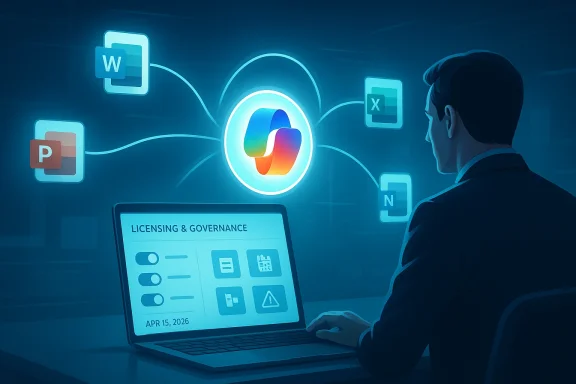
Microsoft’s latest Copilot move is a classic example of how quickly the company is still rewriting its AI playbook. After expanding Copilot Chat into Microsoft 365 apps for commercial users at no extra cost in 2025, Microsoft is now preparing to pull that convenience back for a subset of large enterprise customers beginning April 15, 2026. The change is especially notable because Microsoft’s own support and licensing guidance still describes Copilot Chat as available in Word, Excel, PowerPoint, and OneNote for users without a Microsoft 365 Copilot license, while also giving administrators controls to unpin or remove access. (learn.microsoft.com)
Microsoft’s Copilot strategy has moved through several phases in remarkably short order. In early 2024, the company began broadening access to Microsoft 365 Copilot for commercial customers, while positioning it as a premium add-on for work data, enterprise security, and app-integration. By January 2025, Microsoft introduced Microsoft 365 Copilot Chat as a free or low-friction entry point for commercial users, with pay-as-you-go agents layered on top. That was a clear signal that Microsoft wanted Copilot to become the default gateway into its productivity stack, even for customers who were not ready to buy the full paid SKU.
The commercial pitch was straightforward: let users experiment with AI inside familiar apps, then upsell the stronger version once they saw value. Microsoft’s own work-productivity pages later described Copilot Chat as included at no additional cost for eligible Microsoft Entra account users, and said rollout into Word, Excel, PowerPoint, and OneNote would begin in mid-August 2025. That created a two-tier reality: a free-ish assistant for broad adoption and a premium tier for customers willing to pay for deeper grounding in organizational data. (microsoft.com)
At the same time, Microsoft has struggled to persuade enterprises that the paid version justifies its price. The company publicly disclosed in January that only around 3% of Microsoft 365 customers were paying for the fully featured Copilot offering, which is a very small conversion rate by Microsoft’s standards. That number matters because it explains the pressure behind every recent Copilot packaging decision: Microsoft needs a broader funnel, but it also needs a monetization story strong enough to support the massive AI infrastructure spend behind the product.
The result is an unusually fluid licensing landscape. Microsoft has moved from exclusive paid access, to broader no-cost entry in the apps, to admin-controlled pinning and removal, and now to a reported rollback for large commercial customers. In practice, that means the company is not just selling AI features; it is constantly redefining where the free experience ends and where the paid experience begins. (learn.microsoft.com)
Microsoft’s own documentation already reveals the tension. The Learn guidance says admins can choose whether Copilot Chat is pinned, unpinned, or removed from Microsoft 365 apps, and notes that if it is not pinned, it will not be available in Word, Excel, PowerPoint, or OneNote for users without a Microsoft 365 Copilot license. That means the company has already built the machinery for selective availability. The reported April 15 change looks less like a technical limitation and more like a packaging decision. (learn.microsoft.com)
There is also a segmentation problem. Microsoft 365 Copilot Chat is useful, but it is deliberately thinner than the paid product: the free experience is grounded in web data, while the premium version is built to work with internal organizational data and broader agent capabilities. That distinction is technically meaningful, but it is not always obvious to buyers, especially when both products live under the Copilot umbrella and share similar branding. That confusion is part of the product, not just a side effect of it. (microsoft.com)
This creates a headache for procurement and identity teams. Some users may have paid Copilot licenses, others may only have commercial Microsoft 365 subscriptions, and still others may access Copilot through a browser, Edge sidebar, or the integrated app. That means one organization can accidentally create a patchwork in which the same employee has different AI capabilities depending on where they launch the tool. That is not a recipe for clean enterprise governance. (learn.microsoft.com)
The likely consequence is more change-management overhead. Admins will need to explain why a feature visible in one app is absent in another, why some users can chat from Outlook while others cannot, and why access may depend on a group policy, tenant setting, or store deployment. For large enterprises, the cost of administration can become a hidden tax on a product that is marketed as reducing work. (learn.microsoft.com)
That gap matters because Copilot is expensive to run. Even without a hard public cost breakdown, it is easy to infer that Microsoft’s margins are better when users either pay for the premium tier or use the lighter, web-grounded experience in a controlled way. If Microsoft believes free in-app access is cannibalizing paid conversion, tightening the screws is a rational response. But rational on a spreadsheet does not always translate into wise product strategy. (microsoft.com)
That tension explains why Microsoft keeps adjusting the packaging. Free in-app access helped normalize AI usage, but may have slowed paid-seat growth. A partial rollback may improve monetization, but could undermine the very familiarity Microsoft hoped would make Copilot sticky. It is a familiar SaaS dilemma, just amplified by the cost and novelty of generative AI. (microsoft.com)
For SMBs, the message is mixed but manageable. Microsoft has lowered some pricing barriers, including a Business SKU priced at $21 per user per month, and has kept Copilot Chat positioned as an easier entry point for eligible customers. The problem is that SMB buyers often want simplicity above all else, and the Copilot family of products is becoming increasingly nuanced. Simplicity is exactly what Microsoft is losing the longer it keeps refining the model.
Enterprise buyers also have more at stake because they are evaluating Copilot against internal workflows, compliance needs, and ROI models. If Microsoft toggles access too often, some customers will conclude that waiting is safer than scaling. That could slow enterprise momentum even if it strengthens near-term revenue discipline.
The competitive danger is not just that rivals can claim simplicity. It is that they can market clarity. A buyer comparing AI productivity suites may prefer the vendor that offers a cleaner bundle, fewer feature exceptions, and less policy-driven variation. Microsoft’s sprawling architecture is powerful, but power can become friction when the product story shifts every few quarters. (learn.microsoft.com)
Still, ecosystem advantage only goes so far if the user experience is frustrating. When a Copilot button appears in one surface but not another, or when access depends on nuanced licensing logic, rivals get an opening to pitch predictability. That is especially true in enterprise AI, where decision-makers often buy the product that is easiest to govern, not the one with the most ambitious roadmap. (learn.microsoft.com)
That framing matters because AI assistants raise new risks around data exposure, prompt injection, and accidental sharing. Microsoft has made broad privacy promises, but the more places Copilot appears, the more organizational control matters. Limiting the surfaces where unlicensed users can invoke the assistant may reduce ambiguity for admins and lower the chance of shadow adoption. In that sense, the backtrack may be as much about governance as about revenue. (learn.microsoft.com)
For regulated industries, that complexity may be enough to slow deployment. Banks, healthcare organizations, and government contractors typically prefer deterministic controls. If Copilot access is fluid, their default response may be to scope it narrowly or delay it entirely. That would be bad news for Microsoft’s growth narrative, even if it improves operational discipline. (learn.microsoft.com)
That is why branding has become a strategic issue, not a cosmetic one. Microsoft 365 Copilot, Copilot Chat, the Microsoft 365 Copilot app, and the consumer Copilot experience all overlap in language and interface. Users are often left to infer the difference from context, while administrators have to map each experience to specific entitlements. That is a lot to ask from a mainstream productivity suite. (learn.microsoft.com)
That confusion can undermine trust in several ways. Users may not know whether a feature is missing because of licensing, rollout timing, policy settings, or product design. Administrators may not know whether a change is temporary, market-specific, or tied to a long-term SKU strategy. And procurement teams may hesitate to expand licenses if they suspect the next packaging change is already on the way. (learn.microsoft.com)
For enterprise customers, the practical takeaway is simple: audit your Copilot entitlements now, review how the app is pinned or deployed, and make sure your users know which experience they are supposed to use. The more Microsoft keeps the boundaries moving, the more important it becomes for IT teams to own the rollout rather than let it happen organically. In AI, “default on” can become “default confusion” surprisingly quickly. (learn.microsoft.com)
Source: Computerworld Microsoft backtracks on Copilot Chat access in M365 apps
 Background
Microsoft’s Copilot strategy has moved through several phases in remarkably short order. In early 2024, the company began broadening access to Microsoft 365 Copilot for commercial customers, while positioning it as a premium add-on for work data, enterprise security, and app-integration. By January 2025, Microsoft introduced Microsoft 365 Copilot Chat as a free or low-friction entry point for commercial users, with pay-as-you-go agents layered on top. That was a clear signal that Microsoft wanted Copilot to become the default gateway into its productivity stack, even for customers who were not ready to buy the full paid SKU.The commercial pitch was straightforward: let users experiment with AI inside familiar apps, then upsell the stronger version once they saw value. Microsoft’s own work-productivity pages later described Copilot Chat as included at no additional cost for eligible Microsoft Entra account users, and said rollout into Word, Excel, PowerPoint, and OneNote would begin in mid-August 2025. That created a two-tier reality: a free-ish assistant for broad adoption and a premium tier for customers willing to pay for deeper grounding in organizational data. (microsoft.com)
At the same time, Microsoft has struggled to persuade enterprises that the paid version justifies its price. The company publicly disclosed in January that only around 3% of Microsoft 365 customers were paying for the fully featured Copilot offering, which is a very small conversion rate by Microsoft’s standards. That number matters because it explains the pressure behind every recent Copilot packaging decision: Microsoft needs a broader funnel, but it also needs a monetization story strong enough to support the massive AI infrastructure spend behind the product.
The result is an unusually fluid licensing landscape. Microsoft has moved from exclusive paid access, to broader no-cost entry in the apps, to admin-controlled pinning and removal, and now to a reported rollback for large commercial customers. In practice, that means the company is not just selling AI features; it is constantly redefining where the free experience ends and where the paid experience begins. (learn.microsoft.com)
What Microsoft Changed, and Why It Matters
The key issue is not merely that Microsoft is shifting a feature flag. It is that Copilot Chat had become the easiest on-ramp for businesses to try AI in Word, Excel, and PowerPoint without committing to the full Microsoft 365 Copilot license. If that access is restricted again for large commercial tenants, the practical effect is to increase friction at the exact moment Microsoft had been trying to reduce it. That is why analysts are describing the move as a mystifying backtrack. The strategy appears to oscillate between expansion and enclosure rather than follow a clean product roadmap. (learn.microsoft.com)Microsoft’s own documentation already reveals the tension. The Learn guidance says admins can choose whether Copilot Chat is pinned, unpinned, or removed from Microsoft 365 apps, and notes that if it is not pinned, it will not be available in Word, Excel, PowerPoint, or OneNote for users without a Microsoft 365 Copilot license. That means the company has already built the machinery for selective availability. The reported April 15 change looks less like a technical limitation and more like a packaging decision. (learn.microsoft.com)
The Business Logic Behind the Retreat
The obvious explanation is monetization. Microsoft has invested heavily in Copilot, and the economics of large language model inference do not reward unlimited free usage forever. If too many commercial users can get “good enough” functionality in the apps without paying, the premium SKU becomes a harder sell. Restricting in-app access may be Microsoft’s way of reinforcing the value gap between the free chat layer and the fully grounded enterprise assistant. (microsoft.com)There is also a segmentation problem. Microsoft 365 Copilot Chat is useful, but it is deliberately thinner than the paid product: the free experience is grounded in web data, while the premium version is built to work with internal organizational data and broader agent capabilities. That distinction is technically meaningful, but it is not always obvious to buyers, especially when both products live under the Copilot umbrella and share similar branding. That confusion is part of the product, not just a side effect of it. (microsoft.com)
- Microsoft wants broad adoption of Copilot behavior.
- Microsoft also wants to preserve a premium paid tier.
- The more useful the free layer becomes, the harder it is to upsell.
- The more restrictive the free layer becomes, the more users may disengage.
- This is a delicate balance, not a simple pricing tweak.
The Licensing Maze Enterprises Now Face
For IT teams, the real story is not philosophical; it is operational. Microsoft’s Copilot ecosystem now spans Microsoft 365 Copilot, Copilot Chat, the Microsoft 365 Copilot app, Outlook, Teams, and the Office apps themselves. The Learn documentation shows that admins need to manage access in different places depending on whether the concern is the web, the app, Outlook, Teams, or the Microsoft 365 apps. That means Copilot is no longer one product to license; it is a cluster of surfaces to govern. (learn.microsoft.com)This creates a headache for procurement and identity teams. Some users may have paid Copilot licenses, others may only have commercial Microsoft 365 subscriptions, and still others may access Copilot through a browser, Edge sidebar, or the integrated app. That means one organization can accidentally create a patchwork in which the same employee has different AI capabilities depending on where they launch the tool. That is not a recipe for clean enterprise governance. (learn.microsoft.com)
Why Admins Care About Pinning
Microsoft’s own instructions show how central pinning has become. If admins choose not to pin Copilot Chat, the assistant disappears from Word, Excel, PowerPoint, and OneNote for users without the premium license, while the Copilot app itself can still be managed separately. In other words, the licensing model and the UI model are now intertwined. That is a powerful control for IT departments, but it is also a sign that Microsoft expects enterprises to police their own feature boundaries. (learn.microsoft.com)The likely consequence is more change-management overhead. Admins will need to explain why a feature visible in one app is absent in another, why some users can chat from Outlook while others cannot, and why access may depend on a group policy, tenant setting, or store deployment. For large enterprises, the cost of administration can become a hidden tax on a product that is marketed as reducing work. (learn.microsoft.com)
- Access may vary by app, tenant, license, and deployment policy.
- The Copilot button is no longer a universal guarantee of access.
- Support teams will face more “why do I have this here but not there?” tickets.
- Procurement may need to re-evaluate whether broad rollout is worth the complexity.
- Training materials will need constant updates.
The Revenue Problem Microsoft Cannot Ignore
Microsoft’s Copilot story has always depended on a leap of faith: that AI assistants would become a must-have productivity layer inside the Microsoft 365 estate. But public adoption data suggests the leap has been slower than expected. The company’s disclosure that only about 3% of Microsoft 365 customers pay for the full Copilot offering is a flashing warning sign for a business that wants AI to drive both subscription value and cloud demand.That gap matters because Copilot is expensive to run. Even without a hard public cost breakdown, it is easy to infer that Microsoft’s margins are better when users either pay for the premium tier or use the lighter, web-grounded experience in a controlled way. If Microsoft believes free in-app access is cannibalizing paid conversion, tightening the screws is a rational response. But rational on a spreadsheet does not always translate into wise product strategy. (microsoft.com)
Conversion Versus Adoption
Microsoft is chasing two goals that often conflict. It wants adoption, which means making Copilot ubiquitous and easy to try. It also wants conversion, which means creating enough differentiation that users will pay for the premium SKU. The more accessible the assistant becomes, the more Microsoft risks turning Copilot Chat into a permanent substitute for the paid version rather than a feeder into it.That tension explains why Microsoft keeps adjusting the packaging. Free in-app access helped normalize AI usage, but may have slowed paid-seat growth. A partial rollback may improve monetization, but could undermine the very familiarity Microsoft hoped would make Copilot sticky. It is a familiar SaaS dilemma, just amplified by the cost and novelty of generative AI. (microsoft.com)
- Adoption grows faster when access is broad.
- Monetization improves when differentiation is obvious.
- Microsoft needs both, but not at the same time.
- Too much generosity weakens the premium story.
- Too much restriction weakens the adoption flywheel.
Consumer, SMB, and Enterprise: Different Markets, Different Reactions
Consumers and small businesses will not experience this change the same way large commercial customers will. Microsoft has already made Copilot part of Microsoft 365 Personal and Family, bringing AI into Word, Excel, PowerPoint, Outlook, and OneNote for consumer subscribers. That means the consumer side of the house is still moving toward broader inclusion, while the enterprise side is being reshaped by licensing controls and monetization pressure.For SMBs, the message is mixed but manageable. Microsoft has lowered some pricing barriers, including a Business SKU priced at $21 per user per month, and has kept Copilot Chat positioned as an easier entry point for eligible customers. The problem is that SMB buyers often want simplicity above all else, and the Copilot family of products is becoming increasingly nuanced. Simplicity is exactly what Microsoft is losing the longer it keeps refining the model.
Enterprise Buyers Will Be the Most Frustrated
Large organizations are the most likely to feel whiplash. They were first told Copilot Chat would be broadly available at no additional cost inside the apps, then they were told they might need to manage pinning and app-store access, and now they may have to prepare for reduced visibility again. For CIOs, that is not just a licensing issue; it is a trust issue. Stable procurement depends on stable product promises. (learn.microsoft.com)Enterprise buyers also have more at stake because they are evaluating Copilot against internal workflows, compliance needs, and ROI models. If Microsoft toggles access too often, some customers will conclude that waiting is safer than scaling. That could slow enterprise momentum even if it strengthens near-term revenue discipline.
- Consumers are still being rewarded with broader inclusion.
- SMBs get a cheaper on-ramp, but also more complexity.
- Large enterprises face the most policy churn.
- Stable product messaging matters more for big-ticket buyers.
- The stricter the licensing boundary, the more cautious buyers may become.
Competitive Implications for Google, OpenAI, and the AI Productivity Market
Microsoft’s licensing moves matter beyond Redmond because the productivity AI market is still taking shape. Google is pushing Gemini deeper into Workspace, while OpenAI’s own ecosystem continues to expand through direct products and partner integrations. In that context, Microsoft’s advantage has always been distribution: Word, Excel, PowerPoint, Outlook, Teams, and the broader M365 estate are already where work happens. If Microsoft makes access too confusing, it risks squandering that built-in lead. (microsoft.com)The competitive danger is not just that rivals can claim simplicity. It is that they can market clarity. A buyer comparing AI productivity suites may prefer the vendor that offers a cleaner bundle, fewer feature exceptions, and less policy-driven variation. Microsoft’s sprawling architecture is powerful, but power can become friction when the product story shifts every few quarters. (learn.microsoft.com)
Why the Ecosystem Still Gives Microsoft an Edge
Even so, Microsoft remains in a strong position. It owns the dominant productivity apps, a massive enterprise identity layer through Entra, and the admin tooling needed to enforce access controls. That means Microsoft can afford to experiment with packaging in a way smaller rivals cannot. It can also recover faster if a change proves unpopular because customers are already embedded in the ecosystem. (learn.microsoft.com)Still, ecosystem advantage only goes so far if the user experience is frustrating. When a Copilot button appears in one surface but not another, or when access depends on nuanced licensing logic, rivals get an opening to pitch predictability. That is especially true in enterprise AI, where decision-makers often buy the product that is easiest to govern, not the one with the most ambitious roadmap. (learn.microsoft.com)
- Microsoft’s distribution remains its biggest moat.
- Rivals can still win on clarity and simplicity.
- Ecosystem power reduces switching, but does not eliminate dissatisfaction.
- A confusing AI bundle can weaken even a dominant platform.
- The market is still young enough for buyer habits to change.
The Admin and Compliance Angle
There is a more subtle reason Microsoft may be tightening access: governance. The company has repeatedly emphasized that Copilot for work is tied to commercial data protection, enterprise identity, and admin controls. The Learn documentation also distinguishes between personal and work experiences, and even advises organizations on how to manage access to prevent unlicensed users from using the Copilot app. That suggests Microsoft is increasingly treating Copilot not as a consumer feature, but as a controlled enterprise service. (learn.microsoft.com)That framing matters because AI assistants raise new risks around data exposure, prompt injection, and accidental sharing. Microsoft has made broad privacy promises, but the more places Copilot appears, the more organizational control matters. Limiting the surfaces where unlicensed users can invoke the assistant may reduce ambiguity for admins and lower the chance of shadow adoption. In that sense, the backtrack may be as much about governance as about revenue. (learn.microsoft.com)
The Hidden Cost of “Helpful” AI
The challenge is that every new access path is also a new policy surface. If the same assistant is available in the web app, Outlook, Teams, the Microsoft 365 app, and the Office desktop apps, then identity and entitlement checks must be reliable across all of them. That is manageable in a small rollout, but complex at Microsoft scale. The more surfaces there are, the more room there is for mistakes, exceptions, and user confusion. (learn.microsoft.com)For regulated industries, that complexity may be enough to slow deployment. Banks, healthcare organizations, and government contractors typically prefer deterministic controls. If Copilot access is fluid, their default response may be to scope it narrowly or delay it entirely. That would be bad news for Microsoft’s growth narrative, even if it improves operational discipline. (learn.microsoft.com)
- More access points mean more policy management.
- Compliance teams value deterministic entitlement controls.
- Shadow adoption can be just as risky as under-adoption.
- AI governance is now part of productivity software governance.
- Regulation and enterprise policy may favor tighter access, even if users dislike it.
The Bigger Product-Design Question
Microsoft is clearly trying to make Copilot feel native to Microsoft 365 rather than like a separate chatbot bolted on top. The downside is that native integration makes it harder to explain what is paid, what is free, what is web-grounded, and what is work-grounded. The more seamless the experience becomes, the more invisible the licensing boundary gets—and the more jarring it is when that boundary suddenly reappears. (learn.microsoft.com)That is why branding has become a strategic issue, not a cosmetic one. Microsoft 365 Copilot, Copilot Chat, the Microsoft 365 Copilot app, and the consumer Copilot experience all overlap in language and interface. Users are often left to infer the difference from context, while administrators have to map each experience to specific entitlements. That is a lot to ask from a mainstream productivity suite. (learn.microsoft.com)
Naming Is Becoming a Product Feature
In a mature software market, naming is often a secondary concern. In an AI market where product tiers and entitlements are shifting every few months, naming becomes part of the control plane. If Microsoft wants customers to understand the value of the premium product, it needs its nomenclature to do some of the work. Right now, it often does the opposite. (learn.microsoft.com)That confusion can undermine trust in several ways. Users may not know whether a feature is missing because of licensing, rollout timing, policy settings, or product design. Administrators may not know whether a change is temporary, market-specific, or tied to a long-term SKU strategy. And procurement teams may hesitate to expand licenses if they suspect the next packaging change is already on the way. (learn.microsoft.com)
- Copilot branding now spans too many experiences.
- Users need clearer distinctions between free and paid capabilities.
- Admins need simpler rules, not more edge cases.
- Product naming should reduce uncertainty, not add to it.
- The current model creates avoidable support friction.
Strengths and Opportunities
Microsoft still has enormous room to win with Copilot if it can stabilize the experience and present a cleaner value ladder. It has distribution, identity, admin tooling, and deep integration across the daily workflows that matter most to business users. If the company can align product messaging with actual entitlement behavior, it can turn Copilot from a curiosity into a default work habit. That would be a powerful moat.- Massive installed base across Microsoft 365.
- Strong enterprise identity and admin controls.
- Clear premium differentiation in work-data grounding.
- Broad surface area across Word, Excel, PowerPoint, Outlook, and Teams.
- Opportunity to upsell agents and premium capabilities.
- Ability to refine pricing and packaging quickly.
- A well-defined path to deeper enterprise automation.
Risks and Concerns
The biggest risk is that Microsoft is training customers to expect Copilot, then repeatedly changing what that expectation means. That can erode trust faster than it grows usage, especially among enterprises that need stable licensing and predictable governance. There is also a real danger that Copilot becomes associated with administrative hassle rather than measurable productivity gains. If that happens, the product’s reputation could lag far behind Microsoft’s ambitions.- Product and licensing confusion.
- Enterprise trust erosion from repeated packaging changes.
- Support burden from inconsistent app-level behavior.
- Slower paid conversion if free access is too attractive.
- Slow adoption if access becomes too restricted.
- Governance overhead for IT and compliance teams.
- Risk that rivals market a simpler AI bundle.
Looking Ahead
The next several weeks will tell us whether Microsoft’s reported April 15 change is a narrow commercial adjustment or the beginning of a broader reset in how Copilot Chat is delivered. If the company chooses to restrict access, it will need to explain the logic clearly or risk reinforcing the impression that its AI strategy is still improvisational. If it does not, Microsoft may conclude that broader in-app access is worth the cannibalization risk after all. Either way, the signal matters because the market is watching how Microsoft balances reach, revenue, and control. (learn.microsoft.com)For enterprise customers, the practical takeaway is simple: audit your Copilot entitlements now, review how the app is pinned or deployed, and make sure your users know which experience they are supposed to use. The more Microsoft keeps the boundaries moving, the more important it becomes for IT teams to own the rollout rather than let it happen organically. In AI, “default on” can become “default confusion” surprisingly quickly. (learn.microsoft.com)
- Watch for a formal Microsoft clarification on scope and eligibility.
- Monitor whether the change applies only to large commercial tenants.
- Check if Microsoft modifies the Microsoft 365 admin center controls.
- Track whether paid Copilot conversions improve after any rollback.
- Watch for enterprise feedback on usability and support overhead.
Source: Computerworld Microsoft backtracks on Copilot Chat access in M365 apps
