

Microsoft Copilot has moved from curiosity to practical toolkit for charities — offering meeting capture, data-driven insight, and process orchestration that can free teams from repetitive tasks and amplify impact, provided organisations put governance, data hygiene, and human oversight front and centre.
Charities are under relentless pressure: rising demand for services, tighter budgets, and increasing expectations around transparency and impact. At the same time, the 2025 sector barometer shows a sharp uptick in AI experimentation across nonprofits, with a majority reporting some AI use but far fewer embedding it strategically. This environment makes tools that promise productivity gains — while fitting into existing enterprise IT and compliance frameworks — particularly attractive.
Microsoft Copilot sits squarely in that sweet spot for many charities. Built as an assistant layer across Microsoft 365, Dynamics 365, Power Platform and Copilot Studio, it leverages the Microsoft Graph to ground outputs in an organisation’s own data and integrates with apps charities already use: Outlook, Teams, Excel, SharePoint, and CRM systems. As a result, Copilot can be used for quick wins (meeting recaps and drafting emails) and deeper scenarios (data-driven impact reporting and workflow orchestration). But the technology is not a turnkey panacea: there are real limits, configuration needs, and governance work to do before it delivers dependable value.
This article unpacks how Copilot can help charities, verifies the core technical and security claims made by vendors and Microsoft, critiques the risks and gaps, and lays out a practical adoption roadmap aimed at nonprofit IT leaders and trustees.
Practical example: ask Copilot to “Send all attendees a list of actions and deadlines from today’s monthly fundraising meeting,” and Copilot can extract action owners, due dates, and suggested next steps — producing a draft message that a human curator then reviews and approves.
Caveat: some sector-level statistics published in secondary articles are taken from report summaries or require signup to download the full report, so organisations should verify raw figures directly with the report authors if precise numbers are material to procurement or strategic decisions.
Smaller charities with limited IT capacity should prioritise low-risk deployments (meeting recaps, internal drafting) before attempting cross-system orchestration or agentic commerce patterns.
But the technology is only as safe and useful as the policies, data practices, and human oversight that surround it. Charities should treat Copilot as a strategic tool: pilot deliberately, govern strictly, and invest in training. When used responsibly, Copilot can shift hours of administrative work back into mission-focused activity — but unchecked or poorly configured, it can expose sensitive data, bake in bias, and produce erroneous outputs that erode trust.
For trustees and IT leaders: set measurable pilot outcomes, demand clear risk mitigations, and require human validation of all public-facing outputs. If those conditions are met, Copilot can be more than a productivity gimmick — it can be a pragmatic accelerator for charities that need to do more with less.
Source: Charity Digital https://charitydigital.org.uk/tools--resources/what-can-microsoft-copilot-do-for-charities-12488/
 Background / Overview
Charities are under relentless pressure: rising demand for services, tighter budgets, and increasing expectations around transparency and impact. At the same time, the 2025 sector barometer shows a sharp uptick in AI experimentation across nonprofits, with a majority reporting some AI use but far fewer embedding it strategically. This environment makes tools that promise productivity gains — while fitting into existing enterprise IT and compliance frameworks — particularly attractive.Microsoft Copilot sits squarely in that sweet spot for many charities. Built as an assistant layer across Microsoft 365, Dynamics 365, Power Platform and Copilot Studio, it leverages the Microsoft Graph to ground outputs in an organisation’s own data and integrates with apps charities already use: Outlook, Teams, Excel, SharePoint, and CRM systems. As a result, Copilot can be used for quick wins (meeting recaps and drafting emails) and deeper scenarios (data-driven impact reporting and workflow orchestration). But the technology is not a turnkey panacea: there are real limits, configuration needs, and governance work to do before it delivers dependable value.
This article unpacks how Copilot can help charities, verifies the core technical and security claims made by vendors and Microsoft, critiques the risks and gaps, and lays out a practical adoption roadmap aimed at nonprofit IT leaders and trustees.
What Copilot does for charities — three practical roles
Charity-focused guidance from Microsoft partners and sector commentators groups Copilot’s value into three functional roles that map to common nonprofit pain points: Assistant, Advisor, and Orchestrator. Each role has clear, demonstrable capabilities — and distinct governance and readiness requirements.1. Assistant — meeting capture, notes, and follow-up
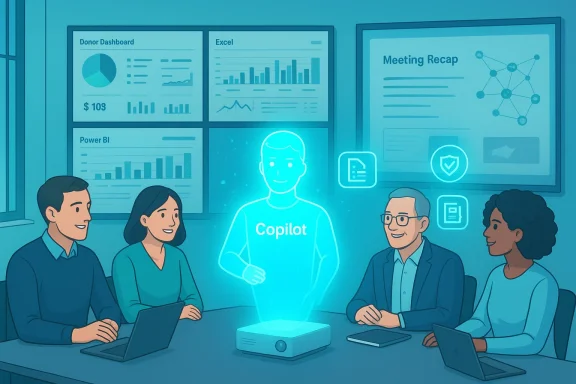
One of the most tangible productivity wins for busy charity teams is automating meeting notes, extracting action items, and producing concise recaps that can be distributed to attendees. Copilot for Teams can:- Generate meeting transcripts and an Intelligent Recap containing key takeaways, assigned action items, and a speaker timeline.
- Produce draft follow-up emails, briefings, or slide summaries from meeting content.
- Surface meeting artifacts (recordings, shared decks, whiteboards) into a single recap hub for later review.
Practical example: ask Copilot to “Send all attendees a list of actions and deadlines from today’s monthly fundraising meeting,” and Copilot can extract action owners, due dates, and suggested next steps — producing a draft message that a human curator then reviews and approves.
2. Advisor — making sense of data and telling impact stories
Copilot’s Advisor role is where the Microsoft Graph and integrations with Excel, Power BI and CRM systems matter most. Copilot can:- Translate datasets into plain-English insights, identify trends, and propose hypotheses (for example, donor attrition drivers or seasonal giving patterns).
- Generate draft impact reports and presentation slides by combining CRM data, program metrics and narrative framing.
- Execute natural-language queries against datasets in Excel or Power BI to create charts, pivot tables, or executive summaries, without requiring advanced spreadsheet skills.
3. Orchestrator — spotting bottlenecks and recommending automation
Beyond assistance and analysis, Copilot (together with Copilot Studio, Power Automate, and Dynamics 365) can act as an orchestrator — surfacing process inefficiencies and suggesting automation to accelerate financial close, donor acknowledgement workflows, or grant reporting. Capabilities include:- Analyzing a defined process (for example, month-end reconciliations) and identifying bottlenecks.
- Recommending and scaffolding automation flows — e.g., automated reconciliations, notification routing, or data syncing across CRM and finance systems.
- Providing templates or agent patterns that can be converted into Copilot Studio agents or Power Automate flows for repeatable processes.
Security, privacy and compliance: what charities need to know
Trust and data protection are central concerns for charities, and Microsoft positions Copilot as enterprise-grade: data access is enforced by Microsoft Entra (identity), Microsoft Purview (compliance), tenant isolation, and encryption in transit and at rest. Microsoft’s published materials state that:- Copilot operates within a user’s identity and tenant context and only surfaces data a user is authorized to view.
- Prompts and Copilot responses (the content of interactions) are stored as Copilot activity history, encrypted, and can be managed via Purview with retention and deletion controls.
- Microsoft does not use customer content from Microsoft 365 Copilot to train foundation models; Azure OpenAI services used in Copilot do not cache customer content in ways that would train the base models.
- There are region-specific safeguards (for example, an EU Data Boundary commitment and data residency options) and enterprise controls such as Double Key Encryption for sensitive content.
- Configuration matters: tenant administrators must enable or restrict scenarios (agents, image generation, connected experiences) using the admin center. Turning off optional connected experiences can disable useful features; leaving them on without controls can expose data in ways your governance policy may not allow.
- Data access policies must be actively enforced. Copilot honors Microsoft 365 permissions, but poorly scoped SharePoint or Teams permissions can still allow Copilot to surface data to unintended users.
- EU Data Boundary and data residency safeguards reduce cross-border risk, but under high load Copilot calls may be routed to other regions; charities processing EU-resident personal data must validate contractual and technical residency needs.
- Copilot stores prompt history by default. Users and administrators should adopt retention and deletion policies to limit persistence of sensitive prompts that might include personal data or beneficiary details.
Strengths: why Copilot is a pragmatic choice for charities
- Familiar ecosystem: Most charities already use Microsoft 365 and Dynamics; Copilot plugs into workflows they know, reducing learning friction.
- Grounded outputs: By combining LLMs with the Microsoft Graph, Copilot produces responses rooted in organisational data rather than generic web-sourced text — improving relevance for operational tasks and impact reporting.
- Enterprise safeguards: Microsoft’s compliance certifications and tooling (Purview, Entra, data residency commitments) provide enterprise-grade controls that charities can adopt.
- Rapid productivity gains: Meeting recaps, draft reports, and data summarisation can free staff time for frontline work and fundraising.
- Platform extensibility: Copilot Studio and agents coupled with Power Platform allow charities to scale pilots into repeatable automations and tailored experiences for operations, fundraising, and volunteer management.
Risks and limitations — candid framing for trustees and IT leads
- Hallucination risk: Generative models can produce plausible but incorrect outputs. Charities must include human verification steps for any generated content — especially public-facing communications and donor reports.
- Data bias and fairness: Automated analysis can replicate biases in historical data (e.g., under-represented beneficiary groups). Impact conclusions require methodological review.
- Over-reliance and deskilling: There’s a risk staff come to rely on Copilot for analysis or framing without maintaining core data-literacy skills. Training must protect critical thinking and evaluation capacity.
- Licensing and cost: Entitlement models for Copilot features (Teams recaps, Microsoft 365 Copilot, Dynamics 365 Copilot, Copilot Studio) vary. Charities must budget for eligible licenses for organizers, editors or tenants that will use advanced features.
- Governance overhead: Implementing effective Purview policies, sensitivity labels, and administrative controls requires time and expertise — something many smaller charities lack.
- Vendor lock-in and portability: Deep integration into Microsoft Graph and Copilot Studio can make migration expensive if the charity later rethinks platform choices.
- Data residency and legal review: For charities working across jurisdictions (especially EU), legal teams must validate Microsoft’s contractual commitments against local data protection obligations.
Cross-checking the claims: what the evidence shows
Multiple independent sources confirm the broad claims around sector uptake and Copilot capabilities. The 2025 sector digital skills barometer reports significant AI use among charities but also highlights that only a minority use AI for impact evaluation or strategic planning. Microsoft’s own documentation explains how Copilot draws on the Microsoft Graph, honors existing permissions, stores interaction logs under tenant controls, and does not use customer content to train base LLMs. Microsoft partner materials (from accredited partners working with nonprofits) demonstrate real-world implementations combining Dynamics 365, Power Platform and Copilot Studio to centralise data, speed reporting and automate routine tasks.Caveat: some sector-level statistics published in secondary articles are taken from report summaries or require signup to download the full report, so organisations should verify raw figures directly with the report authors if precise numbers are material to procurement or strategic decisions.
A practical 10-step Copilot adoption roadmap for charities
- Secure leadership buy-in and set measurable goals. Define 2–3 pilot outcomes (e.g., reduce meeting follow-up time by 50%; produce standard donor reports in half the time).
- Inventory data and apps. Map where donor, beneficiary, finance and program data lives (SharePoint, CRM, Excel, Finance systems).
- Conduct a sensitivity classification. Label personal data, beneficiary records, and restricted financial files using Purview/sensitivity labels.
- Configure tenant-level controls. In the Microsoft 365 admin center, set data access, agent permissions, and image-generation policies to match risk appetite.
- Start with low-risk Assistant scenarios. Roll out meeting recap and email-drafting features for internal teams before exposing Copilot to sensitive beneficiary data.
- Pilot Advisor scenarios on cleaned datasets. Use Copilot with a data steward and an evaluator to test impact reporting drafts and ensure methodological soundness.
- Validate automation recommendations in sandboxes. Run suggested Power Automate or agentic flows in a test tenancy and document audit trails and rollback steps.
- Build governance processes. Define human-review checkpoints, retention periods for Copilot activity, prompt hygiene policies, and incident response procedures.
- Train staff and trustees. Run role-based training: front-line staff on safe prompts and redaction; trustees on strategic oversight and risk appetite.
- Measure, iterate, and scale. Track time saved, quality improvements, and any incidents; iteratively expand to additional teams when safeguards prove effective.
Governance checklist (quick reference)
- Identity & Access: enforce multi-factor authentication and conditional access policies for all accounts.
- Data classification: adopt sensitivity labels and DLP policies; exclude encrypted content from Copilot if needed via Double Key Encryption.
- Retention & deletion: define default Copilot activity retention and deletion pathways via Purview.
- Prompt hygiene: discourage input of entire beneficiary records or sensitive identifiers in prompts.
- Human-in-the-loop: require at least one human review for any outward-facing or compliance-related Copilot output.
- Change control: treat Copilot-based automations as IT changes with testing, approval and rollback plans.
- Audit & logs: ensure Copilot diagnostic logs and activity history are accessible to admins for audits.
- Procurement terms: include data residency, liability, and indemnity clauses in any commercial agreements with MSPs or consultants.
Training, skills and cultural change
Technology will not deliver impact on its own. Charities must pair tools with people and processes:- Build a prompt literacy curriculum that teaches staff how to craft safe, precise prompts and recognise hallucinations.
- Train data stewards in cleaning and structuring datasets (naming conventions, consistent taxonomies, de-duplication).
- Upskill leaders and trustees on AI governance so they can set policy and assess risk without getting lost in technical detail.
- Offer role-based scenarios: fundraising teams get Copilot templates for donor letters; evaluation teams run Copilot-driven exploratory data analysis with clear validation steps.
- Encourage reuse: maintain a library of vetted Copilot prompts, report templates, and automation playbooks that are approved by compliance.
Cost and procurement considerations
Copilot capabilities sit behind different SKUs and entitlements. Charities should:- Map desired use cases to required licenses (e.g., Teams Premium, Microsoft 365 Copilot, Dynamics 365 Copilot).
- Consider pilot windows with vendor partners who know the nonprofit space; ask for nonprofit pricing and scoped deliverables.
- Budget for governance: allocate funds for Purview configuration, admin time, staff training, and a consultant or partner for initial deployments.
- Negotiate clear contractual commitments around data residency, processing, and liability — especially if external agents or connectors are used to bring third-party data into Copilot.
Real-world examples and what to expect
Microsoft partner deployments show practical wins when Copilot is combined with a consolidated data platform. For example, centralising fundraising, program and finance data into a single warehouse and then using Copilot-powered queries and templates can speed up monthly reporting cycles, produce donor-ready impact slides in minutes, and reduce reconciliation times through suggested automation. However, these wins come after months of data engineering, governance configuration, and iterative testing — not on day one.Smaller charities with limited IT capacity should prioritise low-risk deployments (meeting recaps, internal drafting) before attempting cross-system orchestration or agentic commerce patterns.
Final assessment — balance aspiration with rigour
Microsoft Copilot offers charities a practical, enterprise-integrated route to AI-driven productivity and insight. Its strength lies in grounding generative capabilities in an organisation’s own data and the broad control surface Microsoft exposes for administrators. For many charities this translates into meaningful time savings and better ability to tell impact stories from operational data.But the technology is only as safe and useful as the policies, data practices, and human oversight that surround it. Charities should treat Copilot as a strategic tool: pilot deliberately, govern strictly, and invest in training. When used responsibly, Copilot can shift hours of administrative work back into mission-focused activity — but unchecked or poorly configured, it can expose sensitive data, bake in bias, and produce erroneous outputs that erode trust.
For trustees and IT leaders: set measurable pilot outcomes, demand clear risk mitigations, and require human validation of all public-facing outputs. If those conditions are met, Copilot can be more than a productivity gimmick — it can be a pragmatic accelerator for charities that need to do more with less.
Source: Charity Digital https://charitydigital.org.uk/tools--resources/what-can-microsoft-copilot-do-for-charities-12488/
