

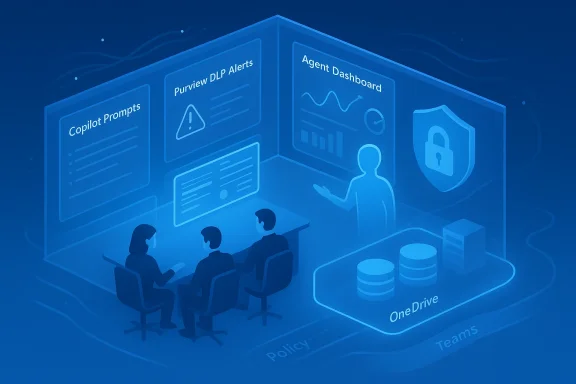
Microsoft’s latest push to make Copilot and agentic AI manageable at enterprise scale is as much about restoring confidence as it is about adding capability: over the next few weeks the company is shipping a set of tenant-facing governance controls — from Purview Data Loss Prevention (DLP) for Copilot prompts to an Agent Dashboard and two new pay‑as‑you‑go services (Copilot Tuning and the Microsoft 365 Copilot Retrieval API) — that together aim to make agent sprawl visible, auditable, and controllable without blocking the productivity gains that drove adoption in the first place.
Why that matters: traditional DLP often addressed files at rest or in motion, but not text typed directly into a conversational prompt. Blocking at the prompt level plugs a significant gap — it prevents sensitive content from ever reaching the model execution path in the first place. Independent coverage and hands‑on reporting suggest Microsoft is positioning Purview DLP for Copilot as a tenant‑level enforcement point that integrates into existing sensitivity labels and DLP rules.
But the tools are not a panacea. Prevention, telemetry, and fine‑tuning reduce risk materially, yet they introduce new operational responsibilities — model lifecycle management, billing governance, and continuous monitoring. Enterprises that succeed will be the ones that treat these features as platform controls and bake governance into the application lifecycle rather than as an afterthought. For IT and security leaders, the immediate challenge is organizational: build the processes, assign the owners, and operationalize the guardrails now so that the next wave of agentic automation is an advantage rather than a regulatory or financial shock.
Microsoft’s announcements close several practical gaps for enterprises adopting Copilot and agents, but they also shift the locus of work: governance now follows the platform. Success will depend less on a single new switch or checkbox than on strengthening processes — model stewardship, cost governance, and cross‑team accountability — that treat agentic AI as a first‑class enterprise service.
Source: Cloud Wars Microsoft Advances Enterprise-Level Control for AI Agent Estates
 Background
Why this matters now
Enterprise deployments of generative AI and autonomous agents are moving fast. As organizations fold Copilot into daily workflows and build agent fleets inside Copilot Studio and Azure, IT and security teams face three simultaneous pressures: controlling sensitive data exposure, observing agent behavior across thousands of users and automations, and governing custom models and retrieval paths that surface tenant data into answers. Microsoft’s recent announcements are a direct response to those pressures — and to growing customer demand for controls that operate at the tenant boundary rather than relying solely on user training or after‑the‑fact audits.What Microsoft set out to solve
- Shadow AI and oversharing: unsanctioned tools and careless prompts remain the most common leakage vectors for sensitive data.
- Agent sprawl: as agents proliferate, IT needs inventory, lifecycle management, identity, and RBAC for agents — the same primitives organizations already apply to humans and services.
- Model and retrieval governance: fine‑tuning and retrieval layers that access SharePoint, OneDrive, and other tenant sources must preserve data residency, permissions, and compliance posture.
Overview of the new controls and services
Purview DLP for Copilot prompts: a prevention-first approach
Microsoft is extending Purview DLP so that Copilot cannot act on prompts that contain data flagged by tenant DLP policies. In practical terms, if a user types protected content — for example, customer PII, financial figures, or secrets that match your DLP rules — Copilot Chat, Microsoft 365 Copilot and agents built with Copilot Studio will block the request, avoid querying internal data sources, and refrain from performing web searches that could exfiltrate content. Microsoft framed this as inline prevention: the prompt is inspected and the interaction is halted when a match is found.Why that matters: traditional DLP often addressed files at rest or in motion, but not text typed directly into a conversational prompt. Blocking at the prompt level plugs a significant gap — it prevents sensitive content from ever reaching the model execution path in the first place. Independent coverage and hands‑on reporting suggest Microsoft is positioning Purview DLP for Copilot as a tenant‑level enforcement point that integrates into existing sensitivity labels and DLP rules.
Purview in the Microsoft 365 Admin Center (visibility + remediation)
Purview surfaced inside the Microsoft 365 Admin Center earlier this year, adding visibility into oversharing risks and suggested remediations at the admin plane. Admins can now see where Copilot conversations and prompts may have exposed sensitive patterns and take recommended actions — including turning on Purview DLP for Copilot — from the same console used to manage other Microsoft 365 governance settings. This integration shortens the feedback loop between detection and enforcement.Agent Dashboard: telemetry, adoption metrics, and agent‑level views
The new Agent Dashboard is a tenant‑level analytics surface that reports on agent usage, adoption trends, and performance metrics across the full agent estate — including internally built agents, Microsoft‑provided agents, and third‑party agents discovered in the environment. The dashboard provides:- Adoption metrics (28‑day windows and active user tallies).
- Per‑agent usage breakdowns and the ability to drill into specific agents.
- Filters for Copilot license type (e.g., Microsoft 365 Copilot vs Copilot Chat).
Microsoft’s documentation notes a up‑to‑six‑day data lag and 28‑day rolling windows for adoption reporting. The Agent Dashboard is generally available to tenants today.
Copilot Tuning: tenant‑isolated fine‑tuning made admin‑friendly
Copilot Tuning is Microsoft’s low‑code path for fine‑tuning models on tenant data. Built into Copilot Studio, Copilot Tuning promises to:- Train tenant‑specific models using SharePoint (Word, PDF, text) content within a tenant‑isolated environment.
- Preserve data governance by inheriting the security groups and access restrictions of the underlying documents; files excluded by permissions are automatically omitted.
- Provide no‑code or low‑code workflows so subject‑matter experts can produce task‑specific models for summarization, document generation, Q&A, and other recurring tasks.
Copilot Tuning is currently available in Early Access Preview with administrative guardrails and tenant enrollment prerequisites. Microsoft recommends treating trained models as a copy of training data for governance and lifecycle purposes.
Microsoft 365 Copilot Retrieval API: secure RAG without separate indices
The Microsoft 365 Copilot Retrieval API lets tenant apps securely fetch text snippets from tenant stores (SharePoint, OneDrive) to ground generative responses — without requiring developers to build and run separate indexing pipelines. Microsoft has released a pay‑as‑you‑go offering (public preview) so that non‑Copilot licensed users in a tenant can still benefit from retrieval if the tenant enables the Microsoft Offering; the preview terms and pricing are published and meter API calls for billing. The Retrieval API is explicitly positioned as a simplified RAG option that understands user context and intent.What to verify before enabling these features
When evaluating deployment for your organization, verify these specifics:- Scope and coverage of DLP rules
- Confirm which label types and DLP rule templates trigger prompt blocking.
- Validate whether client‑side label metadata is available to the Copilot enforcement point for local files (some clients surface sensitivity locally to support enforcement).
- Admin roles and approval processes
- Copilot Tuning requires explicit EAP enrollment and role assignment (Model Maker / AI Admin roles). Check prerequisite license counts and enrollment steps before enabling training pipelines.
- Data residency and processing geography
- Copilot Tuning and Retrieval API processing occur in your tenant’s geography — confirm compliance with local data residency rules for regulated industries. Microsoft’s documentation states that training and inference respect tenant geographies.
- Billing implications
- The Retrieval API public preview uses pay‑as‑you‑go billing through an Azure subscription; the published preview price and meter model should be reviewed before enabling to avoid unexpected costs.
- Auditability and logs
- Ensure the Agent Dashboard and Purview events are routed into your SIEM or Microsoft Sentinel workflows for cross‑correlation with Entra identities and Defender alerts. Several Microsoft security posts recommend combining signals across Entra, Defender, and Purview for an accurate security posture.
Critical analysis — strengths, gaps, and operational realities
Strengths: meaningfully enterprise‑grade controls
- Prevention-first DLP is the right architectural move. Blocking sensitive prompts at the tenant level reduces the attack surface and complements existing file and network DLP. Preventing data from reaching inference pipelines is superior to later remediation.
- Integrated visibility. Purview inside the Microsoft 365 Admin Center and the Agent Dashboard reduce cognitive load: teams can move from detection to corrective action in a single console rather than stitching multiple views together.
- Practical model customization. Copilot Tuning gives organizations a managed way to create task‑specific models that respect tenant boundaries and permissions, a key capability once models move beyond generic summarization tasks. Microsoft’s no‑code approach reduces time‑to‑value for business teams.
Gaps and risks: things that still require careful planning
- False sense of completeness. Prevention at the prompt level is powerful but not infallible. Prompt inspection depends on pattern matching and classification; sophisticated prompt‑injection or obfuscated leaks (images, encoded tokens, or tooling that submits data via connected apps) may still bypass simple text scanning. Enterprises must maintain layered defenses and runtime monitoring.
- Model governance is sticky. Fine‑tuned models are effectively copies of training data in a different form. Permissions changes to original documents do not automatically strip a model of knowledge already ingrained during training — Microsoft explicitly flags that model weights retain learned information unless governance steps are taken. Admins should plan for model retirement or retraining as a formal part of data lifecycle management.
- Billing and consumption surprises. The Retrieval API’s PAYG billing model is straightforward, but RAG usage can balloon if applications make frequent retrieval calls. Organizations need quotas, monitoring and chargeback plans before enabling pay‑as‑you‑go for broad audiences.
- Shadow agents and unregistered tools. Agent discovery and registry features help, but unregistered or external agents will continue to present a blind spot until organizations can enforce network controls or require agent registration via Entra. The industry is already racing to tighten agent identity primitives; Microsoft’s Entra Agent ID is integral to that approach but adoption across partner ecosystems will take time.
Practical recommendations for IT and security teams
Phase 1 — Assess and prepare (weeks 0–2)
- Inventory use cases: map where Copilot and other agents are already used and where agents are likely to appear in the next 90 days.
- Baseline data risk: run Purview DSPM and the Microsoft 365 admin oversharing reports to identify the most‑at‑risk data stores and teams.
- Align teams: create an “Agent Risk Council” with representatives from IT, Legal, Data Privacy, and the business owners for the top 10 agent use cases.
Phase 2 — Enable core controls (weeks 2–6)
- Pilot Purview DLP for Copilot with high‑risk groups (Legal, Finance, HR) and block prompt processing for the most sensitive label categories.
- Enable the Agent Dashboard for visibility and set up SIEM forwarding for agent telemetry.
- Configure the Microsoft 365 admin center remediations so suggested actions from Purview are routed to accountable owners.
Phase 3 — Harden and scale (months 2–6)
- Deploy Copilot Tuning for a small number of vetted scenarios (e.g., contract summary model for Legal), ensure model‑level access control is enforced, and require periodic model reviews and re‑training cycles.
- Implement Retrieval API usage governance: enforce call quotas, require app registration and consent for retrieval scopes, and surface meter usage in monthly finance reports.
- Integrate agent lifecycle automation: require that new agents be registered in the Agent Registry and map agent identities to business owners and retention policies.
Technology and policy checklist (for immediate action)
- [ ] Enable Purview DLP for Copilot in a pilot tenant and validate block behavior with labeled test prompts.
- [ ] Subscribe to and configure the Agent Dashboard; create baseline reports for agent adoption and the top 10 agents by query volume.
- [ ] Establish Copilot Tuning governance: designate Model Makers and an approval workflow; document training data sources and retention policies.
- [ ] Implement Retrieval API billing guardrails: define allowed apps, telemetry, quotas, and alerts for unexpected cost spikes.
- [ ] Forward Purview and Agent Dashboard telemetry to Sentinel or your SIEM and configure correlation rules that join Entra identity events with agent activity.
Vendor and partner ecosystem realities
Microsoft is not working alone: partners are positioning complementary controls that plug into this new agent control plane. From security vendors embedding runtime AI guardrails into Copilot Studio to data discovery partners enriching Purview DSPM signals, the broader ecosystem is building the tooling enterprises need to operationalize agentic AI safely. Expect an accelerating wave of integrations and partner‑provided playbooks aimed at cross‑product detection, remediation, and automated rollback for bad agent behavior.Final assessment: cautious optimism with operational discipline
Microsoft’s latest features represent a substantial step toward the governance story enterprises demanded: prevention at the prompt, tenant‑level observability, tenant‑isolated fine‑tuning, and a simplified retrieval path for RAG. Put together, these elements let IT and security teams treat agents and copilots as first‑class, auditable elements of the estate rather than ephemeral curiosities. That matters because agentic AI will not be contained by policy memos alone: it needs enforcement primitives, identity, and telemetry that tie back to finance, compliance, and human accountability.But the tools are not a panacea. Prevention, telemetry, and fine‑tuning reduce risk materially, yet they introduce new operational responsibilities — model lifecycle management, billing governance, and continuous monitoring. Enterprises that succeed will be the ones that treat these features as platform controls and bake governance into the application lifecycle rather than as an afterthought. For IT and security leaders, the immediate challenge is organizational: build the processes, assign the owners, and operationalize the guardrails now so that the next wave of agentic automation is an advantage rather than a regulatory or financial shock.
Annex — Key vendor documentation and guidance to read this week
- Microsoft Security Blog: Purview integrations and DLP guidance for AI protections.
- Microsoft Learn: Agent Dashboard admin guidance and data availability constraints.
- Microsoft Learn: Copilot Tuning overview, admin guide, and fine‑tune how‑to.
- Microsoft Learn: Microsoft 365 Copilot Retrieval API Pay‑as‑you‑go Terms of Use and pricing details.
- Cloud Wars analysis and product roundup of Agent 365 and governance primitives (independent industry perspective).
Microsoft’s announcements close several practical gaps for enterprises adopting Copilot and agents, but they also shift the locus of work: governance now follows the platform. Success will depend less on a single new switch or checkbox than on strengthening processes — model stewardship, cost governance, and cross‑team accountability — that treat agentic AI as a first‑class enterprise service.
Source: Cloud Wars Microsoft Advances Enterprise-Level Control for AI Agent Estates
