

Microsoft’s Copilot has quietly been given a face — and Microsoft is already testing ways those animated Portraits could move beyond a narrow interview-coaching experiment into a broader set of practical and playful scenarios that span career prep, study help, public-speaking practice, language learning, and even a novelty “older-self” chat mode. Early tests are staged inside Copilot Labs with deliberate safety gates and a stylized, non‑photoreal aesthetic; the company’s approach balances a desire for more natural multimodal interaction against clear privacy, impersonation and accessibility risks as the feature matures.
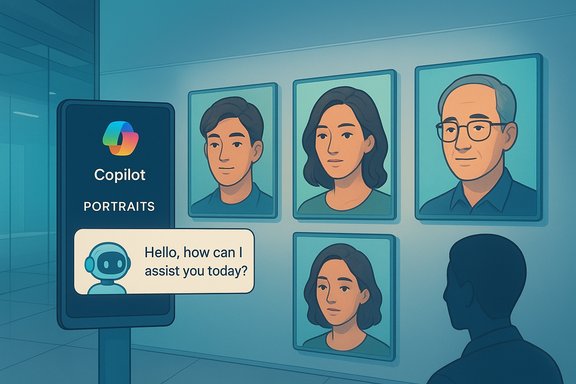
Microsoft introduced Copilot Portraits as an experimental UI layer inside Copilot Labs, the company’s controlled sandbox for high‑risk or high‑compute features. Portraits pair Copilot’s voice responses with a selectable, animated portrait that lip‑syncs and displays micro‑expressions during spoken sessions. The experiment is opt‑in, currently limited to select geographies and subject to age and session controls as Microsoft gathers user feedback.
The Portraits test leverages work from Microsoft Research on audio‑conditioned facial animation (notably research described under names like VASA‑1), which can animate a single still image using a live audio stream to produce synchronized mouth shapes, blinks, head gestures and affective cues at interactive frame rates. Publicly shared testing notes suggest the underlying research demonstrates generation at modest resolutions (roughly 512×512) at dozens of frames per second — technical characteristics that make real‑time conversational animation feasible without full 3D rigs.
Microsoft positions Portraits as an intermediate step on Copilot’s path from text‑only assistance to a richer multimodal companion that can speak, see, remember and appear in a way that reduces the social friction of voice interactions. The company is emphasizing safety through a curated portrait library, stylized visuals, time limits, and explicit AI disclosure while treating Portraits as iterative research rather than a finished consumer product.
The choice of single‑image conditioning is strategic: it eliminates the need for per‑person video capture or complex 3D rigs, enabling a wide palette of distinct portrait styles while keeping compute and data requirements lower than photoreal 3D avatars. That tradeoff allowed Microsoft to offer many visually distinct options without a heavy asset pipeline.
For Windows users and administrators, the correct posture is curious but cautious: test Portraits for controlled, low‑risk scenarios where visual cues add measurable value, demand transparent technical and privacy documentation, and keep an eye on how Microsoft’s research prototypes evolve into production features. The technology’s promise is substantial; its safe productization will depend as much on governance and design as on animation frames per second.
Source: TestingCatalog Microsoft to broaden Copilot Portraits with new use cases
 Background / Overview
Microsoft introduced Copilot Portraits as an experimental UI layer inside Copilot Labs, the company’s controlled sandbox for high‑risk or high‑compute features. Portraits pair Copilot’s voice responses with a selectable, animated portrait that lip‑syncs and displays micro‑expressions during spoken sessions. The experiment is opt‑in, currently limited to select geographies and subject to age and session controls as Microsoft gathers user feedback.The Portraits test leverages work from Microsoft Research on audio‑conditioned facial animation (notably research described under names like VASA‑1), which can animate a single still image using a live audio stream to produce synchronized mouth shapes, blinks, head gestures and affective cues at interactive frame rates. Publicly shared testing notes suggest the underlying research demonstrates generation at modest resolutions (roughly 512×512) at dozens of frames per second — technical characteristics that make real‑time conversational animation feasible without full 3D rigs.
Microsoft positions Portraits as an intermediate step on Copilot’s path from text‑only assistance to a richer multimodal companion that can speak, see, remember and appear in a way that reduces the social friction of voice interactions. The company is emphasizing safety through a curated portrait library, stylized visuals, time limits, and explicit AI disclosure while treating Portraits as iterative research rather than a finished consumer product.
What Microsoft is testing now
The visible features and gating
- A gallery of select stylized portraits (reports cite an initial library in the ballpark of ~40 curated options) that animate while Copilot speaks.
- Pairing of portrait visuals with Copilot’s synthetic voices so visual and audio cues align in real time.
- Copilot Labs gating: opt‑in availability, geographic limits in early previews (noted for the U.S., U.K., and Canada in reports), and age gating (18+ in preview builds).
- Session and daily time limits applied during testing to mitigate misuse and over‑attachment while Microsoft collects usability data.
Where Portraits live in the product stack
Portraits are surfaced via Copilot Labs, not yet a default Copilot experience. The runtime appears to be a hybrid cloud/client model: audio chunks are streamed to an inference service that returns animation cues or frames, and the client composes the final portrait for display. That hybrid arrangement reduces device computation but ties the experience to network quality and Microsoft’s processing policies.The technology: how Portraits animate a face
VASA‑style animation and single‑image conditioning
At the core of the prototype is a class of models capable of single‑image, audio‑conditioned facial animation. These models learn a latent facial space and generate synchronized facial movements from a single still portrait plus audio input. The research demonstrations cited by Microsoft and by hands‑on coverage indicate interactive frame rates sufficient for natural dialogue where lip sync, blinks, and nods occur with low latency.The choice of single‑image conditioning is strategic: it eliminates the need for per‑person video capture or complex 3D rigs, enabling a wide palette of distinct portrait styles while keeping compute and data requirements lower than photoreal 3D avatars. That tradeoff allowed Microsoft to offer many visually distinct options without a heavy asset pipeline.
Runtime tradeoffs and latency
Interactive lip sync and expressive micro‑gestures demand low latency. When the animation inference is cloud‑assisted, network latency and server load will affect smoothness; where device NPUs are present, Microsoft may favor on‑device acceleration for some workloads. The practical result is that user experience may vary across devices and connections — an engineering tradeoff Microsoft appears to accept in exchange for broader accessibility of the feature.New use cases Microsoft is expanding toward
Microsoft’s initial Portraits experiment was linked to an interview‑practice flow (Carrier Coach), but testing materials and early coverage indicate a broader set of scenarios under evaluation:- Job interview preparation / mock interviews — rehearsing answers, receiving real‑time nonverbal cues about pacing and tone can make remote practice feel closer to talking to a human coach.
- Study and tutoring sessions — a visually anchored, voice‑led tutor (Learn Live) where facial cues supplement instruction and provide engagement for reading aloud or language drills.
- Public‑speaking practice — practicing speeches with an animated listener can help with eye contact timing, cadence and the social dynamics of a live audience.
- Playful or reflective modes — novelty modes such as conversing with an older version of yourself (a “what would I say to my future me?” style interaction) to support reflection or entertainment. Reports indicate Microsoft is experimenting with playful persona options alongside more utility‑focused modes.
Strengths and potential benefits
- Reduced social friction in voice interactions. Animated portraits supply turn‑taking cues and affect that make spoken AI feel more natural and approachable, a real boon for language learners and practice scenarios.
- Accessibility opportunities. For people who rely on lip movement, facial expressions, or supplemental visual cues (for example, some users with hearing impairment), Portraits could enhance comprehension when implemented with accessibility in mind. However, this is highly dependent on quality lip‑sync and fidelity.
- Lower‑cost asset model. Single‑image conditioning allows Microsoft to offer a curated library of expressive faces without per‑actor motion capture, enabling faster iteration and lower production costs than full 3D avatars.
- Controlled staging and safety-first posture. Copilot Labs, age gating, explicit AI labeling and session limits reflect an intentional, staged research program rather than an immediate, wide release — a prudent approach given the technology’s social impact.
Risks, harms, and governance concerns
The same capabilities that make Portraits engaging also create risk vectors that must be managed aggressively:- Deepfake and impersonation risk. Even stylized portraits can be paired with voice cloning or other assets to create persuasive impersonations. The animation engine’s ability to generate convincing lip sync and affect raises the stakes for misuse. Guardrails reduce but do not eliminate this risk.
- Emotional manipulation and dependency. Human‑like appearances can foster attachment or influence. Persistent‑identity ambitions for Copilot (for example, an assistant that “ages” with you) raise ethical questions about dependency and monetization via anthropomorphism. Designers must avoid exploiting emotional trust.
- Privacy and biometric/legal exposure. Portrait and voice handling may intersect with biometric definitions in some jurisdictions; regulators could classify face/voice processing as sensitive biometric data, raising consent, retention and cross‑border transfer issues. Microsoft will need explicit consent flows and enterprise administration controls.
- Accessibility regressions. If lip sync or facial cues are inconsistent, users who depend on visual speech cues (e.g., lip readers) could be misled — a design failure that could worsen accessibility rather than help it. Close collaboration with accessibility experts is required.
- Data retention and transparency gaps. Early lab experiments may use ephemeral processing, but enterprise customers and privacy advocates will demand precise retention windows, auditability, and explicit statements on whether portrait or audio data are used to train models. Reports highlight the need for Microsoft to be explicit about these policies.
Enterprise and IT implications
For Windows administrators, enterprise tenants and compliance teams, Portraits will raise practical control and governance questions:- Administrators will likely demand:
- Per‑tenant toggles to disable portrait features for managed users.
- Audit logs for portrait‑enabled sessions and retention policies for voice/animation data.
- Granular consent and opt‑out UX for users in regulated environments.
- Procurement & deployment considerations:
- Pilot Portraits only in controlled settings (training labs, UX studies) until Microsoft documents data flows and retention windows.
- Include portrait features in security reviews and data protection impact assessments, especially for sectors with strict biometric or patient‑data rules.
- Branding and business uses:
- If Microsoft exposes developer APIs or “branded assistant” tooling, enterprises will need identity governance to prevent misuse and to control appearance, language and persona for customer‑facing assistants.
UX and design recommendations
- Make AI status explicit and visible. Portraits should always carry clear labels and audible cues that the user is interacting with an AI agent, not a human.
- Default‑off, consented personalization. Portraits should be opt‑in and any personalization (name usage, memory of past sessions, “aging” personas) must be configurable and ephemeral by default.
- Accessible lip‑sync validation. Subject visual synchronization and expression dynamics to accessibility testing with communities who rely on visual speech cues; inconsistent lip‑sync can be worse than no portrait at all.
- Diversity in testing. Trials must include culturally and demographically diverse users to surface differences in how gaze, tone, and facial expressiveness are perceived.
How to evaluate the feature as it expands
When Portraits moves beyond Labs, evaluate it on measurable outcomes rather than novelty:- Does the portrait measurably improve learning outcomes, interview performance, or speech confidence in controlled studies?
- Are accessibility metrics (comprehension, error rates for lip‑reading) maintained or improved?
- Are data retention, consent, and audit policies documented and made accessible to enterprise admins?
- Are impersonation detection and abuse reporting mechanisms effective in real‑world scenarios?
What remains uncertain and what to watch next
- Rollout timeline. Microsoft has not published a firm date for wider availability; current signals point to a staged expansion based on Lab feedback rather than an imminent platform flip. Treat any publicly reported porting timelines as provisional until Microsoft updates product documentation.
- Policy and technical details. Exact retention windows, whether animation computation occurs fully server‑side or sometimes on device, and whether portrait assets are used for further model training are not fully specified in public testing notes. These are necessary governance facts for enterprises and privacy auditors.
- Regulatory responses. Expect heightened scrutiny from jurisdictions with strict biometric or voice‑consent laws; regulatory guidance could materially shape how Microsoft exposes portrait features to enterprises and developers.
Practical recommendations for users and administrators
- Users: Treat Portraits as experimental. Avoid sharing sensitive financial, medical or identity information during portrait sessions. Use portrait features for low‑risk practice tasks (language drills, mock interviews) and opt out where the experience feels intrusive.
- IT administrators: Require Microsoft to document data flows and retention before enabling Portraits for managed accounts. Pilot the feature with small user groups, review audit logs, and insist on tenant‑level disable controls.
- Product teams & designers: Prioritize accessibility testing, explicit AI disclosure, and easy, persistent opt‑outs. Design personalization conservatively and make any persistent identity features optional and transparent.
Conclusion
Copilot Portraits is a thoughtful, technically credible experiment that seeks to reclaim human nonverbal cues for voice‑first AI conversations. Microsoft’s staged approach — curated stylized portraits, Copilot Labs gating, age limits and session caps — demonstrates awareness of the social and regulatory hazards inherent in giving AI a face. The potential benefits for training, accessibility and engagement are real, but realizing them safely will require documented data governance, accessibility validation, impersonation defenses, and clear enterprise controls.For Windows users and administrators, the correct posture is curious but cautious: test Portraits for controlled, low‑risk scenarios where visual cues add measurable value, demand transparent technical and privacy documentation, and keep an eye on how Microsoft’s research prototypes evolve into production features. The technology’s promise is substantial; its safe productization will depend as much on governance and design as on animation frames per second.
Source: TestingCatalog Microsoft to broaden Copilot Portraits with new use cases
