Copilot’s Outage Was Small Enough to Recover From and Big Enough to Matter
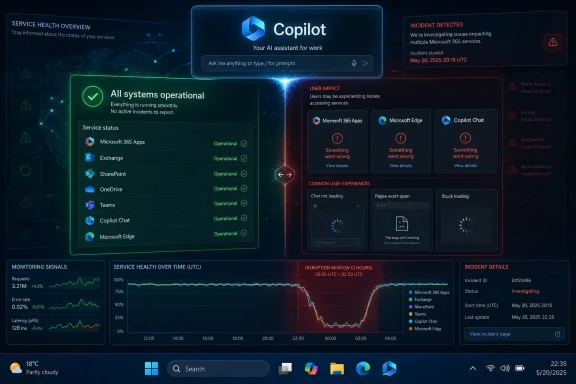
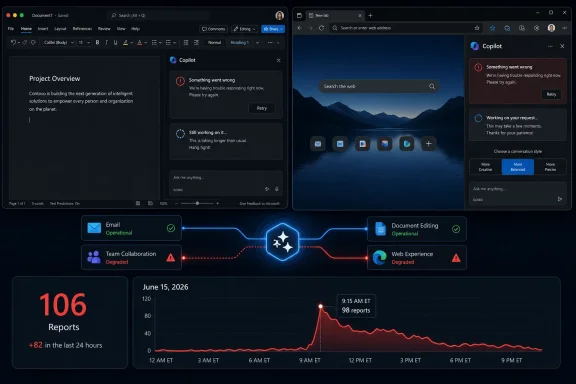
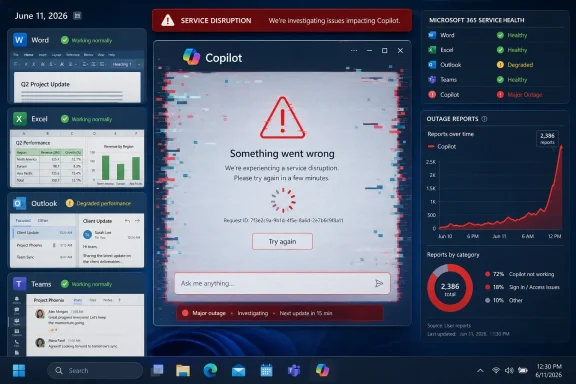
The reported June 11 incident appears to have peaked at more than 4,500 Downdetector reports around 2:03 PM Pacific time, with the bulk of complaints centered on the Copilot website and related access problems. Third-party status pages and user reports also pointed to Microsoft 365 Copilot Chat failures, server error screens, and messages suggesting Microsoft was investigating a potential issue affecting Copilot Chat.
That is not an Azure-scale meltdown, and it should not be described as one. Outage trackers measure user reports, not affected accounts, and a visible spike does not automatically translate into a precise count of customers knocked offline. But the number is large enough to make the incident operationally meaningful, especially because Copilot is no longer positioned as a novelty tab sitting off to the side of Microsoft’s product line.
The outage also landed in a period when Microsoft has been aggressively expanding Copilot’s role from chat companion to workplace interface. Copilot is now sold as the connective tissue between documents, meetings, email, search, Windows, and business data. When that layer fails, it does not merely deny users a chatbot; it interrupts a set of habits Microsoft has deliberately encouraged.
The Sunday Guardian’s report framed the incident as a Thursday afternoon disruption that had stabilized by the following day, while GV Wire highlighted the Downdetector spike. Other monitoring pages showed Copilot returning to normal or baseline levels afterward, though some user reports continued to mention errors around the broader Microsoft 365 Copilot experience. That messy blend of partial recovery, app-specific failure, and user confusion is typical of modern SaaS outages — and it is precisely why they are so difficult for IT teams to explain.
The Downdetector Spike Is a Symptom, Not a Diagnosis
Downdetector and similar platforms are useful because they catch the experience of users before vendors always say much publicly. They are also limited because they are powered by reports from people motivated enough to complain. A spike tells us that something is happening; it does not tell us the blast radius, root cause, tenant scope, regional concentration, or whether the issue is consumer Copilot, Microsoft 365 Copilot Chat, an identity dependency, or some combination of all of the above.
That distinction matters because “Copilot” is now a brand family rather than a single service. There is consumer Copilot on the web, Copilot in Windows, Copilot Chat in Microsoft 365, paid Microsoft 365 Copilot, Copilot experiences inside Office apps, GitHub Copilot, Security Copilot, and a growing list of agents and extensions. A user saying “Copilot is down” may mean a web page will not load, a Microsoft 365 chat pane is throwing a server error, an Office feature is timing out, or an enterprise connector is not returning data.
Microsoft’s own service health tools remain the canonical source for administrators, but they are not always public in the same way consumer-facing outage pages are. The Microsoft 365 admin center can show tenant-specific advisories and incident IDs, while users outside an organization may only see vague public status pages or third-party trackers. That split creates an information asymmetry: admins may know there is an advisory, end users may only know their prompt failed, and journalists may see only the smoke from Downdetector.
The responsible read, then, is narrower than some outage headlines suggest. There was a real Copilot disruption on June 11, user reports were significant, and the impact appears to have involved website and Copilot Chat access errors. Claims about a specific broken deployment or fully confirmed root cause should be treated carefully unless Microsoft publishes a post-incident review or an administrator-facing advisory that can be independently verified.
Microsoft Built a Productivity Layer, Then Inherited Its Failure Modes
Copilot’s reliability problem is not that it sometimes goes down. Every large cloud service does. The problem is that Microsoft has encouraged customers to treat Copilot as an ambient layer across daily work while the technical and organizational dependencies underneath remain sprawling, opaque, and vulnerable to the same old cloud failure modes.
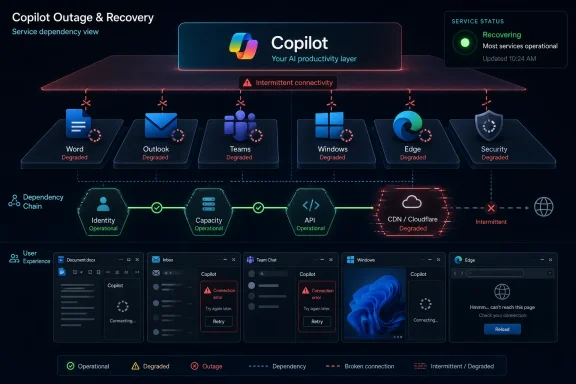
A Copilot response may depend on identity, licensing, Microsoft Graph permissions, tenant policy, data indexing, network access, model routing, responsible AI filters, plug-ins, and the front-end shell in which the user happens to be working. That architecture is powerful when it works because Copilot can reach across a company’s information estate. It is also brittle in a very human way: when something fails, the user often receives a vague “try again later” rather than a clear explanation of which dependency broke.
The result is a new kind of support ticket. Traditional SaaS outages often have obvious symptoms: Outlook will not load, Teams calls fail, SharePoint is unavailable. Copilot failures can look more ambiguous. One user may see a blank response, another a login loop, another a server error, and another a perfectly functioning chat box that cannot retrieve the work data it used yesterday.
That ambiguity increases the burden on help desks. If a Copilot pane fails inside Word, is the issue Office, Copilot licensing, a Microsoft 365 incident, a browser cache, Entra ID authentication, a conditional access policy, or a service-side model endpoint? In ordinary times, the answer can be annoying. During an outage, the answer becomes a race between user patience and Microsoft telemetry.
The Assistant Has Become Too Useful to Be Treated as Optional
The most revealing user complaints during Copilot outages are not the ones that say the chatbot is broken. They are the ones that say work stopped. That is the difference between a feature people occasionally test and a service people have begun to fold into routine production.
Microsoft has been pushing Copilot into precisely those routines. It summarizes meetings, drafts emails, explains documents, builds PowerPoint outlines, reasons over spreadsheets, searches enterprise data, and sits inside the Microsoft 365 app as a front door to work. For many users, that still sounds like convenience. For others, particularly in organizations that have paid for Copilot licenses and trained staff to use it, it has become part of the expected workflow.
That creates a strategic tension for Microsoft. The more successful Copilot becomes, the less tolerance customers will have for treating failures as minor chatbot hiccups. A broken optional assistant is frustrating. A broken productivity layer is a business continuity issue.
There is also a psychological component. Users forgive outages differently depending on what a product has promised them. If a search box fails, users switch to another tab. If an AI assistant has been sold as the way to compress cognitive labor, summarize institutional knowledge, and automate routine work, a failure feels like losing leverage. Microsoft’s marketing has raised the reliability bar faster than the underlying user experience has learned to explain failure.
Enterprise IT Gets the Worst Version of the Outage
For home users, a Copilot outage is mostly a nuisance. For enterprise administrators, it is a coordination problem with licensing, communications, executive expectations, and audit concerns layered on top. Copilot is not just another Microsoft 365 workload; it is the one that leadership has often been told will justify a costly AI transformation.
That changes the politics of downtime. An Exchange outage is bad, but everyone understands email as infrastructure. A Copilot outage can trigger a different conversation: why are we paying for this, who depends on it, what data is involved, and what do we tell the executives who were promised productivity gains? The incident becomes not only technical but reputational inside the business.
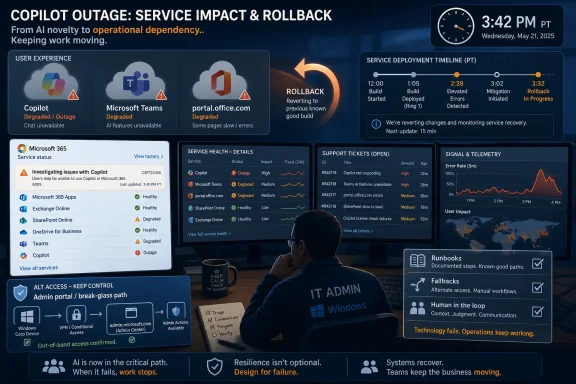
Administrators also face a visibility challenge. Microsoft 365 service health can provide tenant-specific notices, but users frequently learn about issues from Reddit, Downdetector, or internal chat before the official advisory feels complete. That forces IT teams into a familiar cloud-era posture: acknowledge reports, avoid overpromising, monitor Microsoft channels, and prepare a workaround message that mostly says, “Use the underlying apps directly until this clears.”
The workaround problem is especially important. If Copilot fails, Word still opens, Excel still calculates, Outlook still sends mail, and Teams still hosts meetings — assuming the outage is isolated to Copilot. That makes Copilot different from a core Microsoft 365 outage. The task is not always to restore work from zero; it is to help users fall back to the non-AI workflows they may have started to neglect.
The Root Cause Story Is Still Too Thin
The Sunday Guardian report asserted that Microsoft acknowledged the June 11 outage in its Service Health dashboard and identified a broken software update deployment as the root cause. That may be accurate for tenants that saw a Microsoft advisory, but the public evidence available around the incident is thinner than the confidence of that phrasing suggests. Other trackers described Microsoft 365 Copilot Chat problems and server errors, while user reports pointed to a recent deployment, but public post-incident detail remained limited.
This matters because outage narratives harden quickly. “Broken deployment” is plausible; modern cloud outages often trace back to configuration changes, rollout errors, routing problems, authentication issues, or bad dependencies. But plausible is not the same as confirmed. Without a public incident report, the safer conclusion is that a deployment-related problem was reportedly identified in Microsoft channels, while the full technical chain remains unclear.
The difference is not pedantry. Root cause affects what customers learn. If the problem was a front-end deployment, Microsoft needs stronger rollback and staged rollout controls. If it was authentication, the lesson is about identity dependency and session handling. If it was capacity or model routing, the lesson is about AI inference infrastructure. If it was a Microsoft 365 Copilot Chat-specific service, the lesson is different again from a general consumer Copilot outage.
Microsoft’s broader challenge is that Copilot incidents need clearer public taxonomy. Customers should not have to reverse-engineer whether “Copilot” means the consumer website, Microsoft 365 Copilot Chat, Copilot embedded in Office, or a backend dependency. A brand this broad requires incident language precise enough to match the architecture.
AI Outages Are Becoming a New Class of Workplace Risk
The Copilot incident should be read alongside a larger trend: AI services are becoming work utilities before they have matured into boring utilities. ChatGPT, Gemini, Claude, Copilot, and enterprise AI layers now occupy space once held by search engines, documentation portals, office templates, and junior analyst workflows. When they fail, users do not simply lose entertainment; they lose a shortcut they may have already embedded into the day.
That is not an argument against adopting Copilot. It is an argument against adopting it without a resilience plan. AI assistants are still mediated by cloud services, rate limits, policy gates, data pipelines, safety systems, and identity infrastructure. They can fail in ways that look subtle rather than catastrophic, and those failures can spread confusion faster than they stop work.
The hardest failures may not be total outages. A service that is completely unavailable is easier to diagnose than one that responds slowly, hallucinates because a connector is unavailable, cannot retrieve fresh data, or silently falls back to a less capable model. The outage headline gets attention, but degraded service is often the more dangerous state for organizations that rely on AI-generated summaries or analysis.
For Windows users, this is where the Copilot-in-the-OS strategy becomes delicate. Microsoft wants AI to feel native to the desktop, not like a website in a wrapper. But native-feeling services are judged by native expectations. If the Start menu works, File Explorer works, and the taskbar works, users will expect the AI affordance beside them to feel equally dependable, even if it is backed by far more complex remote systems.
Microsoft’s Calendar Is Moving Faster Than Customer Trust
The June 11 disruption also arrives in the shadow of Microsoft’s larger Copilot acceleration. The company has been steadily moving from assistant features to agents, from prompts to workflows, and from isolated productivity aids to cross-application orchestration. That is the logical direction of the product. It is also the direction that makes reliability more consequential.
An assistant that summarizes a document can fail gracefully. An agent that books, files, updates, drafts, routes, or executes across systems needs a deeper trust model. Customers will ask not only whether Copilot can produce good output, but whether it is available, observable, reversible, and governable when the platform itself is degraded.
The WindowsForum audience knows this pattern. Microsoft often pushes platform integration before the operational story feels finished. OneDrive became part of the Windows experience before every user understood sync conflicts. Teams became a default collaboration layer while admins were still wrestling with sprawl. Now Copilot is being threaded through Windows and Microsoft 365 while the outage playbook is still catching up.
That does not mean Microsoft is uniquely unreliable. It means Microsoft is uniquely exposed because of where it sits. If an independent AI tool fails, a company may switch tools for the afternoon. If Microsoft’s AI layer fails inside the productivity stack most businesses already use, the outage becomes part of the Microsoft 365 dependency map.
The Copilot Fallback Plan Should Not Be an Afterthought
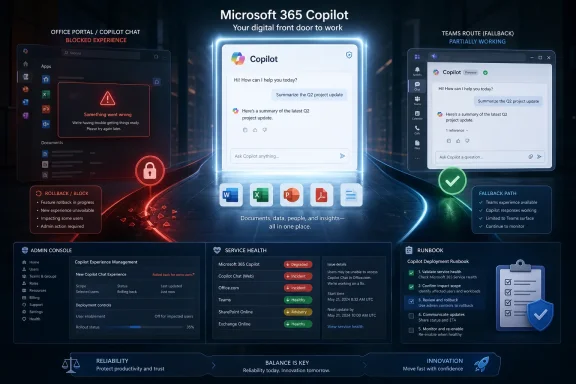
Organizations that are serious about Copilot need to treat it like any other business service: useful, measurable, governable, and fallible. The June 11 outage is a reminder that Copilot adoption should include a downtime script, not just training sessions and license assignments.
That script does not need to be dramatic. Users should know when to switch back to manual workflows, where to check internal status updates, and how to distinguish a tenant-wide issue from a local browser or account problem. Help desks should have canned language ready for common Copilot failure modes, because vague AI errors produce a disproportionate number of tickets.
Administrators should also track which teams have built explicit dependencies on Copilot. A legal department using it for first-pass document review, a sales team using it to generate account briefs, and an engineering manager using it to summarize meetings all experience downtime differently. The right continuity plan depends on the workflow, not the brand name.
There is a governance angle here, too. If Copilot is unavailable, employees may turn to unsanctioned AI tools to fill the gap. That can create data leakage risks, especially if staff copy internal documents into consumer AI services because the approved assistant is temporarily broken. Ironically, the more an organization standardizes on Copilot for security reasons, the more important it becomes to explain what employees should do when Copilot is not available.
The June 11 Lesson Is Written in the Error Screen
The practical lessons from this outage are not exotic. They are the same lessons cloud administrators have learned from Exchange Online, Teams, SharePoint, Azure AD, and every other dependency that gradually became too important to ignore. Copilot simply adds a new layer of ambiguity and expectation on top.
- Microsoft Copilot had a visible service disruption on Thursday, June 11, 2026, with third-party trackers showing thousands of user reports during the afternoon Pacific window.
- The most commonly described symptoms involved website access, Microsoft 365 Copilot Chat errors, failed or blank responses, and authentication-style loops.
- Downdetector-style spikes are strong evidence of user impact, but they do not provide a complete root cause or exact affected-user count.
- Microsoft 365 administrators should rely on tenant service health advisories when available, while also watching user-reporting channels for early signs of trouble.
- Organizations using Copilot for daily work should publish fallback guidance so employees return to standard Microsoft 365 workflows instead of improvising with unsanctioned AI tools.
- Microsoft needs clearer incident language for the Copilot family because the brand now covers too many surfaces for a single “Copilot is down” label to be operationally useful.
The broader point is simple: Copilot’s reliability now matters because Microsoft succeeded in making it matter. Thursday’s disruption does not prove the platform is unfit for work, but it does show that AI assistants have crossed from experiment to dependency faster than the outage culture around them has matured. If Microsoft wants Copilot to become the front end of work, it must make failure boring, legible, and recoverable — because the next stage of AI adoption will be judged less by demo-day magic than by what happens on the afternoon the magic returns a server error.
References
- Microsoft Copilot Outage: Is Microsoft Copilot Down? Users Reporting of Issues with Website; Check Latest Update & DownDetector Status The Sunday Guardian · 2026-06-11T21:45:12.238866