

Microsoft's Exchange platform has experienced another widespread service disruption, leaving enterprise mailboxes intermittently inaccessible while the company investigates the root cause and works to restore full functionality.
Microsoft Exchange—both the cloud-hosted Exchange Online and on-premises Exchange Server variants—serves as the backbone of email for millions of organizations worldwide. Despite a generally robust cloud infrastructure and repeated investments in redundancy, 2026 has already seen multiple high-impact incidents affecting Exchange and other Microsoft 365 services. Earlier this year a major Microsoft 365 outage disrupted Exchange Online, Teams, SharePoint, and related services across large regions, prompting urgent status updates in the Microsoft 365 Admin Center. More recently, Exchange Online users reported legitimate messages being mistakenly quarantined as phishing, and several administrators reported delayed delivery and Non‑Delivery Reports (NDRs) with server error codes that interfered with normal business communications.
This latest episode—reported across enterprise monitoring services and by administrators in real time—adds to a pattern of intermittent, sometimes cascading failures that have elevated concerns about operational resilience, incident response transparency, and business continuity planning for cloud-first organizations.
For IT leaders and administrators the immediate priorities are simple and pragmatic:
Conclusion
Microsoft’s Exchange platform remains a critical piece of global business infrastructure, but repeated service incidents remind IT leaders that cloud convenience must be paired with rigorous resilience planning. Organizations that invest in diverse communication paths, tested runbooks, and clear stakeholder communications will be better positioned to weather the next outage—wherever it occurs—and to demand better accountability and transparency from cloud vendors.
Source: Windows Report https://windowsreport.com/microsoft-exchange-faces-another-outage-the-company-investigates/
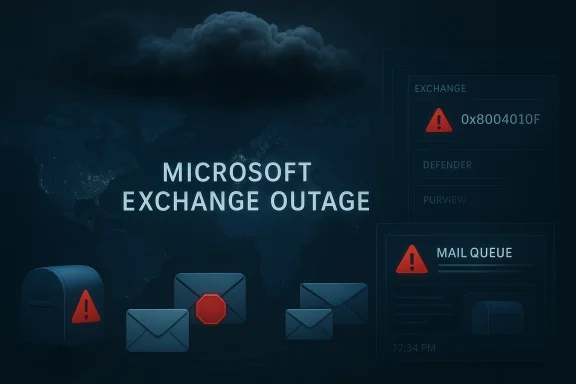 Background
Microsoft Exchange—both the cloud-hosted Exchange Online and on-premises Exchange Server variants—serves as the backbone of email for millions of organizations worldwide. Despite a generally robust cloud infrastructure and repeated investments in redundancy, 2026 has already seen multiple high-impact incidents affecting Exchange and other Microsoft 365 services. Earlier this year a major Microsoft 365 outage disrupted Exchange Online, Teams, SharePoint, and related services across large regions, prompting urgent status updates in the Microsoft 365 Admin Center. More recently, Exchange Online users reported legitimate messages being mistakenly quarantined as phishing, and several administrators reported delayed delivery and Non‑Delivery Reports (NDRs) with server error codes that interfered with normal business communications.This latest episode—reported across enterprise monitoring services and by administrators in real time—adds to a pattern of intermittent, sometimes cascading failures that have elevated concerns about operational resilience, incident response transparency, and business continuity planning for cloud-first organizations.
What happened this time
Scope and symptoms
- Users across multiple regions reported being unable to open mailboxes, send or receive messages, or access calendaring features through Outlook and Outlook on the web.
- Administrators observed spikes in backlog, deferred messages, and error codes such as temporary server errors that prevented SMTP delivery.
- Some tenants reported that Microsoft Defender for Office, Purview, and administrative dashboards were partially degraded, complicating diagnostics and mitigation.
- The incident produced confusion as automated quarantine and spam-filtering rules sometimes misclassified legitimate traffic, increasing the visibility of the problem and the volume of user complaints.
Microsoft’s response
Microsoft acknowledged the incident via its service health channels and said engineers were investigating. Status updates indicated the issue involved supporting network infrastructure and traffic processing in certain service regions, with mitigation measures being applied to affected infrastructure. Microsoft has historically used a combination of real-time status posts and formal incident entries in the Microsoft 365 Admin Center to notify customers; that remains the primary channel for live information during these events.Why Exchange outages matter more now
Cloud-delivered email is not just "mail"—it is a mission-critical collaboration service. For many organizations, email is the hub that connects identity, productivity, security alerts, and business workflow automation. When Exchange experiences degraded availability:- Business operations pause: External and internal communications grind to a halt, customer-facing functions are delayed, and scheduled processes that depend on email triggers can fail.
- Security visibility drops: If Defender, Purview, or logging pipelines are affected, security teams lose telemetry needed to detect and respond to threats.
- Compliance risks surface: For regulated industries, inability to access audit trails, eDiscovery, and retention holds can create compliance exposures.
- Ransomware and social-engineering opportunities increase: Threat actors often exploit service outages to amplify phishing attacks and impersonation schemes.
Technical patterns observed in recent Exchange incidents
Common failure modes
- Traffic management and routing mistakes
Several past incidents showed that an overly aggressive traffic-management change or routing update can unintentionally reroute traffic, choke service endpoints, or cause cascading DNS failures. Modern cloud services rely on complex global routing and load balancing; a misapplied policy can propagate quickly and affect large user sets. - Authentication and token failures
Authentication infrastructure (token issuance, caches, and validation) is an obvious single point of failure. When token services behave incorrectly, client sessions fail and mail access is blocked even if underlying mailstores are healthy. - Filtering and policy automation errors
Automated filters for phishing, spam, and DLP that are updated centrally can misclassify messages at scale. When a filtering rule or ML model update behaves incorrectly, legitimate mail may be quarantined en masse. - Supporting subsystem degradation
Services like Defender for Office, Purview, and management portals are often downstream dependencies. If these services degrade, administrators lose tools they need to diagnose and mitigate issues.
Observable technical signals
- Increased rates of temporary SMTP errors (e.g., 4xx series codes) and NDRs.
- Mail queue backlog growth and delayed message ingestion.
- Admin console alerts indicating specific incident IDs referenced in Microsoft’s service health.
- Reports of messages incorrectly flagged for quarantine or anti-spam policies behaving inconsistently.
Strengths in Microsoft’s handling — and where it can improve
What Microsoft did well
- Rapid detection and acknowledgment: The company generally surfaces incidents quickly on its status channels, which helps administrators begin mitigation.
- Global engineering mobilization: Microsoft has the capacity to route resources and engineers to investigate complex, cross-region problems quickly.
- Incremental mitigation: Applying targeted optimizations and rollbacks to affected infrastructure is an effective short-term tactic for isolating problems without forcing global resets.
Areas for improvement
- Communication clarity: Real-time status posts sometimes lack operational detail—precise timestamps, affected services per region, and probable impact—which leaves administrators guessing about user impact and remediation steps.
- Admin tooling resilience: When portal access or Defender/Purview consoles are degraded, admins lose diagnostics. Providing out-of-band admin tools or read-only telemetry endpoints would help during incidents.
- Post-incident transparency: Final post‑mortems are invaluable for customer trust. Timely, detailed root-cause analyses with corrective-action timelines should be standardized and accessible to tenants.
Risks for organizations and attack surface implications
During outages, organizations face a trio of elevated risks:- Operational continuity risk: Critical business processes that rely on mail delivery (order confirmations, automated alerts, security notifications) may fail.
- Security and fraud risk: Threat actors can leverage the confusion to launch phishing campaigns that impersonate outage notifications, safety advisories, or IT support messages.
- Compliance and audit risk: Legal hold and retention enforcement may be disrupted; evidence collection for audits or eDiscovery can be delayed.
Practical, prioritized steps administrators should take now
If you administer Exchange Online or an Exchange hybrid environment, take these prioritized actions immediately:- Check Microsoft’s Service Health and Message Center
- Confirm the official incident entry and note the incident identifier and timestamps. Use the admin center to subscribe to updates and forward them to your incident response group.
- Notify stakeholders and activate your incident playbook
- Issue a concise internal notice describing the impact and expected user experience. Avoid speculative technical details; provide realistic timelines for follow-ups.
- Enable alternate communication channels
- Activate SMS alerts, Teams (if available and unaffected), or a pre-approved web status page for critical communications. Ensure key staff have direct phone access.
- Assess business-critical workflows
- Identify automated processes that rely on inbound or outbound email. Pause or reroute workflows where feasible to prevent cascading failures.
- Verify message flow and queues
- Use your message trace tools and queue monitoring in the admin portal or via PowerShell to confirm whether mail is deferred, queued, or rejected.
- Avoid disruptive local changes
- Don’t perform major tenant-level configuration changes during the incident; these can complicate recovery and forensic analysis.
- Prepare for user support surges
- Pre-fill FAQs and hold scripts for helpdesk staff so they can triage common user complaints consistently and preserve support bandwidth.
- Document everything
- Keep a timeline of events, actions taken, and communications. This will speed post-incident reviews and support reimbursement or credit discussions.
Longer-term resilience: architecture and policy recommendations
To reduce the operational impact of future Exchange outages, organizations should consider the following strategic changes:- Hybrid or multi-route mail ingestion
Keep a minimal hybrid or alternate SMTP relay path so critical inbound flows (alerts, compliance notifications) can fall back when Exchange Online is partially degraded. - Diverse notification and alerting
Implement multi-channel notification strategies for incident and security alerts—SMS, push notifications, Teams, and third-party services—so users can be reached when email is unreliable. - Test runbooks regularly
Run tabletop exercises and automated failover tests at least twice a year. Validate both technical and communication procedures. - Least-privilege and role separation
Ensure that administrative roles are narrowly scoped and that emergency access procedures are documented and auditable to prevent malicious changes during chaos. - Retention and legal hold verification
Periodically snapshot retention and hold configurations and validate eDiscovery access so compliance obligations can be met even if front-end services are degraded. - Third‑party dependencies review
Audit any reliance on third-party DNS, CDN, or networking providers. Understand shared risks and whether service providers have independent failover plans.
Incident response and forensic considerations
When a cloud provider controls service infrastructure, the customer’s forensic view is necessarily limited. Still, good incident response requires rigorous evidence collection and clear vendor communication.- Collect local telemetry: Gather mail server logs, client logs, and authentication logs prior to, during, and after the outage. These artifacts are crucial for verifying whether messages were accepted or deferred by Microsoft’s endpoints.
- Preserve configuration snapshots: Export relevant tenant configuration (transport rules, anti-spam policies, connectors) for post-incident analysis.
- Coordinate with Microsoft support: Open a ticket and request the incident ID. Ask for specific artifacts Microsoft can share, such as service-side traces or time-correlated routing logs.
- Monitor for exploitation attempts: Scan for increased phishing attempts, credential resets, or unusual admin activity that may correlate with the outage timeframe.
- Prepare formal communications: For incidents with customer-facing impact, a coordinated, factual external statement reduces rumor and helps meet regulatory disclosure obligations.
The human factor: communication and trust
Outages are not only technical failures—they are trust events. Customers judge providers by how they communicate and follow through afterward. Key principles for provider and customer teams during an incident:- Transparency: Timely, frequent, and honest status updates reduce uncertainty. Even “we are investigating” is better when accompanied by expected next update times.
- Actionable guidance: Provide administrators with specific mitigations they can perform and clear indicators of whether action is required.
- Post-incident accountability: Deliver a comprehensive post-mortem with a timeline, root cause, and a plan to prevent recurrence.
What to watch next
- Microsoft’s incident update cadence: Monitor the Microsoft 365 Admin Center for official updates and a final post-incident report. The presence or absence of a detailed root cause notice will influence remediation timelines and customer confidence.
- Spam/quarantine rule changes: Watch for official advisories about policy or model changes that may have led to mass quarantines. Administrators should be cautious when reversing quarantine decisions in bulk until the underlying causes are clear.
- Regulatory or contractual fallout: For organizations with strict SLAs or regulatory obligations, track potential reporting requirements and consult legal/compliance teams early.
- Third-party monitoring signals: Independent monitors and telemetry aggregators can provide earlier warnings or different perspectives on the incident’s geographic scope and timing.
Balancing cloud benefits with measurable risks
Cloud mail platforms deliver scale, continuous improvement, and operational simplicity, but they concentrate risk. Organizations must balance the productivity gains of cloud-hosted Exchange with disciplined operational controls that anticipate service interruptions. This means:- Treating cloud providers as partners with contractual and operational responsibilities.
- Designing systems and processes that can operate, at least partially, when mail is constrained.
- Exercising structured incident response and communication plans as integral parts of IT operations—not ad hoc responses when something breaks.
Final analysis and recommendations
This latest Exchange incident is a stark reminder that even the largest, most mature cloud providers are vulnerable to configuration, routing, and automation failures that can ripple into large-scale outages. Microsoft’s engineering capacity and global infrastructure give it tools to react and recover, but the consistency and clarity of its communications and the resilience of tenant architectures ultimately determine business impact.For IT leaders and administrators the immediate priorities are simple and pragmatic:
- Confirm the incident status via the Microsoft 365 Admin Center and subscribe to updates.
- Execute your incident communication plan to keep users informed and reduce helpdesk load.
- Apply short-term mitigations and avoid making risky configuration changes while the provider is actively investigating.
- After services are restored, demand a post-incident report and then run a formal internal review to identify improvements to architecture, runbooks, and vendor management that will reduce exposure next time.
Conclusion
Microsoft’s Exchange platform remains a critical piece of global business infrastructure, but repeated service incidents remind IT leaders that cloud convenience must be paired with rigorous resilience planning. Organizations that invest in diverse communication paths, tested runbooks, and clear stakeholder communications will be better positioned to weather the next outage—wherever it occurs—and to demand better accountability and transparency from cloud vendors.
Source: Windows Report https://windowsreport.com/microsoft-exchange-faces-another-outage-the-company-investigates/
