

Microsoft’s Gaming Copilot has become the center of a heated privacy debate after forum posts and network traces suggested the new Windows 11 Game Bar assistant may be capturing gameplay screenshots and sending extracted text back to Microsoft — a claim the company says is based on a misunderstanding of how the feature operates.
Gaming Copilot launched in phases throughout 2025 as an AI assistant integrated into the Windows 11 Game Bar and later extended to the Xbox mobile app. Initially tested with Xbox Insiders, the feature reached a public beta on Windows 11 in September and expanded to mobile in October. Designed to act as an in-game aide, Gaming Copilot promises context-aware help — from boss strategies to achievement guidance — without forcing players to tab out of their games.
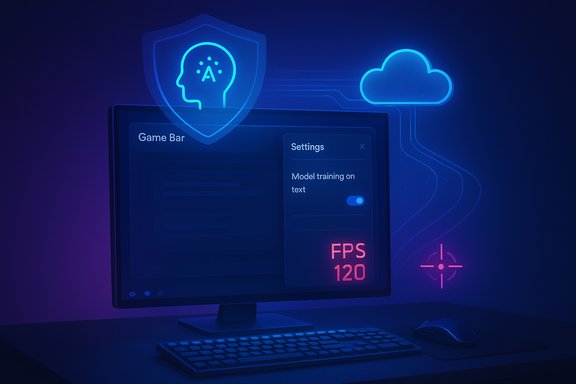
The controversy erupted when community members published network captures and screenshots of the Copilot privacy UI that showed a setting labeled “Model training on text” enabled on their systems. Some users reported observing outbound traffic that appeared to include extracted on-screen text, prompting claims that Copilot was “screenshotting everything” and using those images or OCR’d text as training material for Microsoft’s AI models. The resulting backlash quickly spread across forums, social networks, and tech outlets.
Microsoft responded with a public statement clarifying how Gaming Copilot uses screenshots and what kinds of data may be used for model improvement. The company said that Copilot can take screenshots only while it is actively being used — for example, when a player invokes Copilot in Game Bar and asks a question — and that those screenshots are used to generate immediate context for the assistant’s replies. Microsoft also stated that screenshots captured during active sessions are not used to train long-term AI models, though text and voice conversations with Copilot may be used to improve language models unless a user opts out.
Microsoft’s public statement that Copilot screenshots are only used during active sessions and are not used to train AI models addresses the core fear, but it does not fully eliminate doubts. The community’s reaction is not purely reactionary; it reflects a real need for clearer language, stronger defaults, and verifiable technical detail about where and how data is processed.
For players, streamers, and administrators, the practical steps are clear: review Copilot’s privacy settings, opt out of model training if uncomfortable, and disable Game Bar when necessary. For platform owners, the long-term fix requires design and documentation changes that prioritize transparency and defensible defaults.
Gaming Copilot can be valuable — but only if Microsoft couples that value with straightforward, verifiable privacy practices that put control back in the hands of players.
Source: SE7EN.ws https://se7en.ws/microsoft-comments...ant-take-screenshots-during-gameplay/?lang=en
 Background
Gaming Copilot launched in phases throughout 2025 as an AI assistant integrated into the Windows 11 Game Bar and later extended to the Xbox mobile app. Initially tested with Xbox Insiders, the feature reached a public beta on Windows 11 in September and expanded to mobile in October. Designed to act as an in-game aide, Gaming Copilot promises context-aware help — from boss strategies to achievement guidance — without forcing players to tab out of their games.The controversy erupted when community members published network captures and screenshots of the Copilot privacy UI that showed a setting labeled “Model training on text” enabled on their systems. Some users reported observing outbound traffic that appeared to include extracted on-screen text, prompting claims that Copilot was “screenshotting everything” and using those images or OCR’d text as training material for Microsoft’s AI models. The resulting backlash quickly spread across forums, social networks, and tech outlets.
Microsoft responded with a public statement clarifying how Gaming Copilot uses screenshots and what kinds of data may be used for model improvement. The company said that Copilot can take screenshots only while it is actively being used — for example, when a player invokes Copilot in Game Bar and asks a question — and that those screenshots are used to generate immediate context for the assistant’s replies. Microsoft also stated that screenshots captured during active sessions are not used to train long-term AI models, though text and voice conversations with Copilot may be used to improve language models unless a user opts out.
What Microsoft says — the official position
Microsoft’s public messaging focuses on three main assertions:- Screenshots are captured only during active Copilot sessions. Copilot will take screenshots of gameplay to understand the current context when a user asks for help; it is not designed to continuously monitor or capture gameplay in the background.
- Screenshots are not used for model training. According to Microsoft, images taken to provide immediate assistance are not fed into model training pipelines.
- Conversational data may be used unless disabled. Text and voice inputs can be used to improve Copilot models, but users can disable those training options through Copilot’s privacy settings.
Timeline recap — how the rollout and controversy unfolded
- August (beta): Gaming Copilot was previewed to Xbox Insiders in the Game Bar overlay for Windows PC.
- September (public beta): Gaming Copilot began rolling out more broadly to Windows 11 Game Bar users.
- October (mobile): Copilot support arrived in the Xbox mobile app for Apple and Android users.
- Late October: Users published network traces and screenshots showing privacy toggles and outbound traffic, prompting claims that Copilot captured gameplay and trained models with that data.
- Microsoft statement: The company clarified that screenshots are only used during active sessions and not used for training, while acknowledging that conversational text and voice could be used for model improvement unless a user opts out.
Why users are alarmed — the privacy and UX issues
There are several concrete reasons the Gaming Copilot issue hit a nerve among players:- Default settings and ambiguity. Multiple users and outlets reported that the “Model training on text” setting was enabled by default on some systems. When privacy-relevant toggles are pre-enabled without clear explanation, users naturally feel opted in without consent.
- Ambiguous labeling. The phrase “Model training on text” does not make it obvious that the scope of “text” might include OCR’d content from screenshots or other on-screen text, creating fear that anything visible on screen could be harvested.
- Network traces and anecdotal evidence. Observers posting packet captures and telemetry logs suggested screenshots or OCR outputs were being transmitted off device. Even if these traces were misinterpreted, the mere appearance of outbound traffic triggered legitimate concern.
- Potential for sensitive leaks. Screenshots and extracted text can expose more than gameplay — overlays, private messages, email previews, or confidential information visible in other on-screen windows could be inadvertently captured during cross-application overlays or multitasking.
- Performance and reliability questions. Separately from privacy, testers reported frame-rate drops and performance impacts when Copilot was active, adding a practical cost to the theoretical privacy concern.
Technical realities and unknowns
Understanding the precise data flow for an assistant like Gaming Copilot requires attention to a few technical questions that remain incompletely documented in public messaging:- Local vs. cloud processing. Microsoft asserts that Copilot can use screenshots to produce helpful responses, but it has not published exhaustive, machine-readable manifests describing which operations run locally (e.g., on-device NPU) and which are routed to cloud services for OCR, analysis, or response generation. This distinction matters hugely for privacy and latency:
- Local processing reduces egress risk and can permit richer privacy assurances.
- Cloud processing provides more compute power and potentially better AI quality but increases the attack surface and legal/regulatory obligations.
- What “not used for training” means in practice. There are many gradations between “never used” and “temporarily processed then deleted.” Without a detailed retention policy and independent audit, users cannot confirm whether screenshots are truly transient, anonymized, or stored and accessible internally.
- Telemetry and diagnostic flows. Some network captures could be benign telemetry, crash dumps, or telemetry metadata that merely resembles screenshot content. Distinguishing those requires careful analysis.
- Interaction with anti-cheat. Any system-level overlay that inspects or captures game frames can interact poorly with anti-cheat kernels or integrity systems, which has historically caused both performance and compatibility problems.
Risks and real-world scenarios to worry about
The Gaming Copilot behavior creates a set of practical risks that should be taken seriously by gamers, streamers, and IT administrators:- Accidental exposure of private content. If a user switches between a game and a browser, a Copilot screenshot could include account names, emails, or sensitive content visible on screen.
- NDA and competitive event exposure. Tournament players, speedrunners, or developers working under non-disclosure agreements risk exposing proprietary content if copilot captures cross-application content.
- Enterprise and managed devices. Organizations that allow or require Game Bar access on corporate devices may find Copilot capturing corporate data unless policies or MDM controls explicitly block the feature.
- Data retention ambiguity. Without published retention and deletion policies for screenshots and derived text, users cannot be certain that captured content is ephemeral.
- Trust erosion. Default-on or confusing UX that results in inadvertent data sharing erodes trust and invites regulatory scrutiny and negative press.
Practical guidance — how to verify and adjust your settings
For any Windows 11 user concerned about Copilot’s behavior, there are steps to confirm and limit what Copilot can access. Follow these steps to check and modify Copilot’s privacy controls:- Press Windows key + G to open the Xbox Game Bar overlay.
- Click the Gaming Copilot widget (look for the Copilot icon).
- Open the Settings (gear) inside the Copilot widget.
- Select Privacy Settings and review the toggles:
- Toggle off Model training on text to prevent text-derived inputs from being used for training.
- Toggle off Model training on voice to prevent spoken interactions from being used for training.
- Disable Personalization / Memory if you don’t want Copilot to retain context across sessions.
- Optionally, go to Settings → Gaming → Xbox Game Bar and turn the Game Bar off entirely if you never use it.
- If you need to remove the feature, uninstalling the Xbox PC app or removing Game Bar may be required (advanced users can use PowerShell to remove packages; enterprise admins can use MDM/GPO to block deployment).
- Monitor outbound connections using a network sniffer or firewall on a test box to confirm there is no undesirable egress.
- Use a separate gaming account or profile if you want to isolate play from personal or work accounts.
- Avoid mixing sensitive applications with gameplay when Copilot is enabled.
What Microsoft should do (and what users should demand)
To restore trust and reduce confusion, Microsoft should act on several concrete improvements:- Make defaults privacy-friendly. Default to off for any setting that could plausibly export sensitive on-screen content for training. When defaults must be enabled for feature functionality, require a clear, explicit consent flow.
- Clarify UI language. Replace vague labels like “Model training on text” with explicit descriptions: “Allow Copilot to send screenshots and on-screen text (OCR) to Microsoft for model training.” Plain language avoids ambiguity about scope.
- Publish a data flow and retention policy. Document exactly where captured screenshots go, how long they are retained, and what internal access controls govern them.
- Add visible indicators. Provide a visual cue whenever Copilot captures a screenshot or invokes OCR — a short toast notification or persistent icon would reassure users that capture is happening intentionally.
- Independent audit and transparency report. Commission a third-party audit of Copilot’s data handling and publish the results to demonstrate compliance and reduce speculation.
- Granular toggles. Provide separate controls for on-demand screenshot analysis, background capture, and model training, so users can fine-tune behavior without disabling usefulness.
Legal and regulatory considerations
Gaming Copilot sits at an intersection of product design and regulatory scrutiny. Key regulatory angles include:- Consumer protection. Regulators increasingly scrutinize opaque default settings and dark patterns that result in unexpected data sharing.
- Data protection laws. Depending on where players live, data transfer and processing may be governed by strong privacy laws that require clarity on purpose, retention, and cross-border flows.
- Industry standards and platform stewardship. Hardware vendors and anti-cheat vendors could demand clearer contracts and practices to prevent conflicts or liability.
Performance and compatibility concerns
Beyond privacy, Copilot’s integration into Game Bar raises questions about performance and compatibility:- Frame-rate impact. Some testers reported measurable frame-rate drops when Copilot was active, especially on mid-range hardware.
- Anti-cheat and kernel interactions. Deep overlays that access frame buffers can be flagged by anti-cheat systems, possibly creating false positives or preventing Copilot from functioning in competitive titles.
- Hardware acceleration and NPU usage. Devices with on-device NPUs may process Copilot workloads locally and with less performance impact; older devices may rely on cloud routing, increasing latency and CPU usage.
Long-term implications for in-game AI assistants
The Gaming Copilot episode is an early test case for a broader industry trend: embedding AI assistants directly into entertainment and productivity surfaces. The benefits are tangible — faster problem solving, contextual help, and reduced friction to find content — but the tradeoffs are non-trivial:- Privacy-first product design becomes competitive advantage. As users and regulators demand clearer controls, companies that default to privacy and transparency will earn trust.
- Granular consent and provenance matter. Users will increasingly expect clear provenance: what data was captured, how it was processed, and whether it helped produce a particular answer.
- Ecosystem fragmentation. Game studios, anti-cheat vendors, and platform owners will need standards to ensure AI overlays are safe, performant, and non-invasive.
Final assessment
Gaming Copilot embodies a useful idea — a context-aware, in-game assistant that reduces friction and keeps players in the experience — but the initial rollout exposed predictable gaps: ambiguous privacy controls, inconsistent default settings, and incomplete transparency on data flows.Microsoft’s public statement that Copilot screenshots are only used during active sessions and are not used to train AI models addresses the core fear, but it does not fully eliminate doubts. The community’s reaction is not purely reactionary; it reflects a real need for clearer language, stronger defaults, and verifiable technical detail about where and how data is processed.
For players, streamers, and administrators, the practical steps are clear: review Copilot’s privacy settings, opt out of model training if uncomfortable, and disable Game Bar when necessary. For platform owners, the long-term fix requires design and documentation changes that prioritize transparency and defensible defaults.
Gaming Copilot can be valuable — but only if Microsoft couples that value with straightforward, verifiable privacy practices that put control back in the hands of players.
Source: SE7EN.ws https://se7en.ws/microsoft-comments...ant-take-screenshots-during-gameplay/?lang=en
