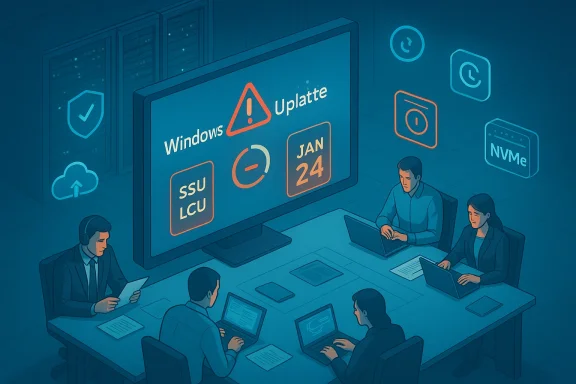
Microsoft was forced into a rare series of out‑of‑band emergency patches after January’s security rollup triggered system crashes, boot failures, and application regressions that left both home users and enterprises scrambling for fixes and workarounds.
Security agencies and national CERTs compiled guidance recommending immediate application of the emergency packages where appropriate, while simultaneously warning that uninstalling the January security rollup would leave systems exposed to the vulnerabilities the update fixed. That trade‑off created a painful choice for some sysadmins.
At the same time, the cascading nature of the incidents — a security update that breaks shutdown, an OOB patch that then breaks cloud‑file workflows — underscores systemic fragility in large‑scale OS servicing. Enterprises must treat each Patch Tuesday as a controlled risk event, and Microsoft must continue to refine its testing, packaging, and transparency to reduce the probability of future regressions.
If anything is clear from January’s emergency fixes, it is this: stability and security are co‑equal responsibilities. Patching that protects against external threats but interrupts business operations is a hollow victory. The technical community, Microsoft, OEMs, and enterprise IT must collaborate more tightly to make sure future updates restore both safety and reliability—without placing administrators in impossible trade‑off scenarios.
Conclusion
The chain of events in January — from the initial security rollup, to emergency fixes, to subsequent rollouts — is a cautionary episode for the entire Windows ecosystem. Users and IT teams must prepare for the non‑zero risk that updates can introduce regressions, and Microsoft must prove it has learned from these incidents by delivering measurable changes in testing rigor, release strategy, and post‑incident transparency. Until then, cautious staging, robust backups, and tight coordination with firmware and driver partners remain the best defenses against the next unexpected patch‑time crisis.
Source: thewincentral.com Buggy Windows Updates Forced Emergency Fixes
 Background
What happened, in plain terms
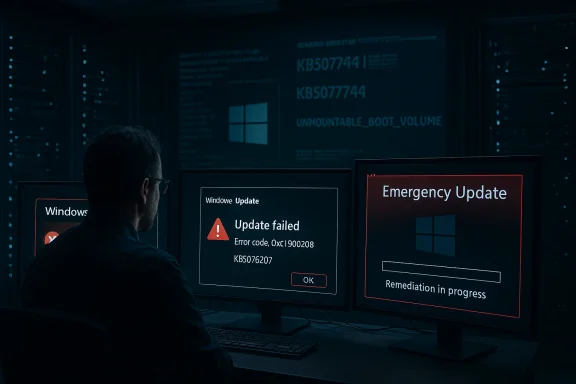
On January 13, 2026, Microsoft shipped its regular Patch Tuesday security updates for Windows. Within days, administrators and end users began reporting a range of serious regressions: systems failing to shut down or hibernate, remote sign‑in and Remote Desktop authentication failures, application instability with cloud‑backed files, and in the worst cases, systems that would not boot and returned an UNMOUNTABLE_BOOT_VOLUME stop code. Microsoft responded by issuing multiple out‑of‑band (OOB) cumulative updates to remediate these problems.Why this matters now
Security updates are intended to protect systems from active threats, but when a security patch breaks core platform behavior the cost is twofold: vulnerable systems if administrators remove the update, or disrupted operations if they keep it. The January incident required unscheduled fixes that, in turn, introduced additional regressions — a cascade effect that exposed weaknesses in end‑to‑end testing, rollout telemetry, and cross‑component compatibility validation.Timeline and verified technical details
Timeline — dates and KB identifiers you can rely on
- January 13, 2026 — Microsoft published the January Patch Tuesday cumulative updates (the wave included fixes identified by numbers such as KB5074109 for newer Windows 11 builds).
- January 17, 2026 — Microsoft released the first out‑of‑band emergency updates (examples: KB5077744 for Windows 11 24H2/25H2 and KB5077797 for 23H2) to correct shutdown and Remote Desktop regressions.
- January 24, 2026 — A second emergency cumulative update (notably KB5078127 for some servicing branches) was distributed to address new problems introduced by the initial OOB release, including Outlook and OneDrive/Dropbox regressions that affected file access and app stability.
What the emergency patches changed — technical shape and packaging
The emergency fixes were delivered as cumulative updates and in many cases bundled the servicing‑stack update (SSU) with the latest cumulative update (LCU). That packaging choice speeds deployment but changes uninstall semantics: combined SSU+LCU packages often cannot be rolled back using the normal GUI uninstall path and may require DISM or recovery‑level operations to remove. Administrators reported that uninstalling some of these packages left machines in a state requiring manual DISM removal or offline servicing.Security agencies and national CERTs compiled guidance recommending immediate application of the emergency packages where appropriate, while simultaneously warning that uninstalling the January security rollup would leave systems exposed to the vulnerabilities the update fixed. That trade‑off created a painful choice for some sysadmins.
Verified symptom breakdown
Boot failures and UNMOUNTABLE_BOOT_VOLUME
Multiple outlets logged reports of systems that would not pass boot and displayed the UNMOUNTABLE_BOOT_VOLUME stop code. These failures required recovery‑level remediation via the Windows Recovery Environment (WinRE) or external install media; automated rollbacks were often insufficient. Microsoft acknowledged the reports and said it was investigating root causes that could include interactions with device firmware and early firmware versions on some platforms.Shutdown, hibernation, and Secure Launch regressions
Enterprise customers with Secure Launch and other advanced platform protections enabled saw devices restart instead of shutting down or entering hibernation. Microsoft’s first OOB patch explicitly targeted these regressions and restored expected power‑state behavior for affected servicing branches. National authorities echoed Microsoft’s recommendation to apply the fix.Remote Desktop and remote sign‑in failures
Remote authentication flows for RDP and other remote sign‑in methods were reported as failing after the January rollup. Because admins rely on RDP for remote troubleshooting, this was a severe operational blocker for enterprise support teams; the first OOB update was targeted at restoring those Remote Desktop authentication paths.Application regressions — Outlook, OneDrive, Dropbox
After the first emergency fix, users reported Outlook hangs and crashes, plus app failures when interacting with cloud‑backed files (OneDrive, Dropbox). Microsoft issued a second OOB cumulative update after user telemetry and incident reports connected those regressions to changes made by the earlier emergency patch. The second emergency update restored functionality while preserving the original security protections.Cross‑checked root causes and engineering takeaways
What Microsoft, analysts, and CERTs say
- Microsoft’s public statements and technical notes framed the issues as regressions introduced by the January cumulative updates, with at least one component identified as a servicing‑stack change that interacted poorly with subsequent updates. Investigations also pointed at potential interactions with early device firmware or OEM drivers on some platforms.
- Independent reporting and IT community telemetry emphasized that combining an SSU and an LCU in a single package can accelerate remediation but raises rollback complexity and increases the attack surface for regressions, because a servicing‑stack regression affects the update delivery mechanism itself.
- CERTs and national cybersecurity bodies issued coordinated advisories identifying affected servicing branches and publishing OOB KB identifiers for administrators to apply. Their guidance emphasized applying the emergency updates where necessary and maintaining backups prior to any additional update activity.
Engineering lessons (verified and inferred)
- Combining SSU+LCU is a tradeoff: it reduces the number of reboots and simplifies deployment for most customers but makes precise rollback and isolation harder when the SSU itself contributes to regression behavior. Multiple reports corroborate that this packaging decision complicated recovery for some affected systems.
- Interactions between updates and OEM firmware remain a recurring risk. Vendors have long warned that advanced platform protections (Secure Launch, BitLocker, virtualization features) can expose subtle incompatibilities when system software changes. The January series again highlighted how even security‑focussed changes can have unpredictable interactions with firmware and drivers.
- Telemetry and staged rollouts caught many regressions quickly, but the incidents suggest the feedback loop from Insider / enterprise previews into the production rollout process needs strengthening — particularly for servicing‑stack components that affect update installation itself. Microsoft has publicly committed to increased reliance on Insider and enterprise feedback as part of its remediation strategy.
Impact analysis: who lost what
Consumers and small business
For everyday users the most visible impacts were lost productivity, application crashes, and in the worst cases, a machine that required a recovery USB or a lengthy restore. Individuals without recent system backups or recovery media faced costly service calls or data recovery steps. The clear user takeaway: maintain up‑to‑date backups and create recovery media before applying critical updates if possible.Enterprises and IT operations
Enterprises faced three categories of friction:- Operational: RDP failures prevented remote remediation, increasing on‑site visits or manual recovery tasks.
- Security: Uninstalling a security update to regain functionality risked re‑exposure to security flaws the update fixed. National advisories warned about that trade‑off.
- Process: Combined SSU+LCU packaging and the resulting rollback complexity imposed additional engineering and change‑control burden on IT teams.
Reputational and strategic cost for Microsoft
Beyond direct remediation, these incidents erode trust in the update process. The expectation for reliable, predictable platform maintenance is fundamental to enterprise adoption and long‑term platform confidence. Industry observers called the January event a “turning point” that might force Microsoft to re‑balance speed versus stability in update release practices.What administrators and users should do right now
Short‑term emergency steps (verified procedures)
- Check Microsoft’s official guidance and the specific OOB KBs that apply to your servicing branch. National CERTs and independent outlets mirrored those KB identifiers; apply the OOB patch if you see the symptoms described.
- If a system will not boot (UNMOUNTABLE_BOOT_VOLUME), use Windows Recovery Environment (WinRE) or bootable install media to uninstall the problematic cumulative update per Microsoft and Windows Central walkthroughs. Administrators should be prepared to use offline DISM servicing if the package is combined with an SSU.
- Pause automatic updates for production images until you’ve validated the new fixes in an isolated test environment. Use Windows Update for Business or WSUS to stage deployments.
Medium‑term process improvements
- Implement strict update validation in a staged pipeline: lab → pilot → small‑scale production → full rollout. Prioritize images that mirror enterprise security policies (BitLocker, Secure Launch, virtualization features) to reveal firmware interactions early.
- Maintain image backups and offline system recovery media. Regularly test disaster recovery playbooks so that boot failures and offline servicing can be executed under time pressure.
Long‑term strategy for IT organizations
- Use feature and quality update deferral policies to create breathing room around Patch Tuesday. That buys time to monitor Microsoft’s telemetry and community reports for early signs of regressions.
- Engage with vendor firmware and hardware vendors proactively. When enabling advanced platform protections in enterprise images, coordinate driver and firmware updates in the same change window as OS servicing‑stack changes.
Microsoft’s response and public commitments — a critical reading
What Microsoft said and pledged
Microsoft deployed multiple OOB updates rapidly and publicly acknowledged the regressions as known issues for specific servicing branches. The company emphasized that its engineering teams were working on root‑cause analysis and on preventing similar incidents by strengthening testing, rolling out fixes more cautiously, and leaning more on Insider and enterprise feedback loops.Why the fixes helped but didn’t fully restore confidence
The emergency updates did resolve many of the immediate problems, but the fact that the first OOB patch introduced additional regressions underlines a deeper problem: complexity at the intersection of the servicing stack, cumulative updates, and platform protections. Rapid response is necessary, but fast OOB fixes that themselves break other subsystems produce the exact churn enterprises want to avoid.A note on metrics and transparency
Microsoft’s public statements described report volumes as “limited” in some cases, and the company has not published a comprehensive post‑mortem with telemetry‑backed failure counts. That lack of precise, public instrumentation makes it harder for neutral observers to assess the incident’s scale and the full distribution of affected hardware. Until a more transparent post‑mortem is available, any claim about total device impact should be treated cautiously.Broader context: not the first time, and what history teaches
Precedents in Windows servicing
This is not the first time security or cumulative updates have introduced regressions that required emergency fixes. Past incidents (across multiple years) have included BitLocker recovery loops, virtualization breakages, and ACPI/sys driver regressions that disproportionately hit VMs or certain hardware. For example, emergency fixes in mid‑2025 addressed ACPI.sys and virtual machine boot errors; those events set a precedent for the kind of complex interactions we saw in January 2026.Why these incidents keep recurring
Modern OSes are sprawling—and Windows must support an enormous variety of hardware, firmware, drivers, and enterprise policies. Small servicing‑stack or driver changes can ripple in unpredictable ways when combined with Secure Boot, virtualization, cloud‑file integrations, and third‑party endpoint tools. Until the industry solves end‑to‑end determinism across firmware, drivers, and OS servicing, patch regressions will remain an operational risk.Strategic recommendations for Microsoft (constructive, evidence‑based)
1. Strengthen staged SSU testing with firmware/driver partners
Because servicing‑stack regressions affect update delivery itself, Microsoft should require more rigorous pre‑release validation of any SSU changes with OEM firmware and driver vendors. Coordinated test matrices that include early firmware builds can catch platform interactions earlier. Evidence from January’s incidents points to firmware interaction as a plausible factor.2. Separate SSU and LCU pathways for high‑risk environments
When a change touches the servicing stack, consider offering an alternative pathway that keeps SSU updates optional or staged more conservatively for enterprise rings, while allowing mainstream consumers a faster combined package. This reduces rollback complexity for critical enterprise workloads. Multiple reports during the January incident highlighted uninstall and rollback friction tied to combined packaging.3. Improve telemetry transparency and a public post‑mortem
Publishing a detailed, telemetry‑backed post‑mortem specifying root causes, affected telemetry signatures, and mitigations would rebuild trust and help enterprise admins calibrate their own risk assessments. At present, the public narrative lacks comprehensive failure counts or definitive root‑cause reports, and Microsoft’s commitment to stronger testing will have more credibility if backed by transparent metrics.Practical checklist: how to survive the next Patch Tuesday without panic
- Before Patch Tuesday:
- Create or verify full system backups and test recovery media.
- Snapshot or image representative devices (especially those with Secure Launch, BitLocker, or virtualization enabled).
- Confirm that firmware and driver updates are current and recorded.
- Immediately after updates:
- Hold updates in a pilot ring for 48–72 hours where possible.
- Monitor community reports, national CERT advisories, and Microsoft known‑issues pages.
- If a critical regression appears, consult Microsoft KBs for OOB fixes and follow documented manual uninstall steps only as a last resort.
- If you must uninstall:
- Use WinRE and documented DISM steps for combined SSU+LCU packages.
- Pause Windows Update via WUfB, WSUS, or local policies while you stabilize.
- For business continuity:
- Maintain a small inventory of image‑level standbys that are known good.
- Keep endpoint support staff trained on offline servicing and recovery techniques.
Final assessment: a crisis that can still be turned into an inflection point
The January 2026 Patch Tuesday series was painful but instructive. Microsoft responded quickly with emergency patches, and most of the immediate issues were addressed without prolonged exposure. That responsiveness matters and demonstrates an operational capability that, when paired with improved pre‑release validation and clearer communication, can restore trust.At the same time, the cascading nature of the incidents — a security update that breaks shutdown, an OOB patch that then breaks cloud‑file workflows — underscores systemic fragility in large‑scale OS servicing. Enterprises must treat each Patch Tuesday as a controlled risk event, and Microsoft must continue to refine its testing, packaging, and transparency to reduce the probability of future regressions.
If anything is clear from January’s emergency fixes, it is this: stability and security are co‑equal responsibilities. Patching that protects against external threats but interrupts business operations is a hollow victory. The technical community, Microsoft, OEMs, and enterprise IT must collaborate more tightly to make sure future updates restore both safety and reliability—without placing administrators in impossible trade‑off scenarios.
Conclusion
The chain of events in January — from the initial security rollup, to emergency fixes, to subsequent rollouts — is a cautionary episode for the entire Windows ecosystem. Users and IT teams must prepare for the non‑zero risk that updates can introduce regressions, and Microsoft must prove it has learned from these incidents by delivering measurable changes in testing rigor, release strategy, and post‑incident transparency. Until then, cautious staging, robust backups, and tight coordination with firmware and driver partners remain the best defenses against the next unexpected patch‑time crisis.
Source: thewincentral.com Buggy Windows Updates Forced Emergency Fixes