

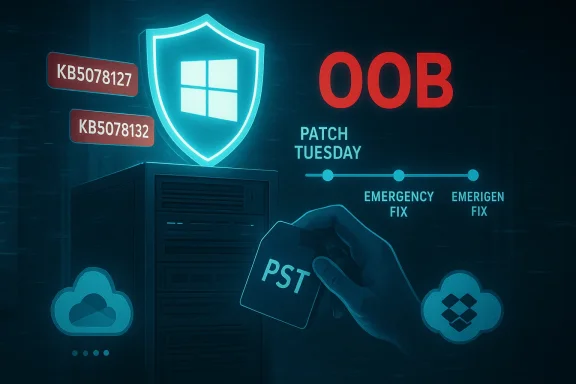
Microsoft’s January update cycle has turned into an industry-sized headache: after the regular Patch Tuesday rollup on January 13 introduced several regressions, Microsoft pushed an initial emergency out‑of‑band (OOB) fix and then — within eleven days — shipped a second OOB cumulative to repair a separate, productivity‑crippling bug that left Outlook and other applications unable to open or save files stored in cloud‑synced folders such as OneDrive and Dropbox.
Microsoft’s regular January security rollup, released January 13, 2026, landed as a set of combined Servicing Stack Updates (SSU) and Latest Cumulative Updates (LCU). Telemetry and field reports quickly converged on a set of serious regressions: some systems failed to shut down or enter hibernation correctly, Remote Desktop sign‑in flows broke in certain environments, and — crucially for day‑to‑day productivity — applications that access files in cloud‑backed storage sometimes became unresponsive.
Within days Microsoft issued an initial emergency OOB update (mid‑January) to address the most pressing problems, including Remote Desktop authentication and shutdown regressions. That fix, though aimed at stabilizing critical scenarios, did not close the loop: additional misbehavior emerged around cloud file I/O that affected Outlook, OneDrive, Dropbox and similar clients. Microsoft responded with a second cumulative OOB release on January 24 that consolidated the January 13 baseline and earlier emergency fixes while explicitly correcting the cloud file I/O regression.
This episode has exposed both the effectiveness of Microsoft’s rapid incident response and the fragility of delivering layered cumulative servicing in a complex ecosystem where legacy file patterns (for example, Outlook PST files) interact with modern sync clients.
Caution: while the behavioral observations are clear, line‑level root cause analysis — for example naming a single OS subsystem or OEM driver as the origin — has not been published by Microsoft. Any technical attribution beyond Microsoft’s published symptoms is speculative until an engineering post‑mortem is released.
Key public artifacts include:
1.achines quickly.** Look for devices where users run classic Outlook profiles (POP/PST) with PST files located in OneDrive or other cloud‑synced folders. Check Windows Update status for installation of the January 13 baseline or interim OOB packages.
But the episode also exposes a broader set of priorities for Microsoft and administrators alike: expand real‑world validation to include legacy file semantics and cloud clients, provide safer and more reversible update mechanics for enterprises, and accelerate architectural migrations away from fragile local artifacts such as PSTs. For administrators, the near‑term focus is straightforward: identify affected devices, pilot and deploy the January 24 fixes carefully, back up PSTs, and harden rollout and rollback playbooks to reduce the risk of future disruption.
This patch cycle will be remembered for the speed of fixes and the lessons it forced upon administrators: in an environment where modern sync services and decades‑old file formats coexist, testing matrices and update mechanics must evolve — not just to deliver security, but to preserve productivity when tens of millions of endpoints depend on predictable file‑system behavior.
Source: Computerworld Microsoft releases second out-of-band fix for Windows in a week
 Background
Microsoft’s regular January security rollup, released January 13, 2026, landed as a set of combined Servicing Stack Updates (SSU) and Latest Cumulative Updates (LCU). Telemetry and field reports quickly converged on a set of serious regressions: some systems failed to shut down or enter hibernation correctly, Remote Desktop sign‑in flows broke in certain environments, and — crucially for day‑to‑day productivity — applications that access files in cloud‑backed storage sometimes became unresponsive. Within days Microsoft issued an initial emergency OOB update (mid‑January) to address the most pressing problems, including Remote Desktop authentication and shutdown regressions. That fix, though aimed at stabilizing critical scenarios, did not close the loop: additional misbehavior emerged around cloud file I/O that affected Outlook, OneDrive, Dropbox and similar clients. Microsoft responded with a second cumulative OOB release on January 24 that consolidated the January 13 baseline and earlier emergency fixes while explicitly correcting the cloud file I/O regression.
This episode has exposed both the effectiveness of Microsoft’s rapid incident response and the fragility of delivering layered cumulative servicing in a complex ecosystem where legacy file patterns (for example, Outlook PST files) interact with modern sync clients.
What broke: symptoms and scope
The core user‑facing failures
Across affected machines users reported a tight cluster of symptoms:- Applications becoming unresponsive or producing errors when opening or saving files housed in cloud‑backed folders such as OneDrive or Dropbox.
- Outlook hangs and restart failures for classic Outlook profiles (Win32) that keep PST files inside a folder synchronized with OneDrive. In these scenarios Outlook could show “Not Responding,” refuse to fully exit, or fail to reopen unless the background OUTLOOK.EXE process was terminated or the machine rebooted. Users also reported missing Sent Items and previously downloaded messages being re‑downloaded.
Platforms and branches affected
The regressions appeared across multiple servicing branches:- Windows 11 25H2 and 24H2 received KB5074109 (the January 13 baseline) and subsequently the January 24 OOB KB5078127 for the 24H2/25H2 branch.
- Windows 11 23H2 received a counterpart OOB package KB5078132.
- Some Windows 10 and Server editions reported related issues and received parallel OOB updates for their branches. Microsoft’s release pages list a family of KBs and hotpatch variants covering client and server SKUs.
Timeline: how a routine patch became a multi‑step incident
- January 13 — Microsoft publishes the January Patch Tuesday cumulative updates (combined SSU+LCU). Field telemetry and community reports soon surface a range of regressions.
- Mid‑January (January 17) — Microsoft issues the first out‑of‑band emergency fixes to address urgent problems (Remote Desktop sign‑in failures, shutdown/hibernate regressions). Those OOBs applied to several Windows branches.
- January 17–23 — Community troubleshooting and administrator feedback indicate that cloud file I/O issues persist or have emerged following the first emergency patch. Workarounds and mitigation steps surface in forums.
- January 24 — Microsoft releases a second out‑of‑band cumulative update (for example KB5078127 for 24H2/25H2 and KB5078132 for 23H2) that bundles prior January fixes and explicitly corrects the cloud‑file I/O regression. The update is delivered via Windows Update and the Microsoft Update Catalog; hotpatch variants and Known Issue Rollback artifacts are used where applicable.
The technical anatomy: why PSTs, OneDrive and placeholder files are fragile together
The visible failures point toward a mismatch between legacy file semantics and cloud sync behaviors.- PST files are monolithic, stateful, and I/O‑sensitive. Outlookconsistent local file behavior for indexing, writes and mailbox operations. Interruptions or altered timing can cause locks, hangs, or corrupted state.
- Cloud sync clients (OneDrive, Dropbox) introduce placeholder/hydration semantics. A file in a cloud folder may exist as a stub until explicitly hydrated; sync clients may delay or rearrange I/O to optimize bandwidth or to implement on‑demand storage. Those changes can break assumptions in legacy apps that expect immediate file availability and atomic write behavior.
- The Windows file system layer sits between applications and sync clients. A regression in OS file handling — for example changes to locking, file metadata handling, or path resolution introduced by a security or servicing change — can alter how placeholder files are presented to apps, leading to hangs and unexpected errors.
Caution: while the behavioral observations are clear, line‑level root cause analysis — for example naming a single OS subsystem or OEM driver as the origin — has not been published by Microsoft. Any technical attribution beyond Microsoft’s published symptoms is speculative until an engineering post‑mortem is released.
What Microsoft shipped and how to interpret the KBs
Microsoft’s January 24 OOB packages are cumulative and aim to consolidate the January 13 security baseline plus the first emergency fixes, while adding targeted remediation for the cloud file I/O regression.Key public artifacts include:
- KB5078127 (Windows 11 24H2/25H2) — an out‑of‑band cumulative update that documents the cloud file I/O fix and the Outlook PST scenario specifically. It is offered via Windows Update and the Microsoft Update Catalog and includes delivered SSU components.
- KB5078132 (Windows 11 23H2) — the 23H2 equivalent OOB package with the same headline fix.
- Hotpatch variants and server‑side entries — some server branches and eligible SSE‑managed systems received hotpatch or variant packages that install without requiring reboots; Microsoft’s release health pages list the server KBs and timeline.
Short‑term mitigations and practical remediation steps
If you encountered the Outlook/OneDrive behavior or manage devices that might be affected, act deliberately:1.achines quickly.** Look for devices where users run classic Outlook profiles (POP/PST) with PST files located in OneDrive or other cloud‑synced folders. Check Windows Update status for installation of the January 13 baseline or interim OOB packages.
- Install the January 24 e (the appropriate KB for your branch). These OOB updates are cumulative and include the cloud file I/O fix; install via Windows Update or the Microsoft Update Catalog and follow standard reboot guidance for SSU+LCU packages. Test the package in a pilot ring before broad rollout.
- If you can’t install immediately, apply the recommended workarounds:
- Use Outlook on the web (webmail) for urgent mail access to avoid desktop PST I/O.
- Move PST files out of OneDrive (store them locally in an unsynced folder) and re‑attach to Outlook. This removes cloud placeholder semantics from the I/O path and resolves the PST‑specific hang in many cases. Microsoft documents this as a practical mitigation.
- Prepare rollback and recovery procedures. Because combined SSU+LCU packaging can make uninstalls less straightforward, ensure you have tested DISM removal steps and documented your recovery workflow. Use KnoR) artifacts where Microsoft provides them for targeted mitigations without full uninstalls.
- Back up PSTs and critical user data before. Treat PSTs as fragile legacy artifacts: keep recent backups, and encourage migration off PSTs where feasible (for example to server‑side mailboxes or modern archive solutions).
Enterprise actions and recommendations
For IT teams the incident offers several immediate and longer‑term actions:- *g to include cloud sync scenarios.** Add OneDrive/Dropbox placeholder and PST‑on‑OneDrive scenarios to pre‑deployment test plans and hardware/test matrices. Legacy workflows that combine old file formats with modern sync clients deserve explicit coverage.
- Adopt multi‑ring staged rollouts with telemetry gates. Validate OOB packages in representative pilot rings that include edge hardware (Secure Launch devices, VDI/AVD images, endpoint protection stacks) before enterprise‑wide deployment.
- Harden rollback playbooks. Rehearse DISM removals, offline servicing catalog pulls, and recovery from unbootable states. The January cycle showed that fast fixes can complicate rollback mechanics.
- Reduce reliance on PSTs and local archives. Where possible, transition to server‑side mail preservation, mailbox archives, or modern compliance stores that avoid placing PSTs into user‑synced cloud folders. This is both a productivity and an operational risk reduction measure.
Critical a risks of Microsoft’s response
Notable strengths
- Speed and responsiveness. Microsoft issued two OOB fixes within eleven days and provided targeted KBs and hotpatch variants for affected branches. The follow‑up cumulative consolidated earlier fixes, simplifying the remediation path for many environments. This cadence shows an ability to triage and rapidly deliver mitigations when telemets indicate high impact.
- Clear advisory language on sys. Microsoft’s support pages explicitly documented the Outlook/OneDrive symptom set and published practical workarounds such as moving PSTs and using webmail as temporary measures. That guidance gave administrators actionable options while a fix was prepared. m])
Persistent risks and pain points
- Patch packaging and rollback complexity. The increasing practice of bundling SSUs with LCUs improves install success — but it also makes uninstalls and ad‑hoc rollbacks harder. Organizations that need to quickly revert changes may find their options limited or more complex, elevating operational risk.
- Validation gaps for real‑world edge cases. The PST‑in‑OneDrive pattern is common in enterprise migrations and user habits; its absence from pre‑release test matrices is an oversight. Microsoft and vendors must better anticipate combinations of legacy behaviors and modern cloud clients.
- Data integrity anxiety. When Outlook behaves unpredictably — re‑downloading messages or failing to record Sent Items — users worry about message loss or duplication. IT teams must treat these incidents as potential data‑integrity events and prioritize backups and careful validation after remediation.
What we don’t know — and what to watch for
Microsoft’s public KBs and release health pages describe symptoms, impacted branches, and mitigations, but they do not provide a granular line‑level root cause explanation. That leaves several open questions:- Was the regression the result of a deliberate code change in the file system stack, an interaction introduced by combined SSU changes, or an unintended side‑effect of security hardening?
- Did specific OEM drivers or third‑party file system filter drivers (for example, antivirus or backup tools) amplify the problem in certain images?
- Will Microsoft publish a detailed post‑mortem explaining how validation missed this cross‑boundary scenario and what automated tests will be added to prevent recurrence?
Longer‑term implications for update management
This incident underscores a broader reality for enterprise patch management in 2026:- Delivering fast security updates is non‑negotiable, but so is predictable stability. Vendors must expand validation to include cross‑stacky file formats, cloud sync clients, VDI/AVD scenarios, and firmware/provisioning edge cases.
- Administrators must balance speed with caution: adopt staged rollouts, telemetry gates, and robust rollback plans. The marginal risk of exposure to a CVE must be weighed against the operational risk of a disruptive regression in productivity workflows.
- Finally, organizations should accelerate the migration away from fragile legacy patterns (PST archives living in cloud‑synced folders) in favor of server‑side archives and managed mailbox solutions that are inherently more resilient in a cloud‑first world.
Practical checklist — immediate actions for end users and IT
- For individual users:
- Pause updates if your system is stable and you rely on classic Outlook with PST files in OneDrive.
- If you’ve already installed the January updates and are seeing Outlook hangs, move PSTs out of OneDrive and use Outlook web access until you can apply the January 24 fix.
- For administrators:
- Inventory endpoints for PST‑in‑OneDrive and other cloud‑sync heavy usage.
- Test KB5078127 / KB5078132 (or the branch‑appropriate OOB package) in a pilot ring that mirrors production hardware and software stacks.
- Back up PSTs and user data before mass deployment.
- Prepare DISM rollback steps and document Known Issue Rollback / Group Policy mitigations.
Conclusion
Microsoft’s second out‑of‑band fix in a single January update cycle is both a demonstration of rapid incident response and a warning about the structural friction of mass‑scale servicing. The immediate problem — applications becoming unresponsive when interacting with cloud‑synced files and Outlook hangs tied to PST files stored in OneDrive — has a clear remediation path: the January 24 cumulative OOB updates (branch‑specific KBs) and practical mitigations such as moving PSTs out of cloud sync folders and using webmail temporarily.But the episode also exposes a broader set of priorities for Microsoft and administrators alike: expand real‑world validation to include legacy file semantics and cloud clients, provide safer and more reversible update mechanics for enterprises, and accelerate architectural migrations away from fragile local artifacts such as PSTs. For administrators, the near‑term focus is straightforward: identify affected devices, pilot and deploy the January 24 fixes carefully, back up PSTs, and harden rollout and rollback playbooks to reduce the risk of future disruption.
This patch cycle will be remembered for the speed of fixes and the lessons it forced upon administrators: in an environment where modern sync services and decades‑old file formats coexist, testing matrices and update mechanics must evolve — not just to deliver security, but to preserve productivity when tens of millions of endpoints depend on predictable file‑system behavior.
Source: Computerworld Microsoft releases second out-of-band fix for Windows in a week
